How to Redirect from HTTP to HTTPS using a WordPress Plugin?
Firstly, SSL certificates are installed on your WordPress, and then you can redirect from HTTP to HTTPS for your WordPress site.
Now, we will show the process of how to redirect from HTTP to HTTPS by using plugins.
Step1. Login to the WordPress Dashboard with admin access.
Login URL: https://your_domainname.com/wp-admin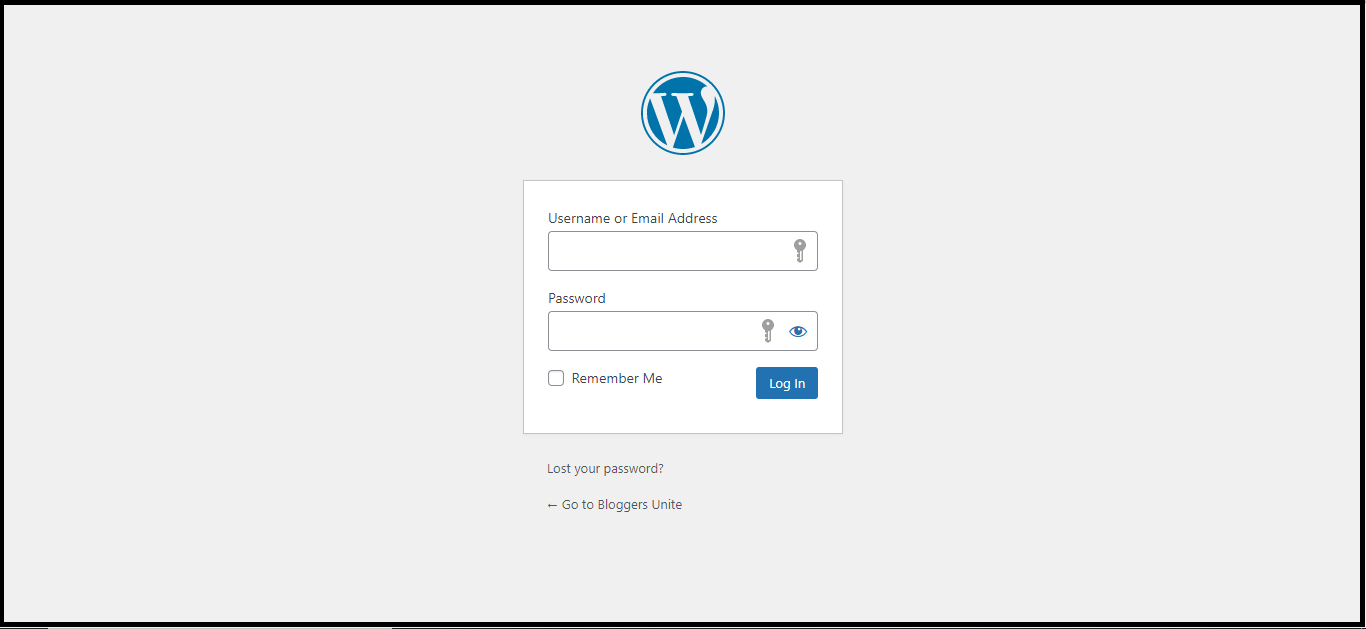
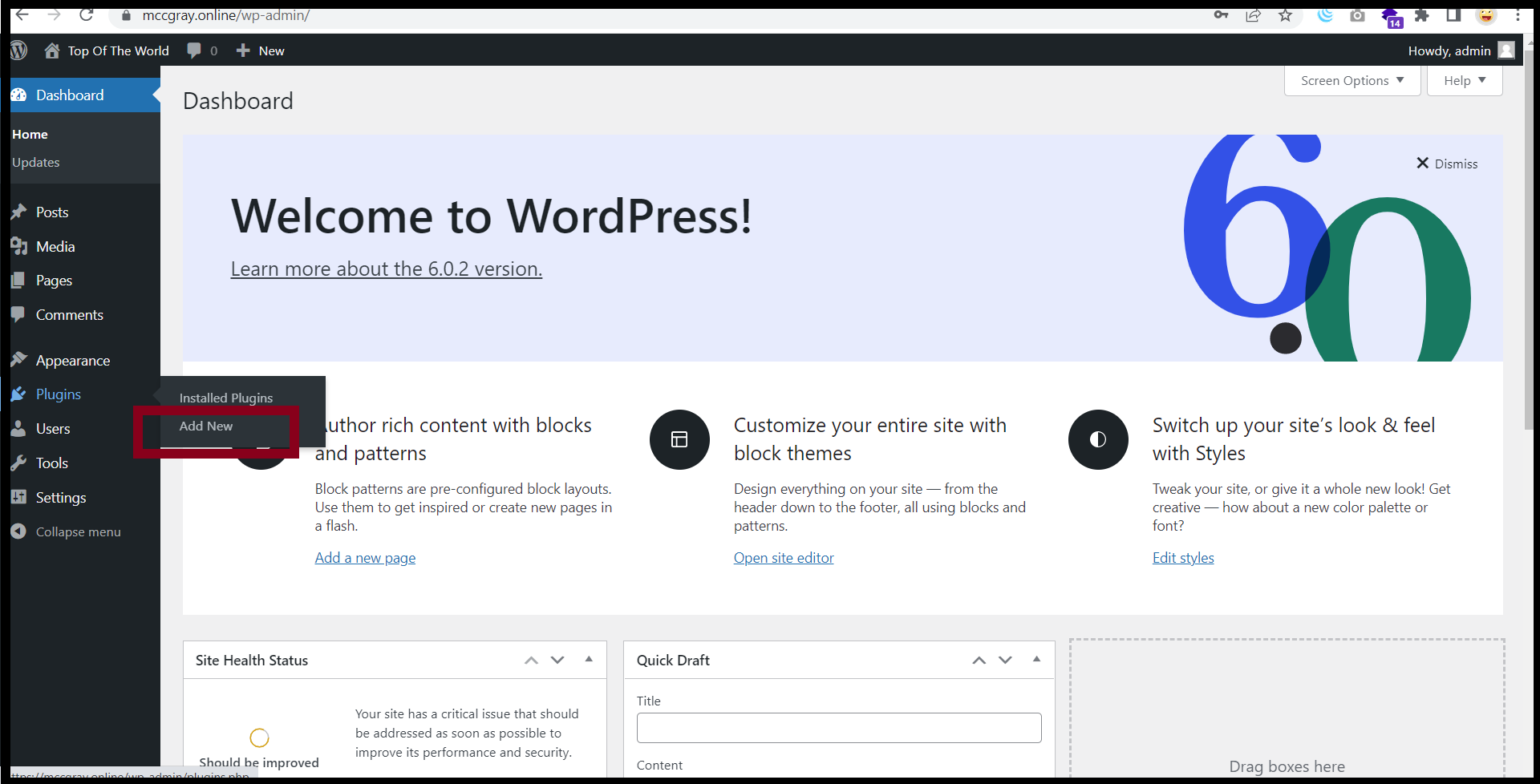
Step2. Go to the "Plugins" and Click "Add New"
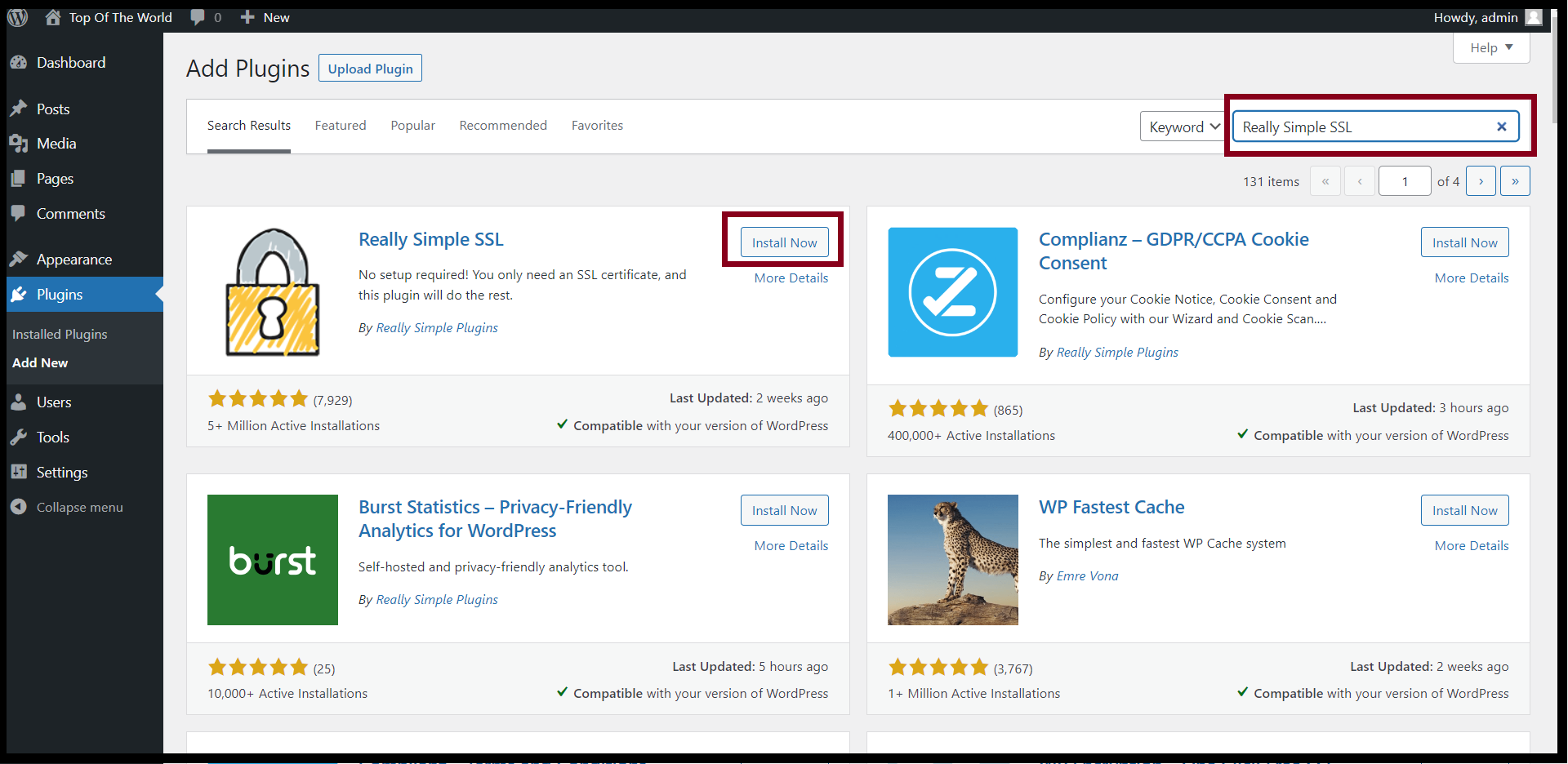
Step3. Find the Plugin from the search bar. After that, you can install the plugin and Click "Install Now"
Now, we are showing with the “Really Simple SSL” Plugin.
After plugin installation is completed, please activate SSL as follows.
Step4. Click "Activate SSL"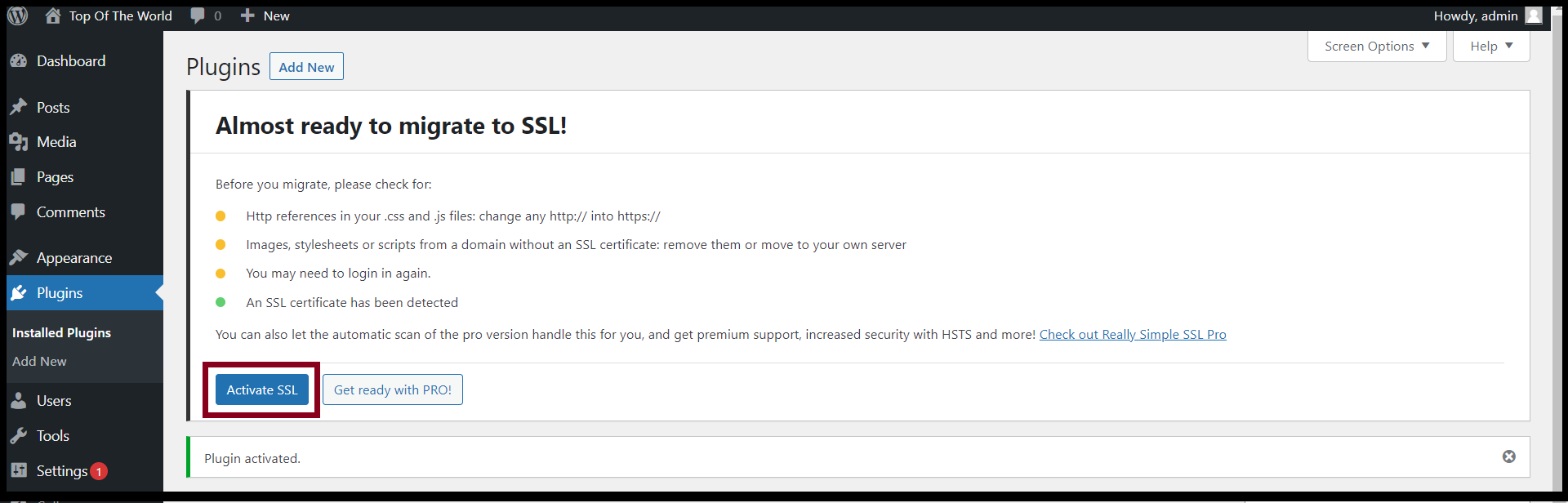
Now, you can redirect from HTTP to HTTPS for your WordPress successfully.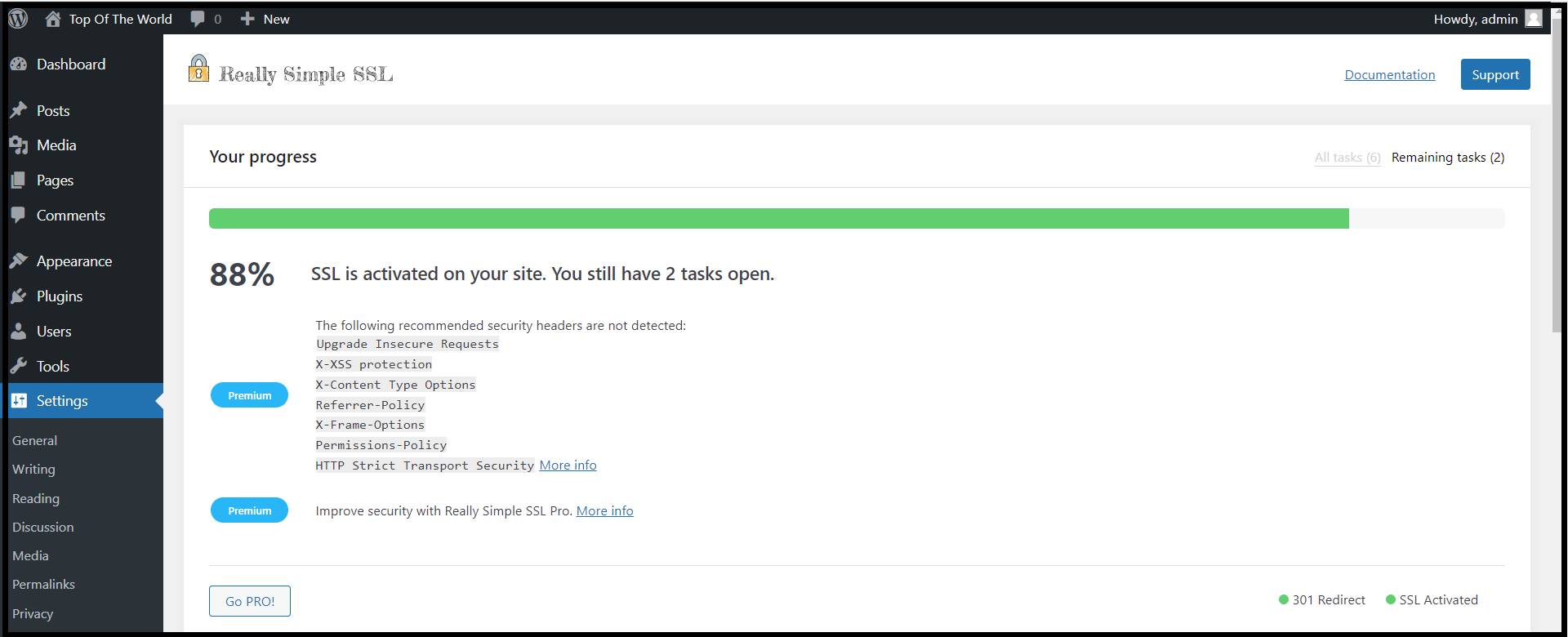
Thank you.
Was this article helpful?
That’s Great!
Thank you for your feedback
Sorry! We couldn't be helpful
Thank you for your feedback
Feedback sent
We appreciate your effort and will try to fix the article