How to reset the WP-Squared Panel Login password of the system
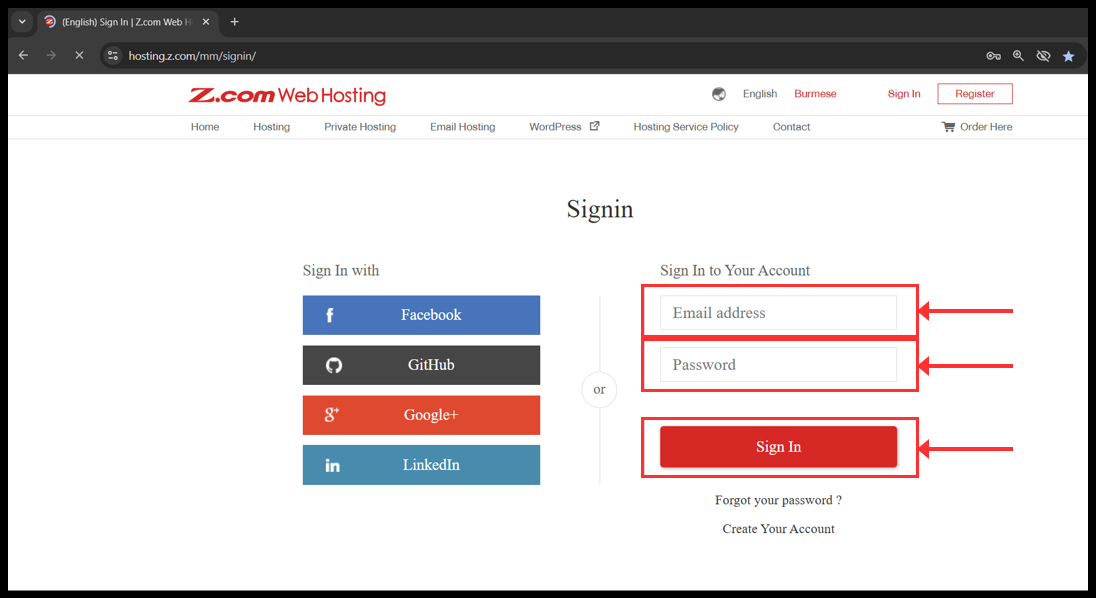
1. Login to your z.com account with registered email address.
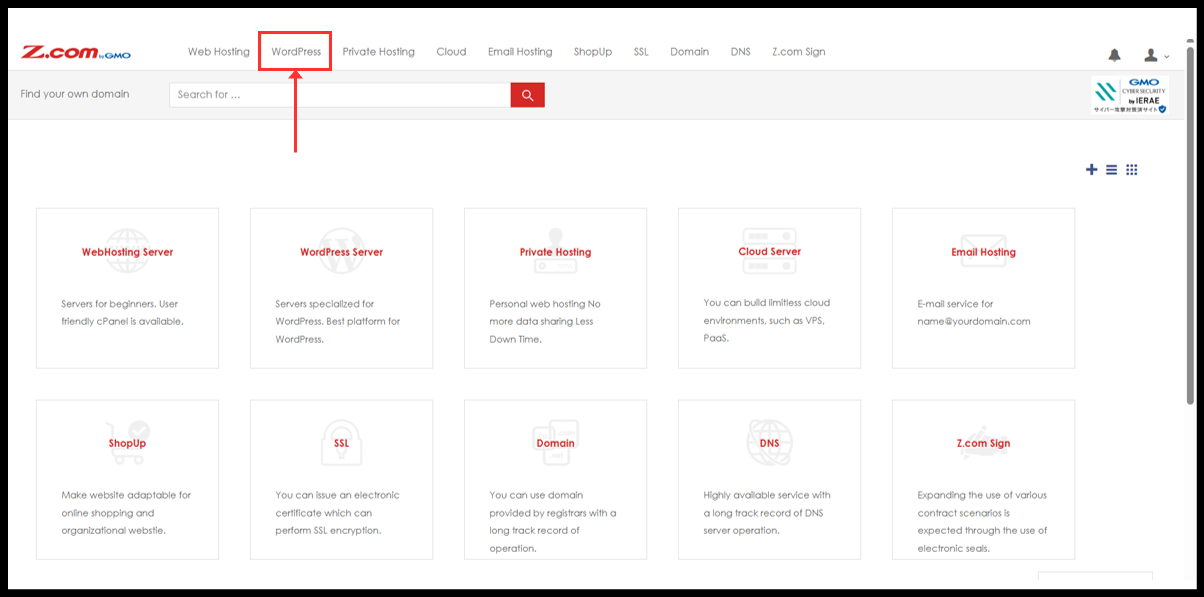
2. Click to WordPress
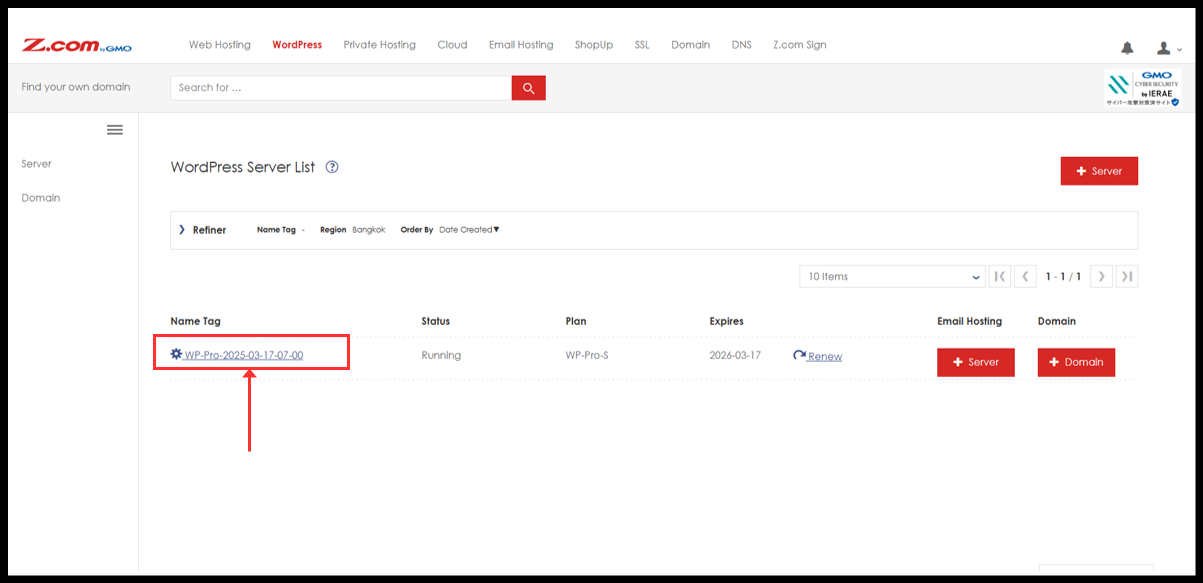
3. You will see the WordPress server under Name Tag. Please click it.
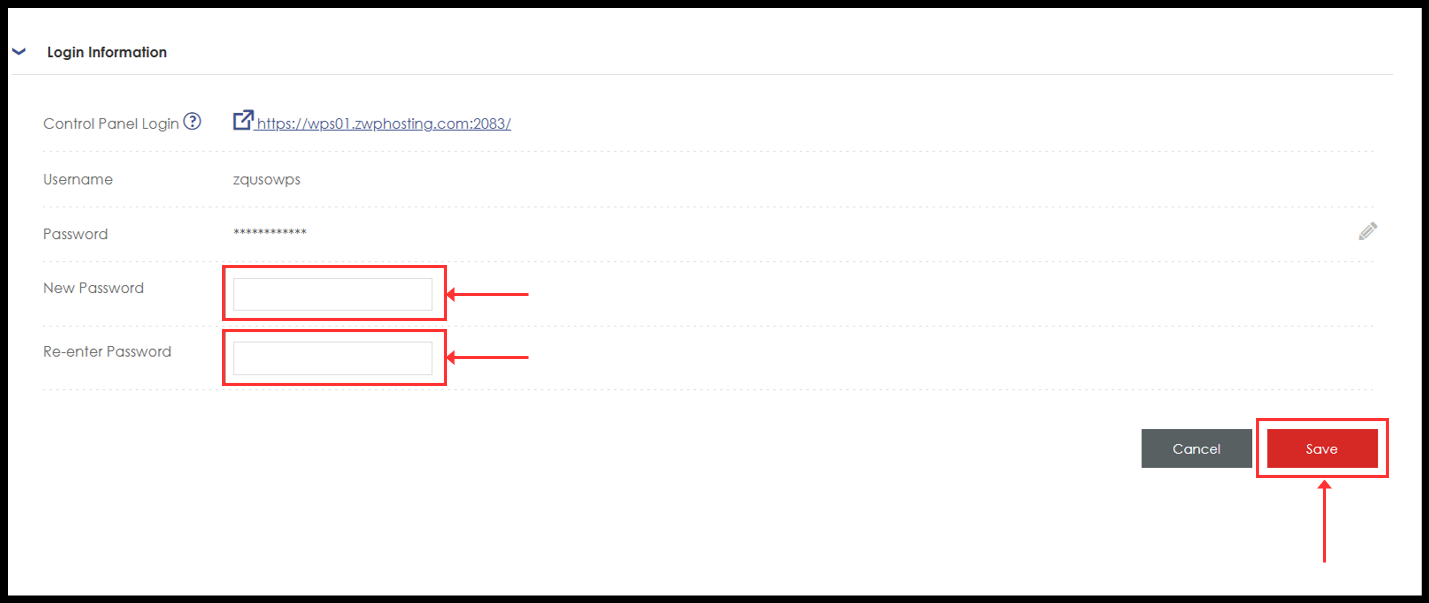
4. Here, (a) You can change password directly from right side edit button and
(b) You can also change from WP Sqaured Control panel.
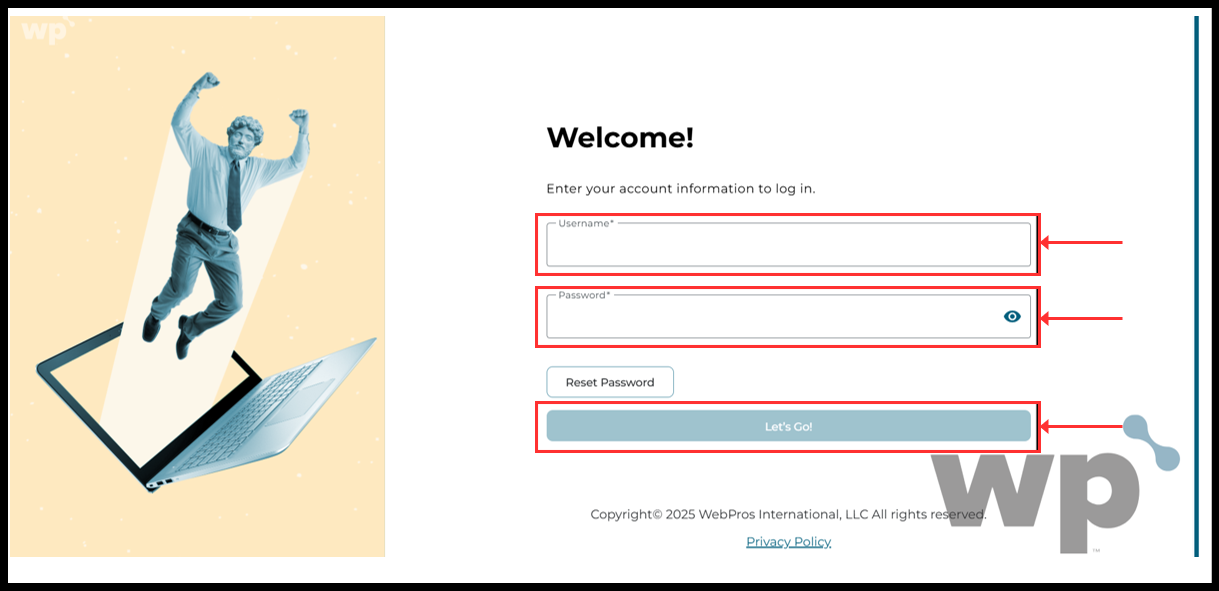
To change from WP Squared panel, click “Login” red button to directly login or can be manually log in from Login information.
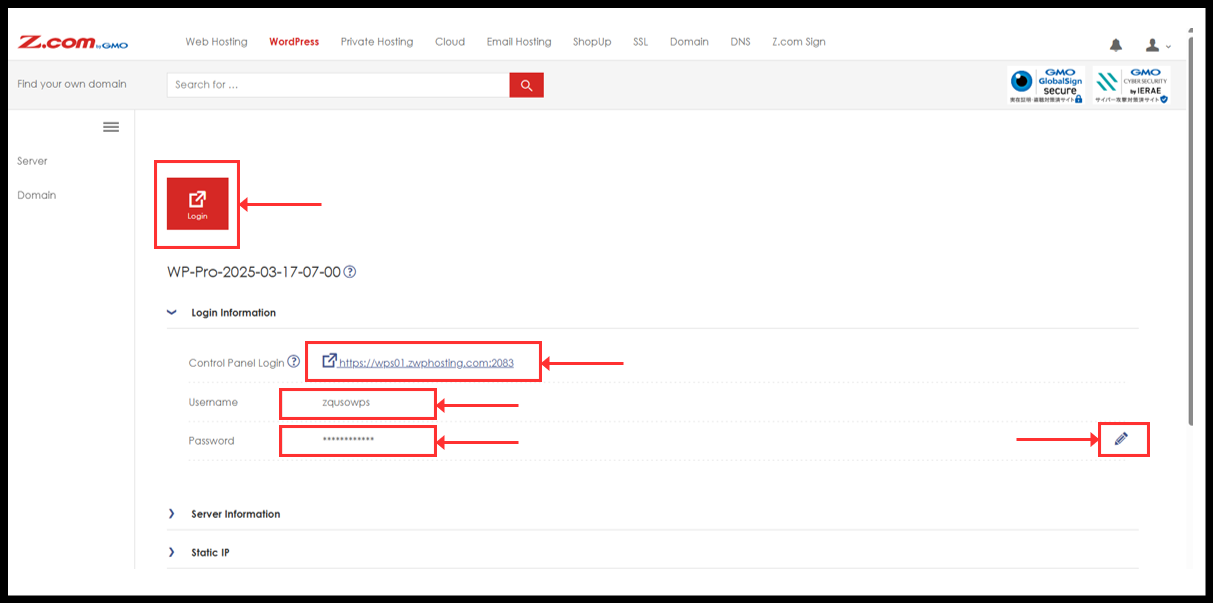
5. If you have clicked password edit button, it will ask for new password. Type the new password and click “Save”. After this, your password have been changed and can now log in to Wordpress Squared panel with new password. (No further steps are required to do)
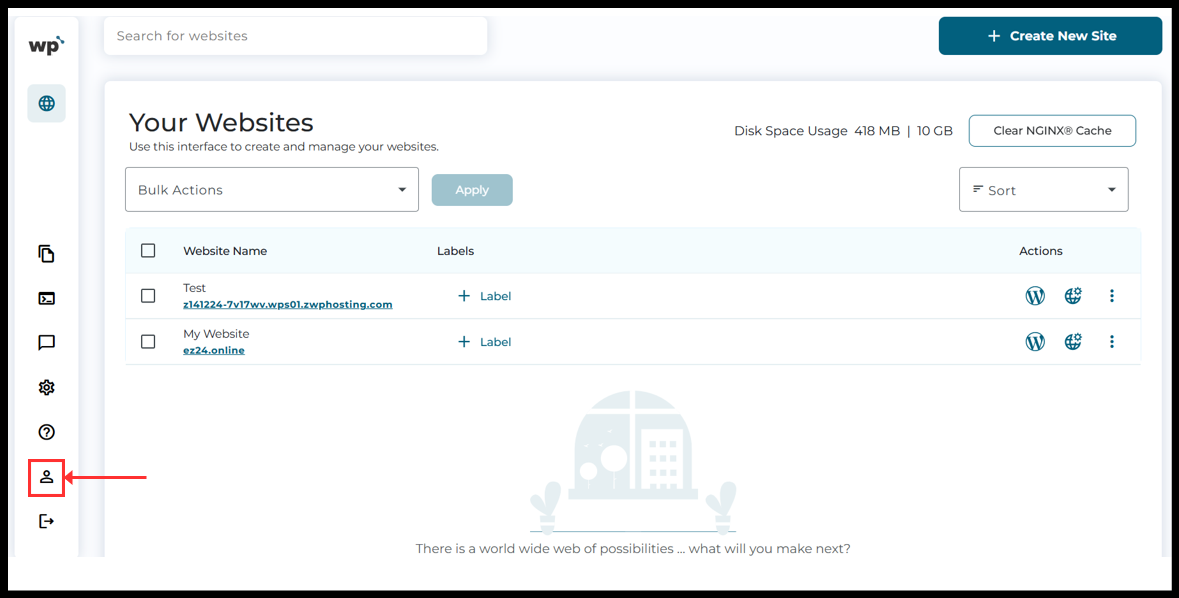
6. If you clicked “Login” button. It will open the WordPress Squared Control Panel and click on the "Account Profile" icon to continue.
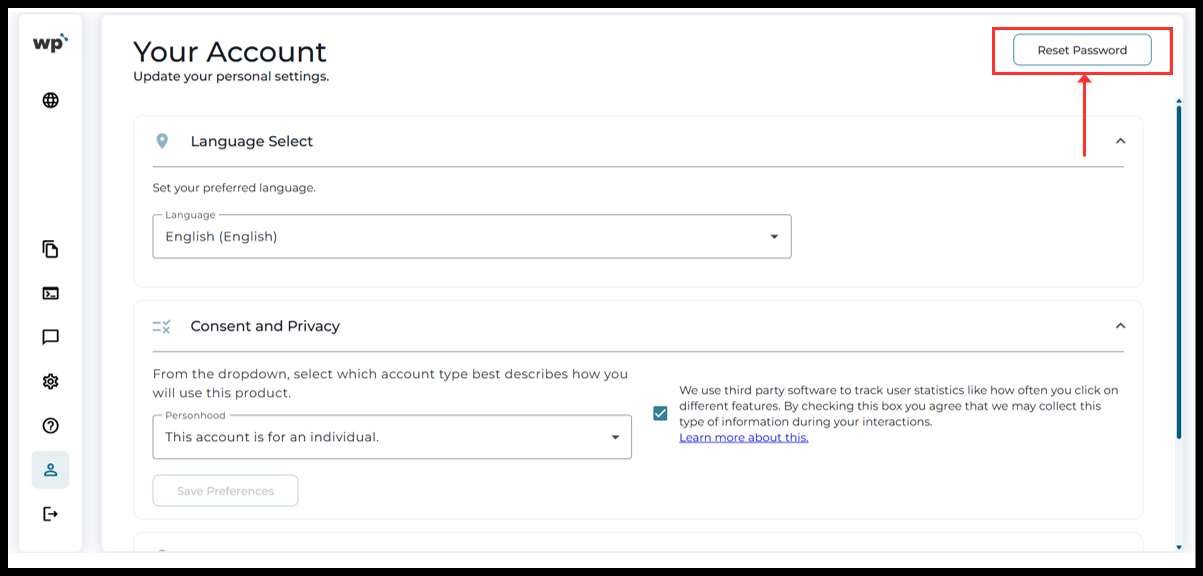
7. Account Profile setting will be open. Click on the “Reset Password” to continue.
8. Please type current password and new password twice and then click “Reset Password”.
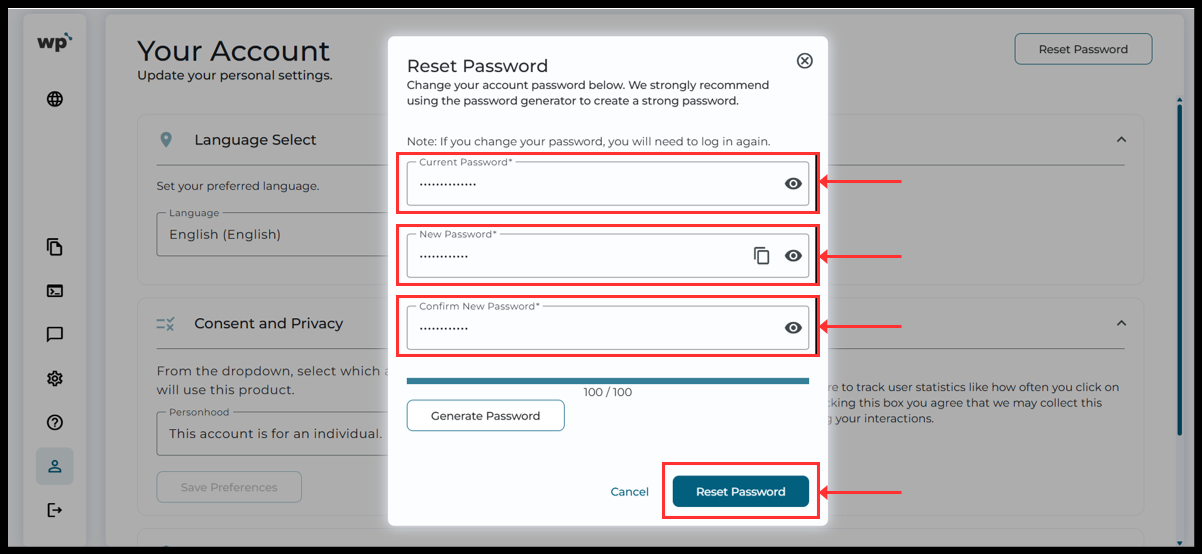
9. Now the password will changed and you will be logout. Please login agian with the new password.
Thank You!!
Was this article helpful?
That’s Great!
Thank you for your feedback
Sorry! We couldn't be helpful
Thank you for your feedback
Feedback sent
We appreciate your effort and will try to fix the article