How to Add a Domain Name with WordPress and Free SSL installation?
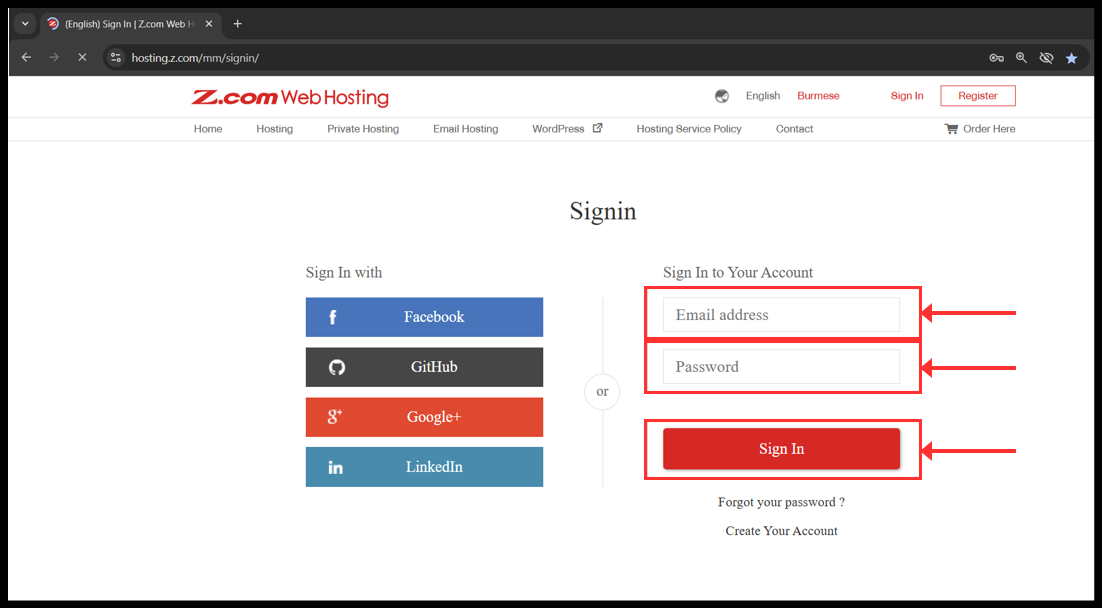
1. Login to your z.com account with registered email address.
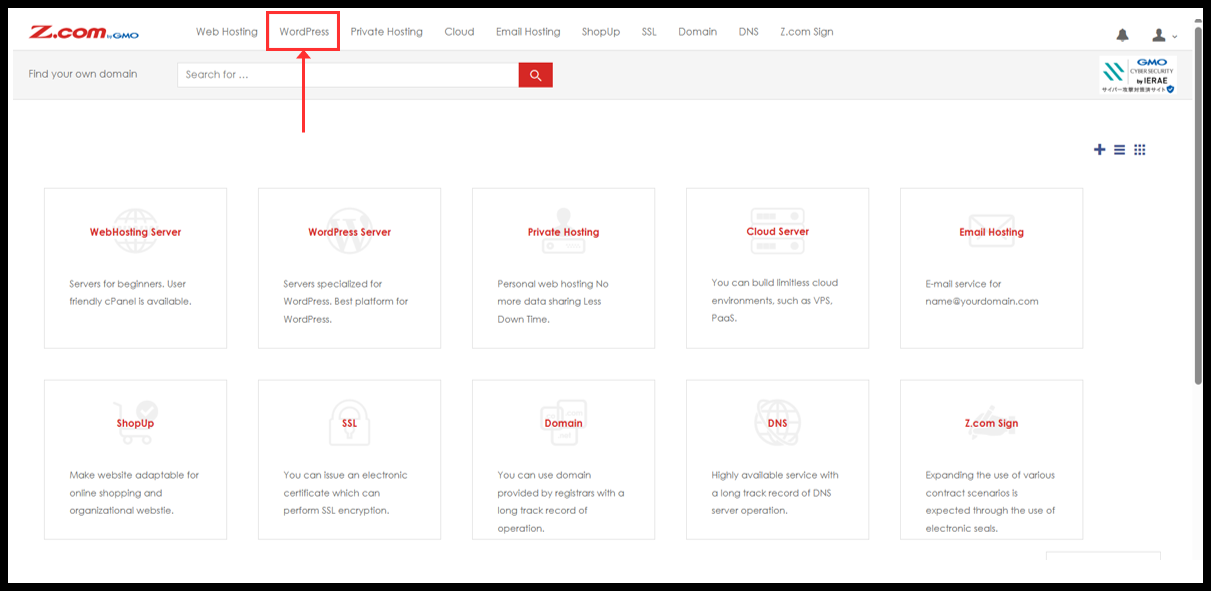
2. Click to WordPress.
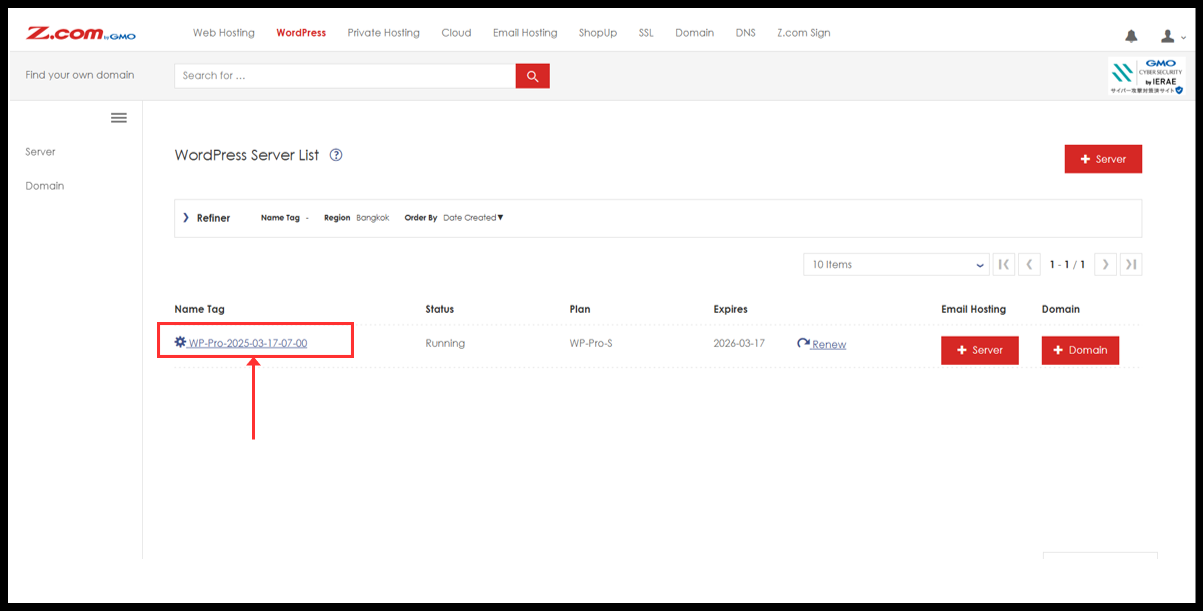
3. You will see the WordPress server under Name Tag. Please click it.
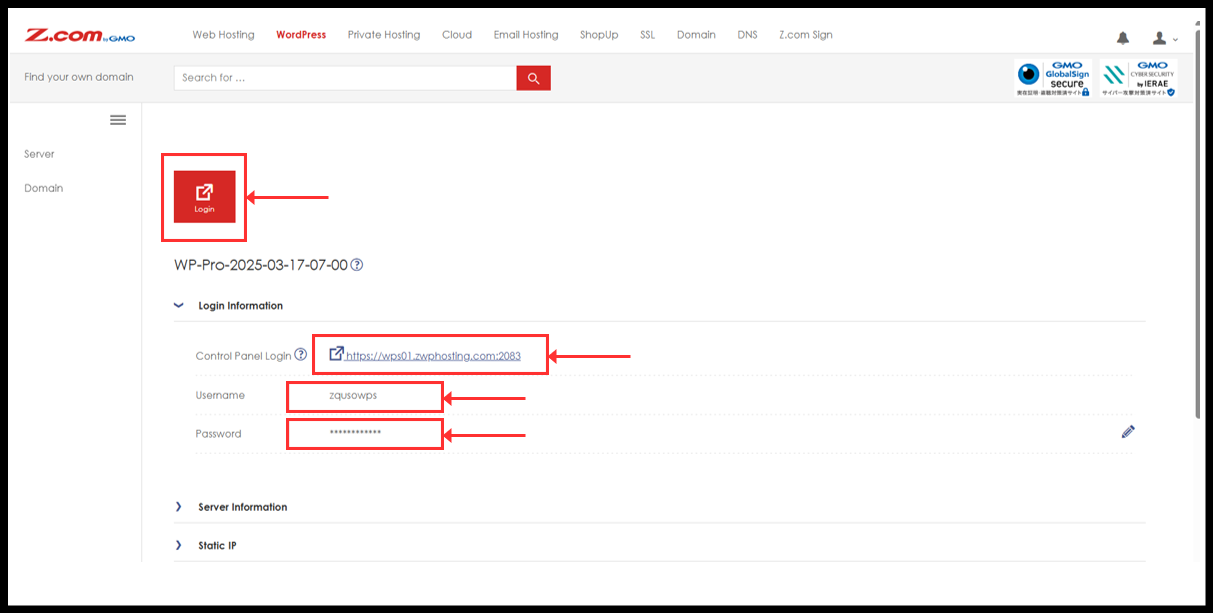
4. You can click “Login” red button to directly login or can be manually log in from Login information.
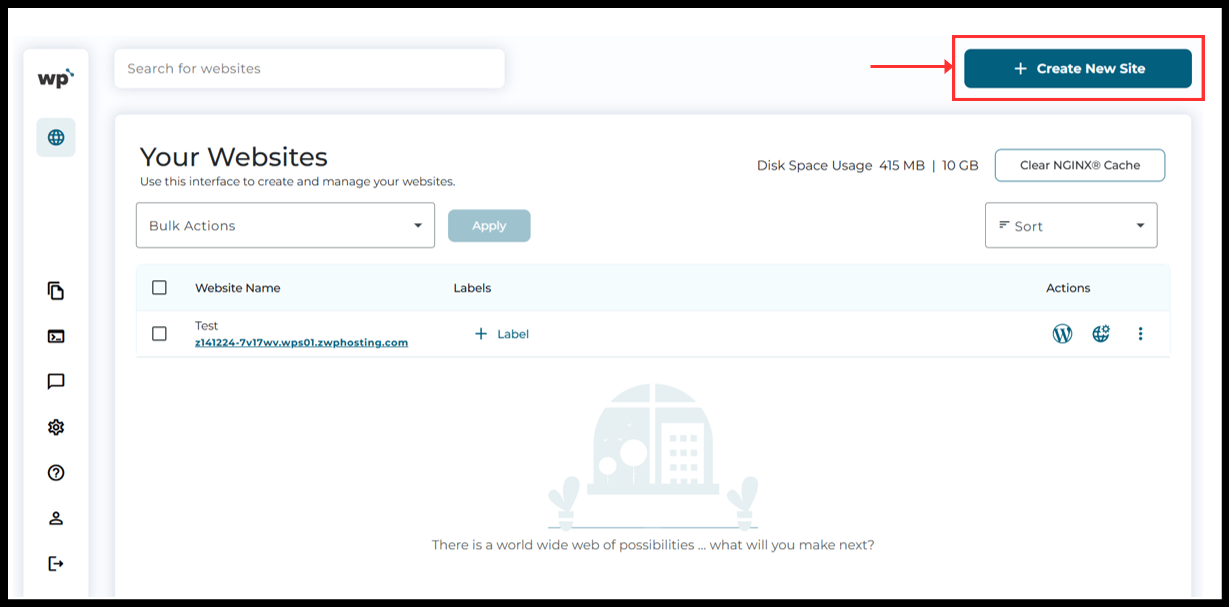
5. Now, the WordPress Squared Panel will see and click on the "Create New Site" botton to add the domain.
6. Add your domain name and click “Continue”.

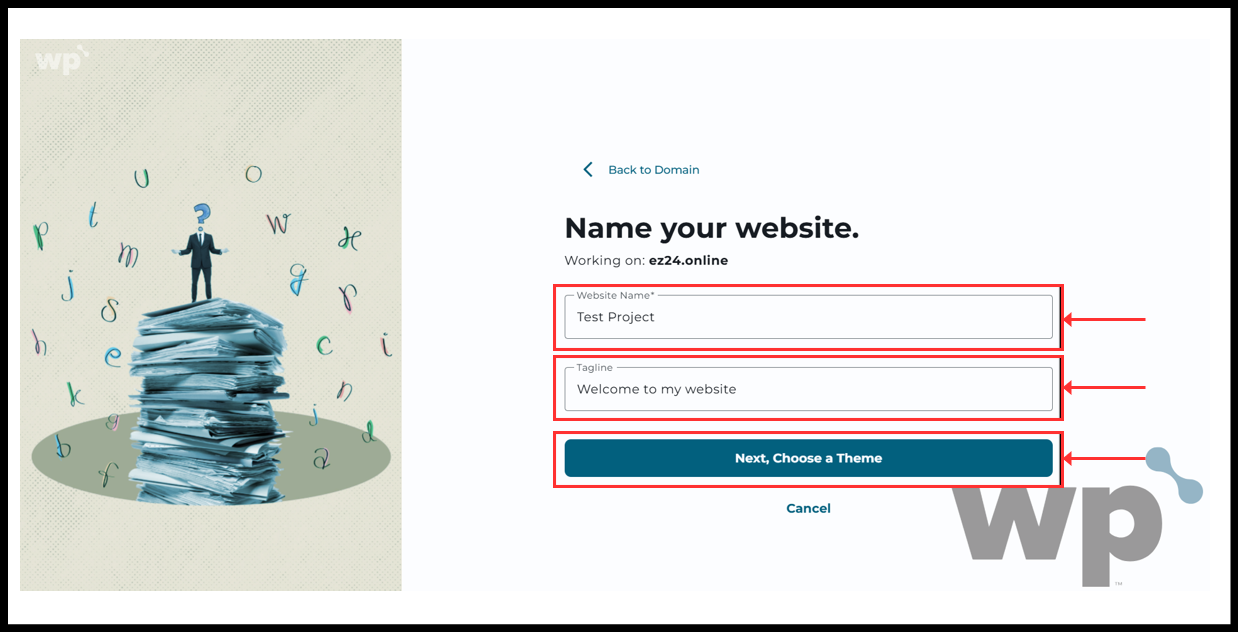
7. Fill the website name and Tagline as you prefer. Then click “Next, Choose a Theme”.
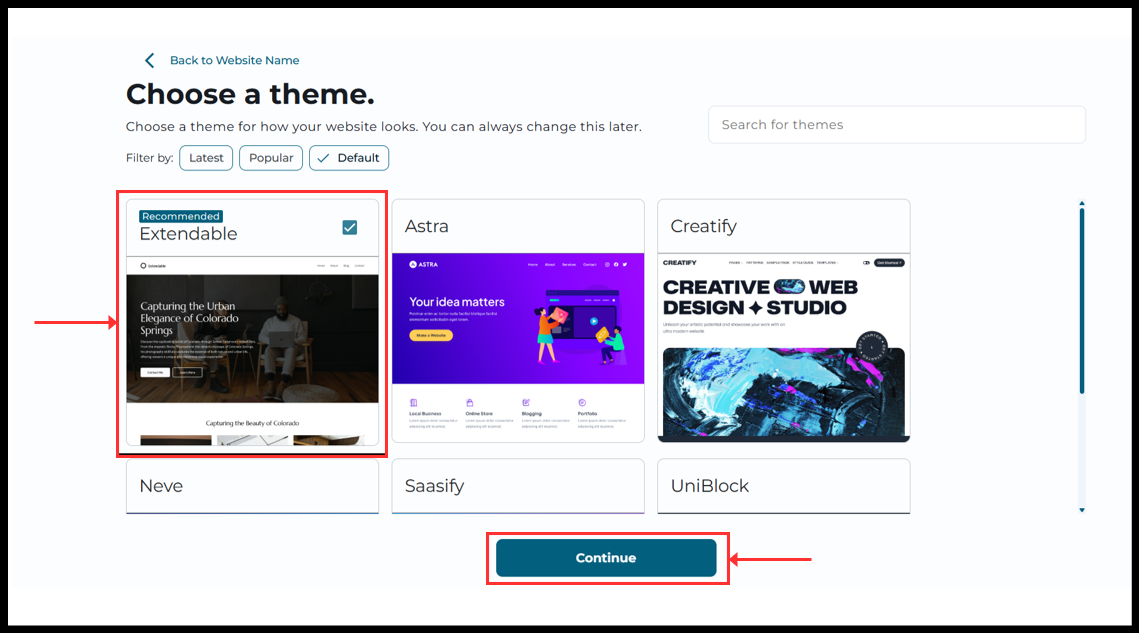
8. Choose a theme you prefer and click “Continue”.
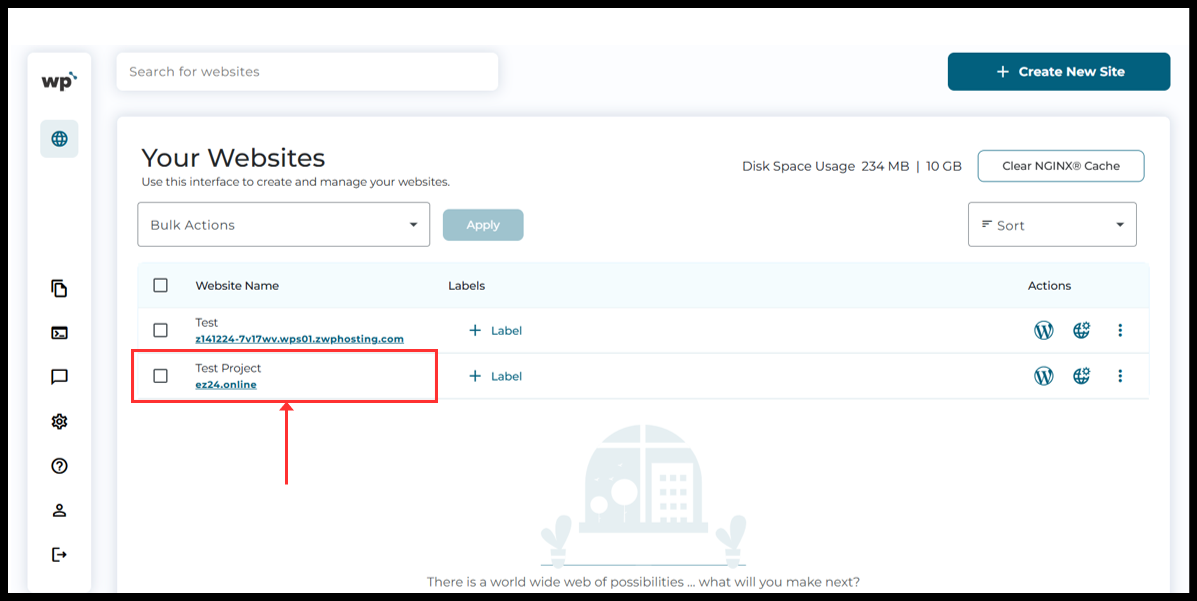
9. Now, wait for some moment. The system will setup your domain.

10. Now the domain has been added. SSL certificate will also be autometically install within 24 ~ 72 hours.
Thank You!!
Was this article helpful?
That’s Great!
Thank you for your feedback
Sorry! We couldn't be helpful
Thank you for your feedback
Feedback sent
We appreciate your effort and will try to fix the article