How To Generate The CSR on cPanel(WordPress Pro)?
Step1. Login to the Z.com account, https://cloud.z.com/mm/signin/
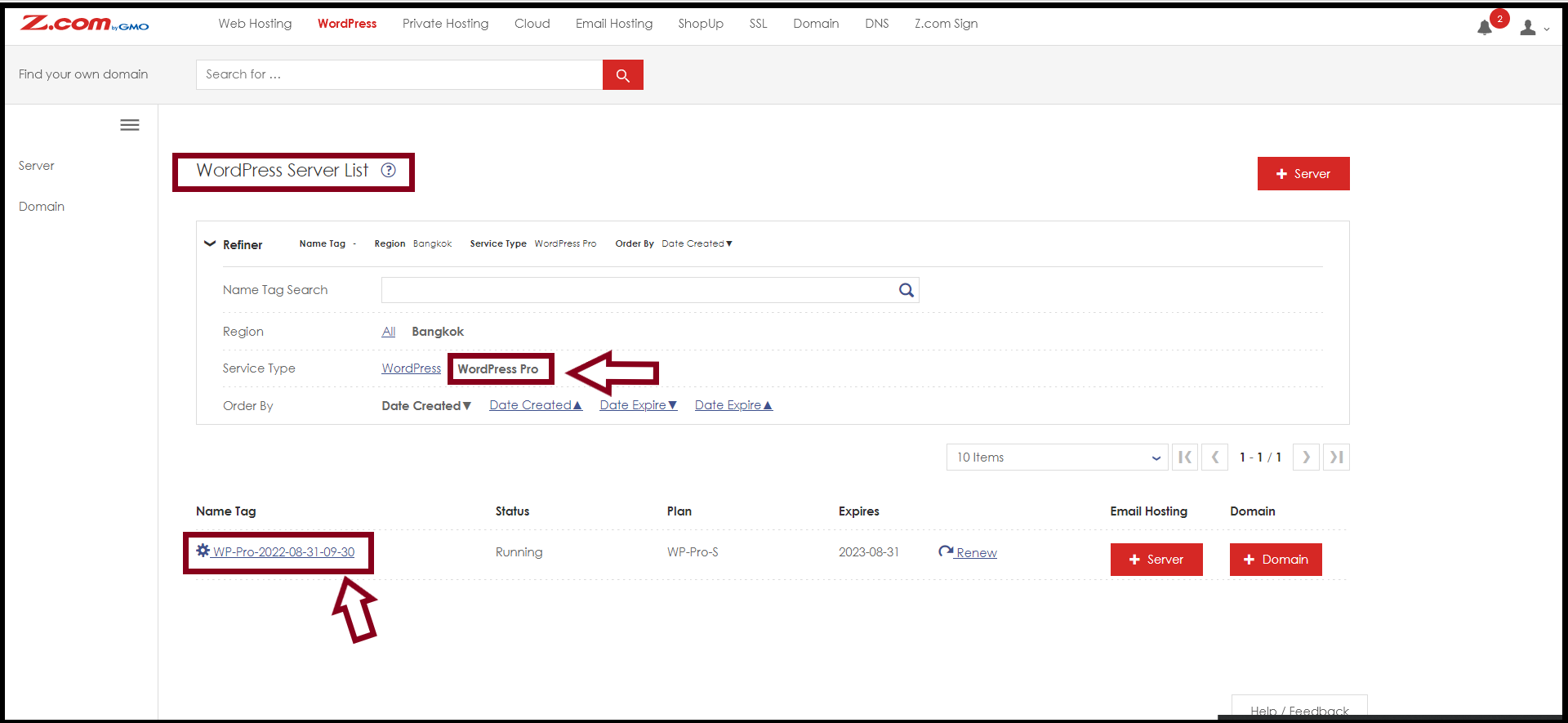
Step2. Click the "WordPress" Menu
Step3. Select your "WordPress Pro Server" Under the Name Tag
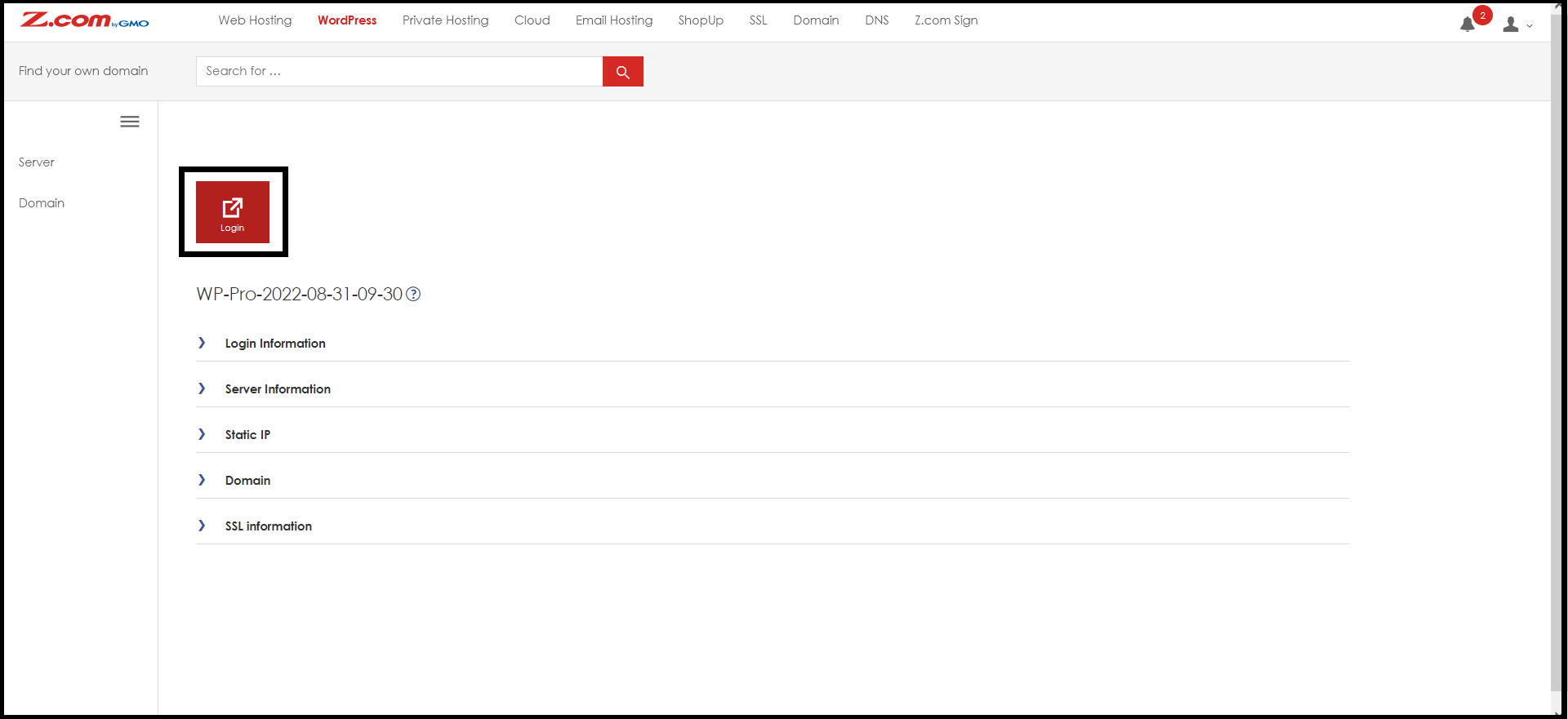
Step4. Click the "Login" Button to enter the cPanel
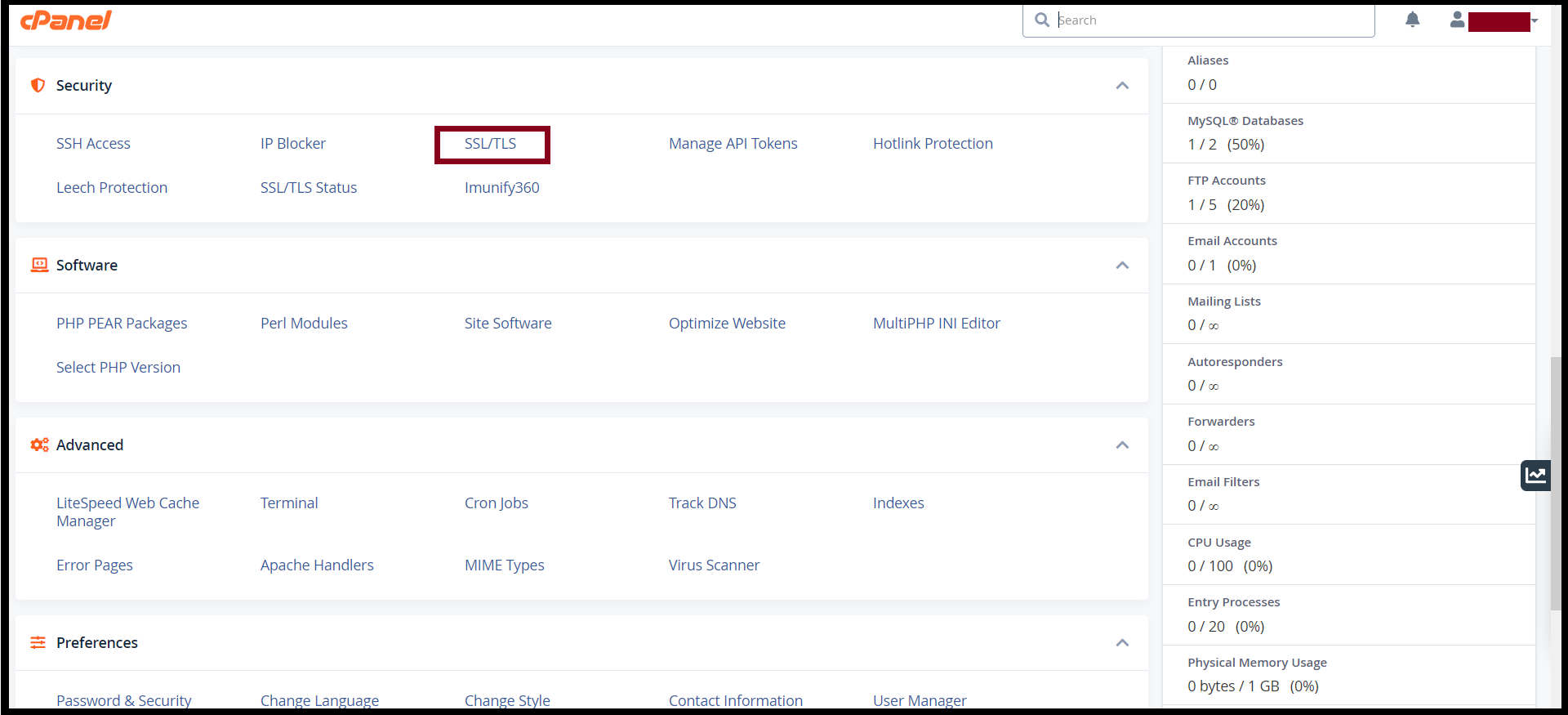
And then Go to the "SECURITY"
Step5. Select "SSL/TLS" to generate CSR
Click "CERTIFICATE SIGNING REQUESTS(CSR)"

Step6. Fill in the CSR information of your Domain Name
Note: Please double-check your common name and take care of the Spelling of your common name.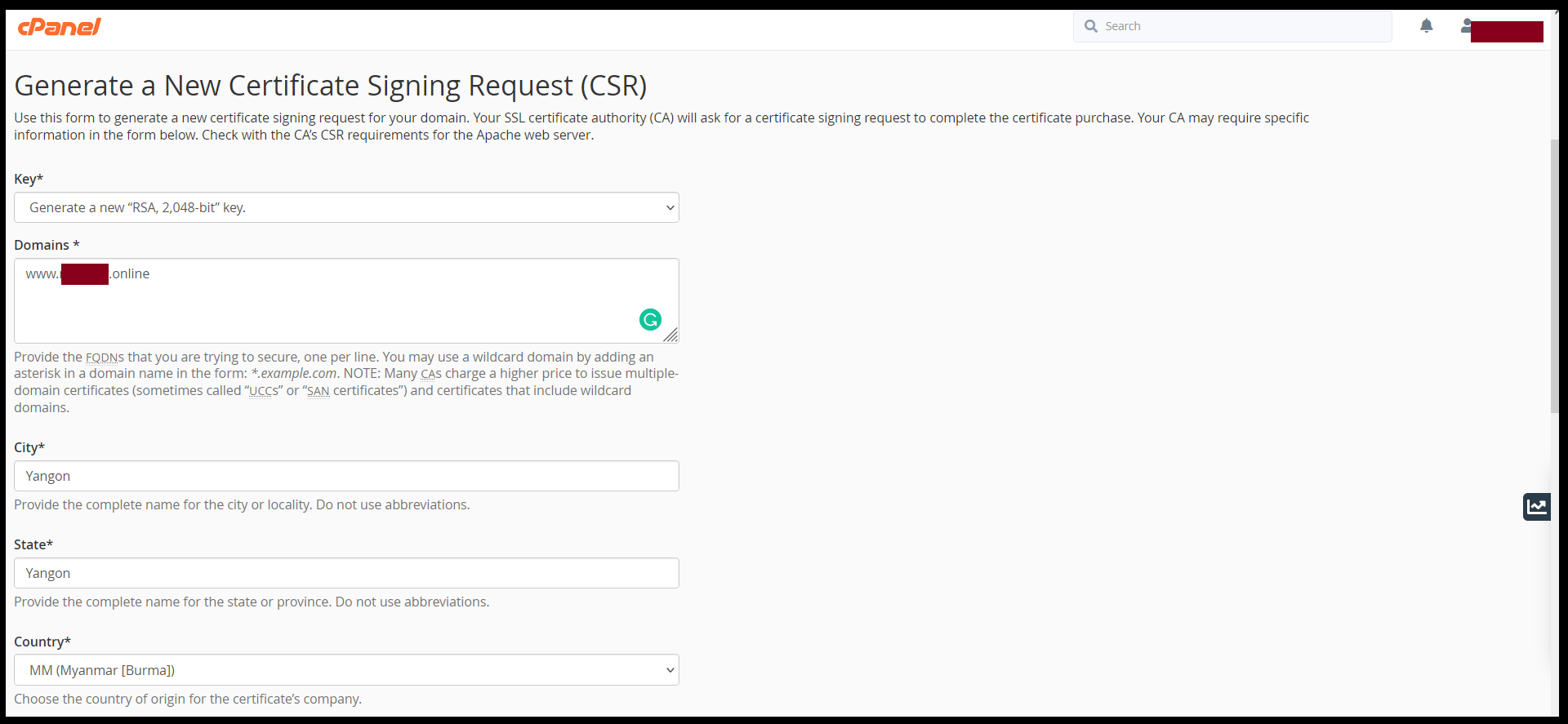
Finally, you got the new CSR and Private Key and copy them to the notepad.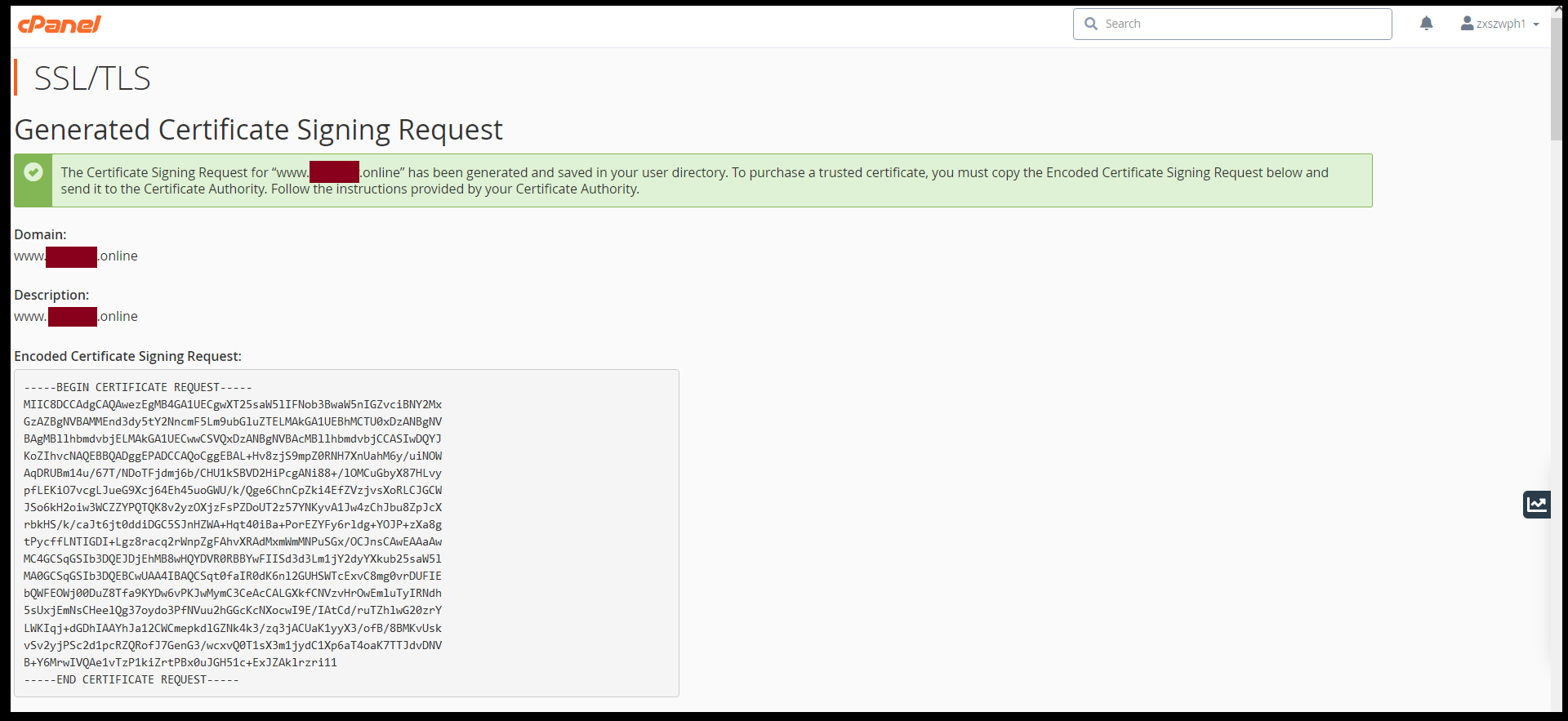
Thank you.
Was this article helpful?
That’s Great!
Thank you for your feedback
Sorry! We couldn't be helpful
Thank you for your feedback
Feedback sent
We appreciate your effort and will try to fix the article