How to Generate CSR in Plesk Server?
To generate the CSR in Plesk, please follow the instructions below.
Step1. Login to the Plesk Server, https://150.95.xx.xx:8443/
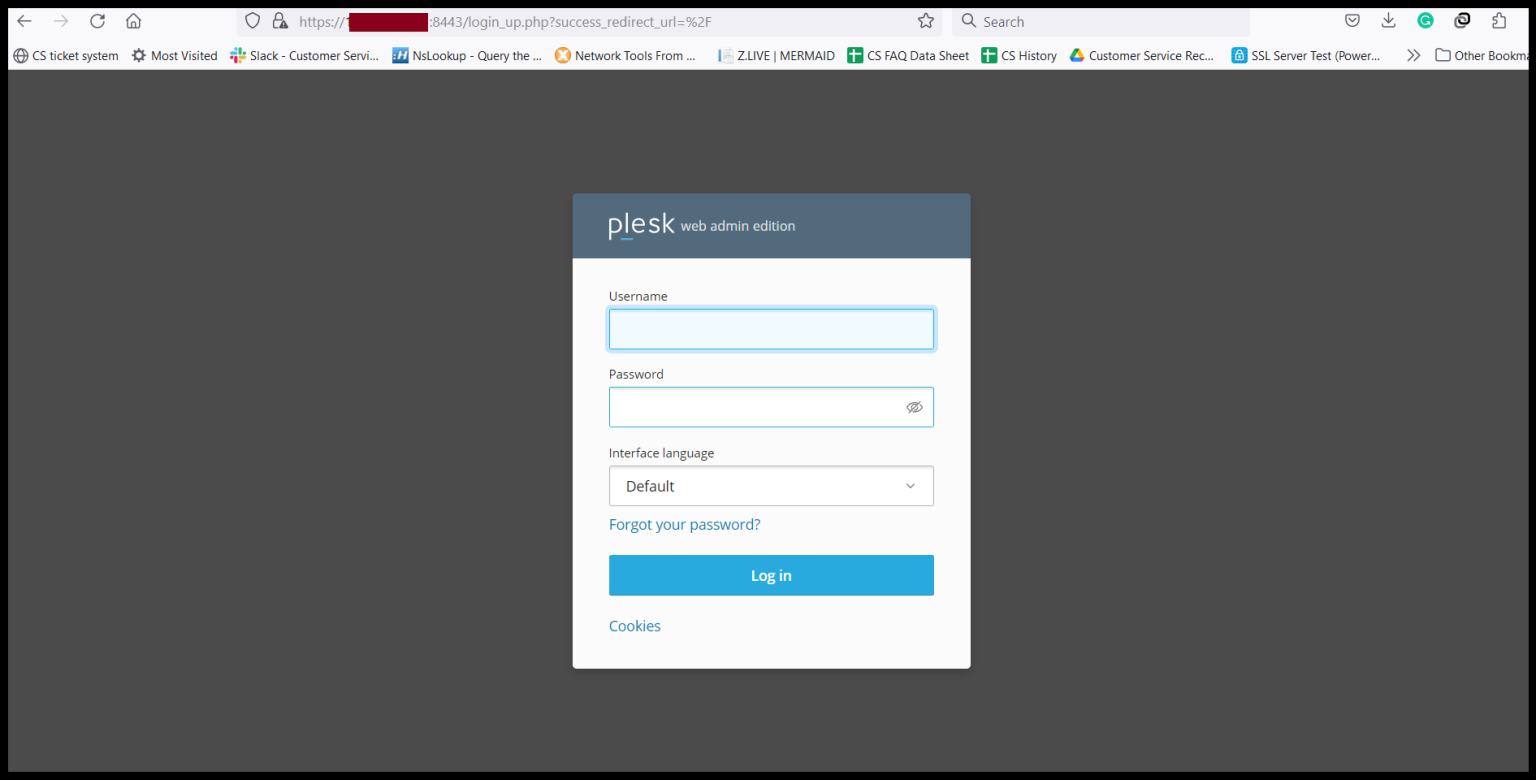
Step2. Click “SSL/TLS Certificates”.

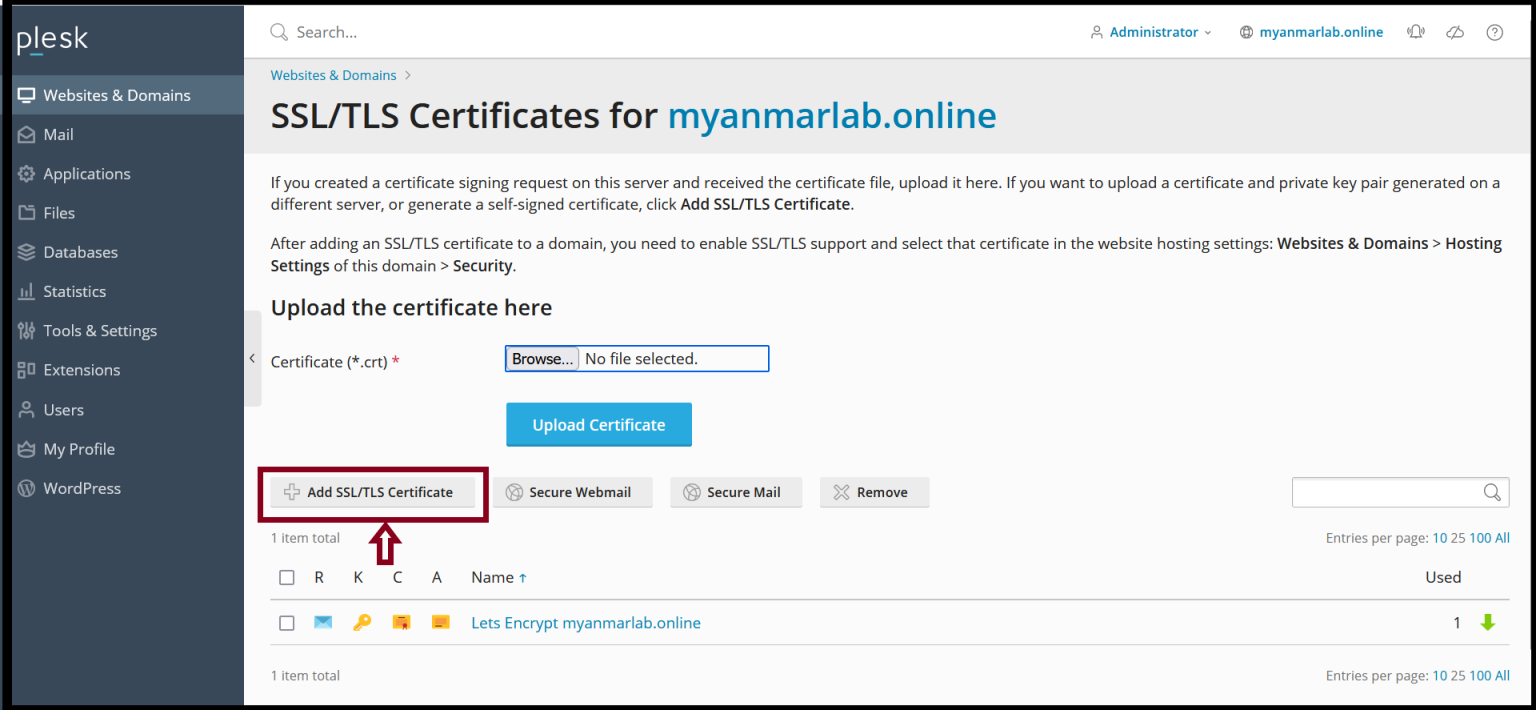
Step3. Click “Add SSL/TLS Certificate” to generate CSR.
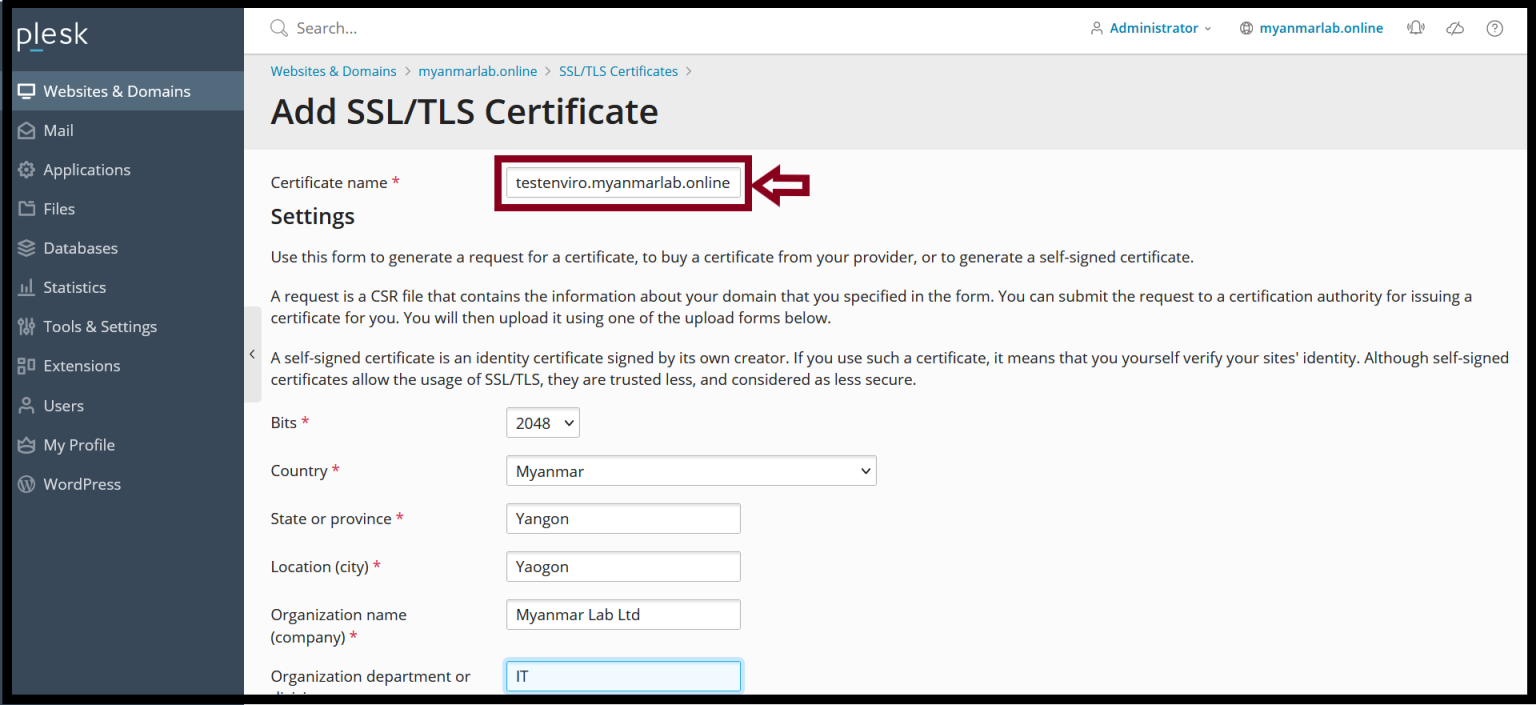
Step4. Fill require information for CSR generating process.
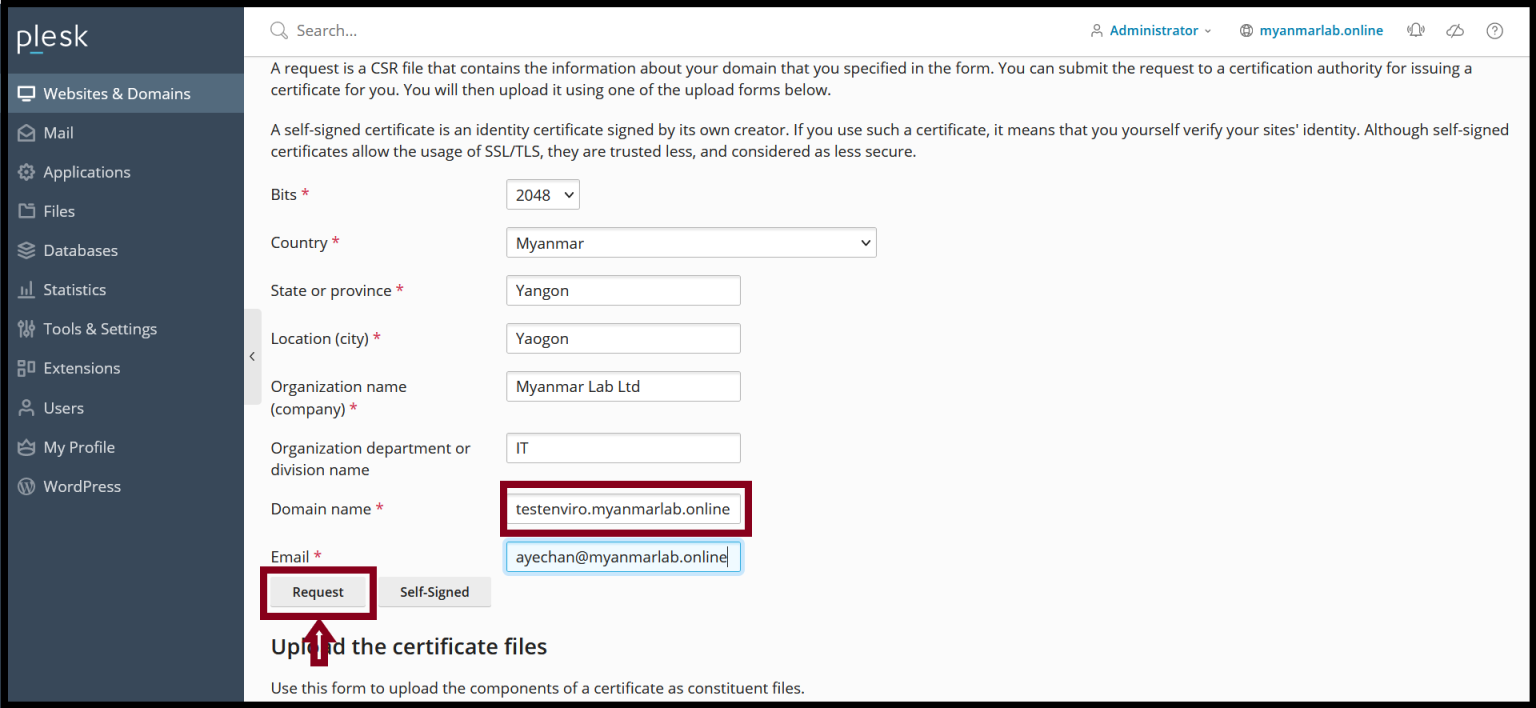
Key Length: 2048 bits Country: Myanmar State: Yangon Location: Yangon Organization name: Your Company Name Organization Department: IT Domain name: testenviro.myanmarlab.online ( FQDN ) |
Please double check the domain name of the CSR that you want to apply SSL.
Step5. Click “Request".
Step6. Now, the CSR is generated successfully and click your “Domain Name”.
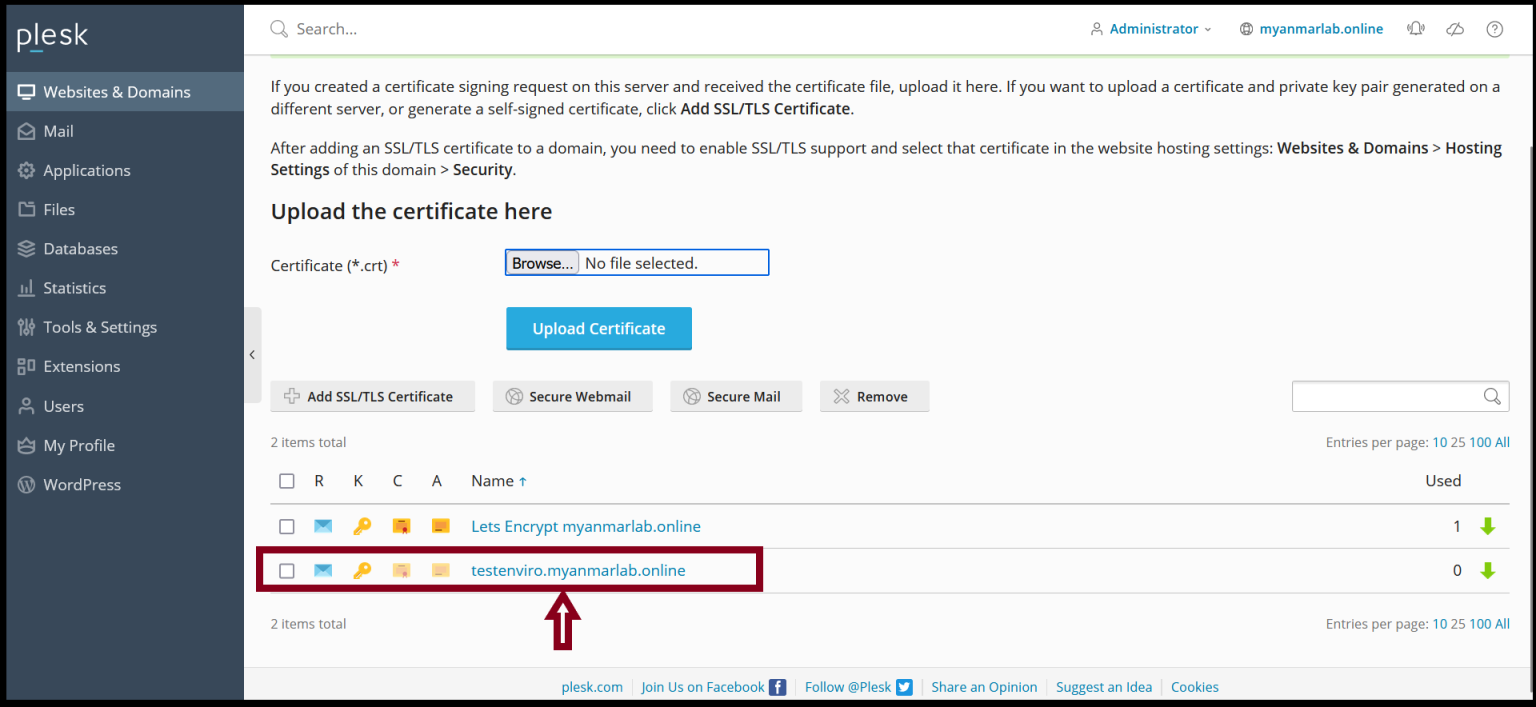
Step7. Open the Notepad and copy the CSR code to it.
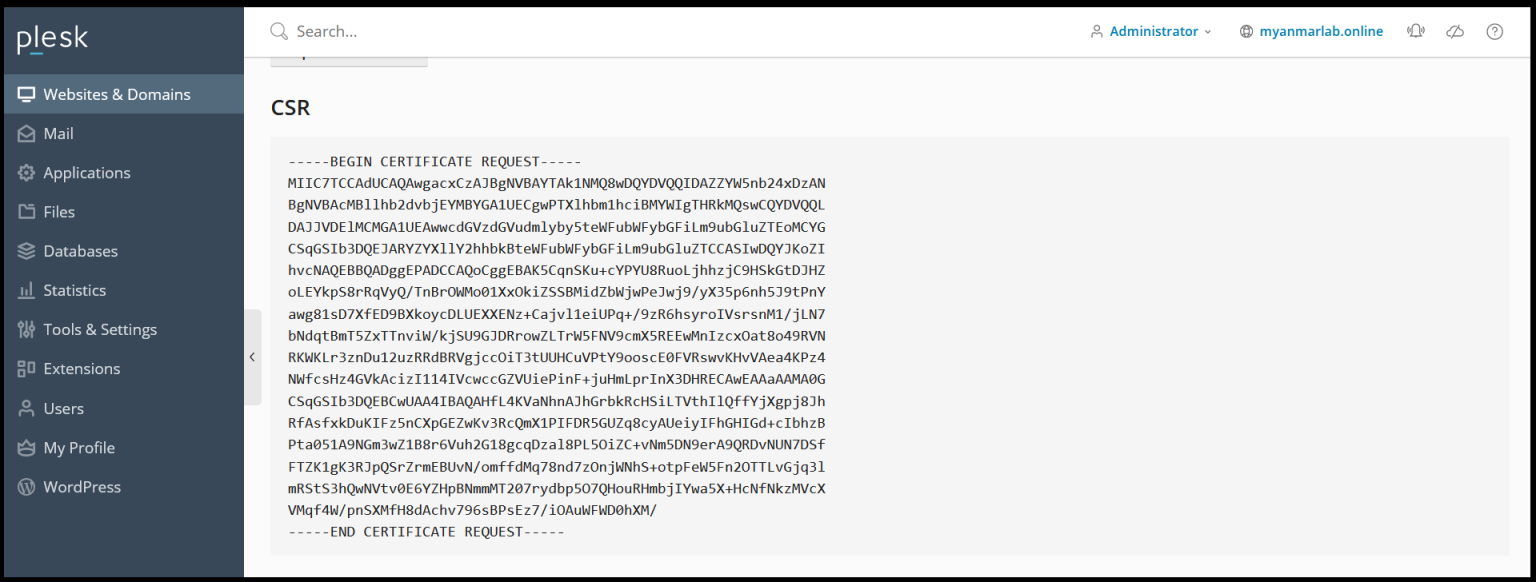
You can use this CSR to apply SSL certificate or provide this to CA to apply the SSL certificate.
Thank you!!
Was this article helpful?
That’s Great!
Thank you for your feedback
Sorry! We couldn't be helpful
Thank you for your feedback
Feedback sent
We appreciate your effort and will try to fix the article