How to Update the PHP version on the Plesk Server?
To install an updated PHP version on the Plesk server, please follow the instructions below.
Note: The supported PHP versions may vary depending on the Plesk version. The latest Plesk release supports the latest PHP versions.
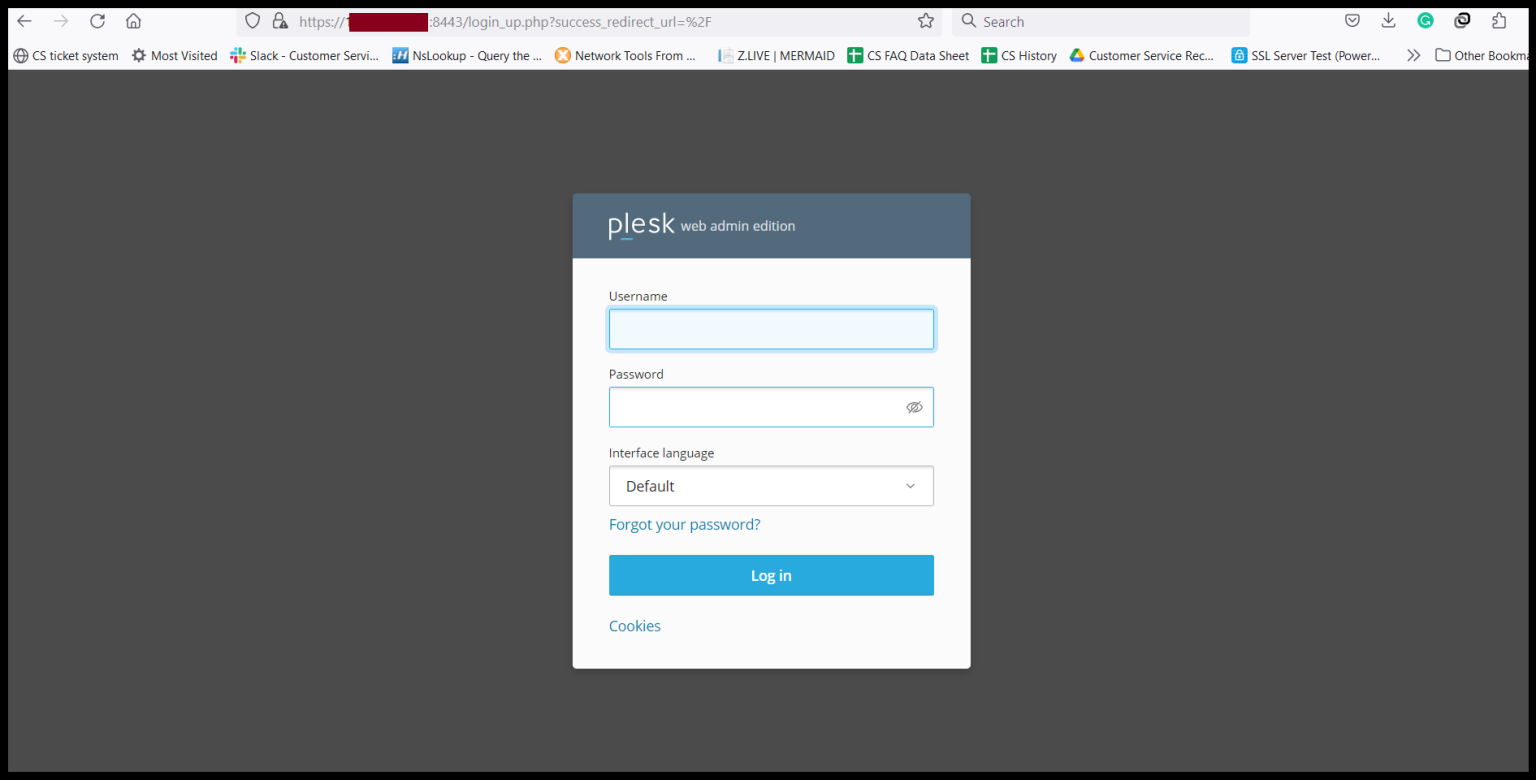
Step1. Login to the Plesk Server, https://150.95.xx.xx:8443/
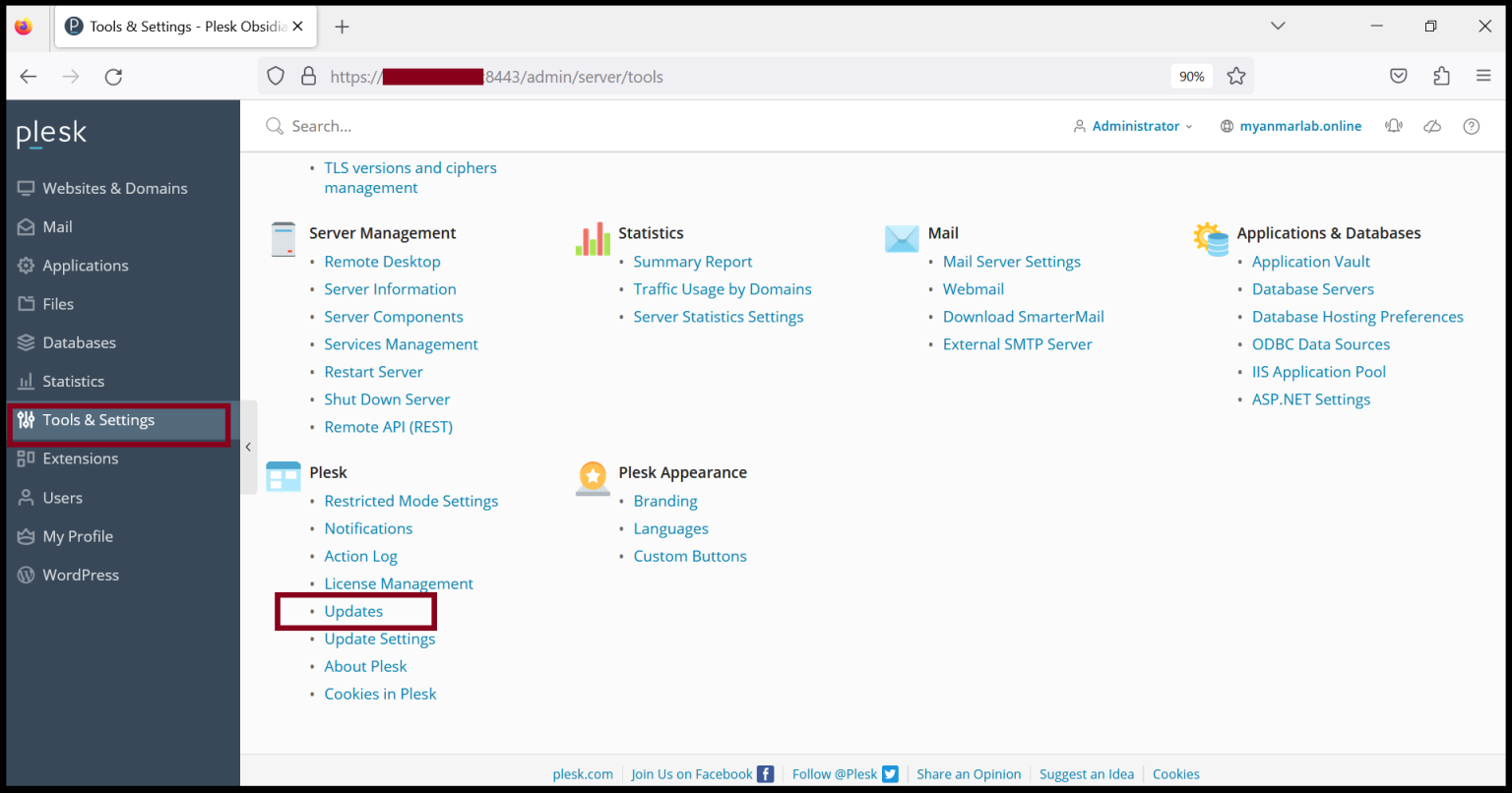
Step2. Go to “Tools & Settings” and click “Updates” under Plesk.
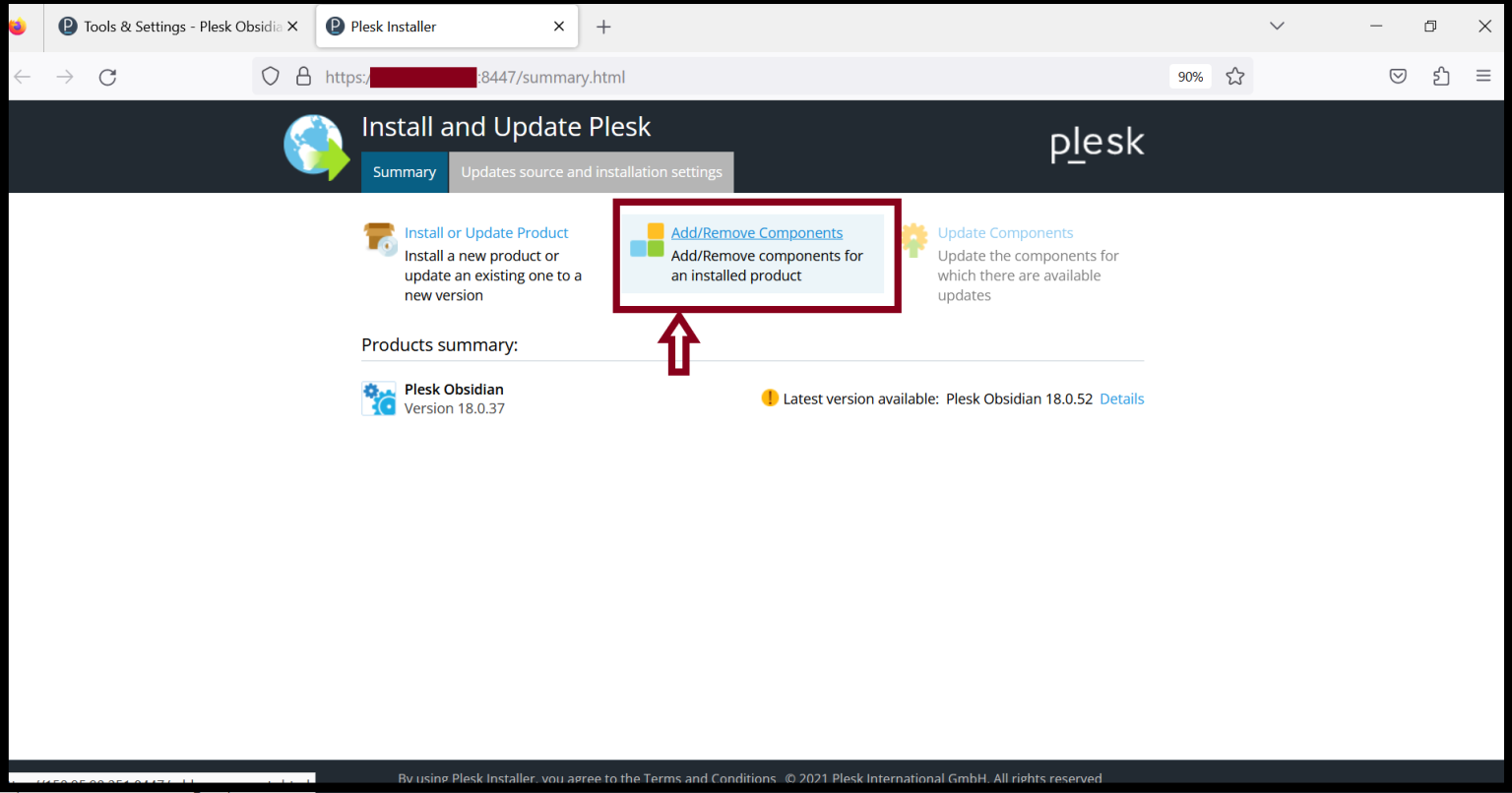
Step3. Click “Add/Remove Components” to update and install the PHP version.
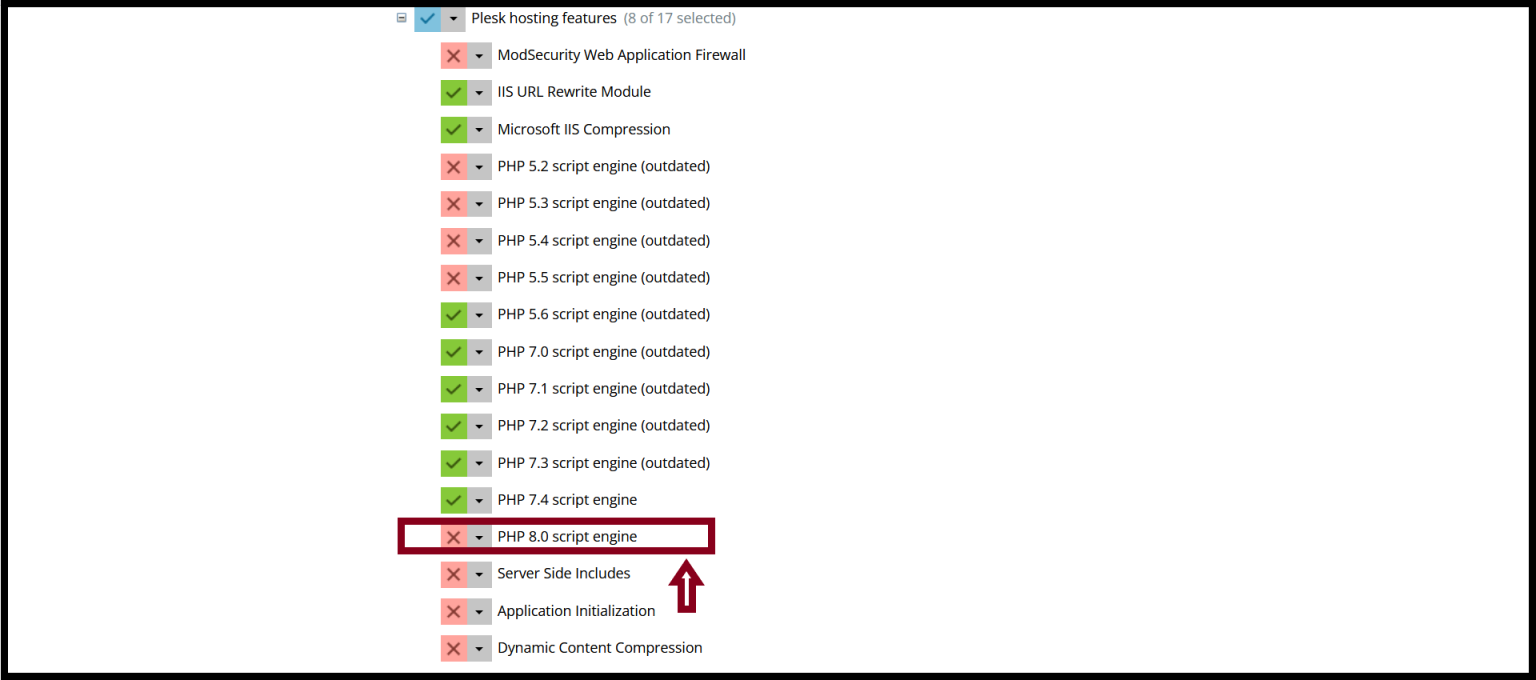
Step4. Go to the “Plesk Hosting Features".
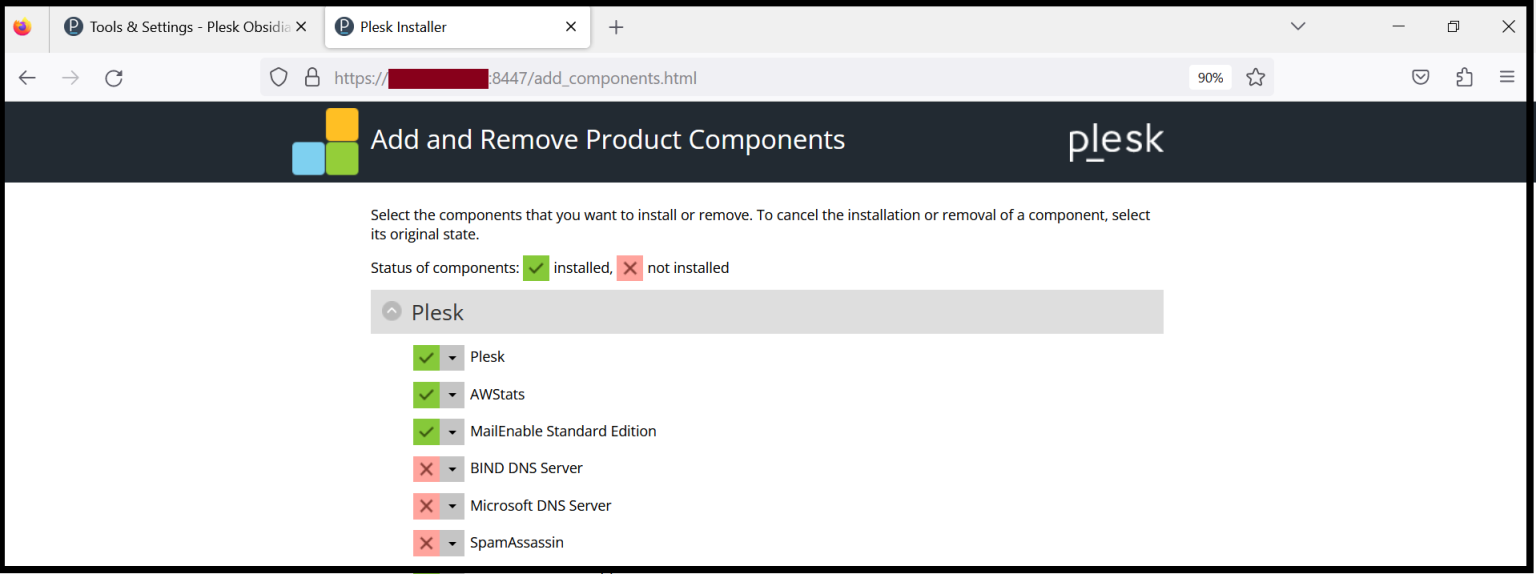
Select the “PHP” Version that you want to install.
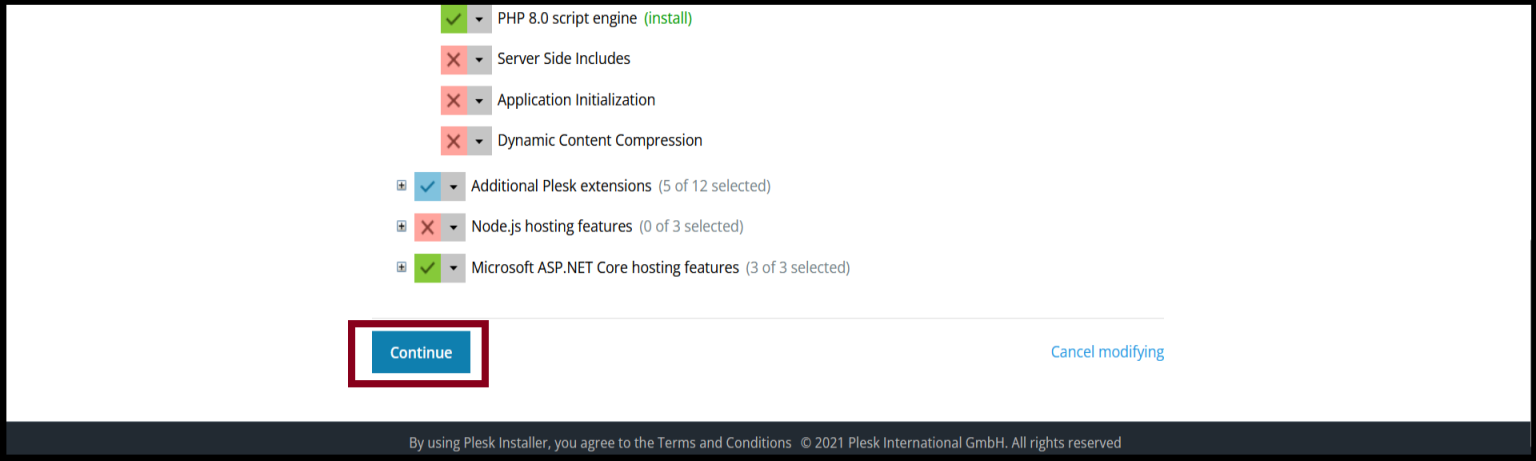
Step5. And then, click “Continue".
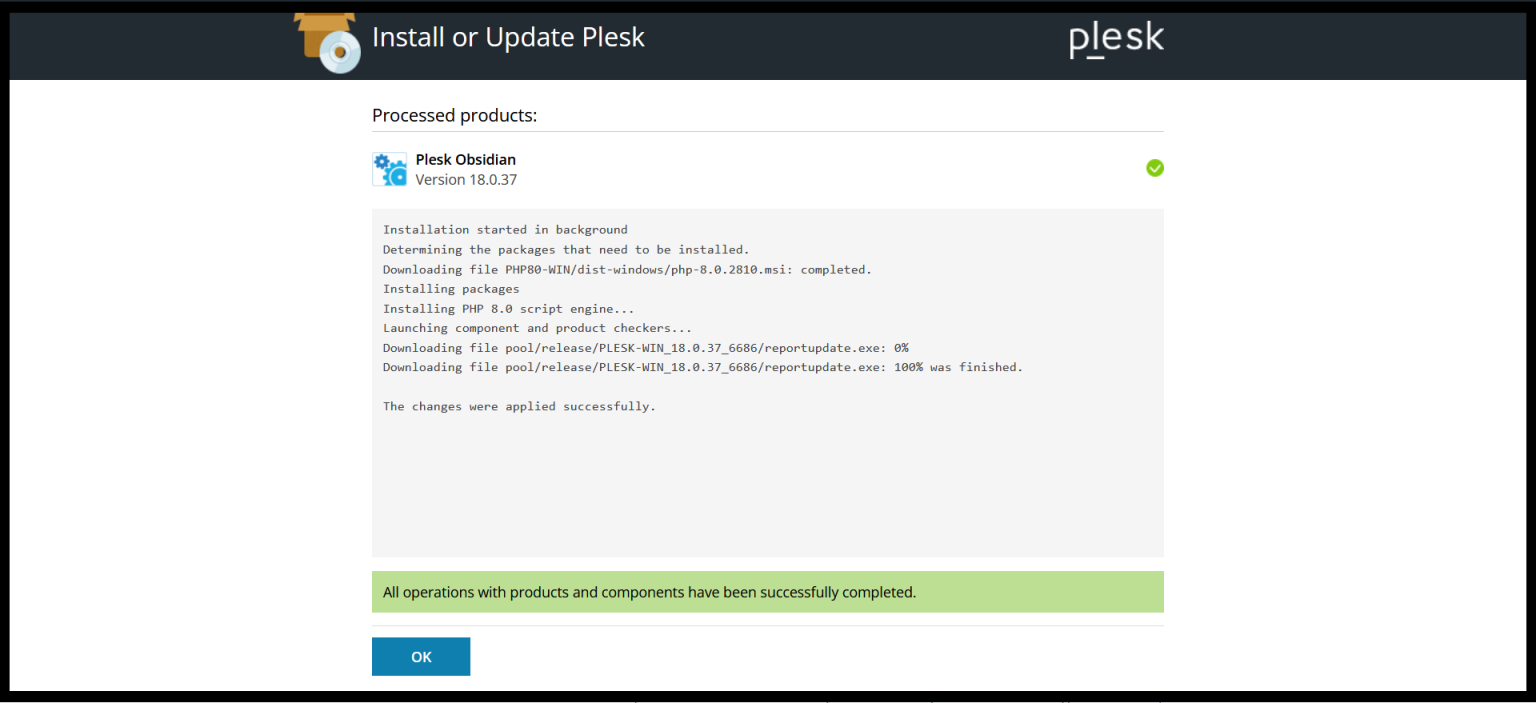
Now, you can install the PHP Version successfully.
Thank you!!!
Was this article helpful?
That’s Great!
Thank you for your feedback
Sorry! We couldn't be helpful
Thank you for your feedback
Feedback sent
We appreciate your effort and will try to fix the article