How to add a Domain and Subdomain in Plesk Server?
To add a new Domain in the Plesk server, please follow the instructions below.
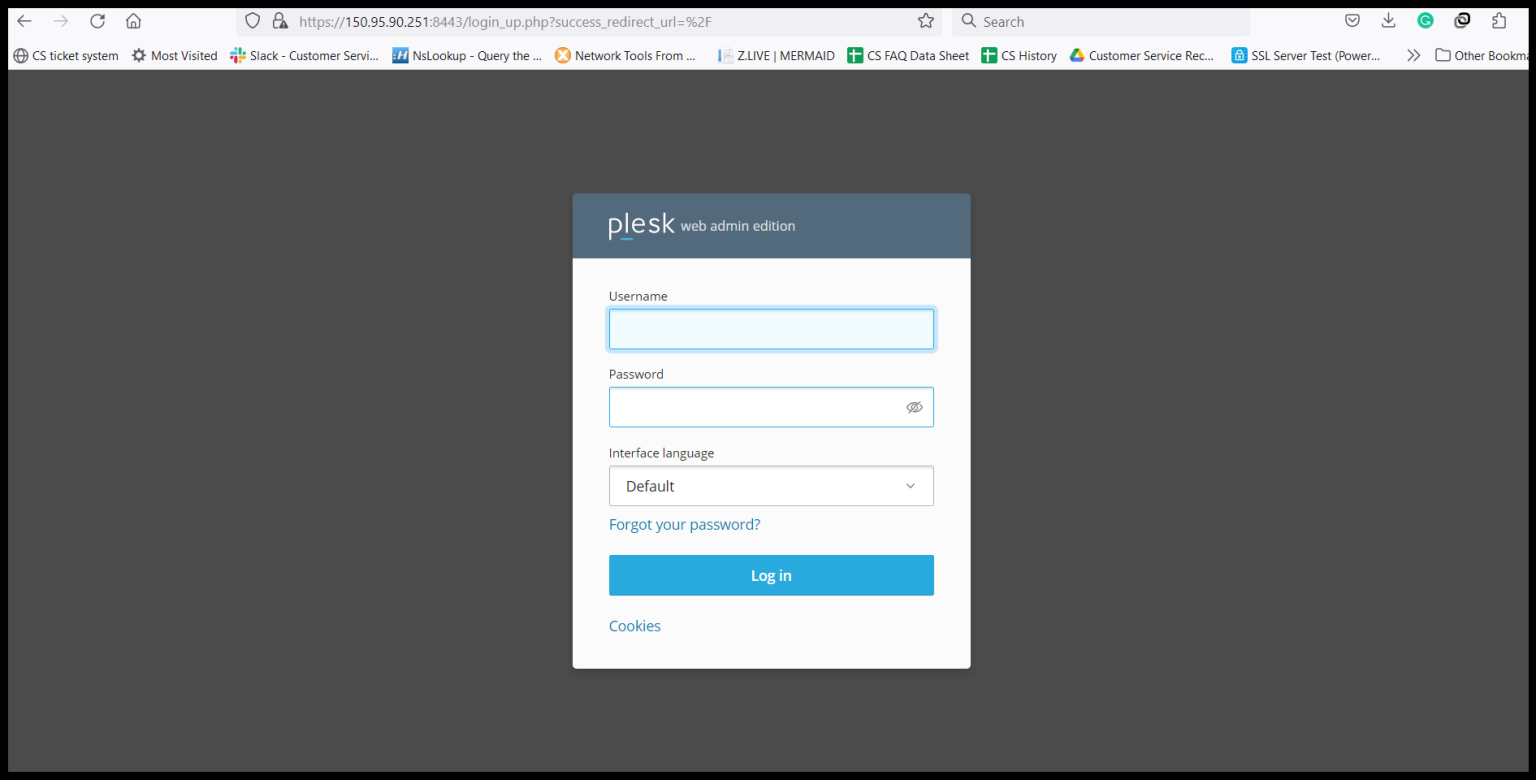
Step1. Login to the Plesk Server, https://150.95.xx.xx:8443/
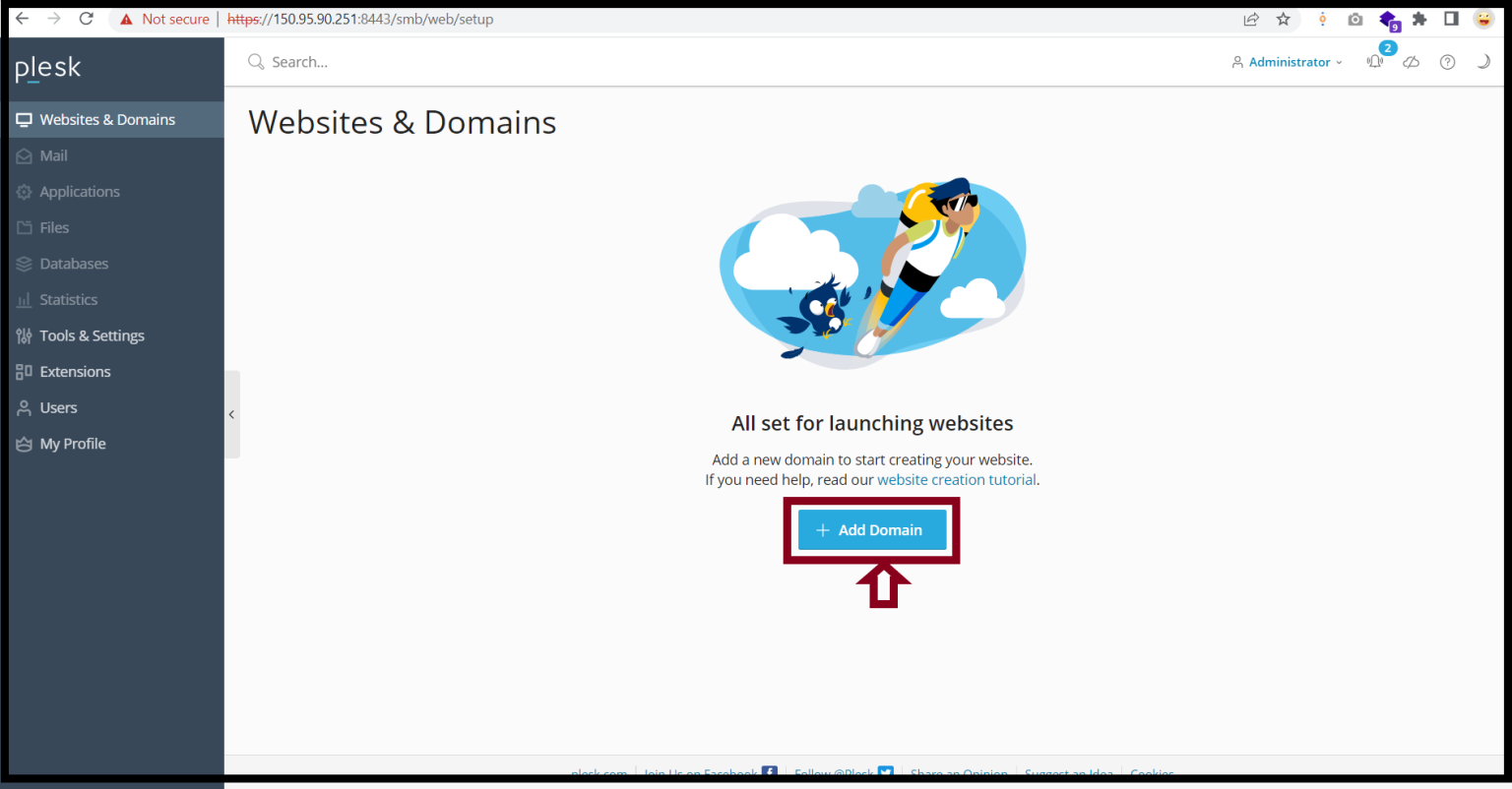
Step2. Click “Add Domain” under Websites & Domains.
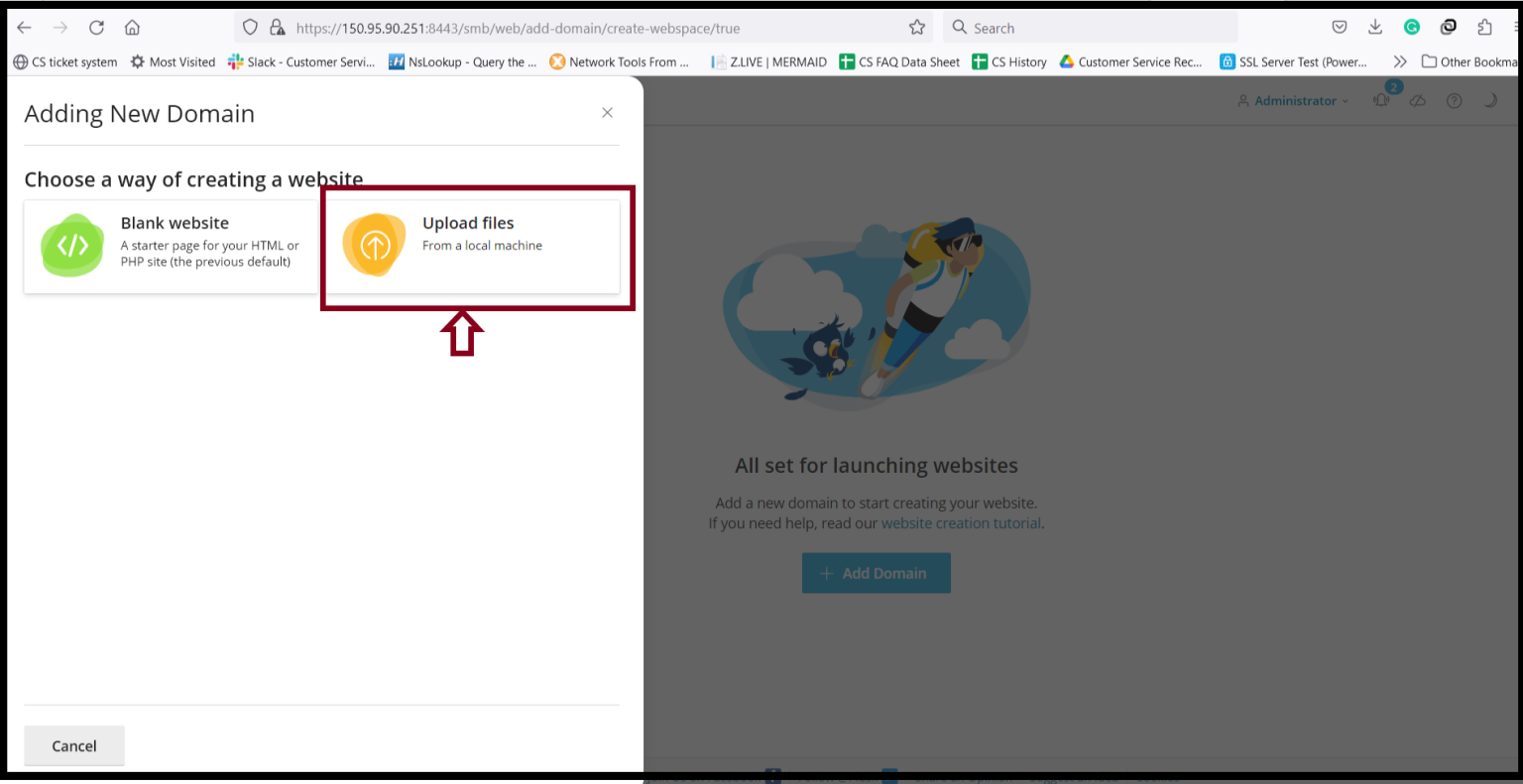
Step3. Click “Upload files“.
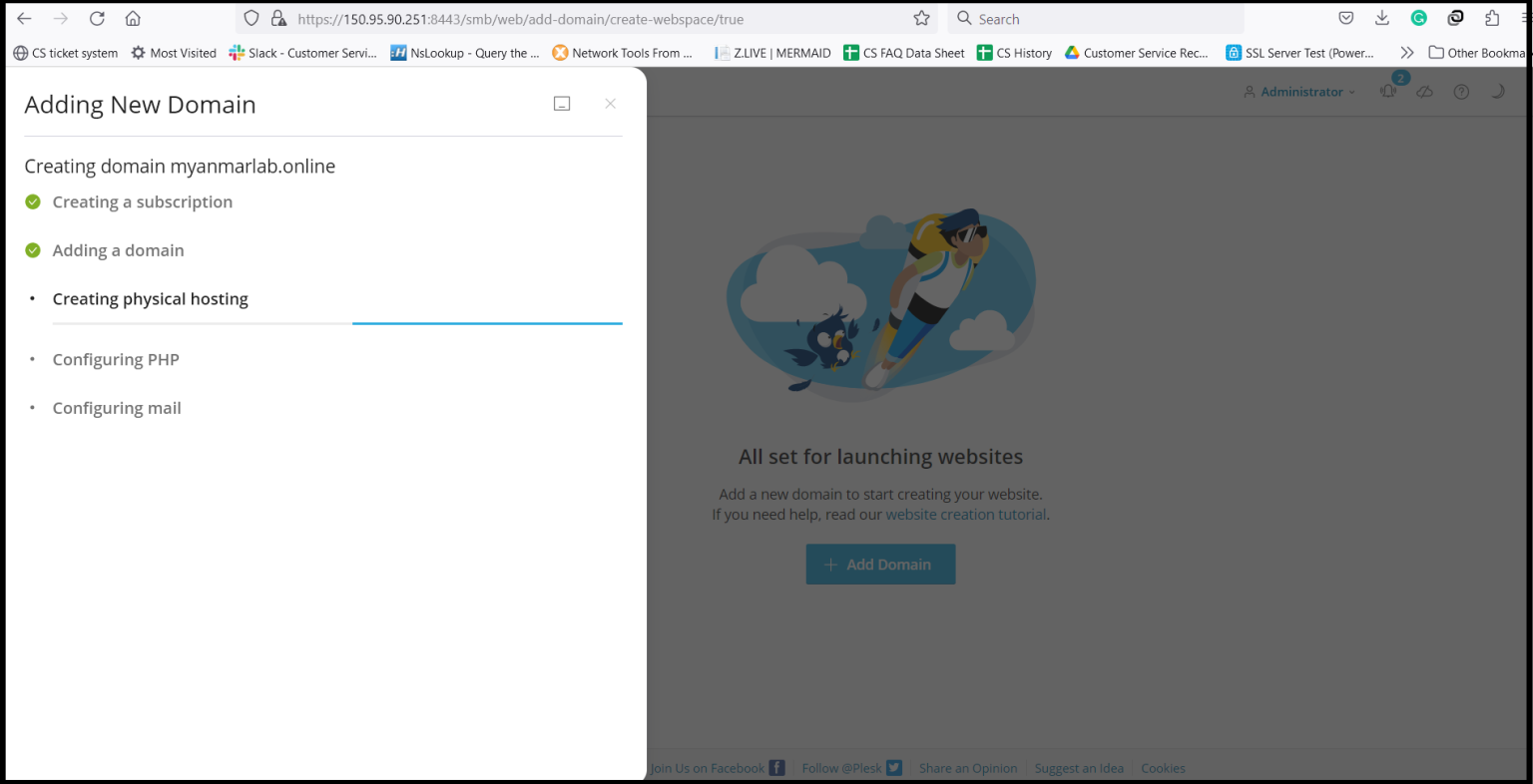
Step4. Please wait to finish the system configuration.
Step5. Now the domain is added to the server.
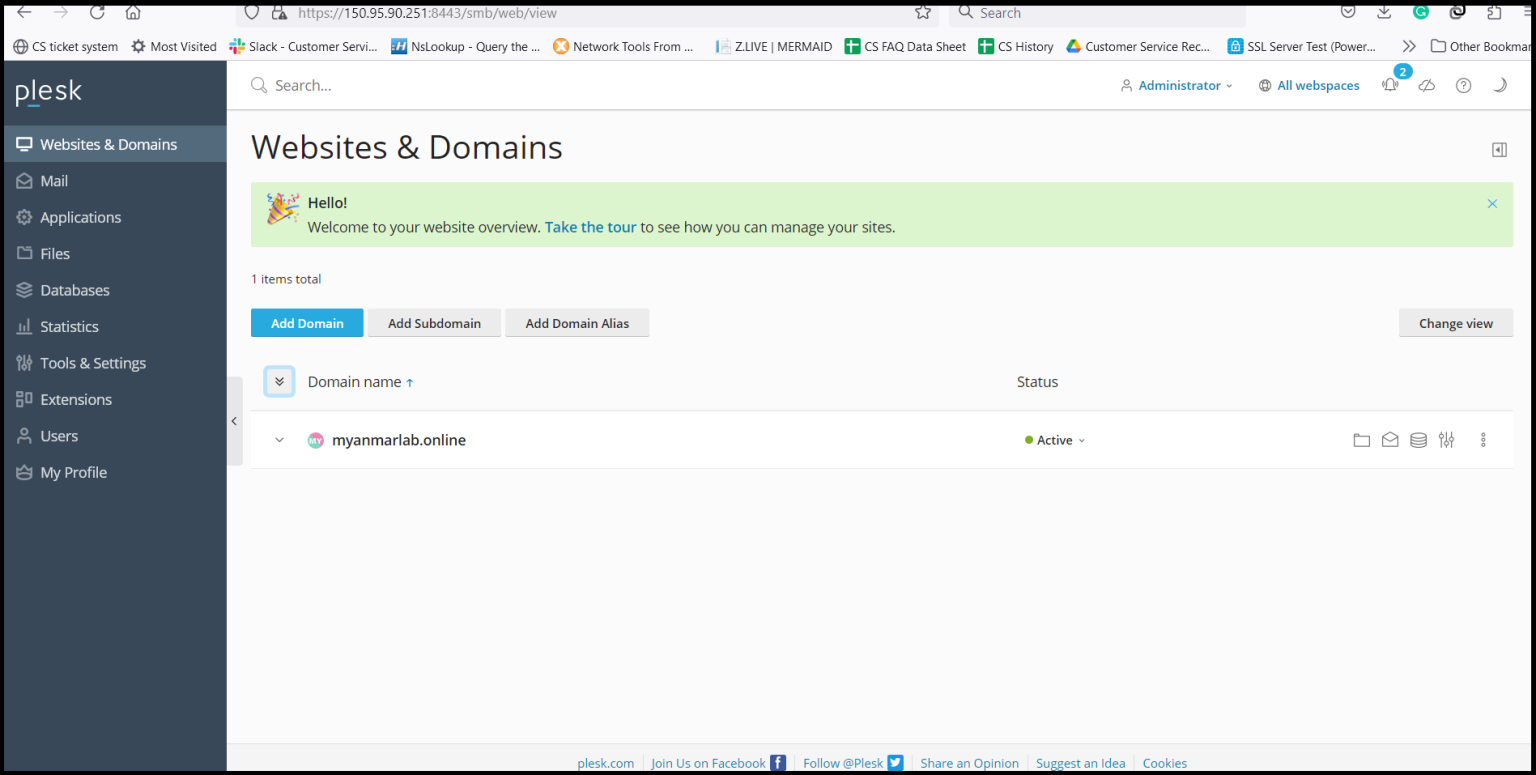
To Create a Subdomain in Plesk Panel,
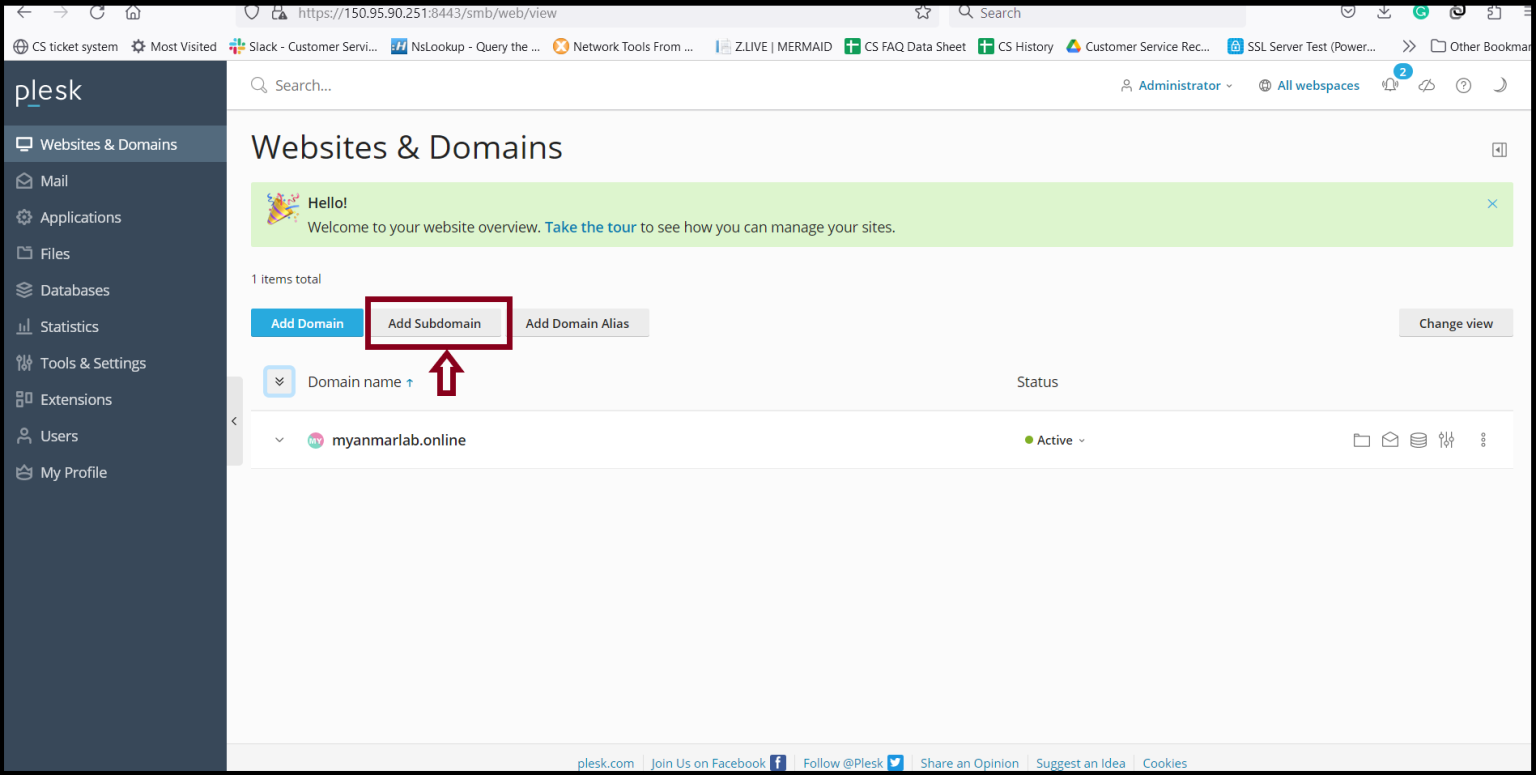
Step1. Click “Add Subdomain”.
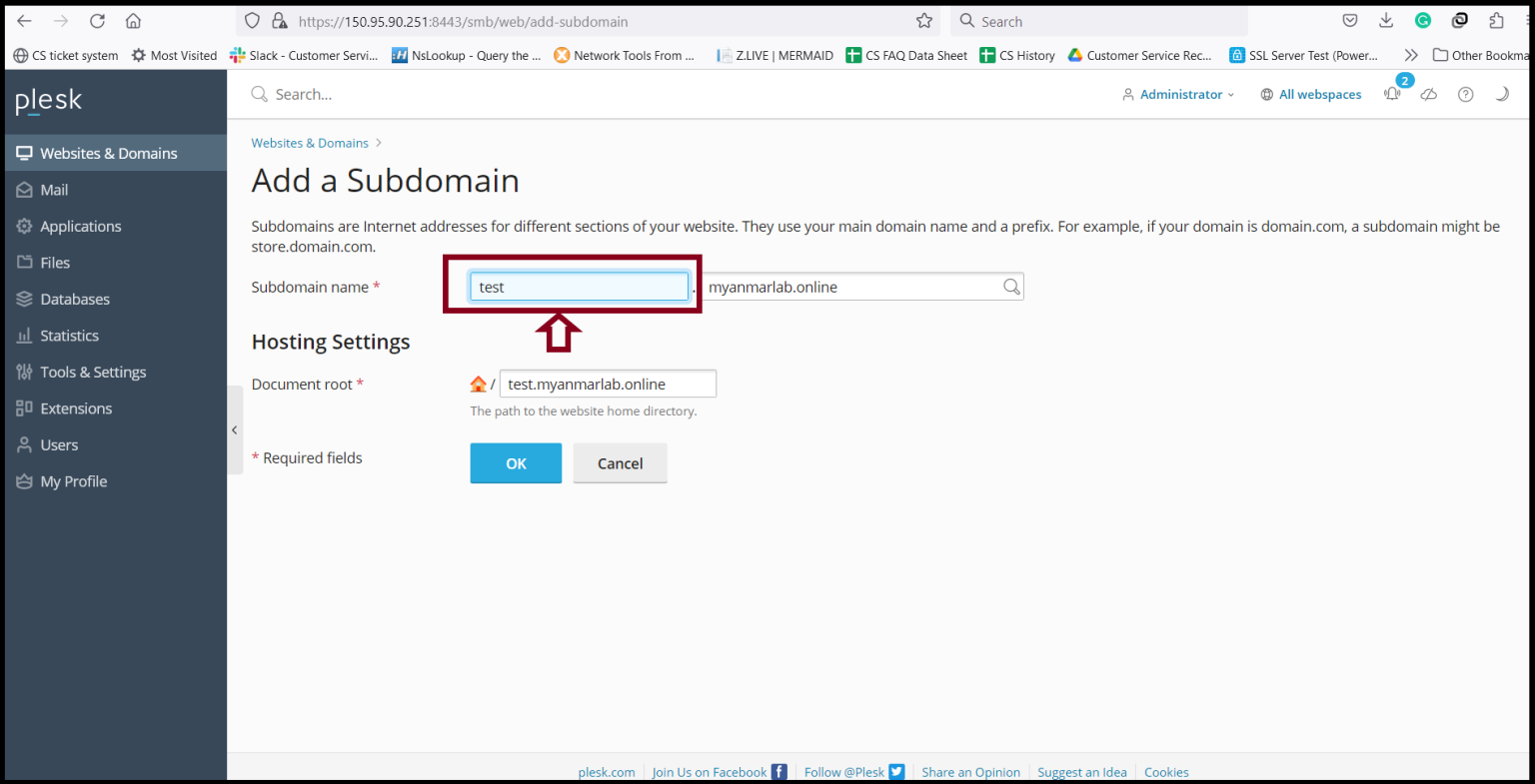
Step2. Please add the subdomain name that you want to create the subdomain.
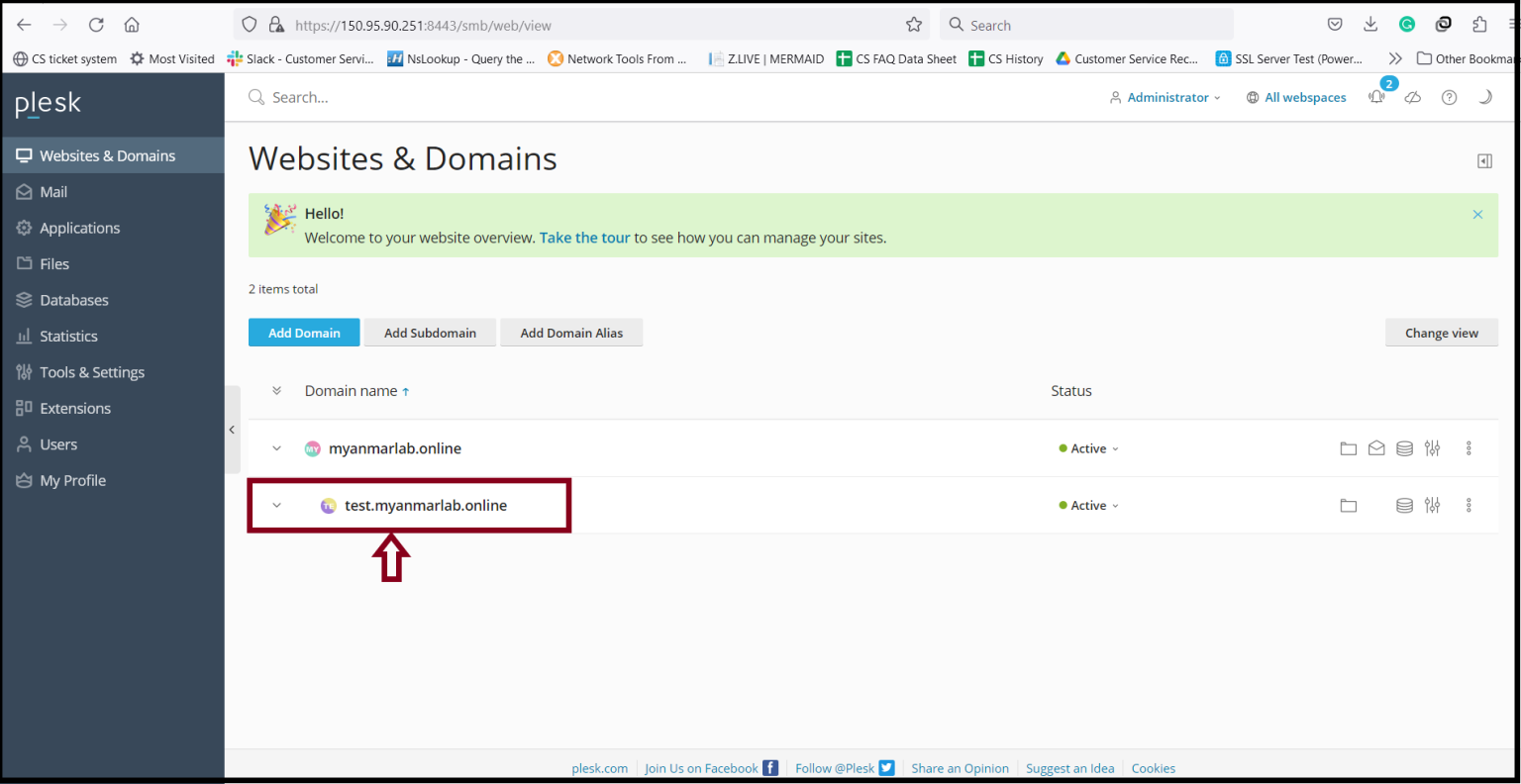
Step3. The system is creating the subdomain and please wait to finish.
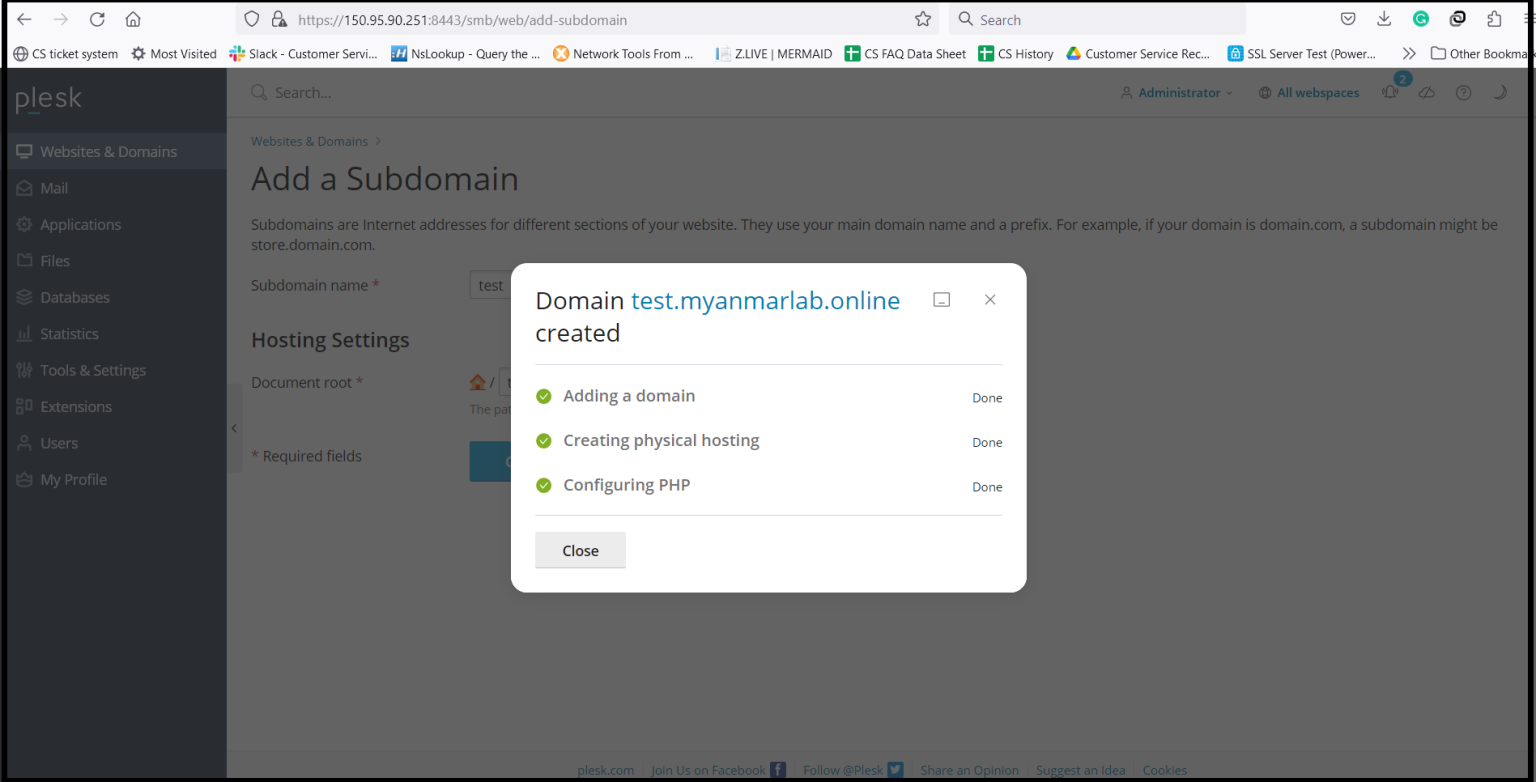
Step4. Now, the creating subdomain process is finished. You can use the subdomain if you have finished the DNS record pointing.
Thank you!!!
Was this article helpful?
That’s Great!
Thank you for your feedback
Sorry! We couldn't be helpful
Thank you for your feedback
Feedback sent
We appreciate your effort and will try to fix the article