How to install Let’s Encrypt SSL in Plesk Server?
To install the Let's Encrypt Free SSL in the Plesk server, please follow the instructions.
The Let's Encrypt SSL validity is 3 months and renew automatically every 3 months.
Step1. Login to the Plesk server with the admin account. Go to SSL/TLS Certificates under “Websites & Domains”.
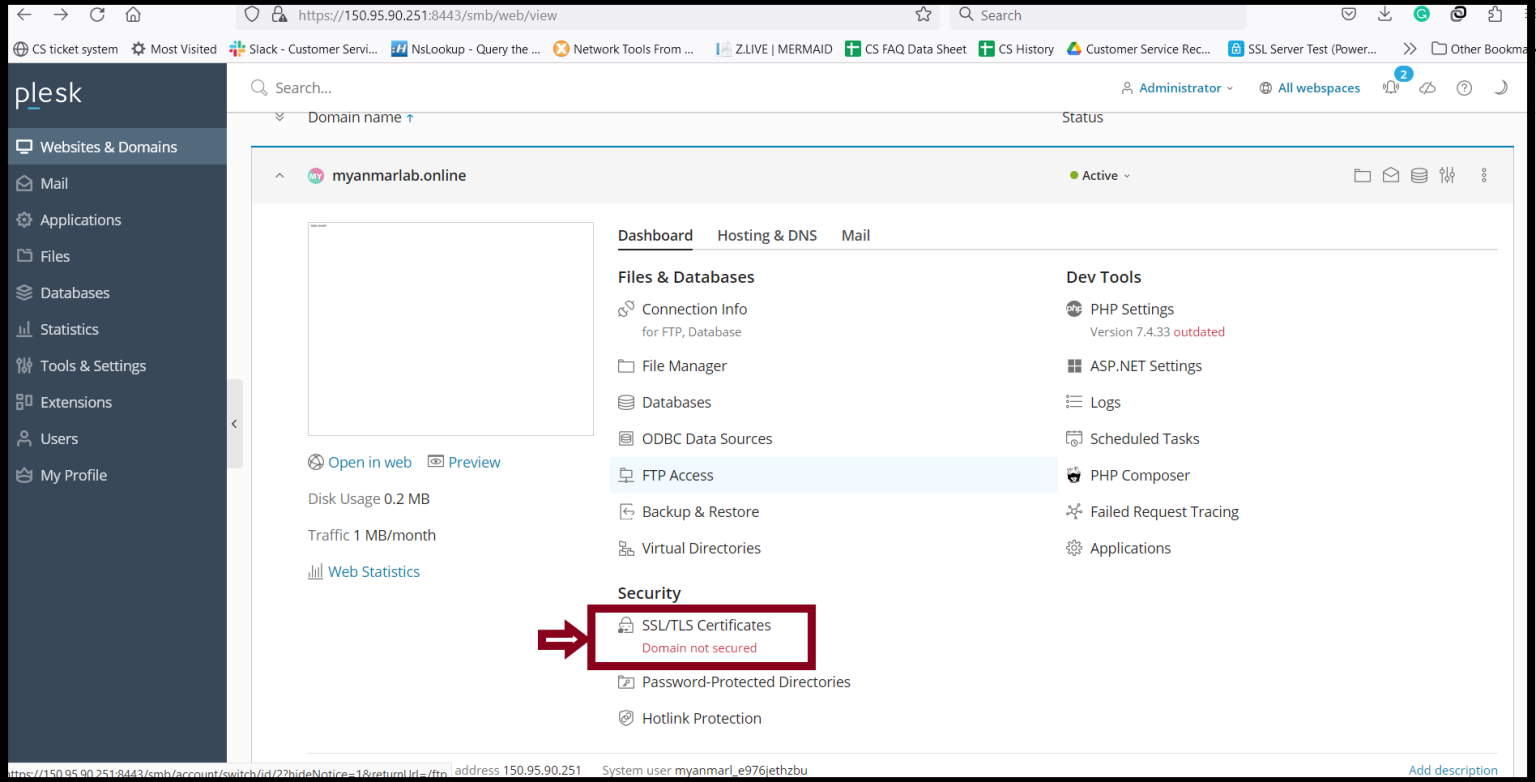
Step2. Click “Install” in the following image.

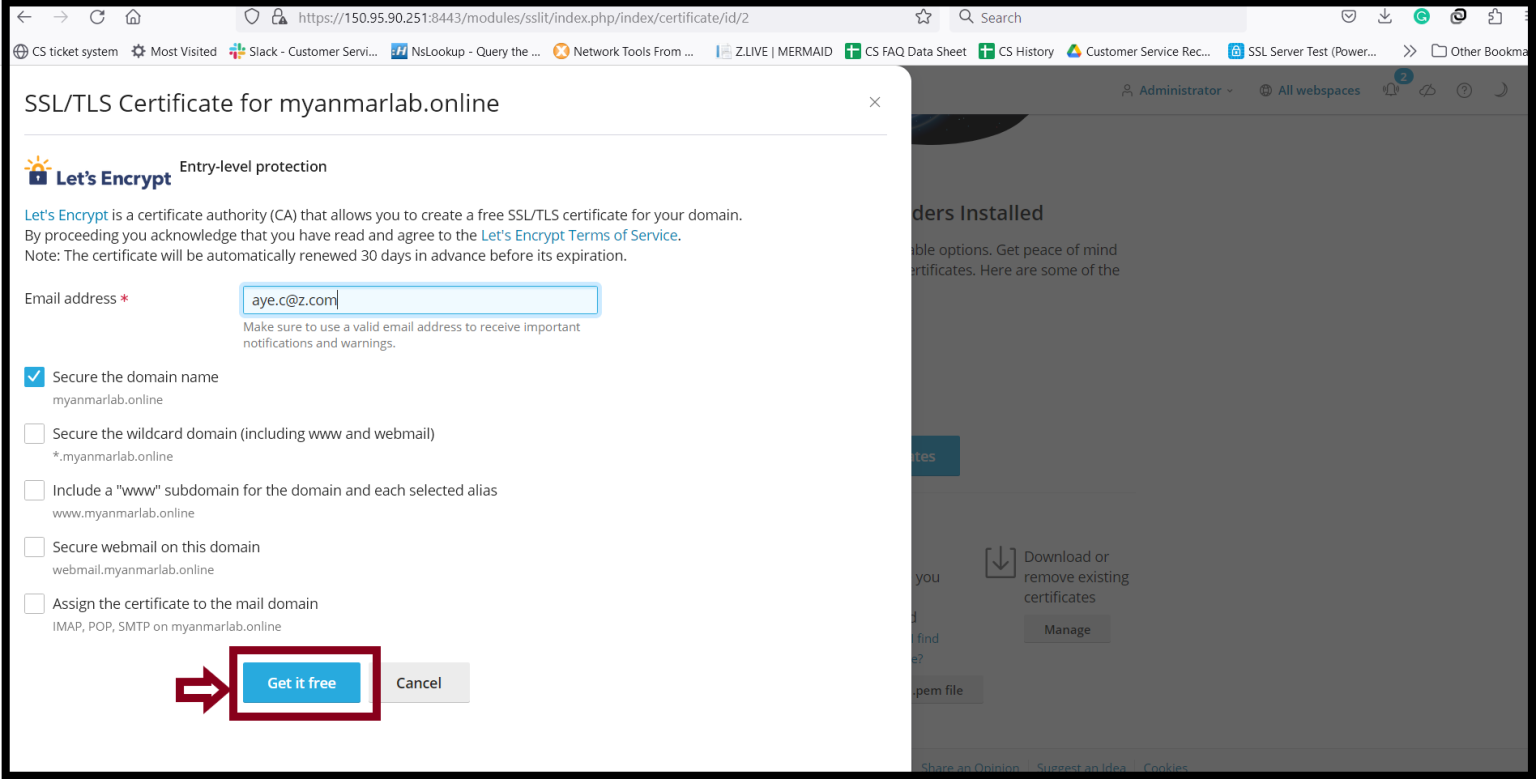
Step3. Enter your email address and checkmark the domain name that you want to install Let’s Encrypt and click “Get it free".
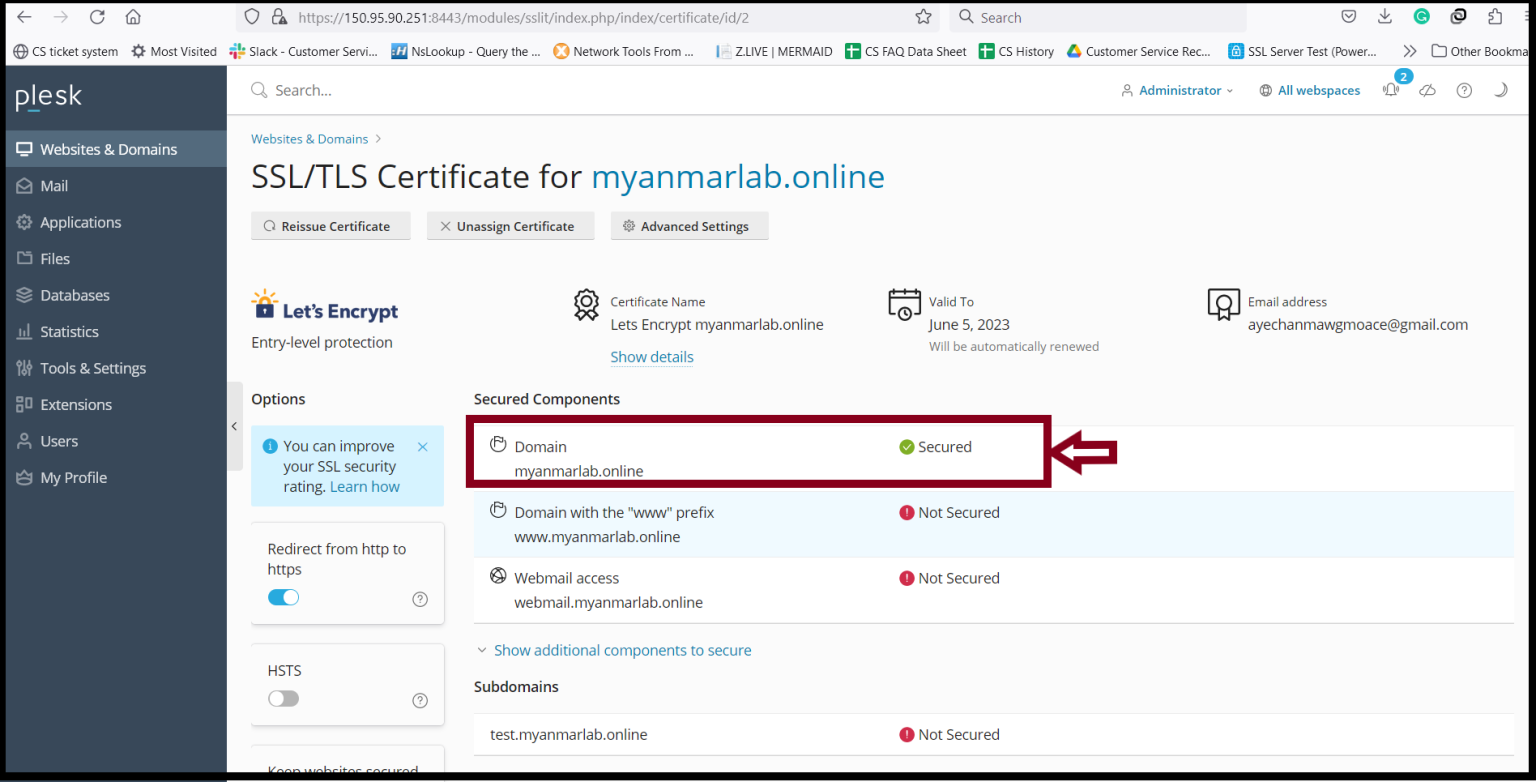
Step4. After waiting for a moment, the Let’s Encrypt SSL was activated.
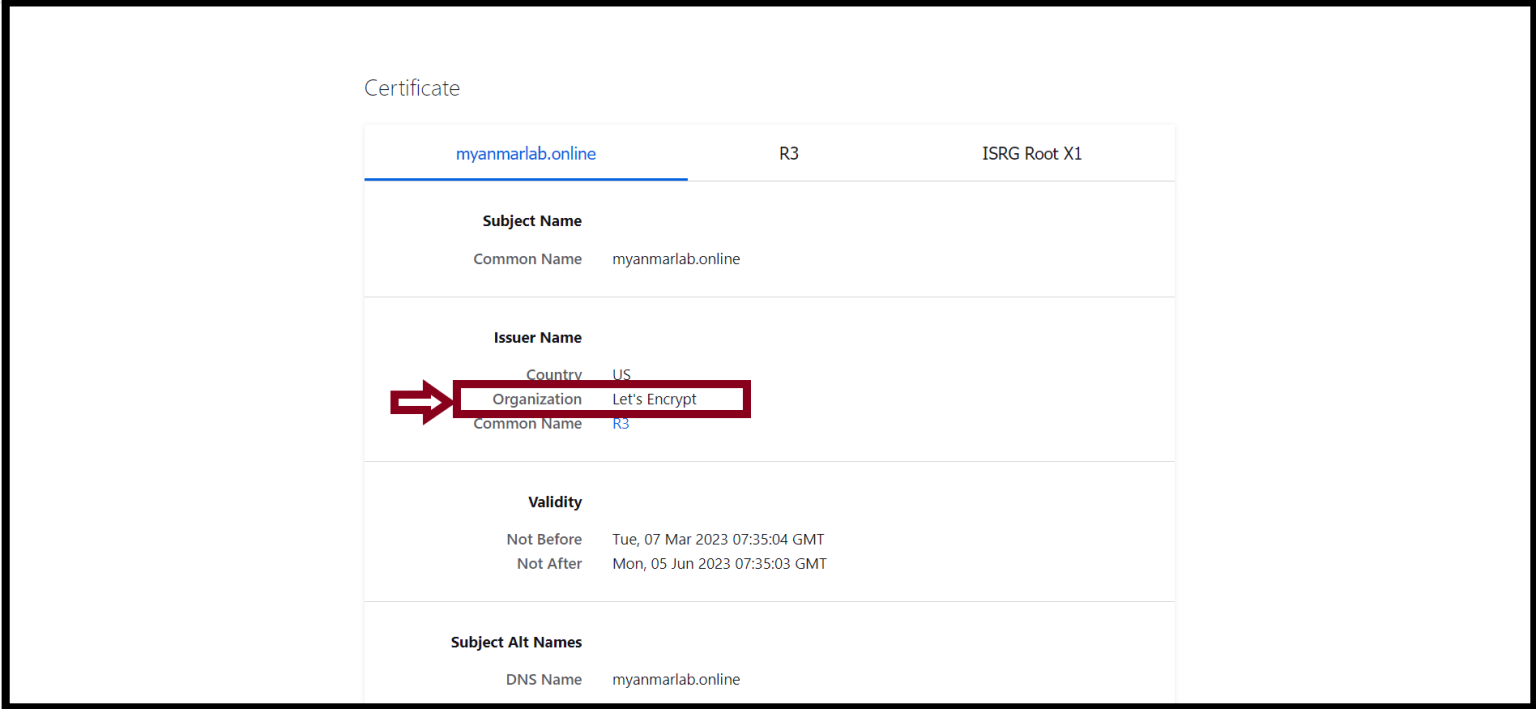
Step5. You can check your website certificate also.
Thank you!!!
Was this article helpful?
That’s Great!
Thank you for your feedback
Sorry! We couldn't be helpful
Thank you for your feedback
Feedback sent
We appreciate your effort and will try to fix the article