How to Create a User Account and Give Permission in Plesk Server?
To create a new user and give permission to access the Plesk server, please follow the instructions.
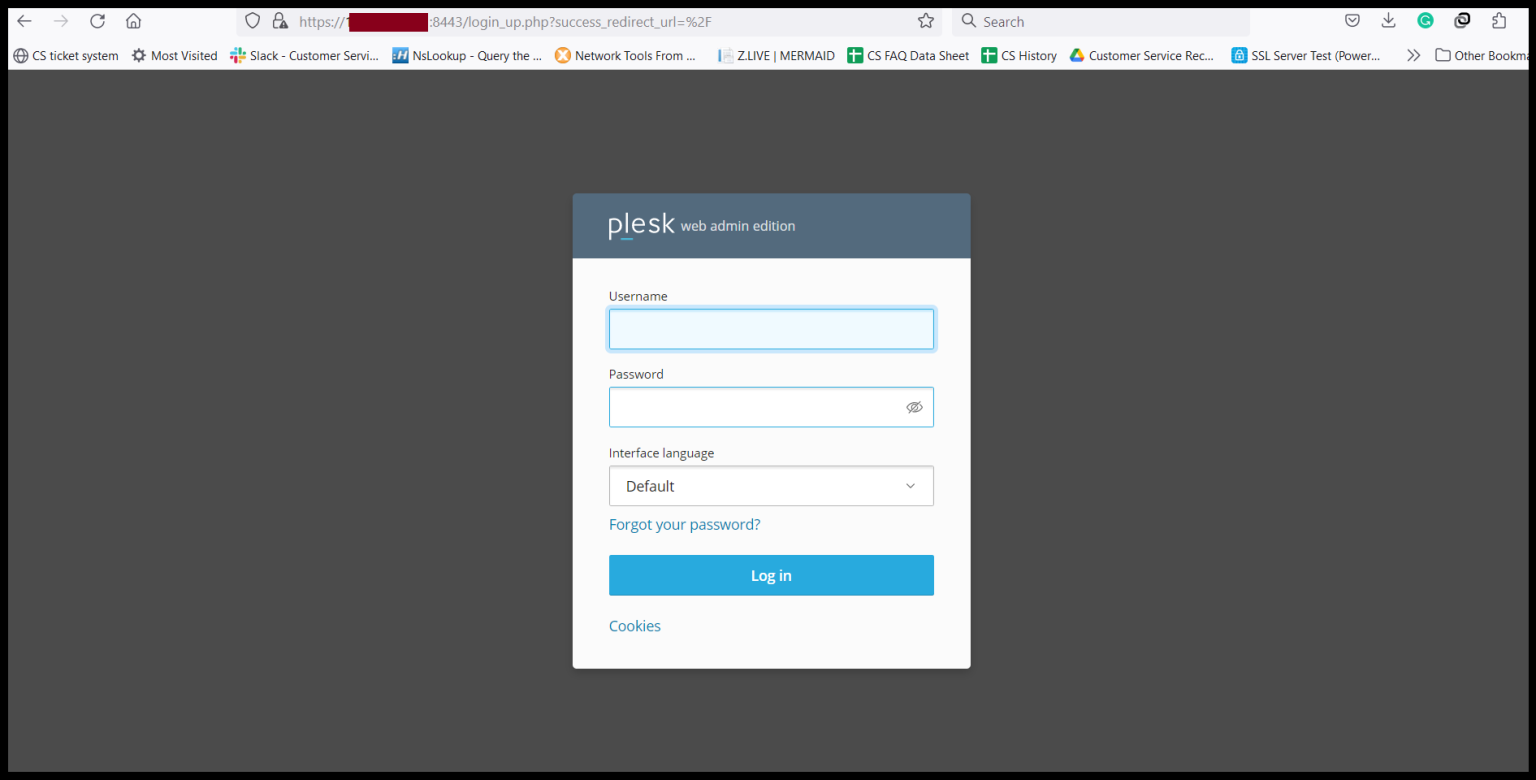
Step1. Login to the Plesk Server, https://150.95.xx.xx:8443/
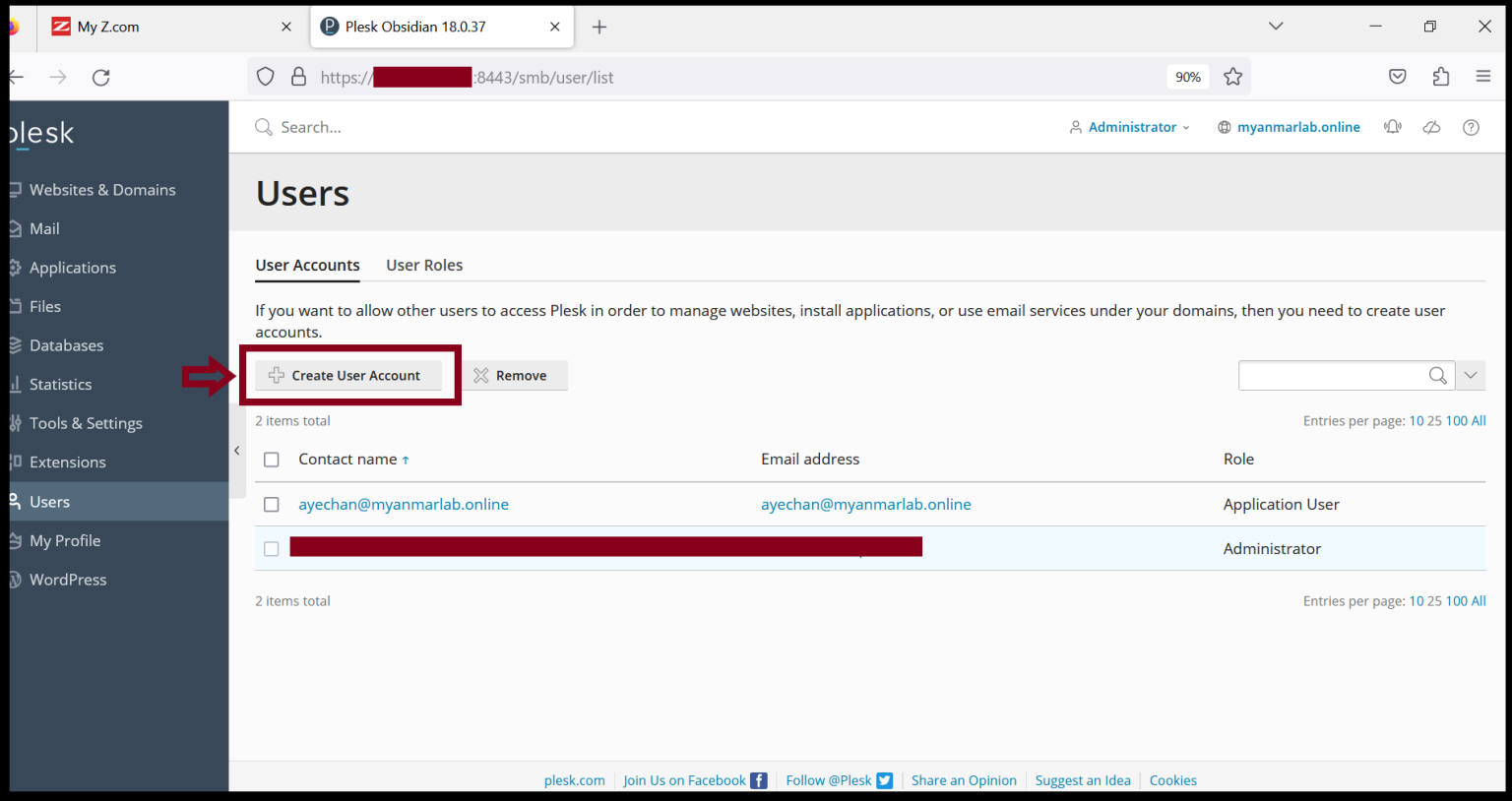
Step2. Click “Create User Account” From the Users Tag.
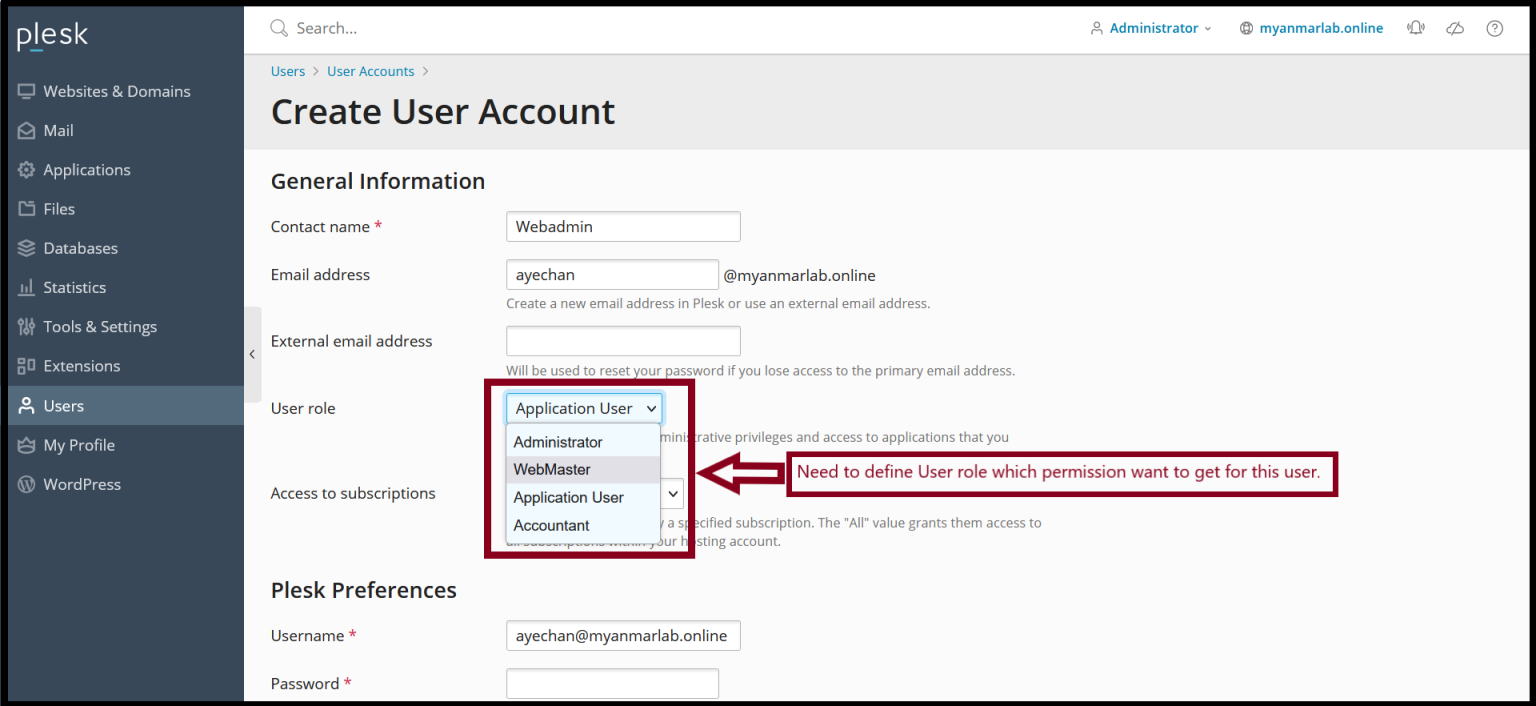
Step3. Please fill required information for the user account creation process.
Contact name:
Email address(or) External email address:
User role:
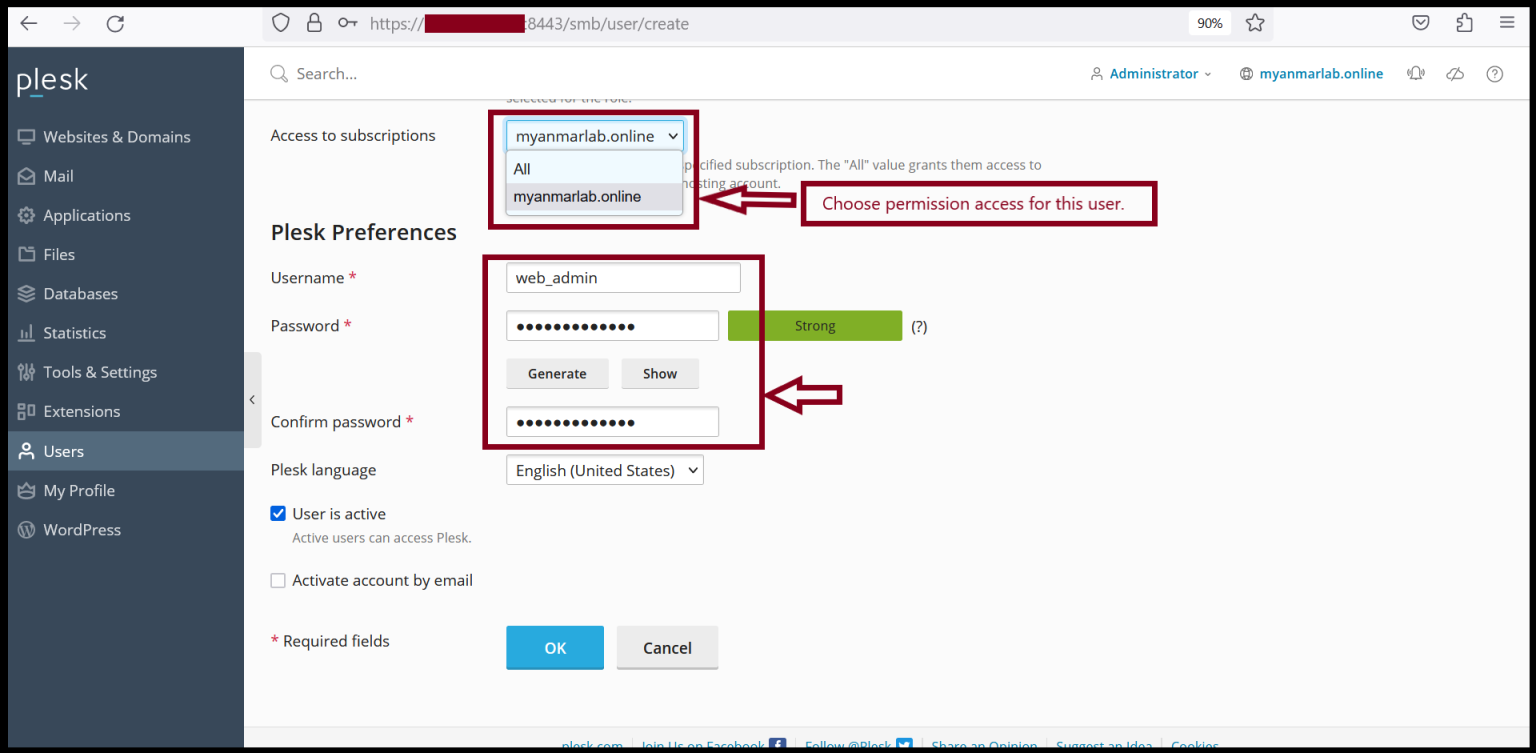
And then, Enter the username and password also. Click “OK".
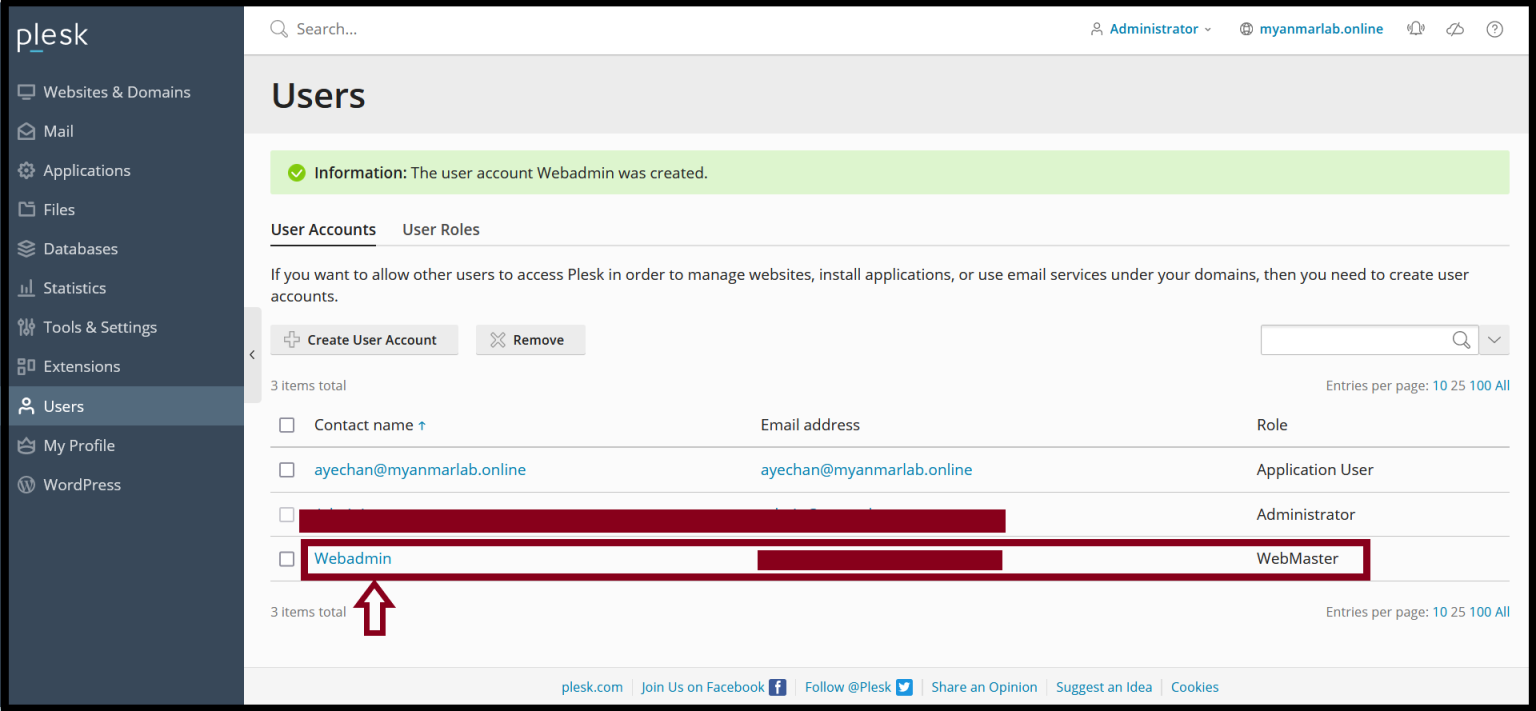
Step4. Now, we can check our new user account information below image.
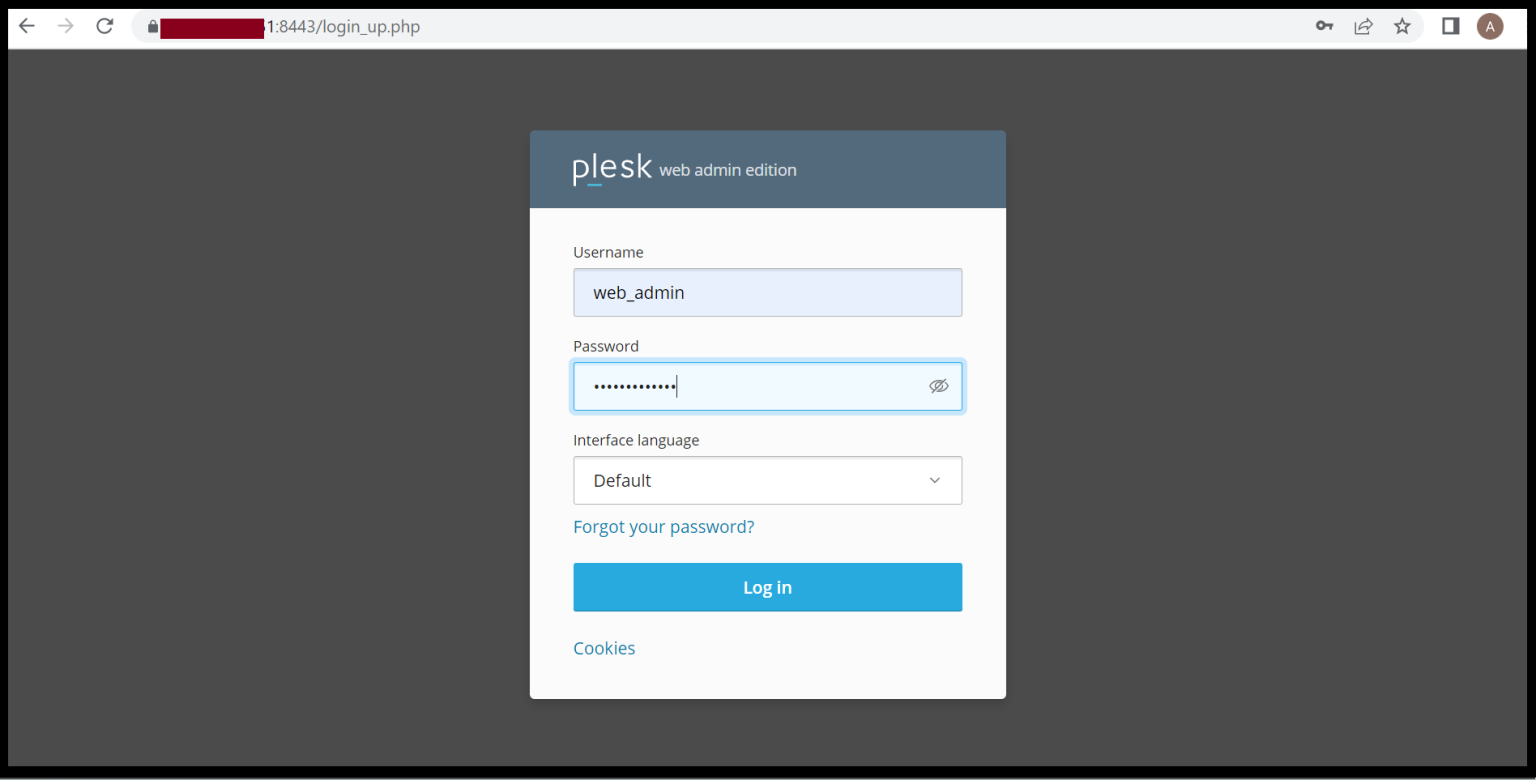
Step5. Now, we will try to log in with this account to the Plesk server again.
Please login with the new user account.
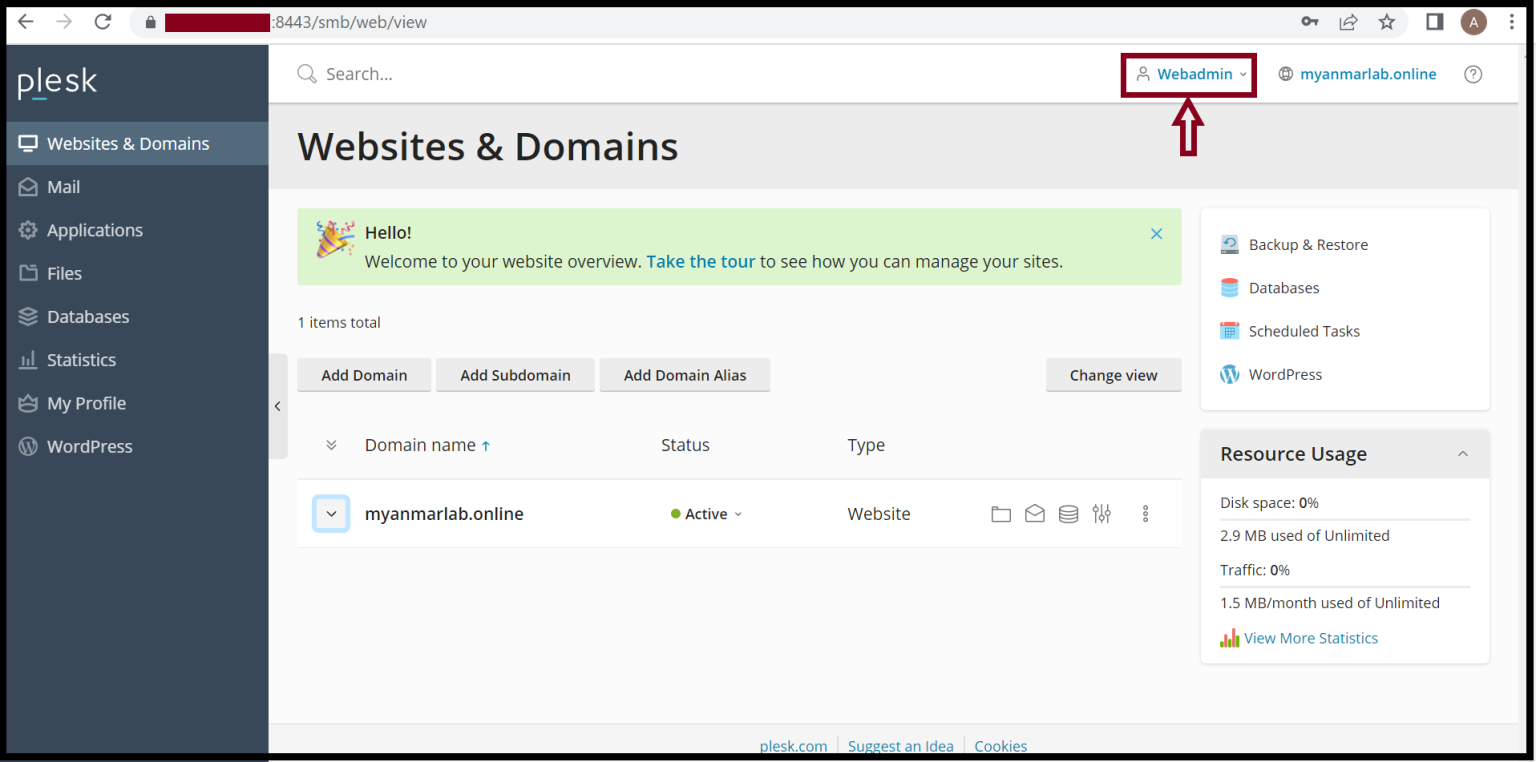
Step6. We can login successfully for the new user account to the Plesk server.
Thank you!!
Was this article helpful?
That’s Great!
Thank you for your feedback
Sorry! We couldn't be helpful
Thank you for your feedback
Feedback sent
We appreciate your effort and will try to fix the article