How to Generate CSR File in CentOS Server?
Step1. Login to your Server via the SSH connection (Eg. Putty, Tera Term).
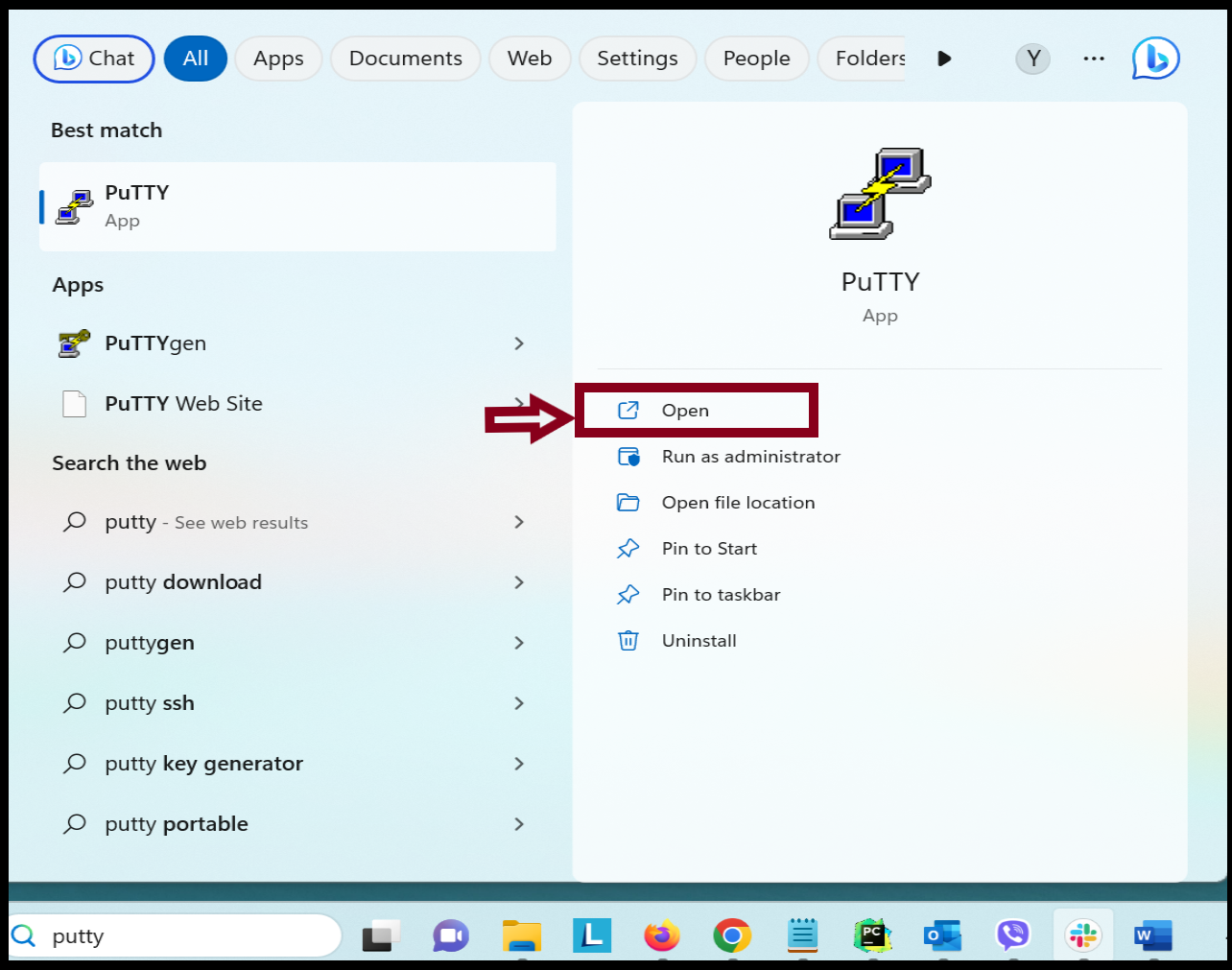
You can log in with the server IP. If you don’t know the server IP, please check your z.com account.
Let the Server IP be 123.456.78.9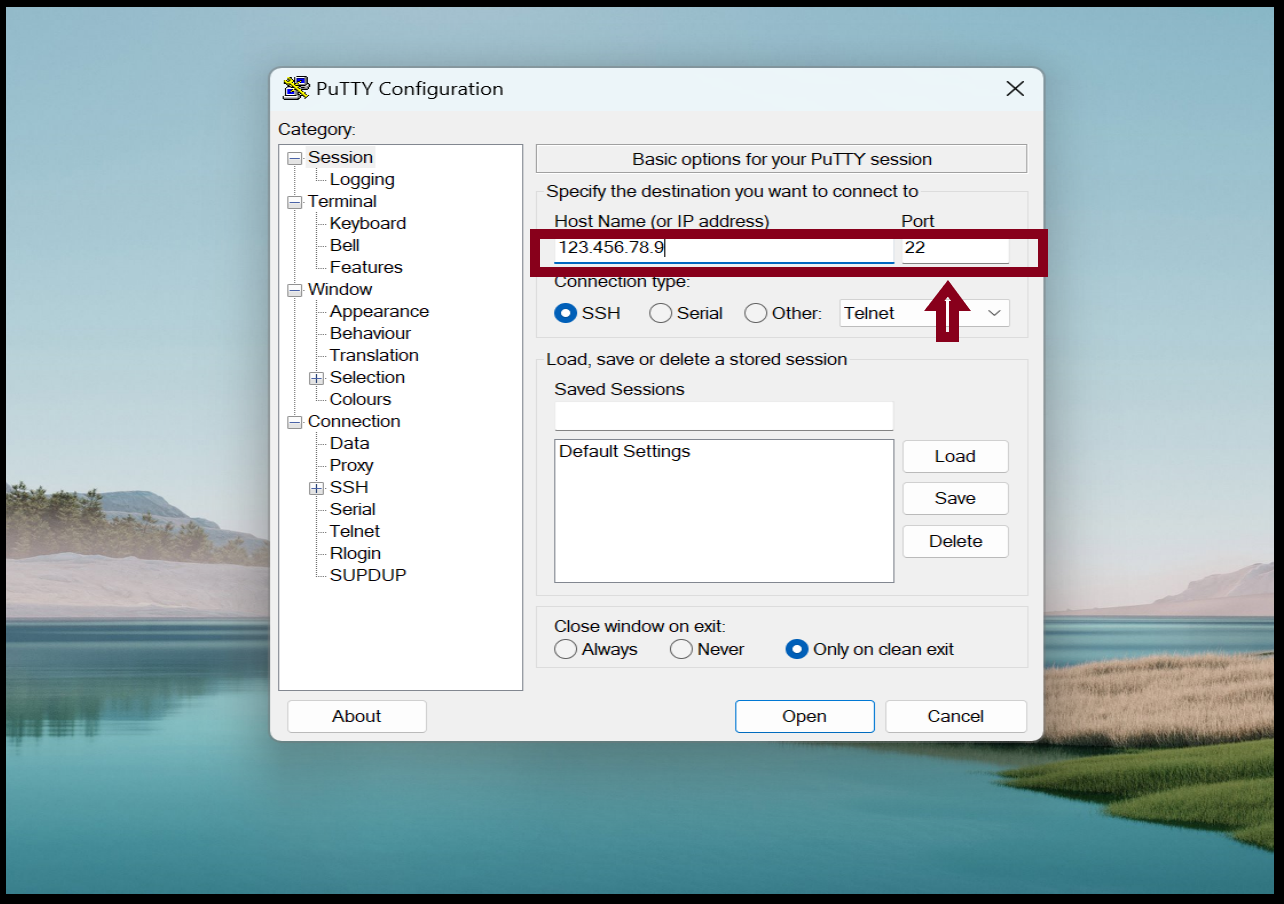
Step2. Now we need to generate CSR and private key file from the server.
root@ayechan:~# openssl req -new -newkey rsa:2048 -nodes -keyout myanmarlab.online.key -out myanmarlab.online.csr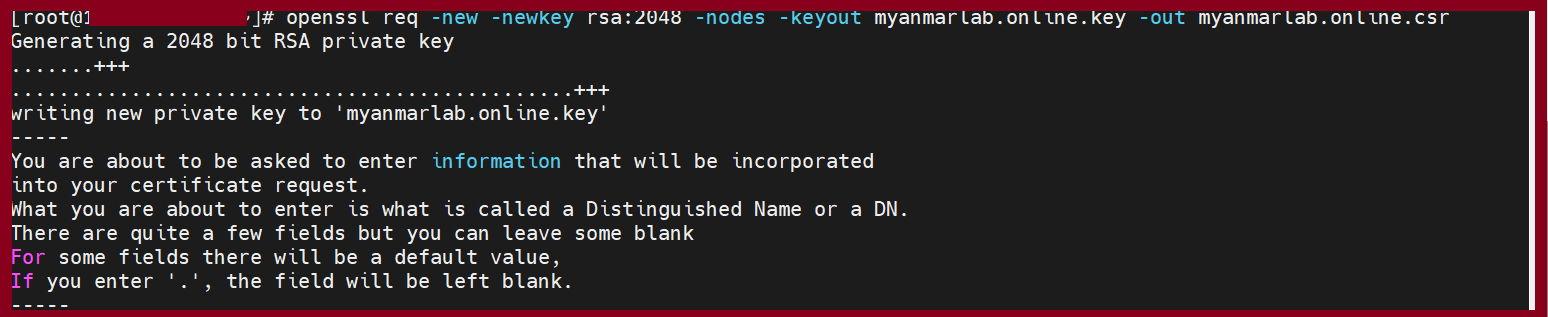

Certificate Signing Request
Country Name: MM
State or Province Name: Yangon
Locality Name: Yangon
Organization Name: Your Company Name Co.,Ltd
Organization Unit: IT
Common Name : www.yourdomainname.com (that you want to applied name)
Step2. If we’ve finished CSR generate process, we can copy this file from server and save in local PC.
root@ayechan:~# cat myanmarlab.online.csr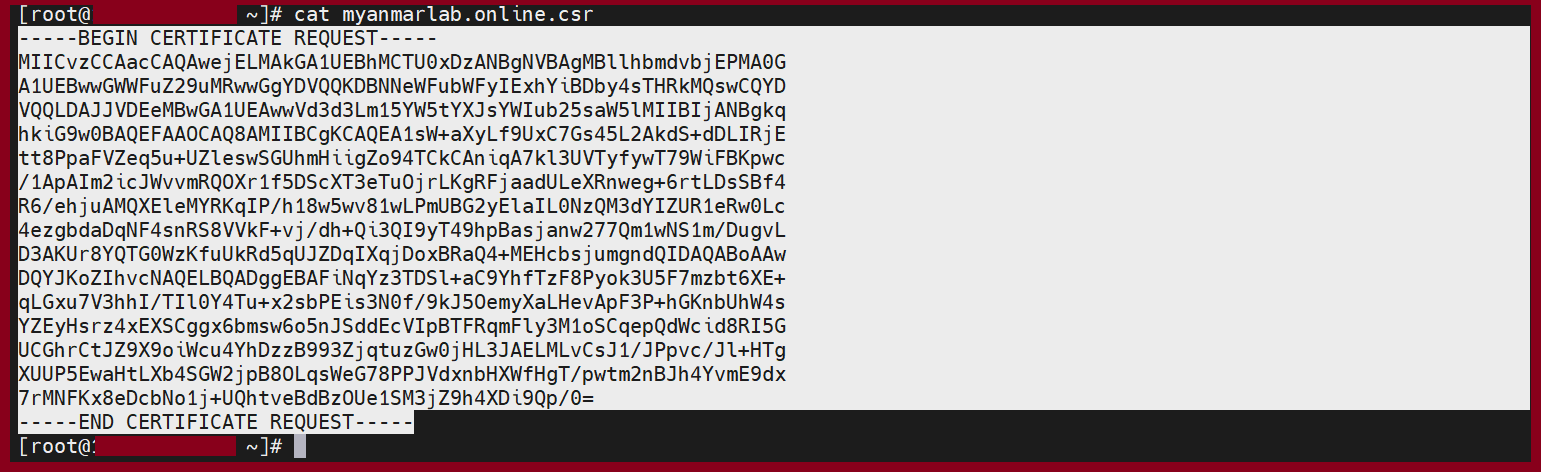
THANK YOU!!!
Was this article helpful?
That’s Great!
Thank you for your feedback
Sorry! We couldn't be helpful
Thank you for your feedback
Feedback sent
We appreciate your effort and will try to fix the article