How To Rebuild A VPS?
For the Server Rebuild Process, You will need to backup the whole data on that server because all data will delete on that server.
Step1. Login to z.com account, https://cloud.z.com/mm/signin/
Step2. Click the “Cloud” Menu
Step3. Go to your “CloudVPS Server” Under NameTag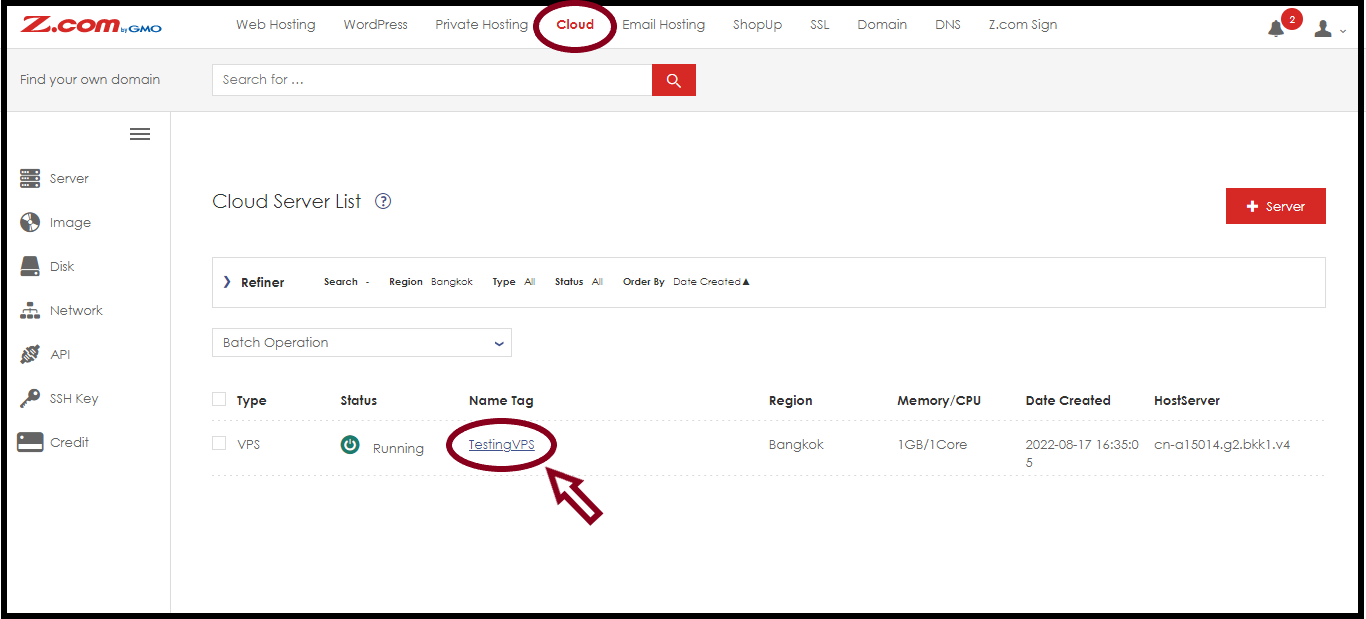 Step4. You need to shut down the CloudVPS Server to rebuild the Server
So, Click the “Shutdown” Button
 After the server is shut down completed, you can rebuild the Cloud VPS server.
Step5. And Select “Server Rebuild” button

To rebuild a Cloud VPS server, Enter the Server OS Information and root password for this server as follows.
And then Click “Server Rebuild“
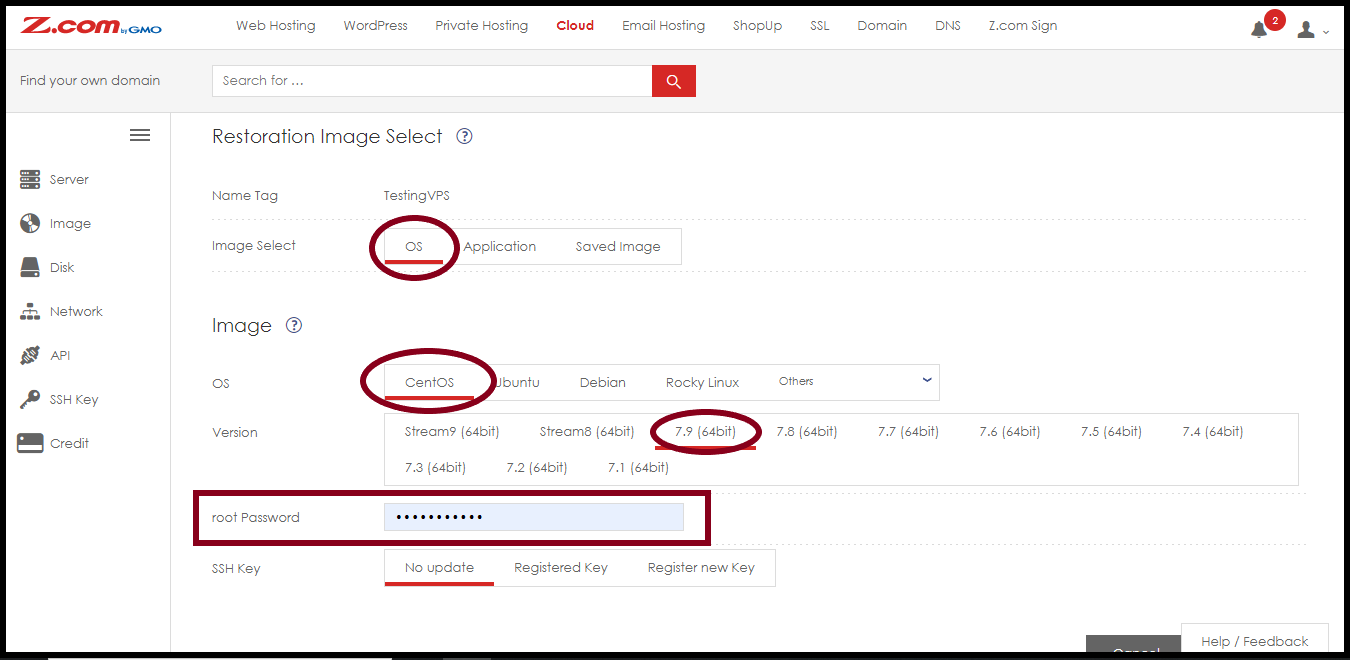
After the server is started automatically and running, you can use the server.
THANK YOU!!!
Was this article helpful?
That’s Great!
Thank you for your feedback
Sorry! We couldn't be helpful
Thank you for your feedback
Feedback sent
We appreciate your effort and will try to fix the article