How to Restore Backup Image in Cloud VPS MM4?
Step1. Login to z.com account, https://hosting.z.com/mm/signin/ 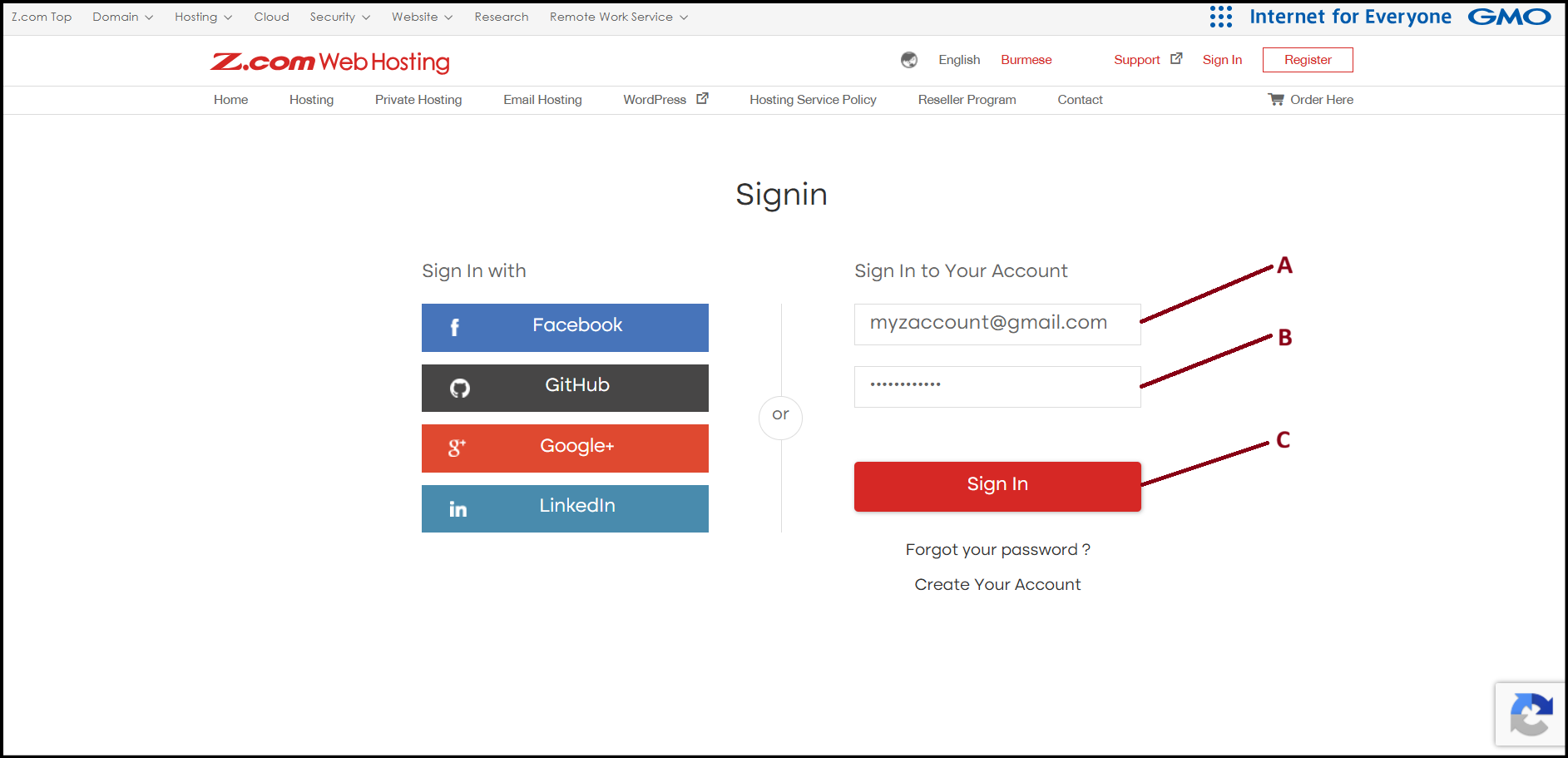
Step2. Go to the "Cloud VPS" tab under MM4. And click the server below of NameTag. 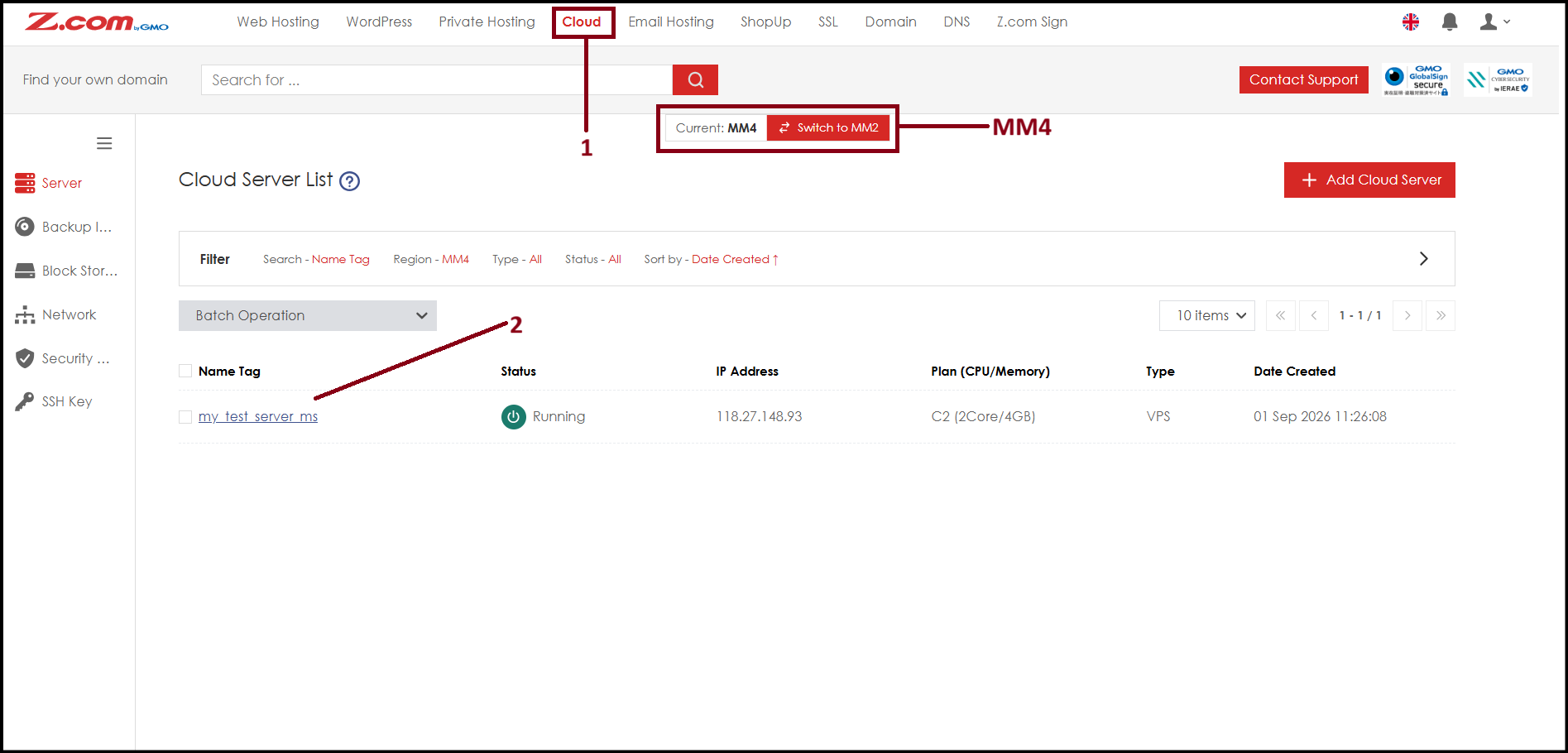
Step3. To do the Restoration of Backup Image to the server, please "Shutdown" the server first. 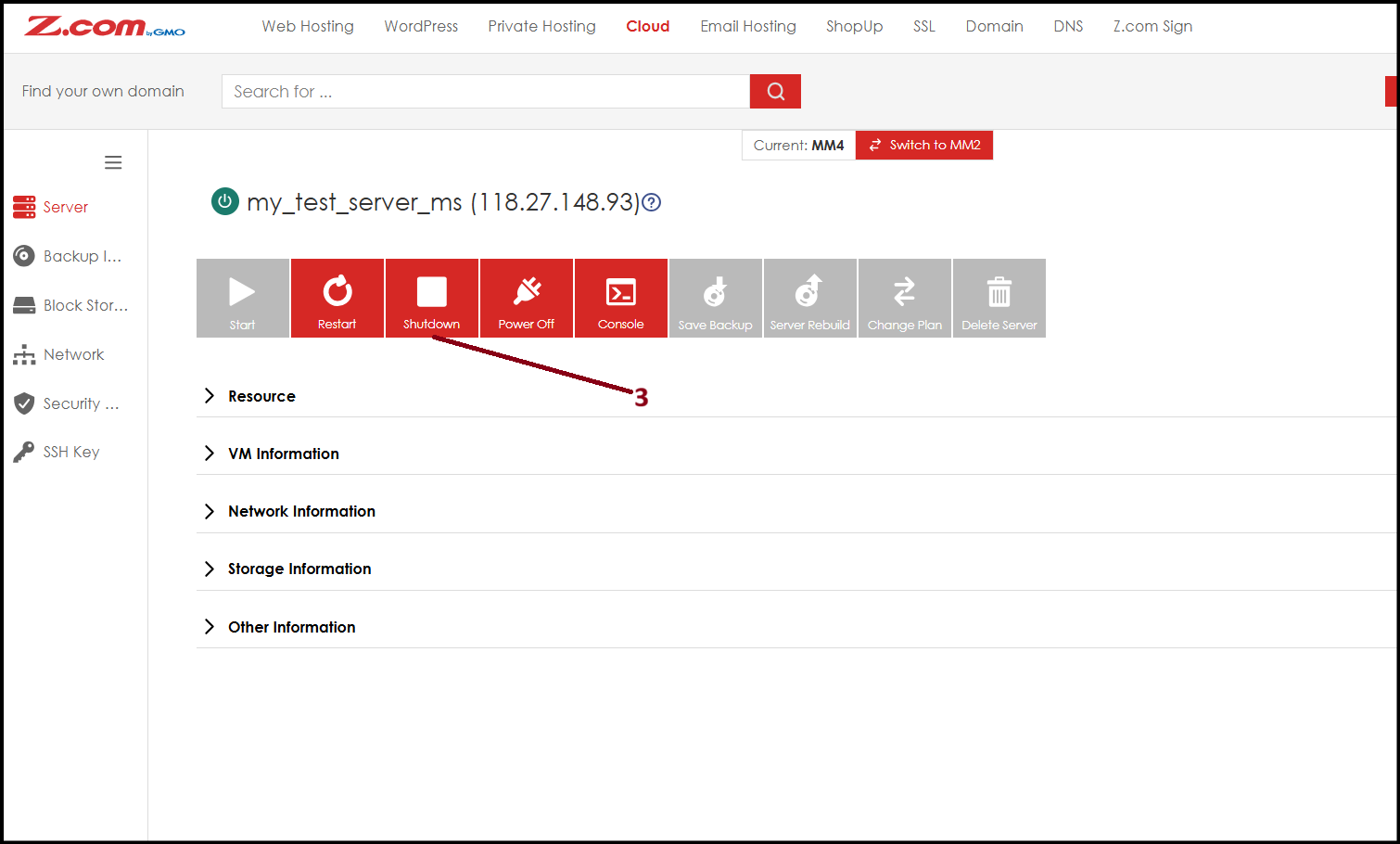
Step4. Please click "Server Rebuild".
NOTE: Rebuilding the server will delete all data of the current server permanently.
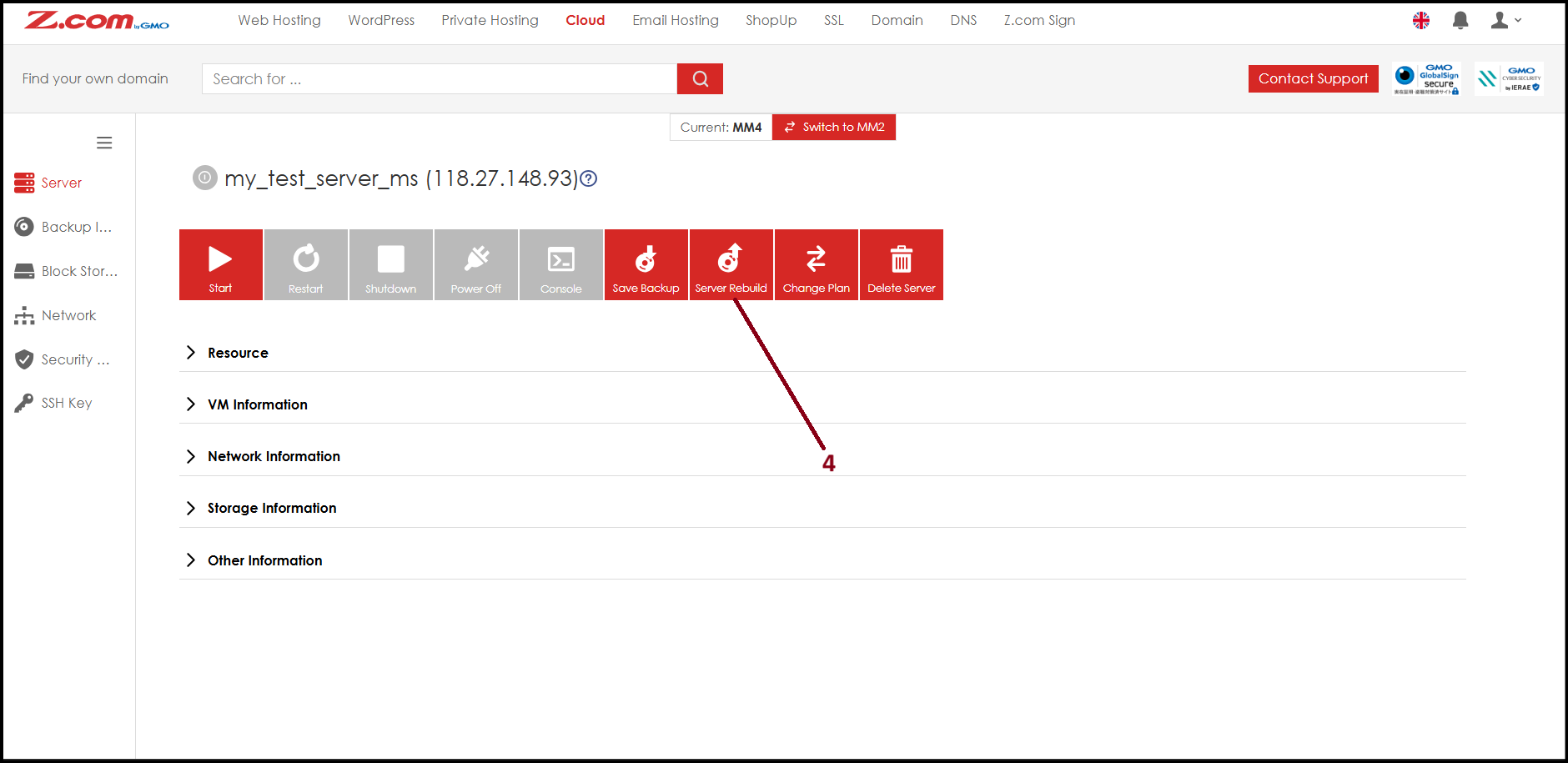
Step5. Click "Backup Files" and choose the backup image, then click "Server Rebuild". Please wait for some time to complete.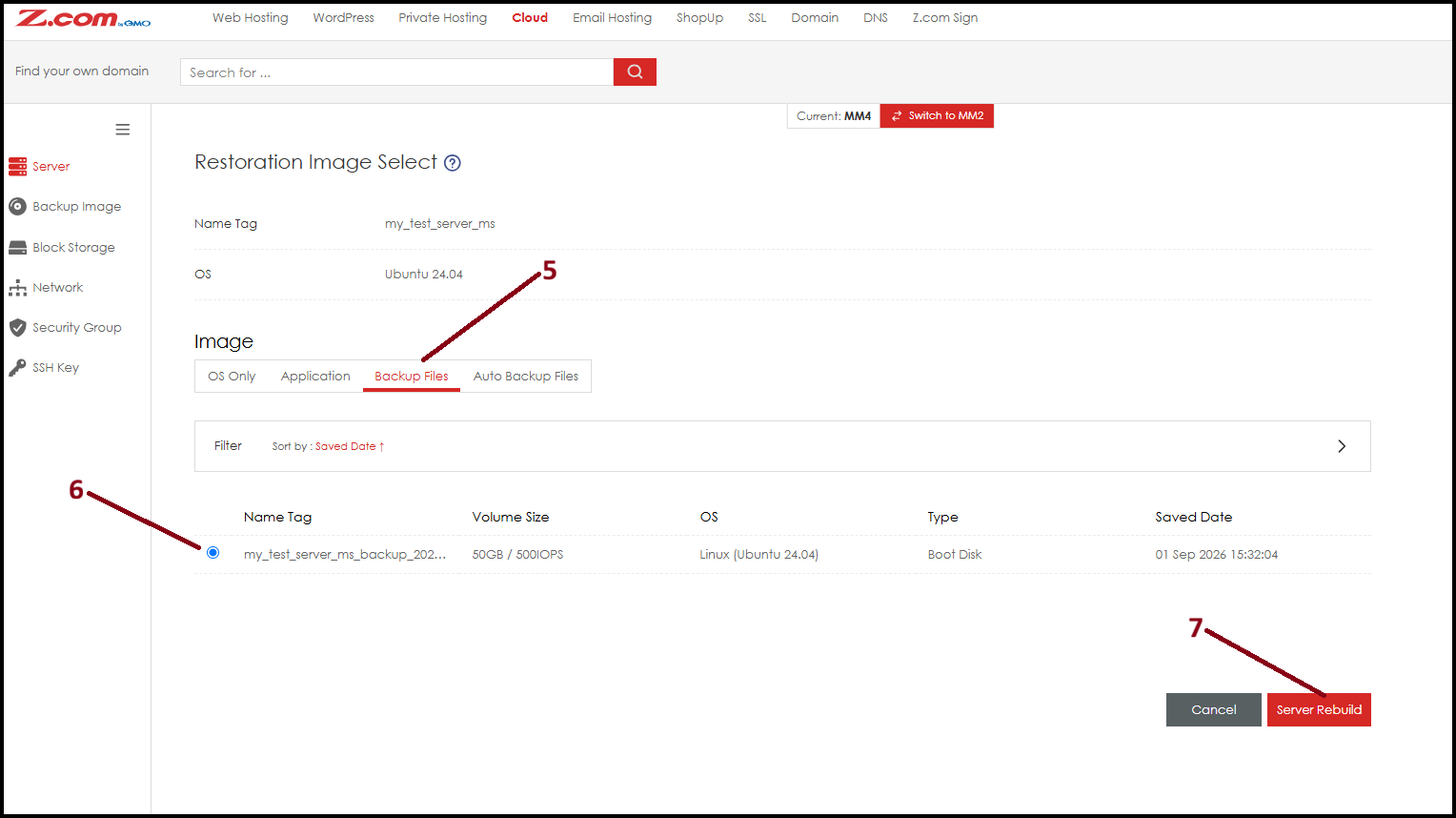
Step6. Now the backup image restoration process is completed. You can now "Start" the server to use.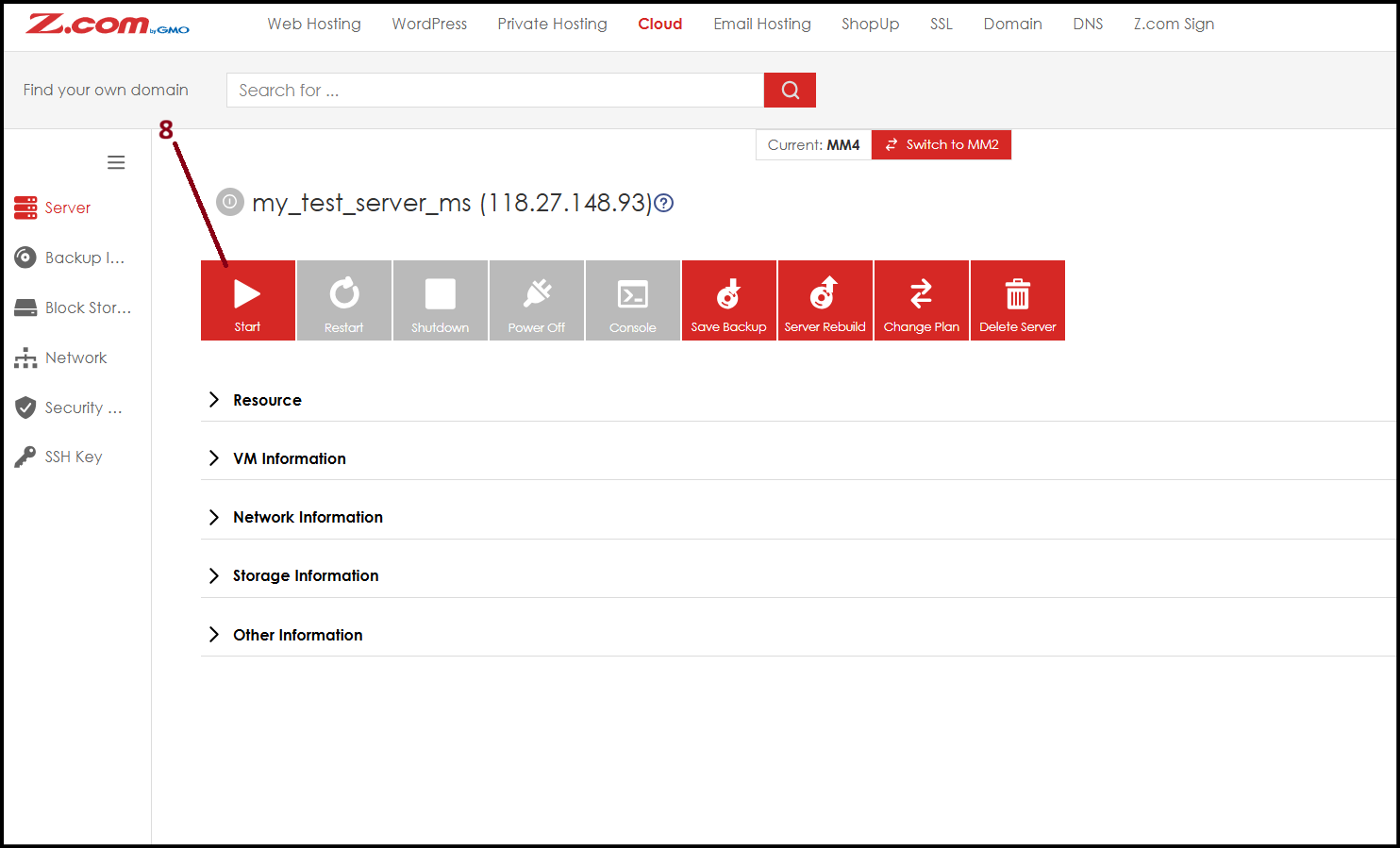
Thank You!
Was this article helpful?
That’s Great!
Thank you for your feedback
Sorry! We couldn't be helpful
Thank you for your feedback
Feedback sent
We appreciate your effort and will try to fix the article