How to Order Cloud VPS in MM4?
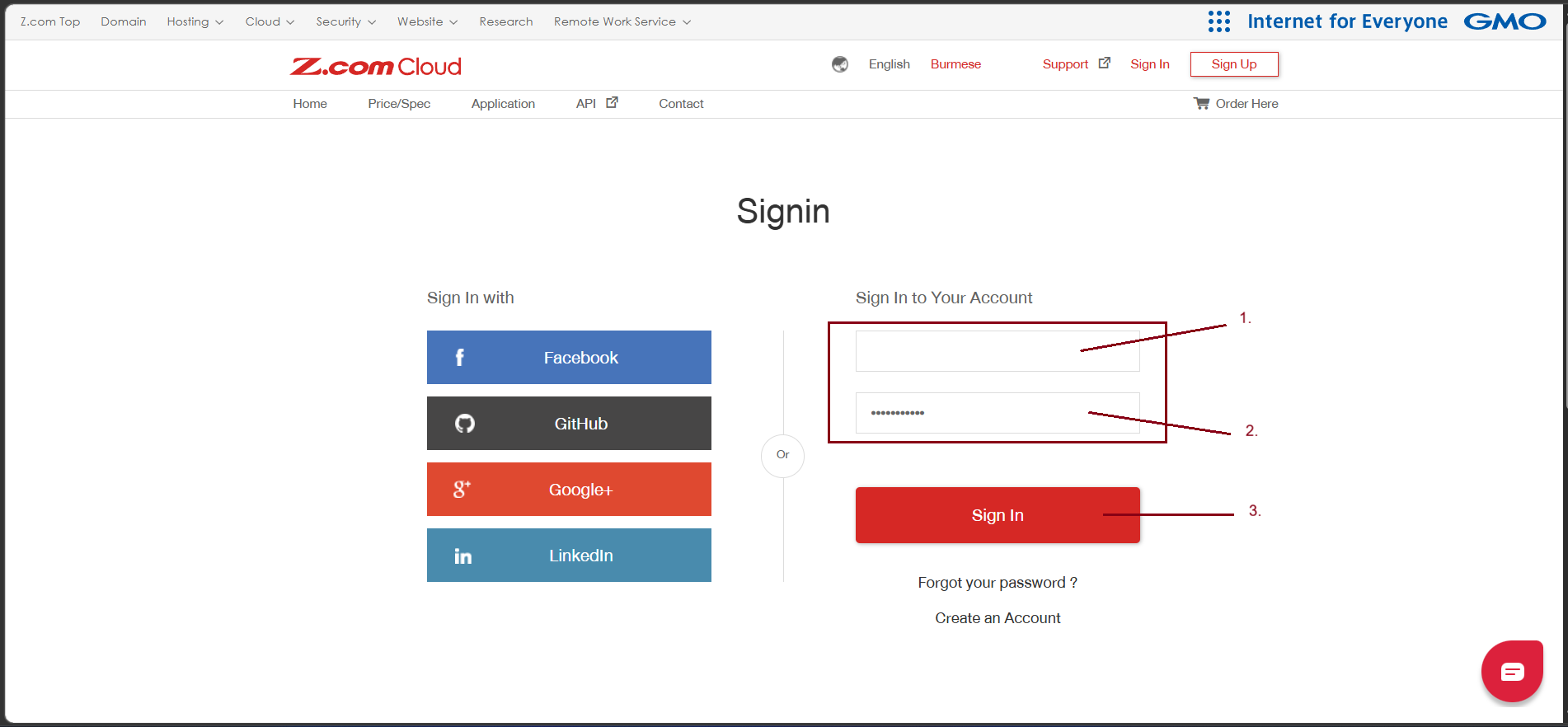
Step1. Login to z.com account, https://cloud.z.com/mm/signin/
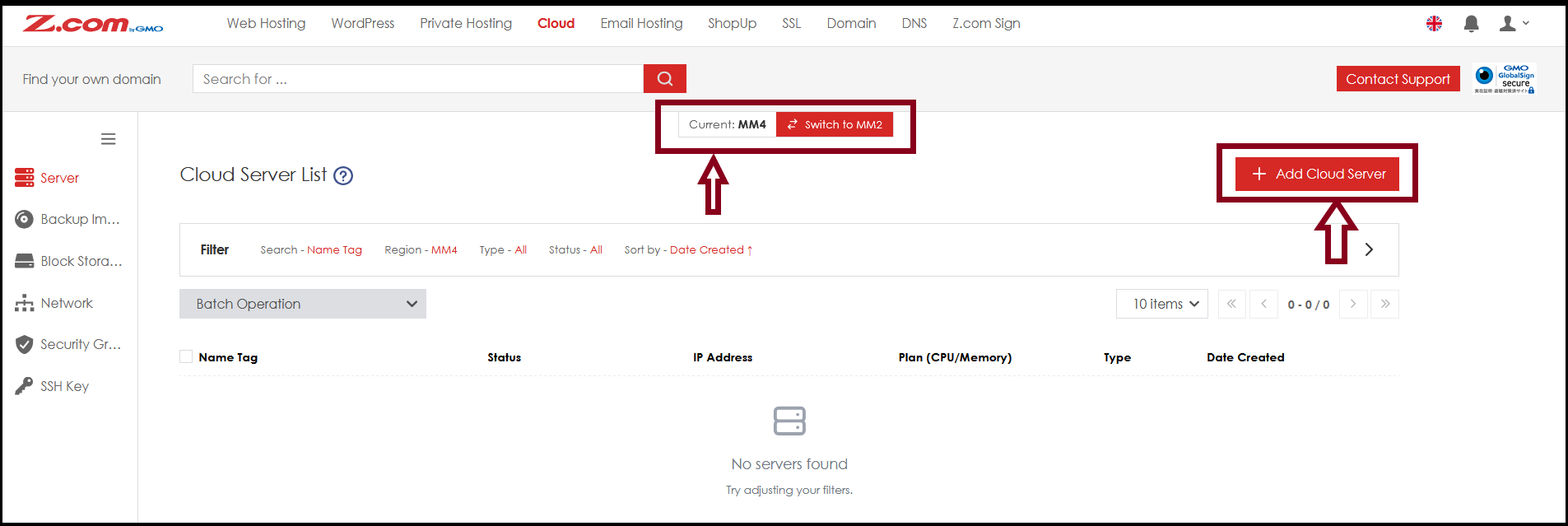
Step2. Go to "Cloud" and click "+Add Cloud Server" Under MM4.
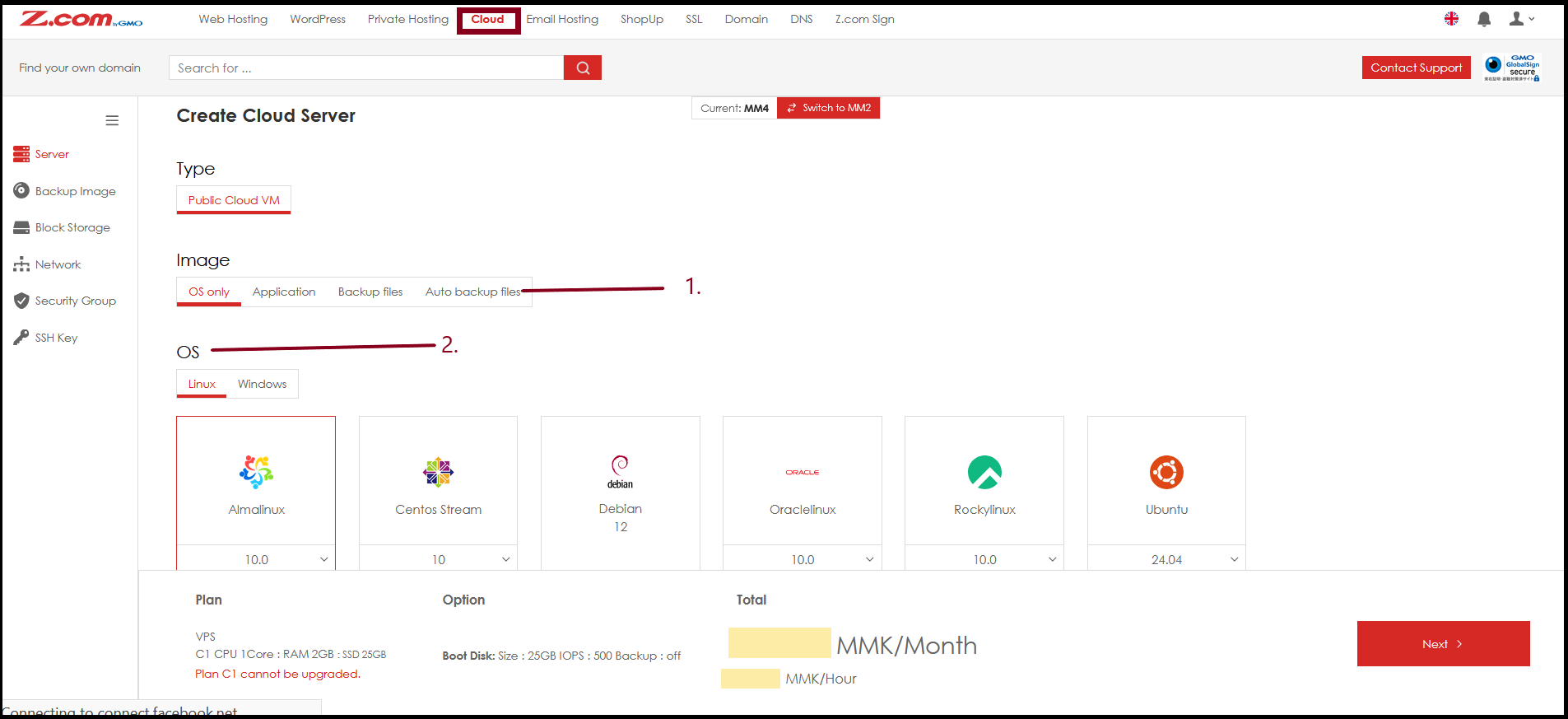
- Choose Image
- Choose OS
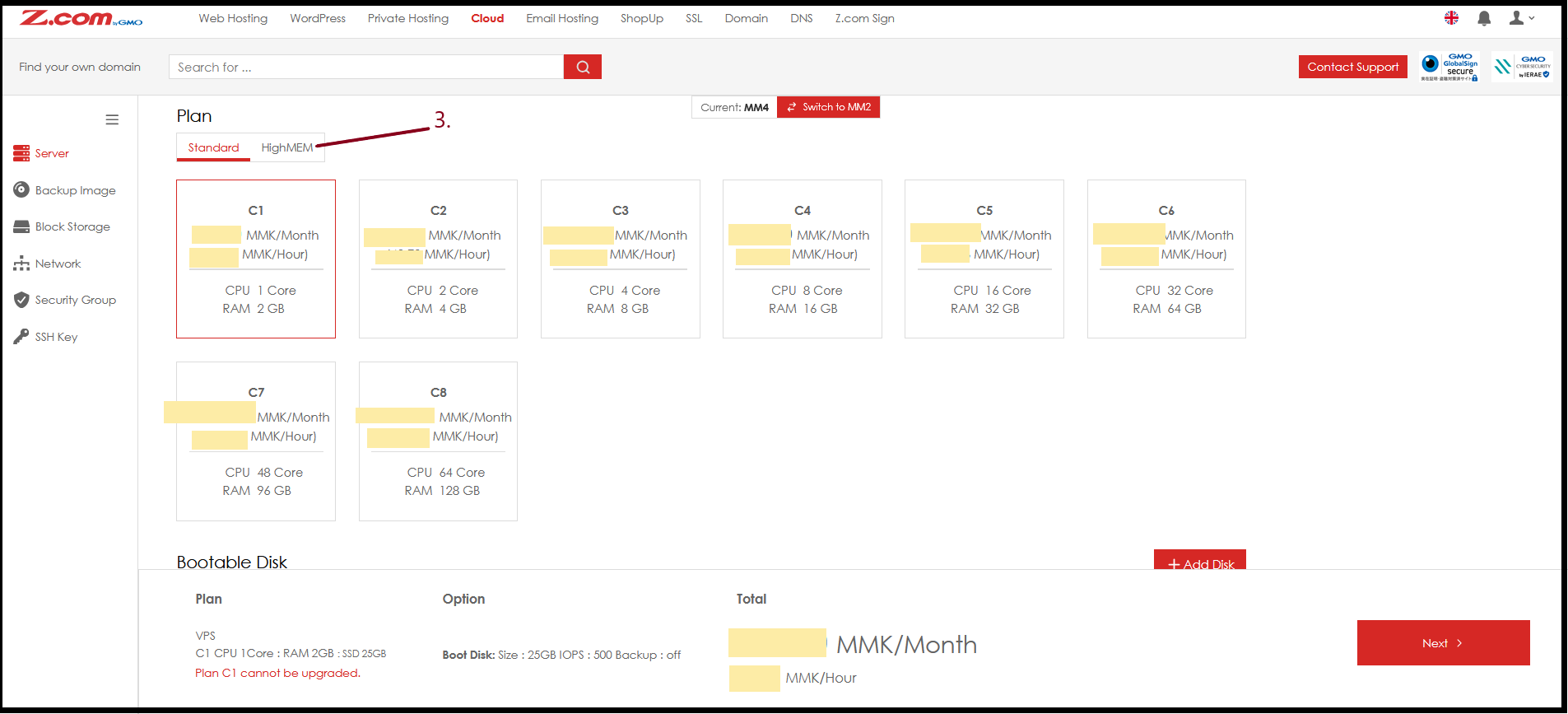
- Choose Plan
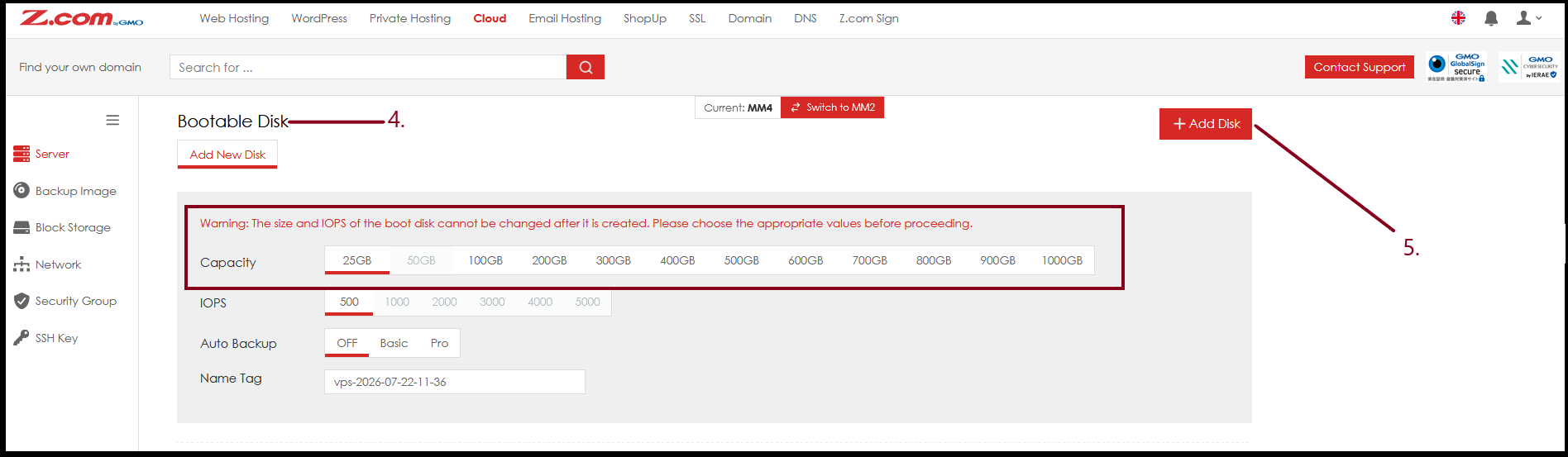
- Choose Bootable Disk Storage (boot disk cannot be changed after it is created)
- Can Order Additional Disk with optional Charges
- Assign Root Password
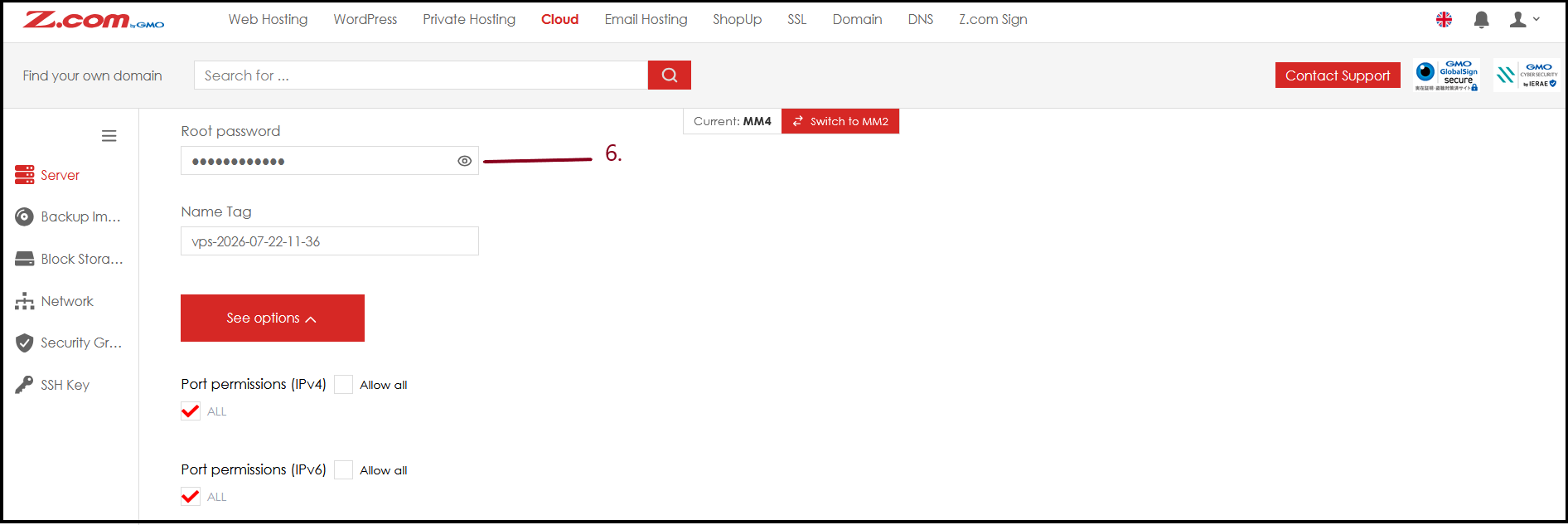
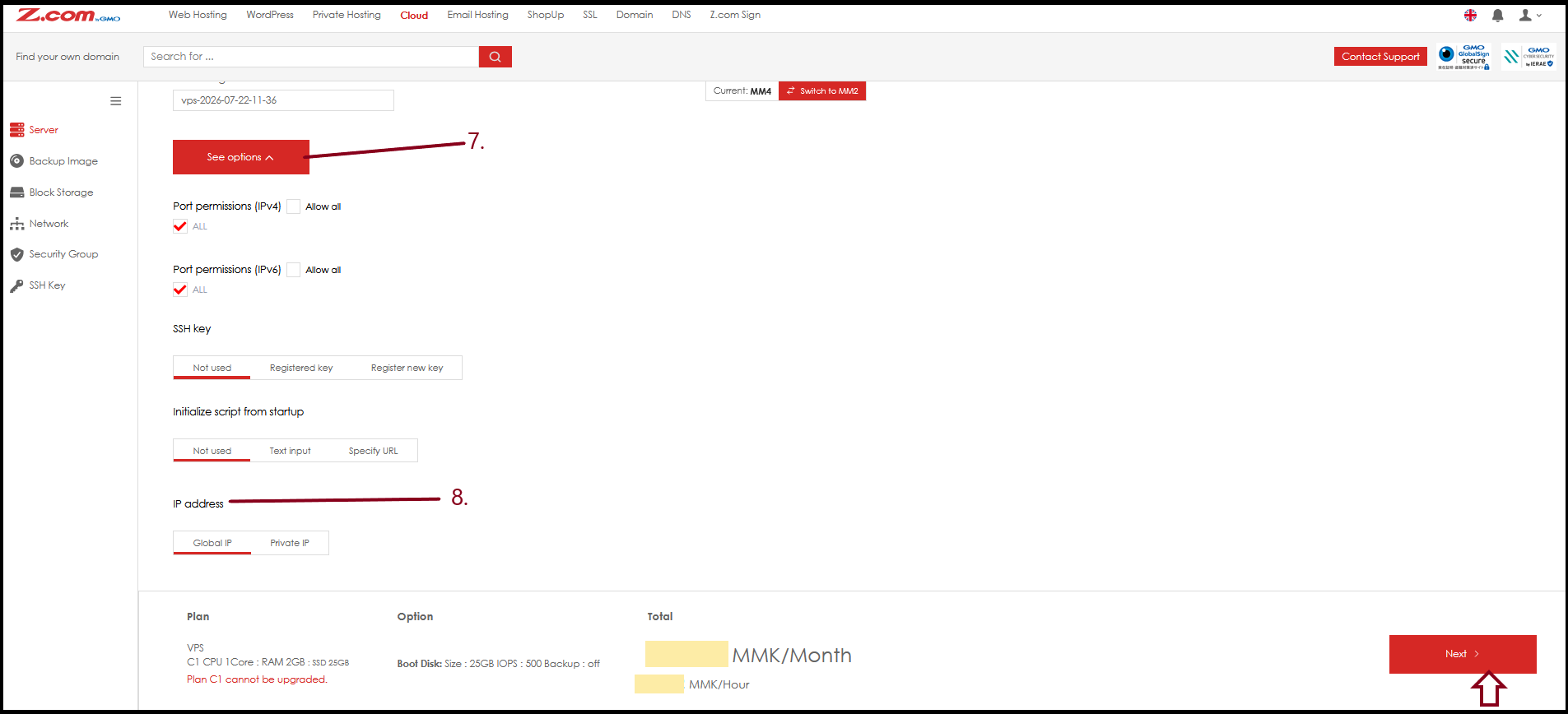
See options
- IP address (one free IP address)
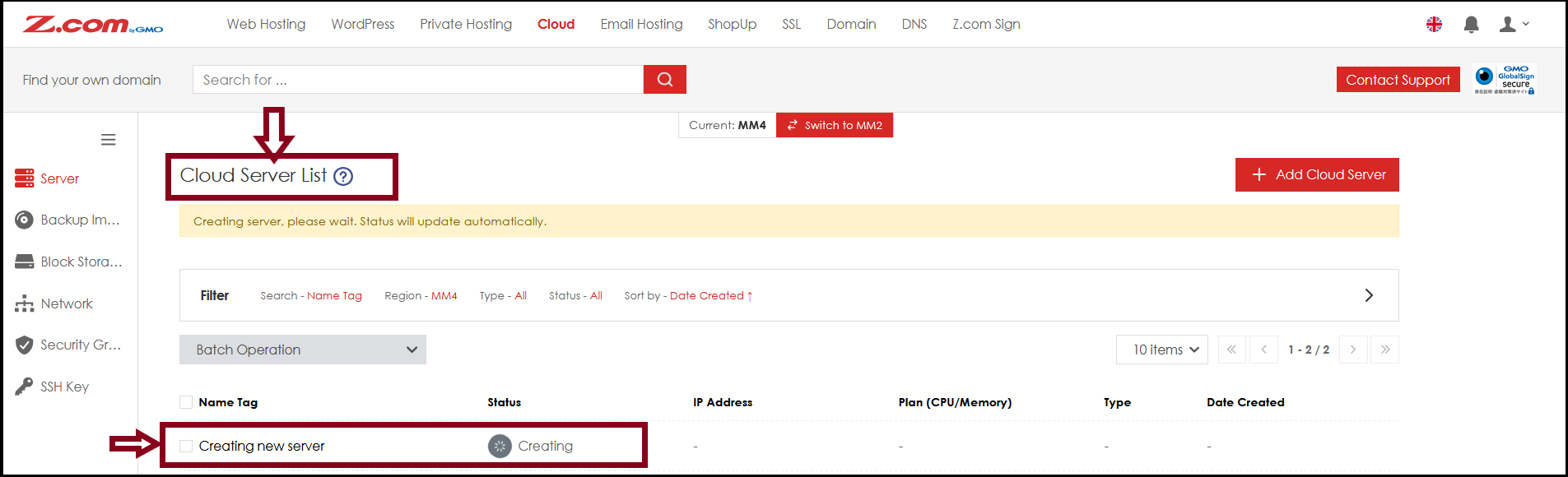
Now VM are creating in system and wait to be running normally.
THANK YOU!!!
Was this article helpful?
That’s Great!
Thank you for your feedback
Sorry! We couldn't be helpful
Thank you for your feedback
Feedback sent
We appreciate your effort and will try to fix the article