How to generate CSR file from Private Hosting Cloud Panel?
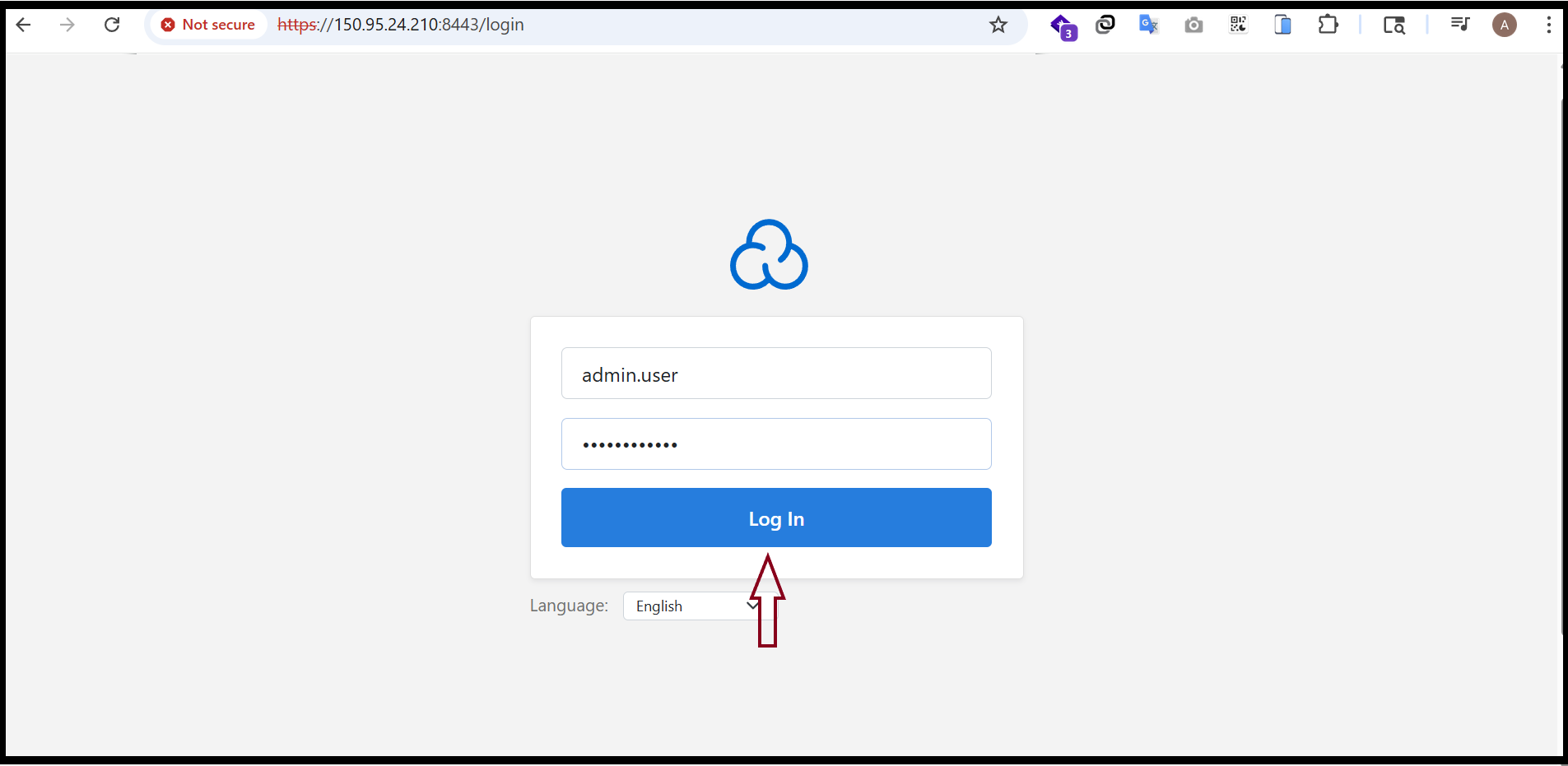
Step1. Login to the Cloud Panel.
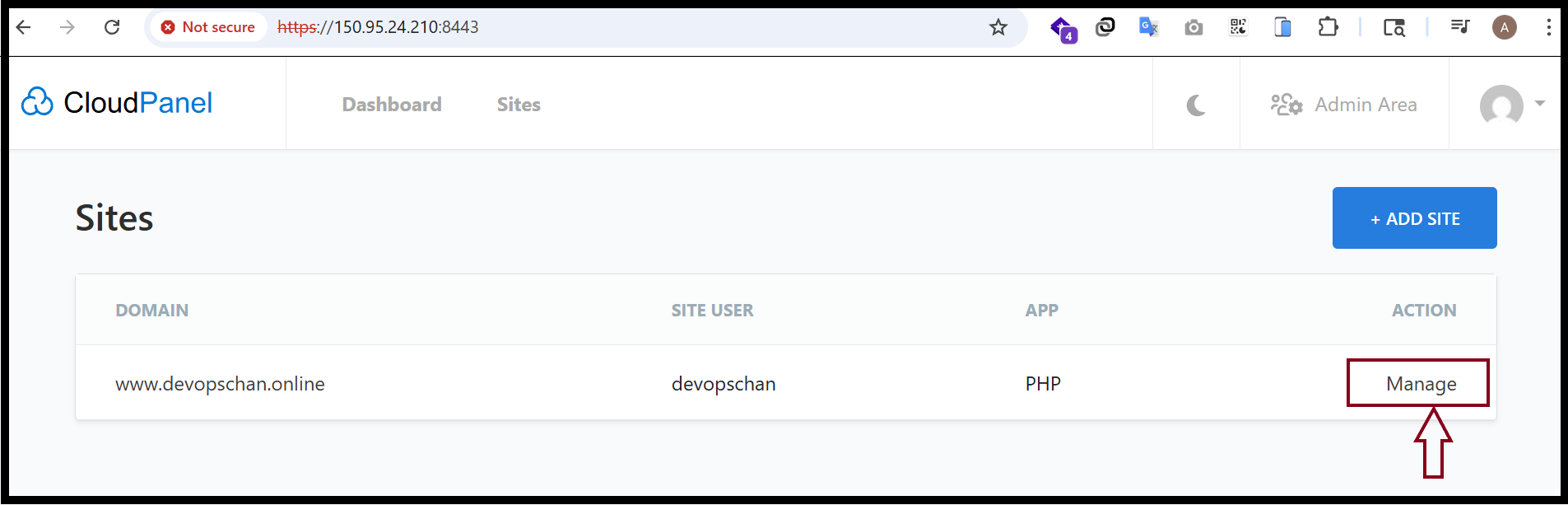
Step2. Click "Manage".
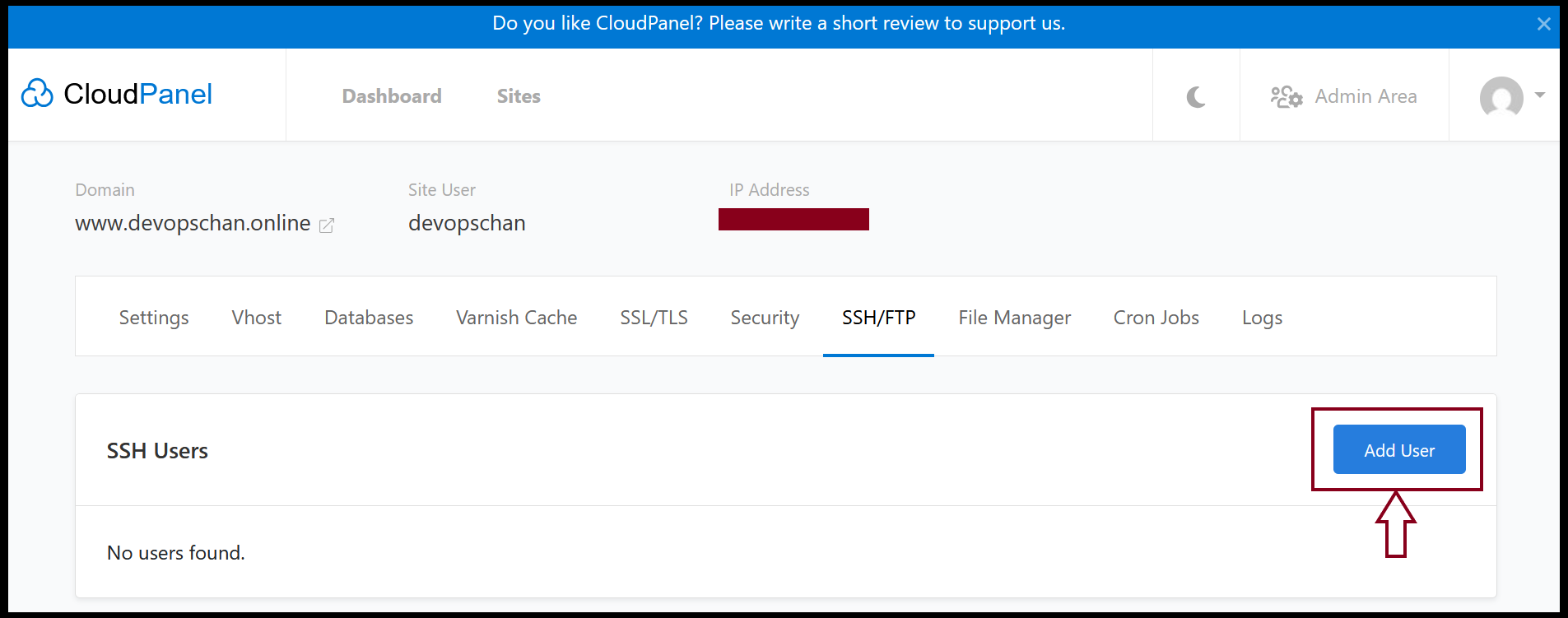
Step3. Click "Add User" and create SSH Users account first.
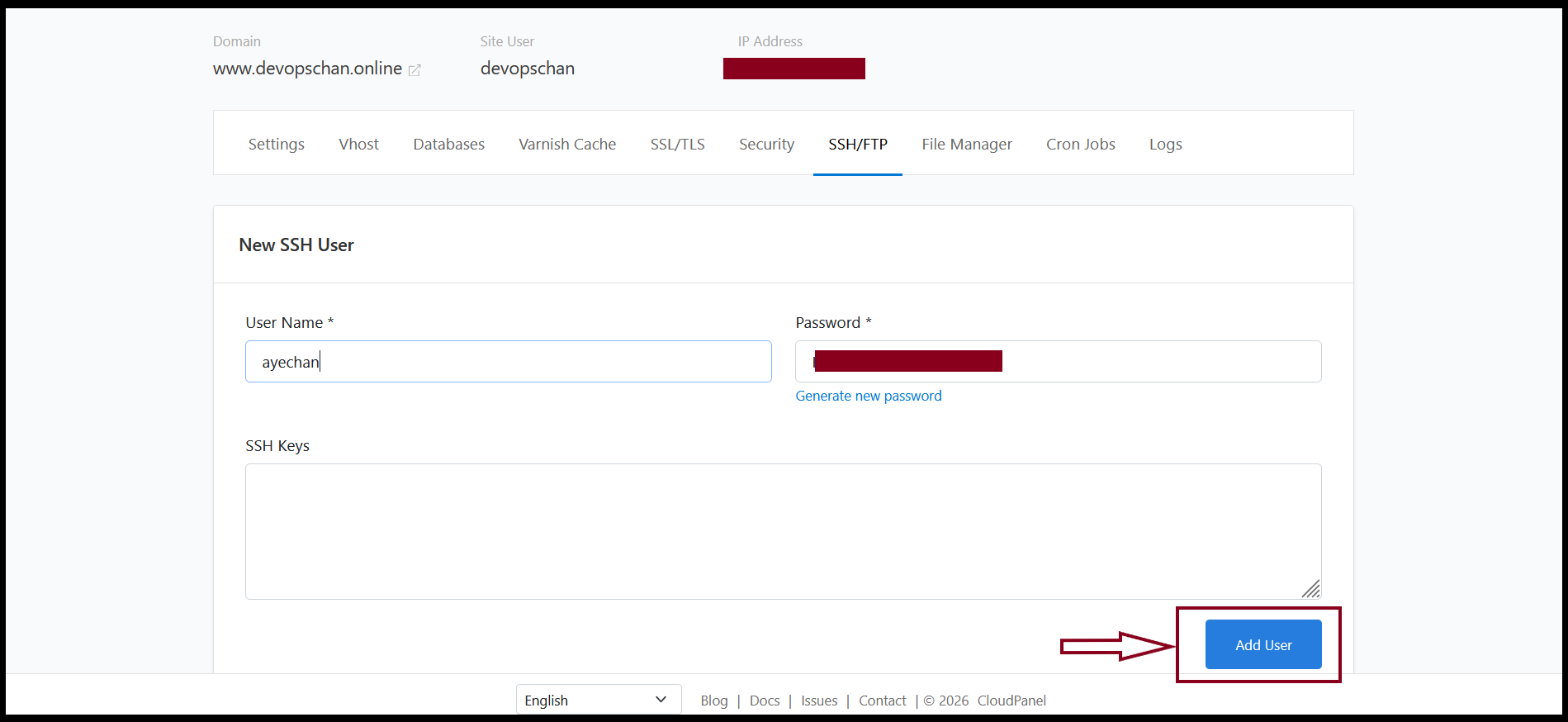
Step4. Then input SSH User Name and Password.
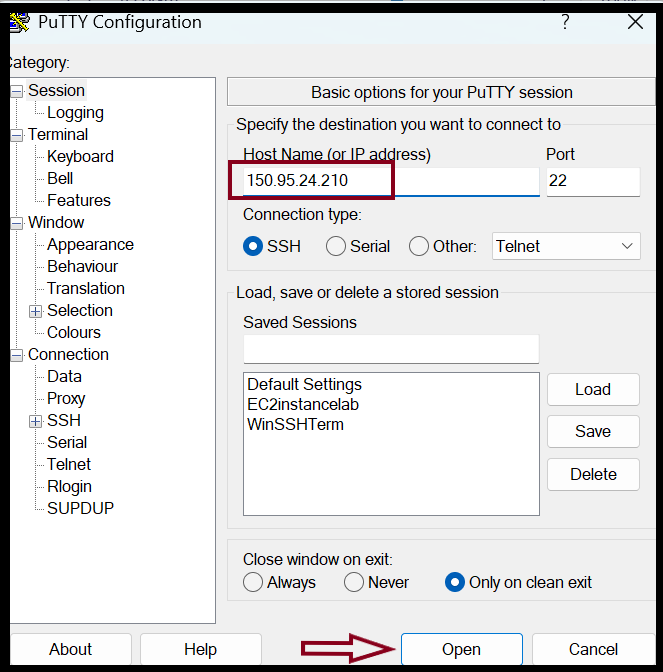
Step5. Open SSH Software and login to the server with SSH User.
HostName or IP Address: (input your actual IP)
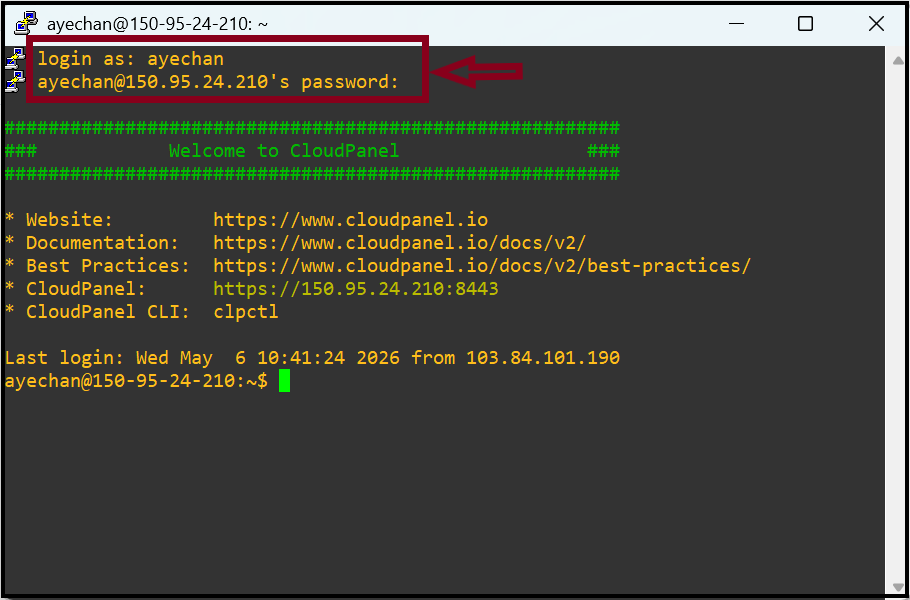
Step6. Login with SSH User Information that we created account.
Username: ayechan (Please input actual SSH user and password)
Password: ***********
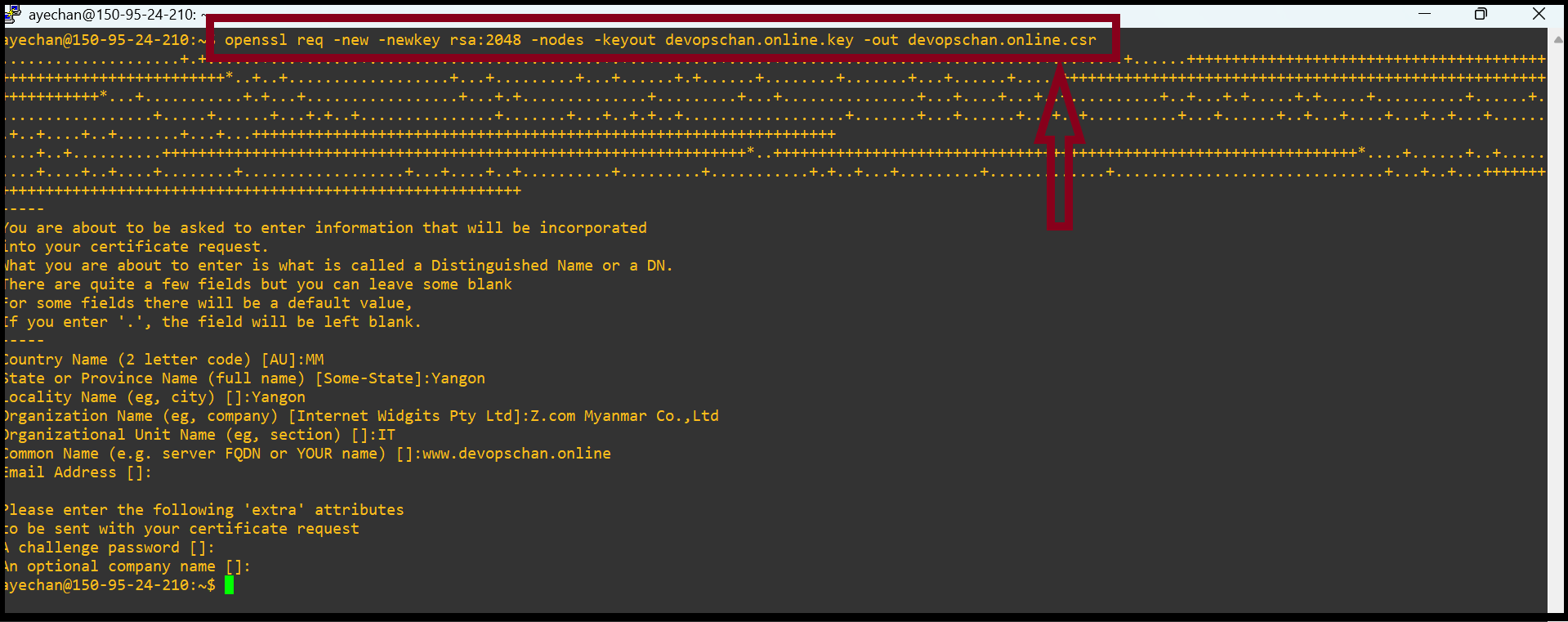
Step7. Now we can generate CSR file using below command.
$openssl req -new -newkey rsa:2048 -nodes -keyout yourdomain_name.key -out yourdomain_name.csr
Certificate Signing Request(CSR)
Country Name:MM
State or Province Name:Yangon
Locality Name:Yangon
Organization Name:Z.com Myanmar Co.,Ltd
Organizational Unit Name:IT
Common Name: www.devopschan.online (Please input your actual domain name, both cover for www or without www)
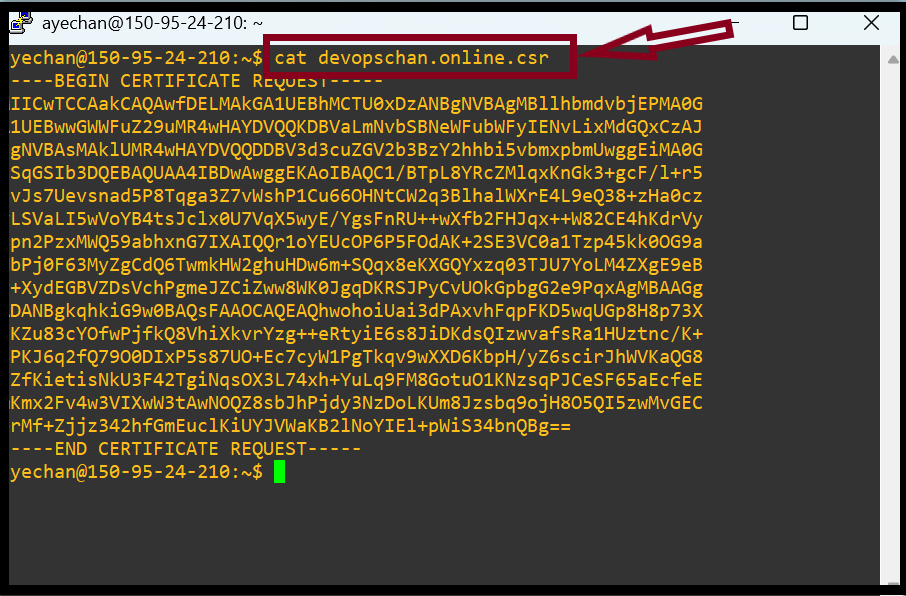
Step8. To view generate CSR file, you can check with below command. Then copy CSR in Notepad. Now, you can apply SSL using this CSR file.
$cat yourdomain_name.csr
Thank you!!!
Was this article helpful?
That’s Great!
Thank you for your feedback
Sorry! We couldn't be helpful
Thank you for your feedback
Feedback sent
We appreciate your effort and will try to fix the article