How to do initial setup in Private Hosting Cloud Panel?
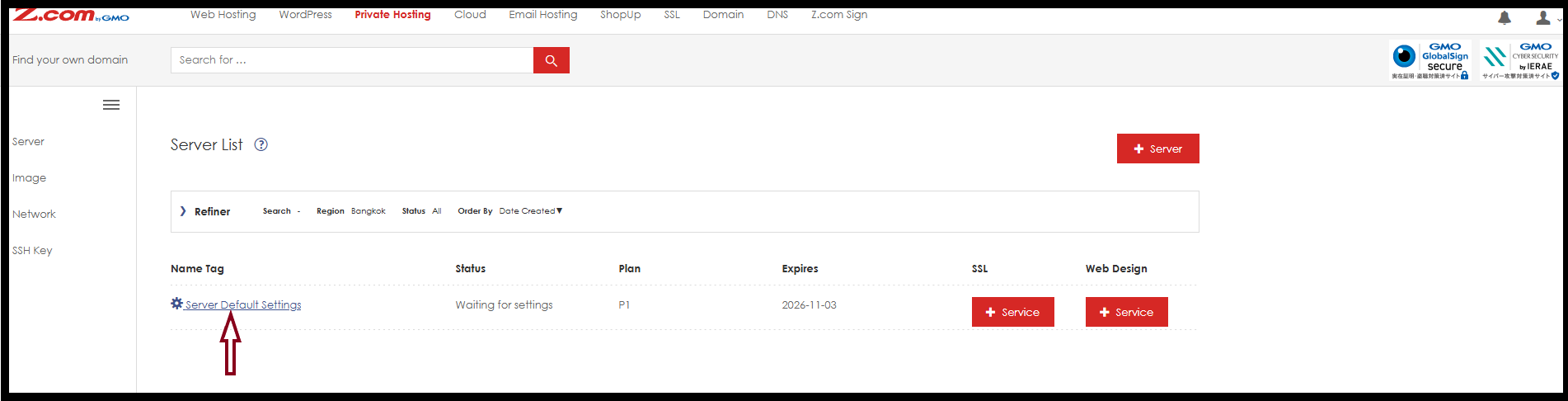
Step1. Click "Server Default Settings" to assign server password.
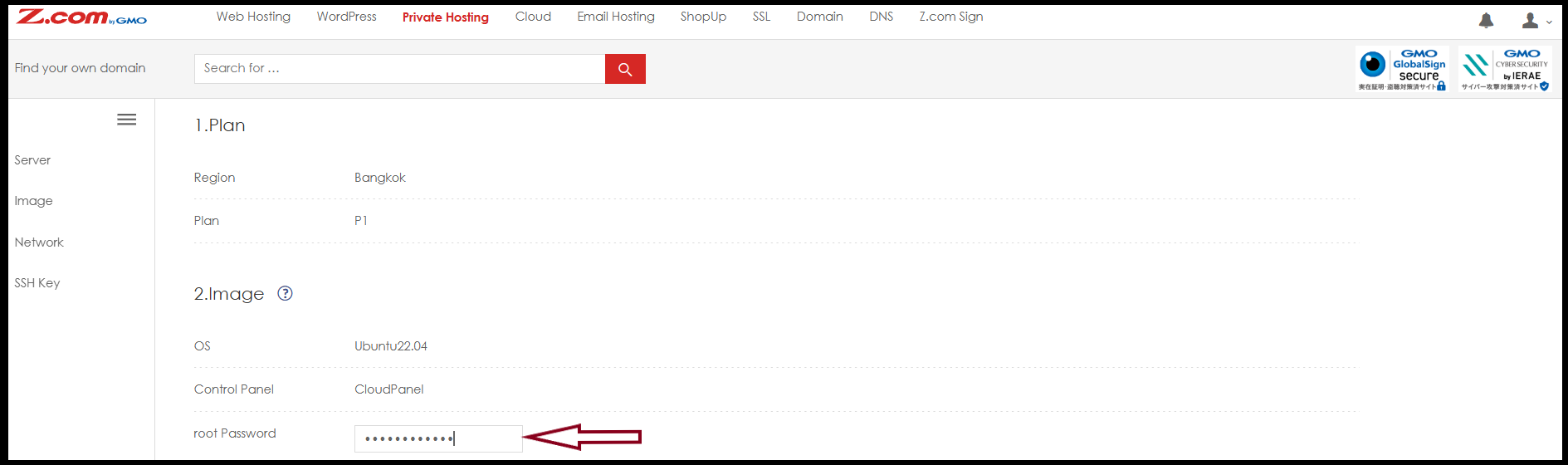
Step2. Setup password for the server.
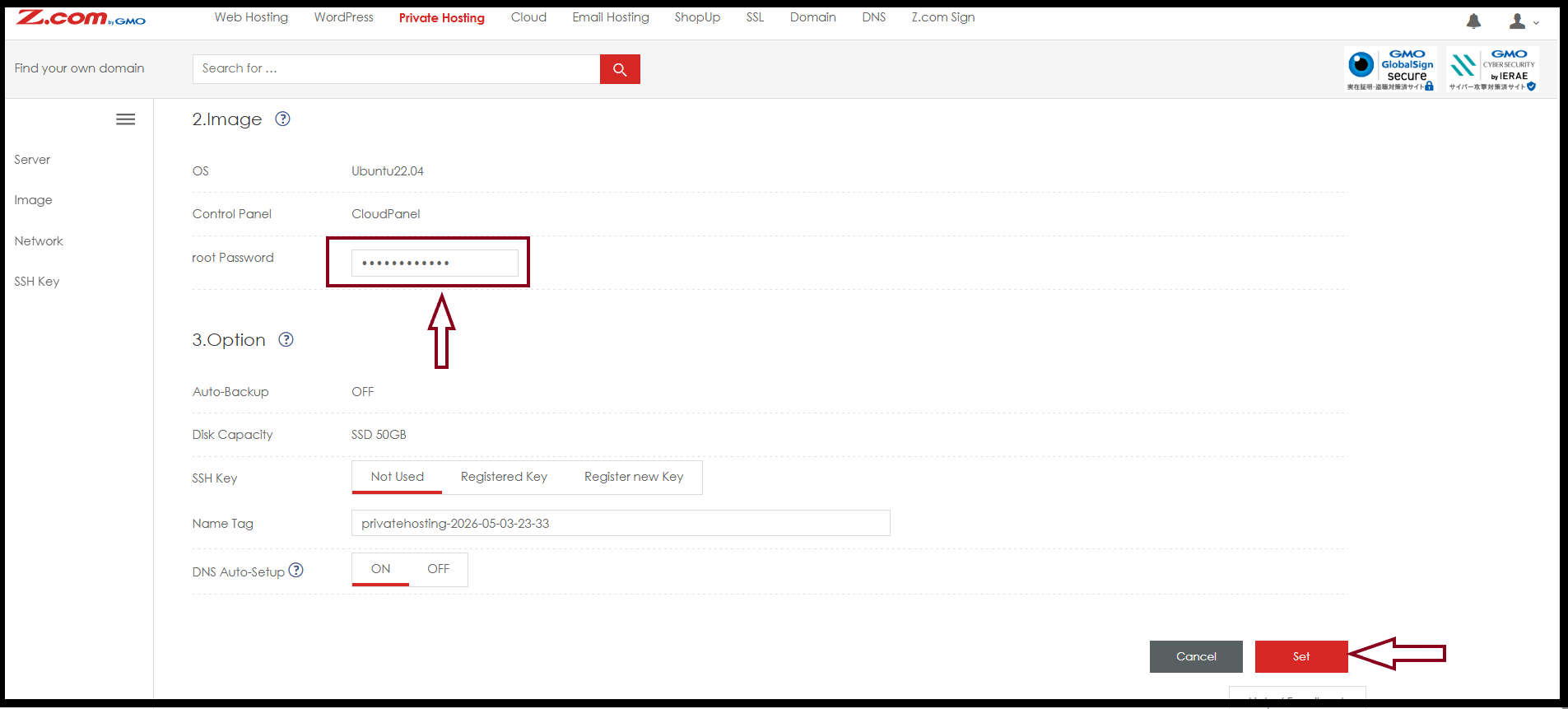
Click "Set" then wait to complete server setup.
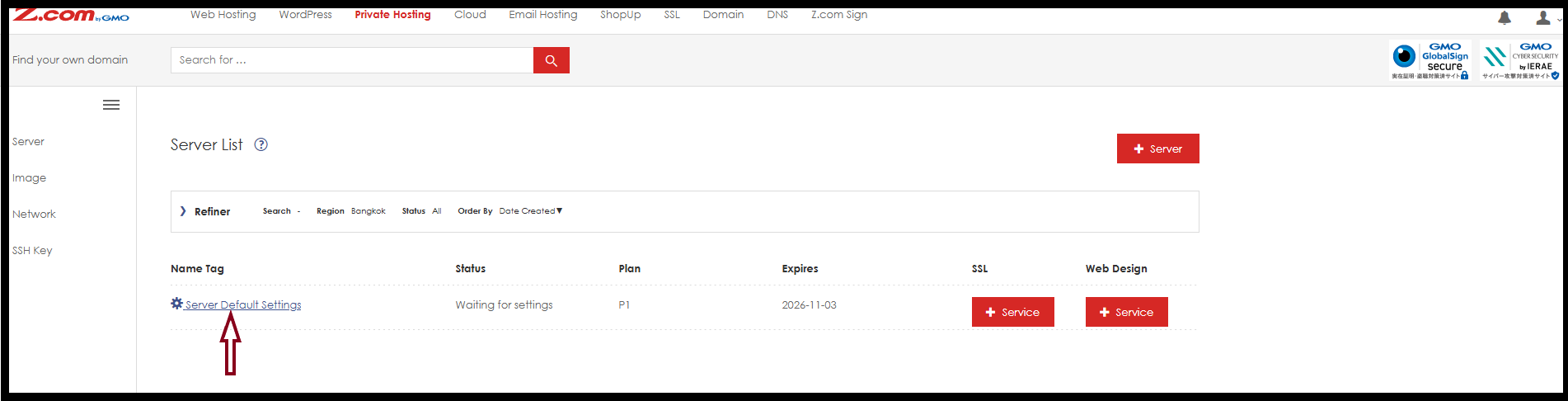
Step3. Now server setup is finished and can use it.
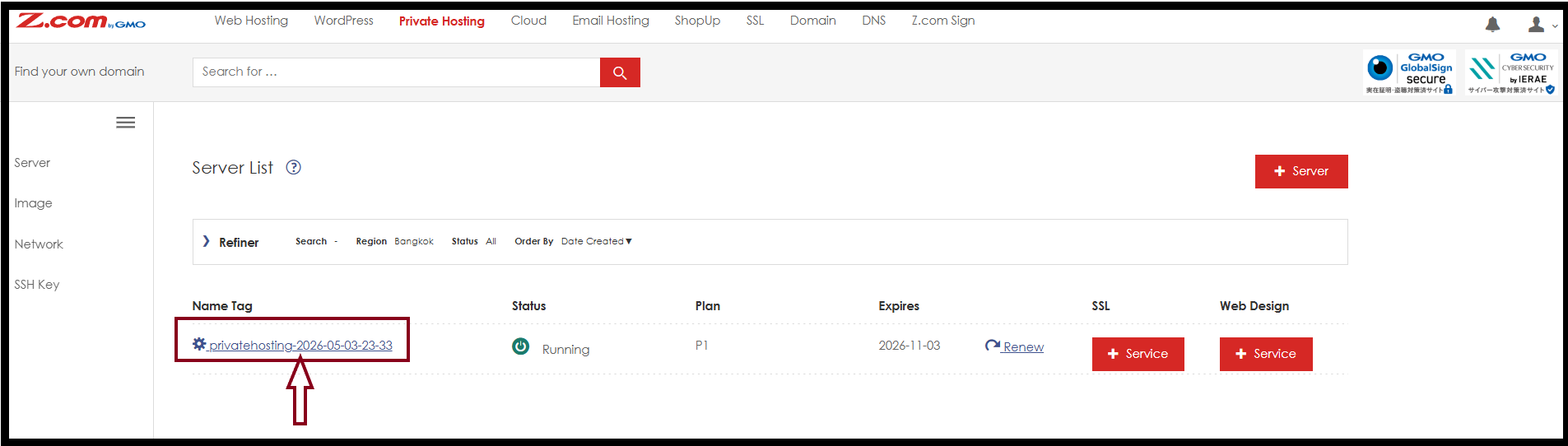
Step4. To check login credential information under "Server Setup".
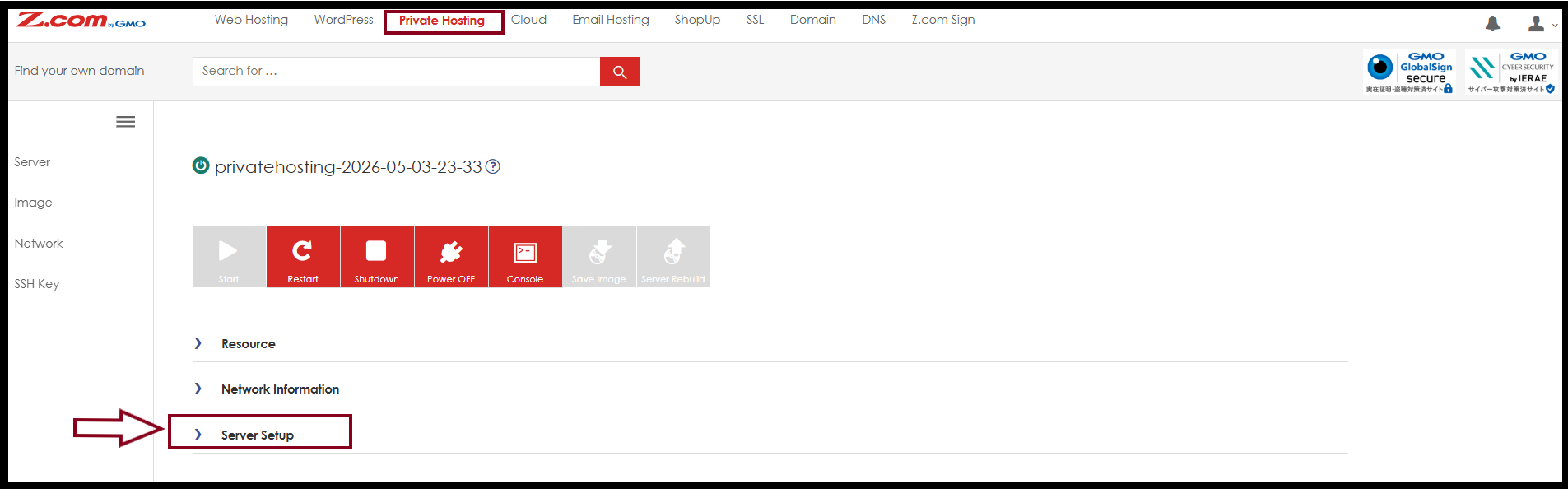
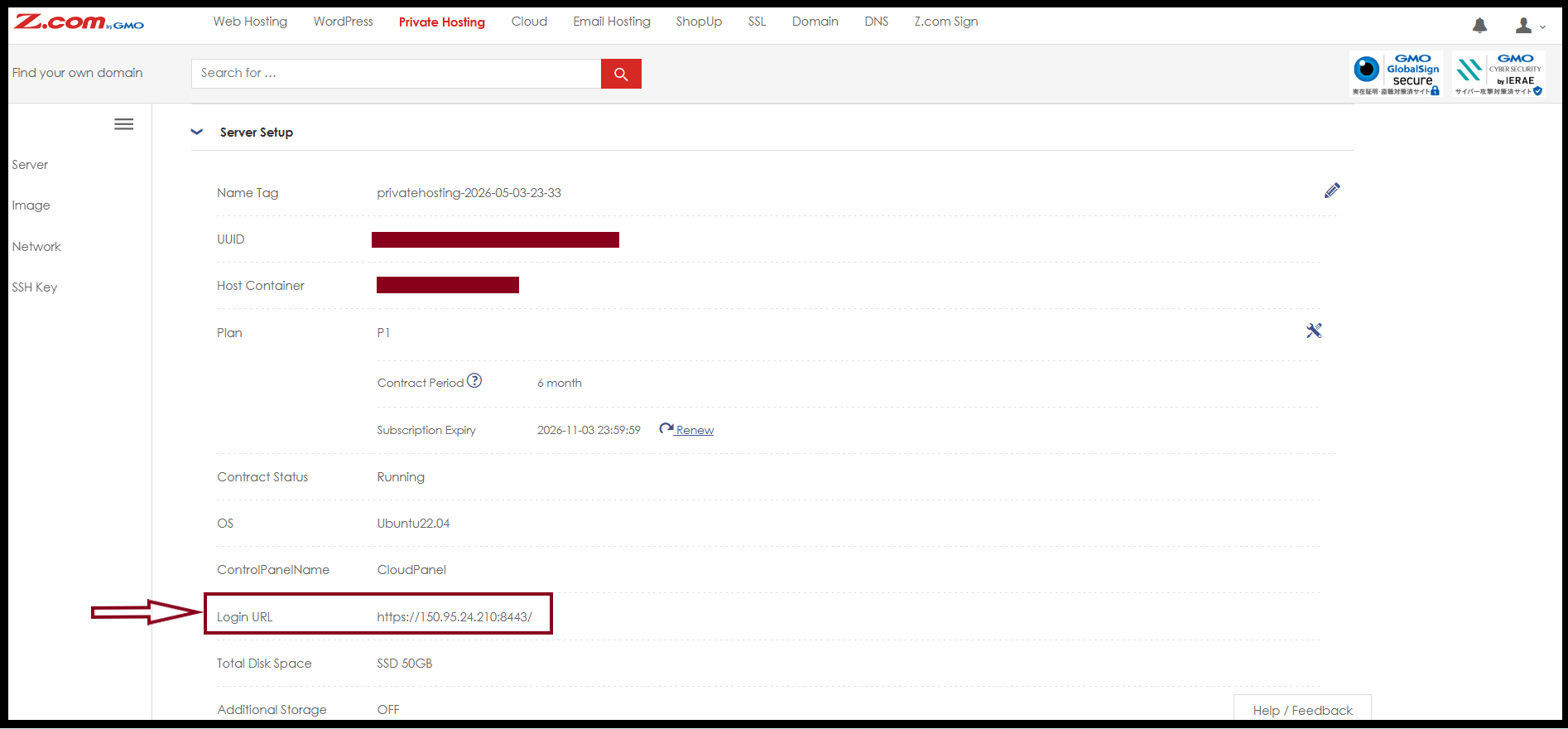
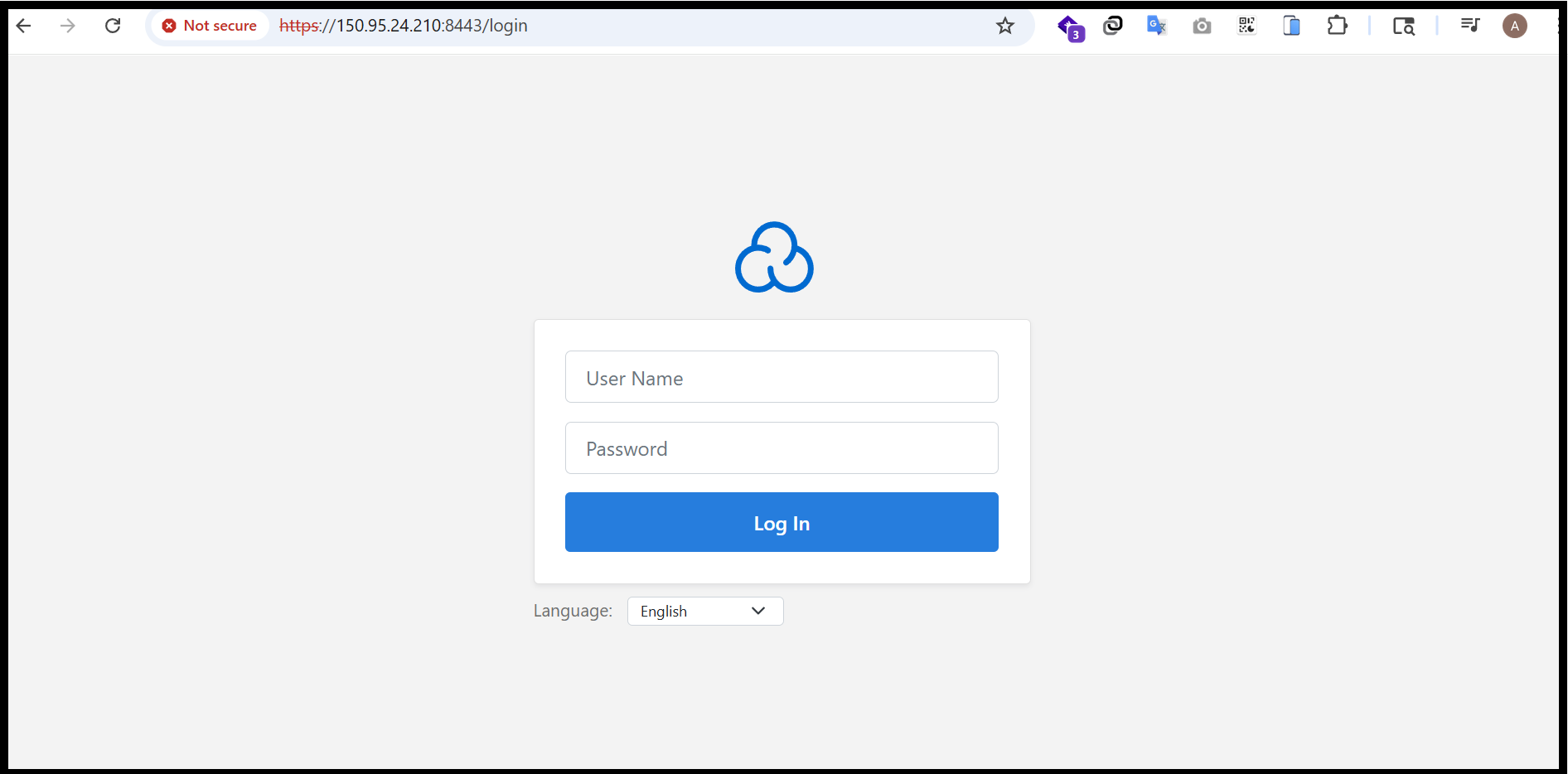
Step5. Then we can check server login link to enter Cloud Panel.
Login URL: https://150.95.24.210:8443
Step6. Firstly, we need to create an admin user account to access the Cloud Panel. Please log in using the provided link and fill in the required information.
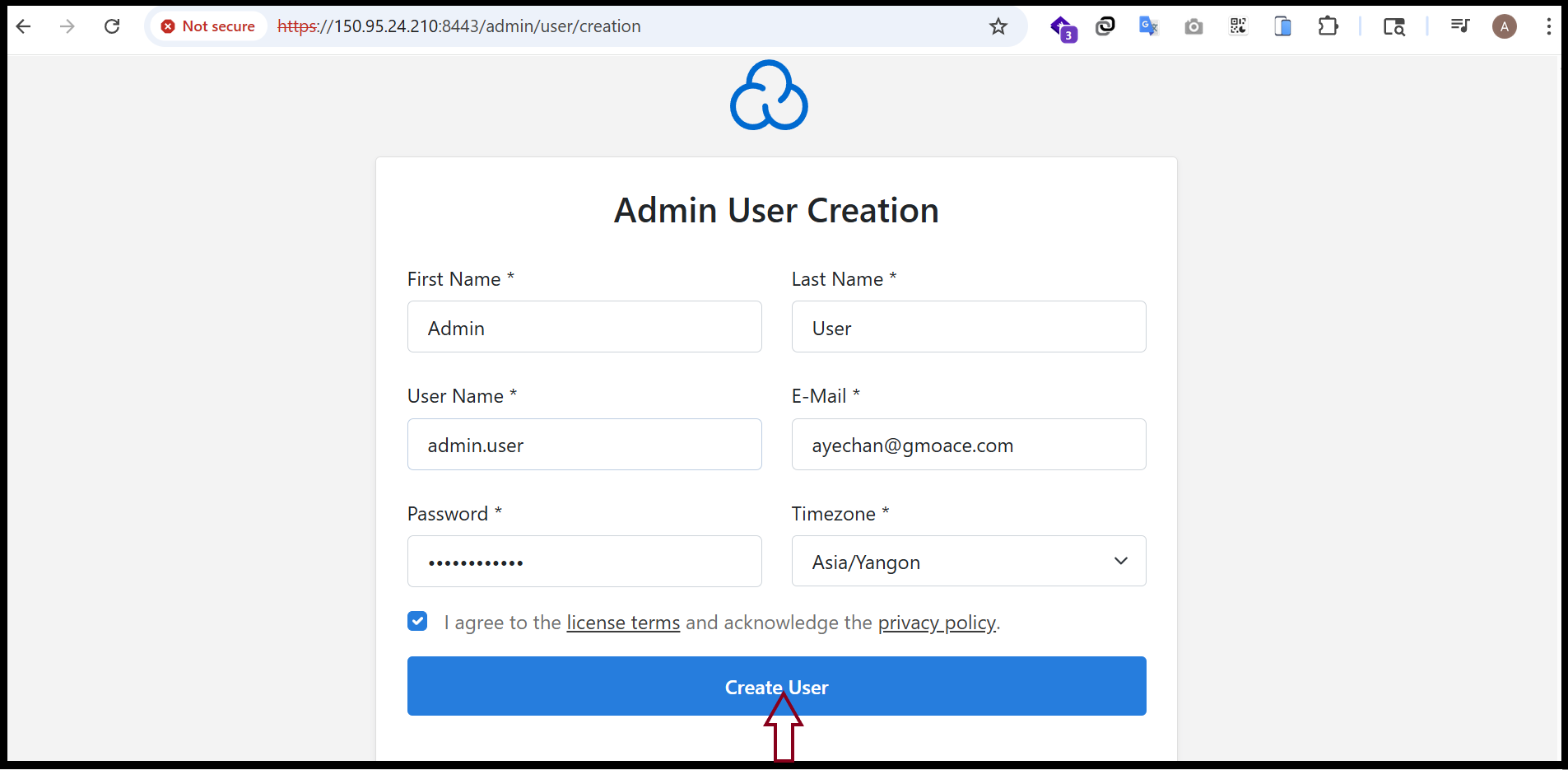
Step7. The user account creation process has been completed successfully, and you can now log in to the system.
Thank you!!!
Was this article helpful?
That’s Great!
Thank you for your feedback
Sorry! We couldn't be helpful
Thank you for your feedback
Feedback sent
We appreciate your effort and will try to fix the article