How to Order WordPress Pro (WP Squared)?
Step1. Login to z.com account, https://cloud.z.com/mm/signin/
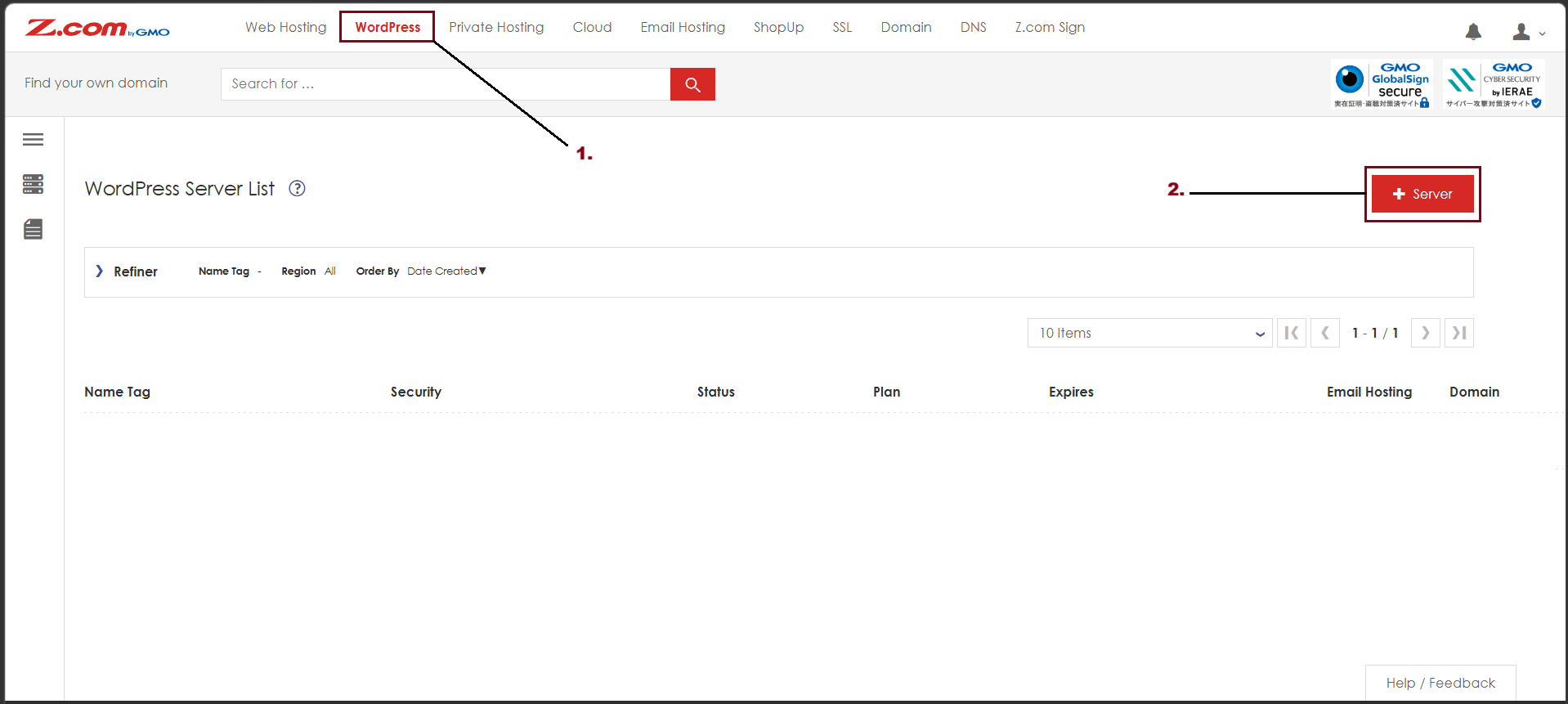
Step2. Go to the "WordPress" Menu and click "+Server"
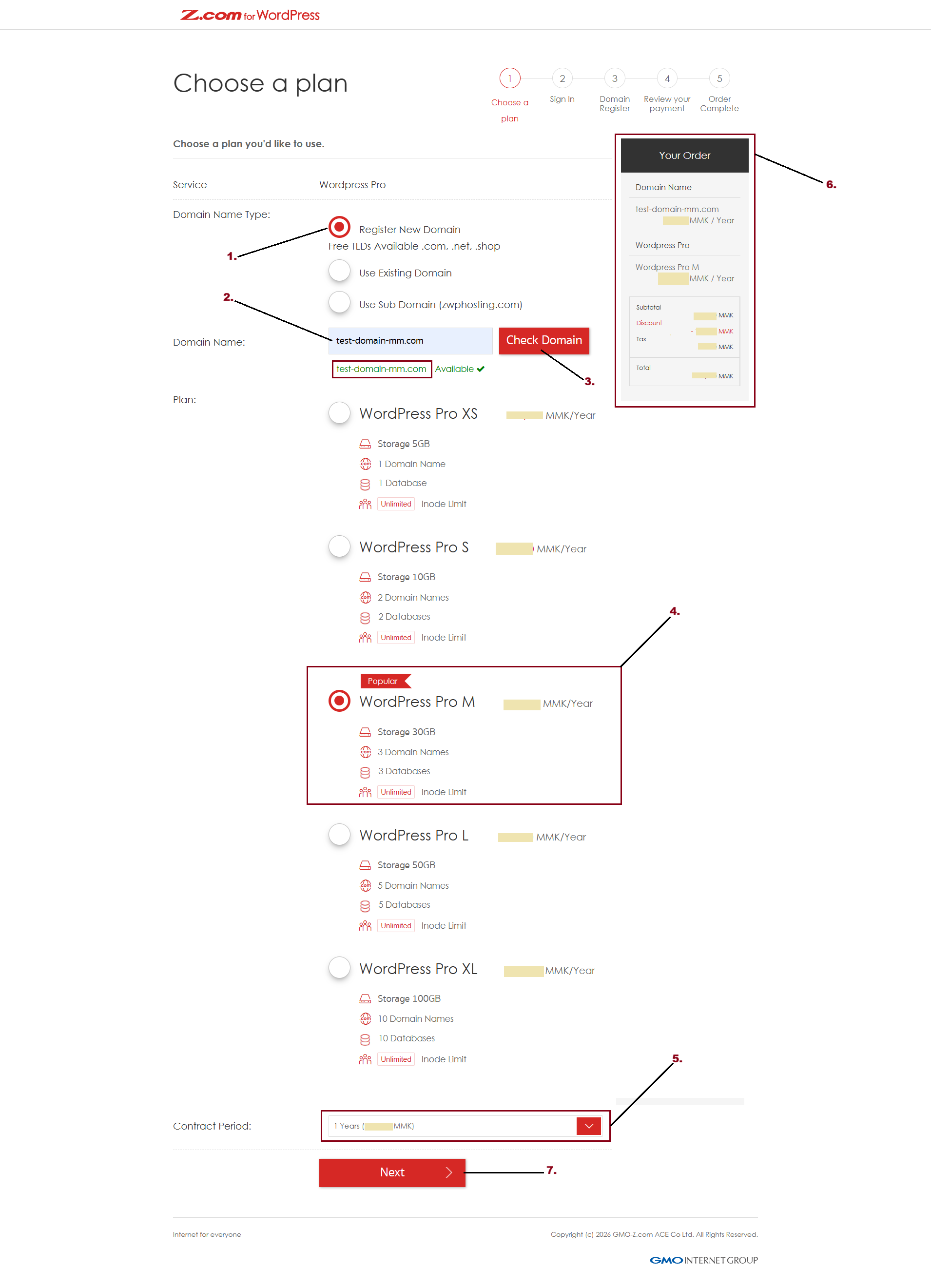
Step3. Choose a WordPress Pro Plan as follows
- Choose Domain Name Type
- Regisger New Domain
- Use Existing Domain
- Use Sub Domain (zwphosting.com)
- Choose Plan
- Choose Contract Period
- And Check Your Order
- Click "Next"
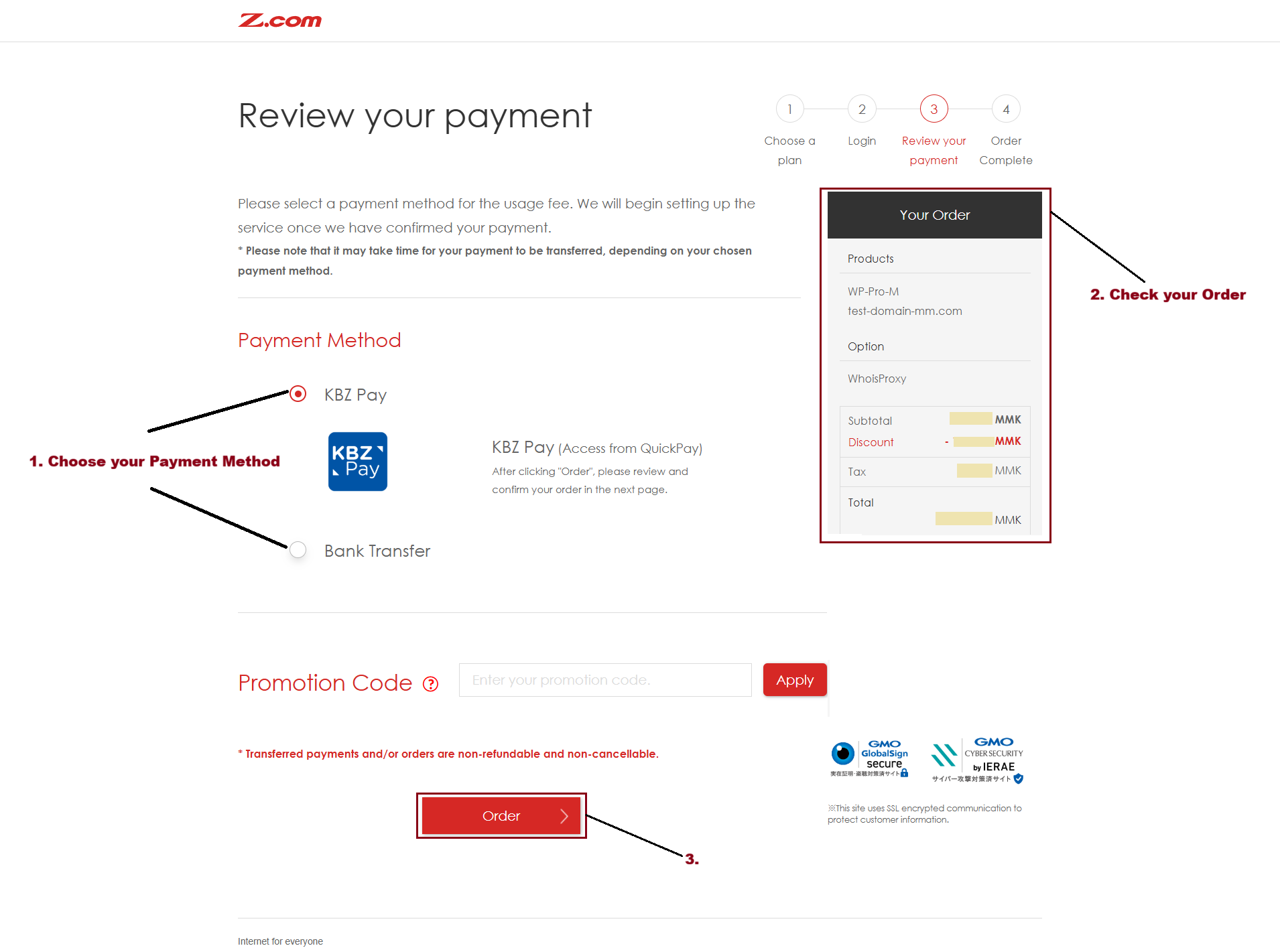
Step4. Review your payment
- Choose your Payment Method
- Check your Order and Amount
And Click "Order"
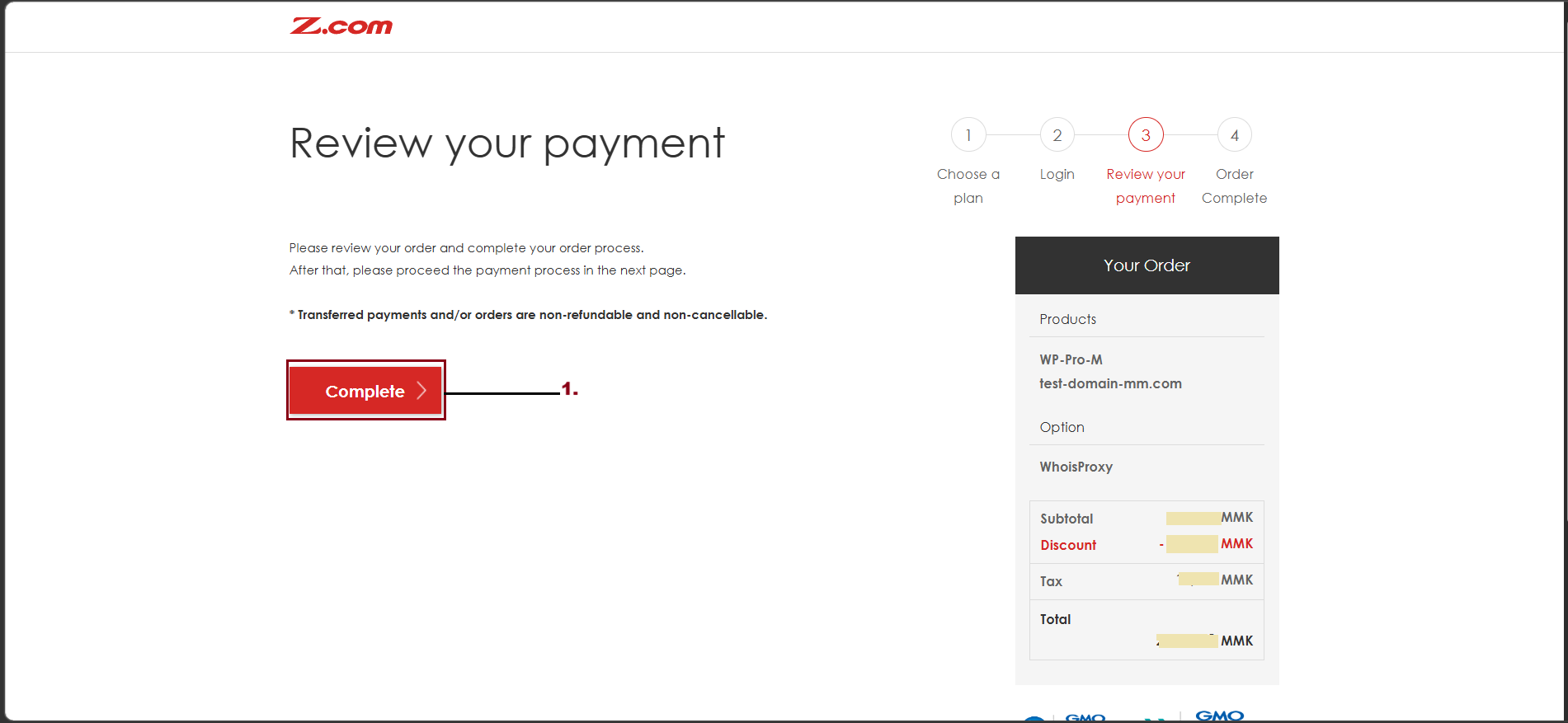
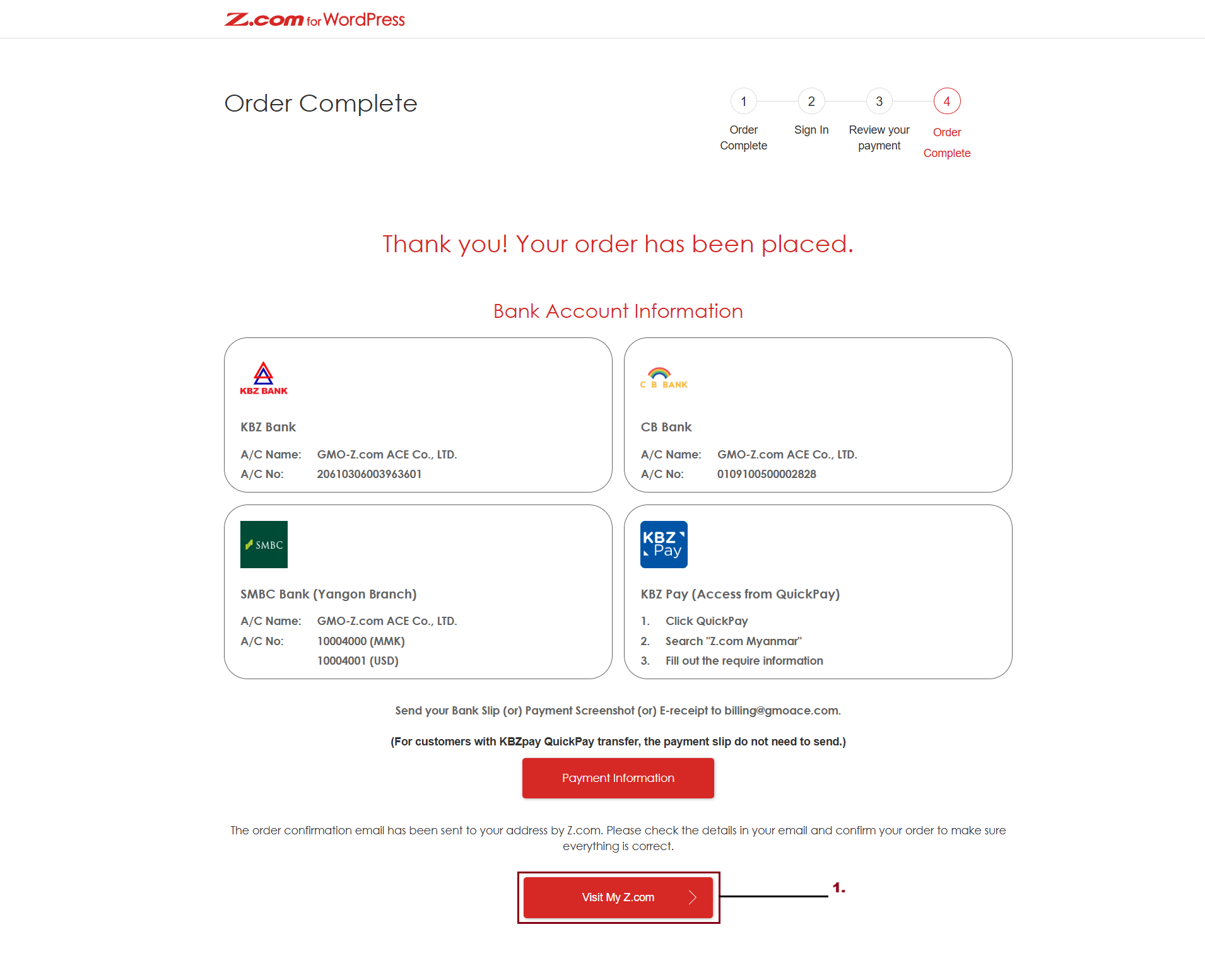
To complete your order, click "Complete".
And then, you can click "Visit My Z.com" to check your order on your Z.com account.
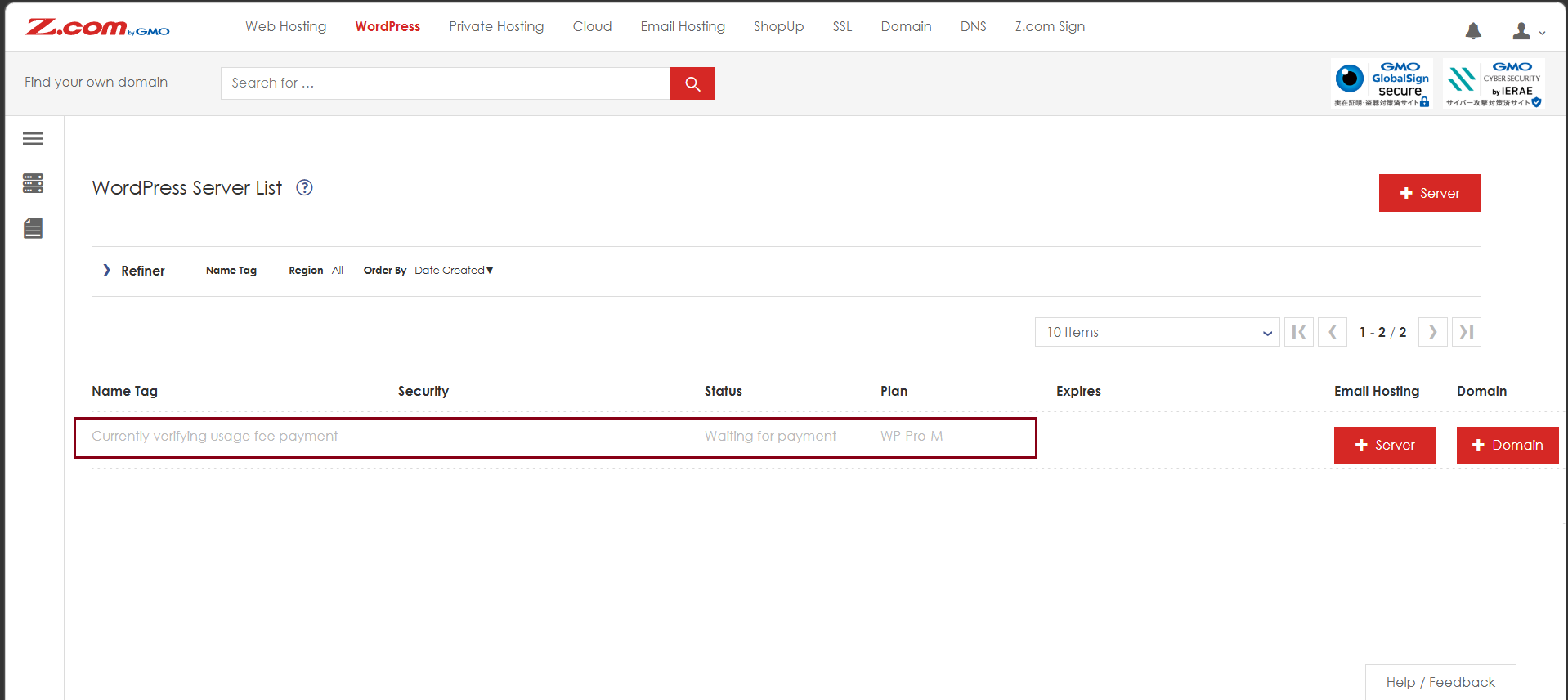
Now, the WP Pro service is placed in your Z.com Account.
THANK YOU!!!
Was this article helpful?
That’s Great!
Thank you for your feedback
Sorry! We couldn't be helpful
Thank you for your feedback
Feedback sent
We appreciate your effort and will try to fix the article