How to Register My Z.com Account?
Before we use the Z.com Services, we have to register a Z.com Account. The Z.com Control Panel can help to control each service.Step1. Visit Z.com Myanmar Website, https://z.com/mm/
Step2. Click "Register"

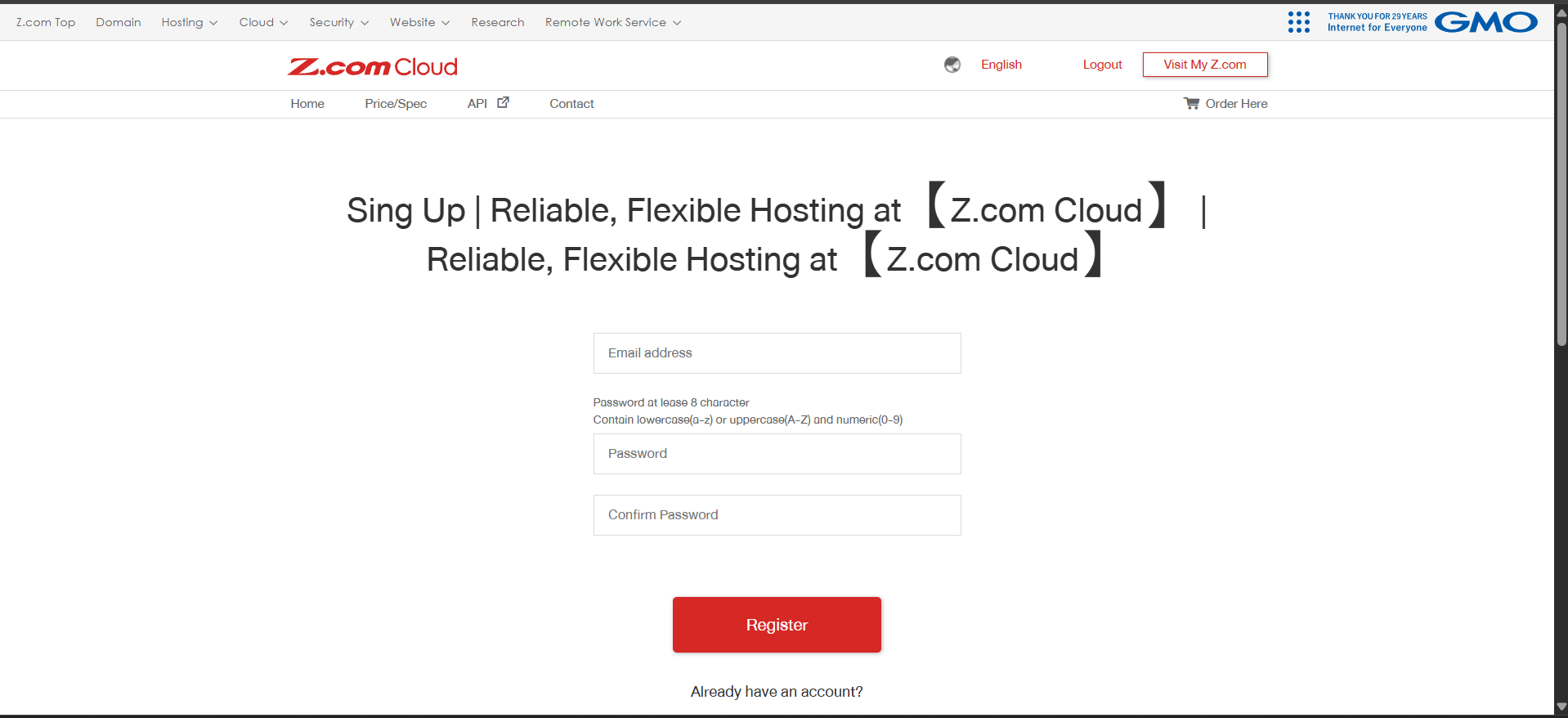
Step3. Fill the Email Address and Password and Click "Register"
Step4. Fill the User Information and click "Update"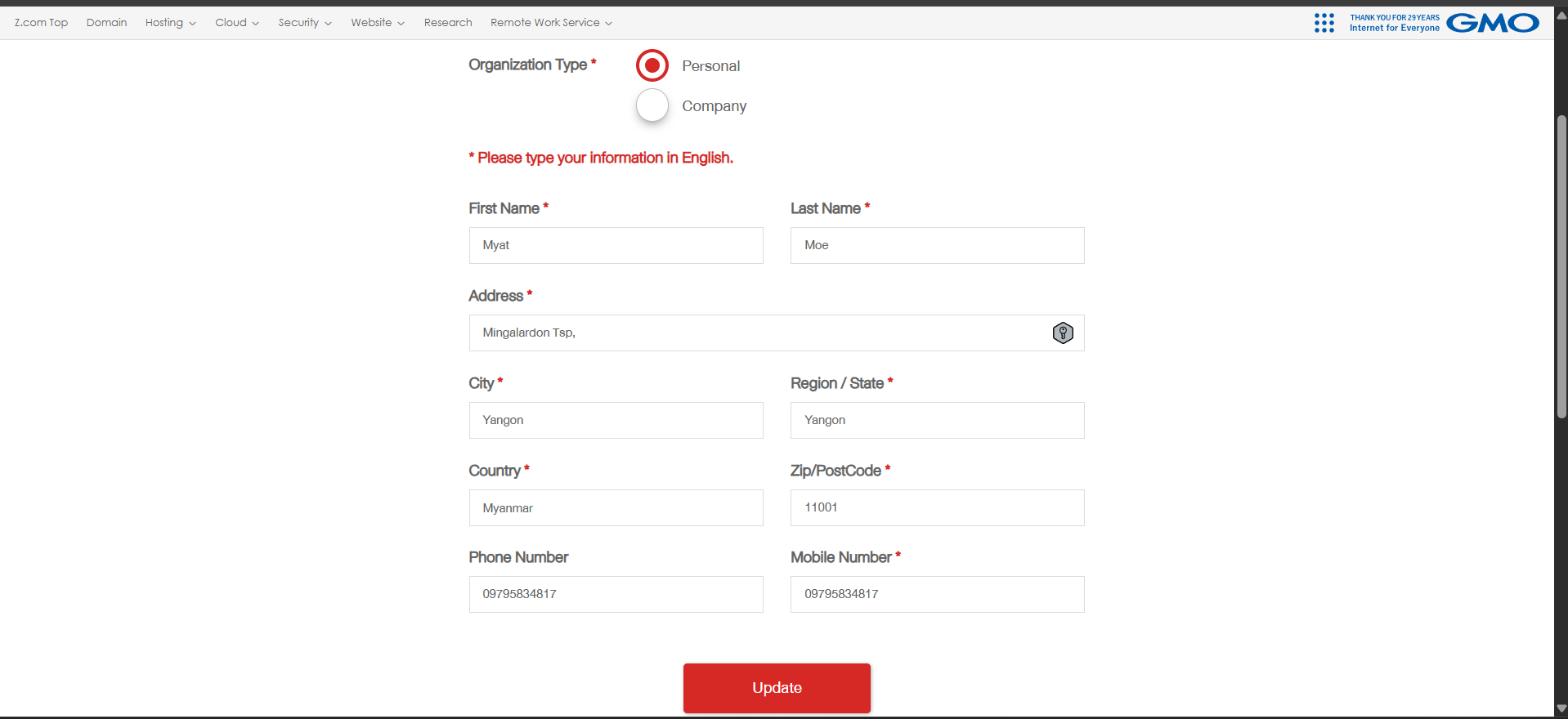
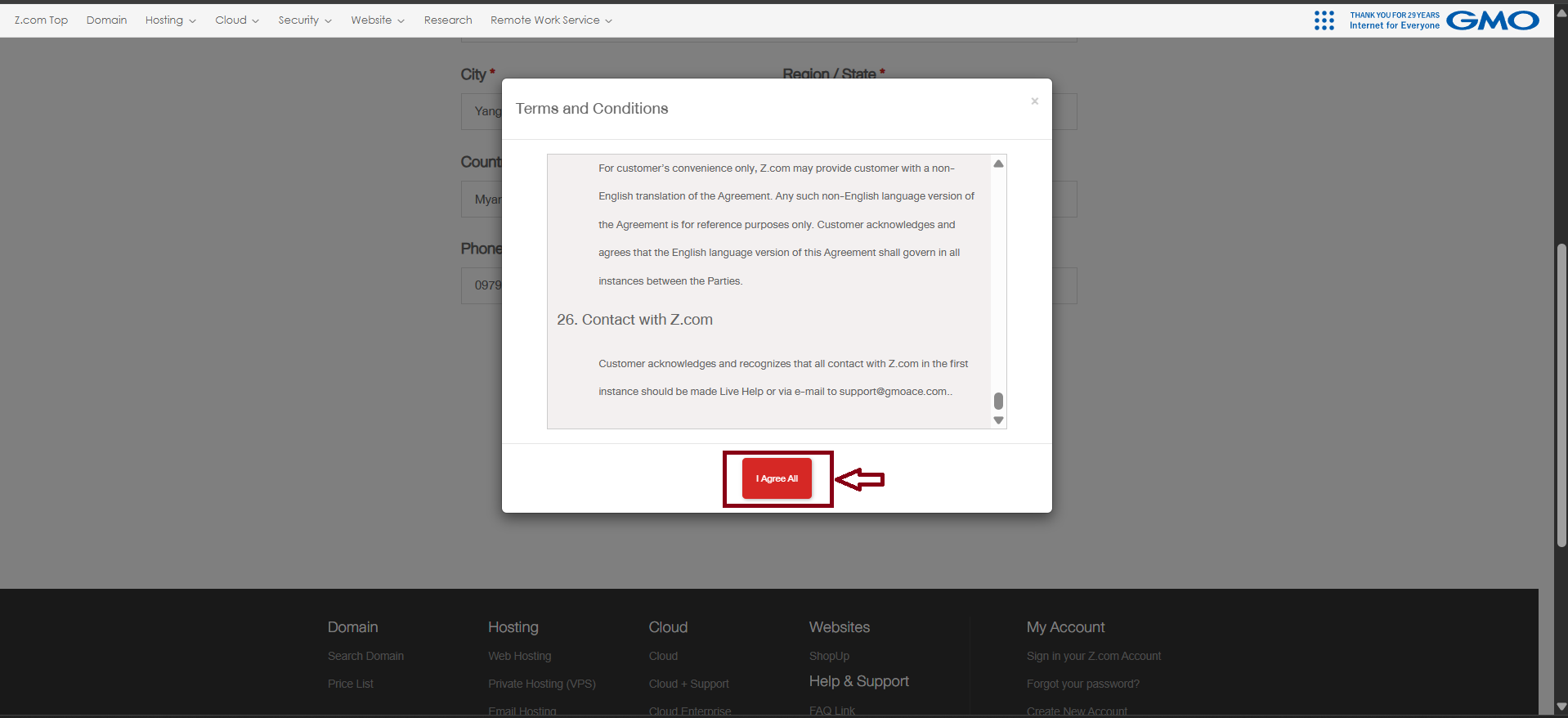
Step5. Read "Terms and Conditions" and click "I Agree All"
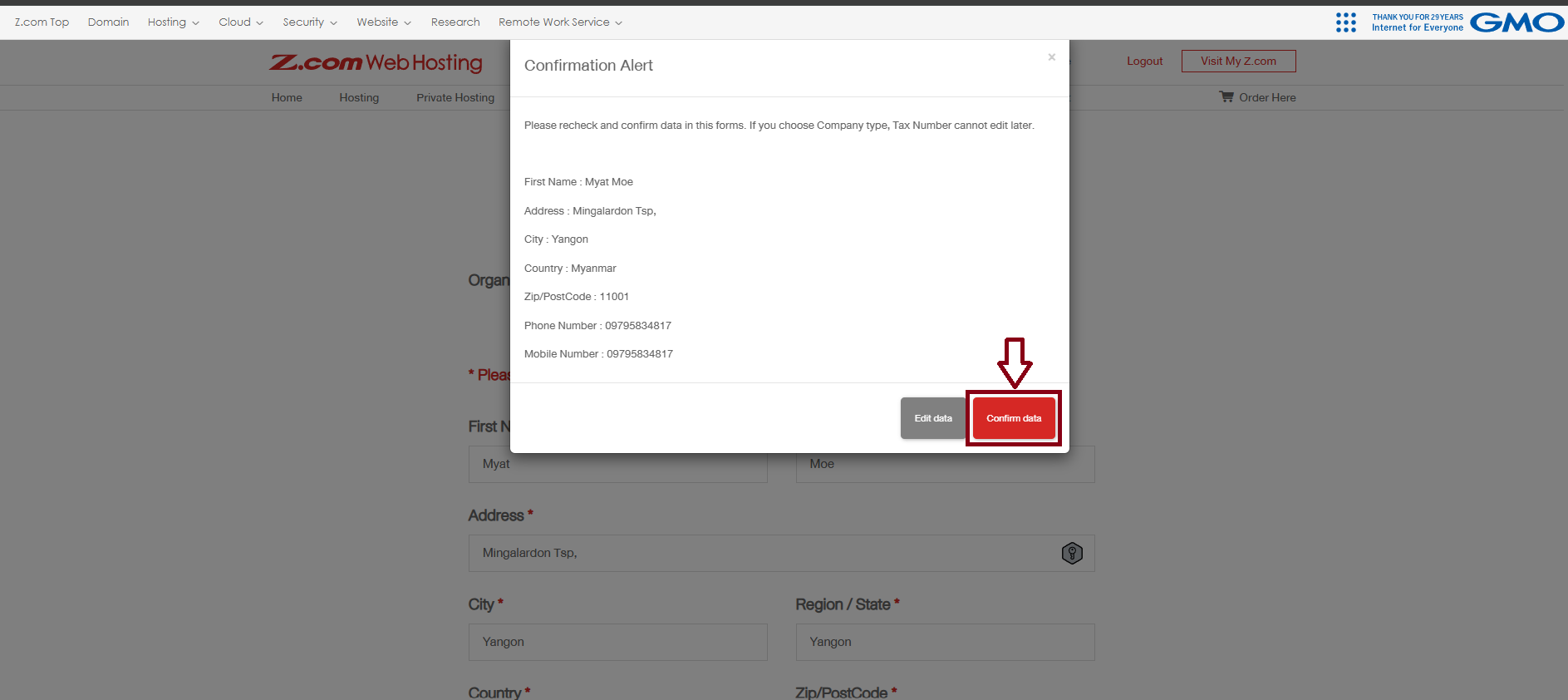
Step6. Confirm your Data (User information)
And click "Confirm Data" when the information is correct.
Now, you registered My Z.com Account successfully.
THANK YOU!!!
Was this article helpful?
That’s Great!
Thank you for your feedback
Sorry! We couldn't be helpful
Thank you for your feedback
Feedback sent
We appreciate your effort and will try to fix the article