How To Reset Password My Z.com?
When you forgot the password to your Z.com account, you can follow these steps to get a new password.
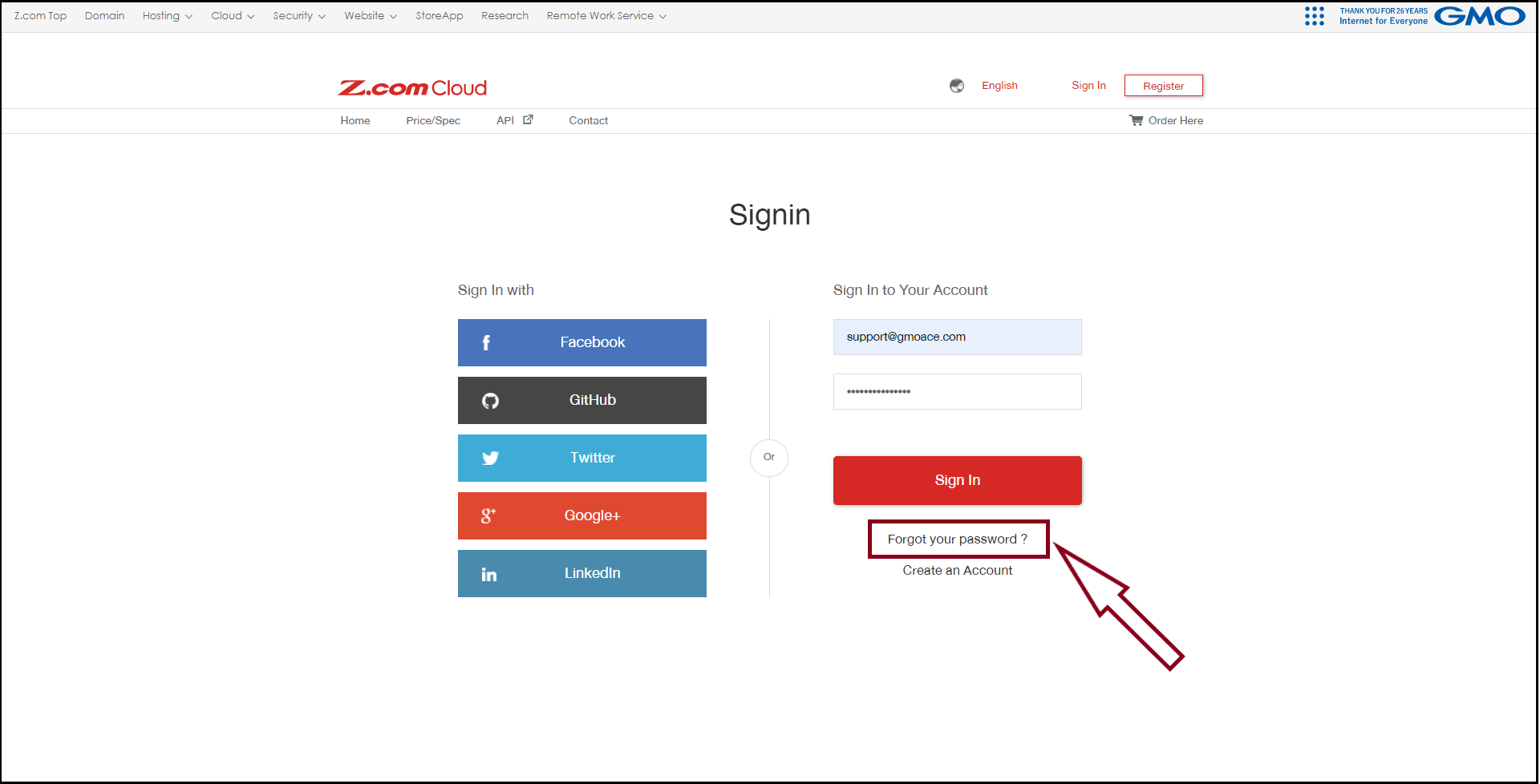
Step.1 - Go to the Z.com login webpage with the following URL link:
Z.com Login Link: https://cloud.z.com/mm/signin/
And then click “Forgot your Password?”
To reset the password, enter your registered email address on Z.com.
Step.2 - Please enter your email address and click “Send”.

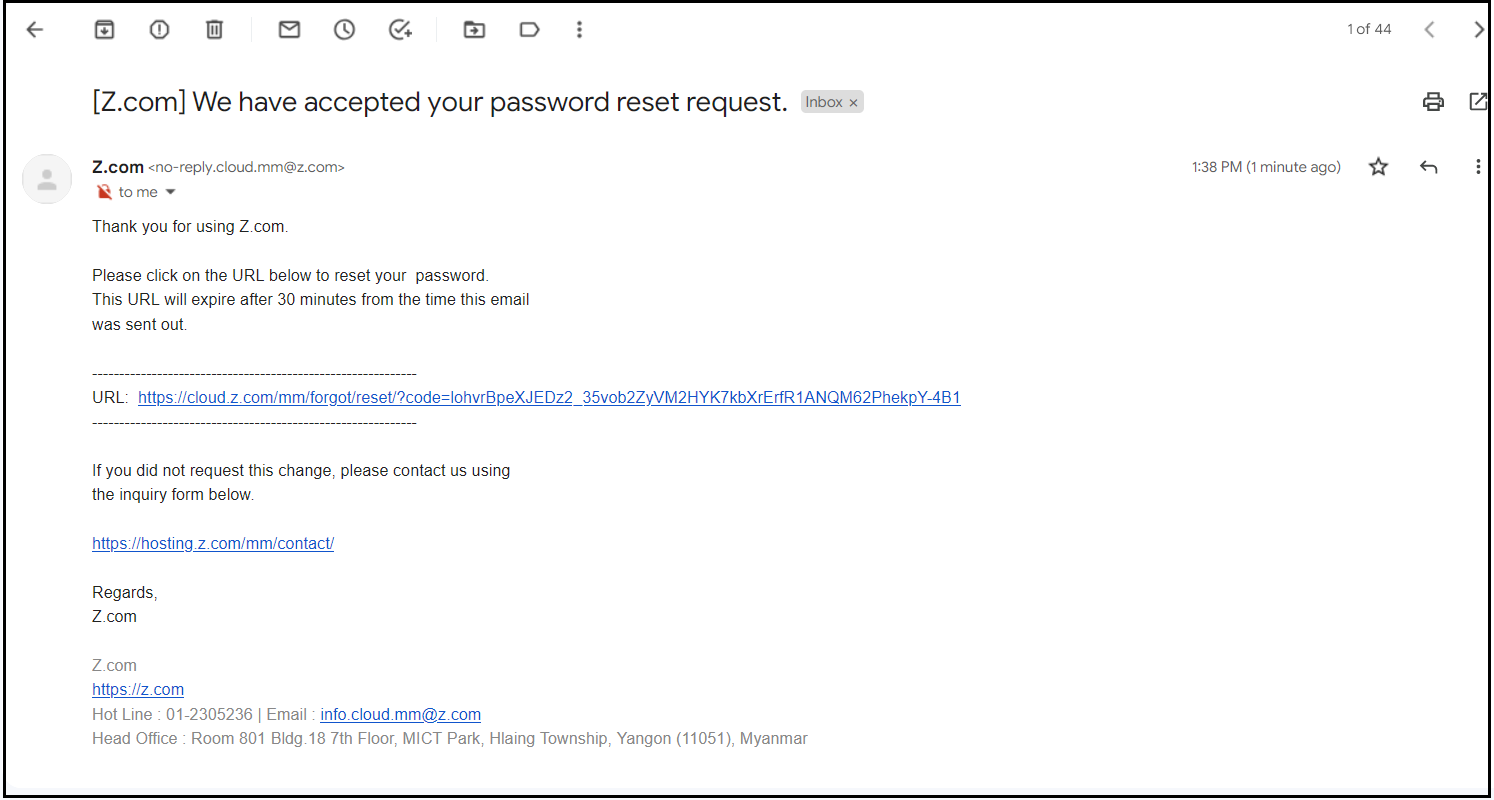
Step.3 - The system will send a password reset link to your email address.
If the email doesn’t come to your Inbox, please check your junk or spam folder.Click the password reset URL to set a new password.
Step.4 - Enter the new password in both fields and click the red “Reset” button to finish.
Note: Password must be at least 8 characters and contain lowercase (a-z), uppercase (A-Z), numbers (0-9), and special characters (!@#...).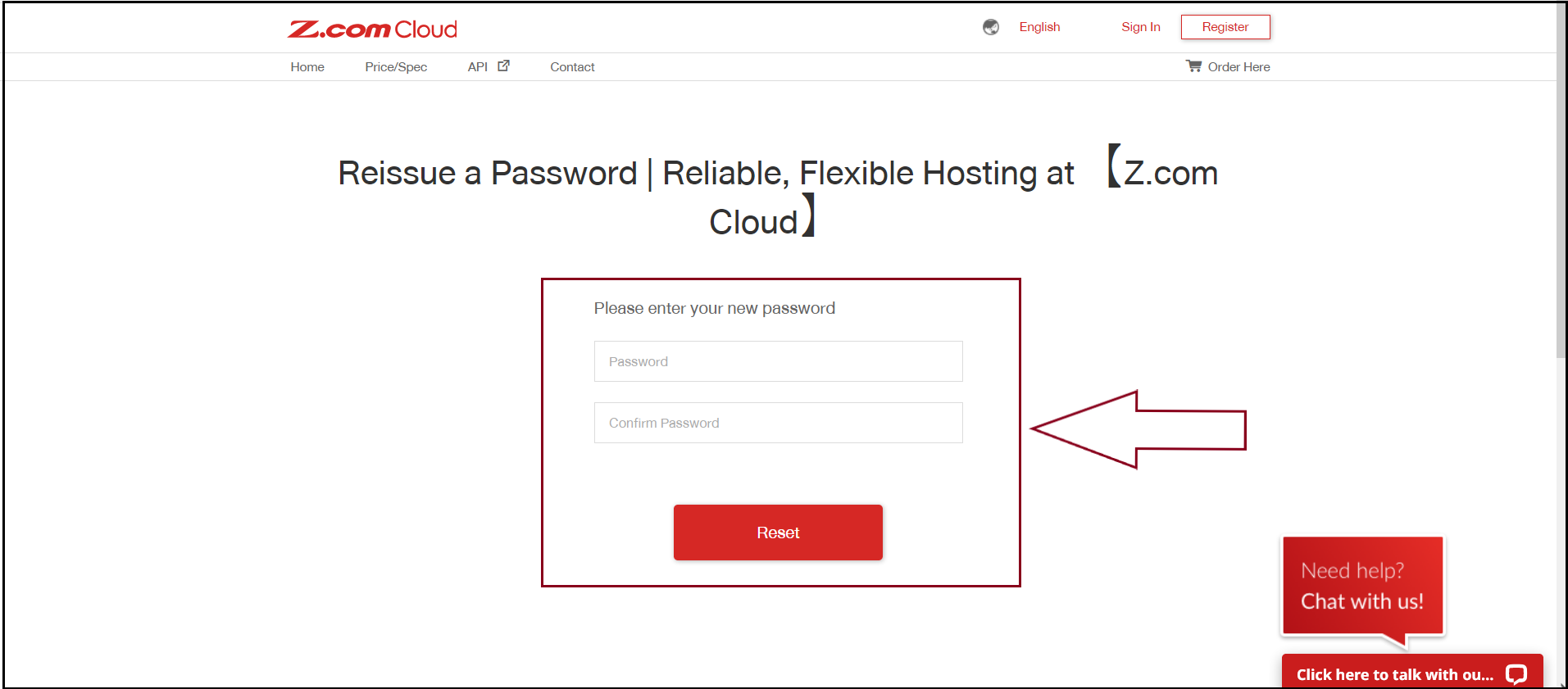
Now, you can log in to your Z.com account with your new password.
THANK YOU!!!
Was this article helpful?
That’s Great!
Thank you for your feedback
Sorry! We couldn't be helpful
Thank you for your feedback
Feedback sent
We appreciate your effort and will try to fix the article