How to Access the Console of CloudVPS (Windows Server) from My Z.com?
Step(1). Login to the z.com account, https://cloud.z.com/mm/signin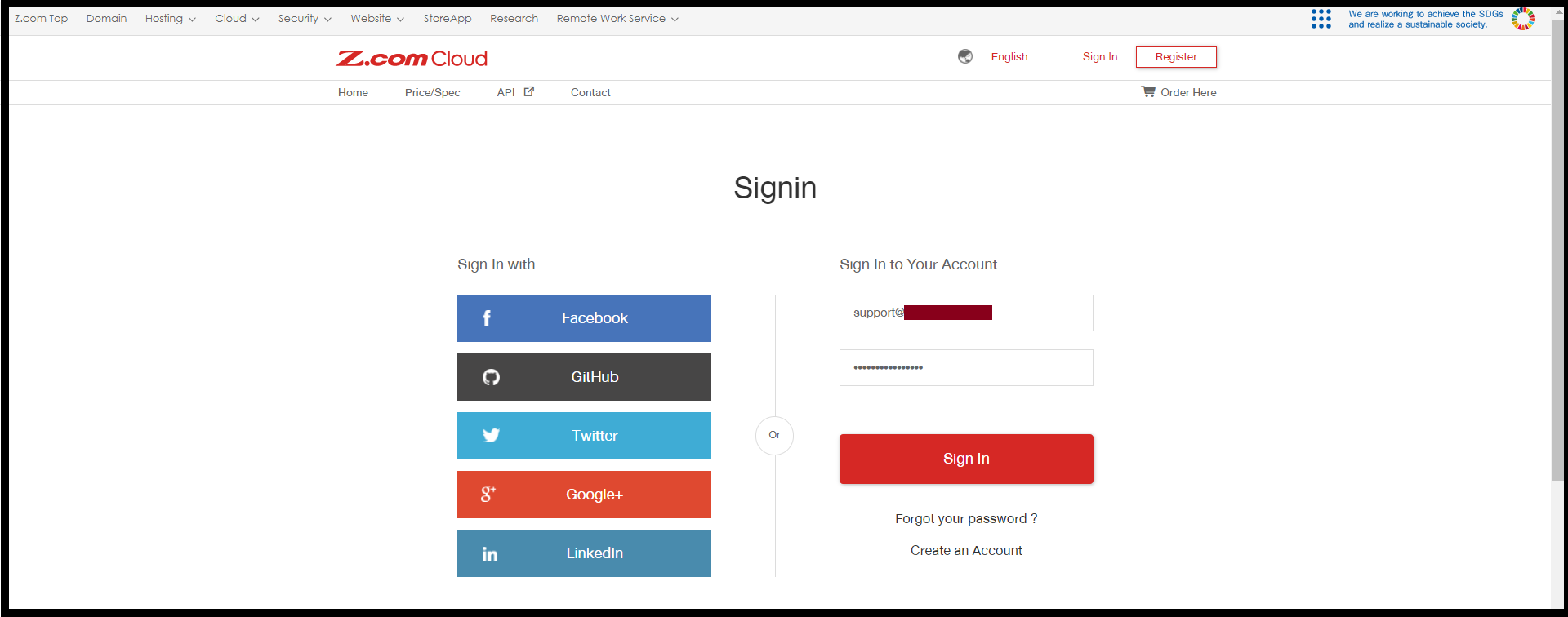
Step(2). Click the “Cloud” Tab and Select your CloudVPS Under the Name Tag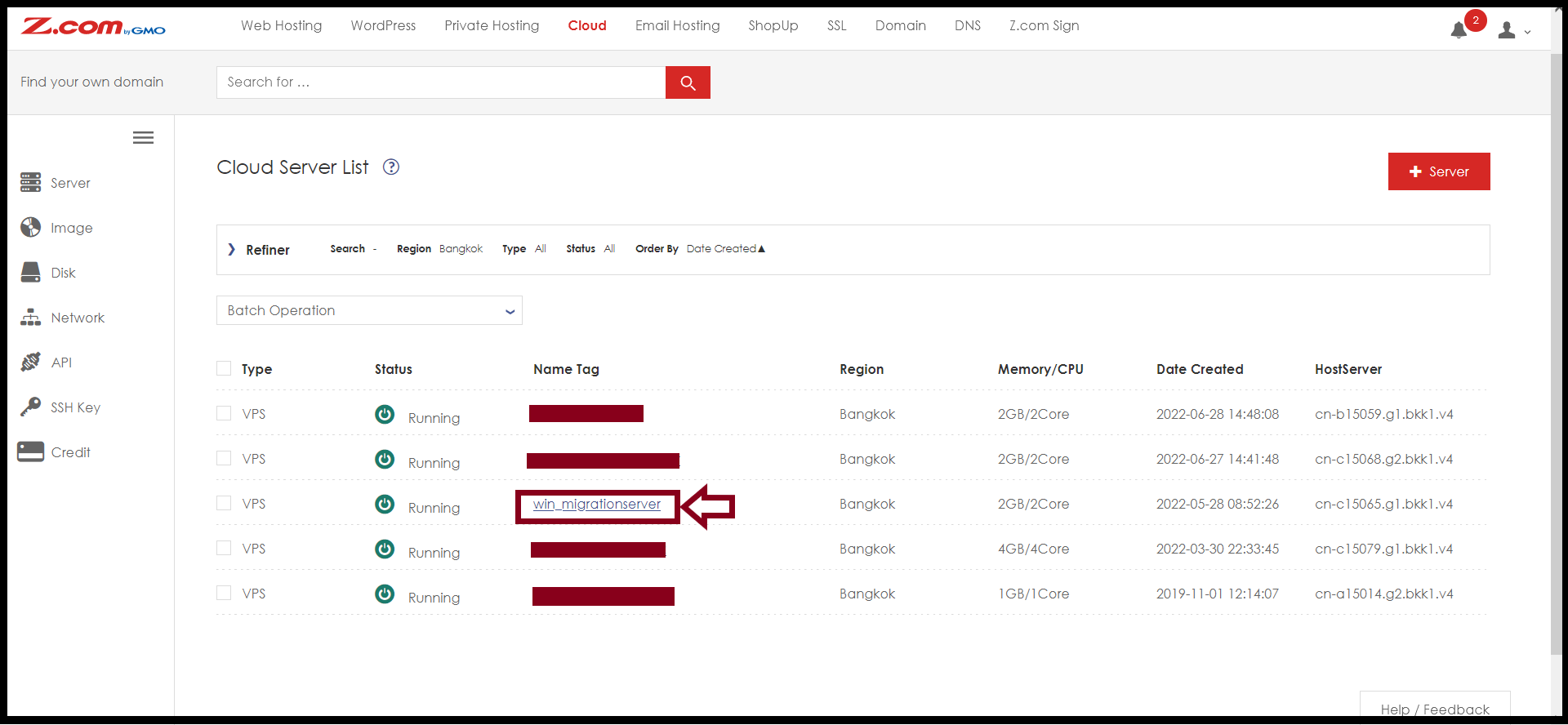
Step(3). Click “Console“.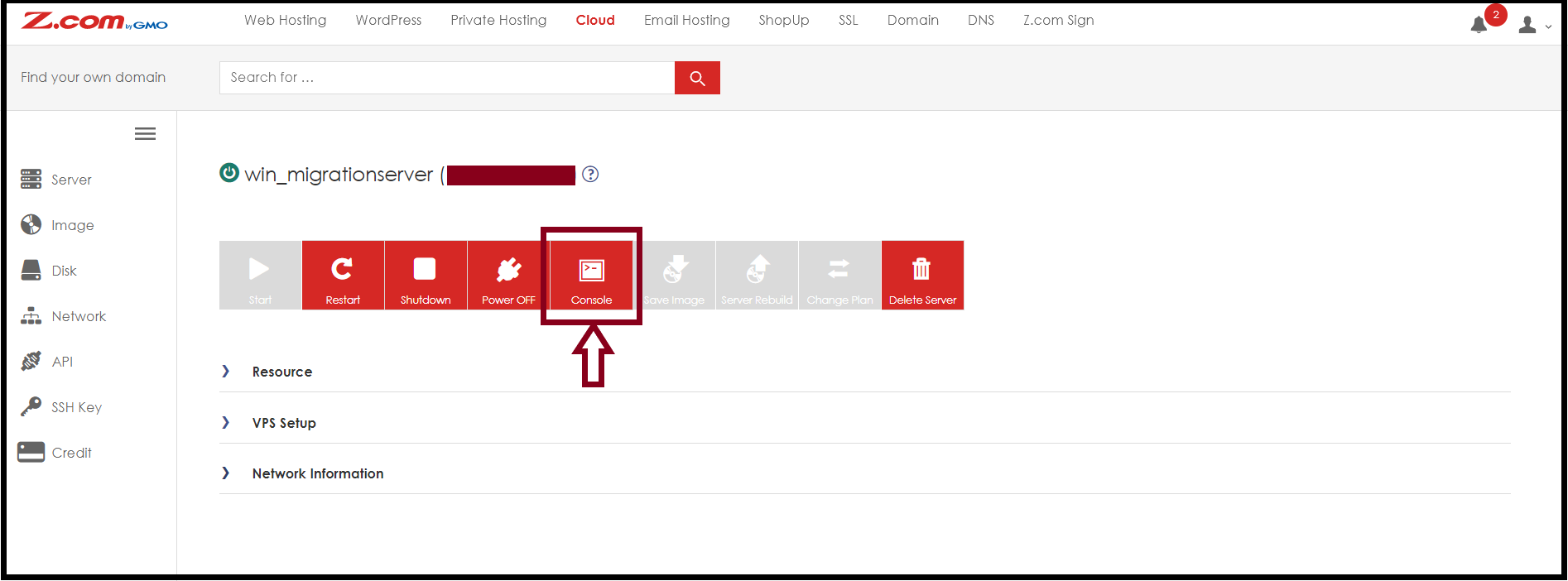
Step(4). After pressing the console, the windows tab will pop out to access the console.
And Click “Special Key”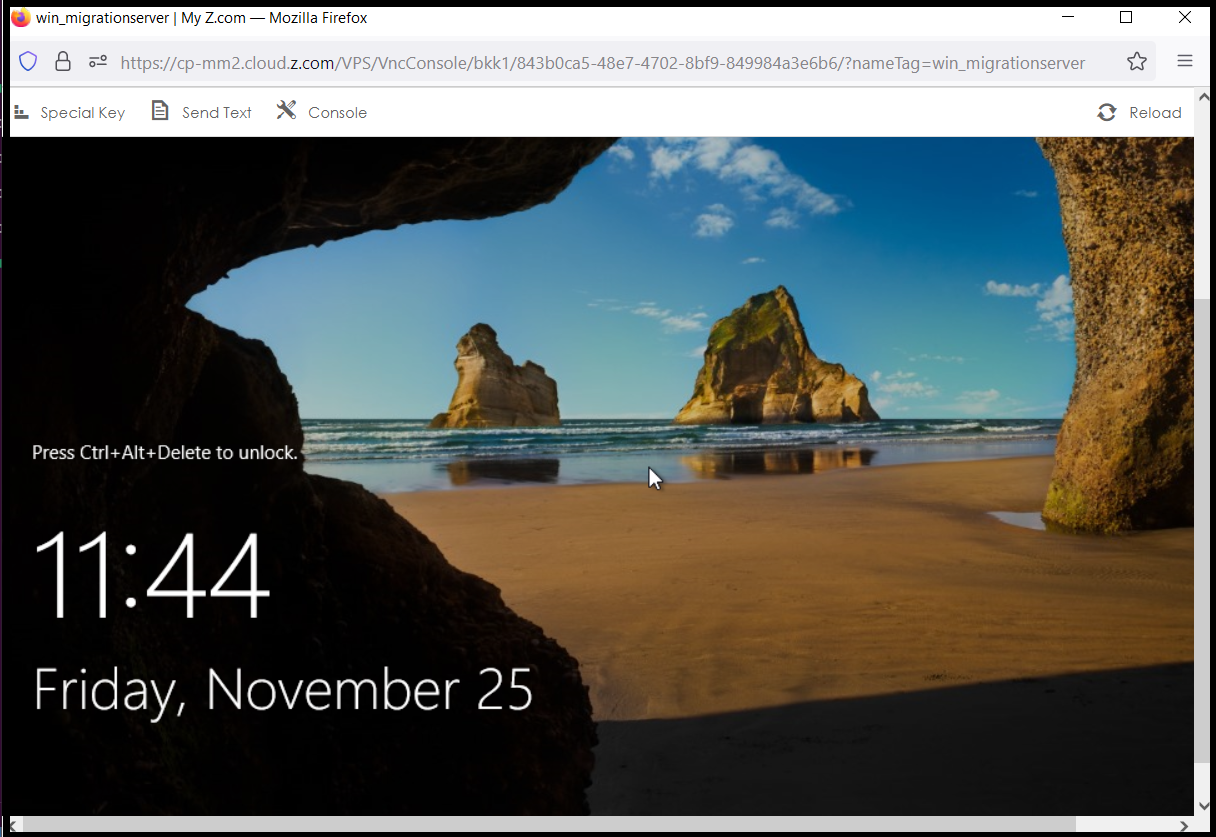
To Unlock, Please press the “Ctrl+Alt+Del” button and then click “Yes“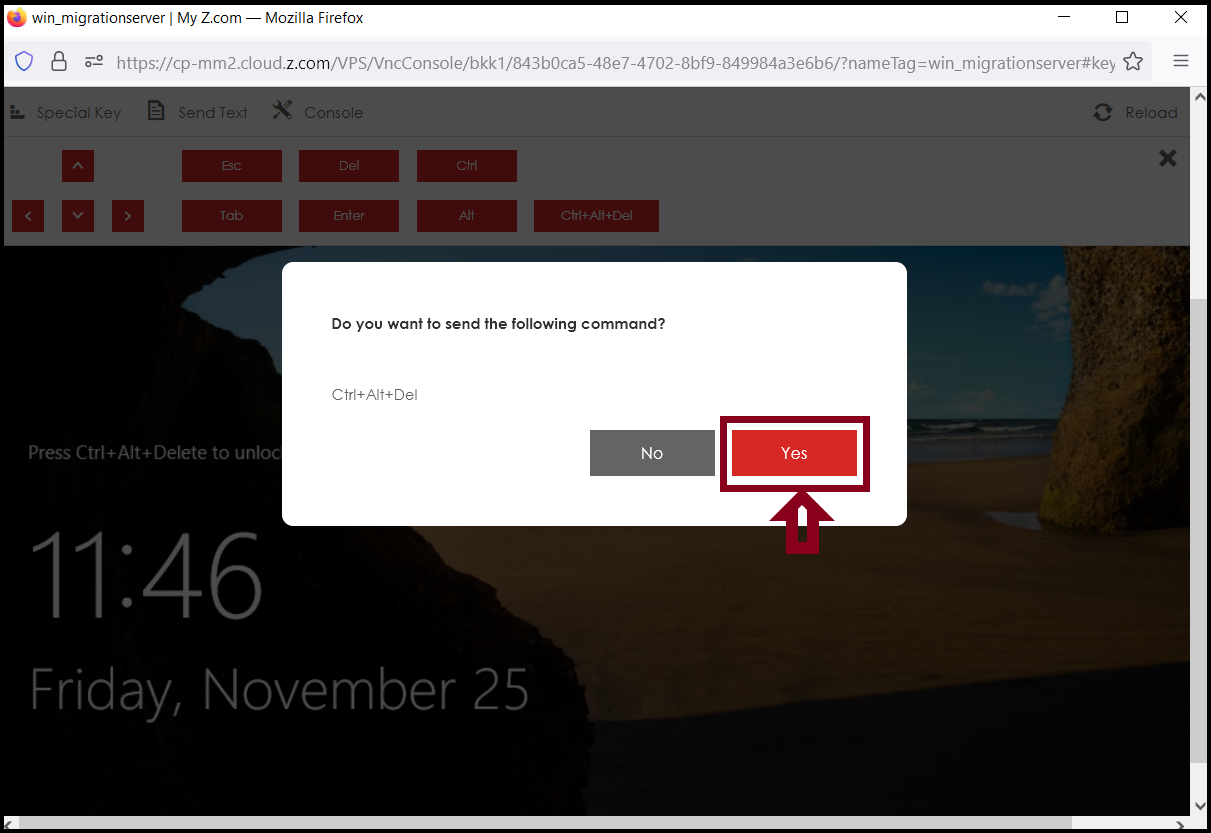
Step(5). Please enter your server’s Password as follows.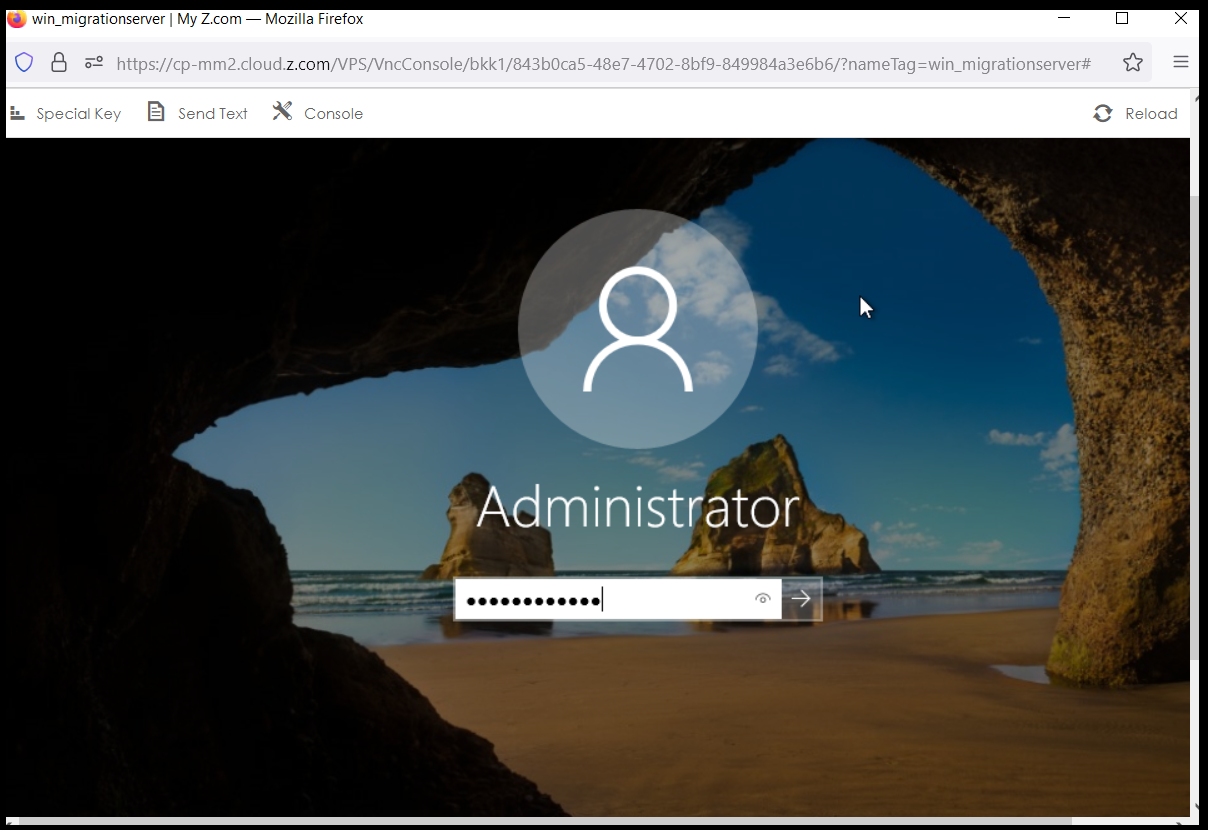
Finally, you can access the CloudVPS (Windows Server) with a console.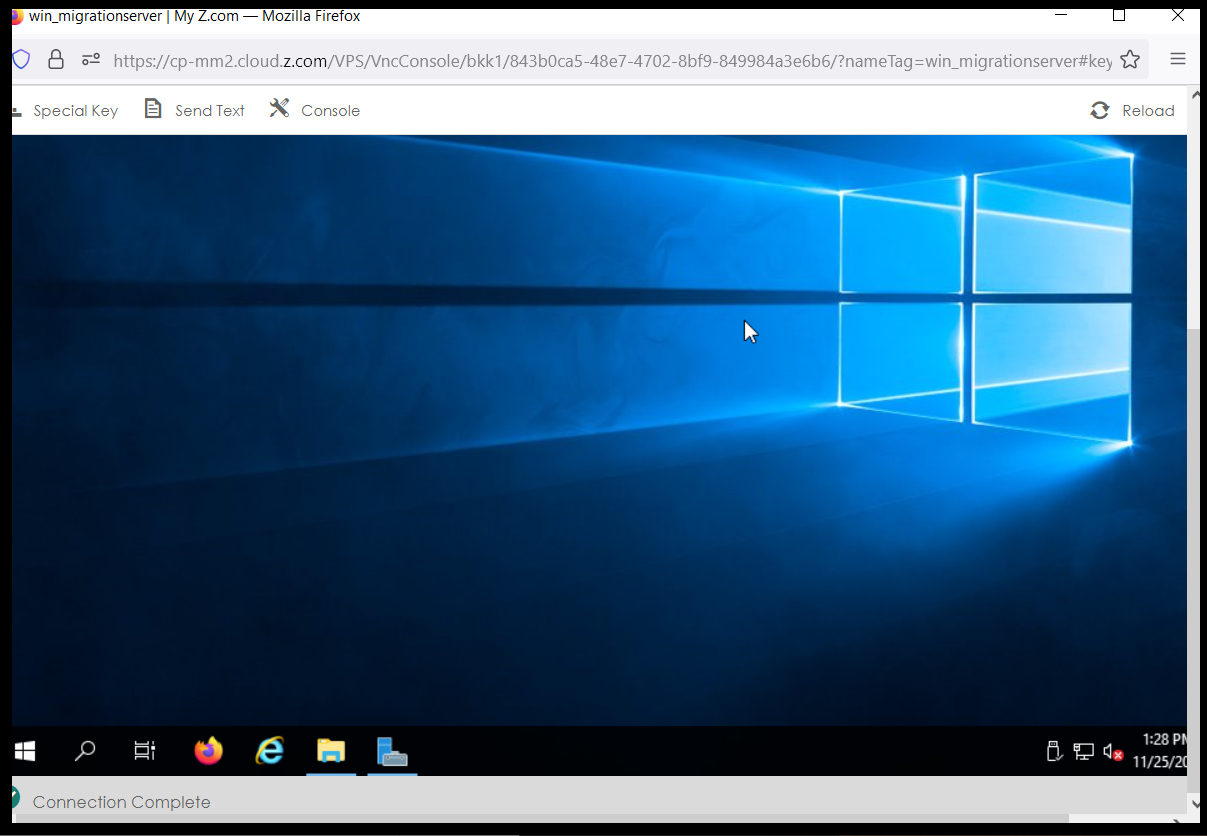
THANK YOU!!!
Was this article helpful?
That’s Great!
Thank you for your feedback
Sorry! We couldn't be helpful
Thank you for your feedback
Feedback sent
We appreciate your effort and will try to fix the article