How to Setup The Contract Access Point in CloudVPS Server?
Our CloudVPS Services can run two types of billing systems. The first is hourly and another is a monthly contract. If you can set the monthly contract on a server which is running hourly as follows.
Step1. Login to the Z.com and go to the Cloud.
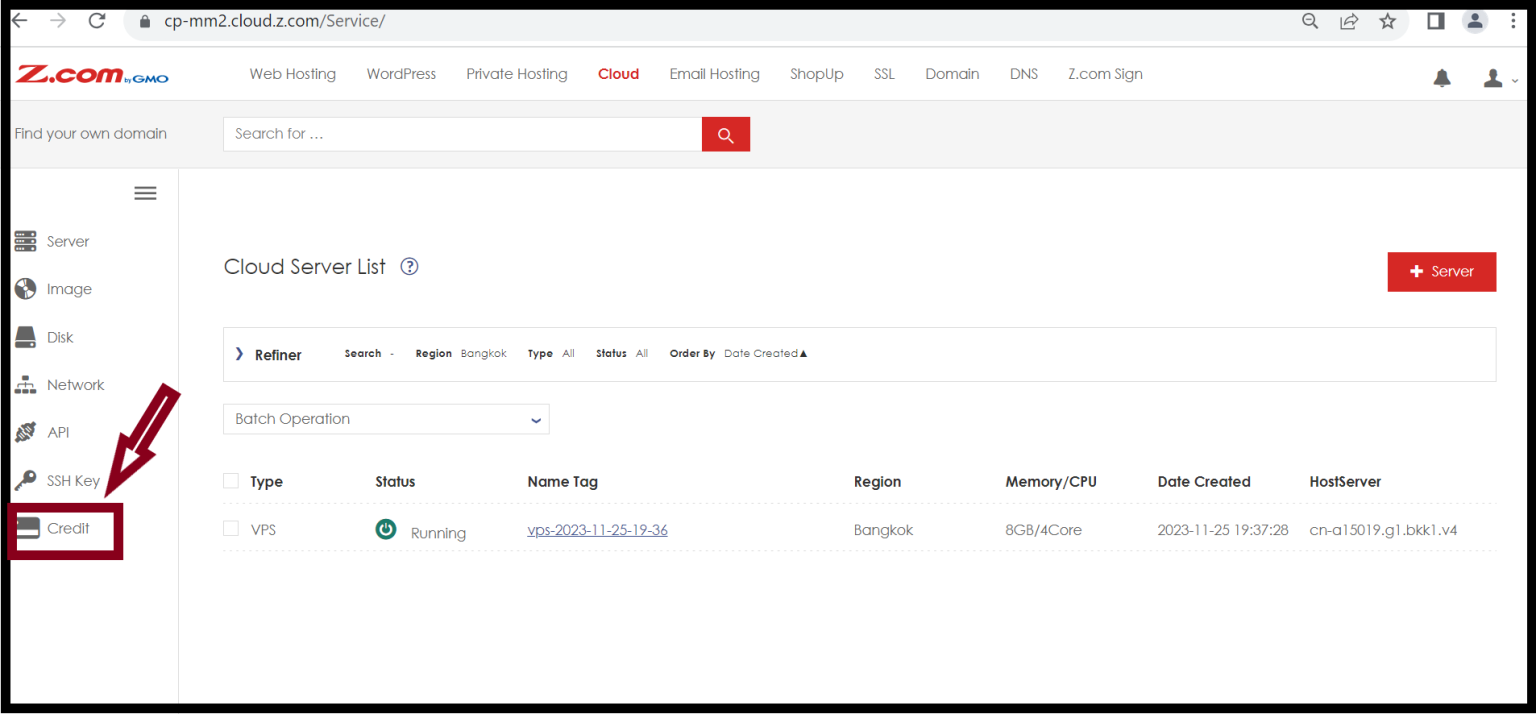
Step2. Click on the Credit.
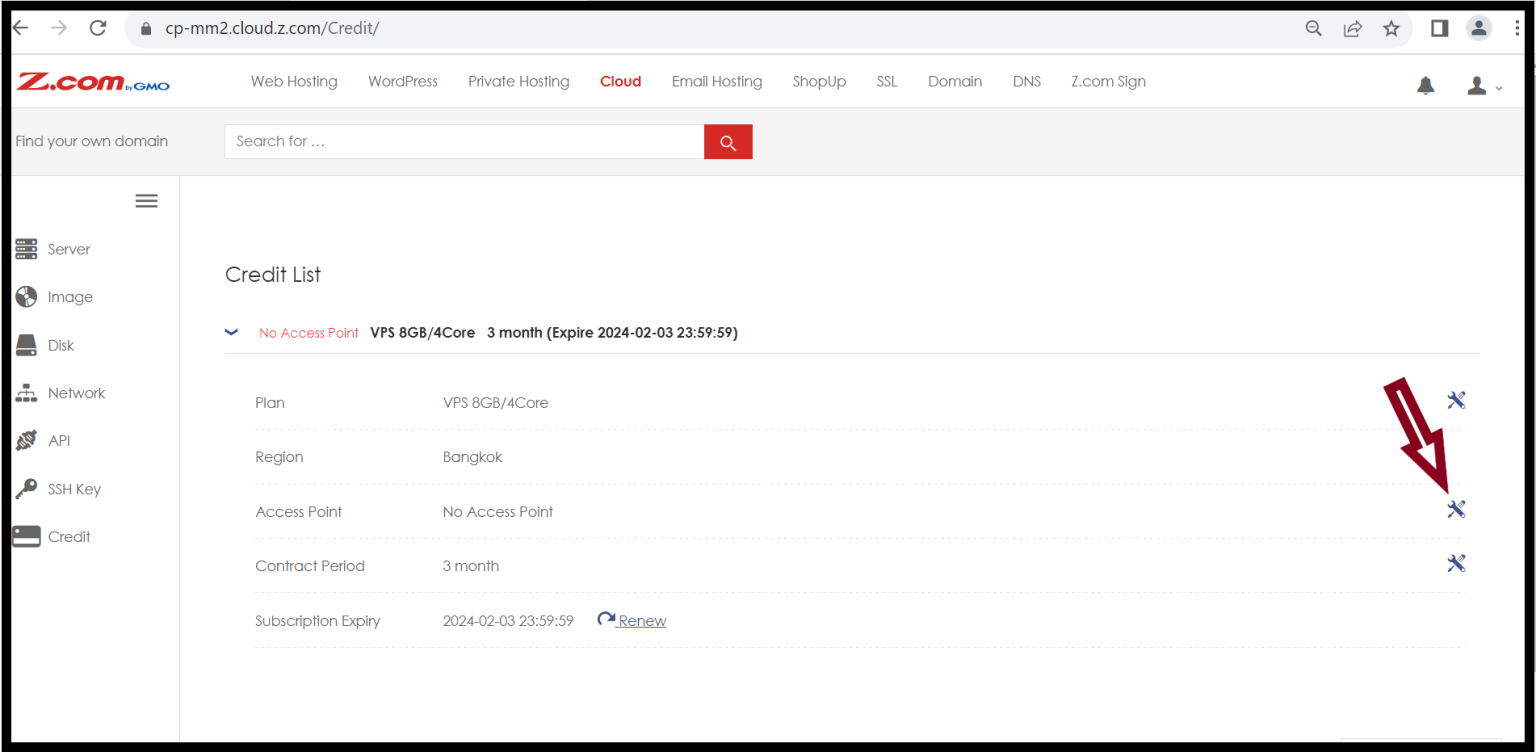
Step3. Click on the Setting icon of the Access Point.
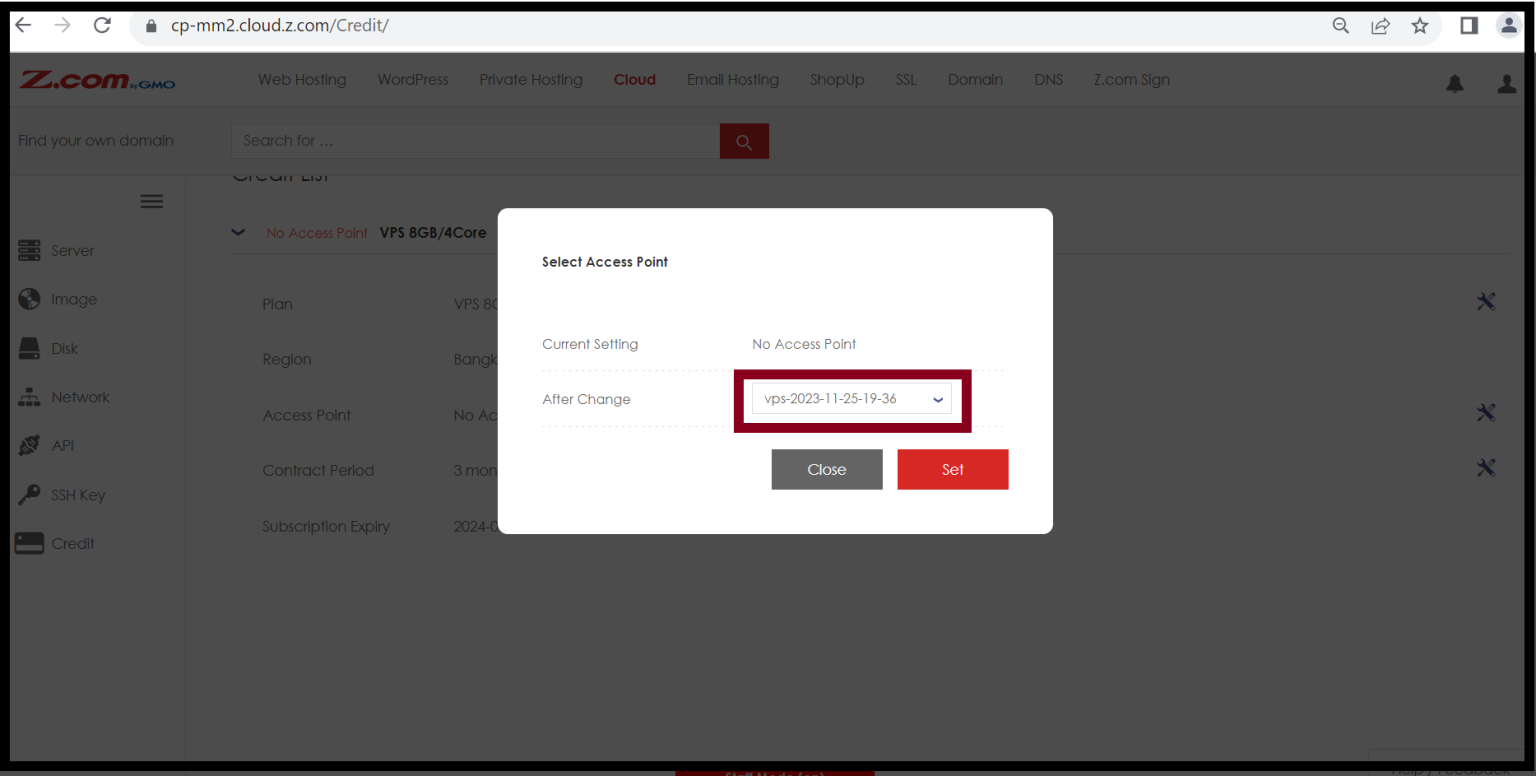
Step4. Select the access point name and Click Set.
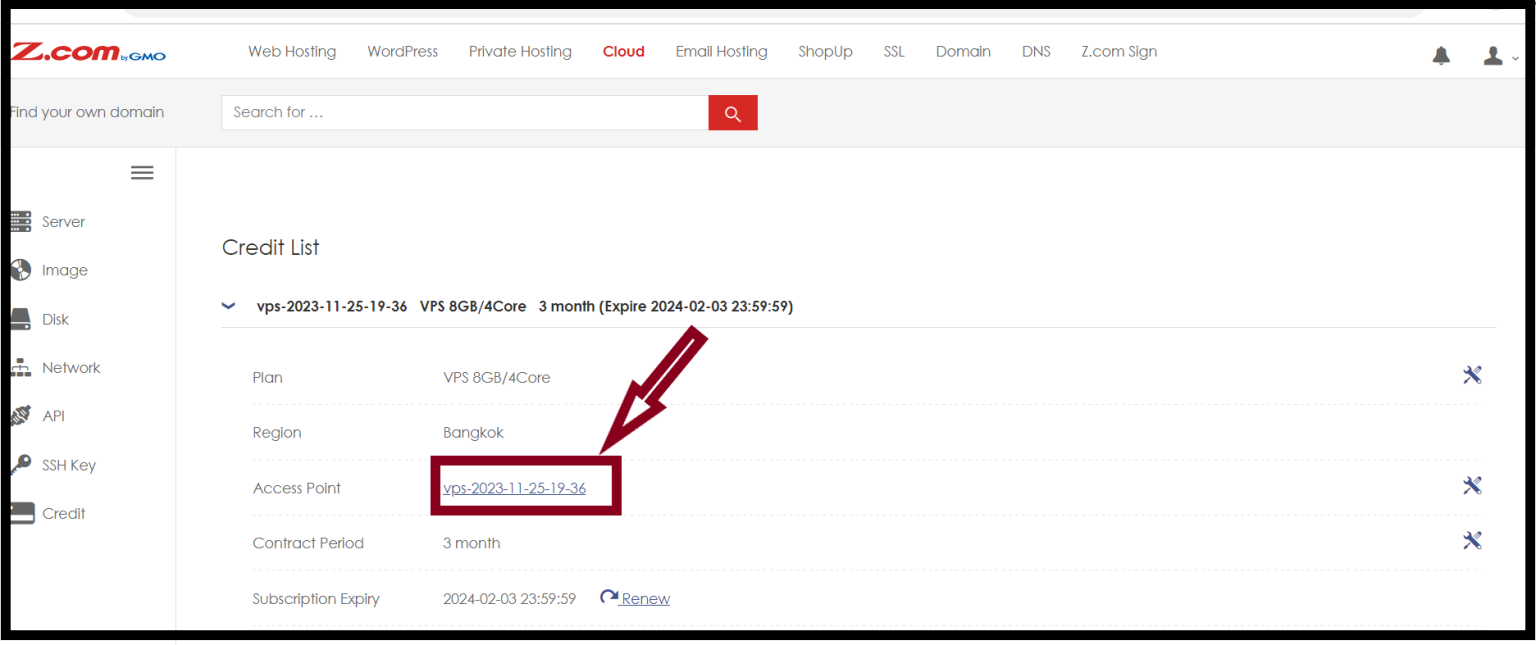
Step5. Now you have finished the setup of access point.
THANK YOU!!!
Was this article helpful?
That’s Great!
Thank you for your feedback
Sorry! We couldn't be helpful
Thank you for your feedback
Feedback sent
We appreciate your effort and will try to fix the article