How to Order a Domain?
Before we use the Z.com Services, we register a Z.com Account. The Z.com Control Panel can help to control each service.

Visit Z.com Myanmar Website, https://z.com/mm
Step1. Login to My Z.com Account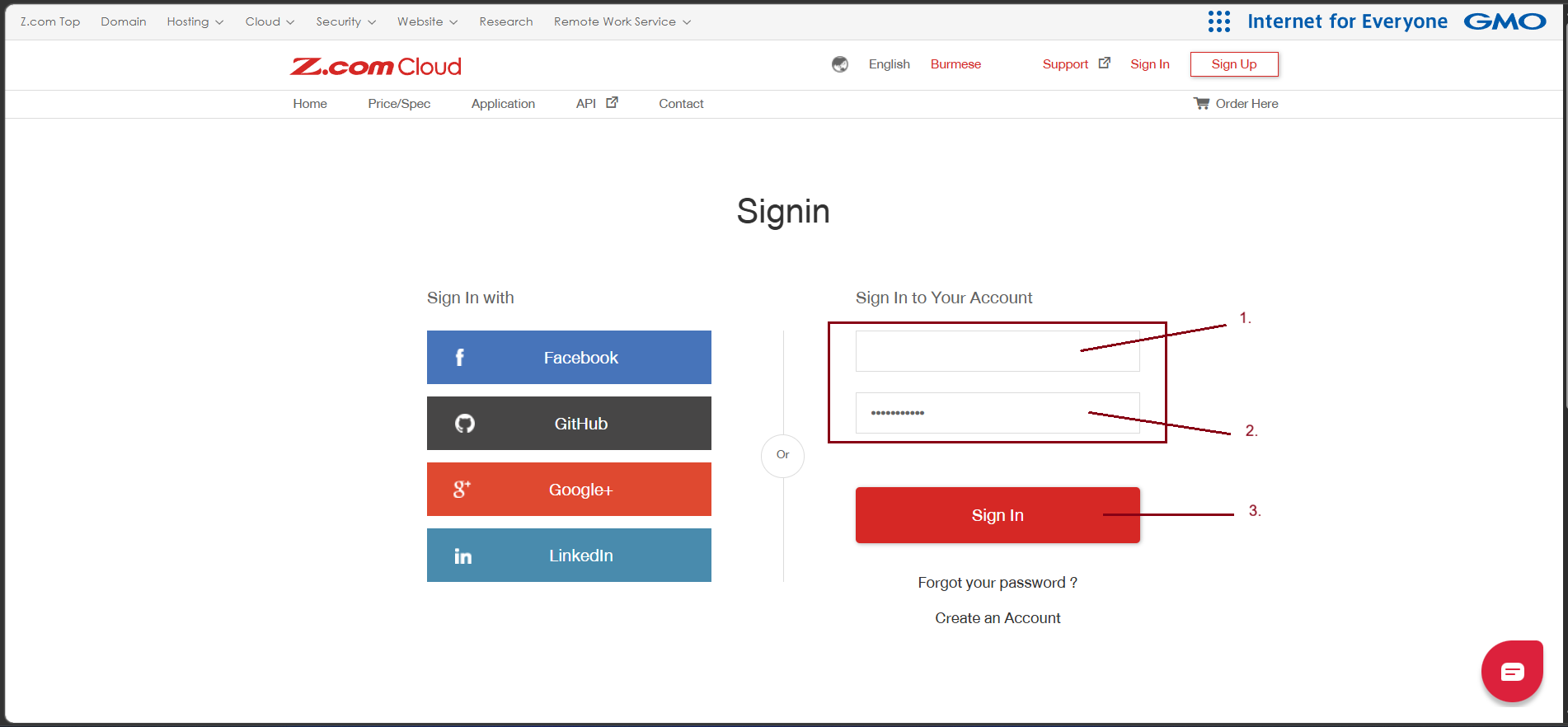
Step2. Go to "Domain" Category and Click "+Domain" to order new one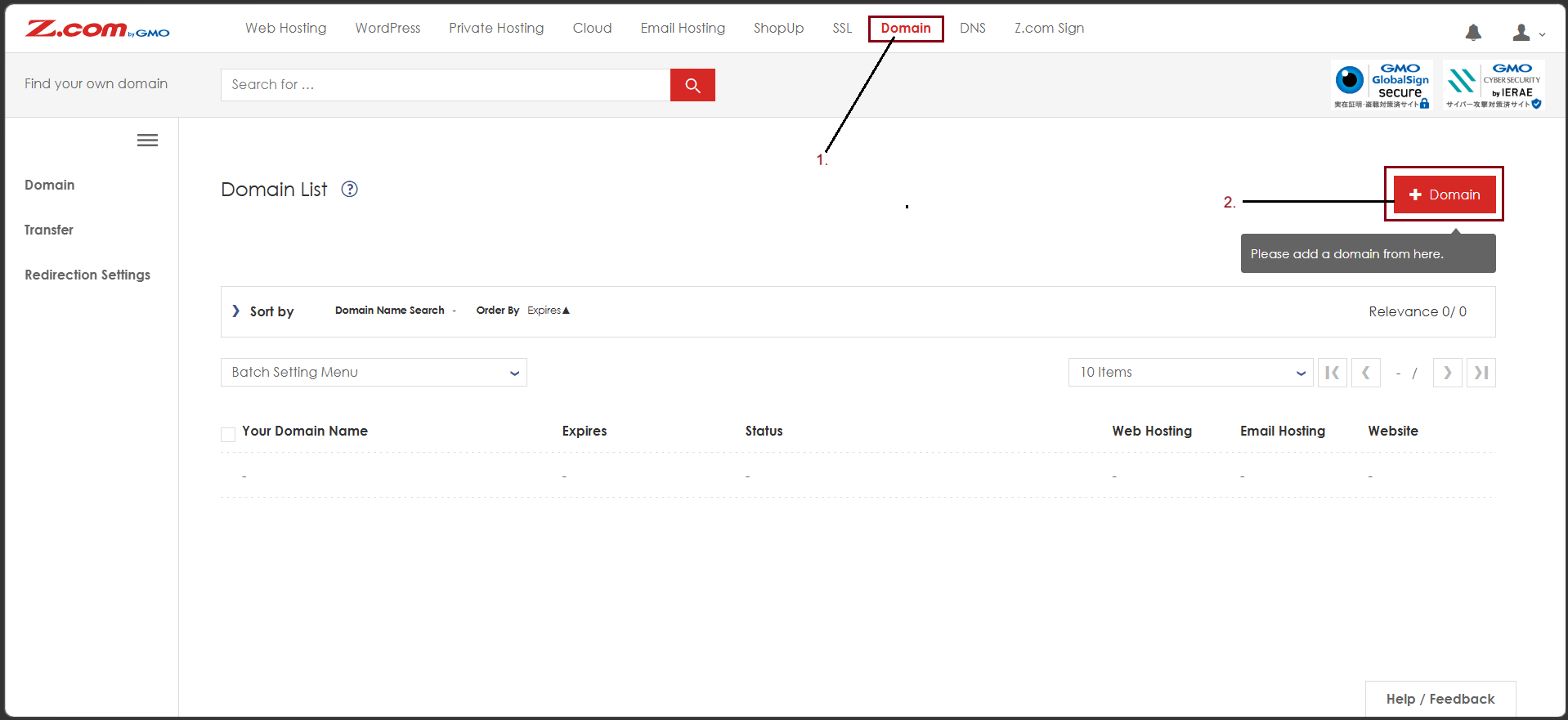
Step3. Search domain name that you want to order
[Remarks: The prices shown are for March 2026 and are for reference only in this manual.]
Step4. The domains are showing related available domains and unavailable domains
To order available domain name, Click "+"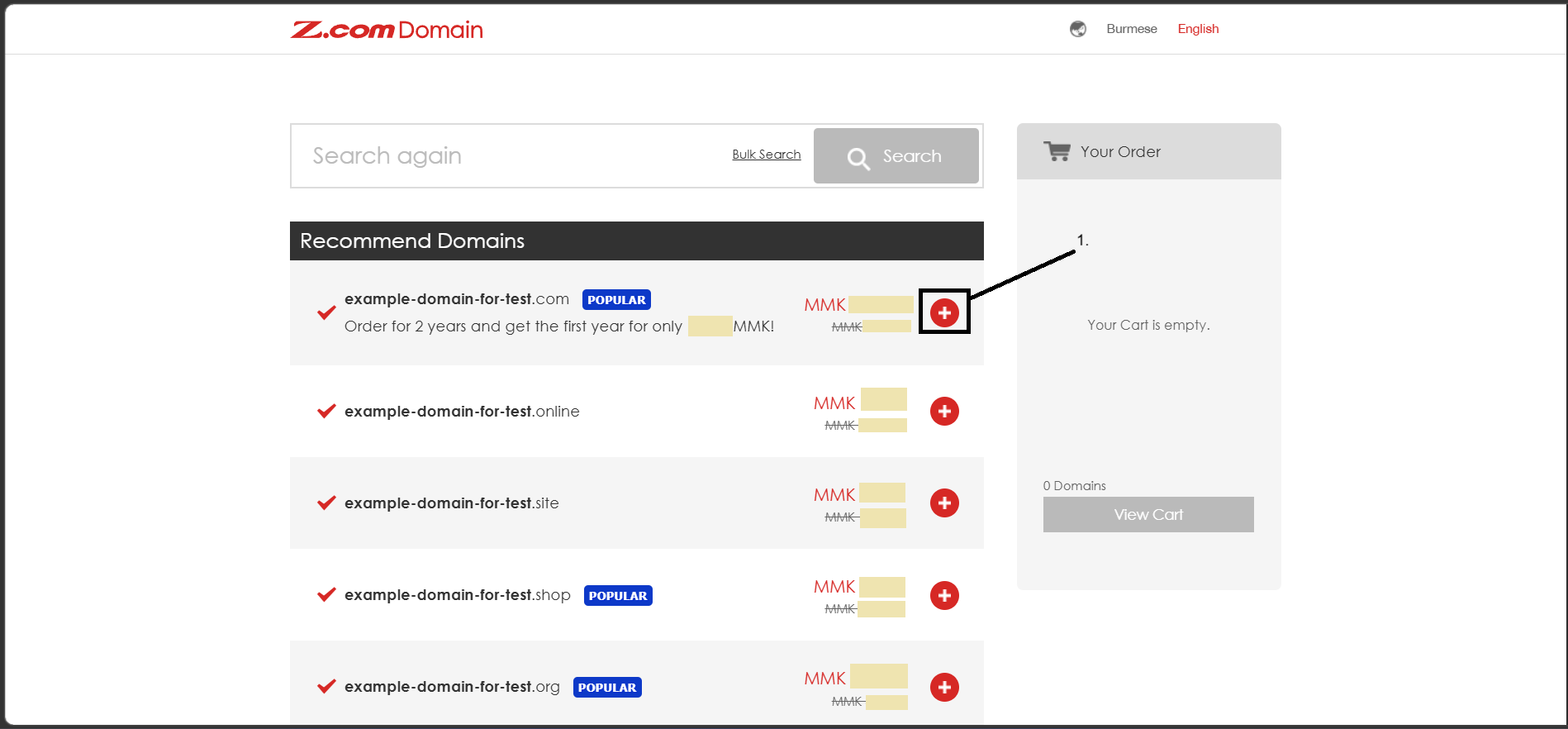
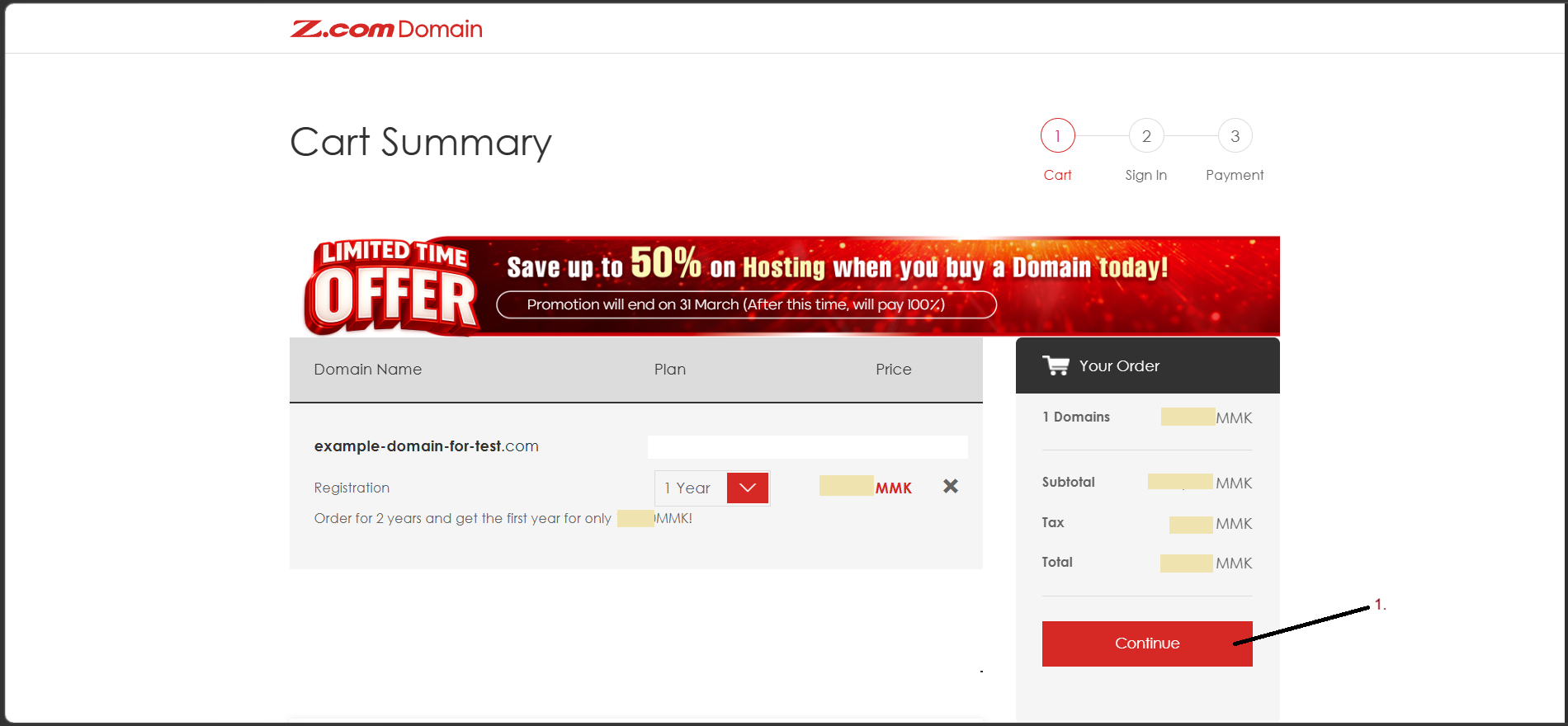
View Cart for your Order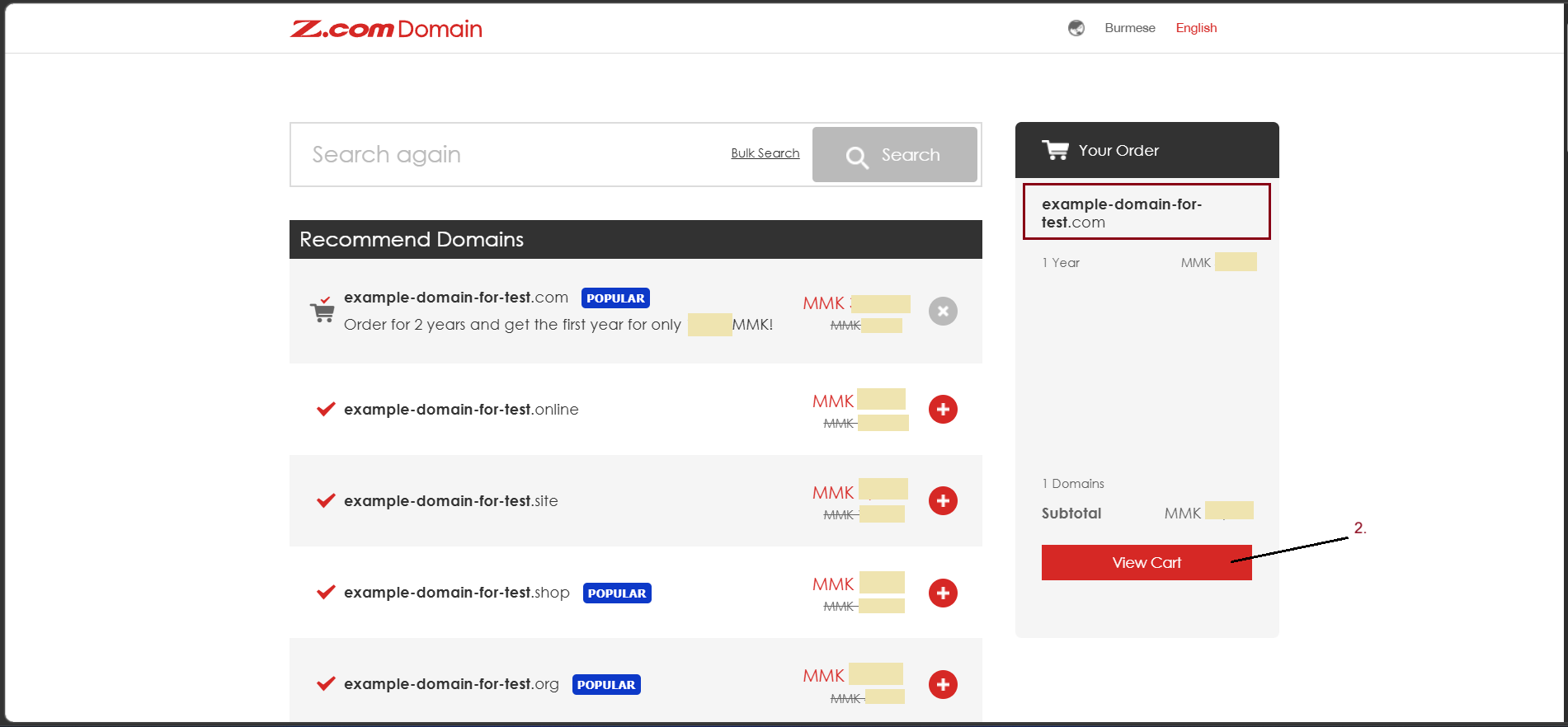
You can choose "Contract Year/s" and Click "Continue"
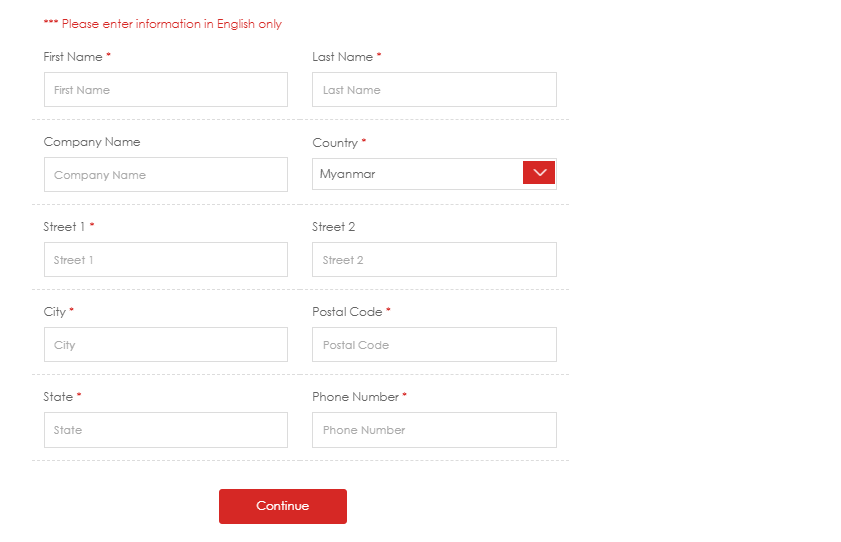
Step6. Fill the Registrant information if needed and Click "Continue"
[Sometimes, this page can be skipped.]
Step7. Choose "Payment Method" and Click "Order"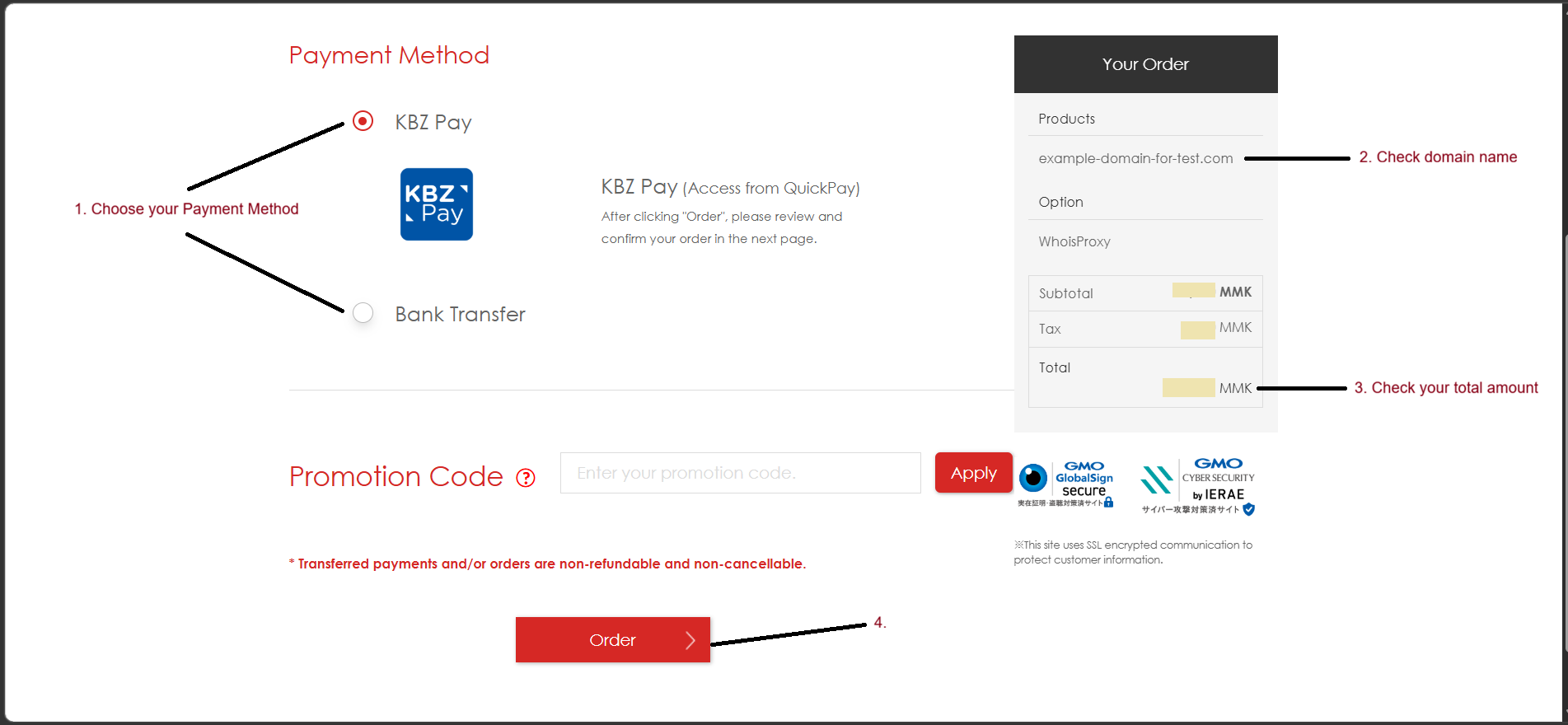
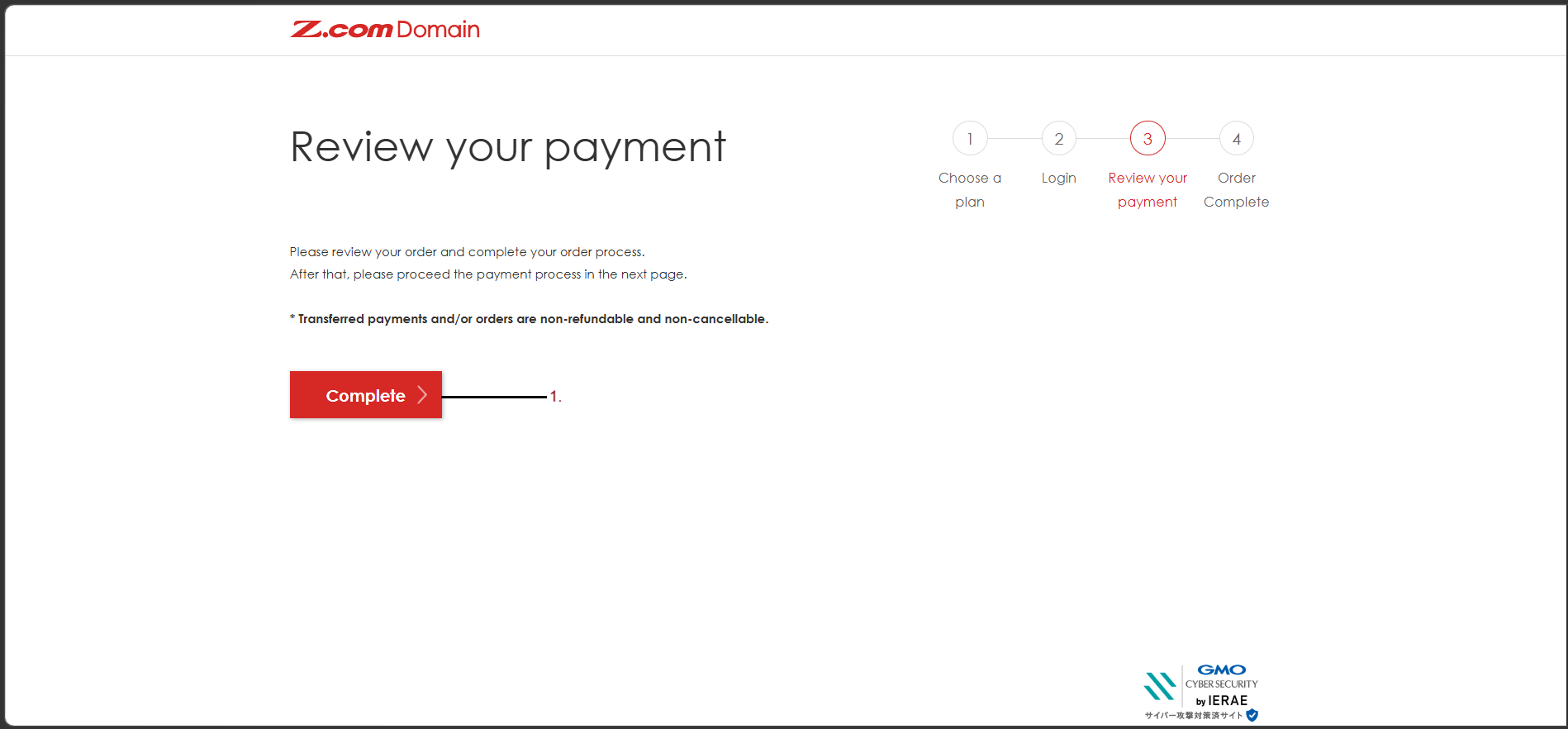
Click "Complete"
The page is showing for Bank information and some payment information. For payment instruction, click "Here"
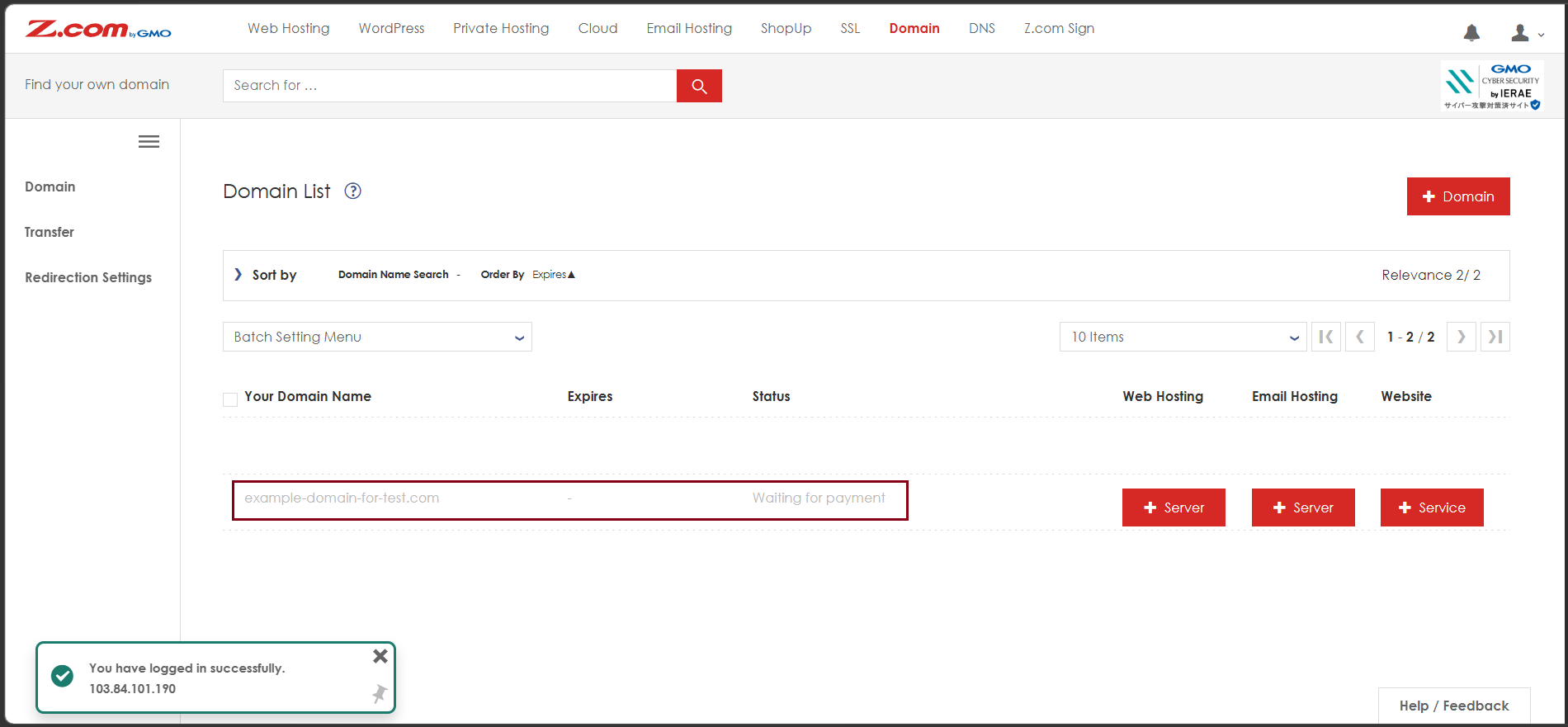
To check your domain order, click "Visit My Z.com"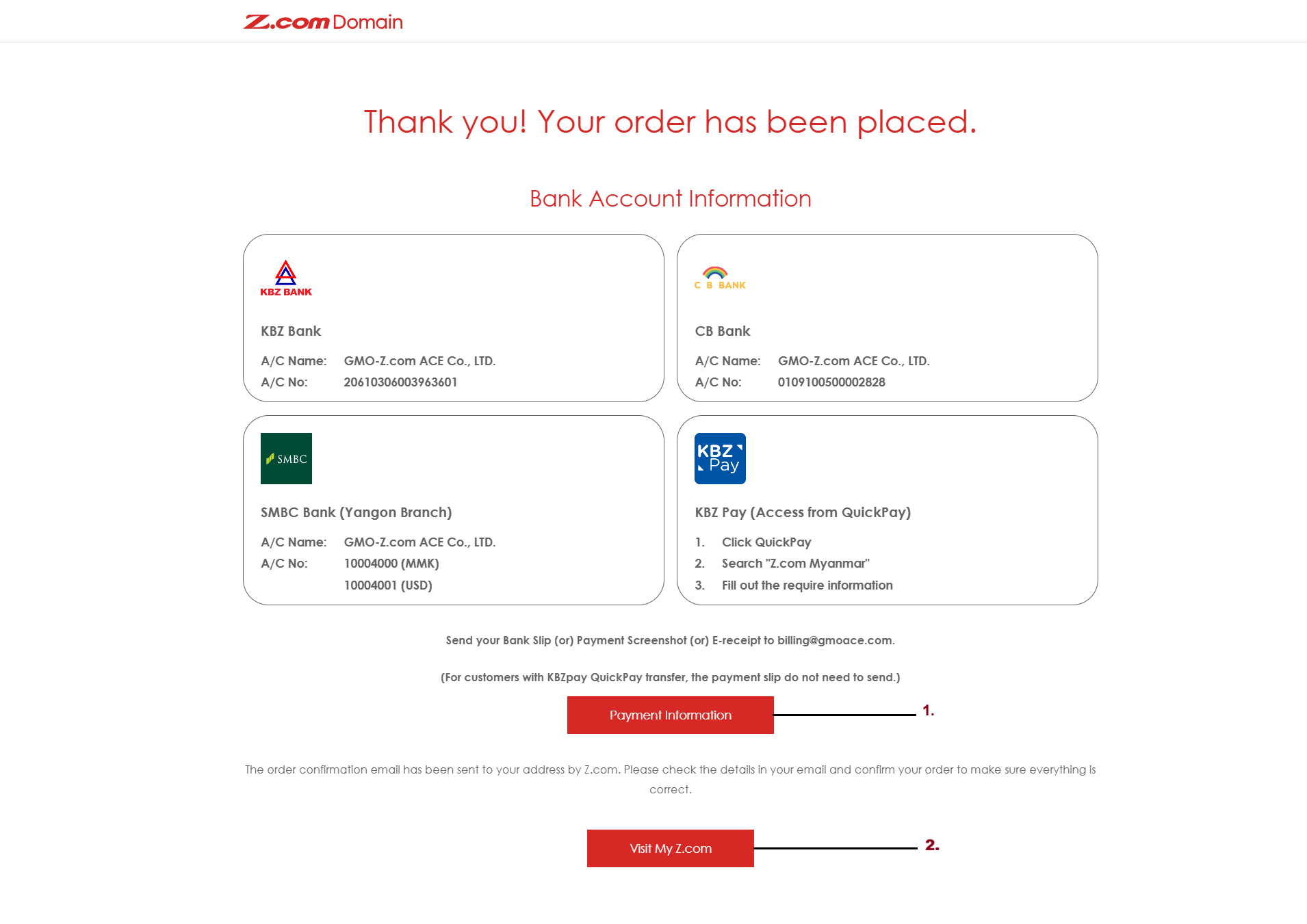
Now, the domain order is placed in your Zcom Account successfully.
Thank you!!!
YouTube Tutorial:
THANK YOU!!!
Was this article helpful?
That’s Great!
Thank you for your feedback
Sorry! We couldn't be helpful
Thank you for your feedback
Feedback sent
We appreciate your effort and will try to fix the article