How to Ping the Domain?
Step(1) >> Type the search bar on your PC and by going to Search “Command Prompt“

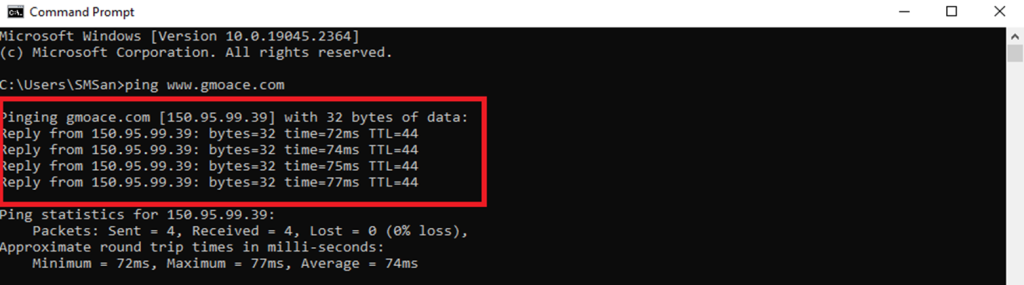
Step(2)>> Type the command Ping followed by the domain name you want to check.
Example – “ping www.gmoace.com”

Step(3) >>The system will display domain information and domain connection status along with IP ADDRESS.
Example – IP ADDRESS = 150.95.99.39
THANK YOU!!!
Was this article helpful?
That’s Great!
Thank you for your feedback
Sorry! We couldn't be helpful
Thank you for your feedback
Feedback sent
We appreciate your effort and will try to fix the article