How to Add Private Network in VPS Server(Ubuntu 24.04)?
Step1. Login to the z.com account. (https://cloud.z.com/mm/signin/)
Go To the “Cloud” Tag on your panel.
Step2. Click on the “Network” under the Cloud tab.
You can create a Private Network for your CloudVPS that you desire an Address Class.
Then, you will find the IP number when the Private IP is active. Click on the IP number to add that IP to the VM name you want to use. Before we do the following process, we need to shut down the server first.
Choose the VM name to which you want to add a private IP address under Allocation Assignment Status.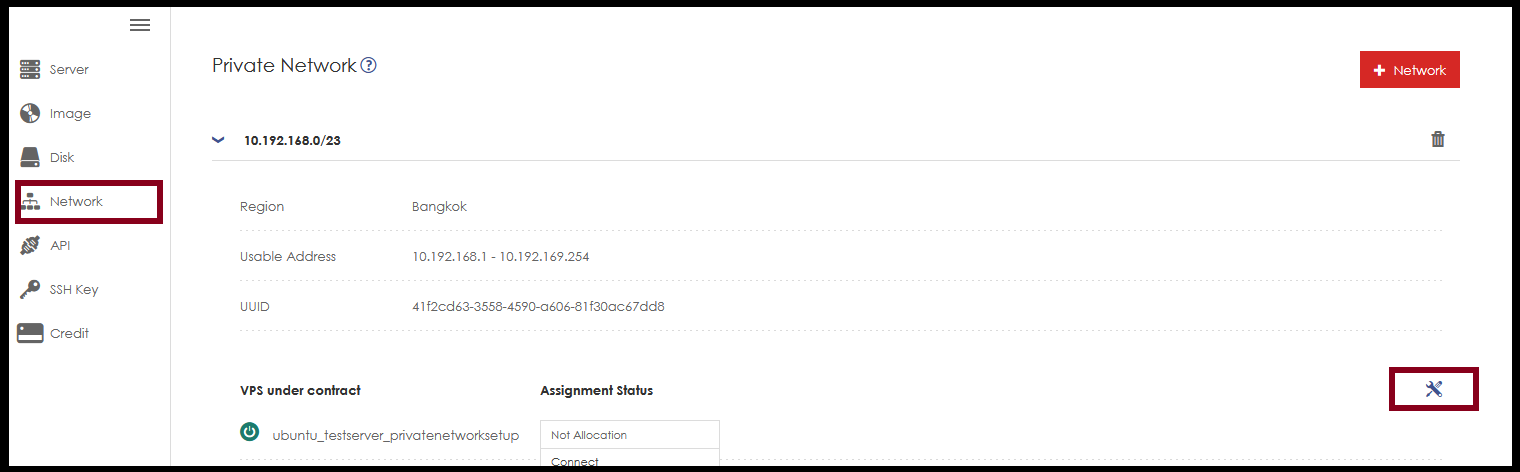 After saving, we go back to the VM machine again to start the machine to use the add IP command to the server machine again.
Step3. How to enter values: Please enter them in Notepad first to prevent errors. Adjust the Display NIC to the IP of the main machine first.
Then enter the values as shown in the picture. Main IP Information, you can check this information in “Network Information” under your Cloud VPS.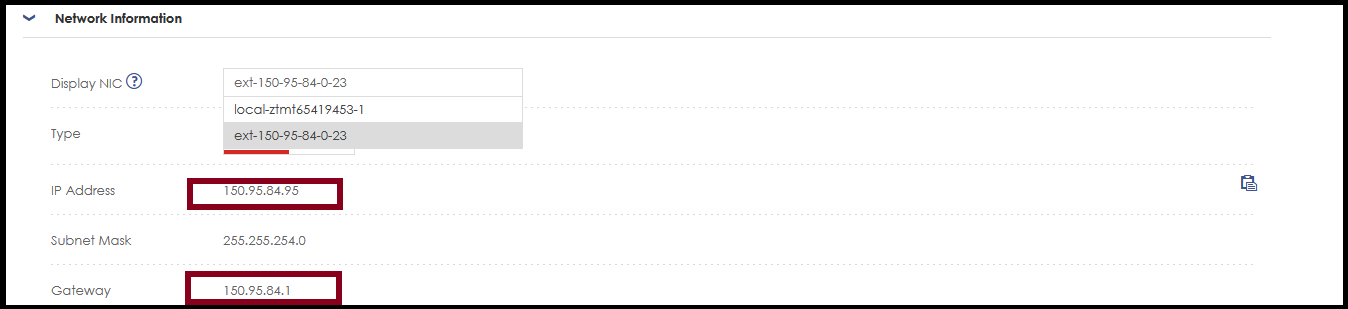
For Private IP information, you need to choose the Display NIC option for the Private IP information. Then you can check the information.

Step4. Login to the server with SSH. Then enter the command and write the configuration file.
#vim /etc/netplan/10-gmovps.yaml
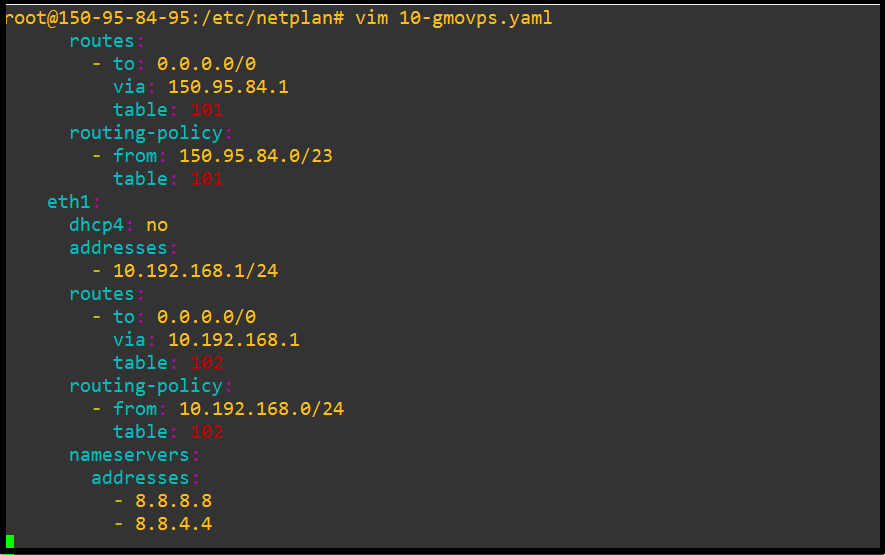
network:Please save the configuration file.
version: 2
renderer: networkd
ethernets:
eth0:
addresses:
- 150.95.84.95/23
routes:
- to: 0.0.0.0/0
via: 150.95.84.1
table: 101
routing-policy:
- from: 150.95.84.0/23
table: 101
eth1:
dhcp4: no
addresses:
- 10.192.168.1/24
routes:
- to: 0.0.0.0/0
via: 10.192.168.1
table: 102
routing-policy:
- from: 10.192.168.0/24
table: 102
nameservers:
addresses:
- 8.8.8.8
- 8.8.4.4
Step5. Then you need to change the file permission.
#sudo chmod 600 /etc/netplan/10-gmovps.yaml

Step6. Enter the following command: After applying netplan, you can test ping ip or ifconfig.
#sudo netplan apply
Then, you can ping the private IP on your VM. 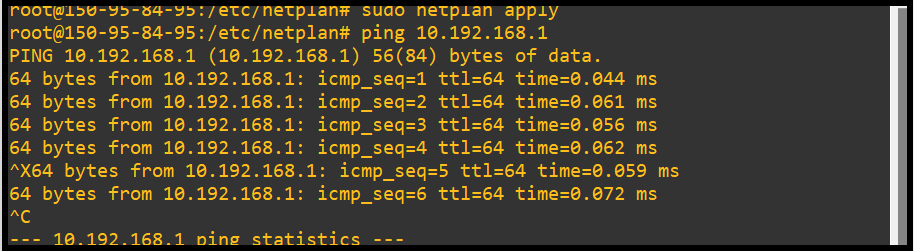
THANK YOU!!!
Was this article helpful?
That’s Great!
Thank you for your feedback
Sorry! We couldn't be helpful
Thank you for your feedback
Feedback sent
We appreciate your effort and will try to fix the article