Domain Waiting Authenticating/ Verify the Domain
For new domain, you need to confirm the domain’s ownership by clicking the URL in your email address. If you haven’t confirmed it yet, the domain’s status is "Waiting Authenticating".
If you don't see the confirmation mail, check your spam box or junk folder (OR) resend the email again from MyZ.com Account.
Step1. Login to z.com account, https://cloud.z.com/mm/signin/
Step2. Click "Domain" Menu and you can see the domain status.
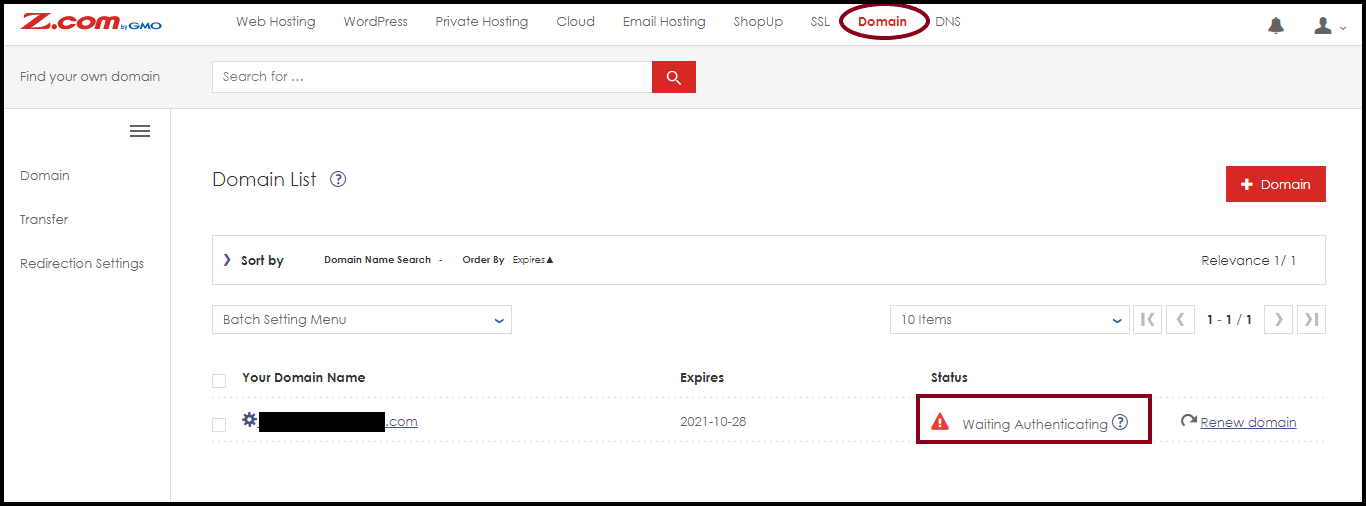
To resend the confirmation email,
Step3. Click your domain name and Expand "Domain & Contract Information".
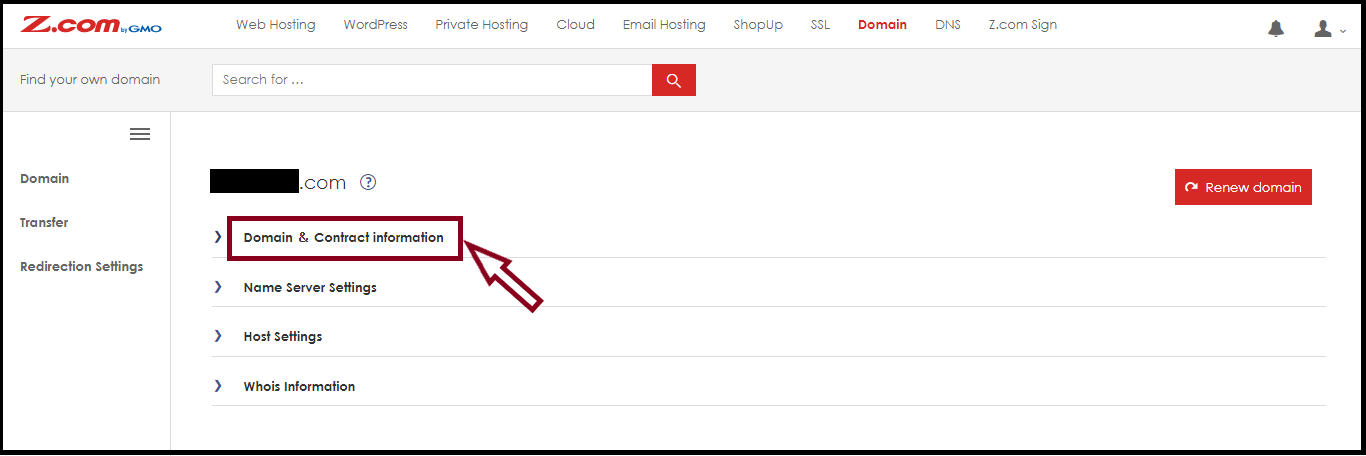
Step4. Click "Resend Authentication Email" as follow.
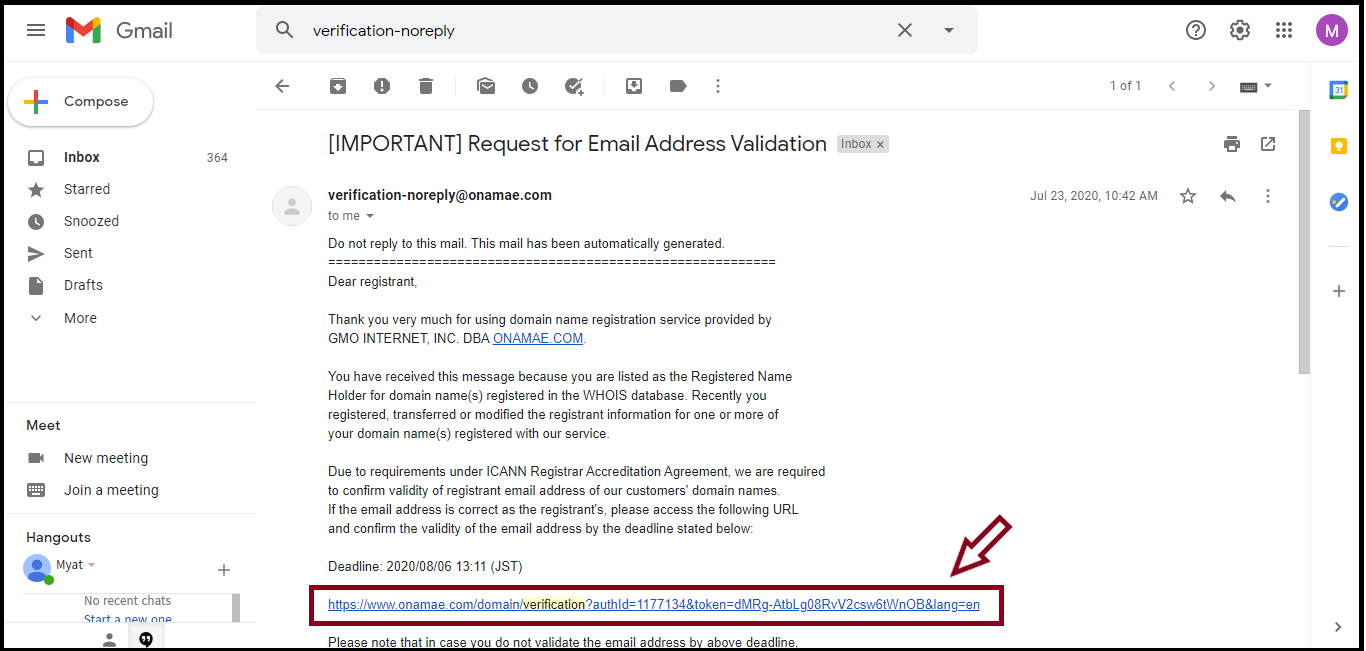
-The subject is "[IMPORTANT] Request for Email Address Validation" and
it's sent from "verification-noreply@onamae.com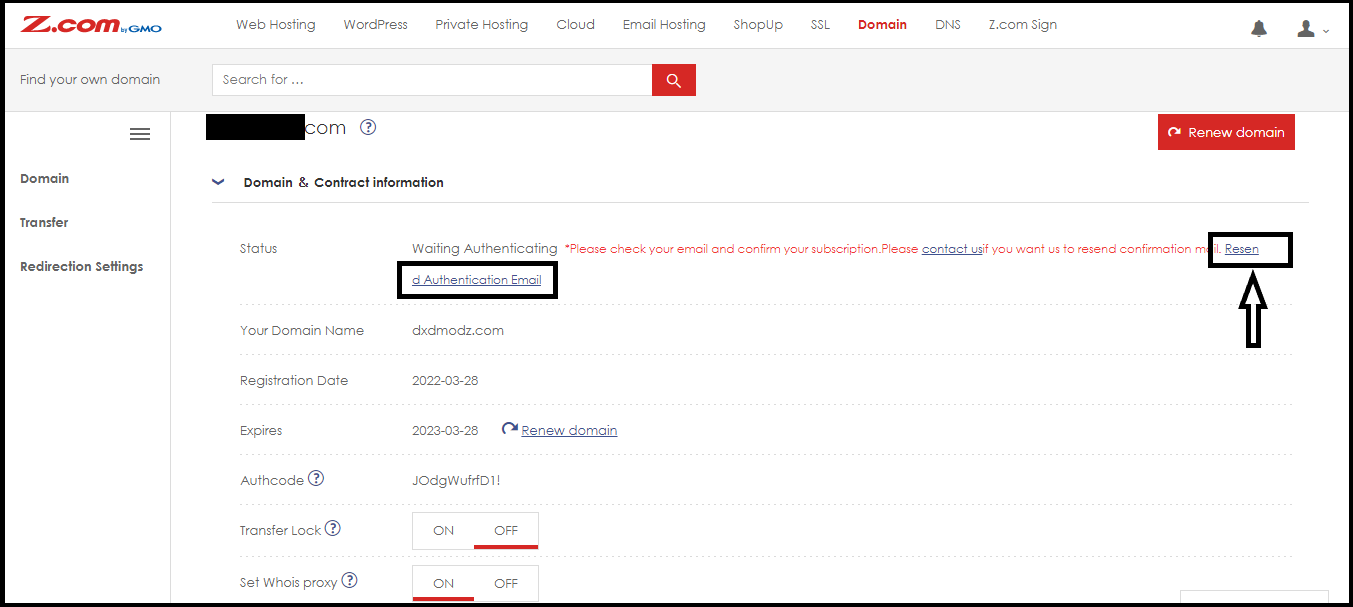
After Clicking the "Resend Authentication Email", The dialog box will show.
And then, Click "Yes"
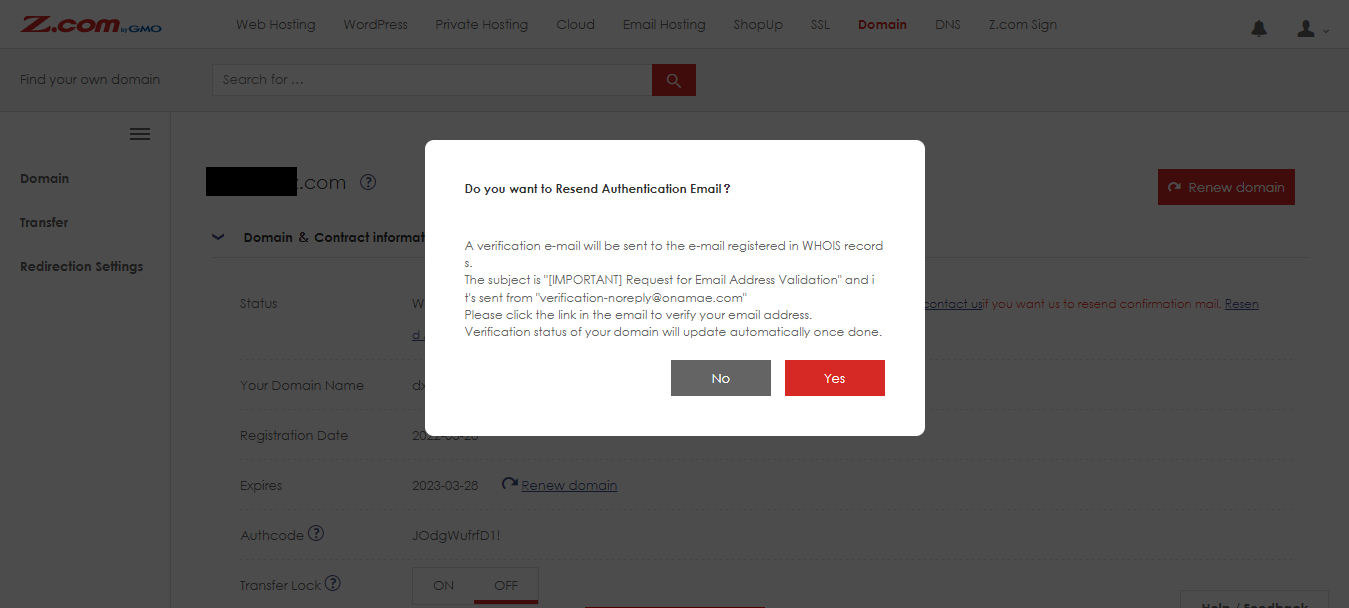
The verification email will be sent to the registrant’s email address in WHOIS information.

The subject is "[IMPORTANT] Request for Email Address Validation" and it's sent from "verification-noreply@onamae.com"
Please click the link in the email to verify your email address.
Step5. And then, you can confirm the Domain Authenticating in your email by clicking the URL.
After clicking the URL, your e-mail address has been successfully verified.
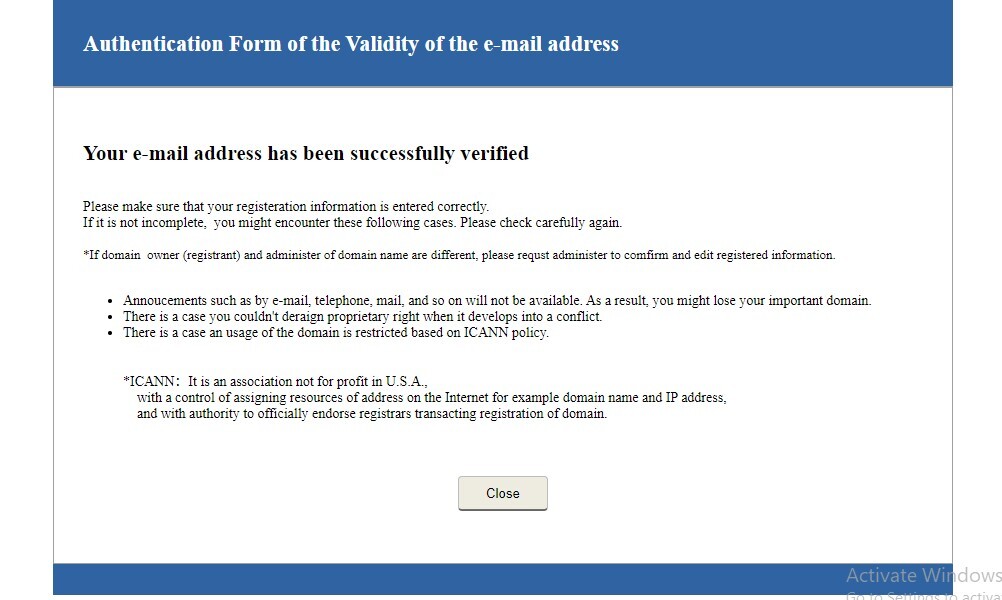
Then the domain’s status will be "Active" and can generally use within 10-15 minutes.
Thank you!!!
YouTube Tutorial:
THANK YOU!!!
Was this article helpful?
That’s Great!
Thank you for your feedback
Sorry! We couldn't be helpful
Thank you for your feedback
Feedback sent
We appreciate your effort and will try to fix the article