How to Change the Name Server (NS) of a domain in Z.com?
1. How to Change the custom Name Server
Step1. Login to your z.com account, https://cloud.z.com/mm/signin/
Step2. After login to the z.com portal, Click the "Domain" menu
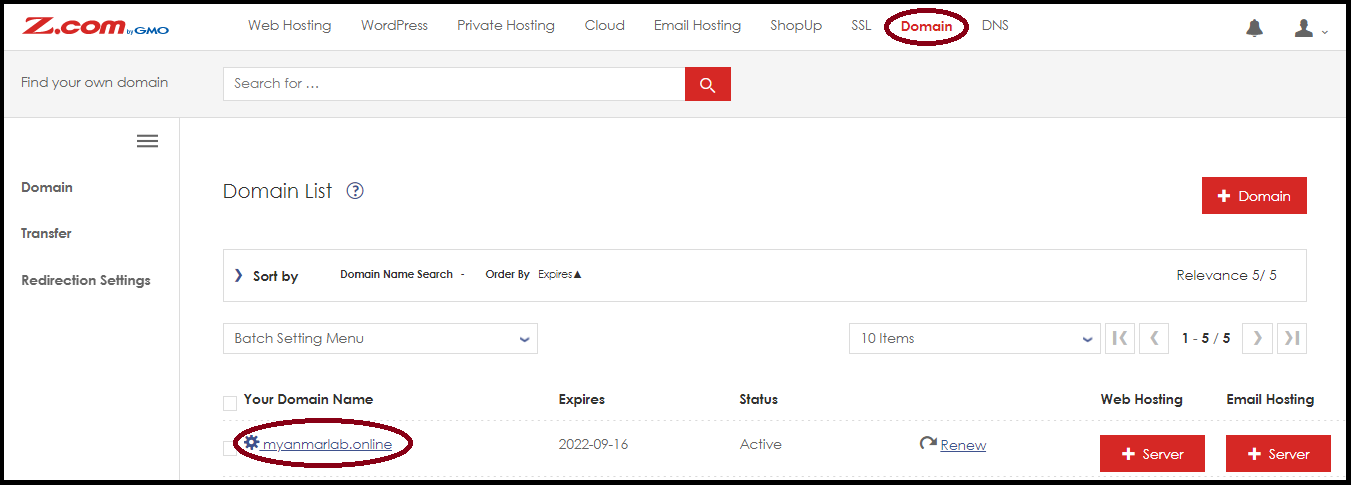
Step3. Select your domain that you want to change the name server (NS).
- Expand "Name Server Settings"
- Click "Custom" and edit "the Custom Name Server"
- And click "Save"
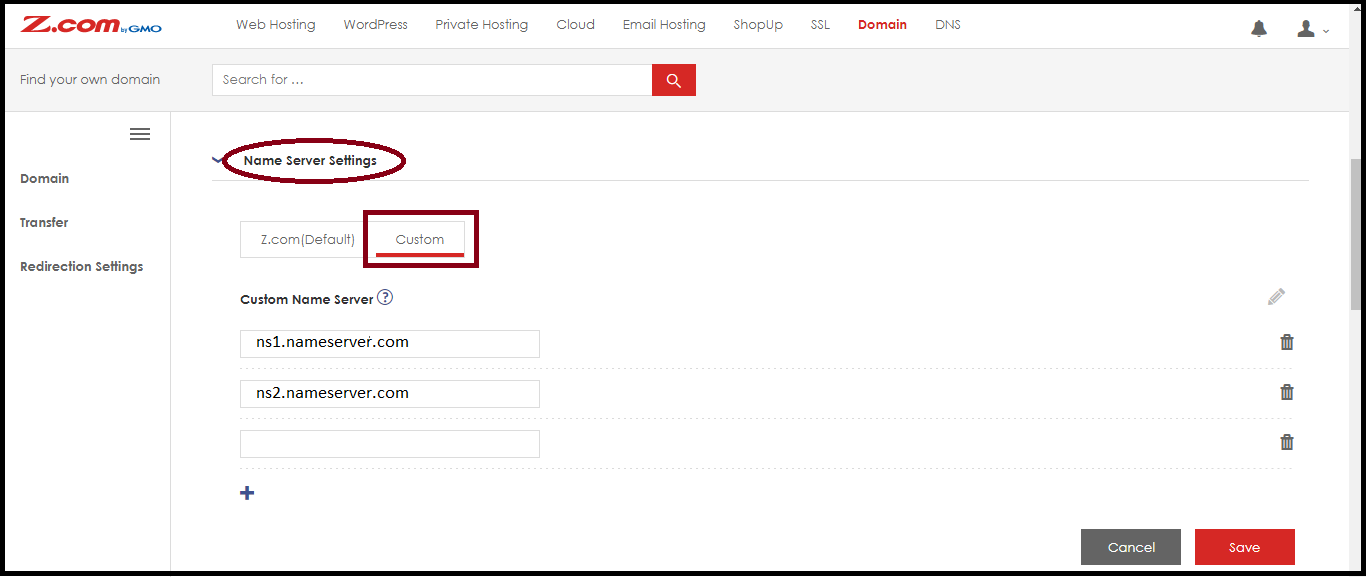
** In this case, there are more than 2 – 3 name servers, you can press the "+" option to increase the name server value as needed. **After changing and waiting for 72 hours, the name server will active and update the data.2. How to Change the z.com’s Name Server(Default)
Step1. Login to your z.com account, https://cloud.z.com/mm/signin/
Step2. After login to the z.com portal, Click the "Domain" menu
Step3. Select the domain that you want to change the name server (NS).
- Expand "Name Server Settings"
- Click "Z.com(Default)" and "Yes"

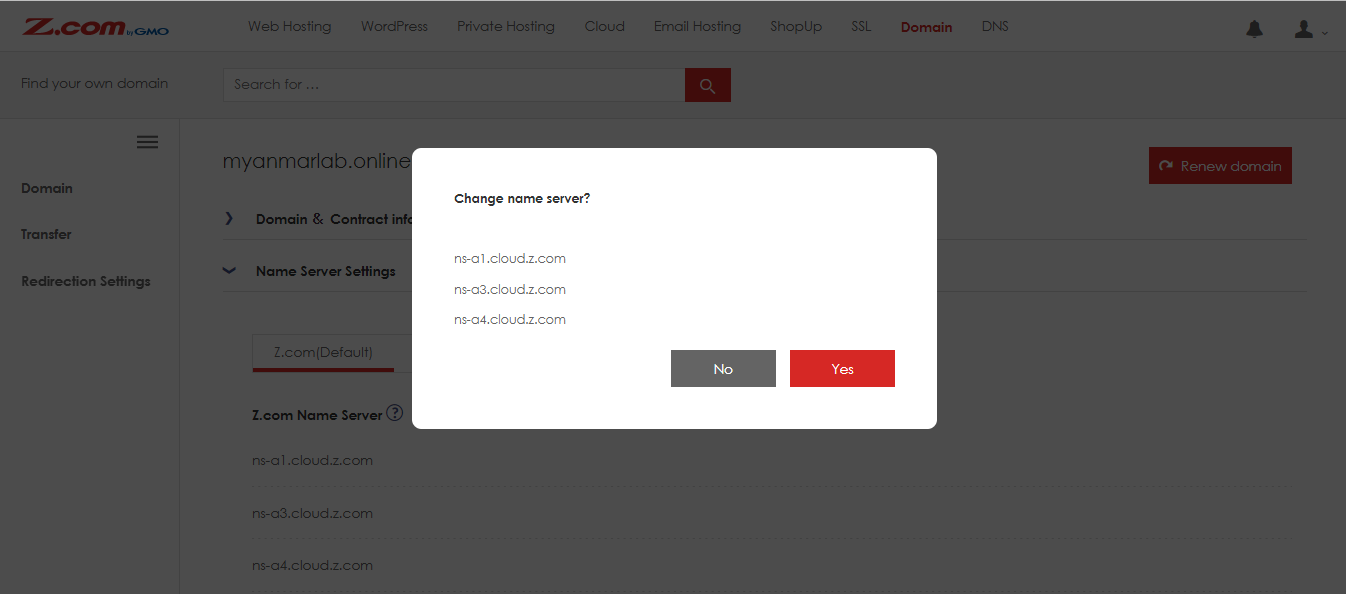
After changing and waiting for 72 hours, the name server will active and update the data.Thank you!!!
Was this article helpful?
That’s Great!
Thank you for your feedback
Sorry! We couldn't be helpful
Thank you for your feedback
Feedback sent
We appreciate your effort and will try to fix the article