How to apply Alpha SSL with Email Authentication Method in Z.com?
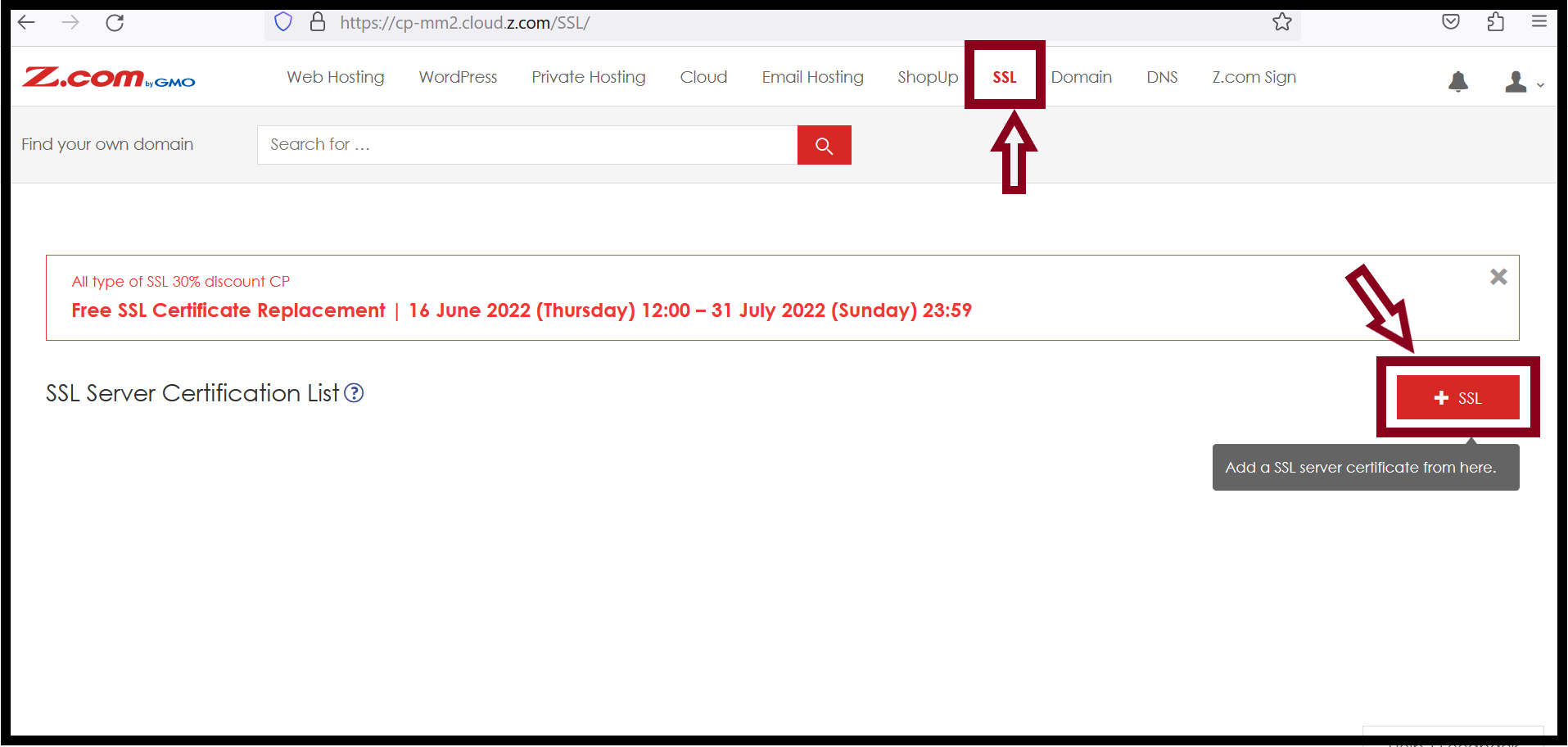
In Z.com's SSL Services, there are 3 types of Domain Validation Methods such as DNS Authentication, Email Authentication, and Page Authentication. You can use one Domain Validation Method to issue the Alpha SSL. Now, we will demonstrate Email authentication Method.Step1. Login to the Z.com and go to the SSL.
Step2. Click on the +SSL.
Step3. Choose the Properties.
    Plan: Alpha SSL
    Destination Server: Other Server
    Acquisition Form: New
    Contract Period: 1Year
    Wild Card: Enable or Disable
    2-way SSL Authentication: Enable or Disable
    Authentication Method: Email Authentication
    * If you want to use with www, choose 2-way SSL Authentication Enable.
    * If you want to use without www, choose 2-way SSL Authentication Disable.
    * Note: The email to be used for authentication needs to be created as specified by the system.
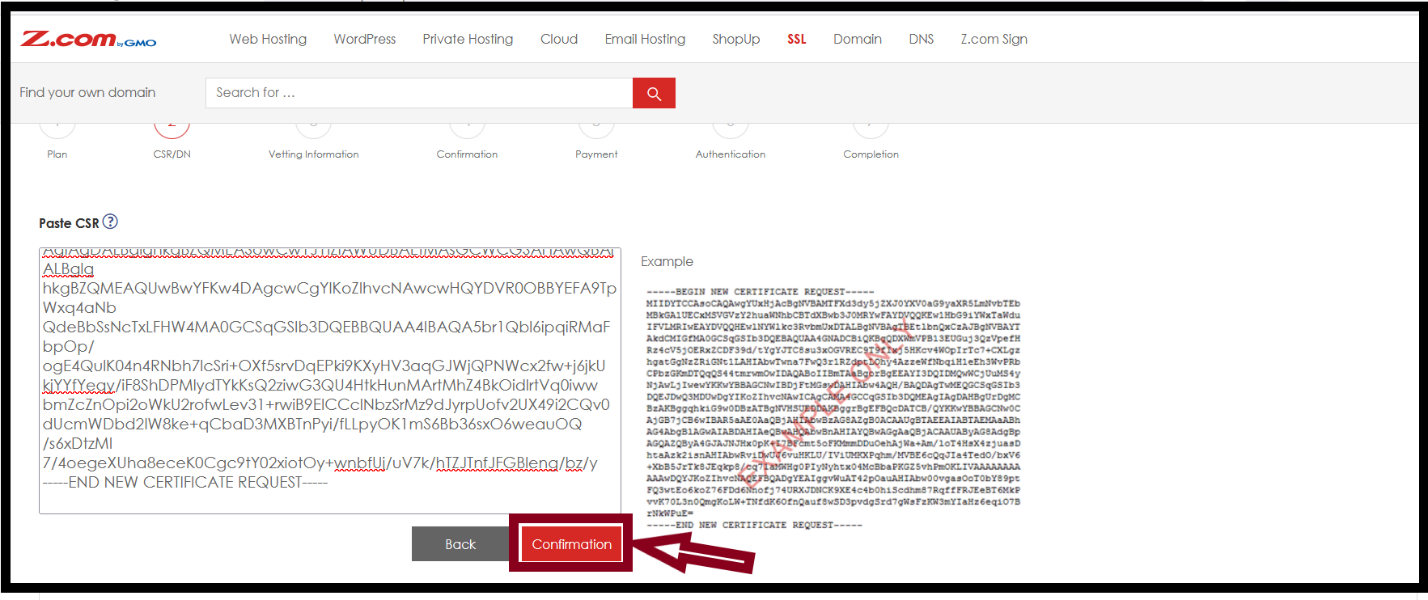
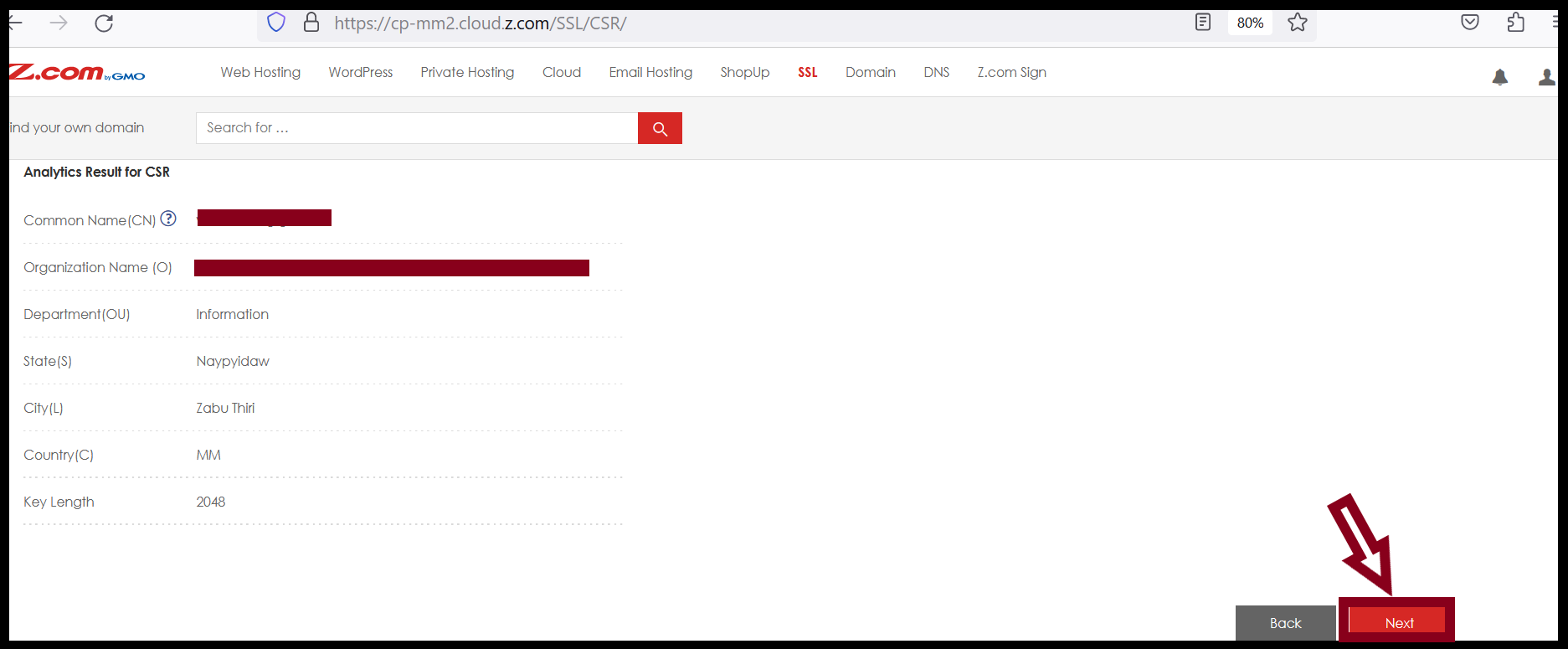
Step4. Add CSR and click on Confirmation. Check the details of the Analytics Results for CSR. And then Click Next.
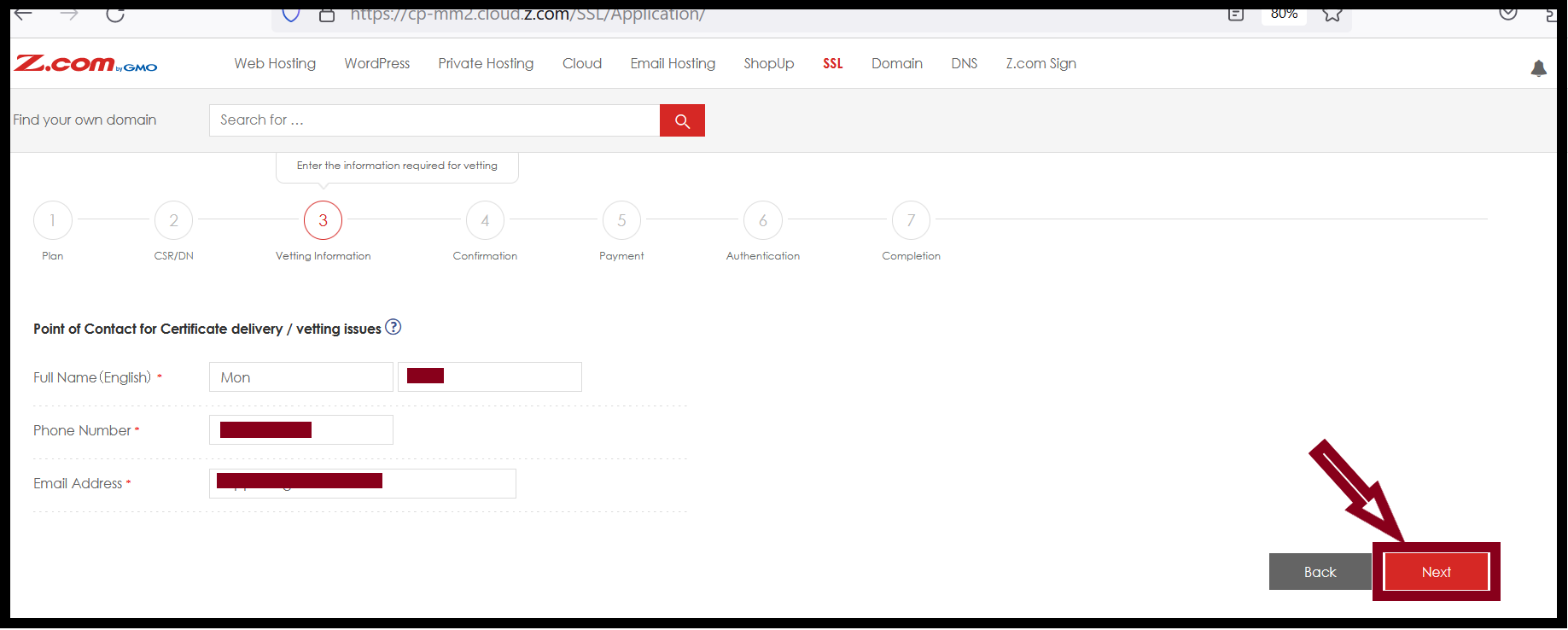
Step5. Check the Point of Contact for Certificate delivery/vetting issues and click Next.
Step6. Check the registration details of the Plan, CSR information and Point of Contact for Certificate delivery/vetting issues and then Click on Set.
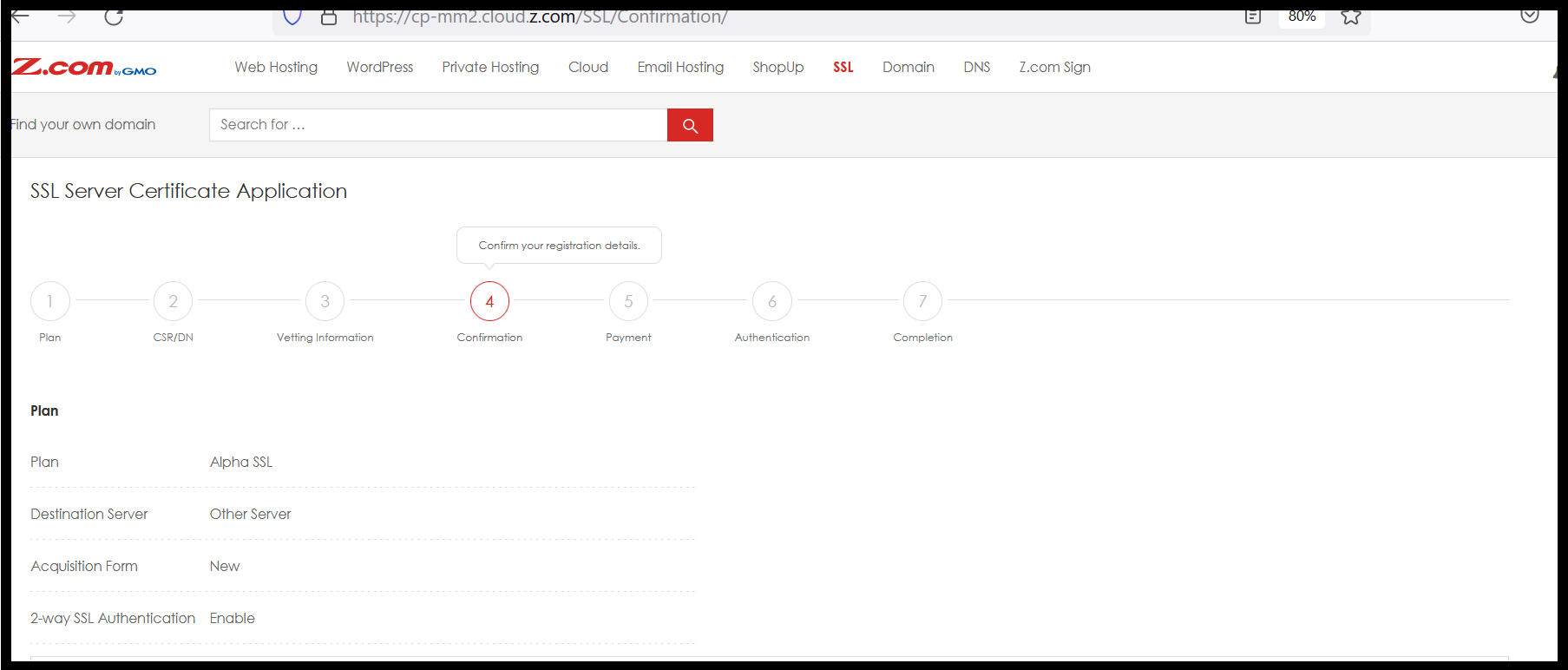
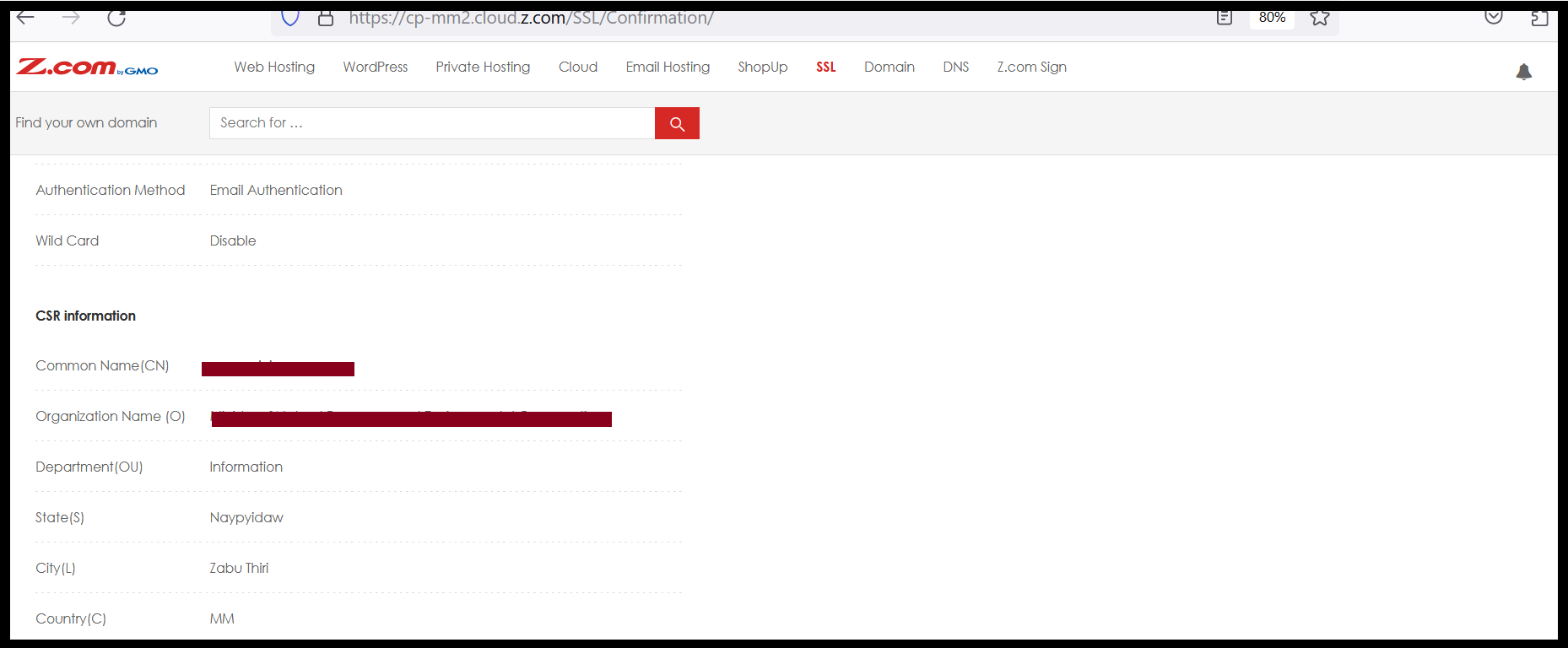

Step7. Check the Payment Amount and Choose the Payment Method and then Click on the Settlement.
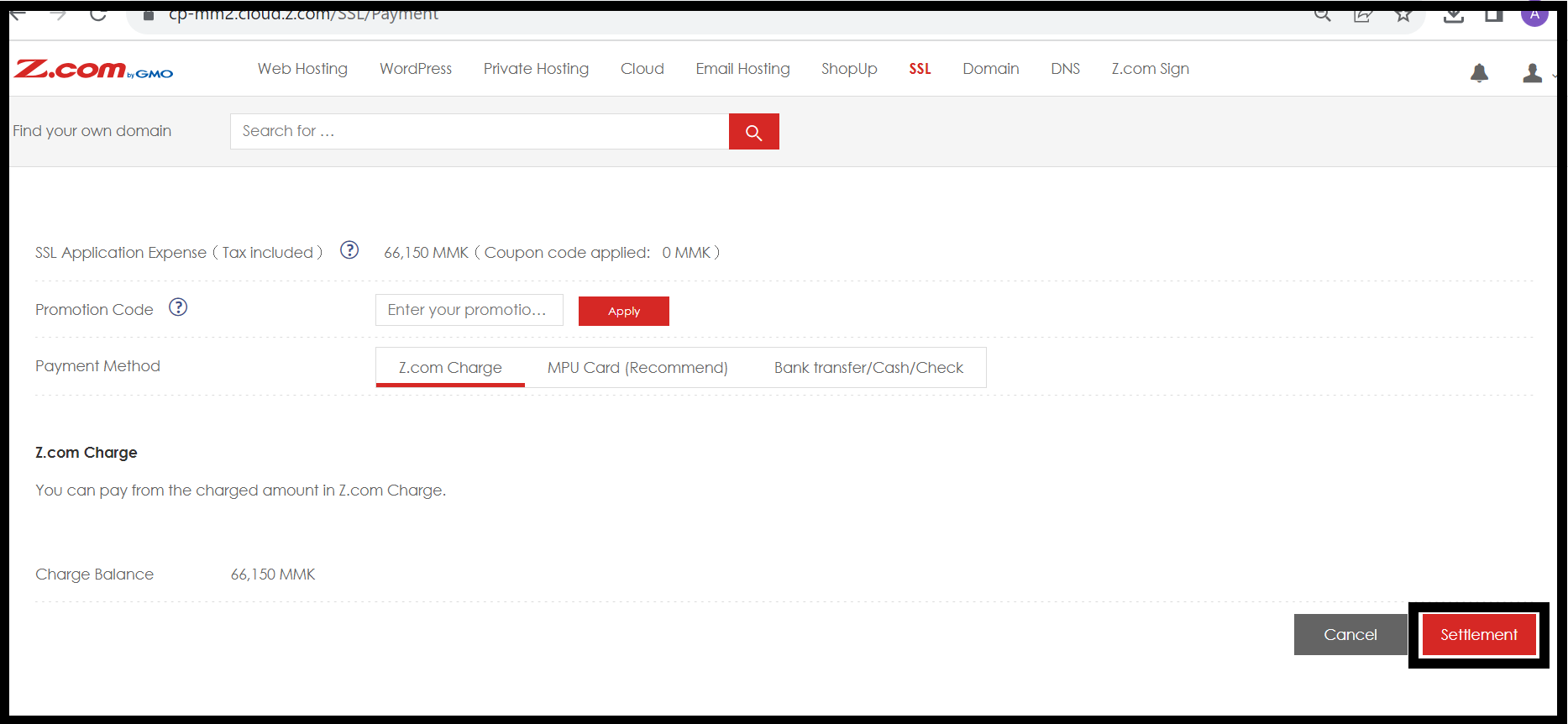
Step8. Add the Mail address to send Authentication mail and then click Next.
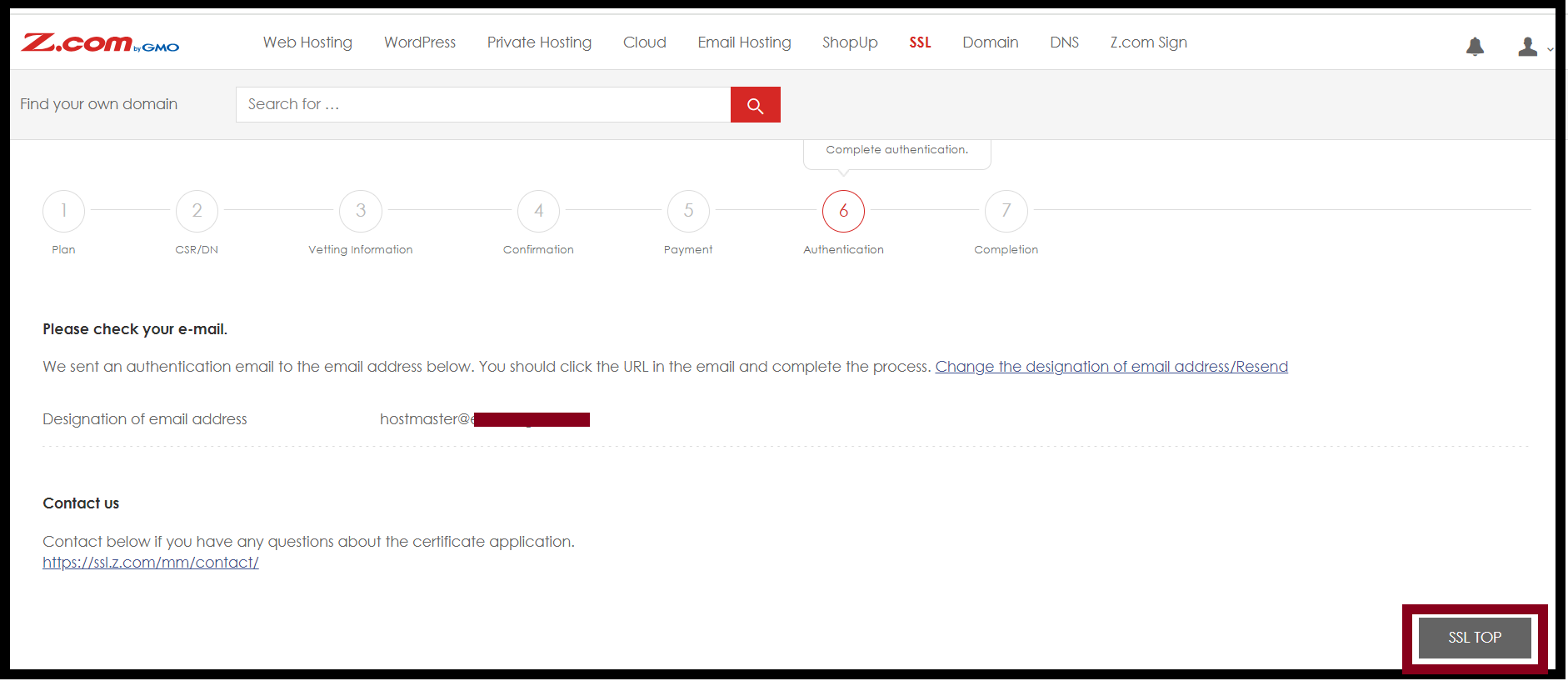
Step9. Check the authentication mail that is sent from the system in your mailbox and verify the domain ownership.
Step10. The system will send the authentication mail to the account that you set on the Designation of email address.
* You can change the Designation of email address by clicking on the “Change the designation of email address/Resend”.
THANK YOU!!!
Was this article helpful?
That’s Great!
Thank you for your feedback
Sorry! We couldn't be helpful
Thank you for your feedback
Feedback sent
We appreciate your effort and will try to fix the article