How To Renew a Domain Name?
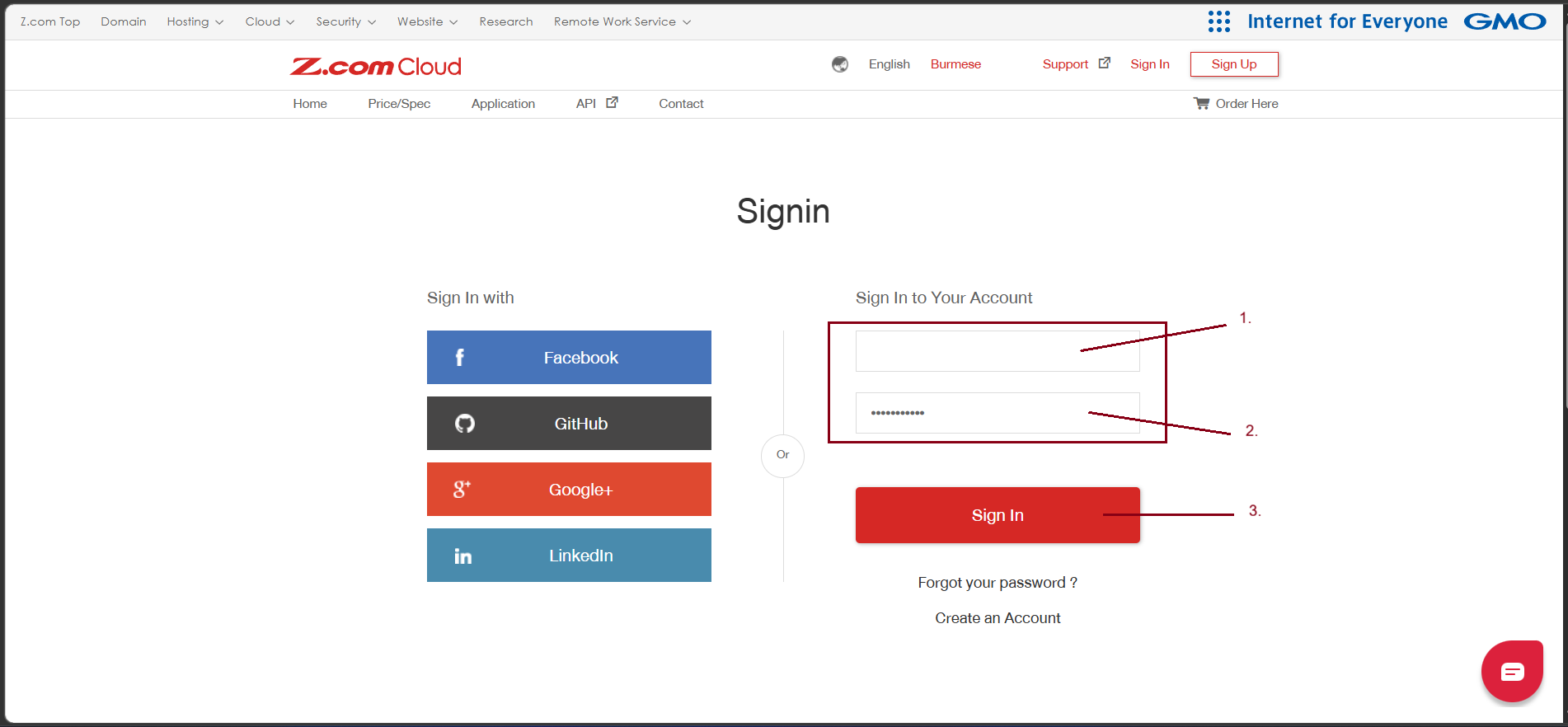
Step1. Login to My Z.com Account with your registered email address.
URL: https://hosting.z.com/mm/signin/
Step2. Go to "Domain" Tag and find the domain name that you want to renew.
Click "Renew"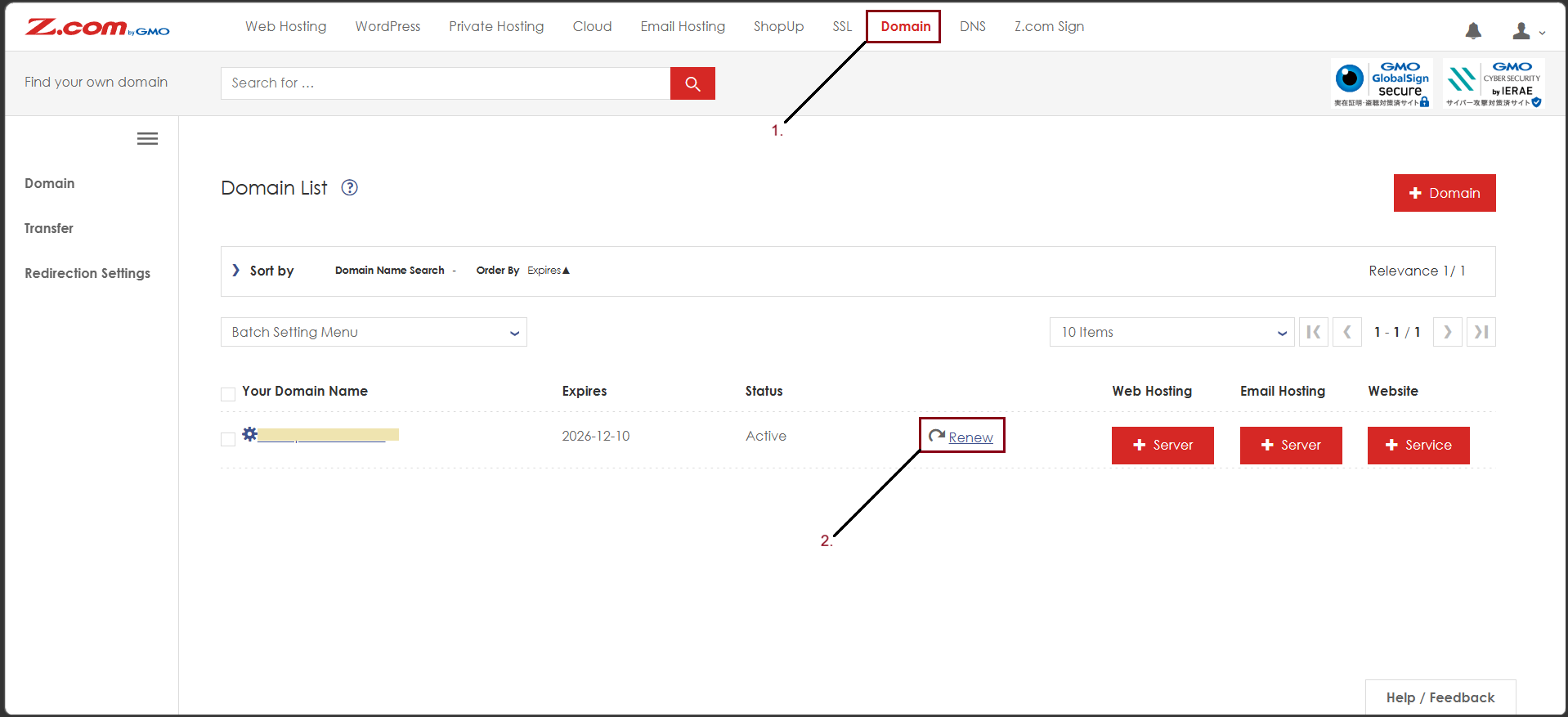
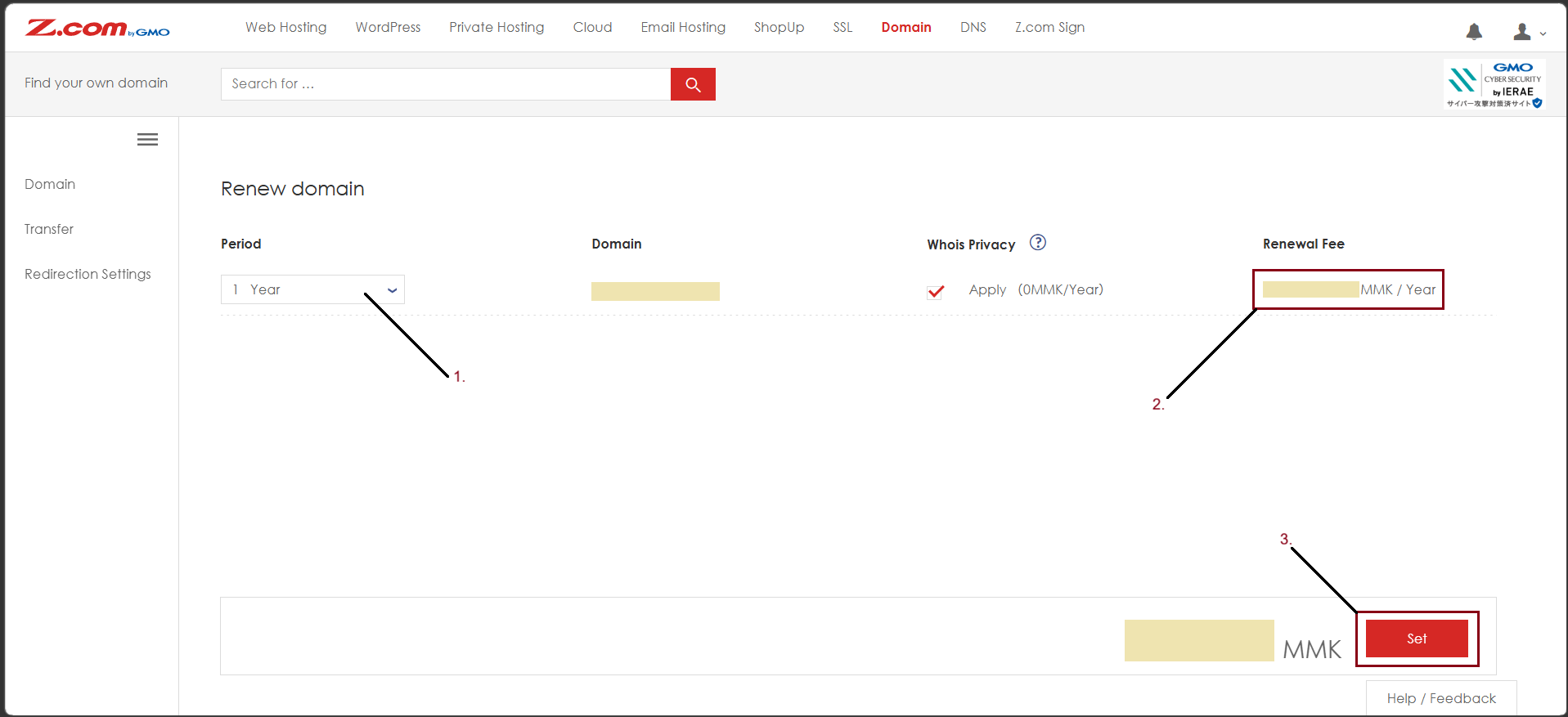
Step3. Double Check your domain to renew
- Choose Period
- Check Renewal Fee
- Click "Set"
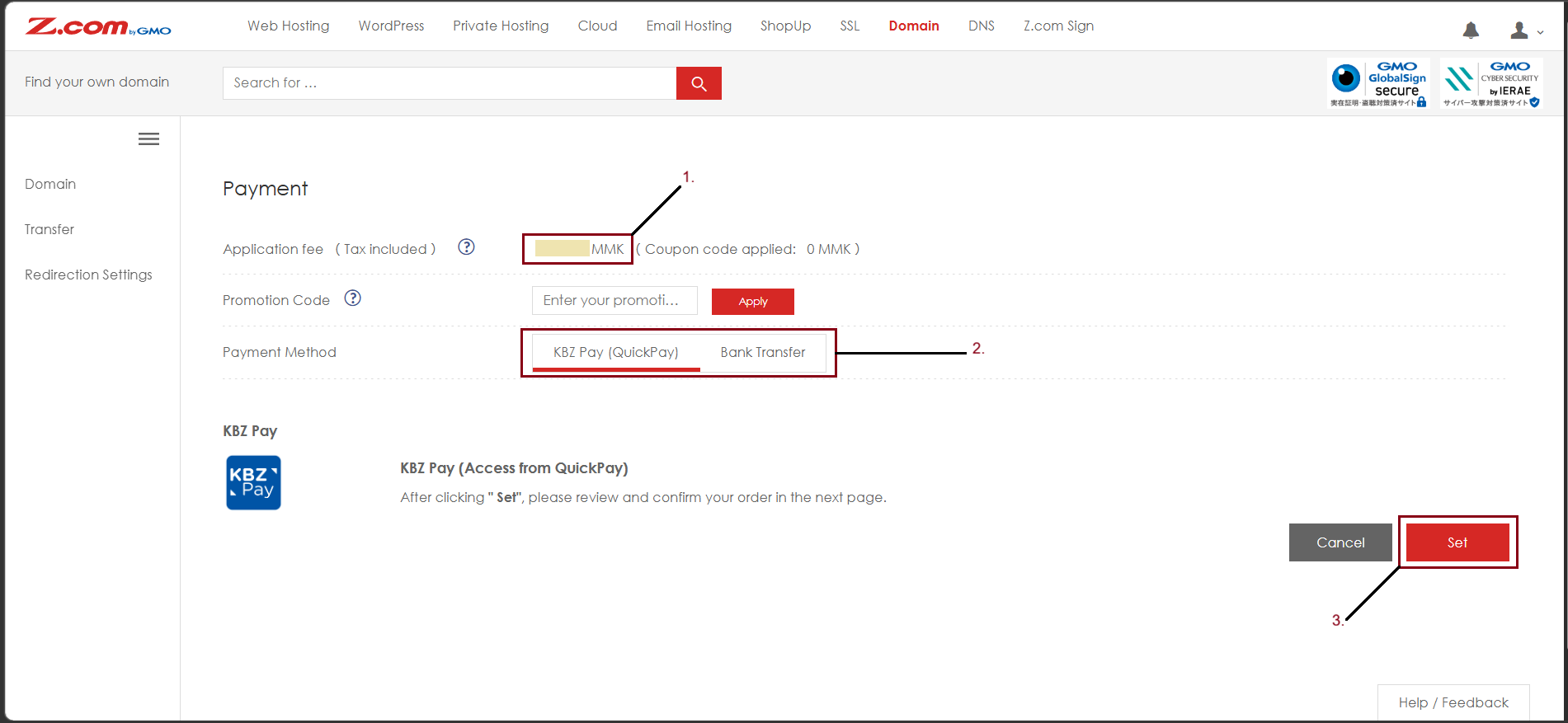
Step4. Choose the Payment Method and Click "Set"
- Check your Application Fee (Tax included)
- Choose Payment Method
- Click "Set"
After that, you can check your domain renewal invoice and proceed the payment transfer process.
Click "Here" to check the payment method.
Thank you!!!
YouTube Tutorial:
Thank you!!!
Was this article helpful?
That’s Great!
Thank you for your feedback
Sorry! We couldn't be helpful
Thank you for your feedback
Feedback sent
We appreciate your effort and will try to fix the article