Transfer my Domain to Z.com
Step1. Login your z.com account, https://cloud.z.com/mm/signin/
Step2. Go to the "Domain" menu
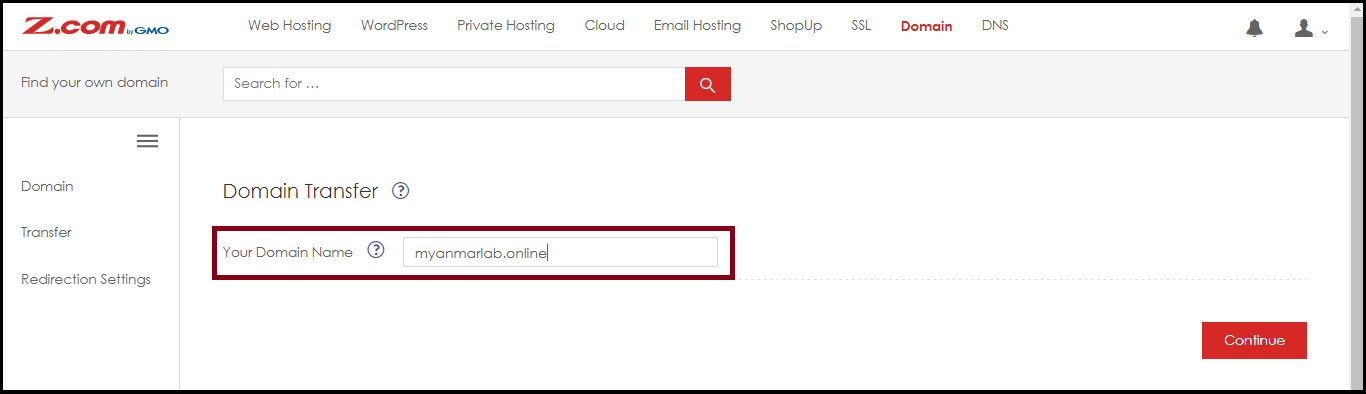
- Click "Transfer" from the left side

Step3. Enter the Domain Name that you want to transfer into z.com
- Click "Continue"
Step4. Select all "Check points",
- In Enter Auth Code, please fill the Auth Code/ EPP Code
- Click "Next"
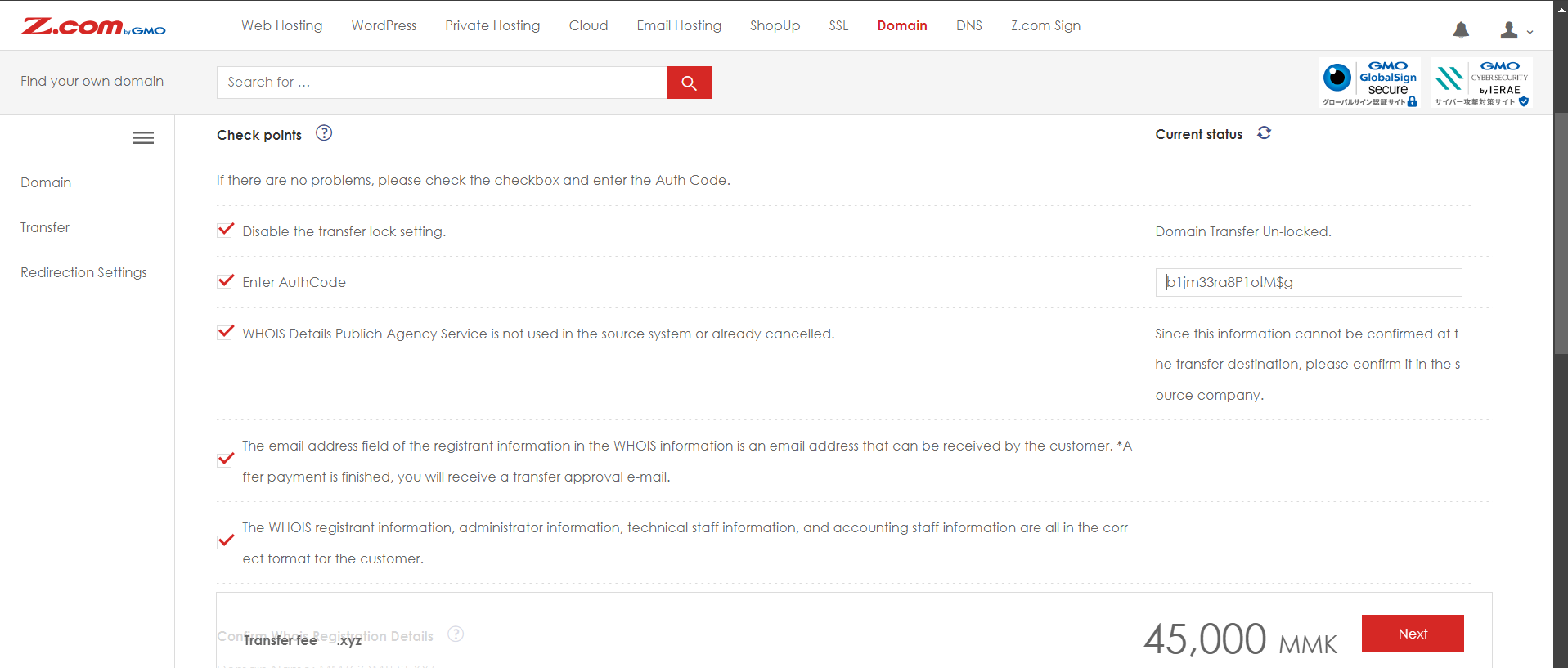
Step5. After that, you will need to pay for the domain transfer and waiting status.
The current provider sends the email to your domain registrant’s email address to approve the domain transfer process and confirm the email to transfer the domain from the current domain provider.
Confirm the Whois registered e-Mail Address is active is to check the e-mail of the domain transfer process.
Please Note: The transfer process will proceed within 5-7 days.
Thank You!!!
Was this article helpful?
That’s Great!
Thank you for your feedback
Sorry! We couldn't be helpful
Thank you for your feedback
Feedback sent
We appreciate your effort and will try to fix the article