How to Order a Web Hosting?
Step1. Login to z.com account, https://cloud.z.com/mm/signin
Step2. Click the "Web Hosting" Menu
Step3. Click "+Server"

Step4. You can choose a plan that you want to order
- Choose a plan:
- Domain Name Type: Please choose one option
- Register New Domain - အသစ် domain အသုံးပြုခြင်း
- Use Existing Domain - ရှိပြီးသား domain အသုံးပြုခြင်း
- Use Sub Domain (zwhhositng.com)- zwhhosting.com ၏ subdomain ဖြင့် အသုံးပြုခြင်း
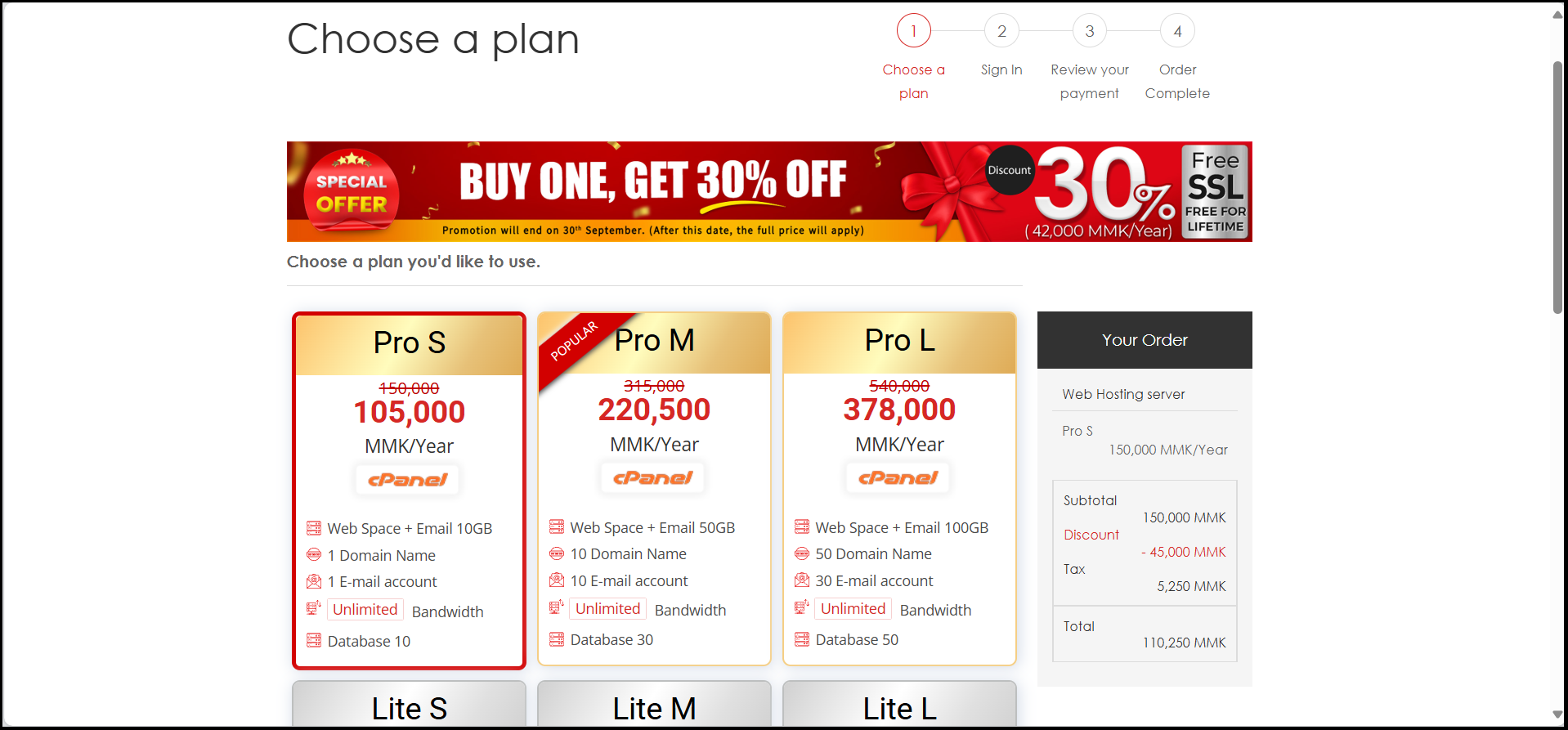
- Option: can use Static IP Address
Note: If you will not buy Static IP Address, the system has already Default Share IP Address. - Click "Buy Now!"

Step5. Choose Payment Method
Review your payment
You can choose the Payment method as follows :
- KBZ Pay : you can make the payment via KBZ Pay account (QuickPay)
- Bank Transfer : you can transfer the payment via banks (KBZ Bank and CB Bank)
And then, click "Order"
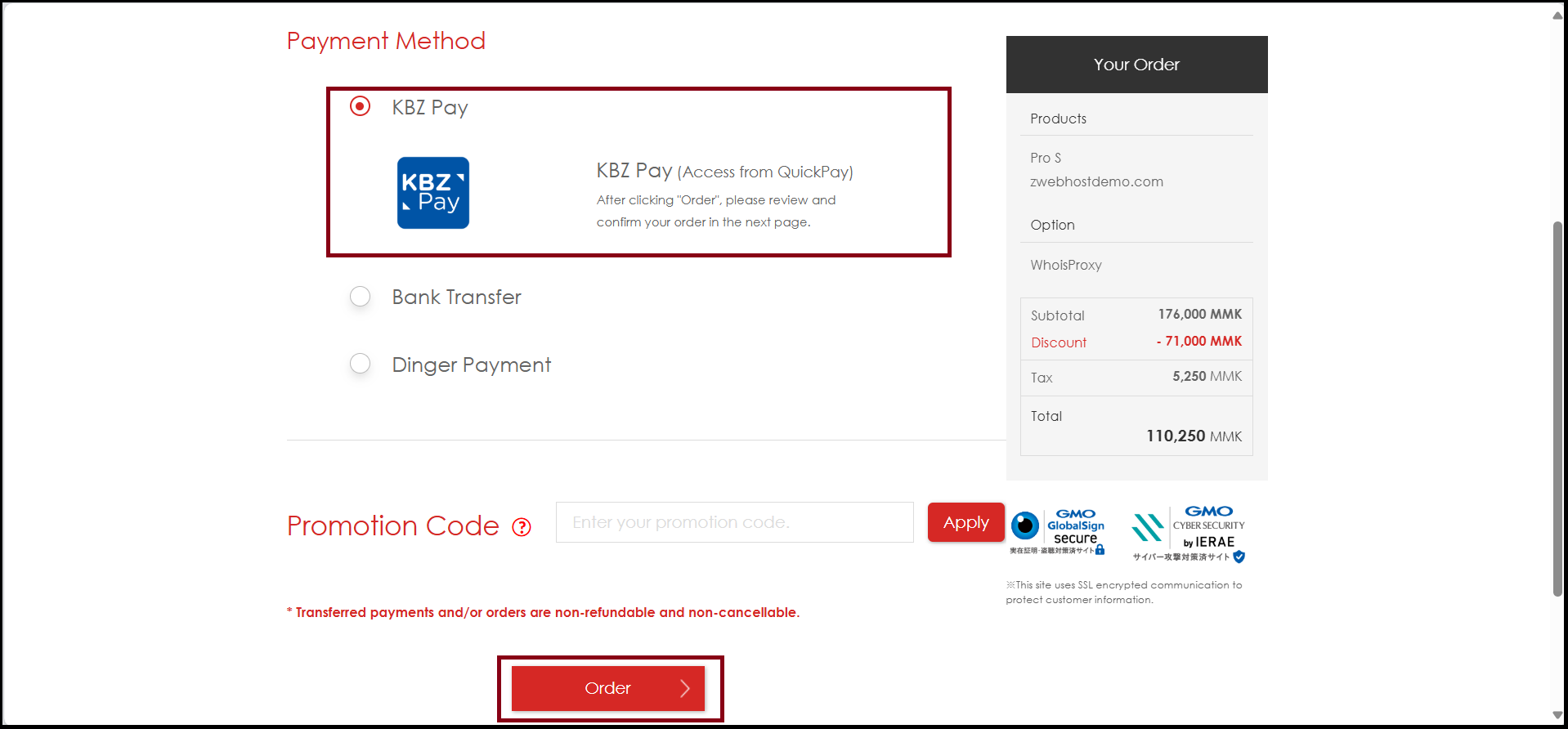
To Check "Payment Method", click here.
And then click "Complete".
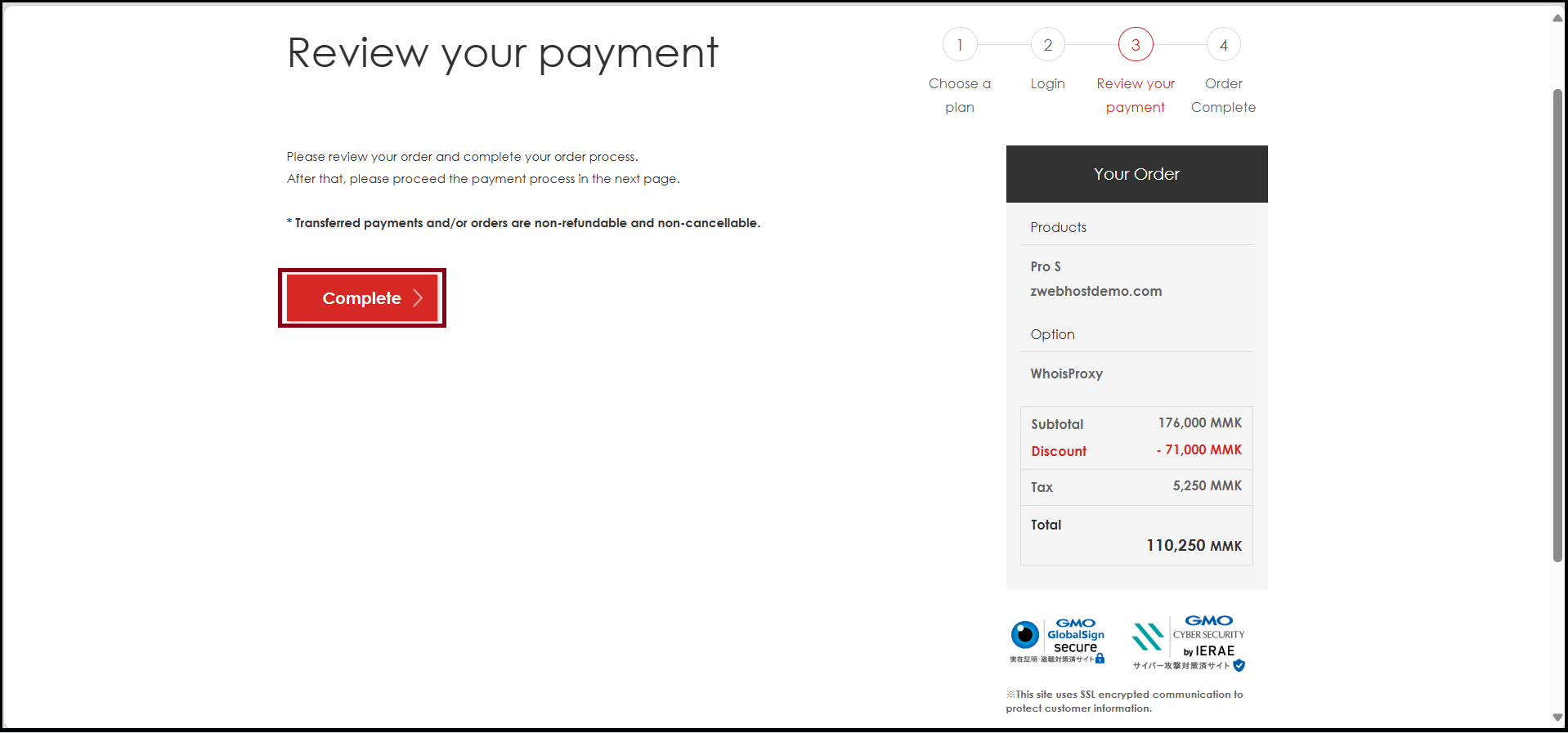
Now, you can order a web hosting server successfully.
Click "Visit My Z.com"
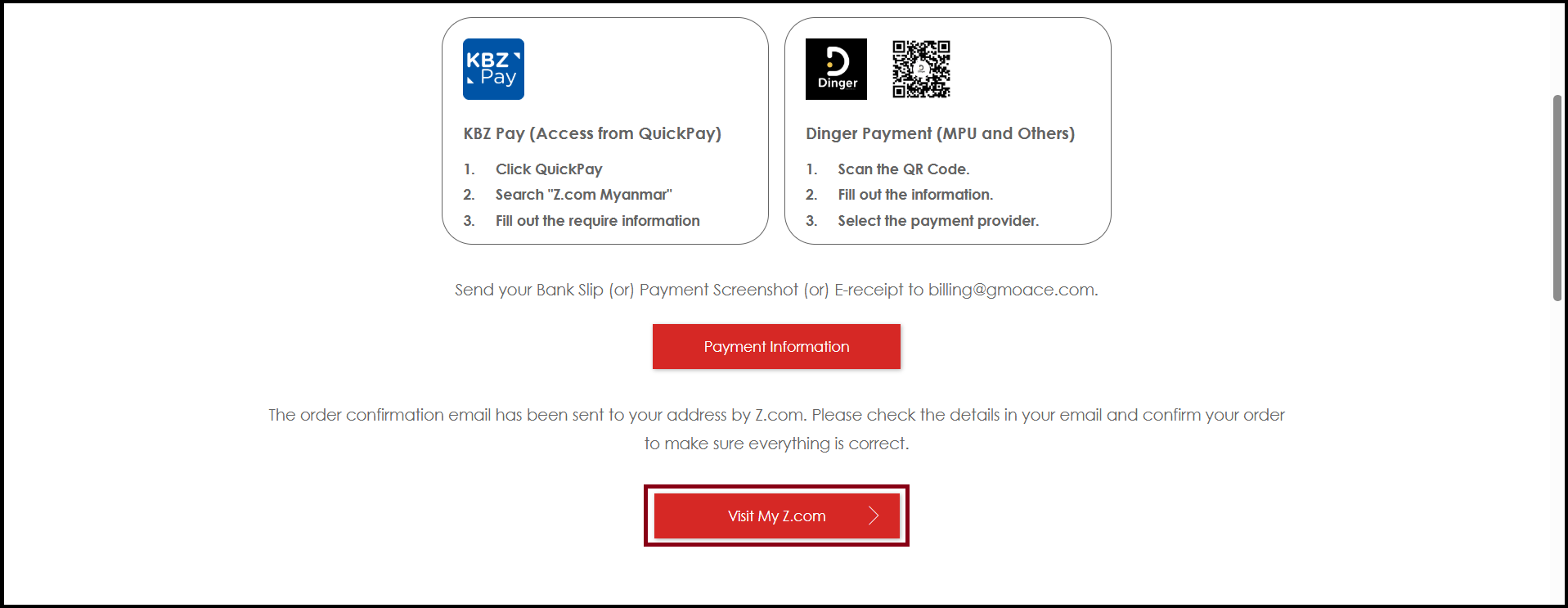
Thank you!!!
Was this article helpful?
That’s Great!
Thank you for your feedback
Sorry! We couldn't be helpful
Thank you for your feedback
Feedback sent
We appreciate your effort and will try to fix the article