How to add a domain name in cPanel? [Pro Plan]
Login to your z.com account, https://cloud.z.com/mm/signin
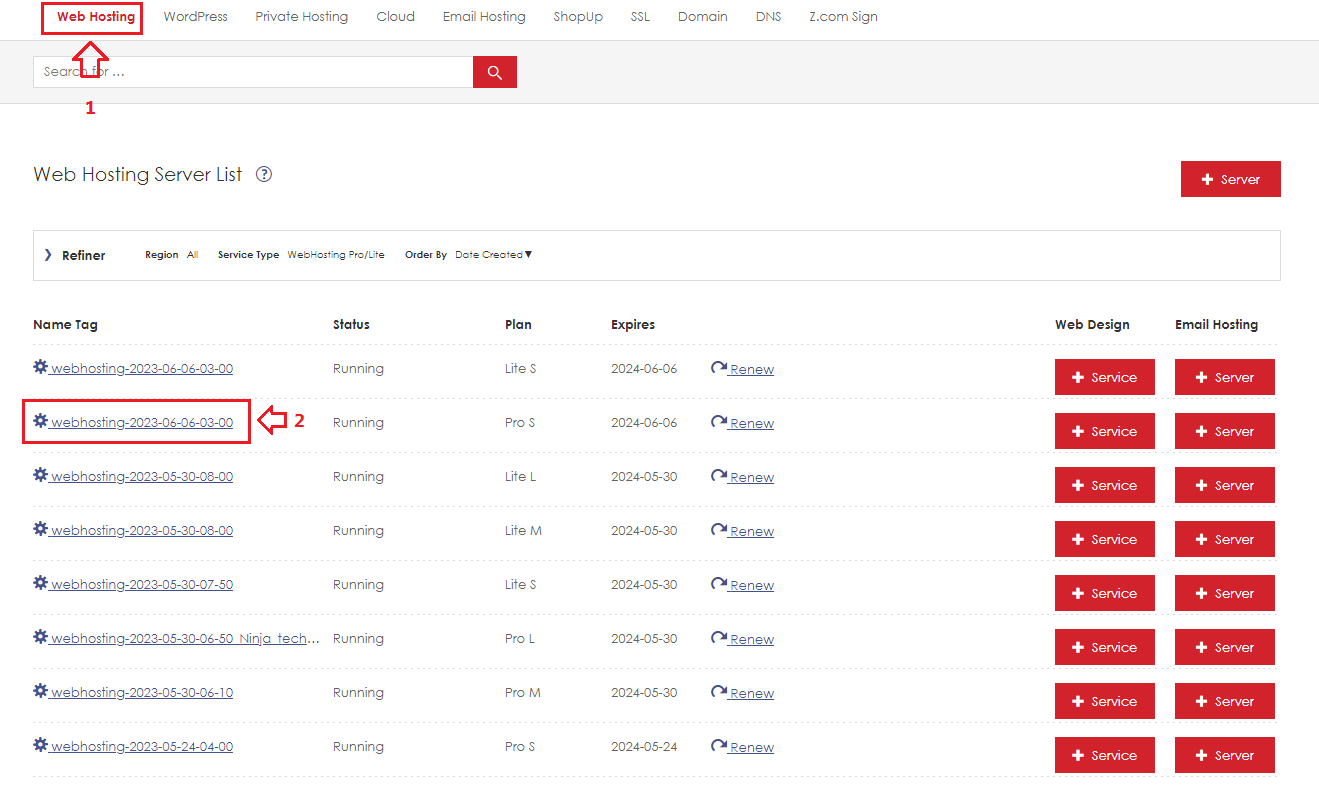
Step1. After login to the Z.com portal, Click the "Web Hosting" menu.
Step2. Click " your server's " under Name Tag.
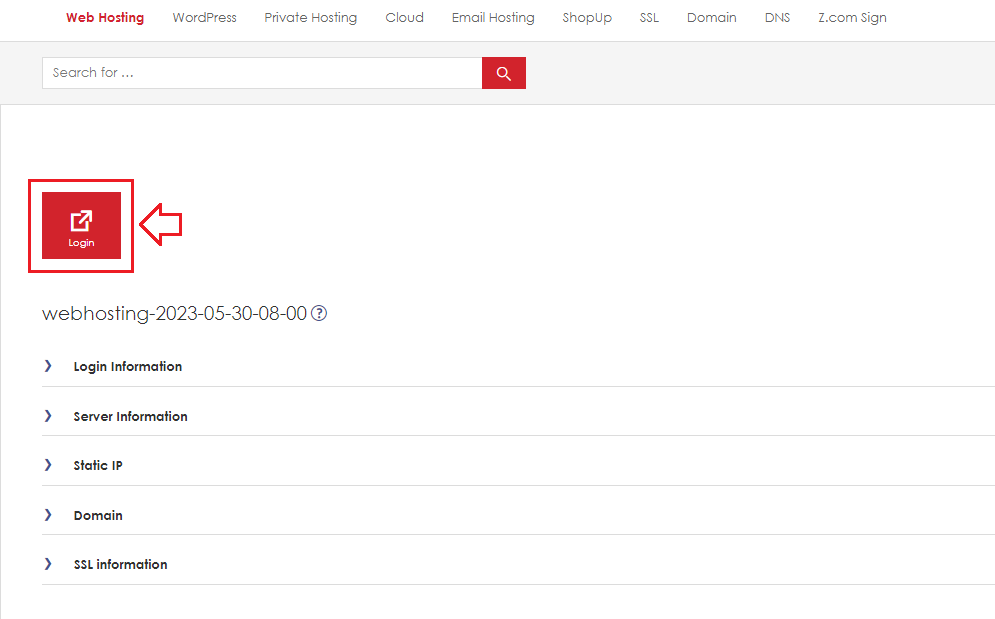
Step3. Click the " Login " icon.
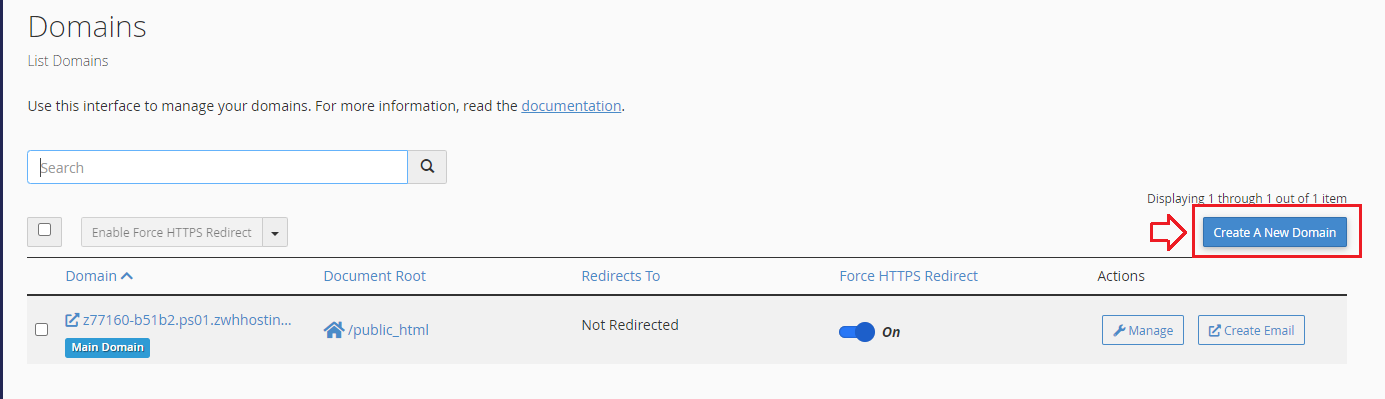
Step4. Click the " Domains " icon under Domains Section.

Step5. Click the " Create A New Domain "
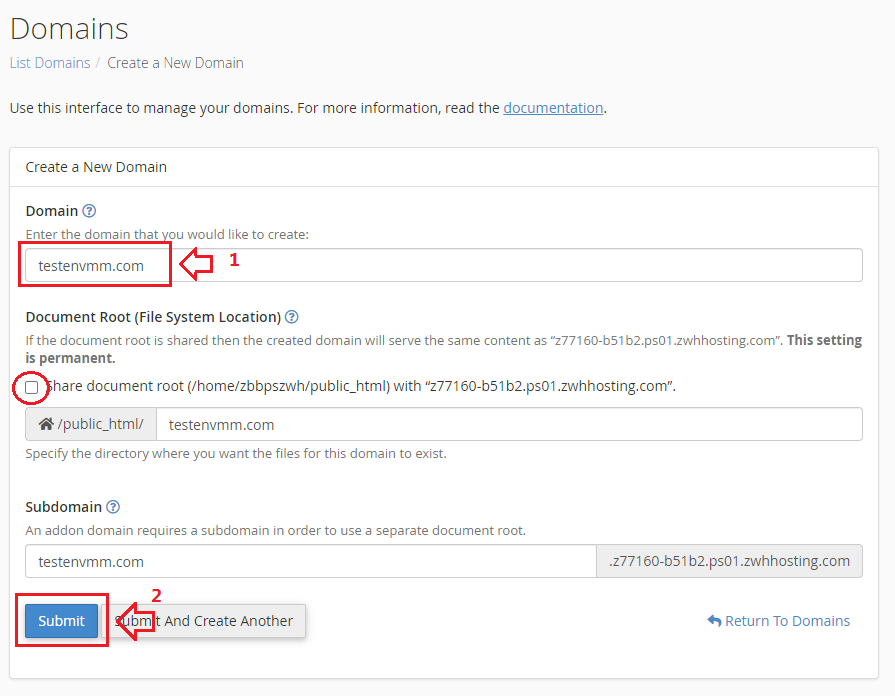
Step6.
- Add your domain name and uncheck "Share document root"
- After adding a domain click " Submit " button.
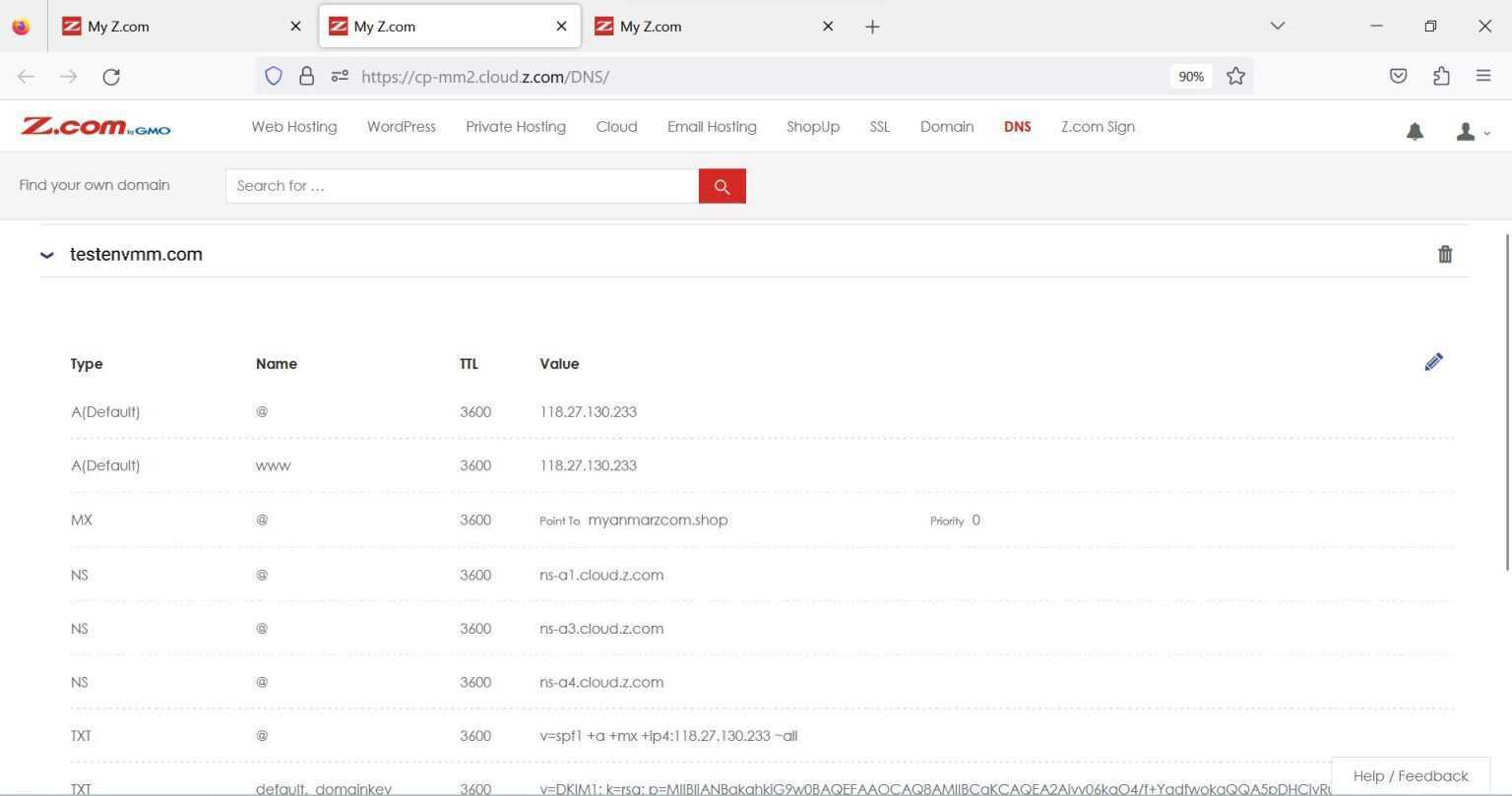
If you have finished the domain-adding process, go to DNS Tab.
Now you will see the server DNS record, and you can copy this record & add this record in your Domain Control Panel.
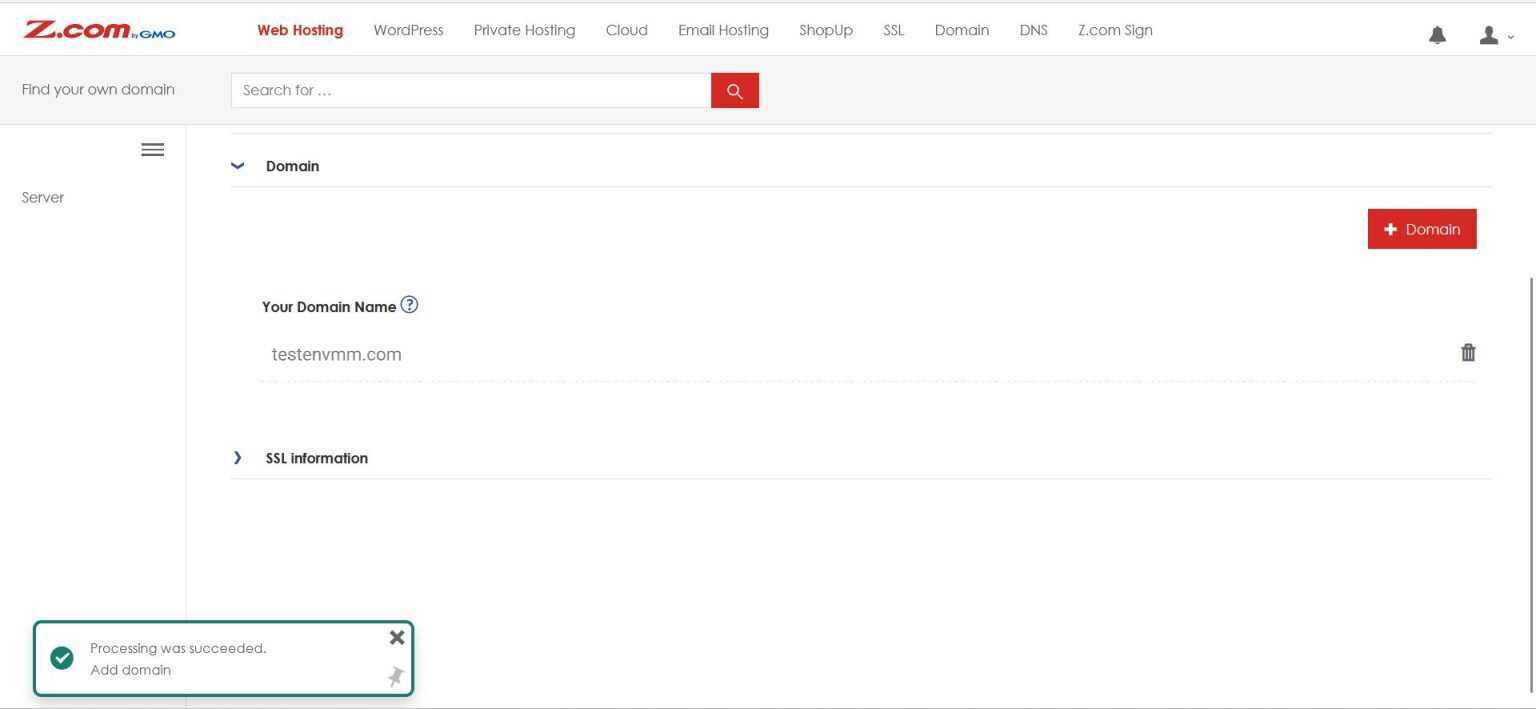
After adding a domain, you can start uploading your web projects or install Web Applications such as WordPress, Drupal, etc… in your cPanel Server.
Thank you!!!
Was this article helpful?
That’s Great!
Thank you for your feedback
Sorry! We couldn't be helpful
Thank you for your feedback
Feedback sent
We appreciate your effort and will try to fix the article