How to Increase the Email account’s Storage on Email Hosting(SmarterMail)?
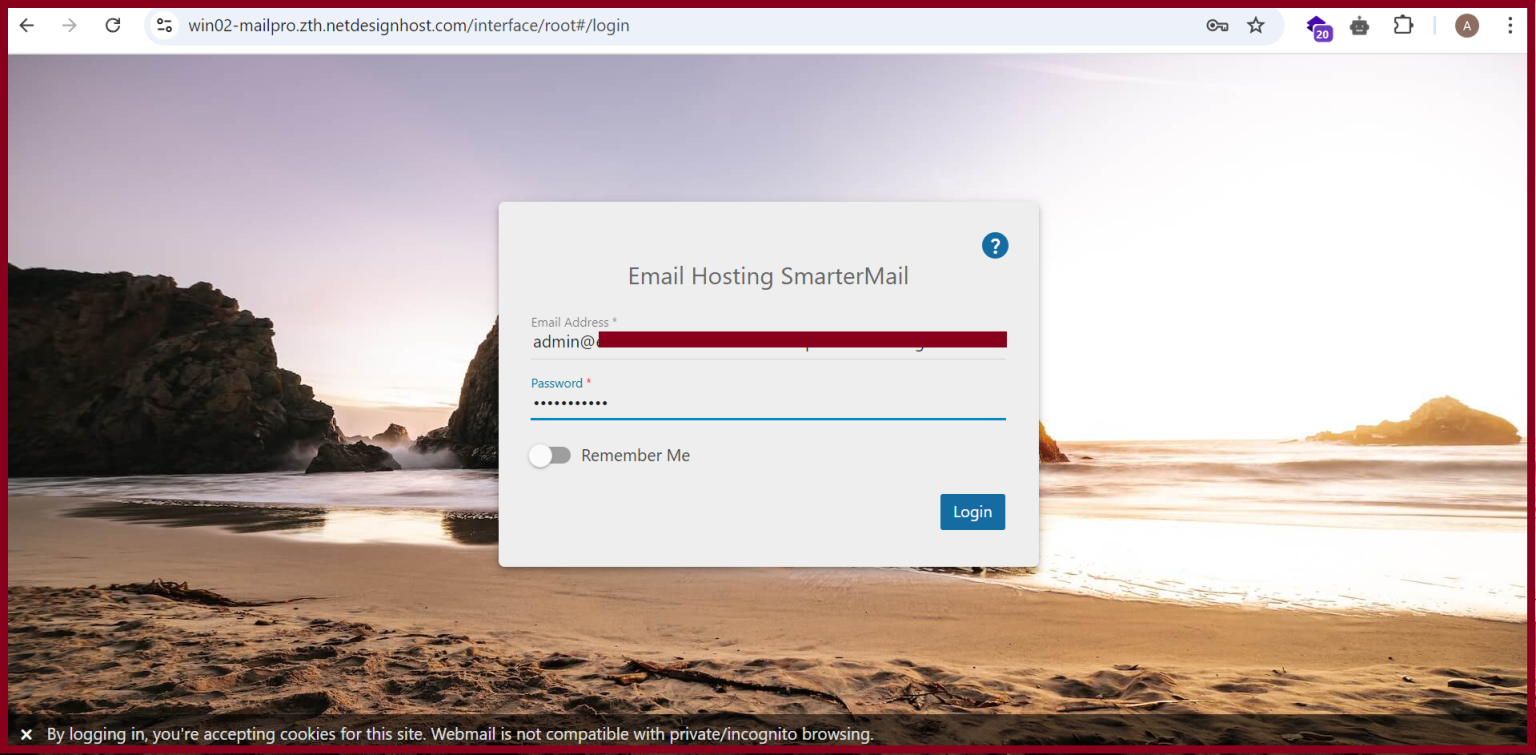
Step1. Login to your Email hosting with an Admin Account
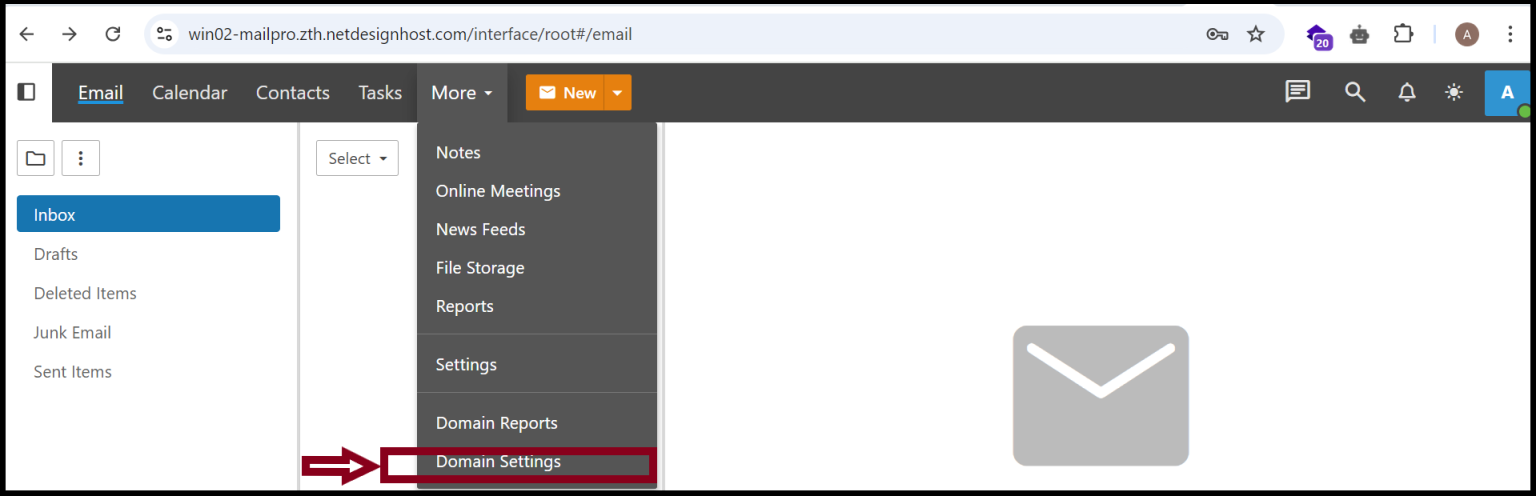
Step2. Go To “More” and “Domain Settings”
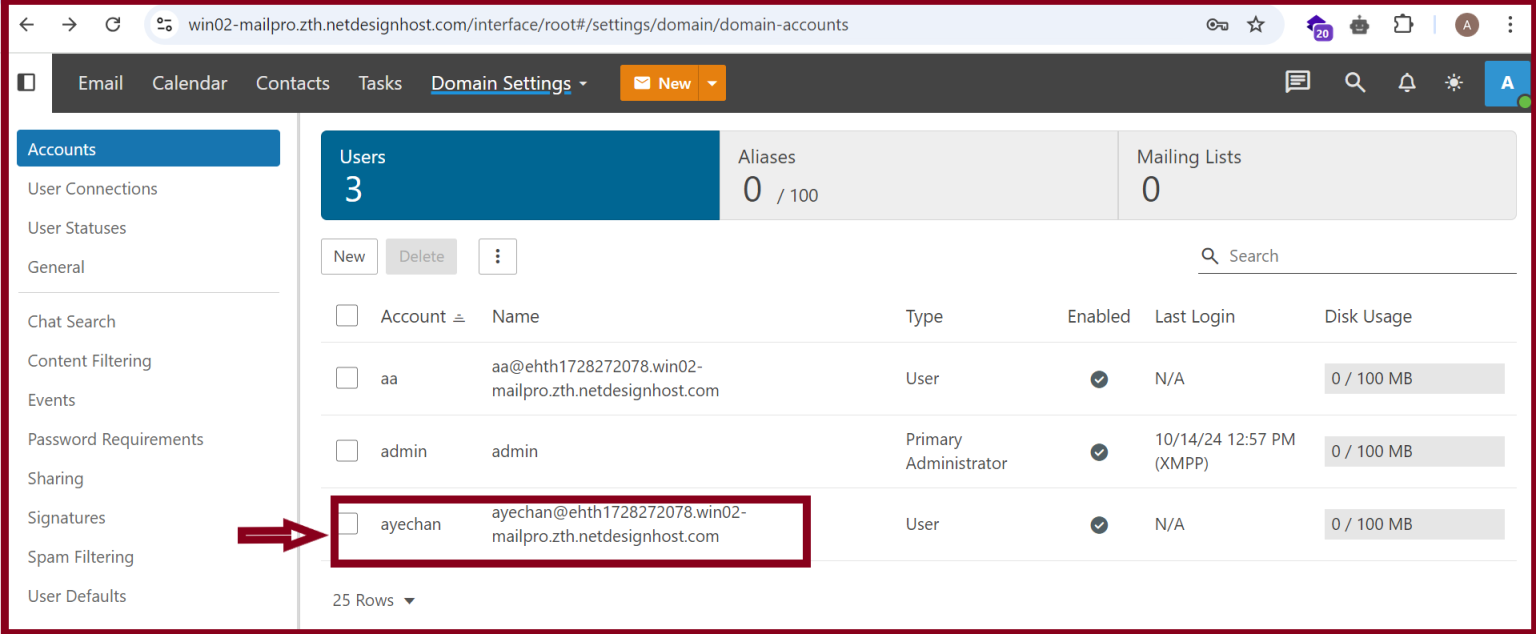
Step3. Select the user’s email account that you want to increase the storage.
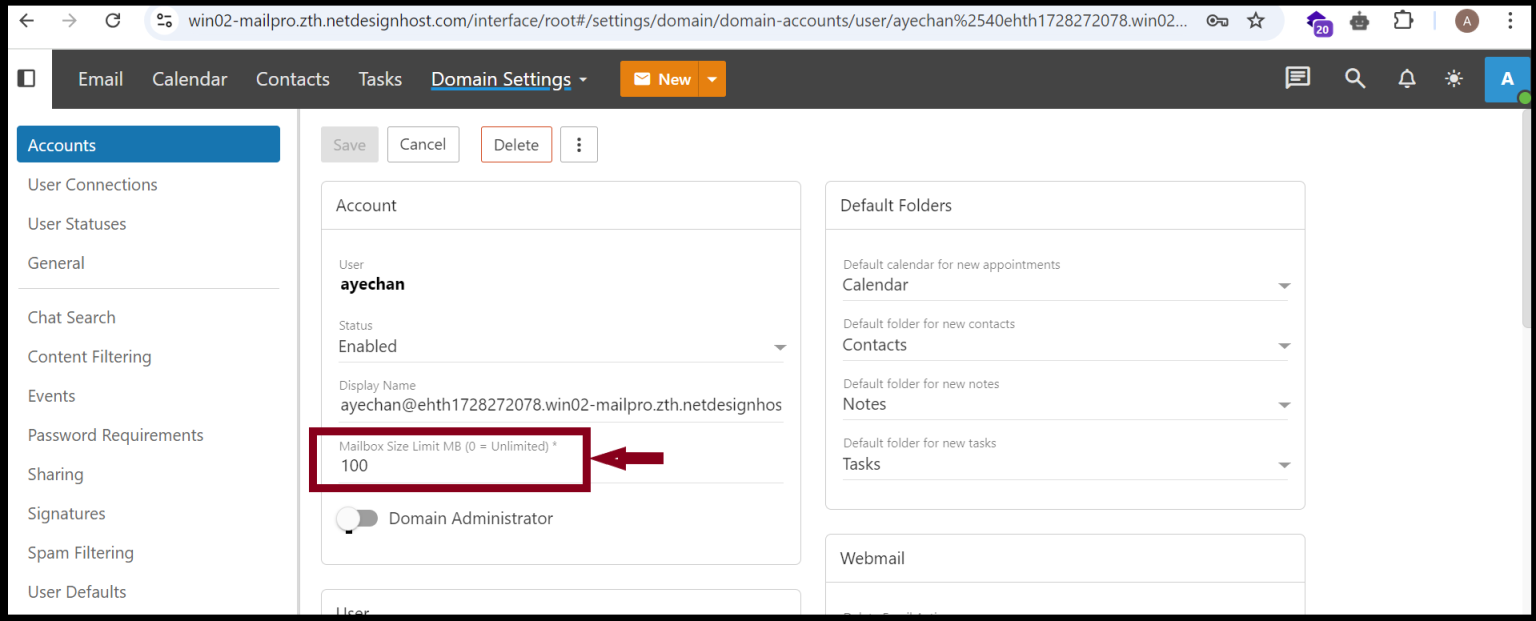
Step4. Increase the Mailbox Size of your email account
Thank you!!!!
Was this article helpful?
That’s Great!
Thank you for your feedback
Sorry! We couldn't be helpful
Thank you for your feedback
Feedback sent
We appreciate your effort and will try to fix the article