How to Change the Admin password in SmarterMail Panel?
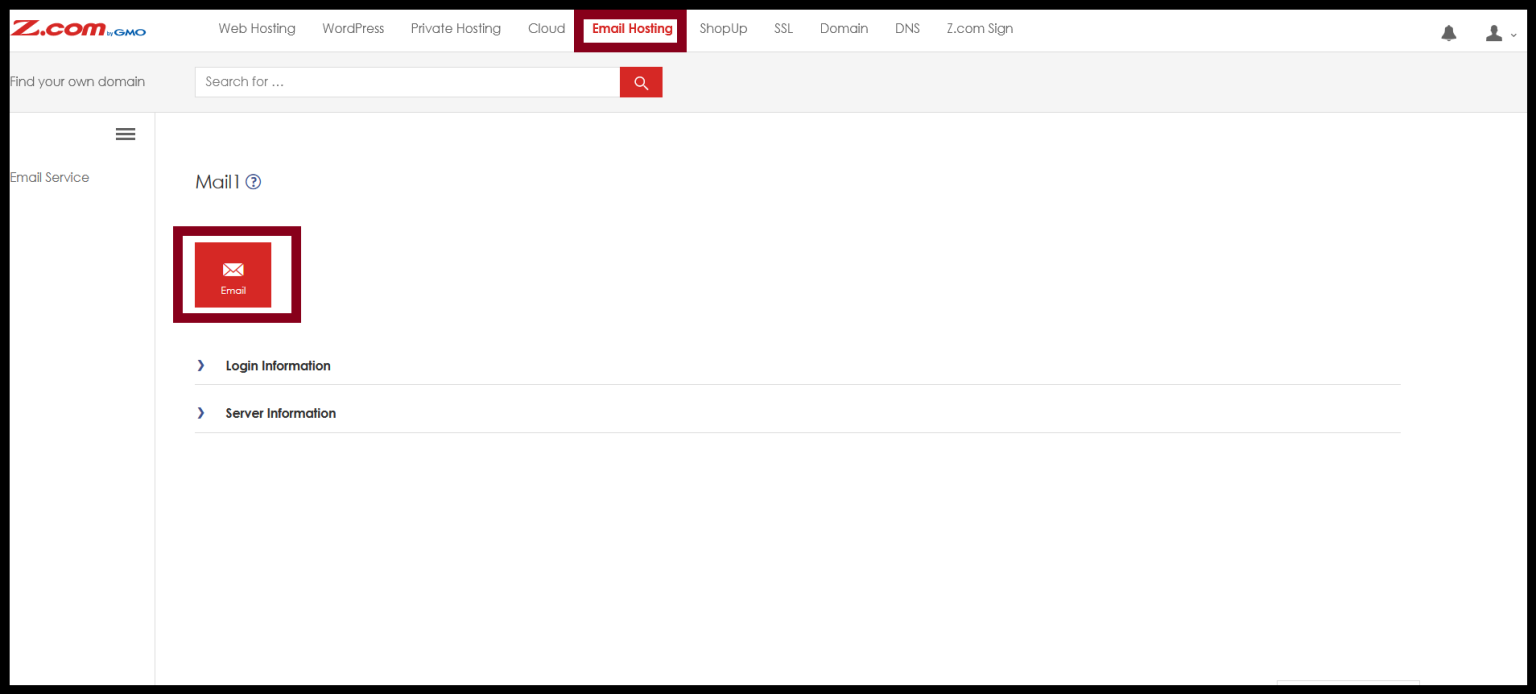
Step1. Login to the Z.com and Click on the Email Hosting.
Step2. And then Click on the Email icon.
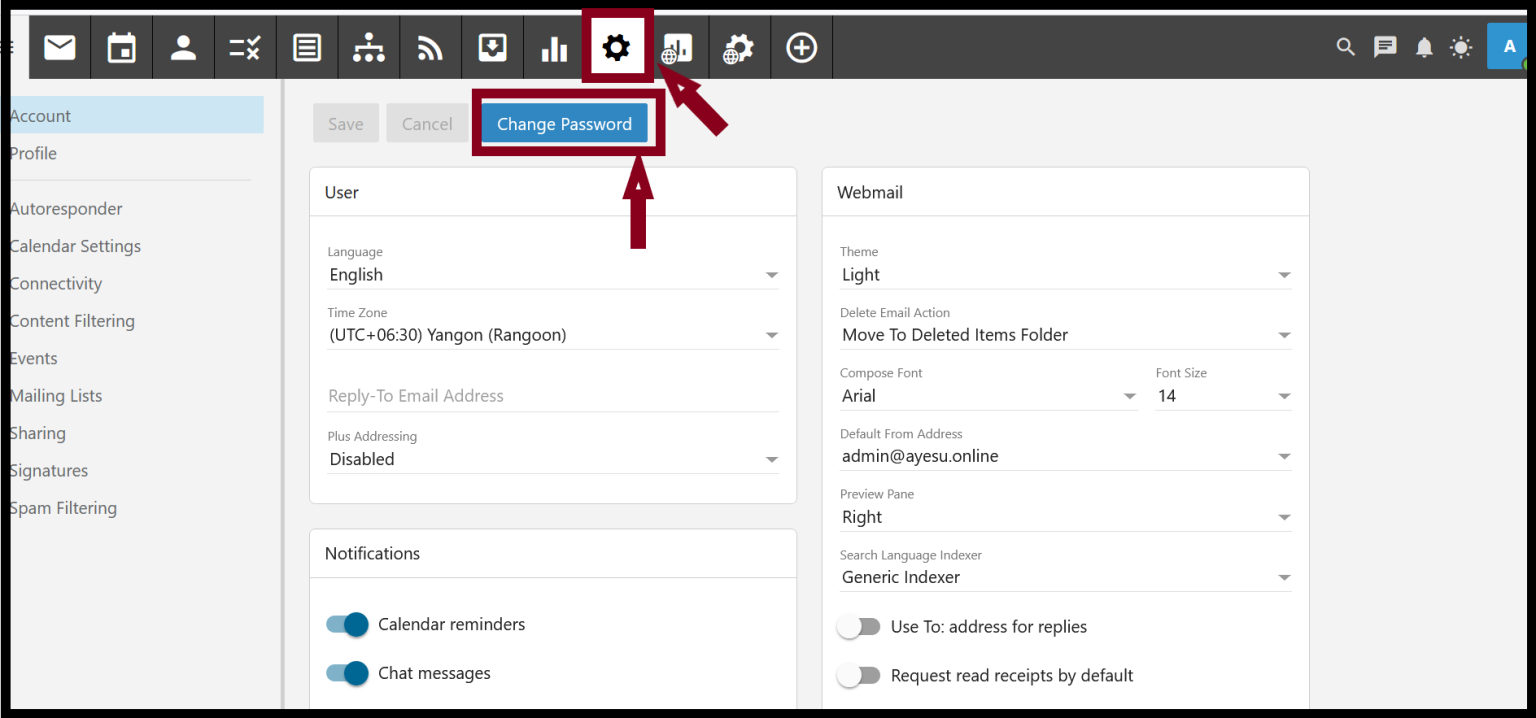
Step3. Click on the Setting and you will see the Change Password.
Step4. Click on the Change password.
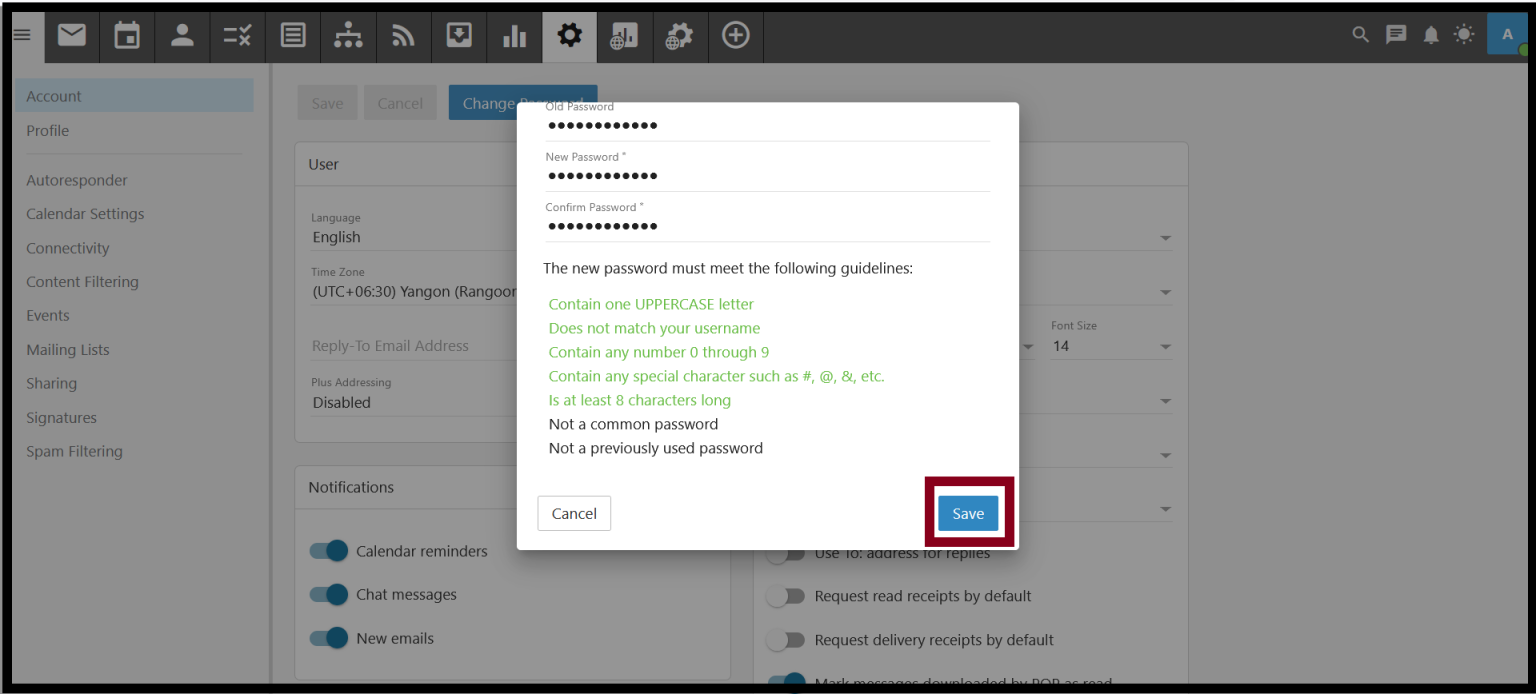
Step5. Add the Old password and New password. And then Click Save.
Thank you!!!
Was this article helpful?
That’s Great!
Thank you for your feedback
Sorry! We couldn't be helpful
Thank you for your feedback
Feedback sent
We appreciate your effort and will try to fix the article