How To Reset Password For Admin Account On EmailHosting(SmarterMail)?
If you don’t remember your Admin Password on SmarterMail, please follow the steps and to get a new password.
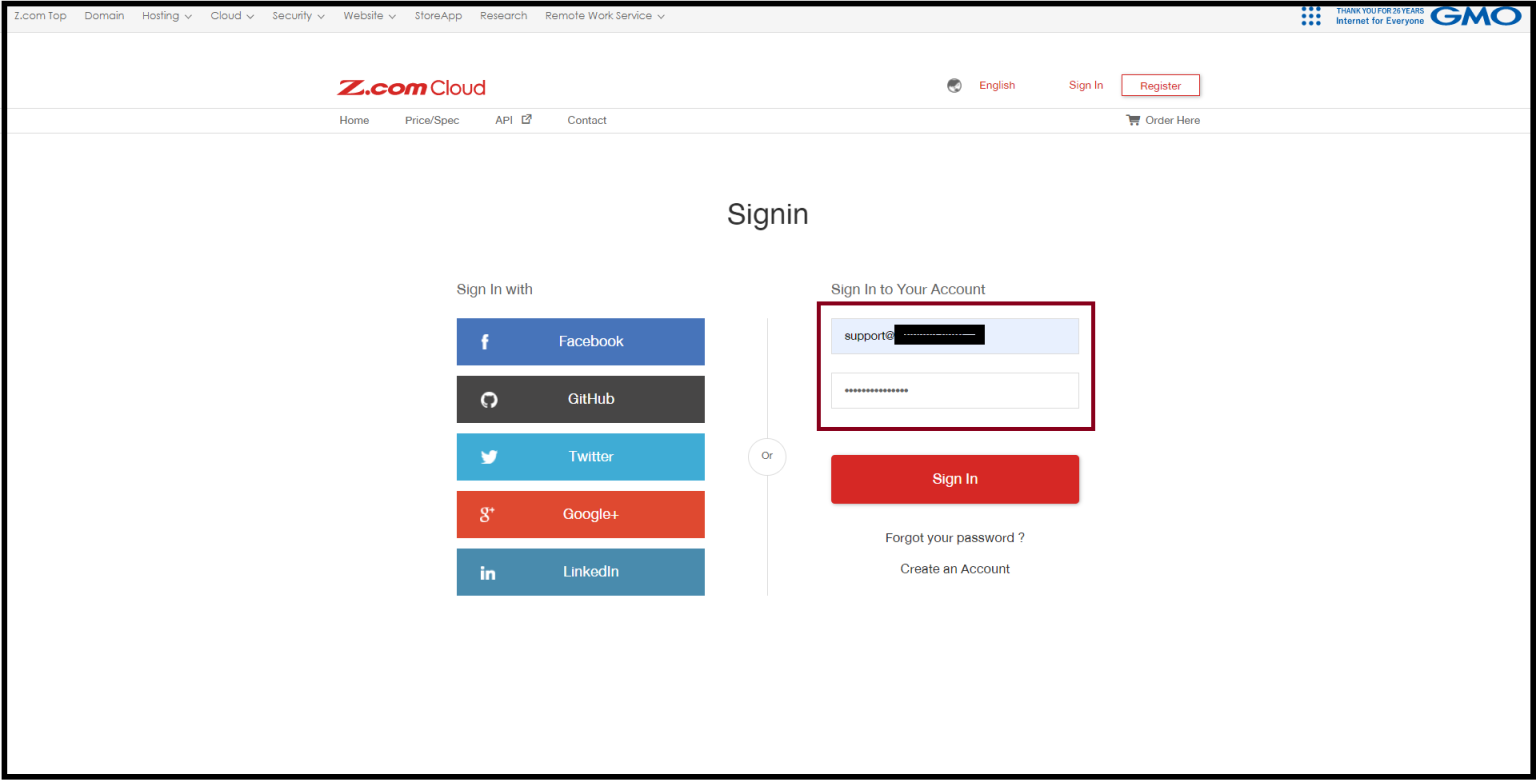
Step1. Login to z.com account, https://cloud.z.com/mm/signin/
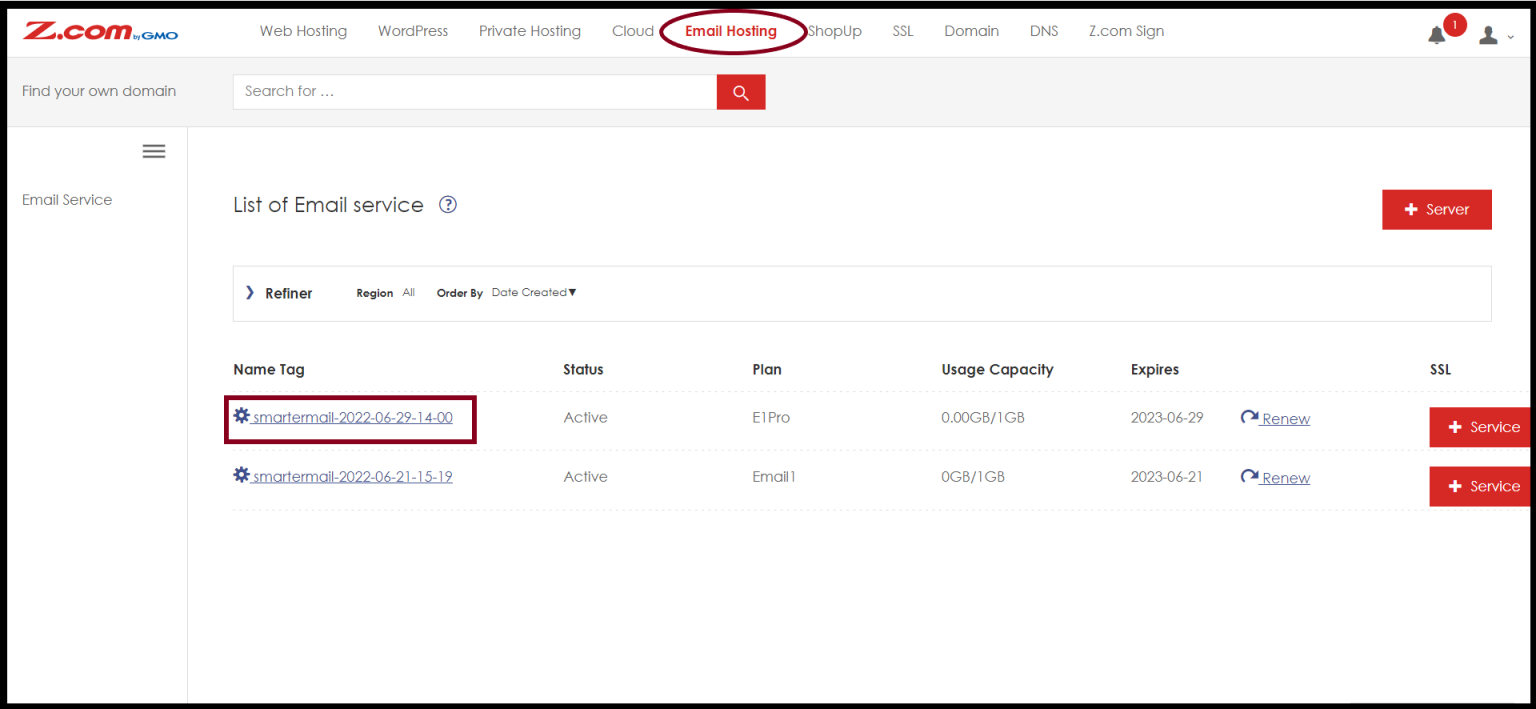
Step2. Go to the “Email Hosting” Menu
Step3. And Select your email hosting under the Name Tag
Step4. Open “Login Information” and Click “Pencil Icon” to edit from the right of the Password
And then Enter a New Password and Save.
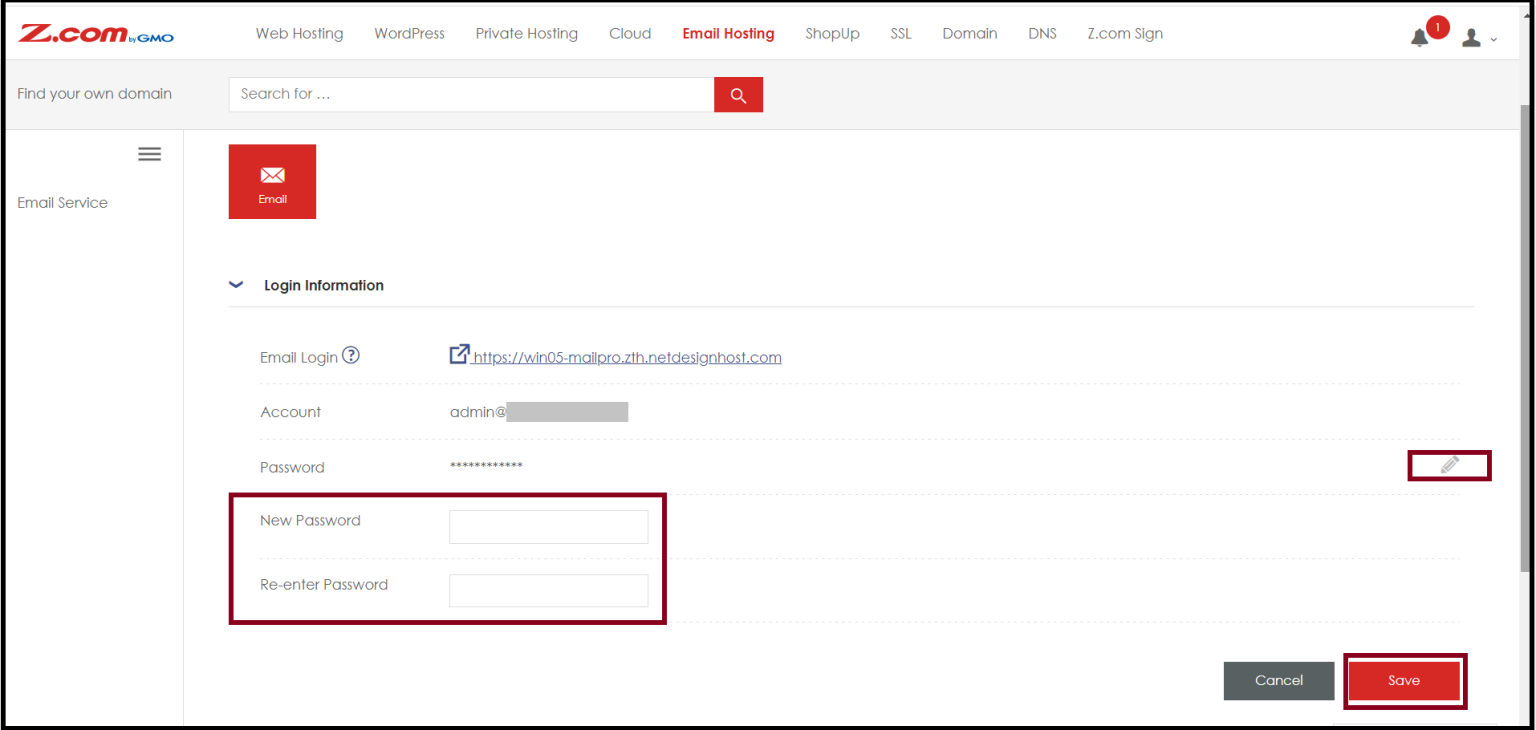
After that, you get a New Password for Admin Account on SmarterMail.
Thank you!!!.
Was this article helpful?
That’s Great!
Thank you for your feedback
Sorry! We couldn't be helpful
Thank you for your feedback
Feedback sent
We appreciate your effort and will try to fix the article