How to Change Your Profile Picture in Smarter Mail ?
To update your profile picture in SmarterMail, you can follow the detailed step-by-step instructions provided below.
Step(1)=> Login to your email account via email URL:
http://mail.yourdomainname.com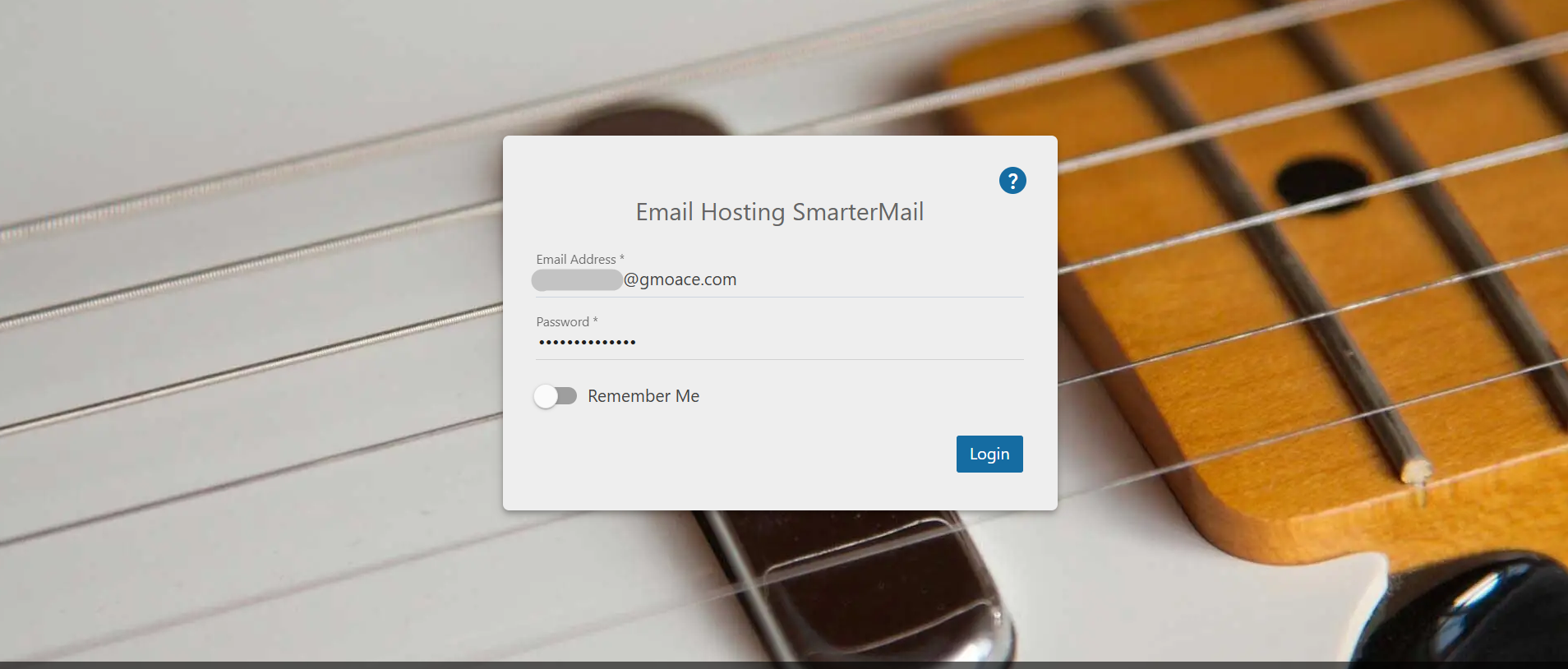
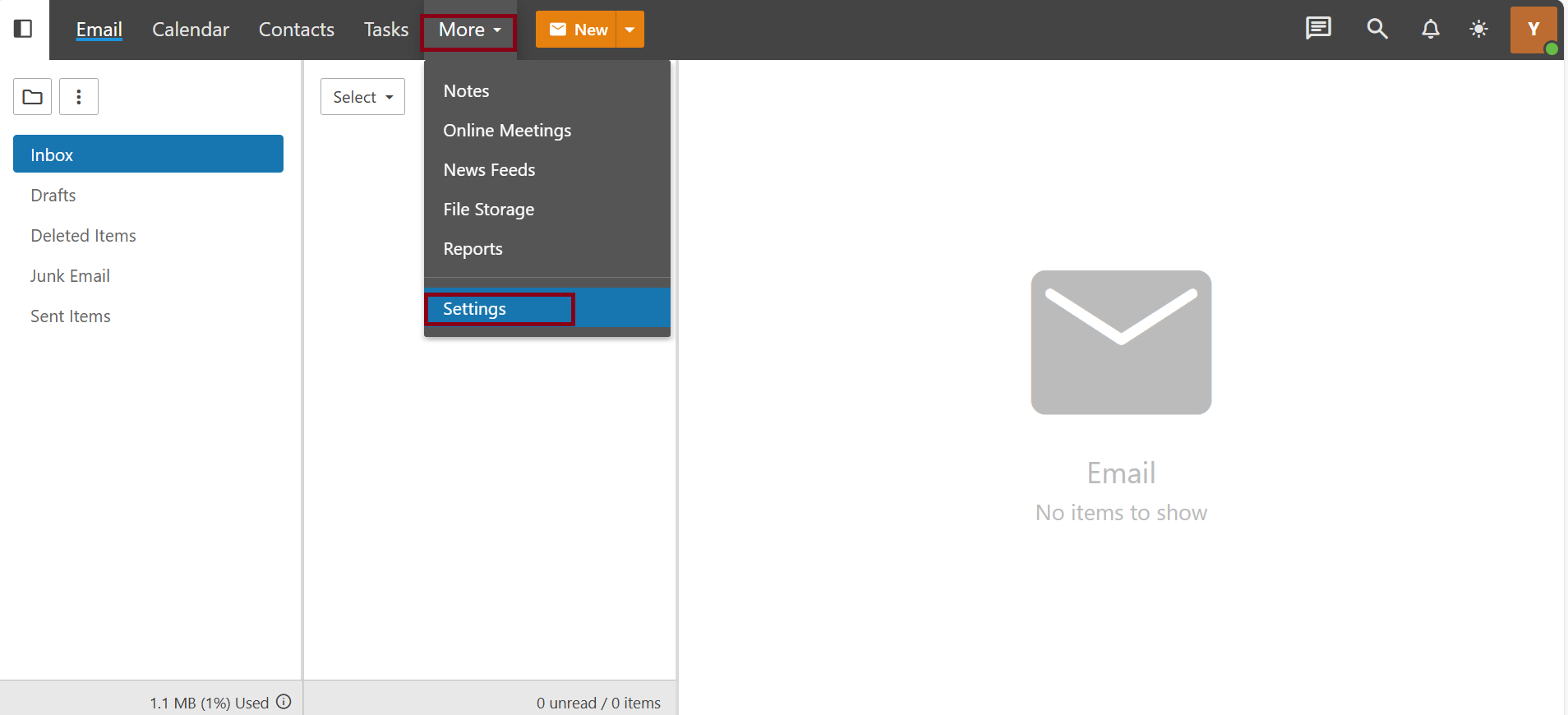
Step(2)=> Click on "More" and select "Settings" from the menu.
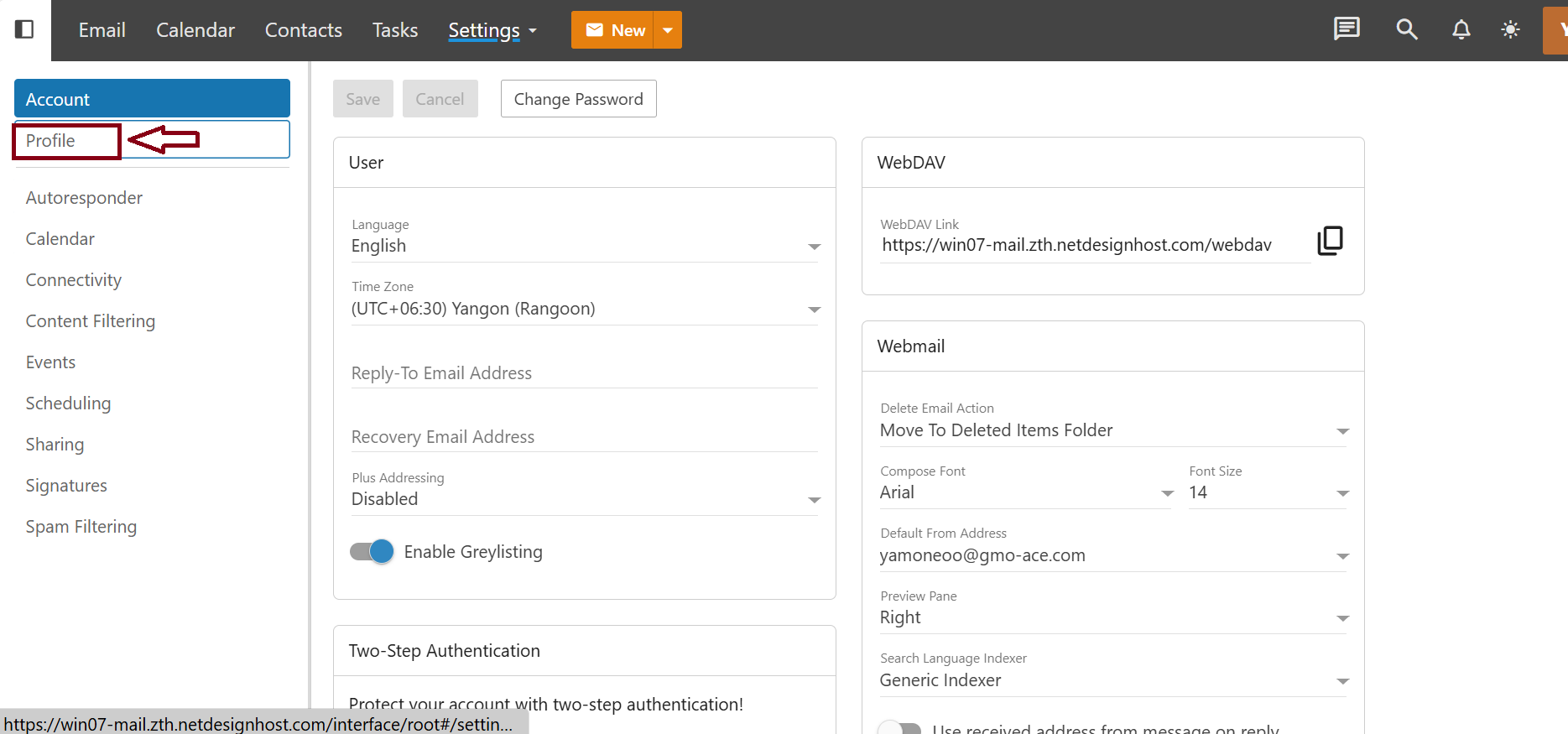
Step(3)=> Under the "Account " section, click on "Profile".
Step(4)=> Click the “ Current Picture” and choose the picture that you want to upload.
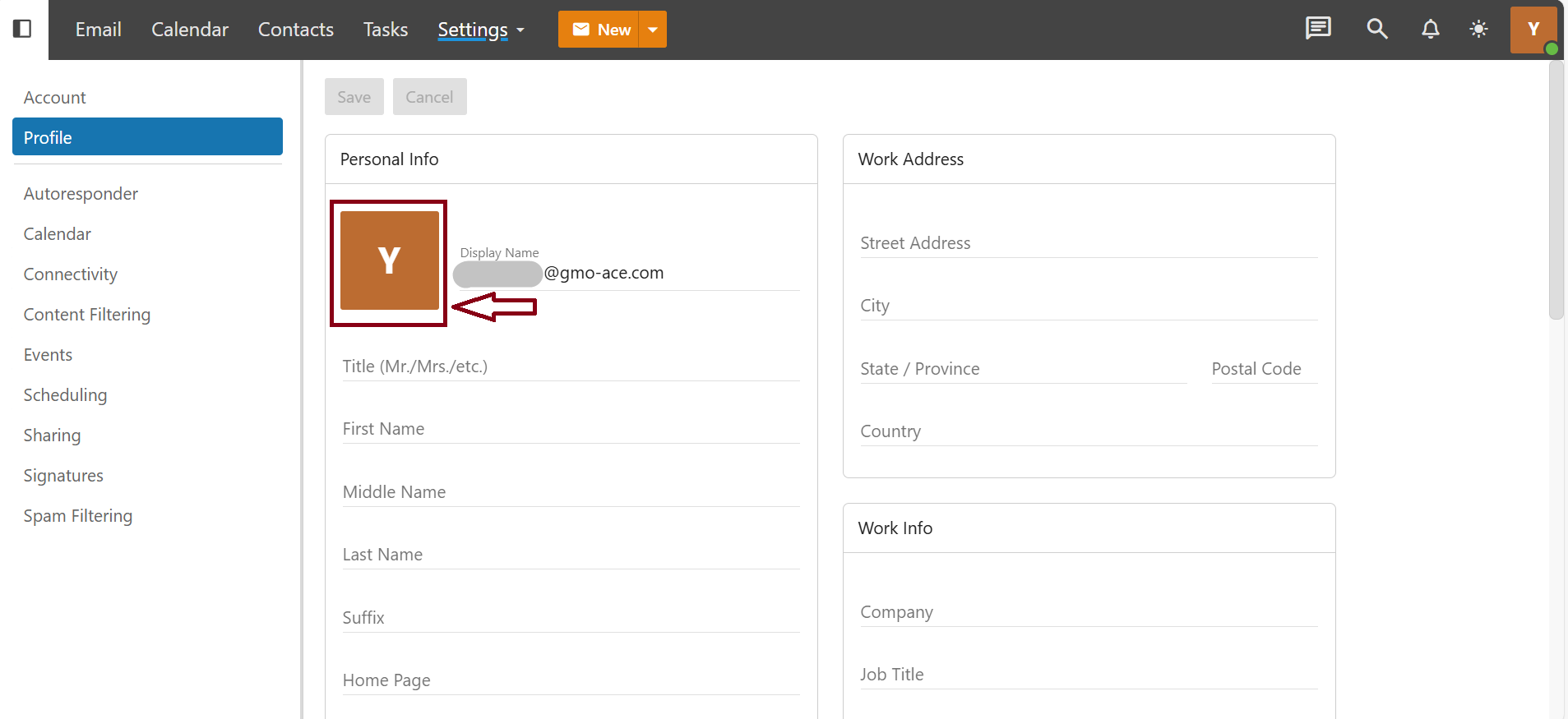
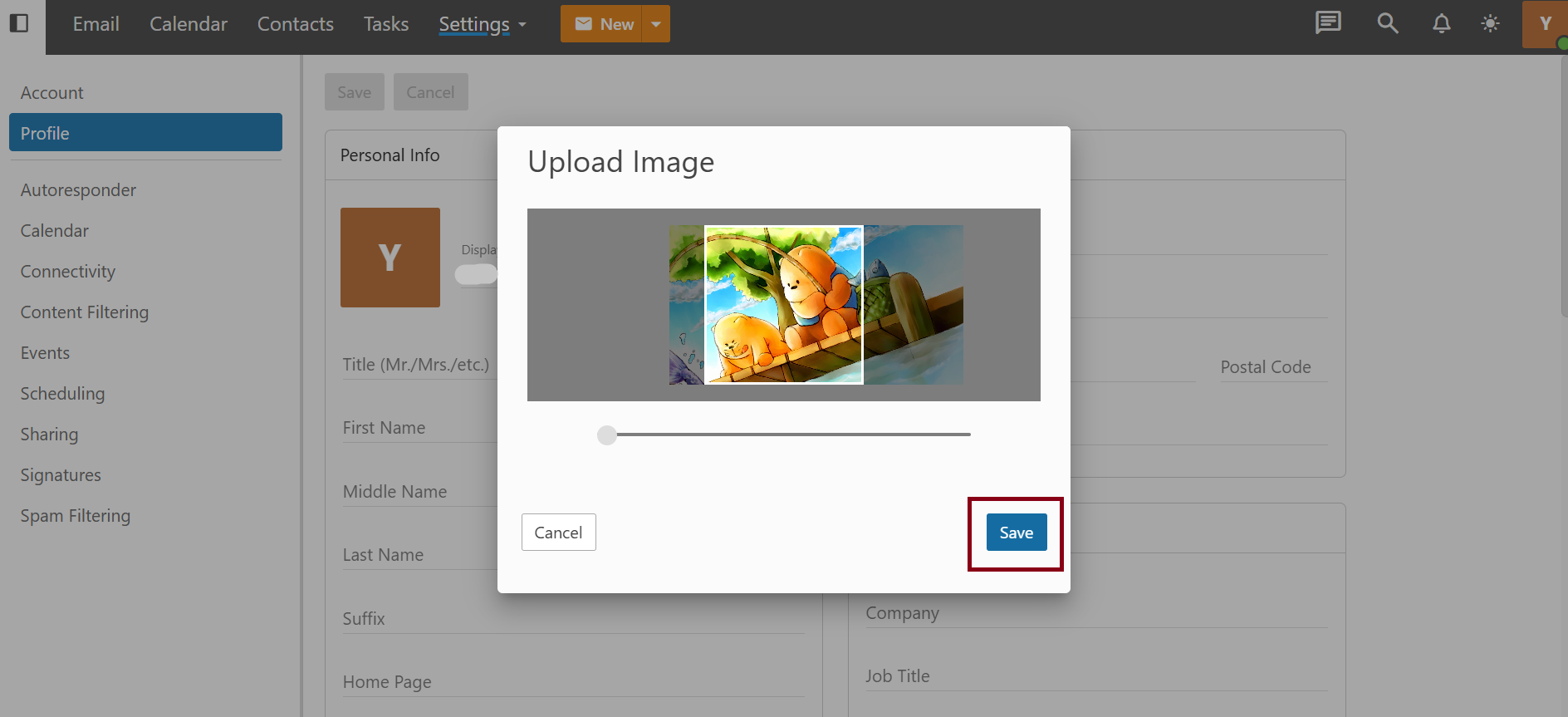
Step(5)=> Click the"Save" button
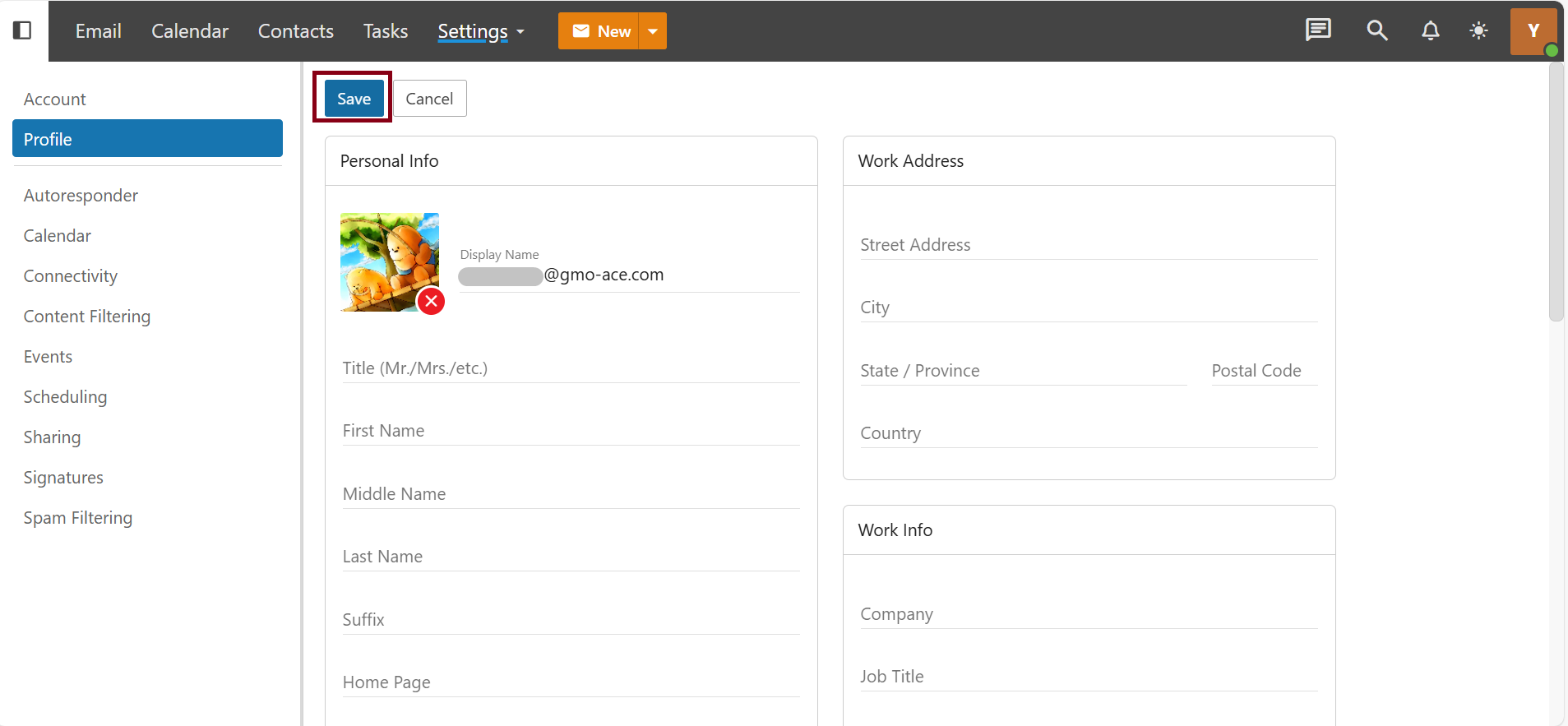
Step(3)=> To finalize all changes, click the main "Save" button
THANK YOU !!!
Was this article helpful?
That’s Great!
Thank you for your feedback
Sorry! We couldn't be helpful
Thank you for your feedback
Feedback sent
We appreciate your effort and will try to fix the article