How to create FTP user account in Private Hosting aaPanel?
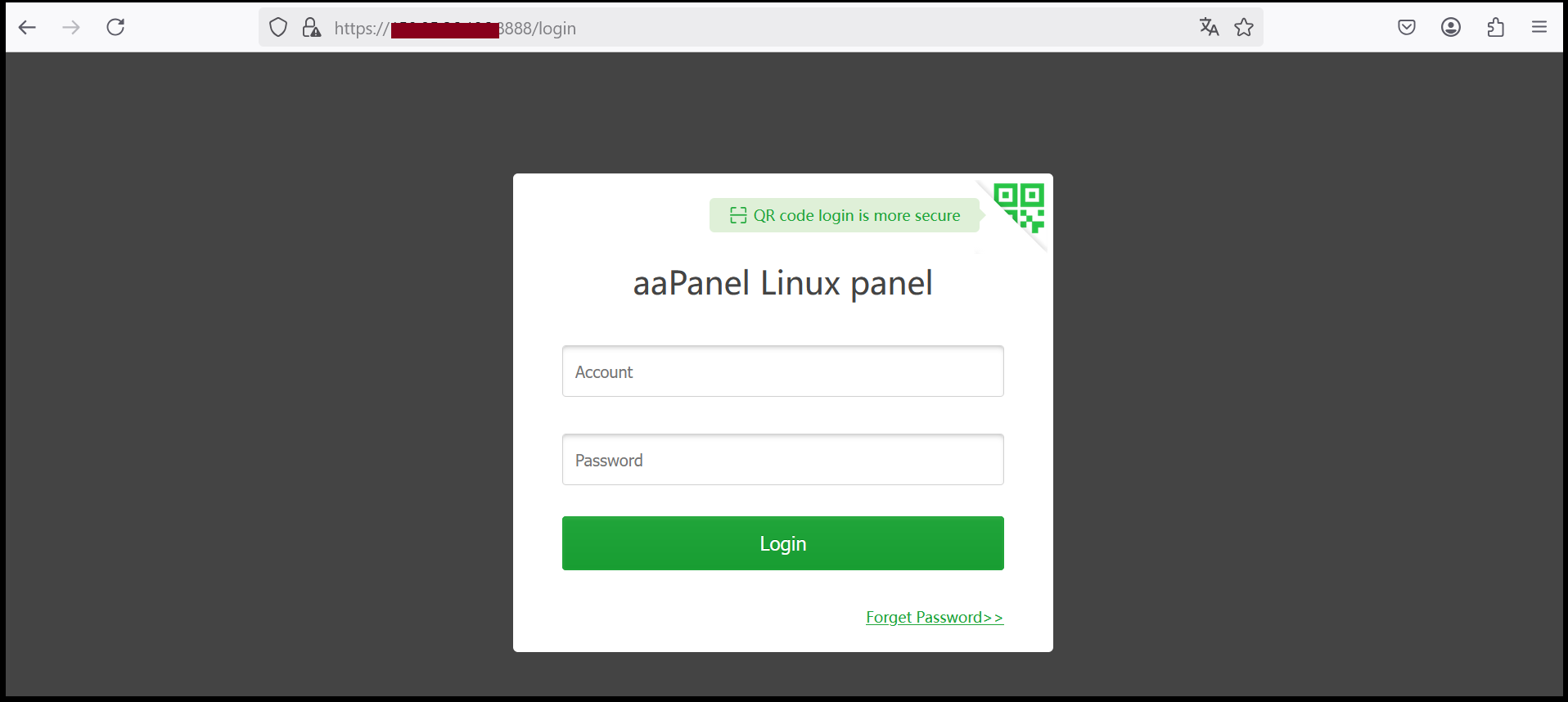
Step1. Login to the aaPanel.
https://xxx.xxx.xxx.xxx:8888 (x is the IP address)
as shown in the example image, it will be https://serverip:8888
(The default User will be administrator and the Password will be the Password that we entered to set up the machine for the first time).
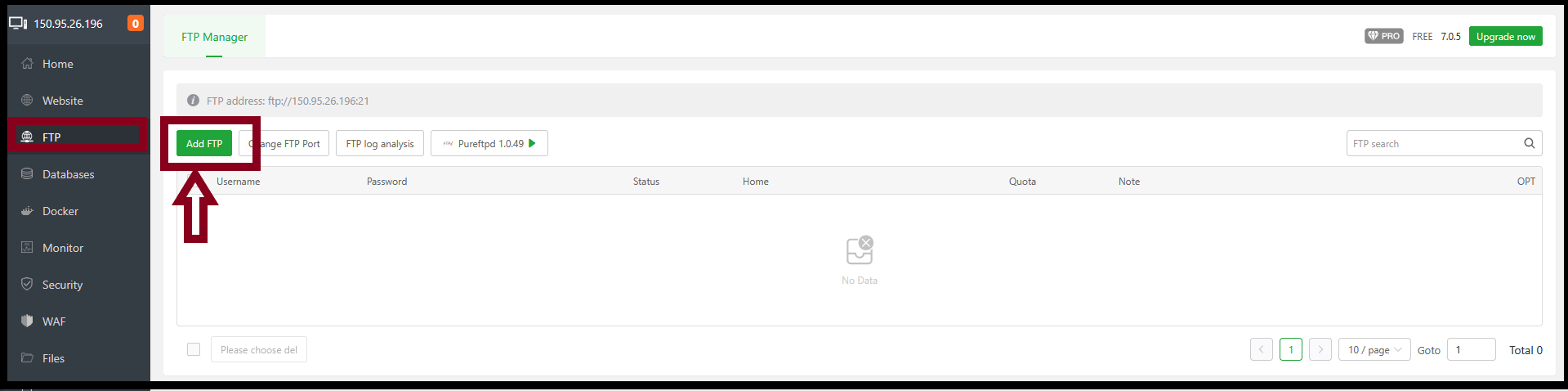
Step2. Go to FTP Tab. Click “Add FTP”.
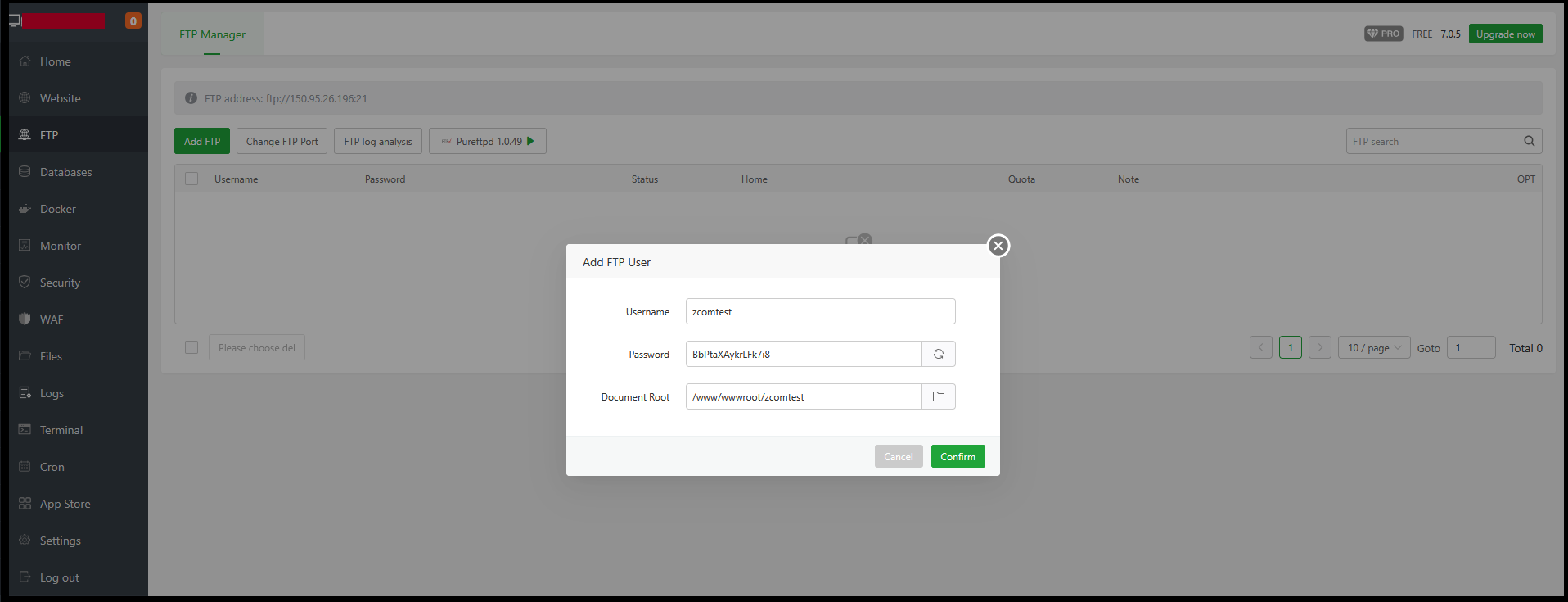
Fill in the information as follows:
Username: Username for FTP
Password: Password for FTP
Document root: Path used for uploading and downloading files. The website path is /www/wwwroot/zcomtest/.
Now, FTP account is created successfully.

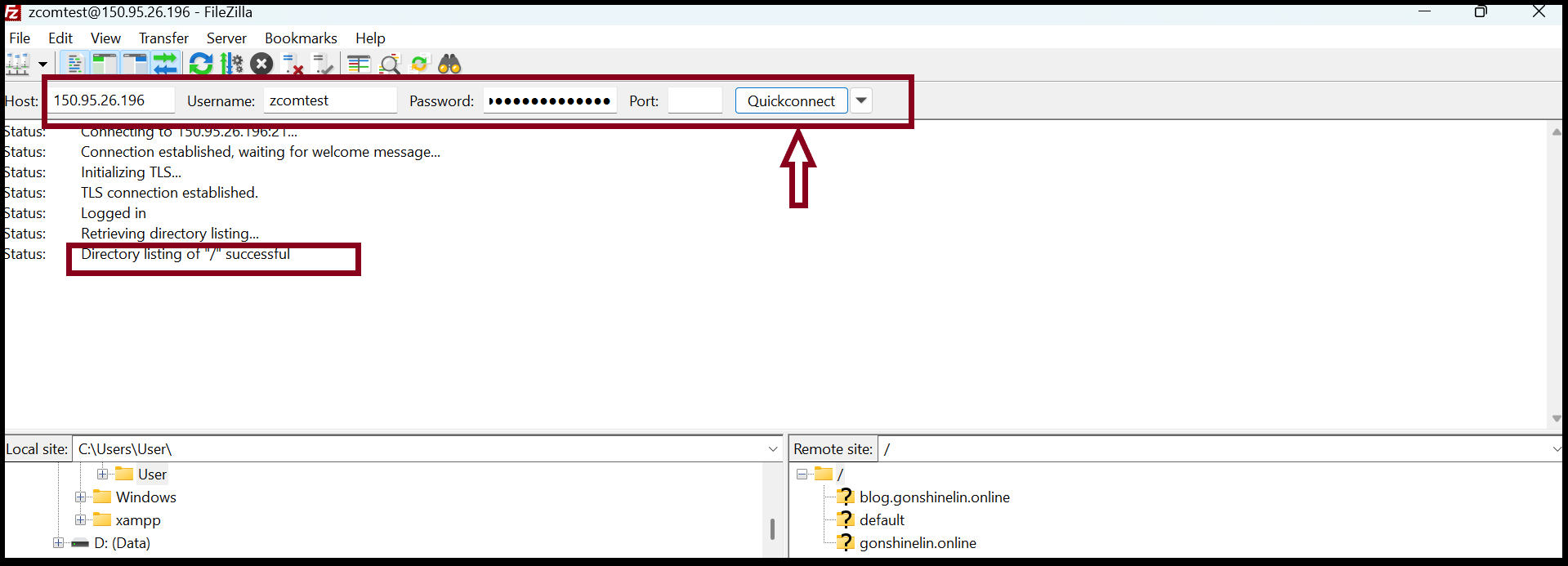
Step4. Open FileZilla Application from your local computer to connect the server with FTP account.
Host name: Server IP,
Username: zcomtest (FTP account)
Password: ********* (FTP user password)
Port: 21
Thank you!!!
Was this article helpful?
That’s Great!
Thank you for your feedback
Sorry! We couldn't be helpful
Thank you for your feedback
Feedback sent
We appreciate your effort and will try to fix the article