How to add domain in Private Hosting aaPanel?
Step1. Login to the aaPanel.
https://xxx.xxx.xxx.xxx:8888 (x is the IP address).
Note: If you don’t know the server IP address, please check in your Z.com account under Private Hosting Tab.
Account: administrator
Password:************* (please add the password that you setup)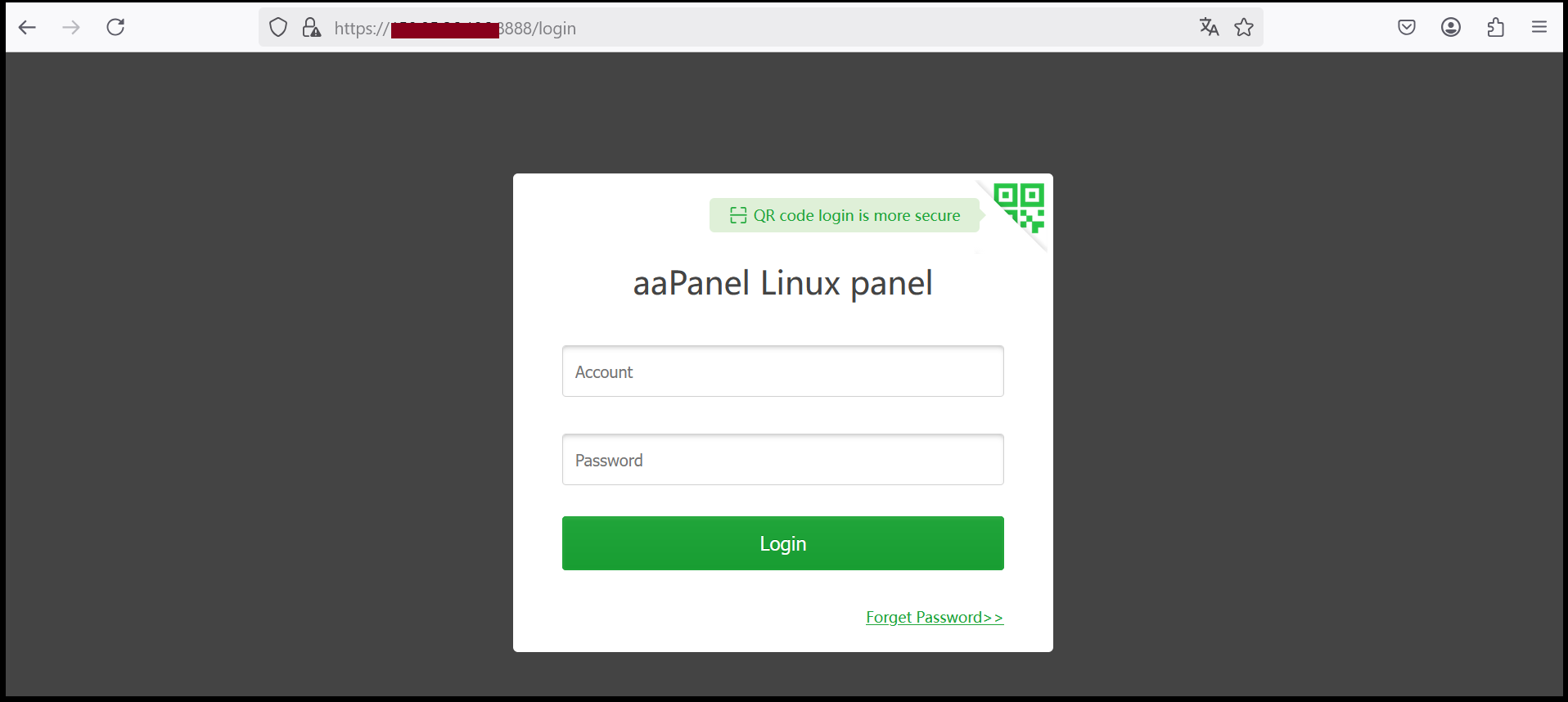
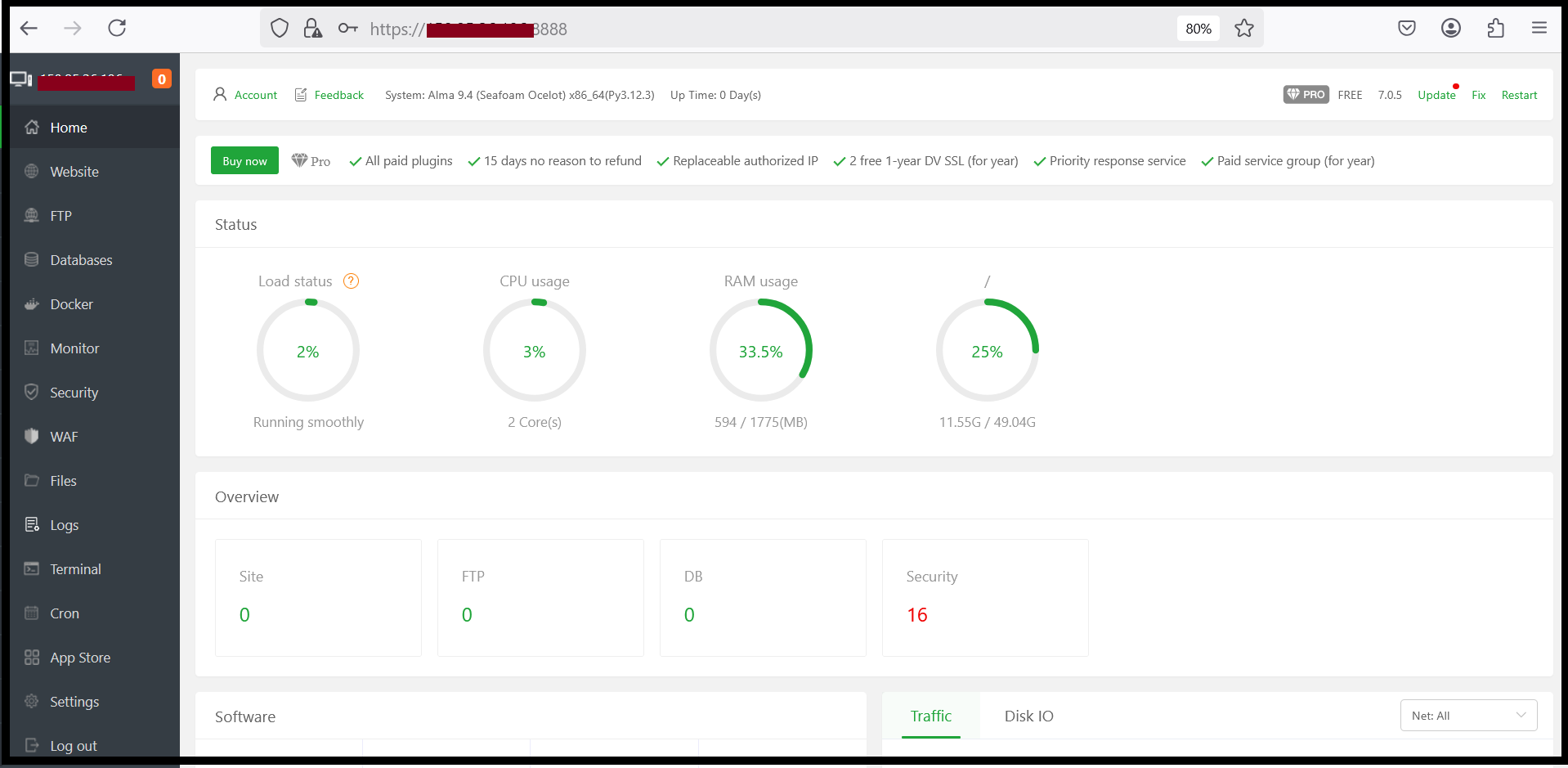
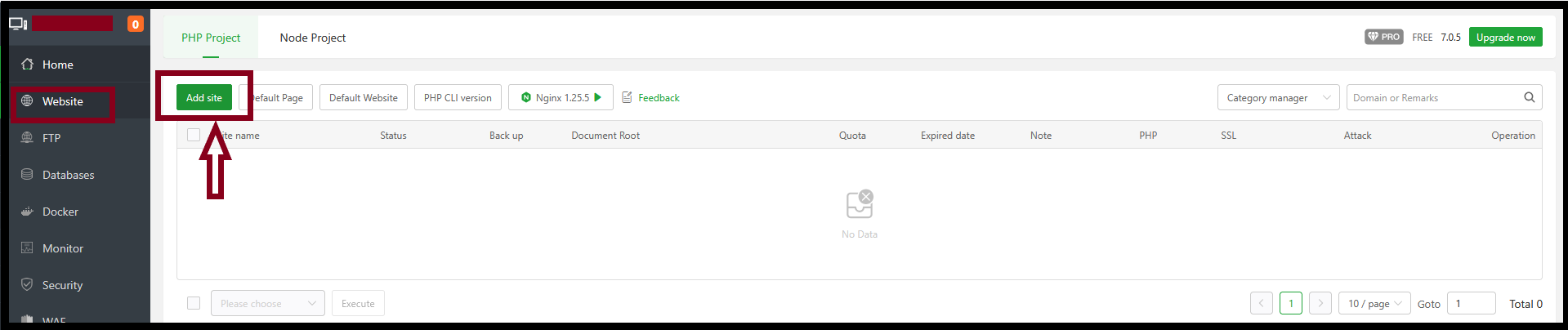
Step2. Click “Website” then add your domain name that you want to add.
Enter the information as follows:
Domain name : Domain that you want to add (It is recommended to add similar to the example for complete use) Description : Description to use as default system
Website Path : It is recommended to use default system
FTP : In this section you can create or not create
Database : In this section you can create or not create
PHP version : Select PHP version which version you want to use (minimum 7.4, maximum 8.3)
Site category : Default category
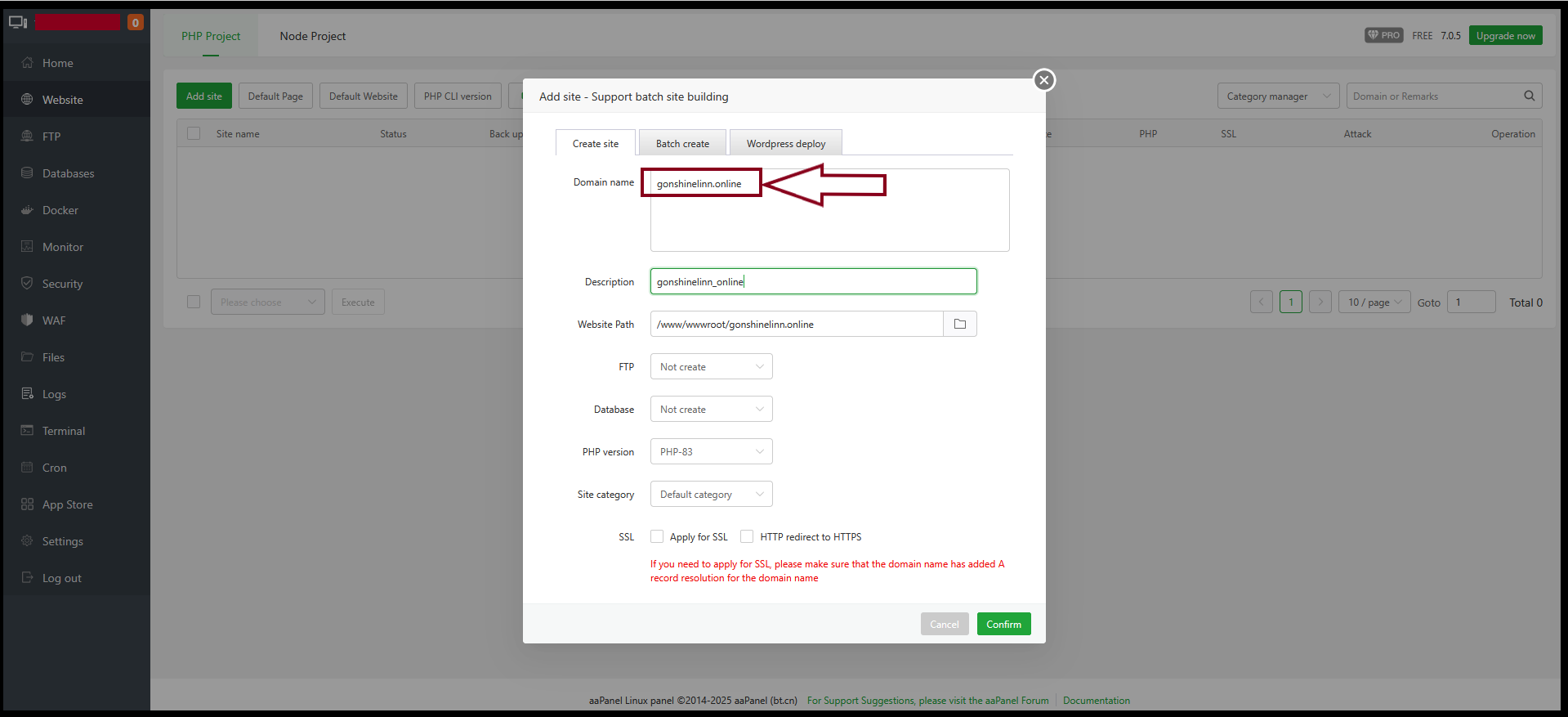
All the information is already set-up, then Click “Confirm”.
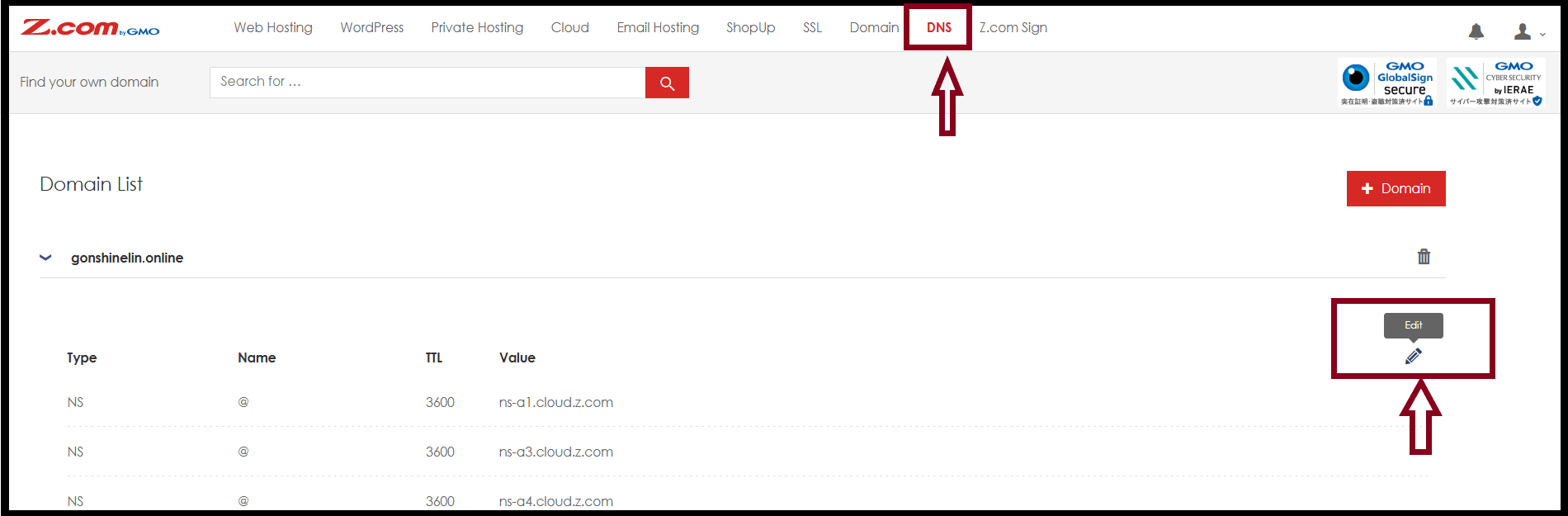
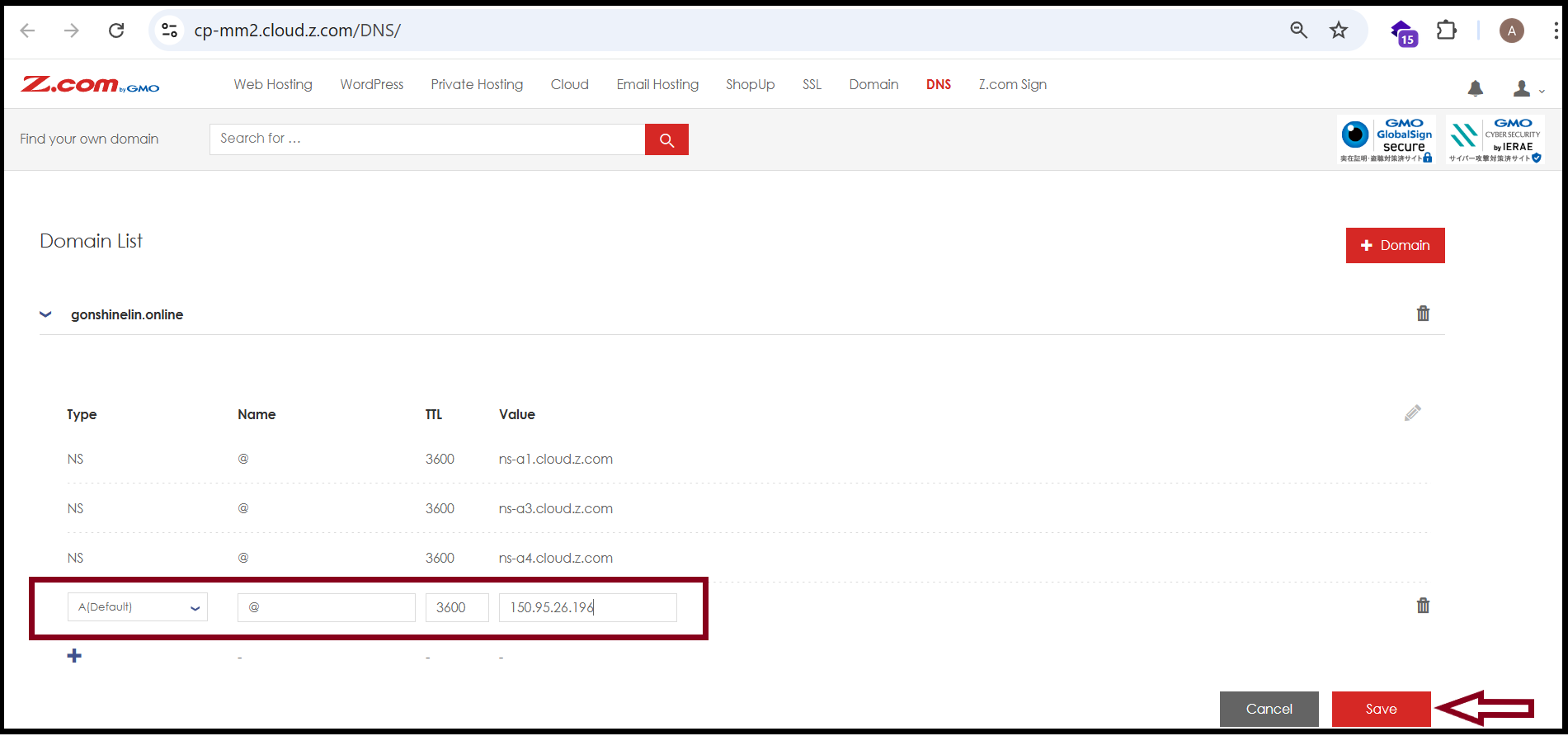
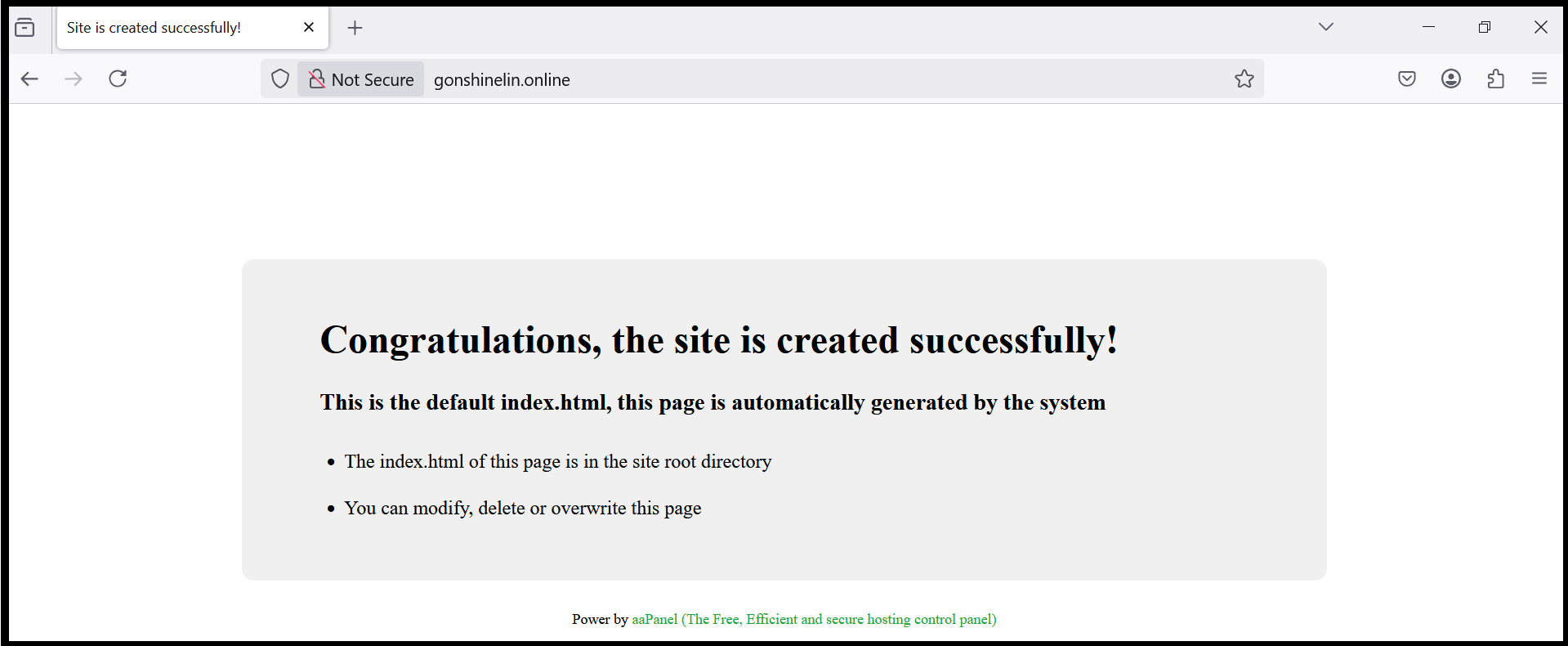
Step3. After the domain add-on process is finished, please login your Domain Provider Account to point the Server IP. Then add Private hosting server IP. IP will be different base on server. Click “Save”.
Thank you!!!
Domain name : Domain that you want to add (It is recommended to add similar to the example for complete use) Description : Description to use as default system
Website Path : It is recommended to use default system
FTP : In this section you can create or not create
Database : In this section you can create or not create
PHP version : Select PHP version which version you want to use (minimum 7.4, maximum 8.3)
Site category : Default category
Was this article helpful?
That’s Great!
Thank you for your feedback
Sorry! We couldn't be helpful
Thank you for your feedback
Feedback sent
We appreciate your effort and will try to fix the article