How to create database in Private Hosting aaPanel?
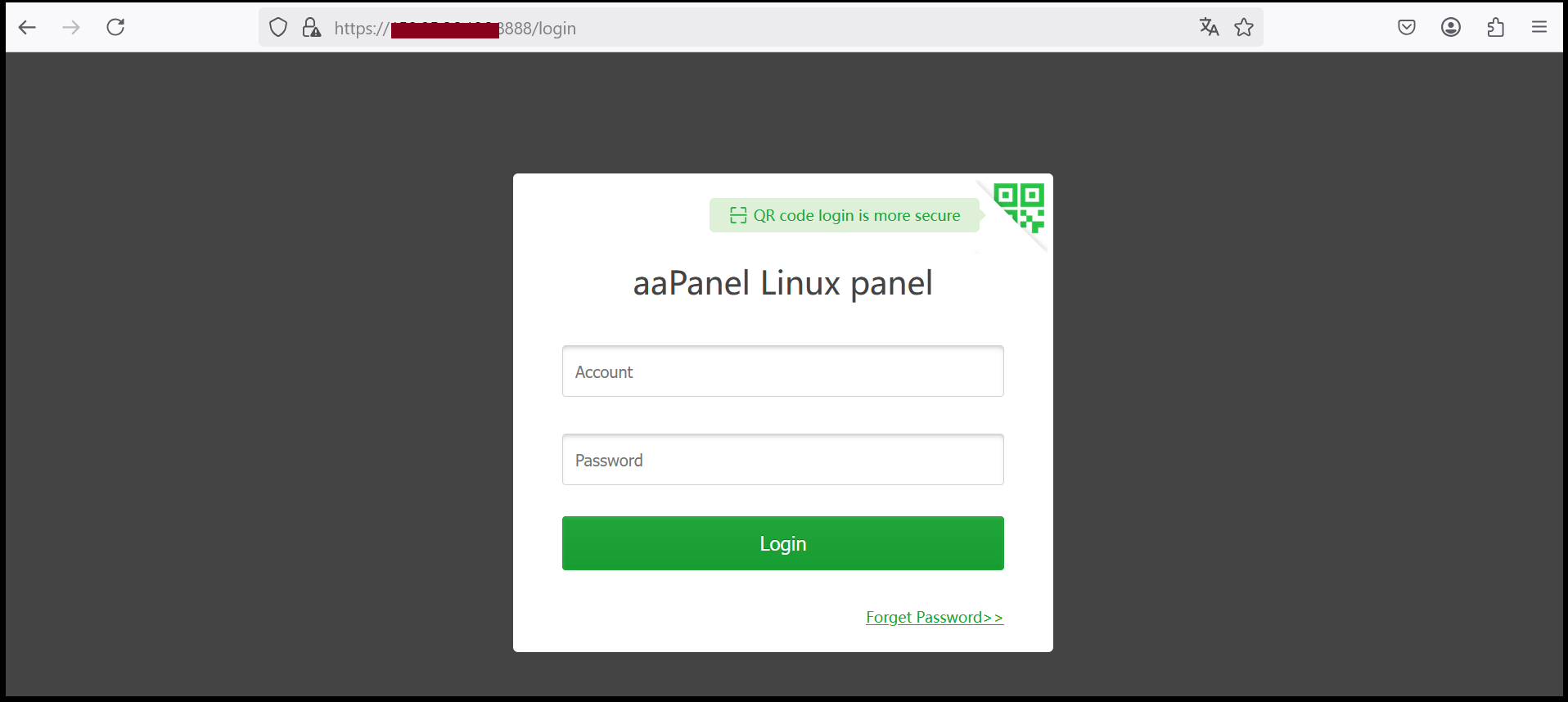
Step1. Login to to the aaPanel.
https://xxx.xxx.xxx.xxx:8888 (x is the IP address).
Note: If you don’t know the server IP address, please check in your Z.com account under Private Hosting Tab.
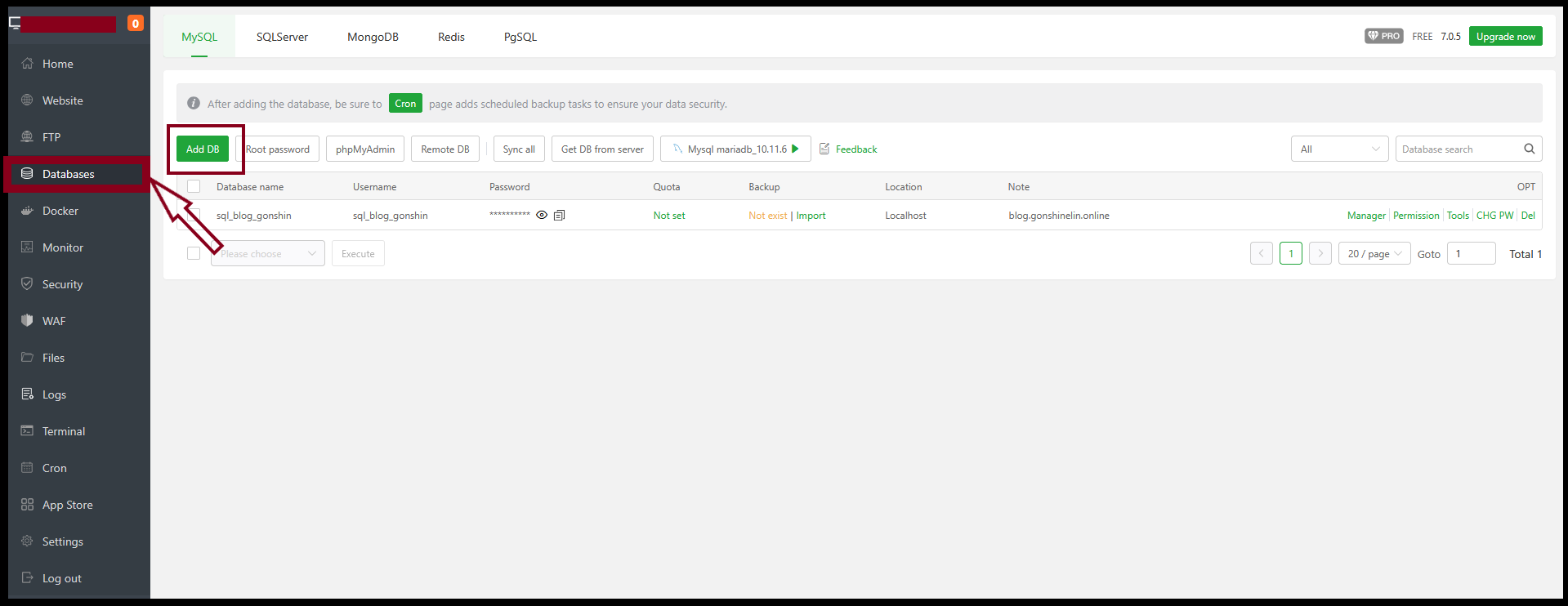
Step2. Go to Databases then Click “AddDB”.
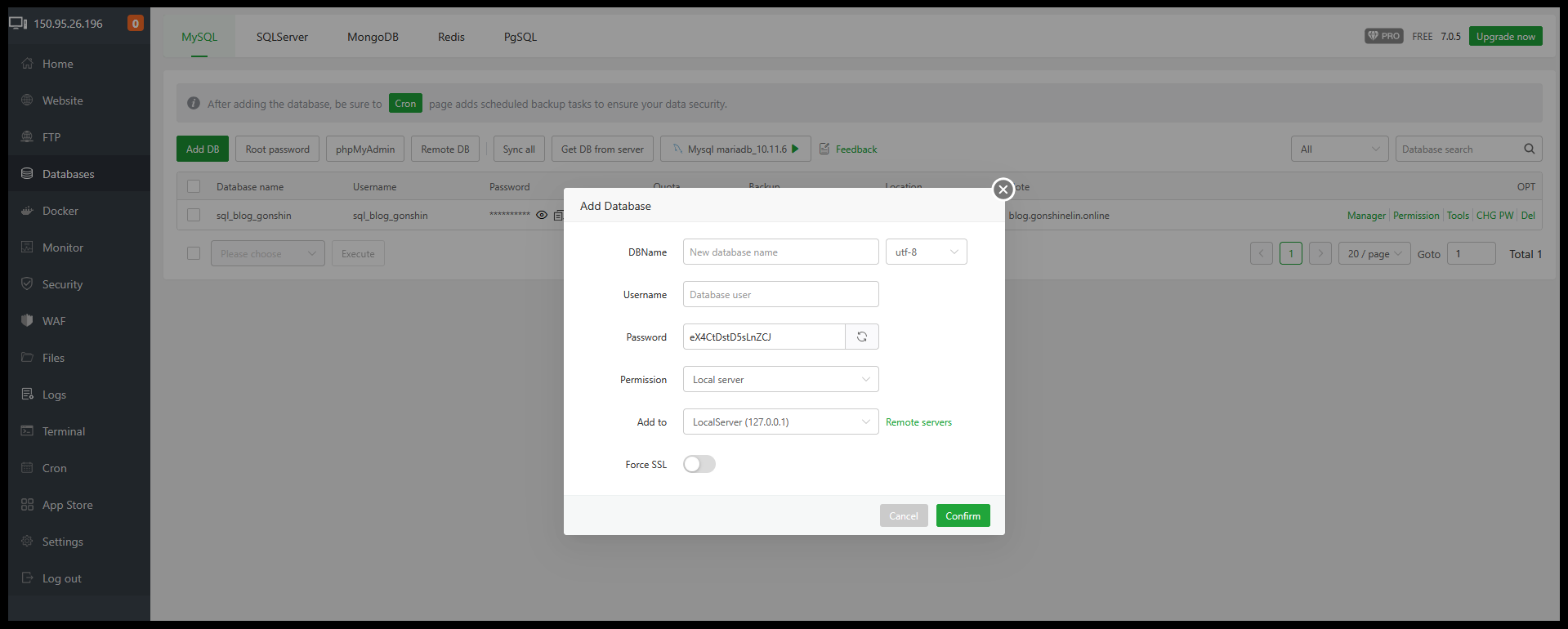
Now add a database and database users.
Database name: ticket_sys (for example)
Database user: ticket_sys
Database user_pwd: ********
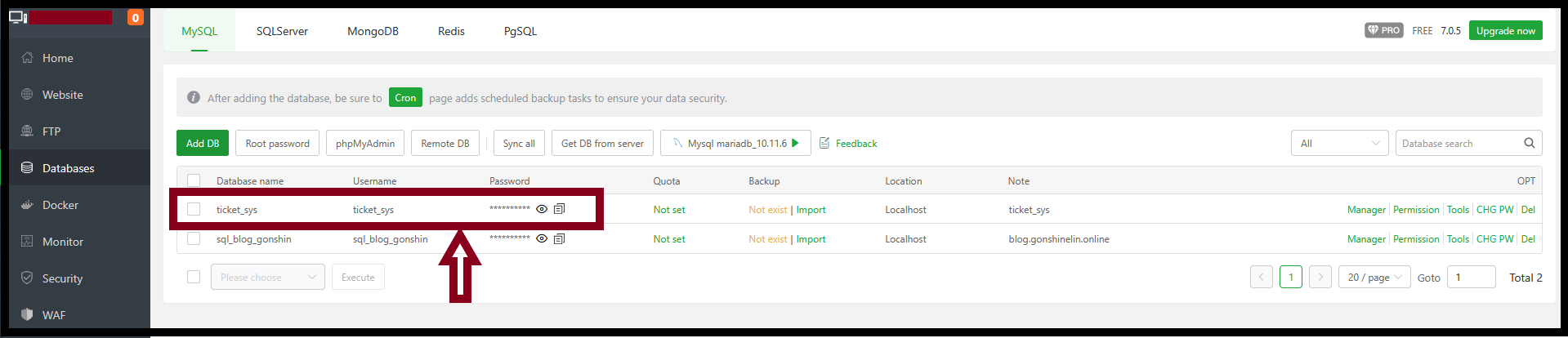
All the information is filling, now you can check Database created under Database name.
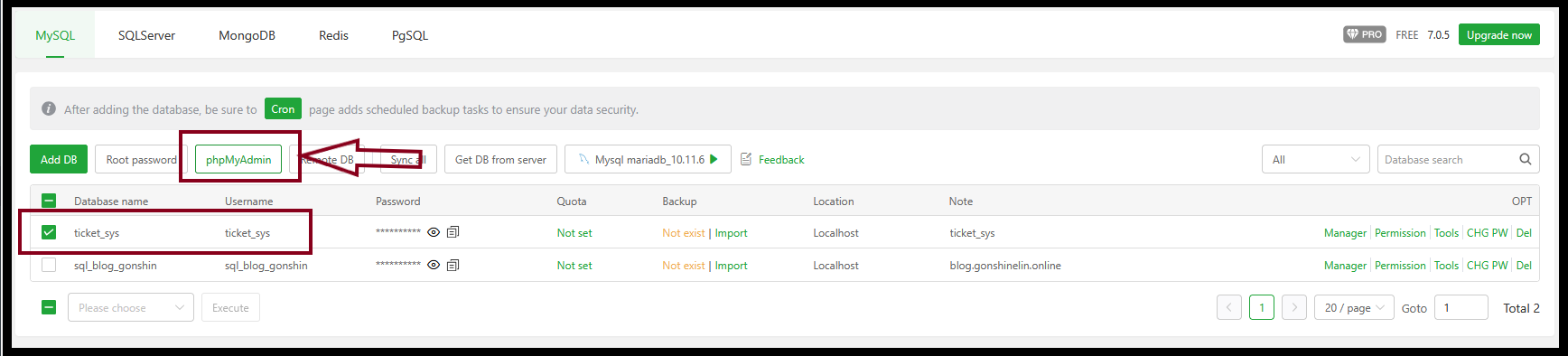
Step3. Select desire database to login “phpMyAdmin” dashboard.
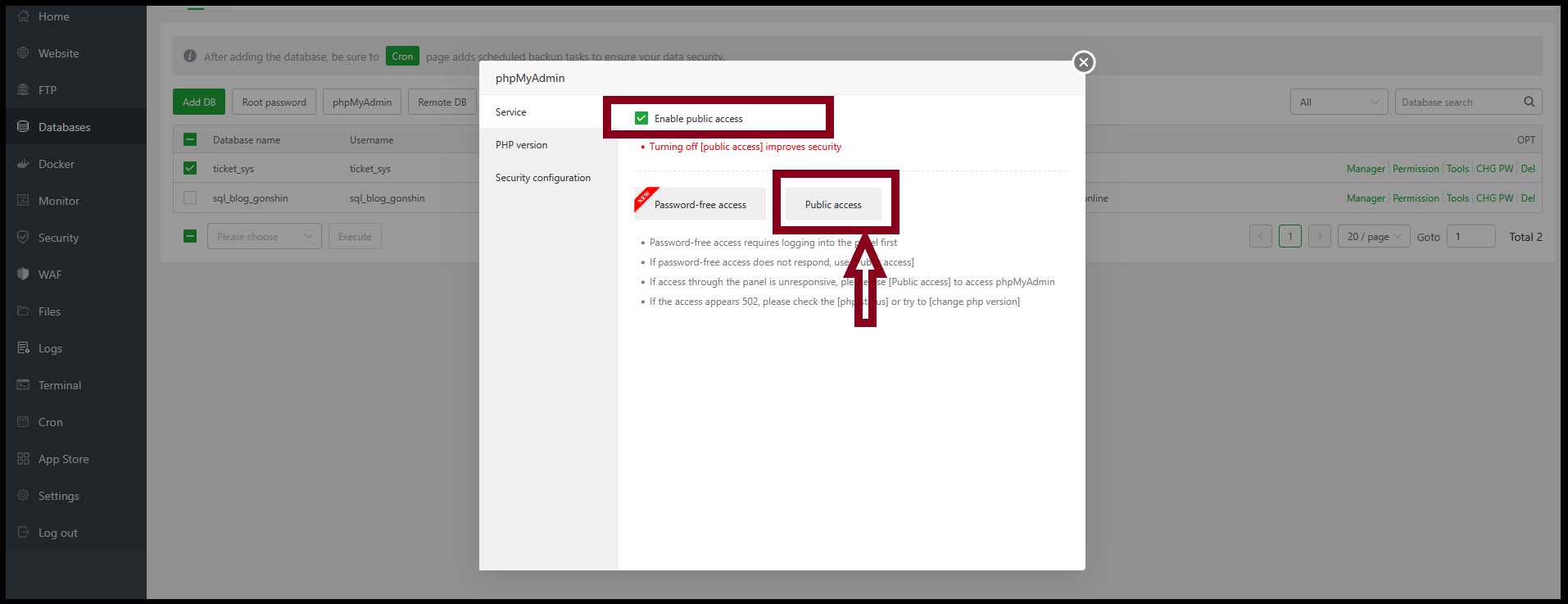
Step4. Enable public access and Login to the phpMyAdmin dashboard.
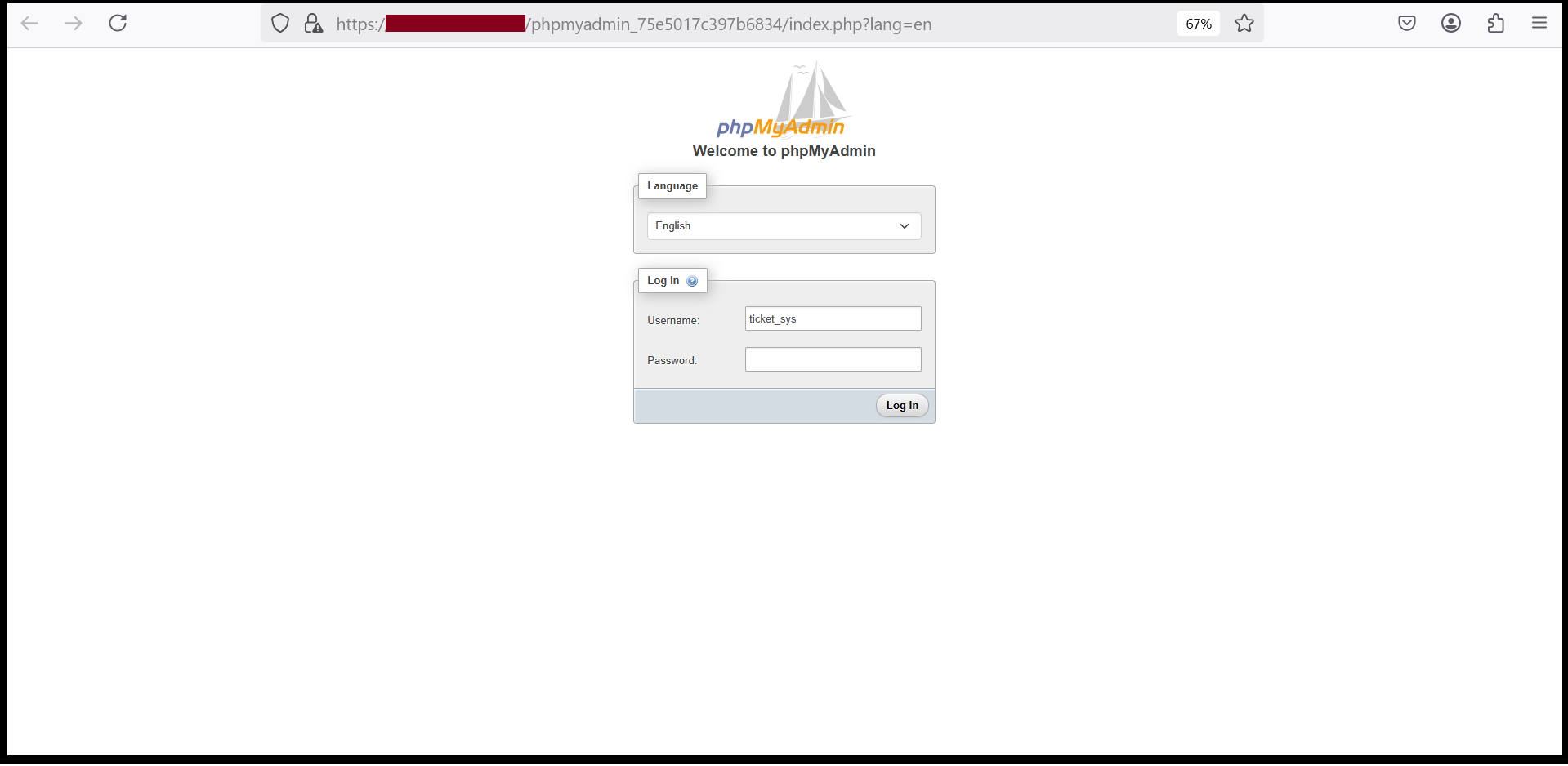
Step5. Login to the phpMyAdmin dashboard with db username and password.
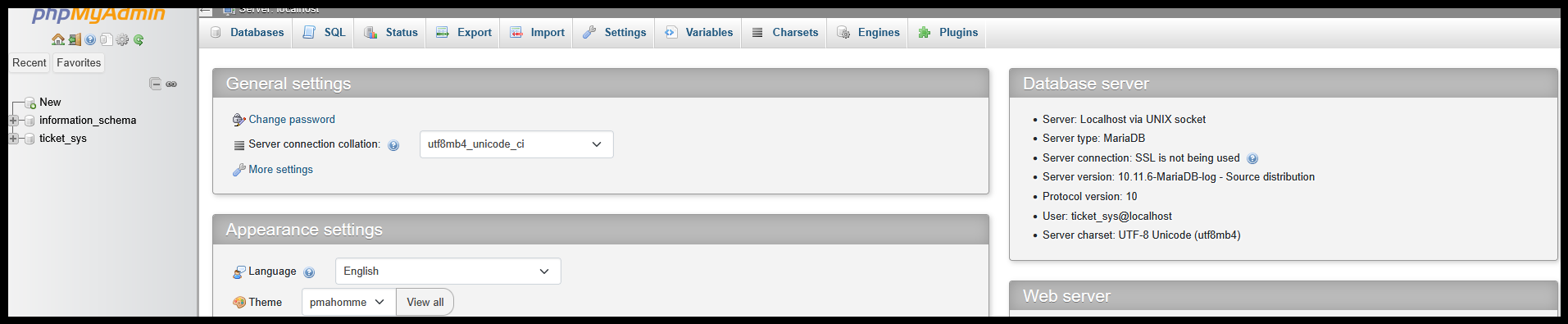
Step6. Now can manage phpMyAdmin dashboard.
Thank you!!!
Was this article helpful?
That’s Great!
Thank you for your feedback
Sorry! We couldn't be helpful
Thank you for your feedback
Feedback sent
We appreciate your effort and will try to fix the article