How to import database in Private Hosting aaPanel?
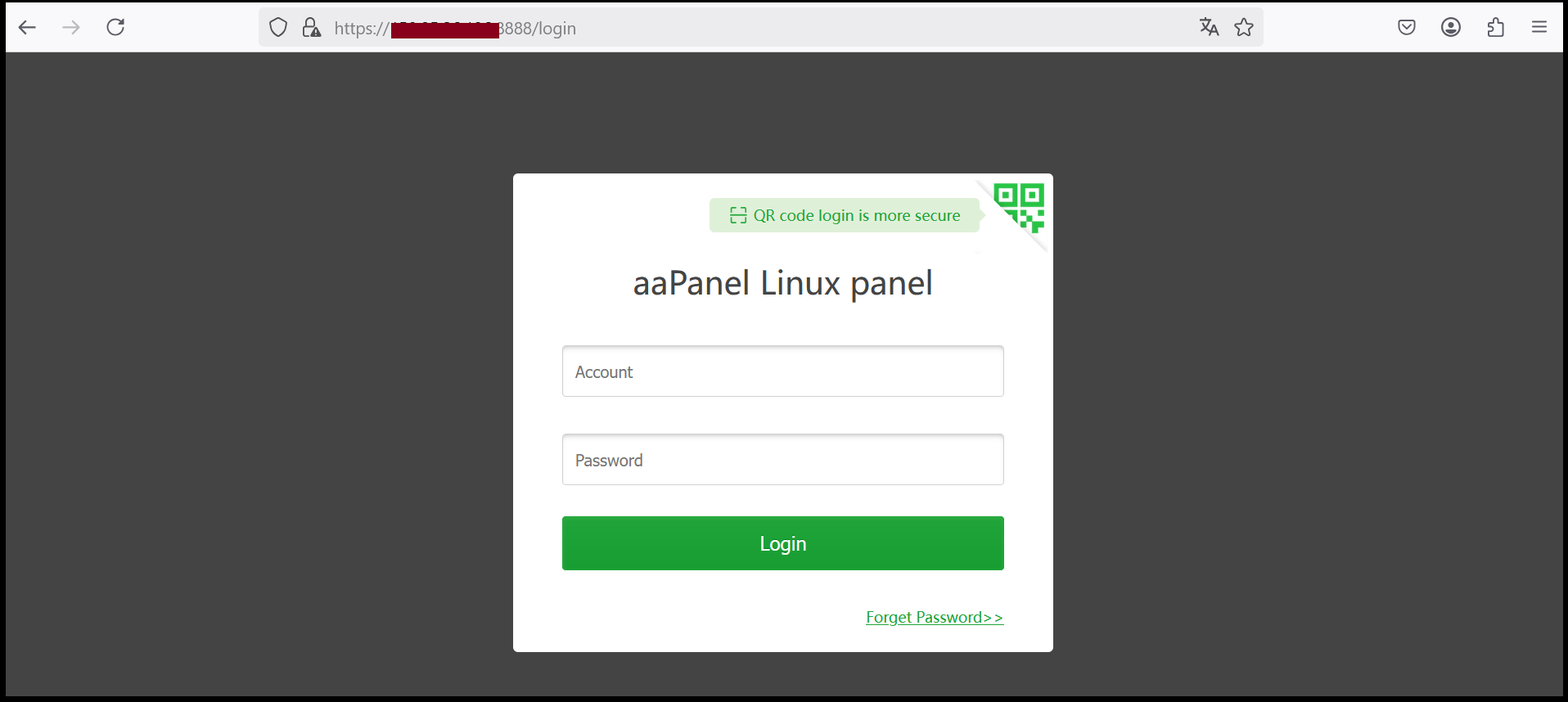
Step1. Login to to the aaPanel.
https://xxx.xxx.xxx.xxx:8888 (x is the IP address). If you don’t know the server IP address, please check in your Z.com account under Private Hosting Tab.
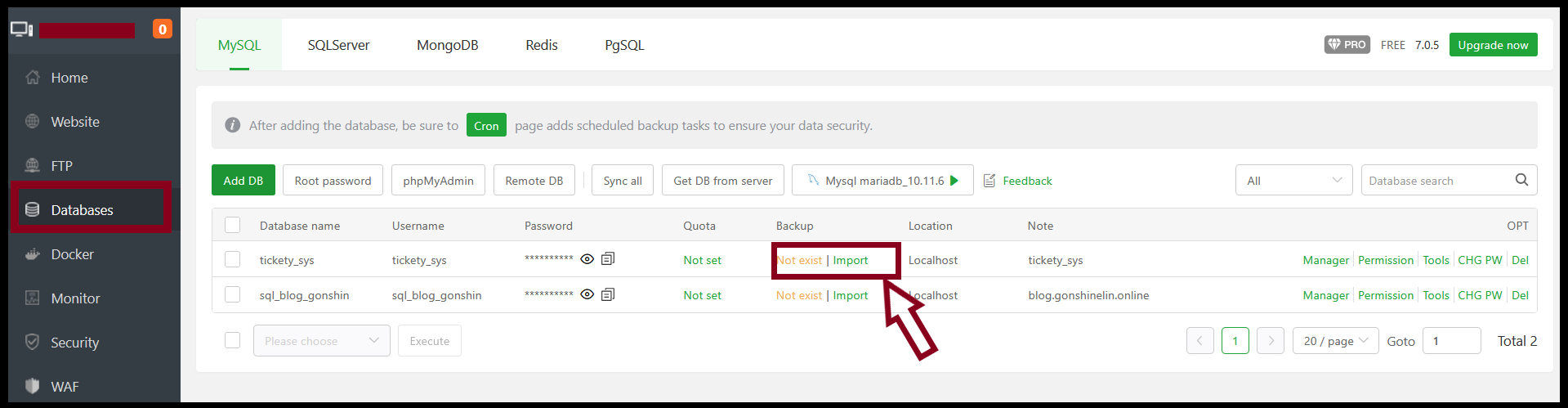
Step2. Go to “Databases” Tab and Click “import”.
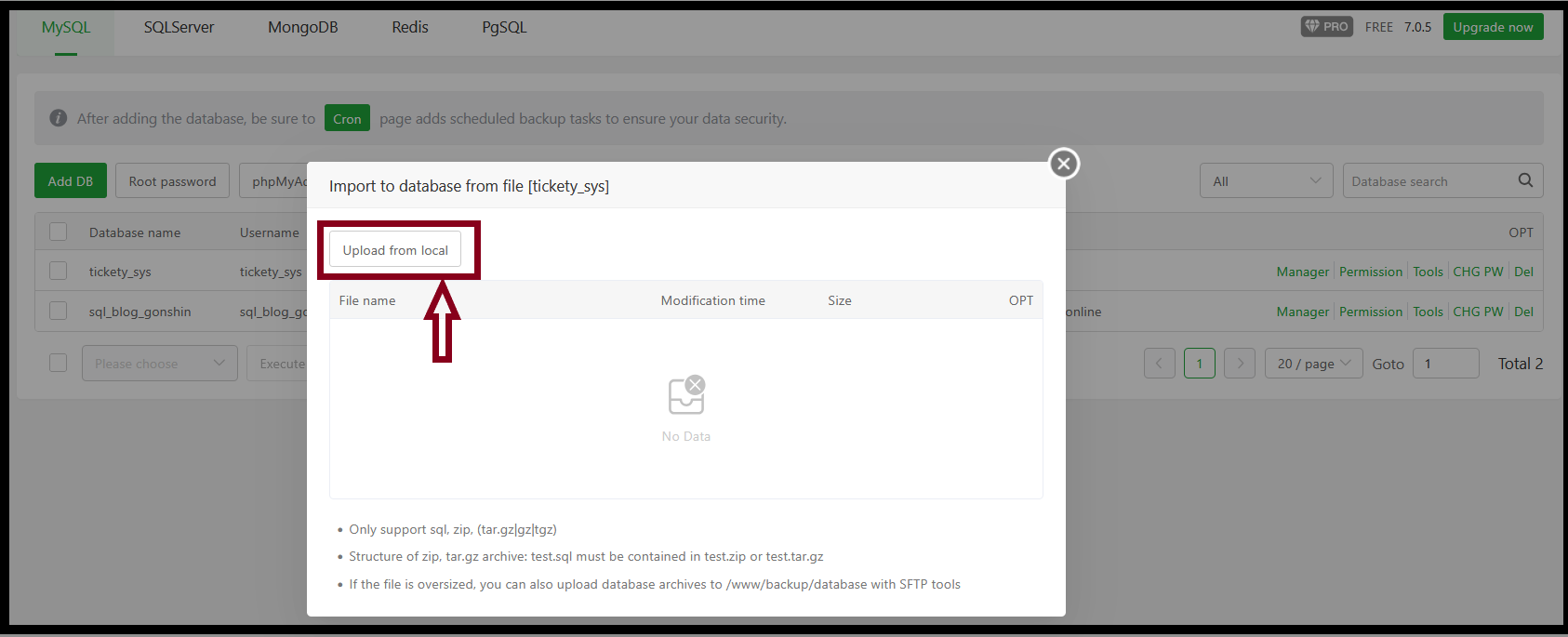
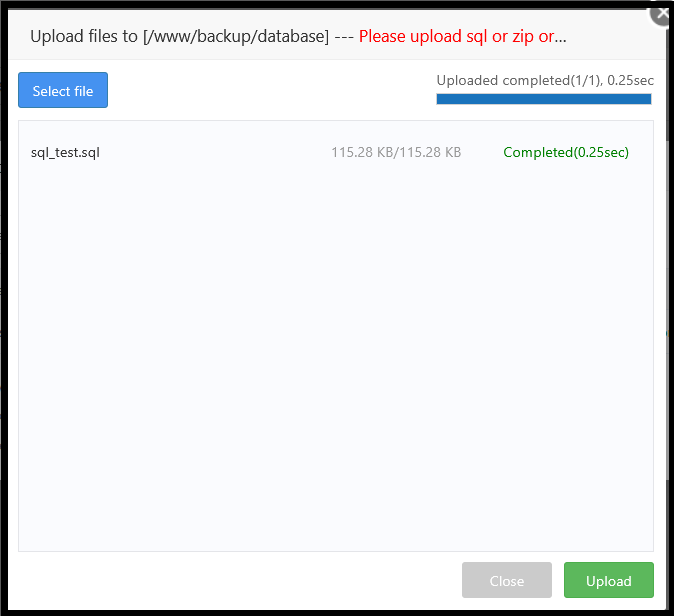
Step3. “Upload from local” to upload database files in backup or stored on your computer.
Step4. Click Upload to upload the file.
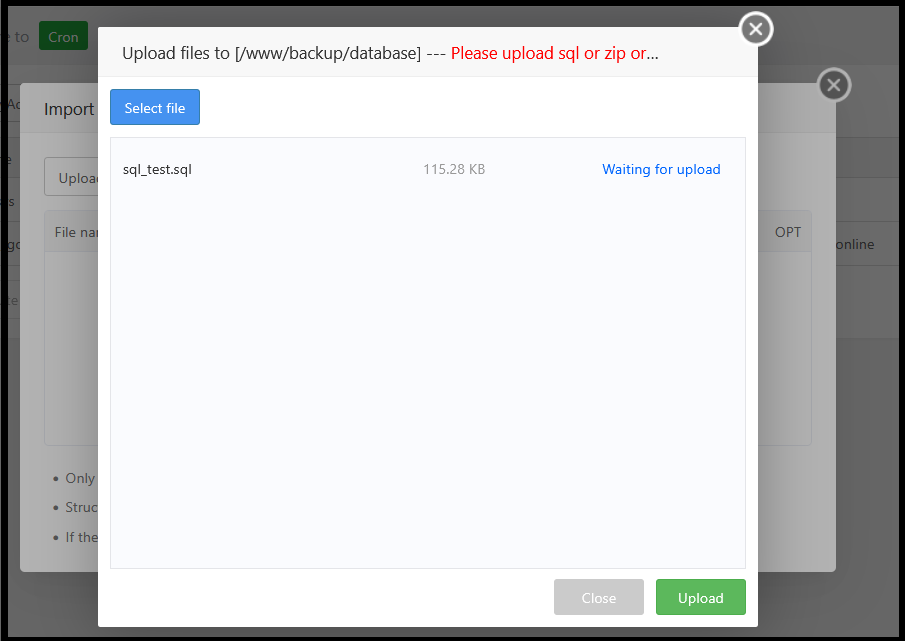
Step5. Press “Close”
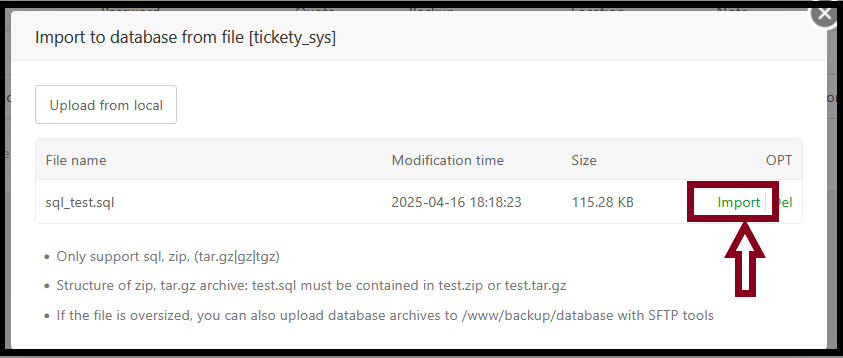
Step6. Press “import”
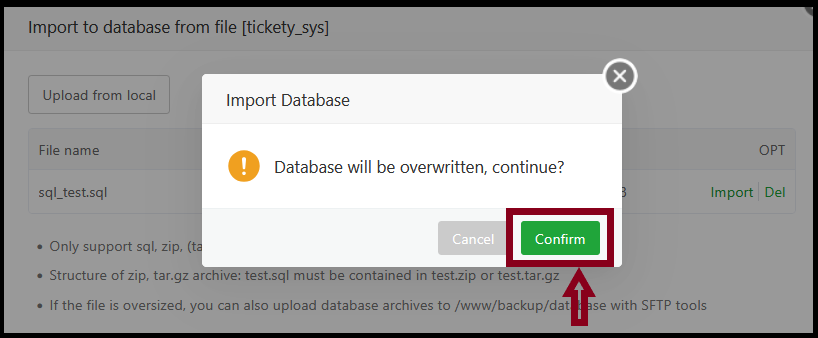
Press “confirm.
Thank you!!!
Was this article helpful?
That’s Great!
Thank you for your feedback
Sorry! We couldn't be helpful
Thank you for your feedback
Feedback sent
We appreciate your effort and will try to fix the article