How to delete database in Private Hosting aaPanel?
Step1. Login to the aaPanel.
https://xxx.xxx.xxx.xxx:8888 (x is the IP address)
as shown in the example image, it will be https://serverip:8888
(The default User will be administrator and the Password will be the Password that we entered to set up the machine for the first time).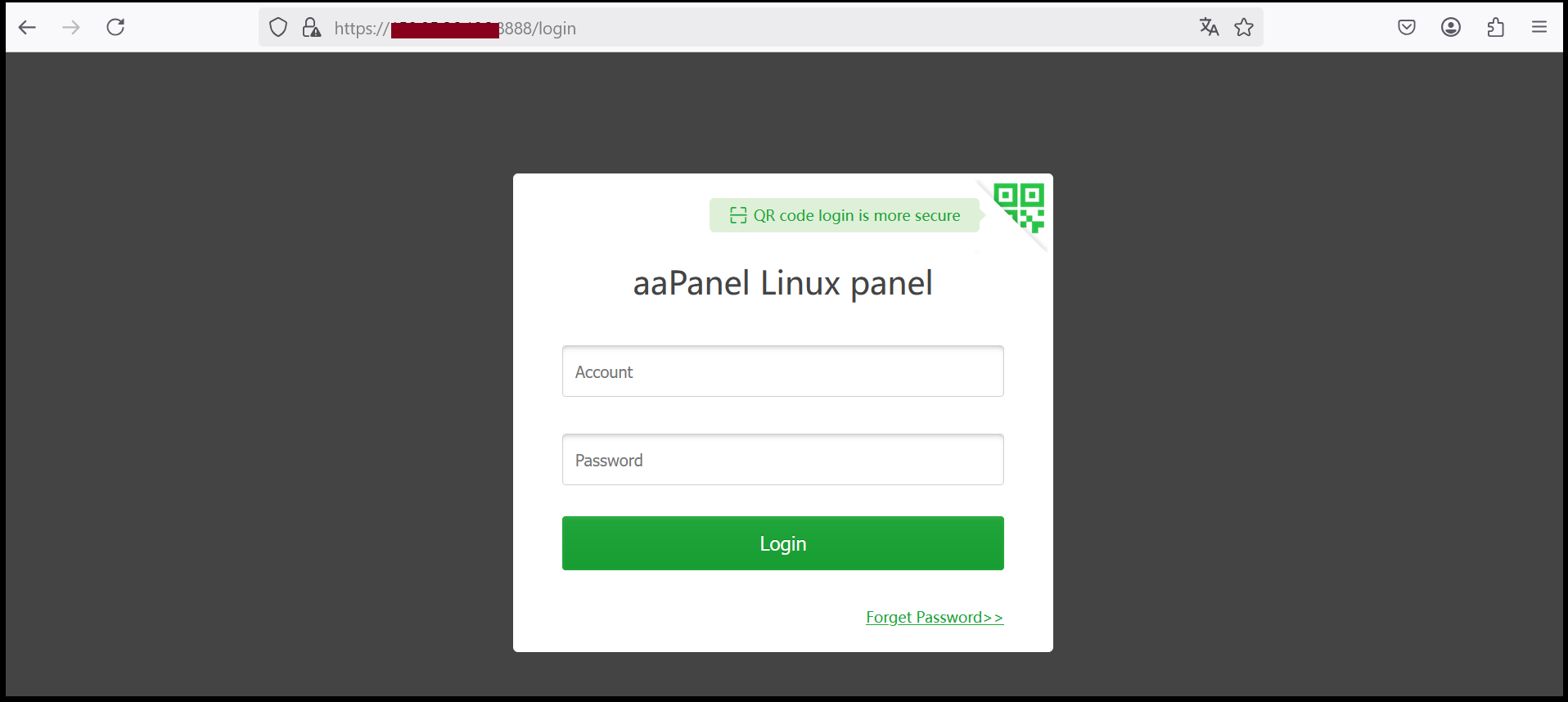
Step2. Select "Databases" and press Delete to delete the database of that name.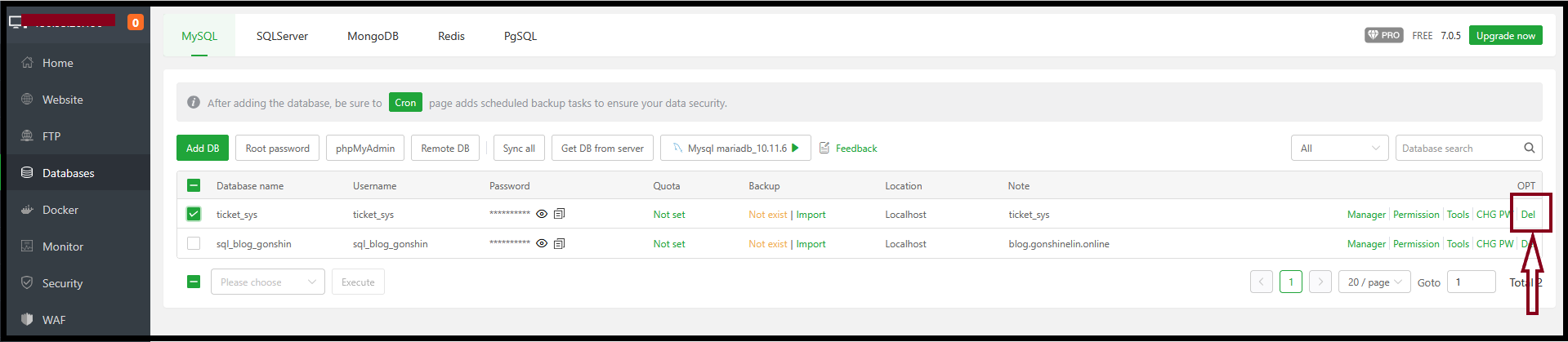
Step3. Click “Next” to confirm for the deletion.
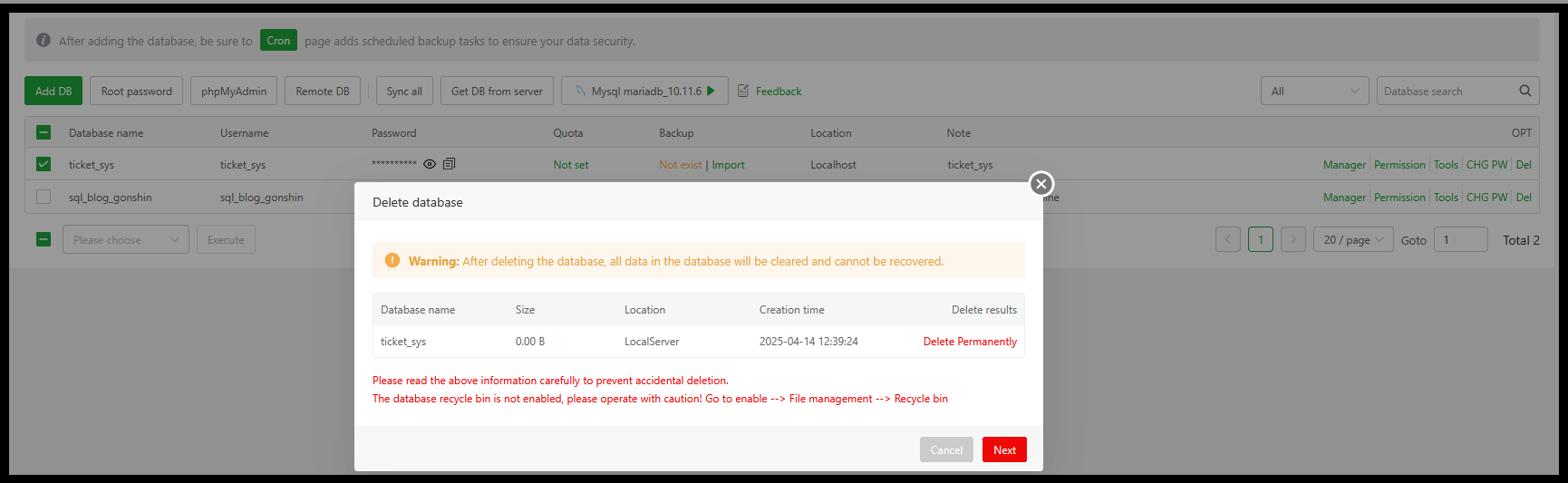
Step4. All data will be deleted and cannot be recovered. Do you want to continue?
To confirm the action, please type "Delete database" yourself and press Confirm.
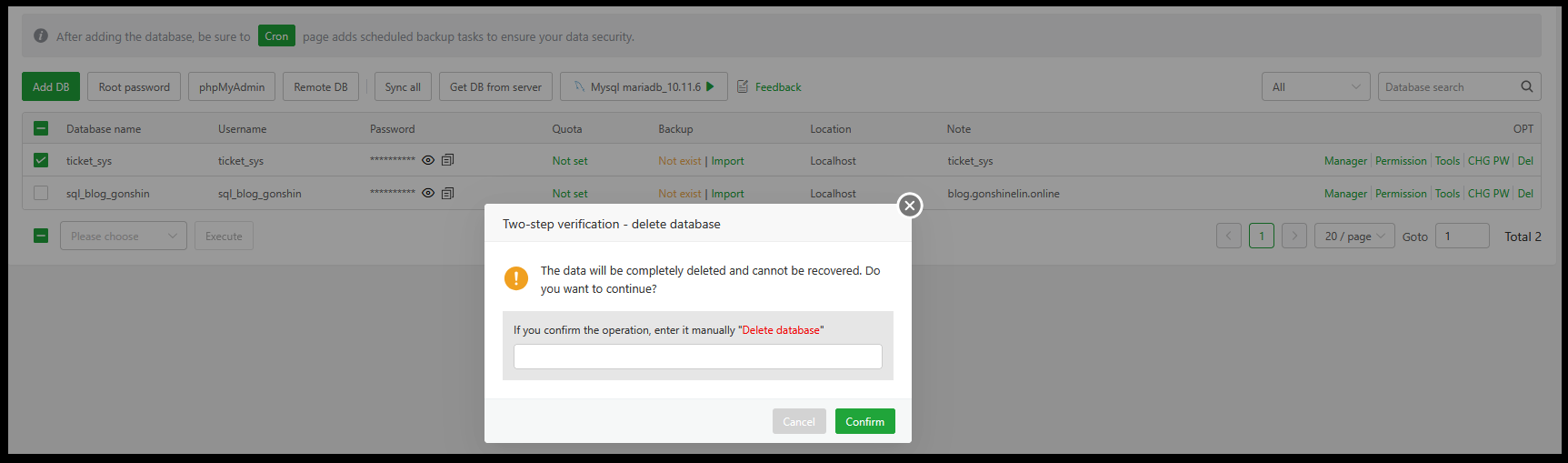
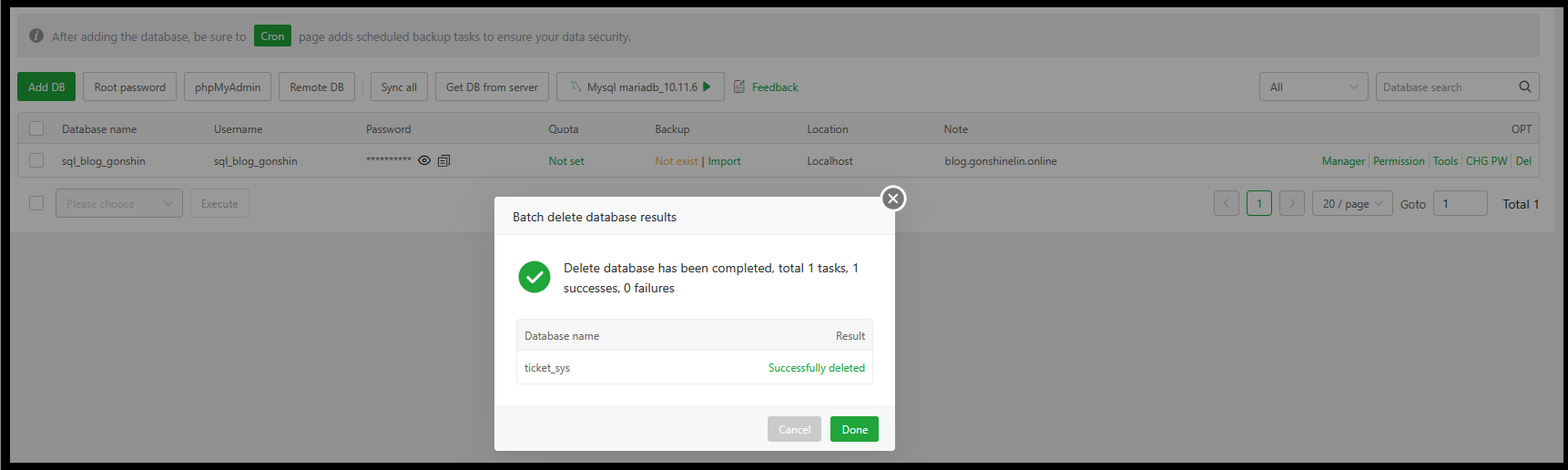
Step5. Press “Done.
Thank you!!!
Was this article helpful?
That’s Great!
Thank you for your feedback
Sorry! We couldn't be helpful
Thank you for your feedback
Feedback sent
We appreciate your effort and will try to fix the article