How to do Plan upgrade in WordPress Hosting?
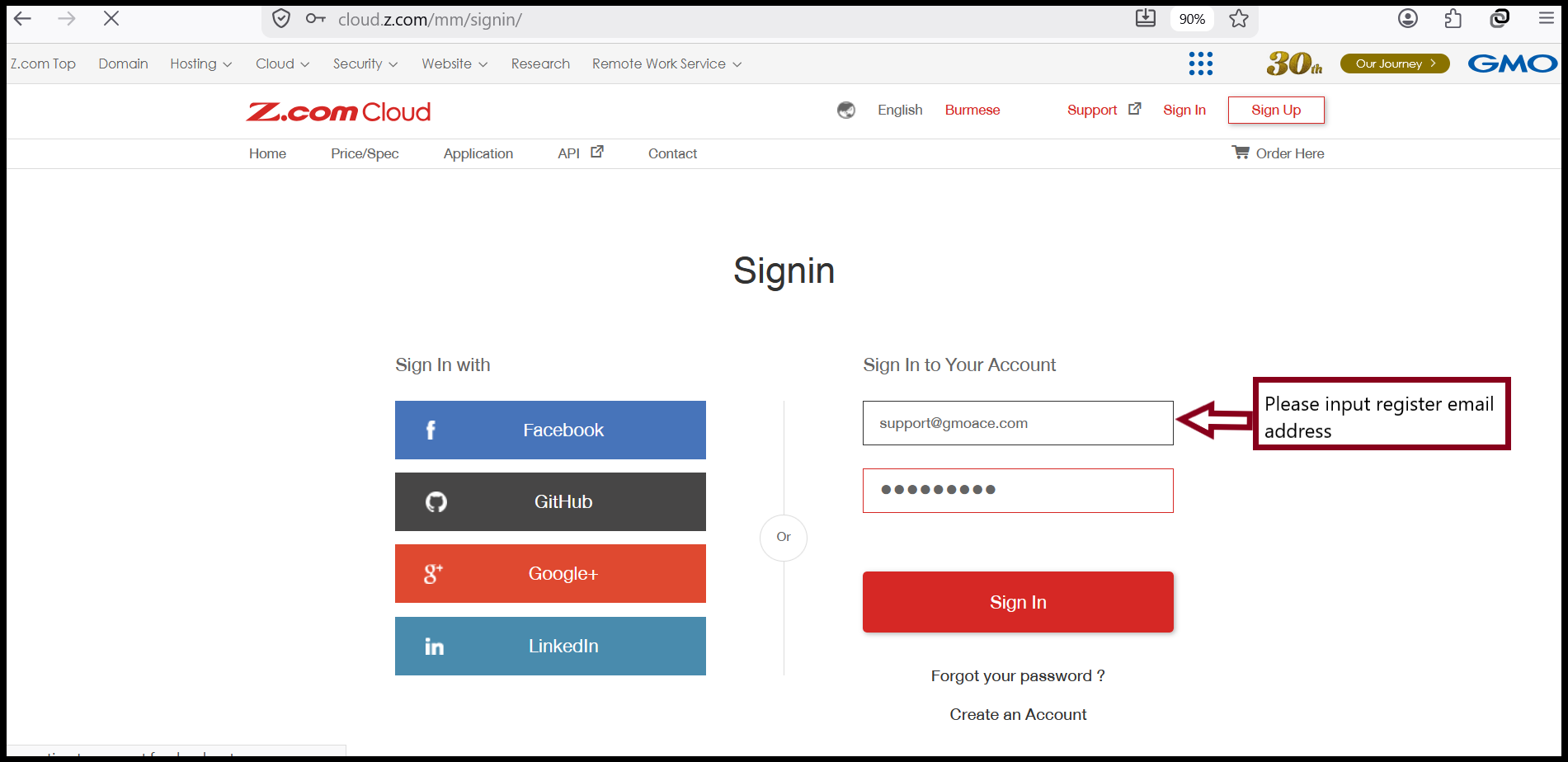
Step1. Login to the Z.com account with register email.
https://cloud.z.com/mm/signin/
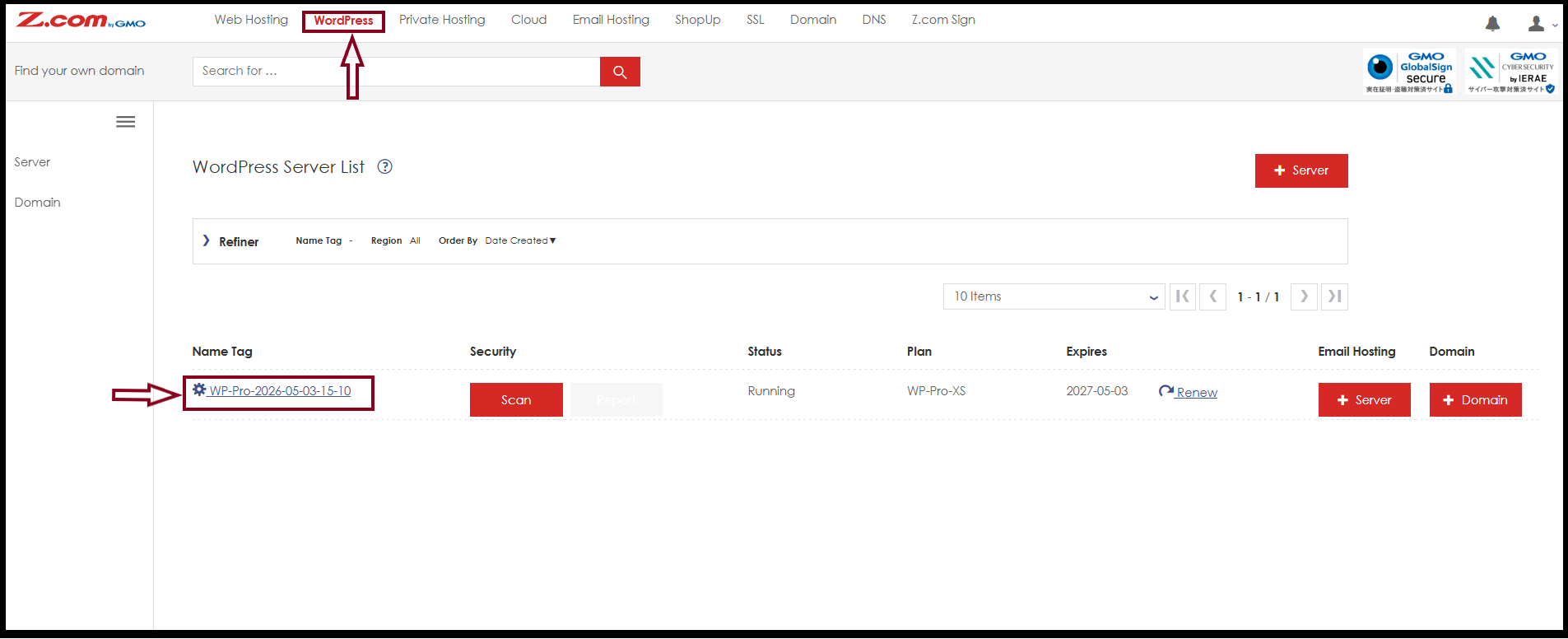
Step2. Click "Word Press Hosting" Tab and click your server under "Name Tag.
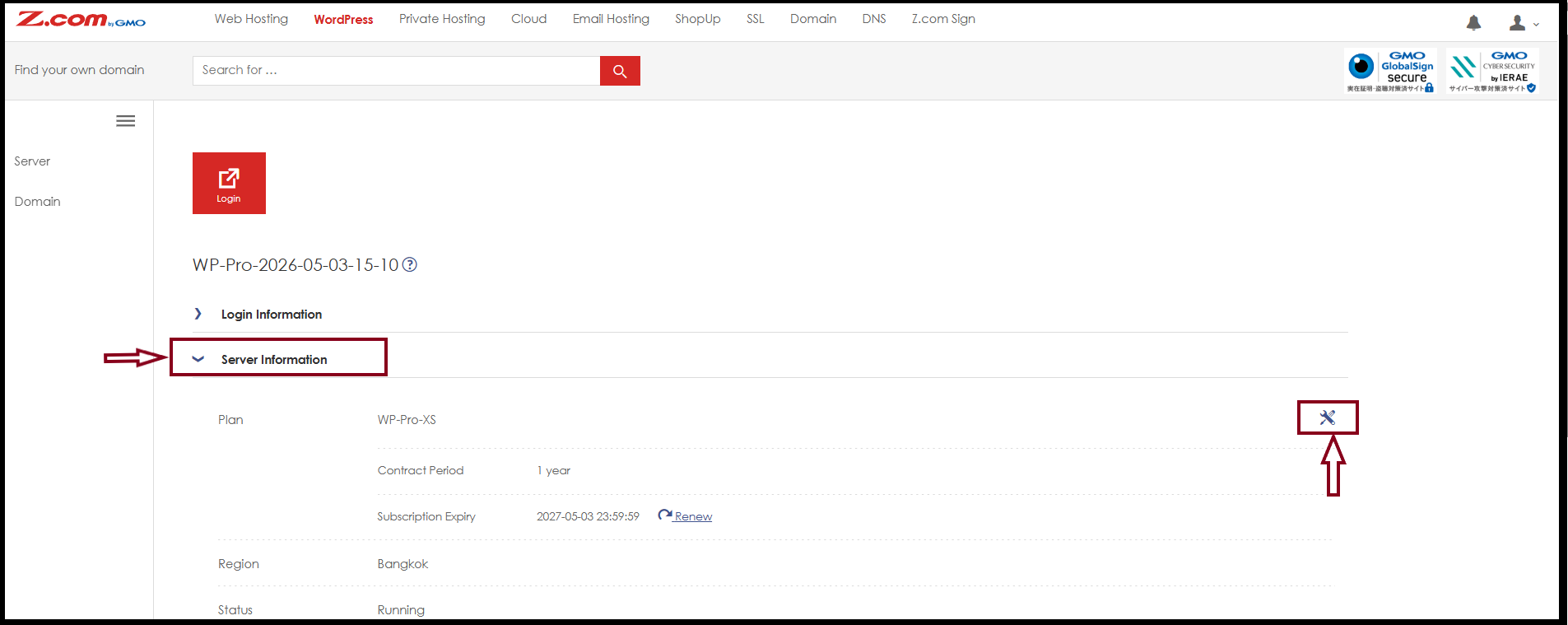
Step3. To do Plan upgrade process, Click "Change" under "Server Information".
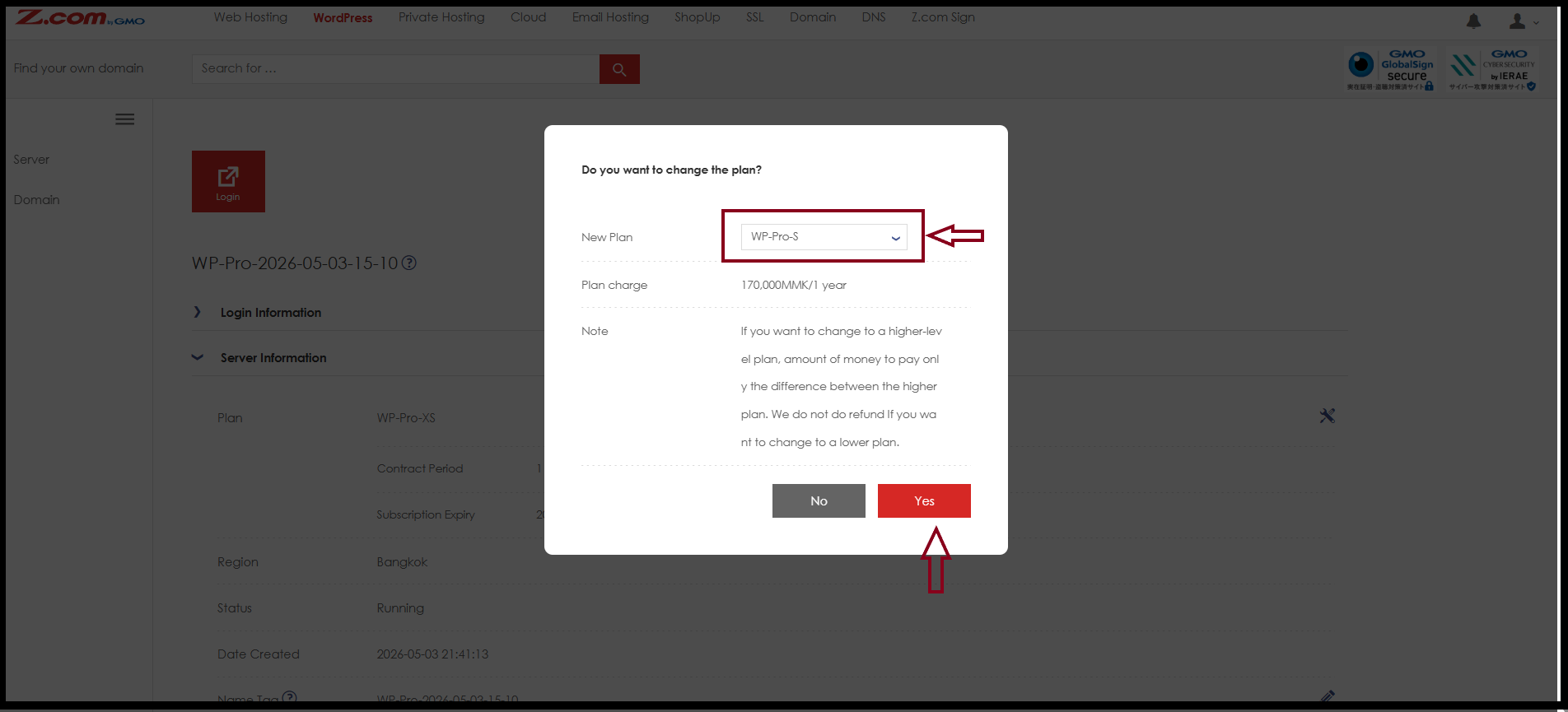
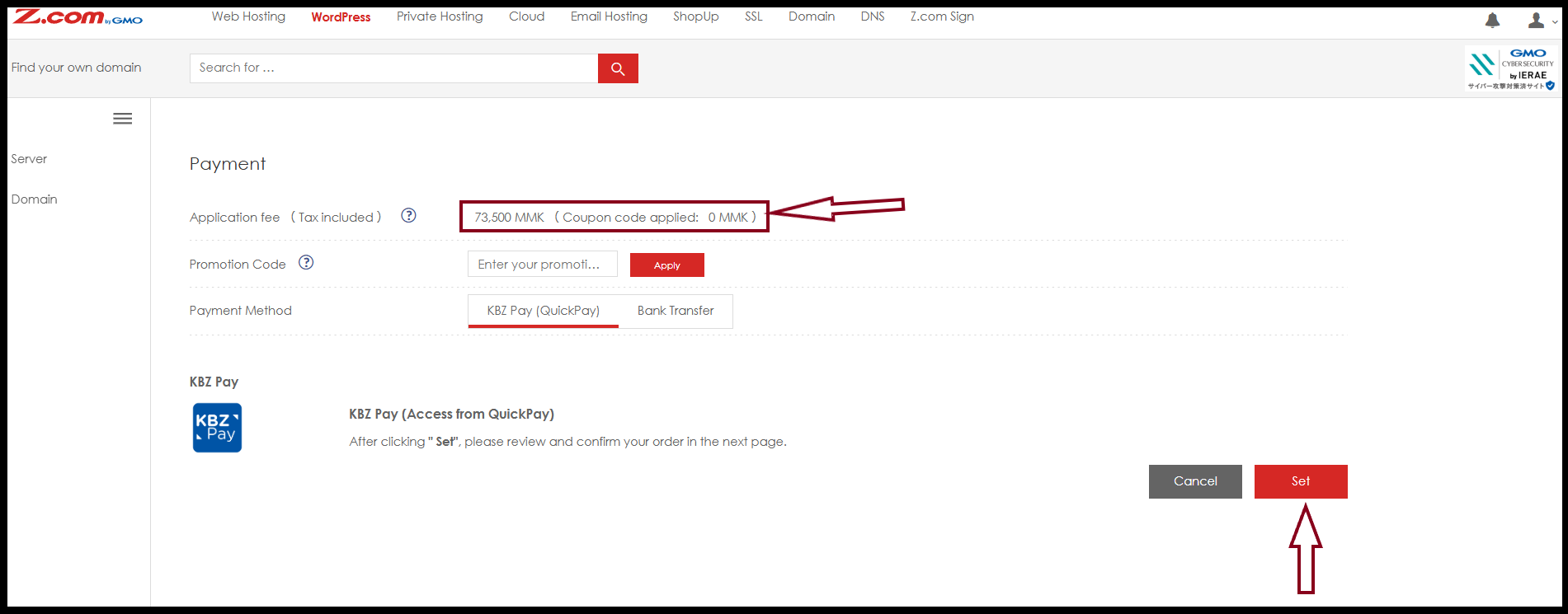
Step4. Please choose the plan that you would like to upgrade from your current package to the new package. On the next page, the system will show the required amount for the plan upgrade service.You only need to make payment for that amount.
Step5. Now, the system will show the required amount for the plan upgrade service, and you can choose your preferred payment method to proceed with the payment.
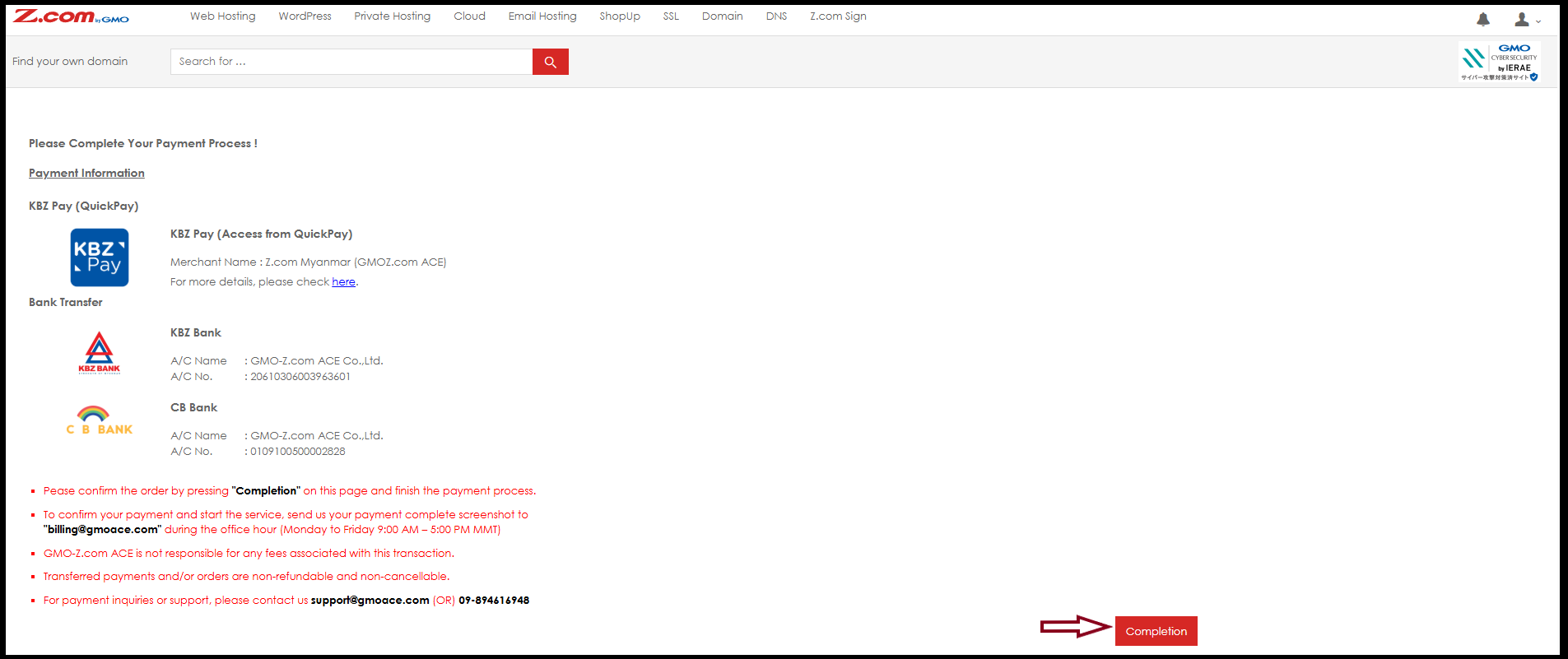
Step6. Please click “Completion”, then the plan upgrade invoice will appear in the system. You can check the invoice under “Billing Information”.
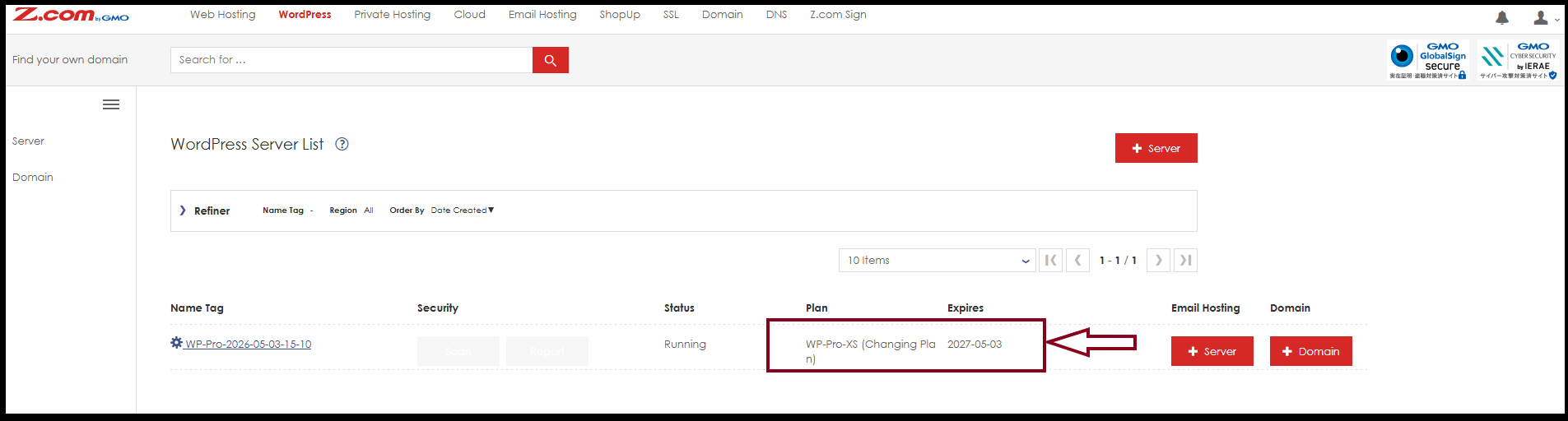
Step7. After you complete the payment, the system will start the plan upgrade process automatically. Please allow around 45 minutes to complete the upgrade service.
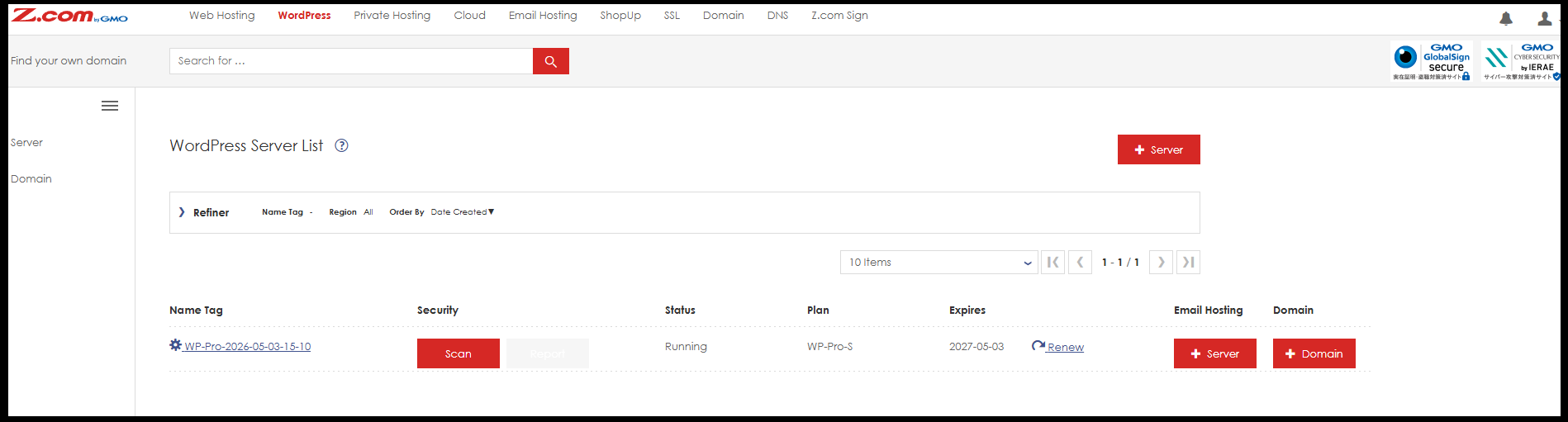
Step8. Now, plan upgrade process is finished successfully.
Thank you!!!
Was this article helpful?
That’s Great!
Thank you for your feedback
Sorry! We couldn't be helpful
Thank you for your feedback
Feedback sent
We appreciate your effort and will try to fix the article