How to Renew Web Hosting Service?
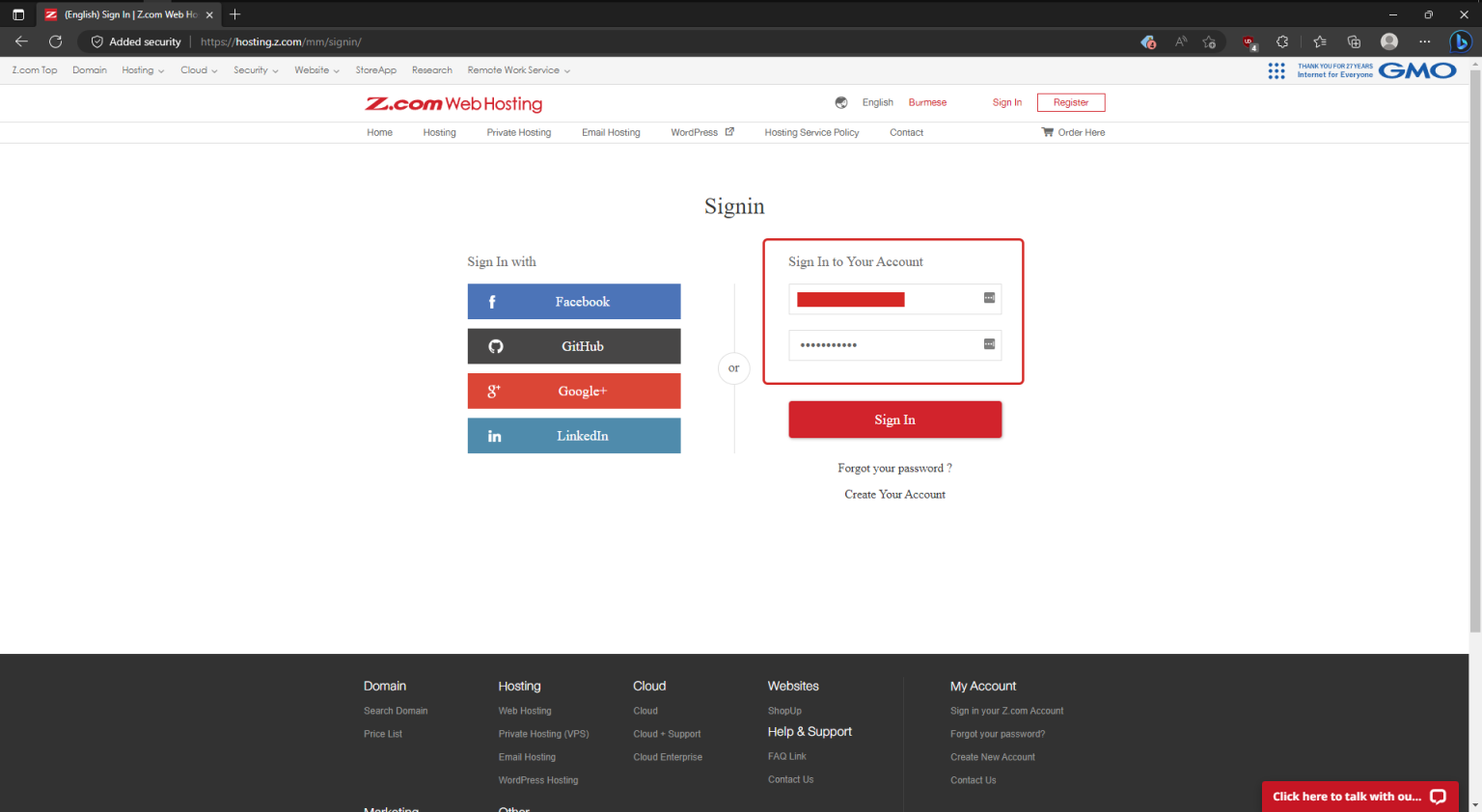
Step.1 Login to z.com account, https://hosting.z.com/mm/signin
Step.2 Click Web Hosting, you will see your hosting server. Then click Renew for renewal.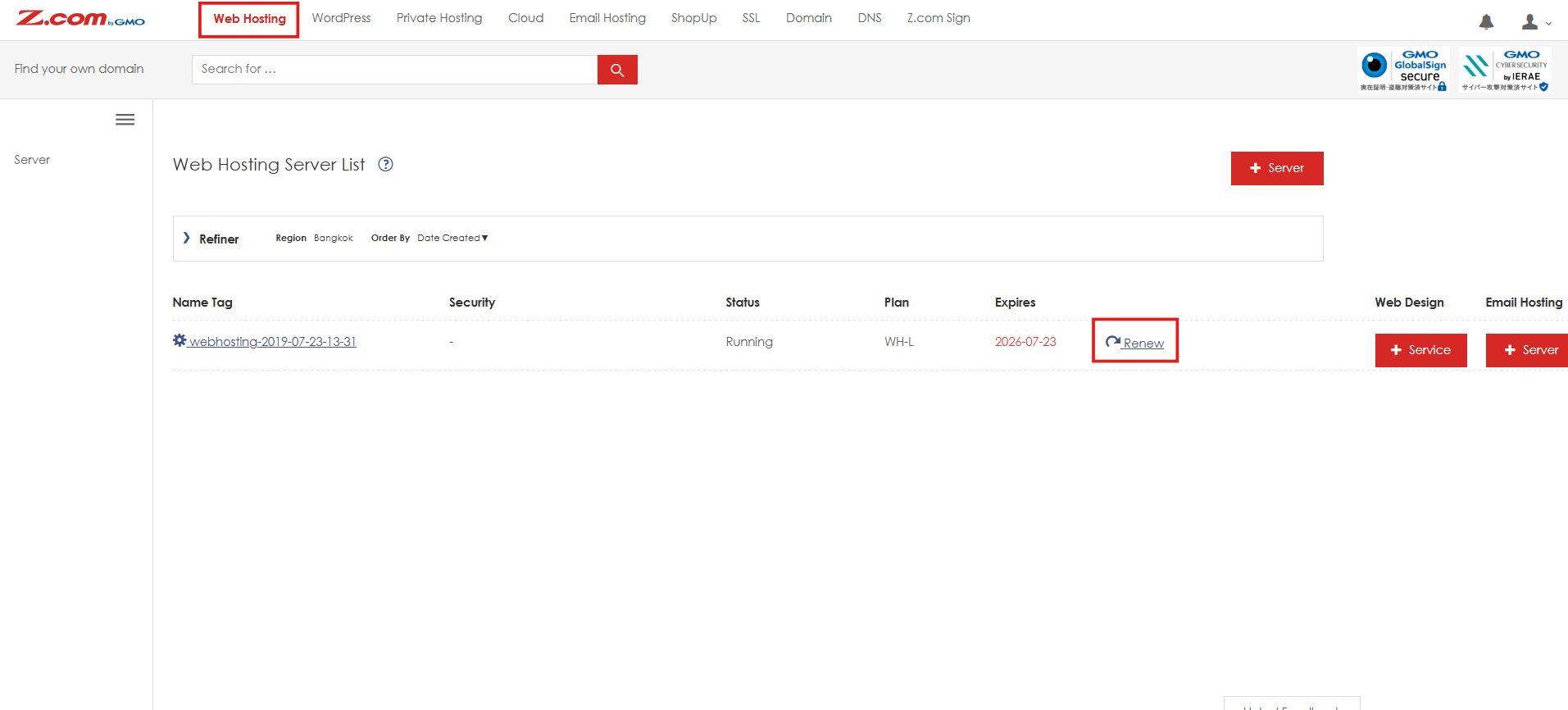
Step.3 Select the preferred contract period (eg., 1 year). If you have Static IP in your hosting and wish to renew Static IP also, please Tick the "Include optional services".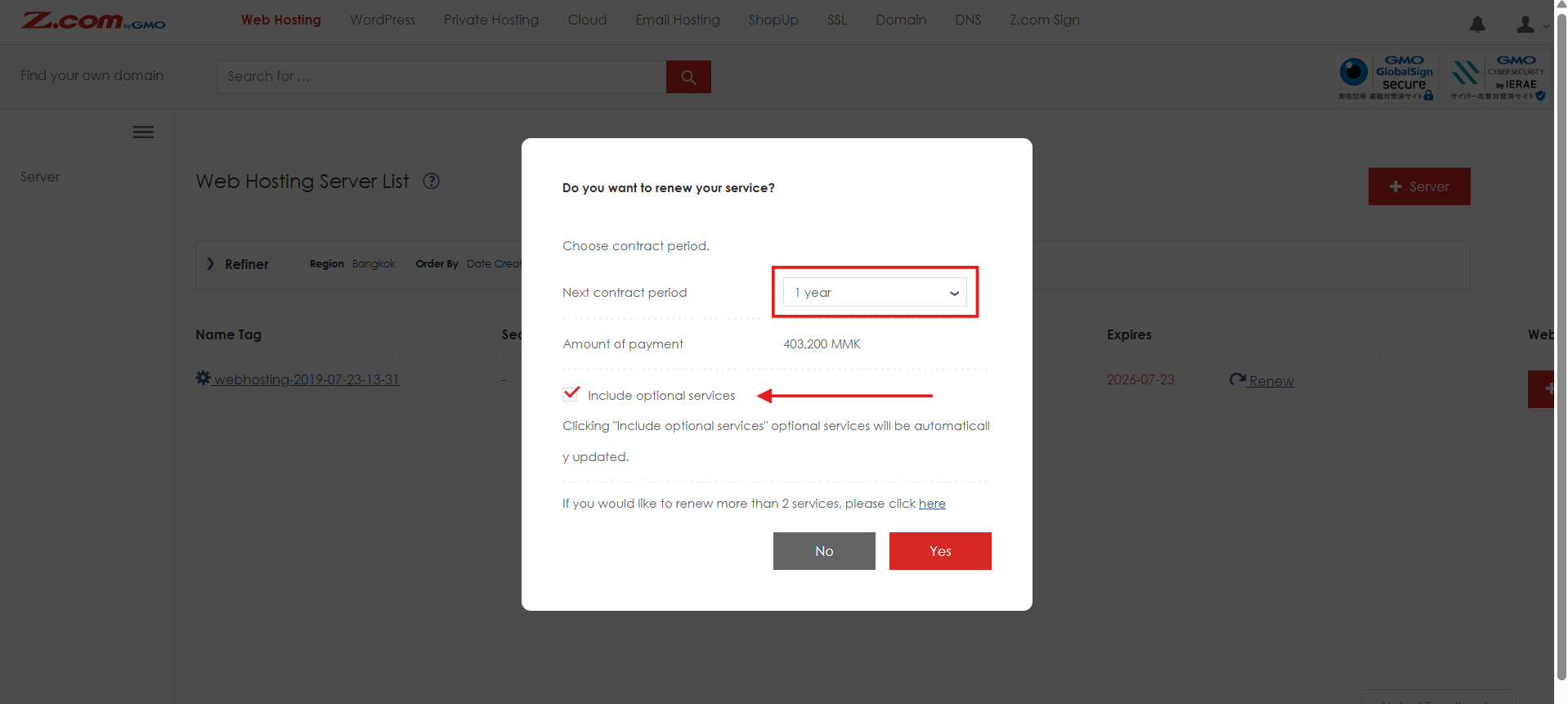
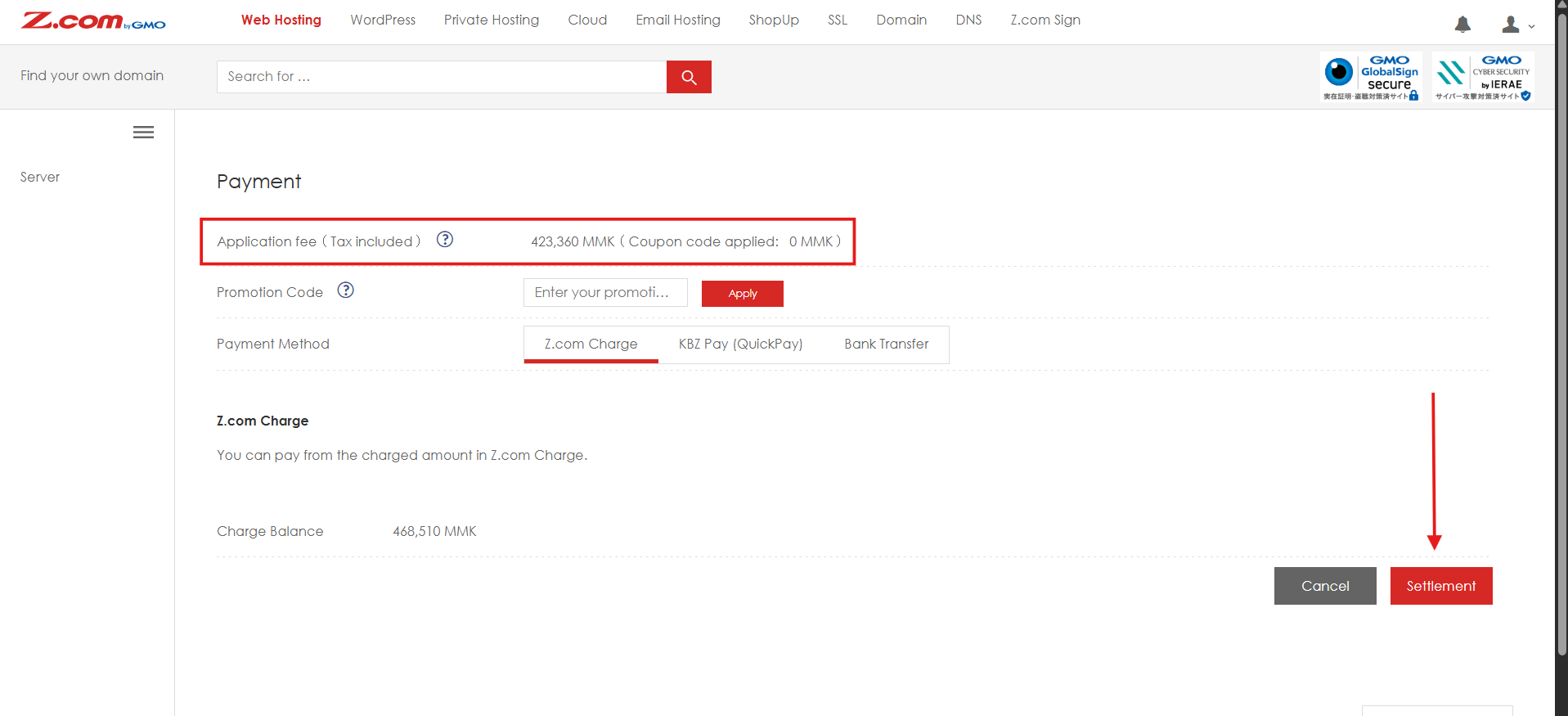
Step.4 At this step, please select your preferred payment method and click the red "Settlement" button.
(Please note that if your Z.com account does not have a sufficient deposited balance, the Z.com Charge payment option will not be displayed. In that case, please choose either KBZPay or Bank Transfer as your payment method. After completing the payment, you can view the renewal invoice under Billing Information.)
Thank You!
Was this article helpful?
That’s Great!
Thank you for your feedback
Sorry! We couldn't be helpful
Thank you for your feedback
Feedback sent
We appreciate your effort and will try to fix the article