How to Order Private Hosting Service with cPanel in MM4?
Step1. Login to z.com account, https://cloud.z.com/mm/signin/
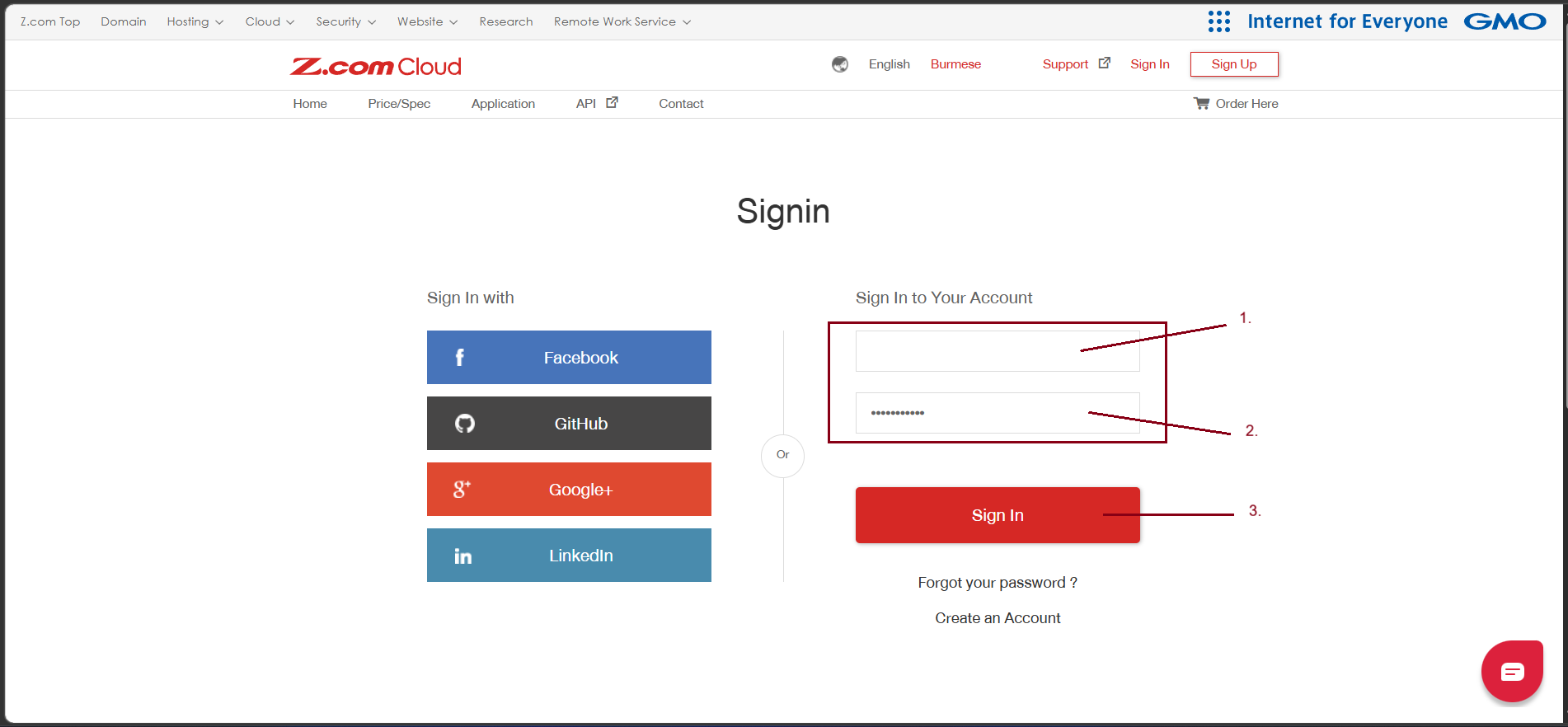
Step2. Go to the "Private Hosting" Tab Under MM4. And click "+Server". 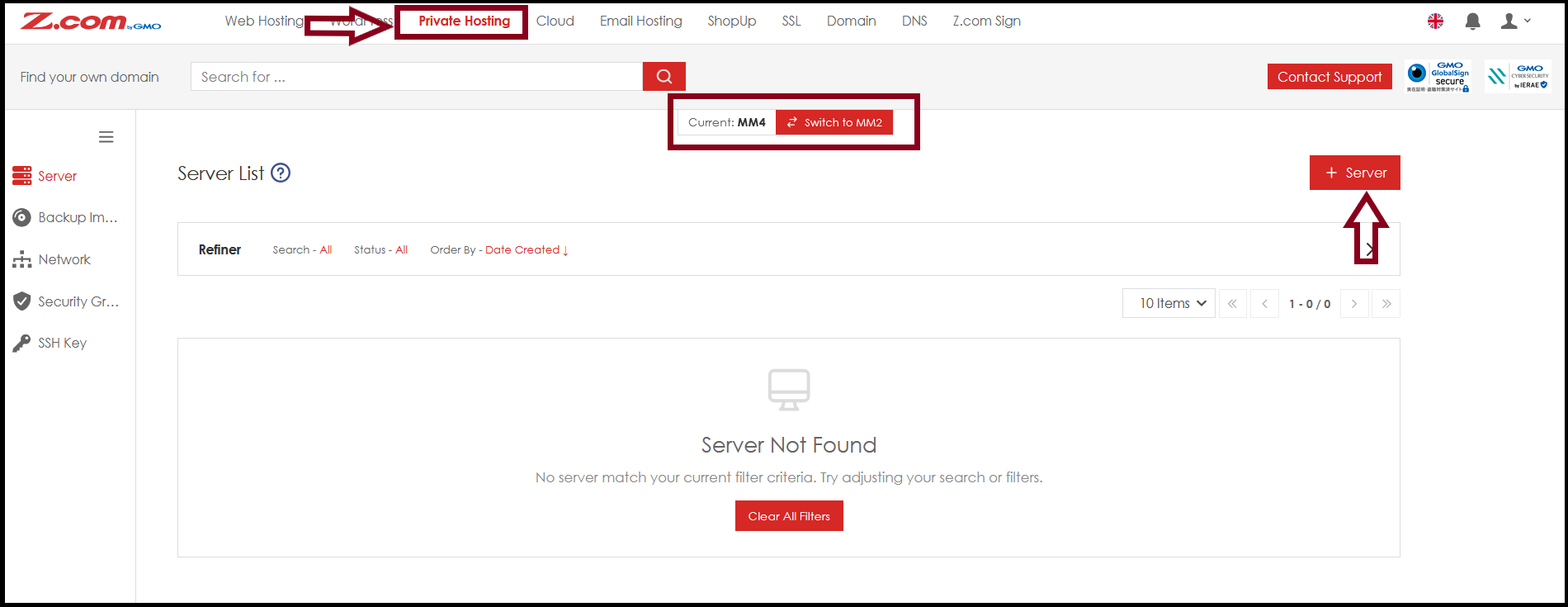
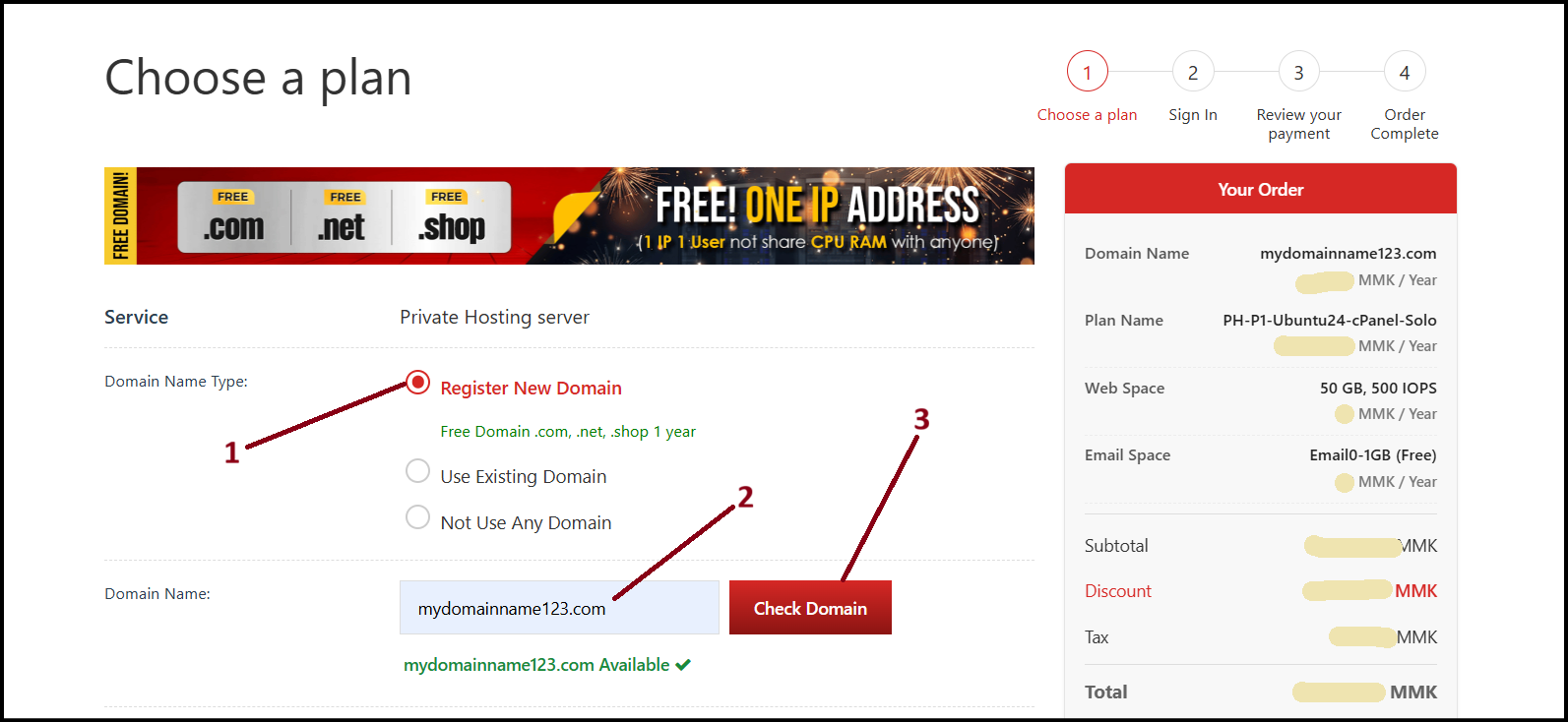
Step3. Firstly, you can choose a plan that you want to order as follows.
- Choose Domain Name Type
- Register New Domain
- Use Existing Domain
- Not Use Any Domain
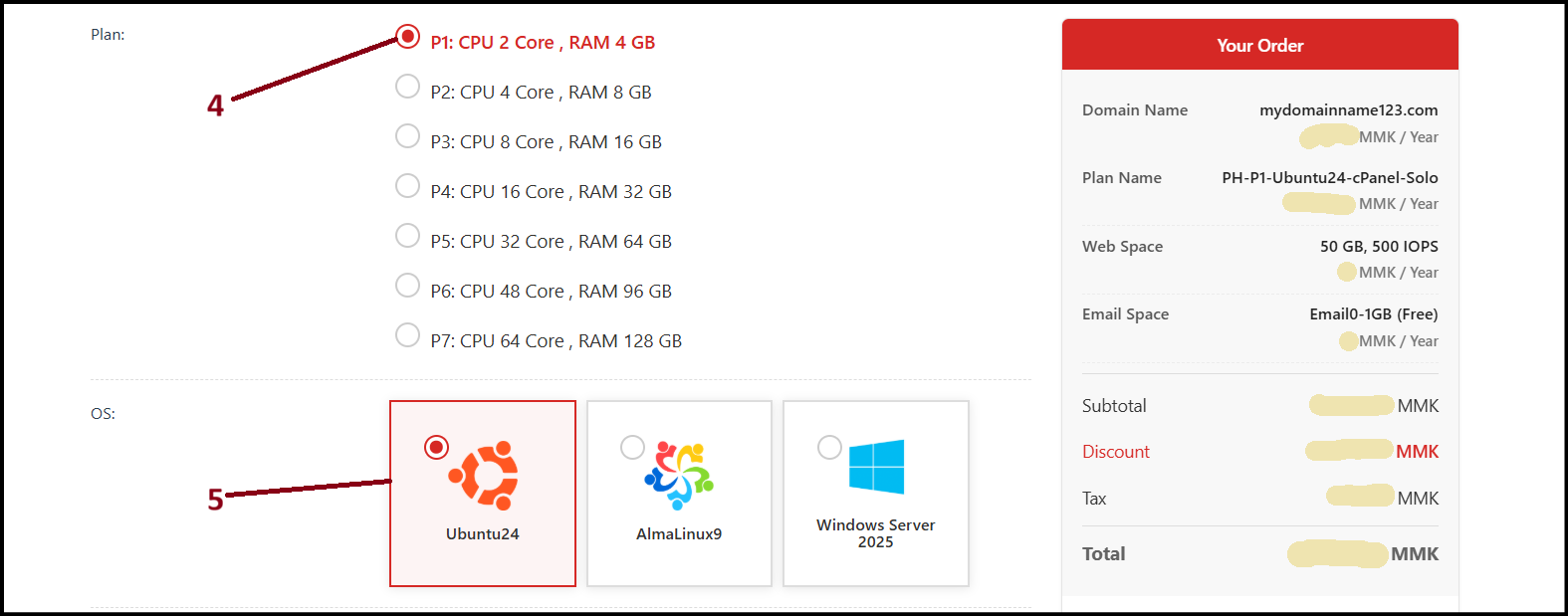
- Choose Plan
- Choose OS
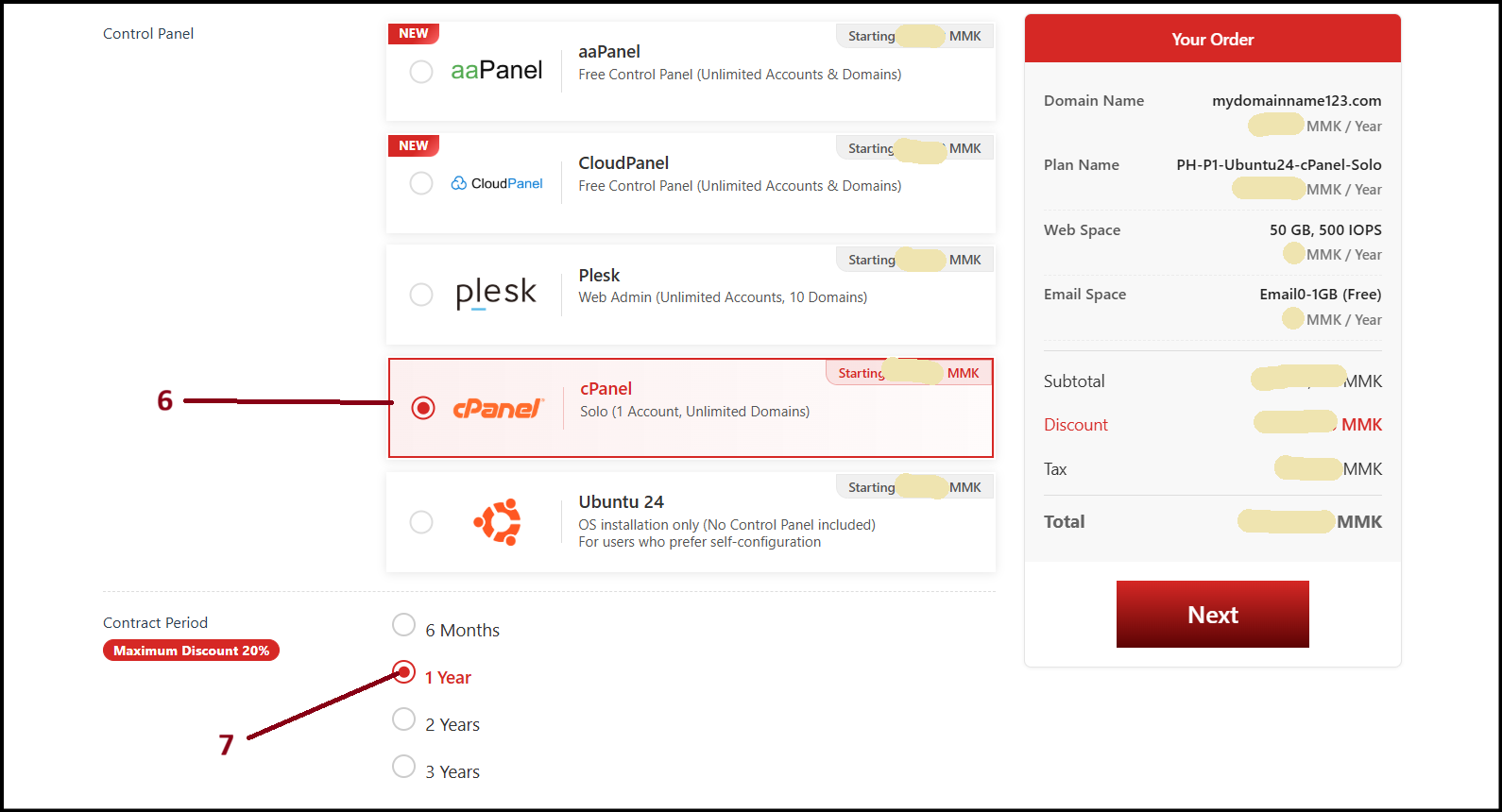
- Control Panel
- Contract Period
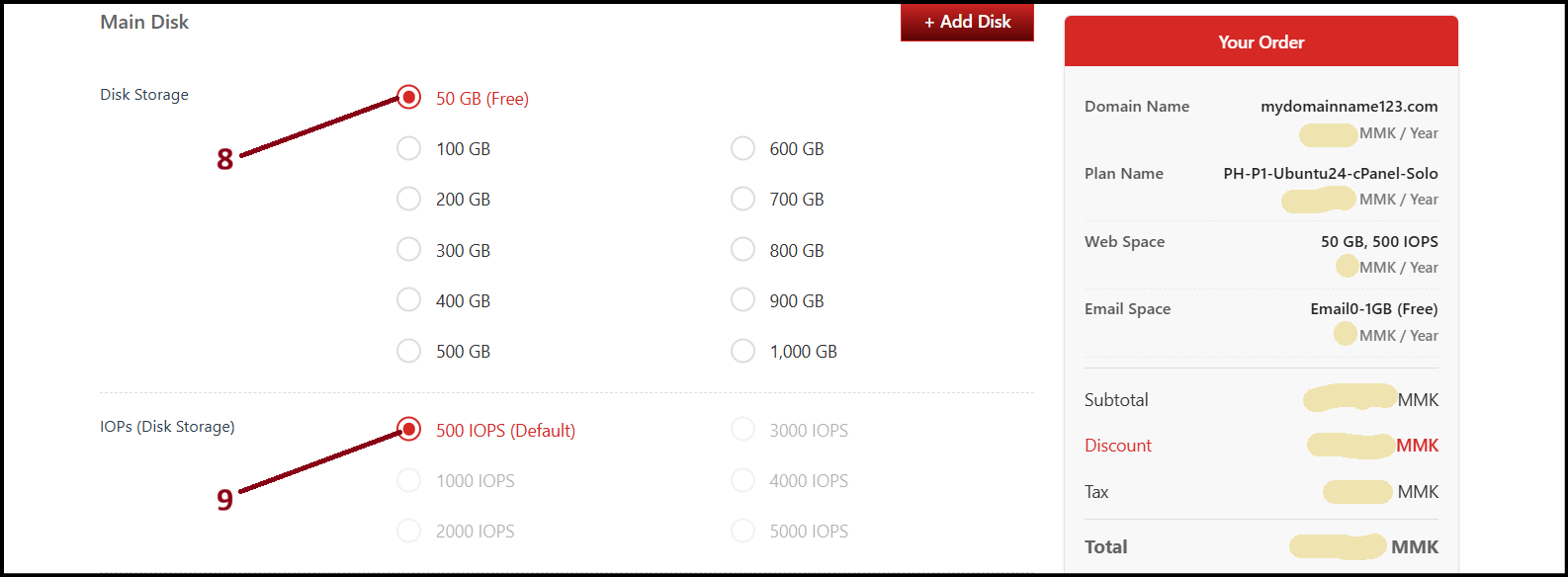
- Main Disk (Boot Disk Storage Space)
- Boot Storage can't upgrade and please choose correct storage space
- If prefer additional disk, Click "+Add Disk" and input
- IOPs (Disk Storage)
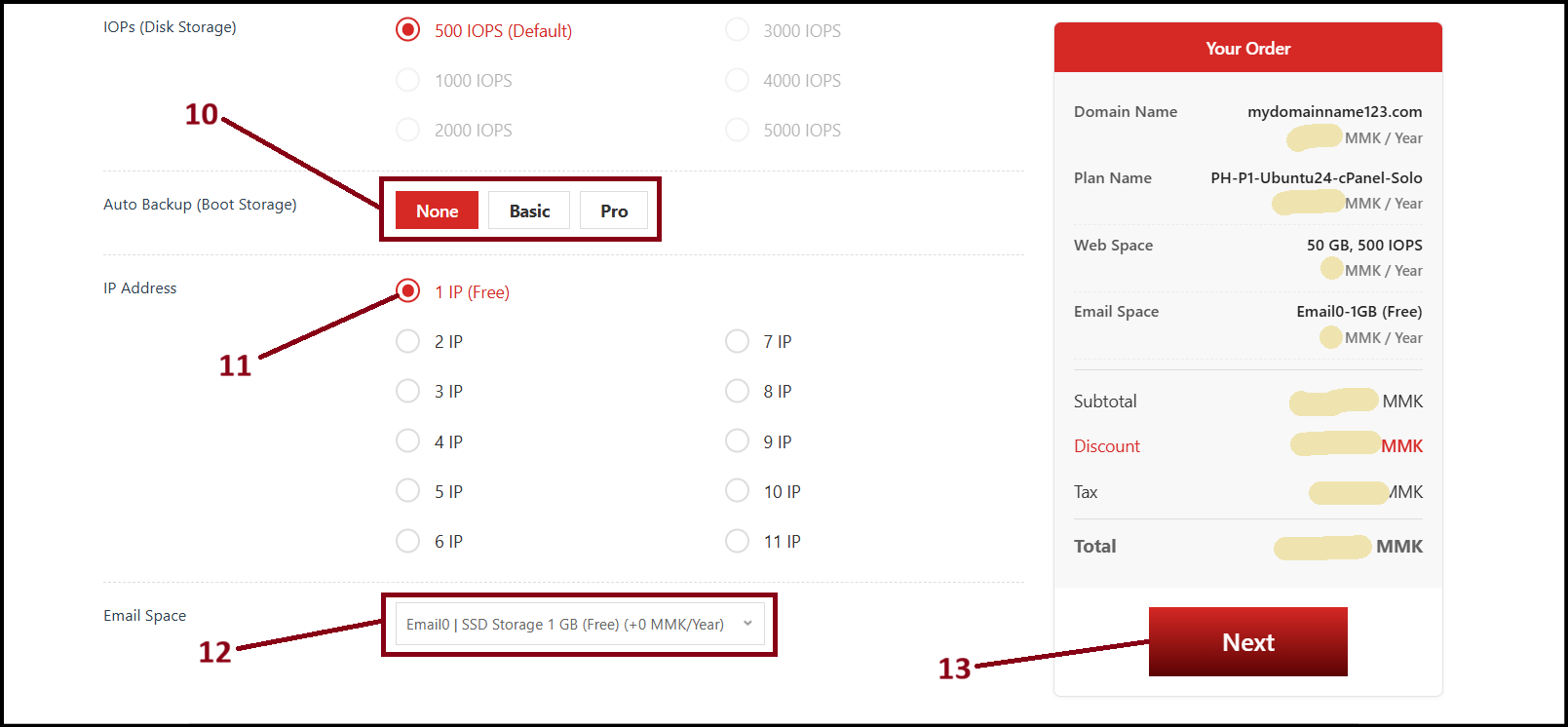
- Auto Backup Boot Storage (Optional Service with additional charges)
- IP Address (1 IP free)
- Email Space (1GB SSD Storage Free)
- Check the total amount on your order from the right side
- Auto Backup Boot Storage (Optional Service with additional charges)
And then, Click "Next"
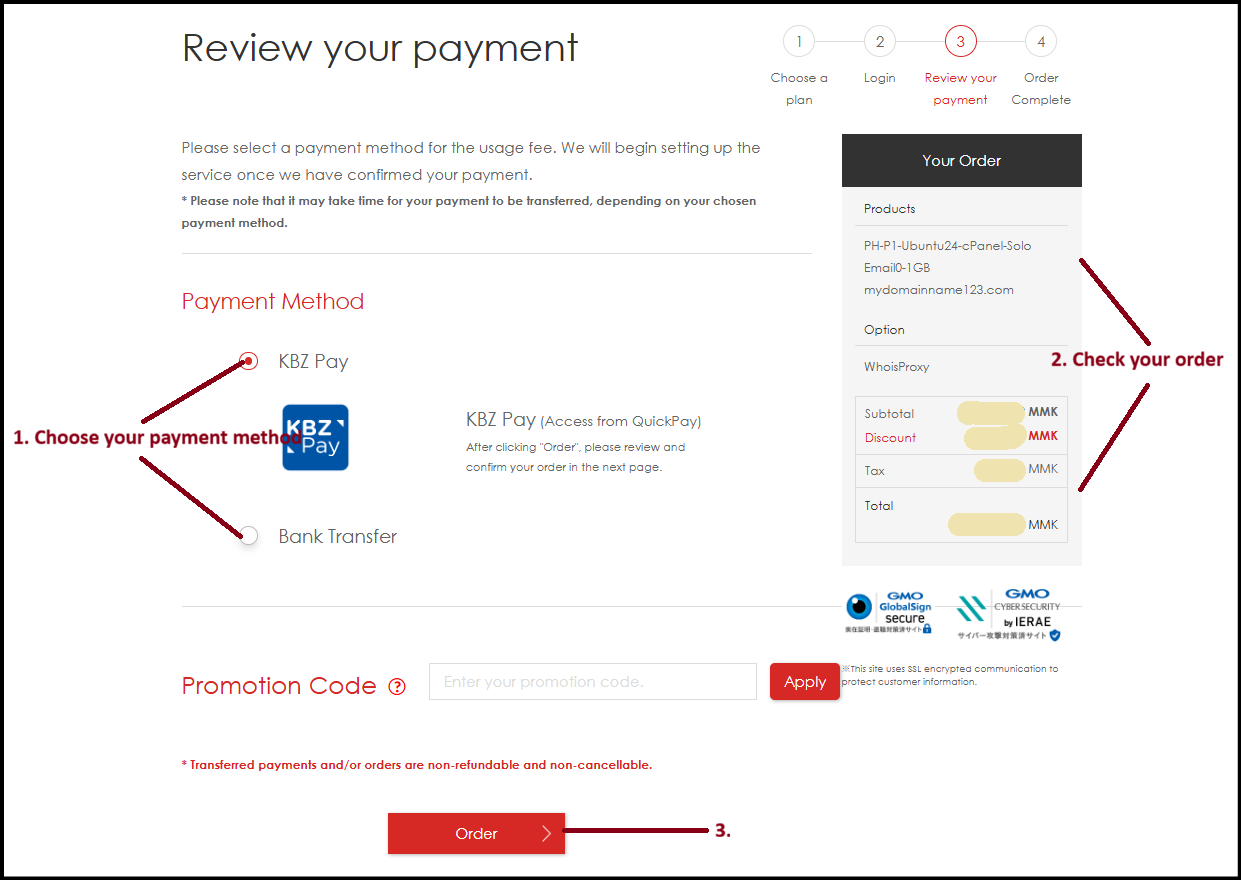
Step4. Review your payment
You can choose the Payment method as follows
- Payment Method
- KBZ Pay
- Bank Transfer
- Check Your Order
And then, click "Order"
And then click "Complete"
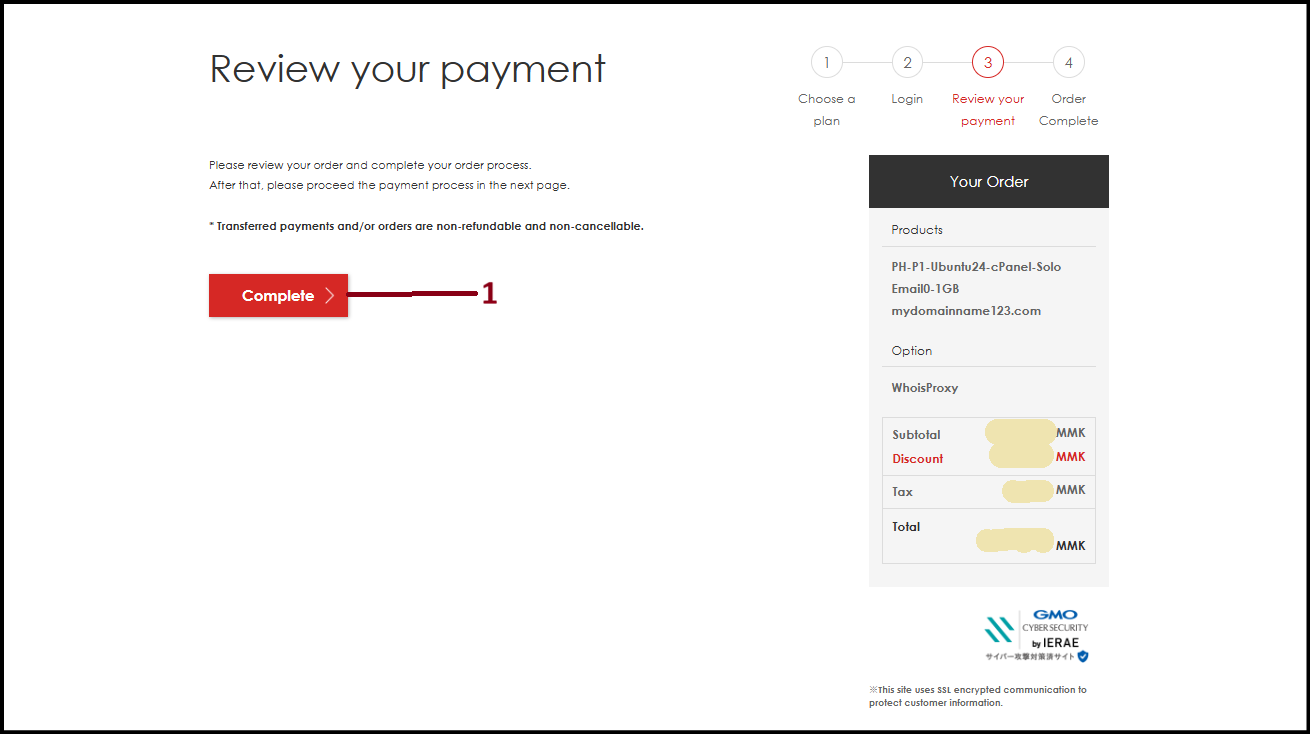
After completing your order, you can check Bank Account Information.
To Check "Payment Method", click here.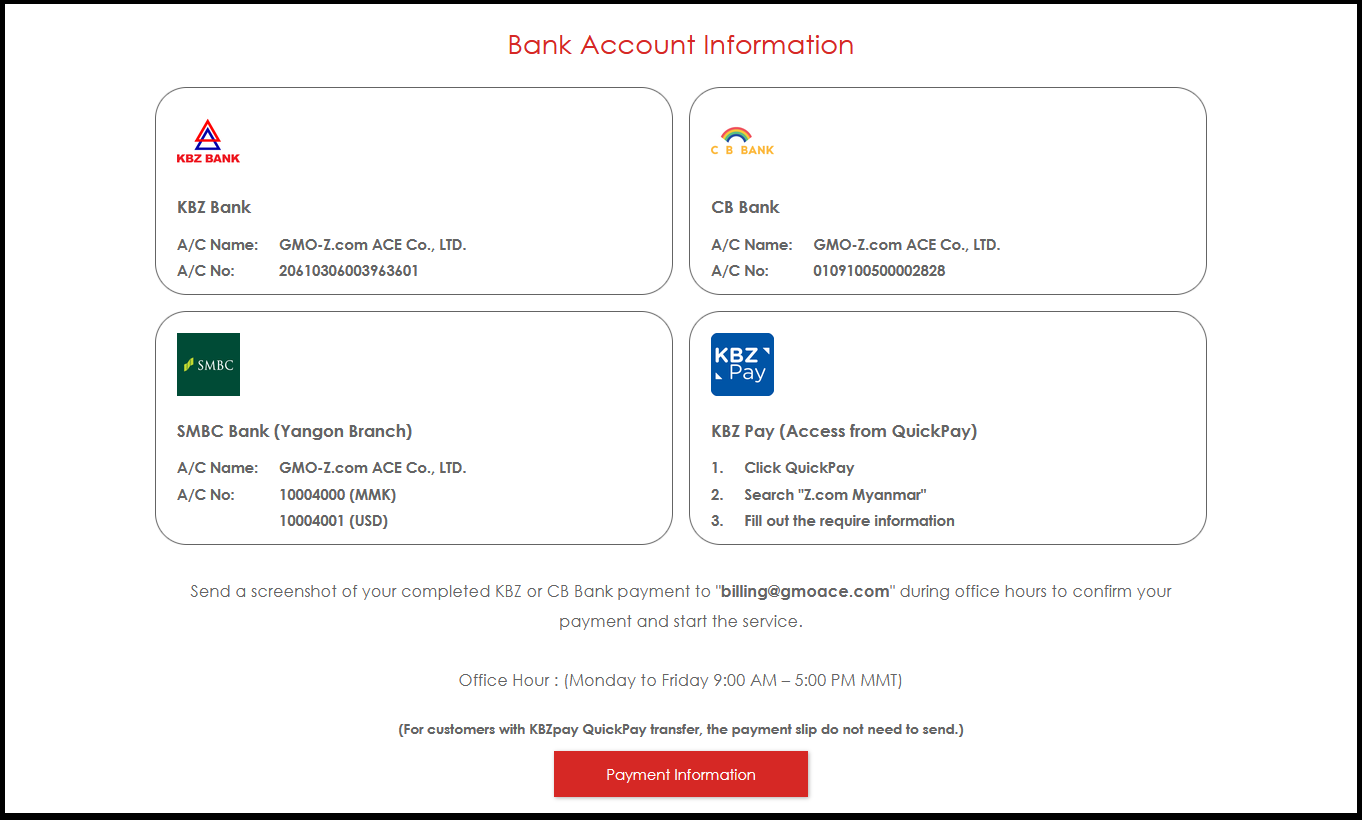
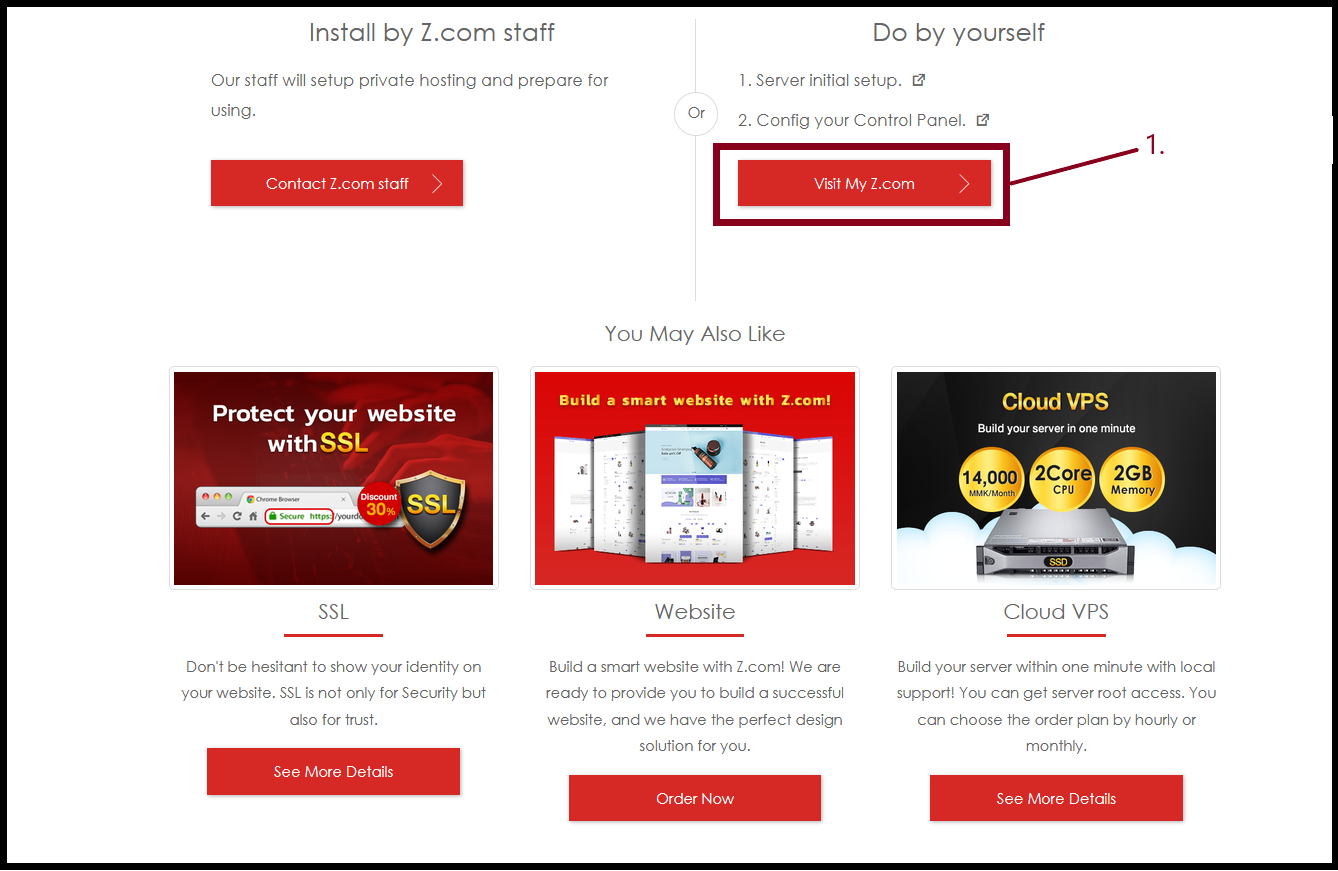
To check your order in your Z.com Accoount, click "Visit My Z.com"
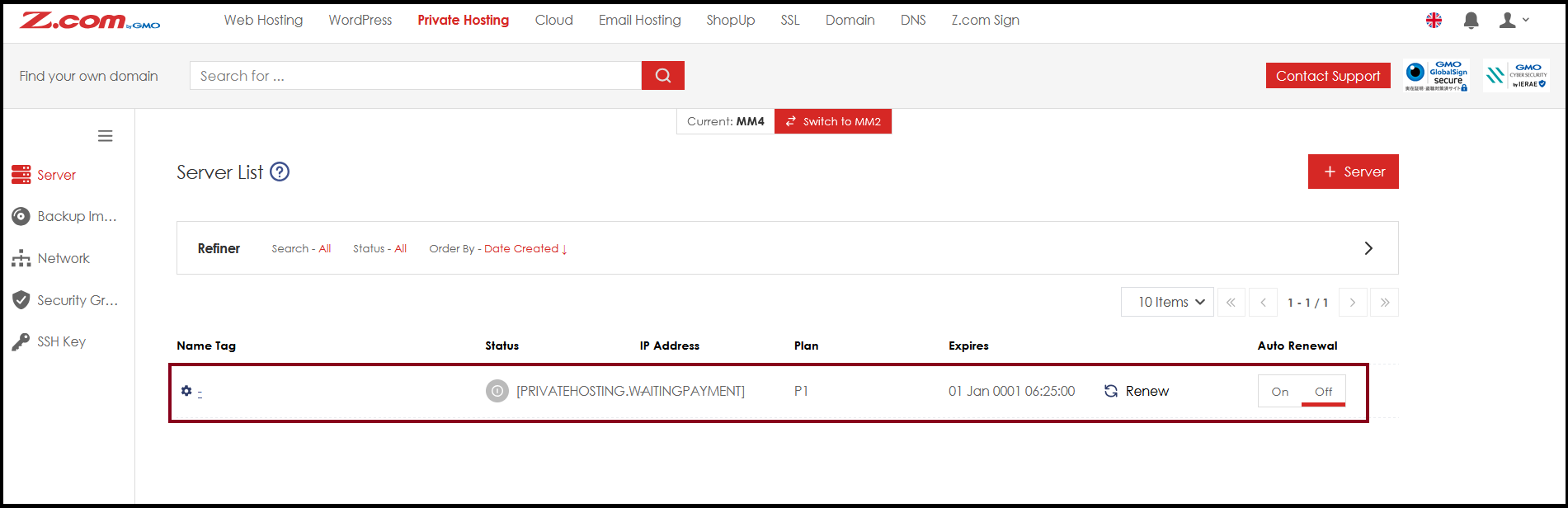
Now, the private hosting order is placed in you Z.com Account.
THANK YOU!!!
Was this article helpful?
That’s Great!
Thank you for your feedback
Sorry! We couldn't be helpful
Thank you for your feedback
Feedback sent
We appreciate your effort and will try to fix the article