How To Change the Hostname in WHM?
Step1. Login to the WHM.
Login URL: https://123.456.78.9:2087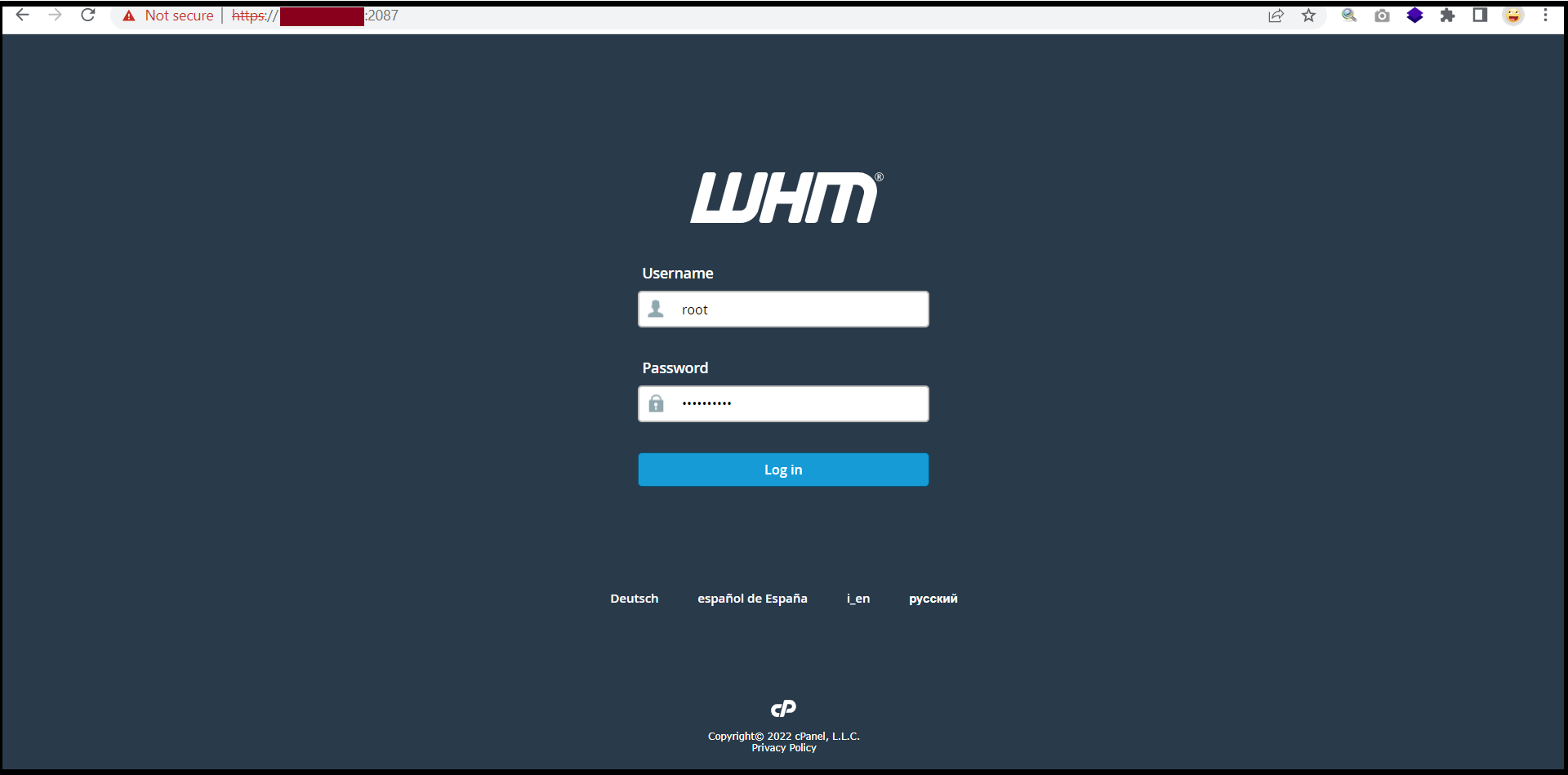
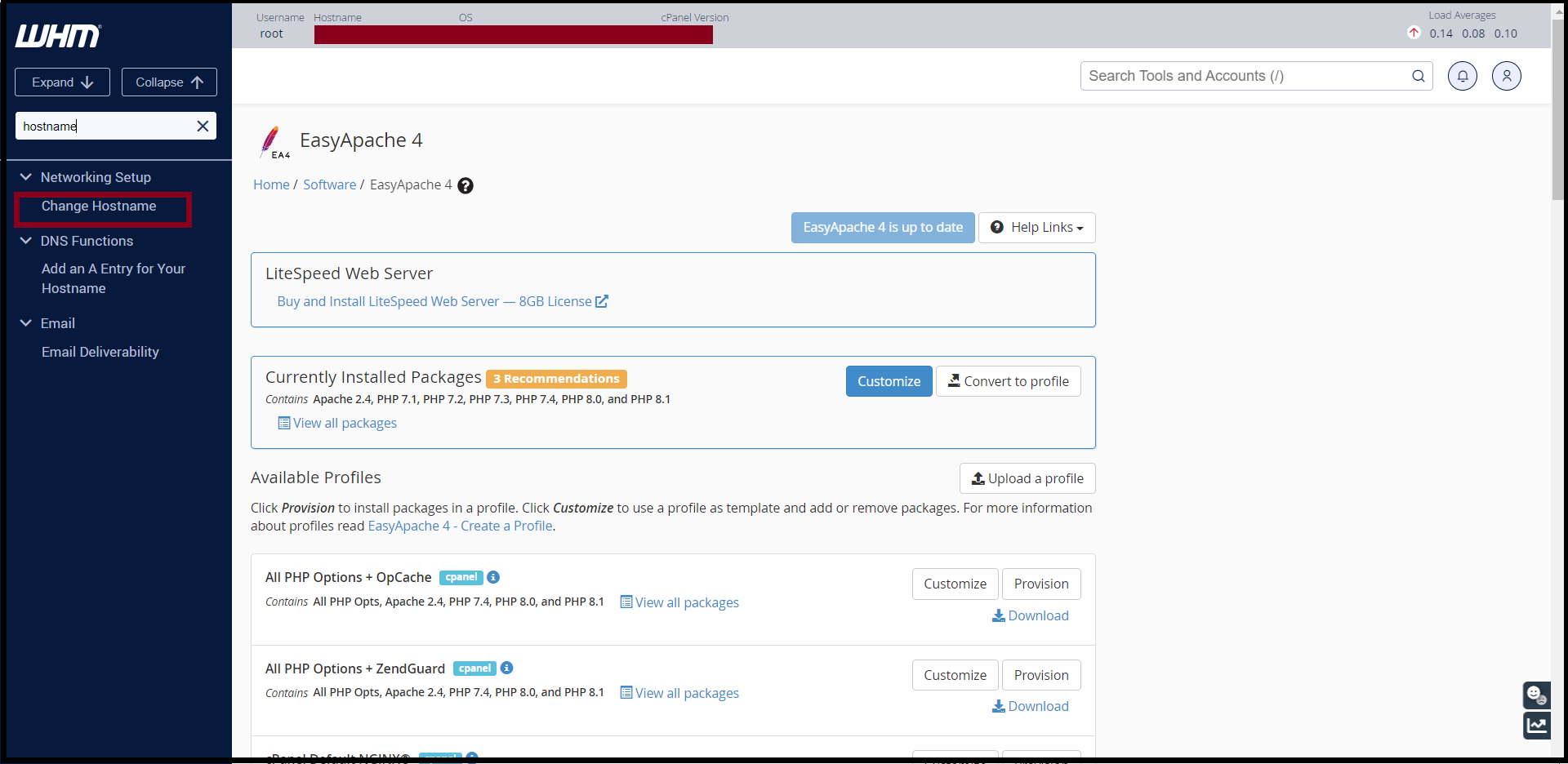
Step2. Search and Click “Change Hostname” Under Network Setup.
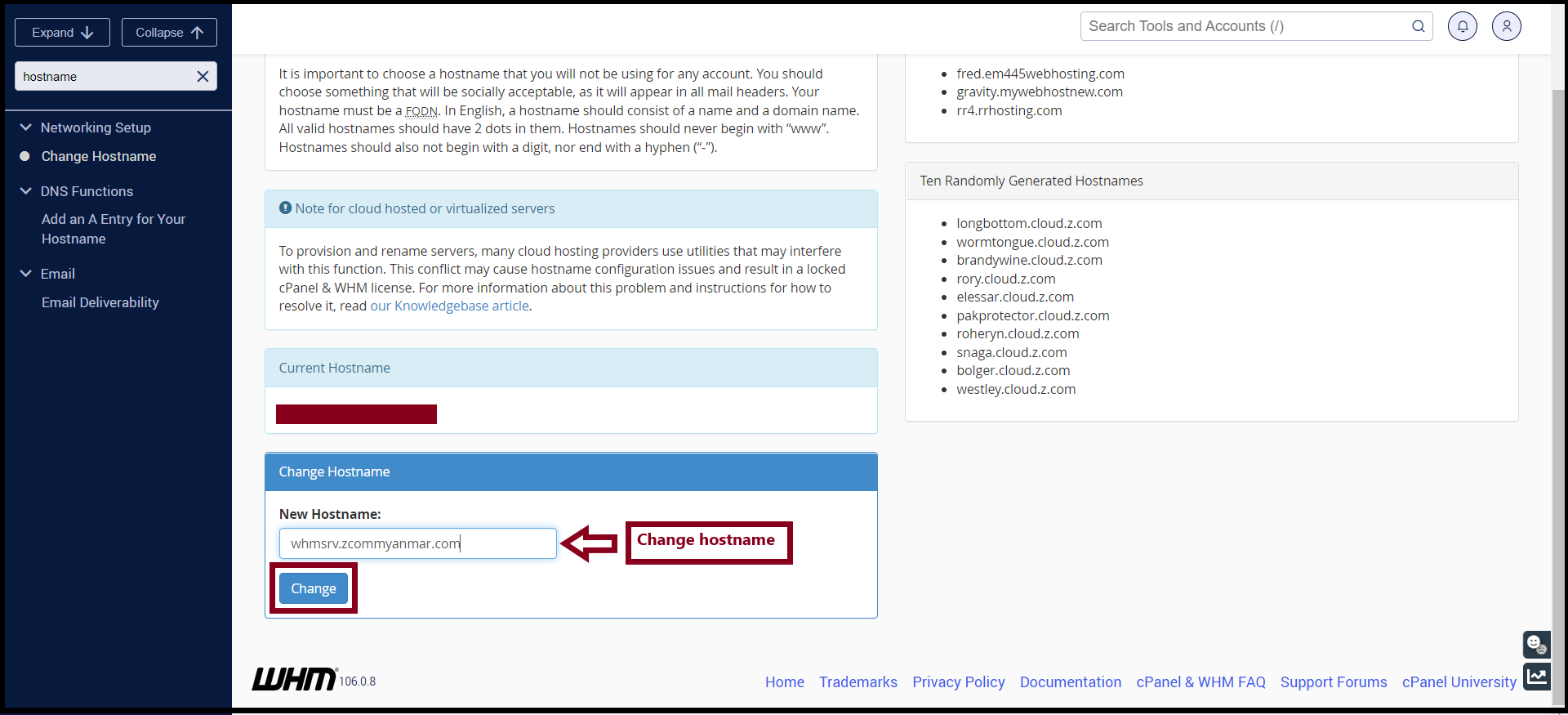
 Step3. Please Enter “New Hostname” and then, click “Change“
THANK YOU!!!
Was this article helpful?
That’s Great!
Thank you for your feedback
Sorry! We couldn't be helpful
Thank you for your feedback
Feedback sent
We appreciate your effort and will try to fix the article