How to reset root password OS Alma Linux in Private hosting MM4?
Step1. Login to z.com account, https://hosting.z.com/mm/signin/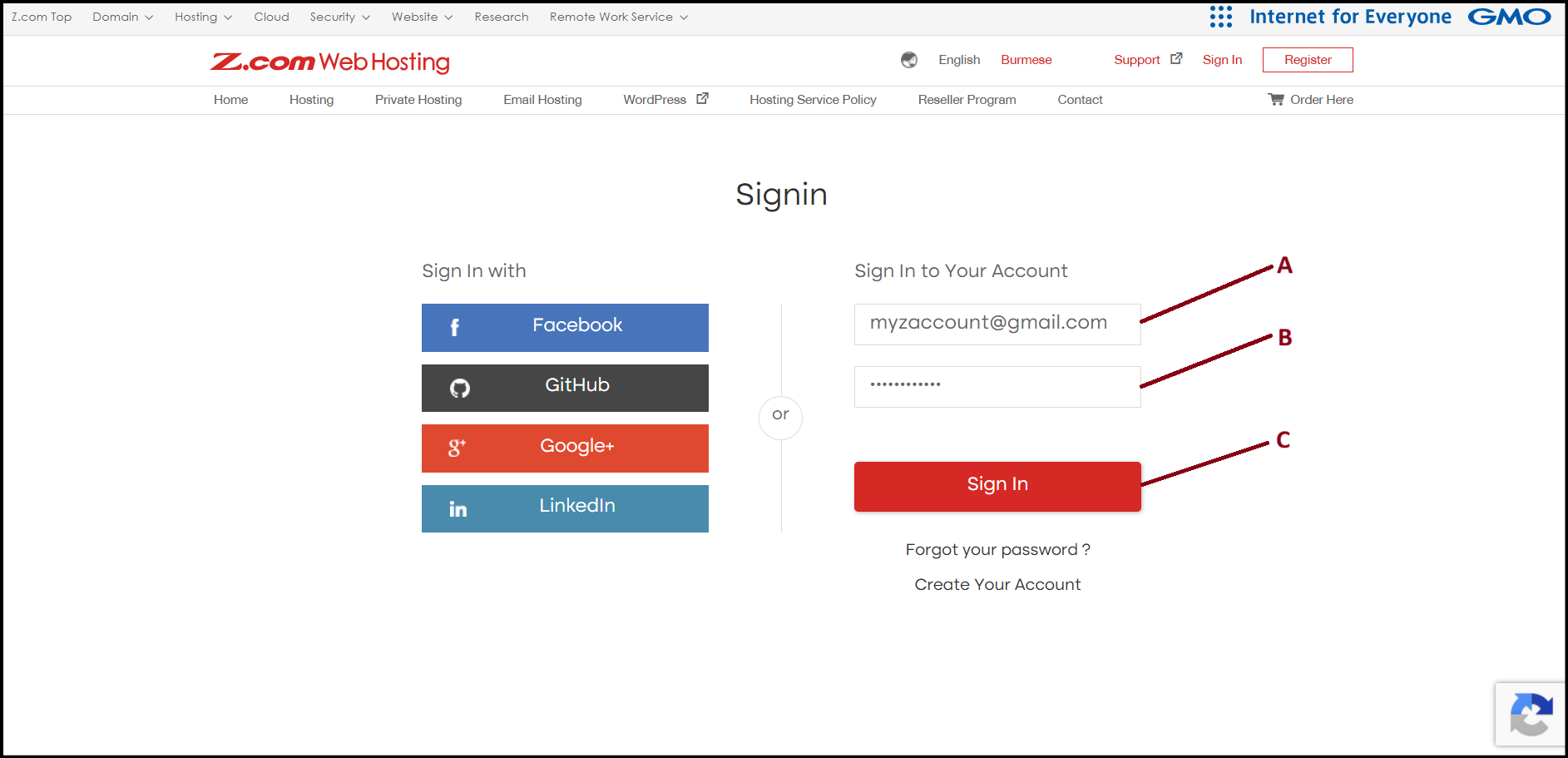
Step2. Please click the server below of NameTag. 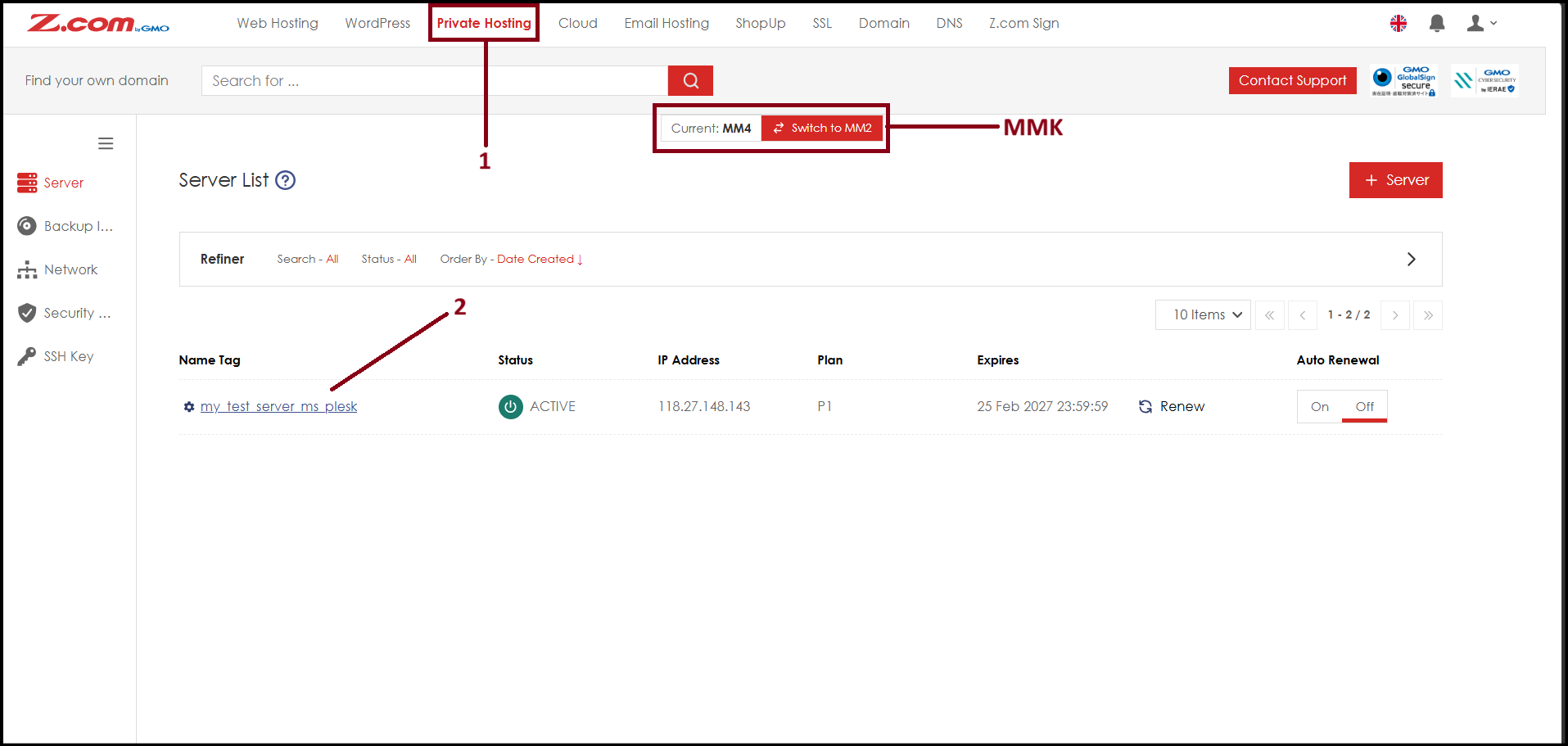
Step3. Here you will see server related informations. Please click "Console". 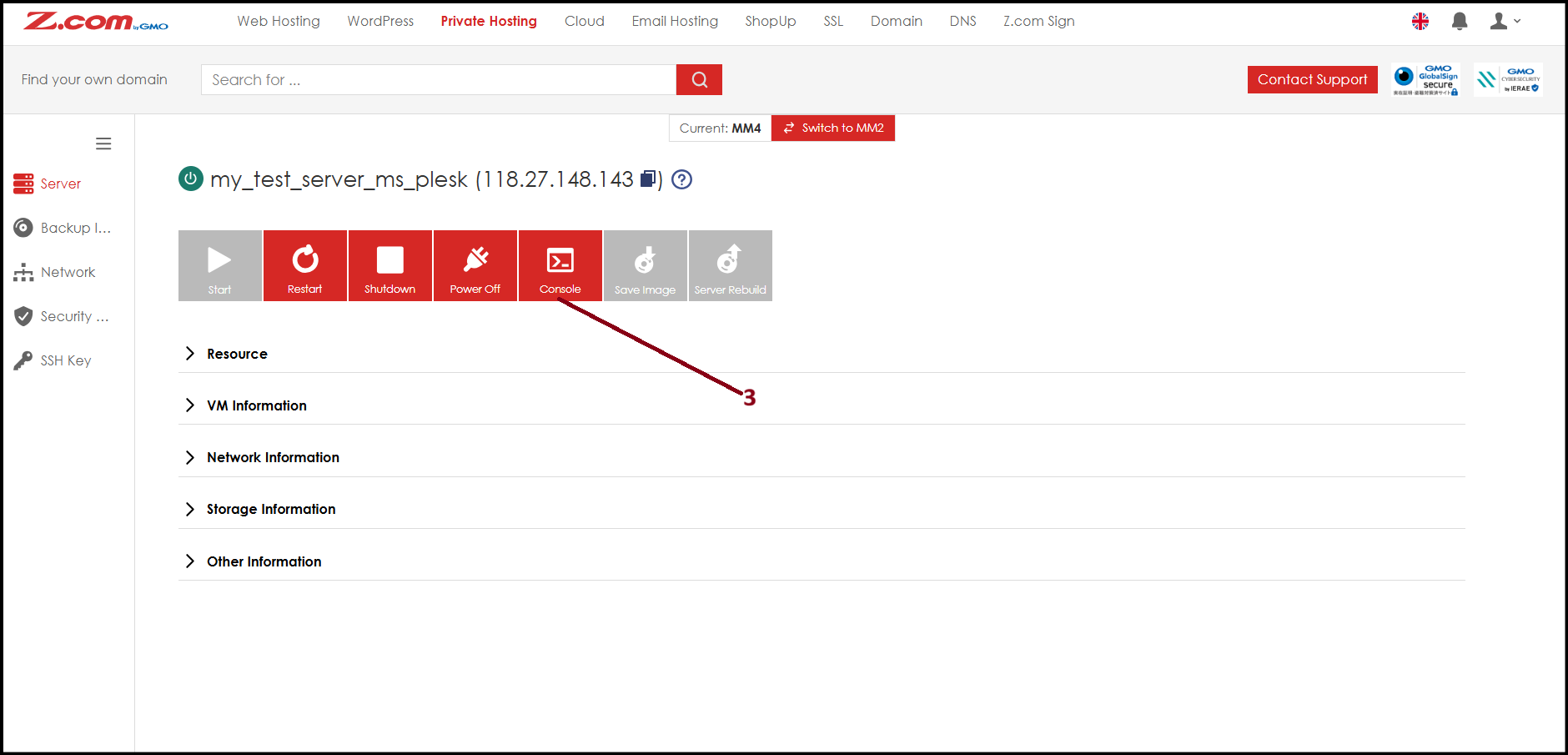
Step4. Console screen will open. To reset password click "Special Keys" and under combo click "Ctrl+Alt+Del". 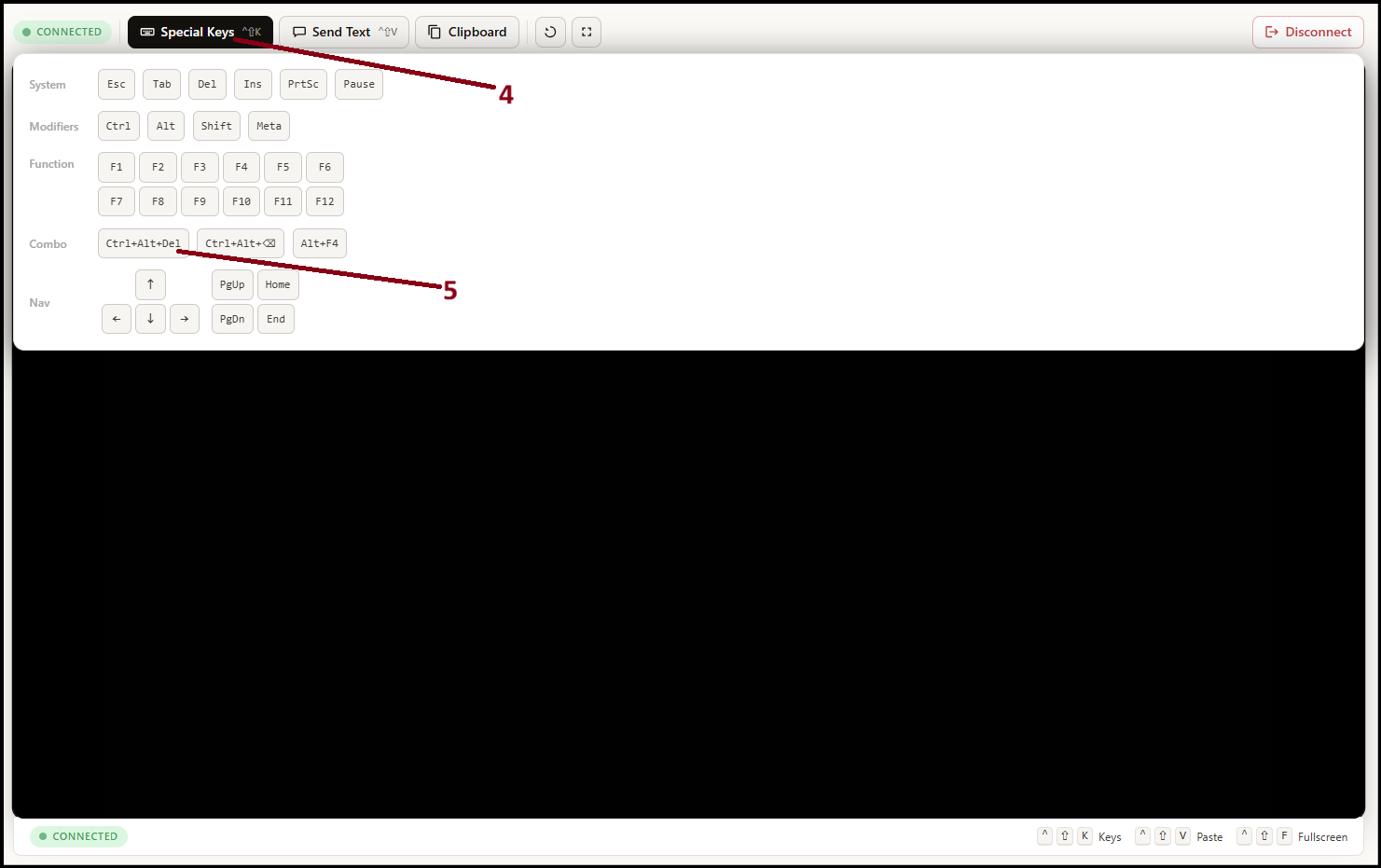
Step5. When the below screen shows up, quickly click "e" from your keyboard. 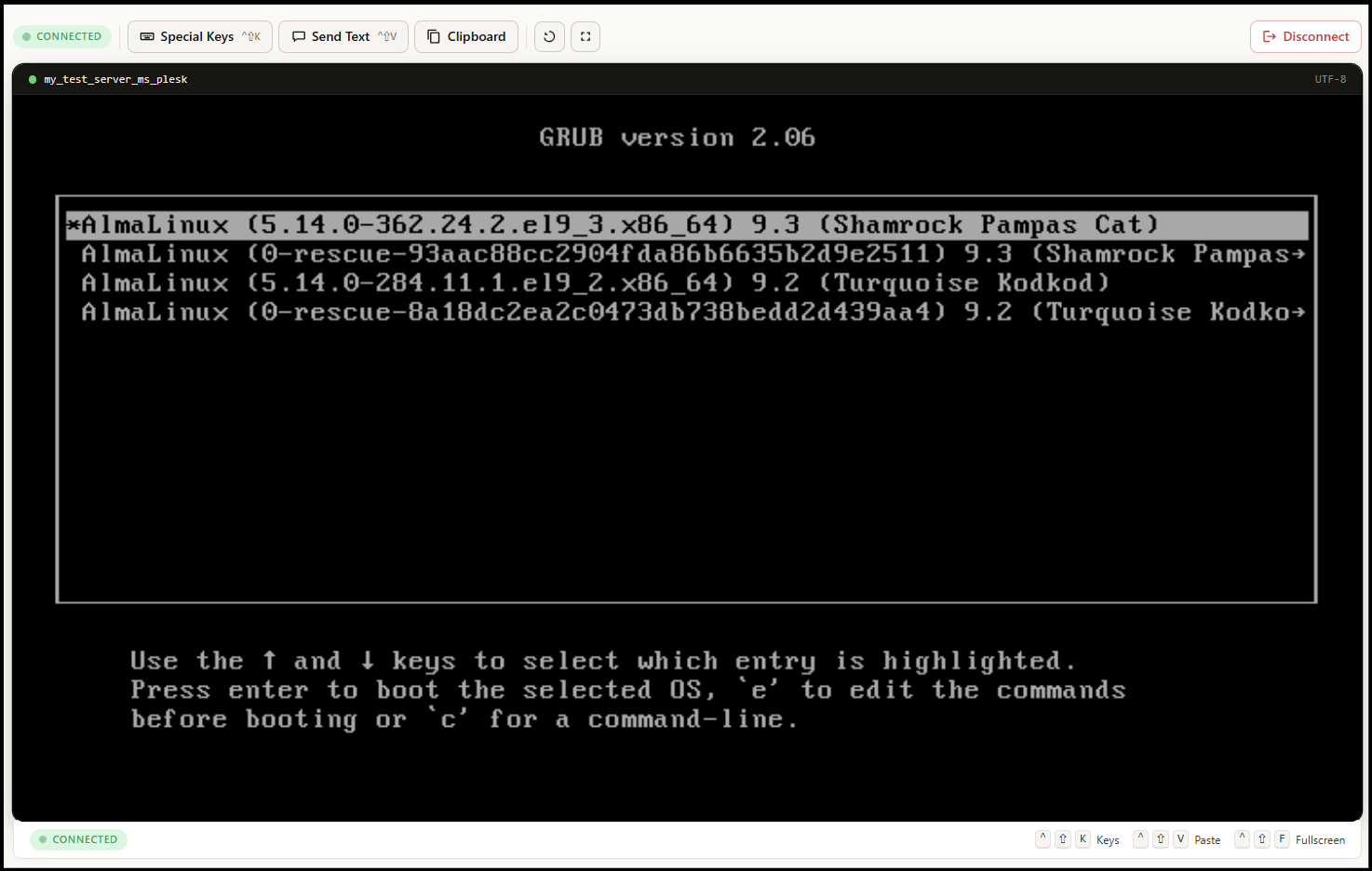
Step6. You will see the boot code as follow and please delete “the red lined text“. Please be careful not to delete other codes. 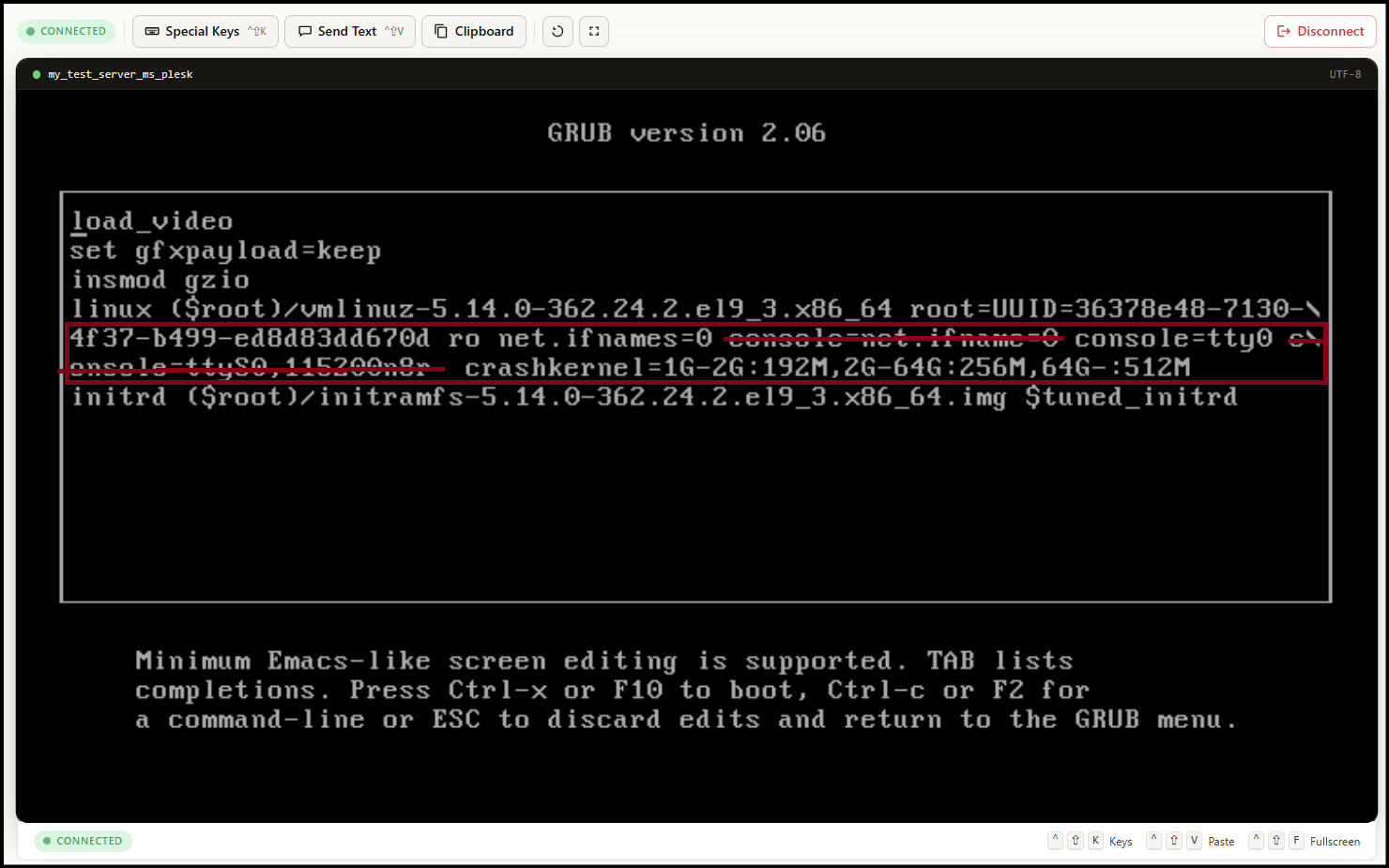
Step7. After deleting, please add the following code at the end of “512M“.
[code] = rd.break
The final code will look like below screenshot.
After that, click "Ctrl+x" from your keyboard to start the init mode. 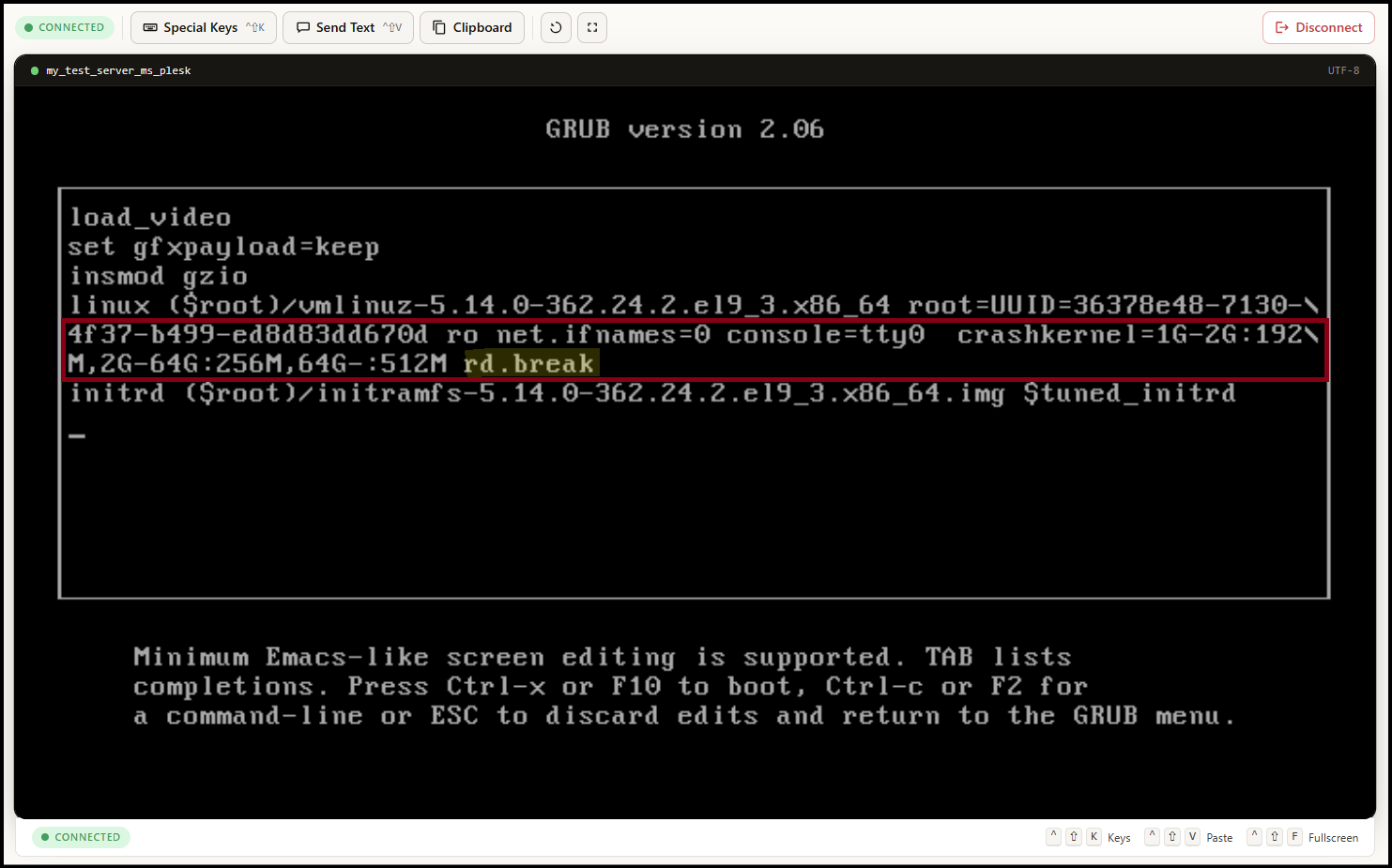
Step8. Pleask type below code to give permission to edit root user password.
[code] = mount -o remount,rw /sysroot
[code] = chroot /sysroot 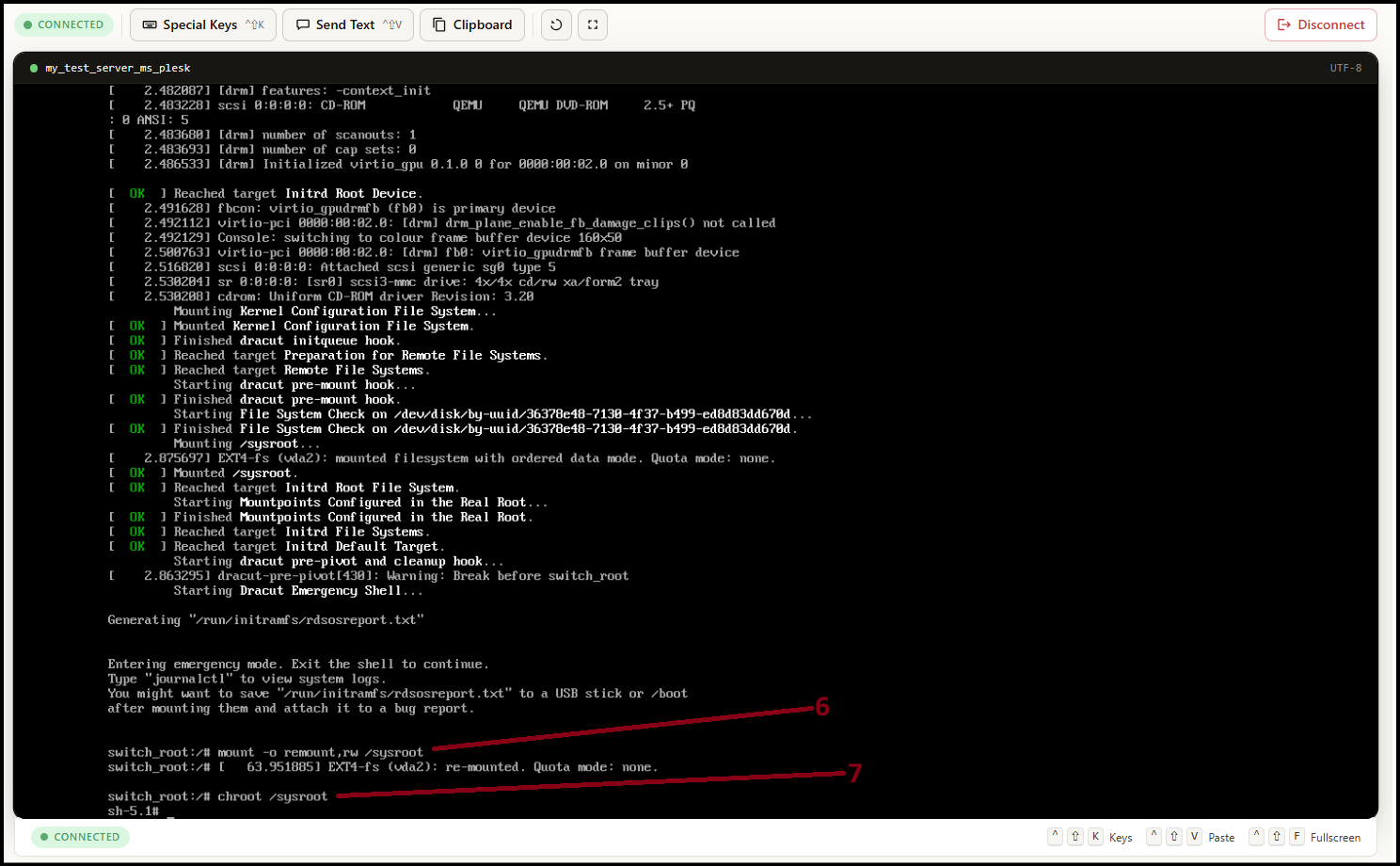
Step9. Please type: passwd root
Then please enter your new root password. Please note new password in a secure place also. 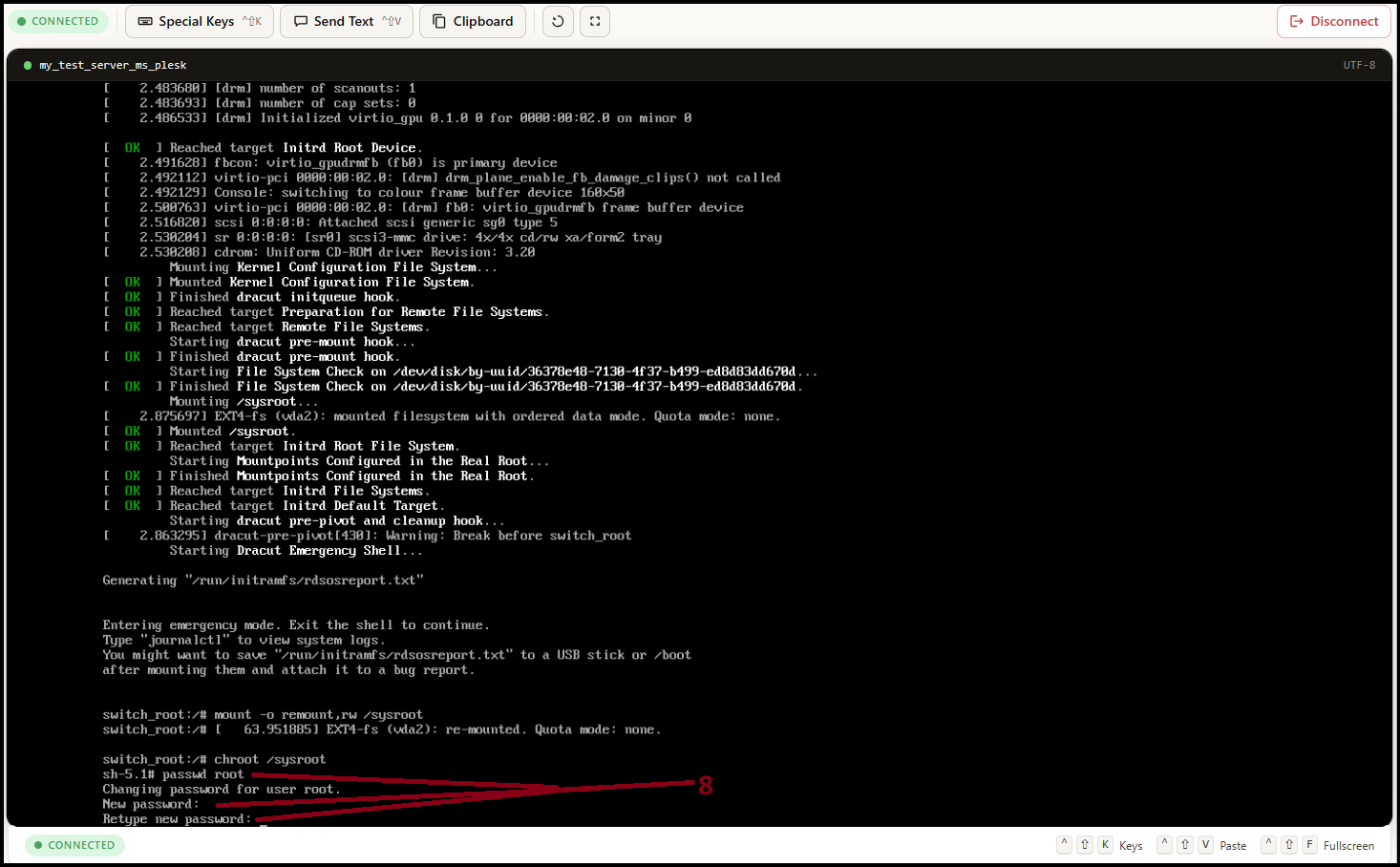
Step10. After you changed the password, please type the following codes to save and reboot the VM again.
[code] = touch /.autorelabel
[code] = exit
[code] = exit 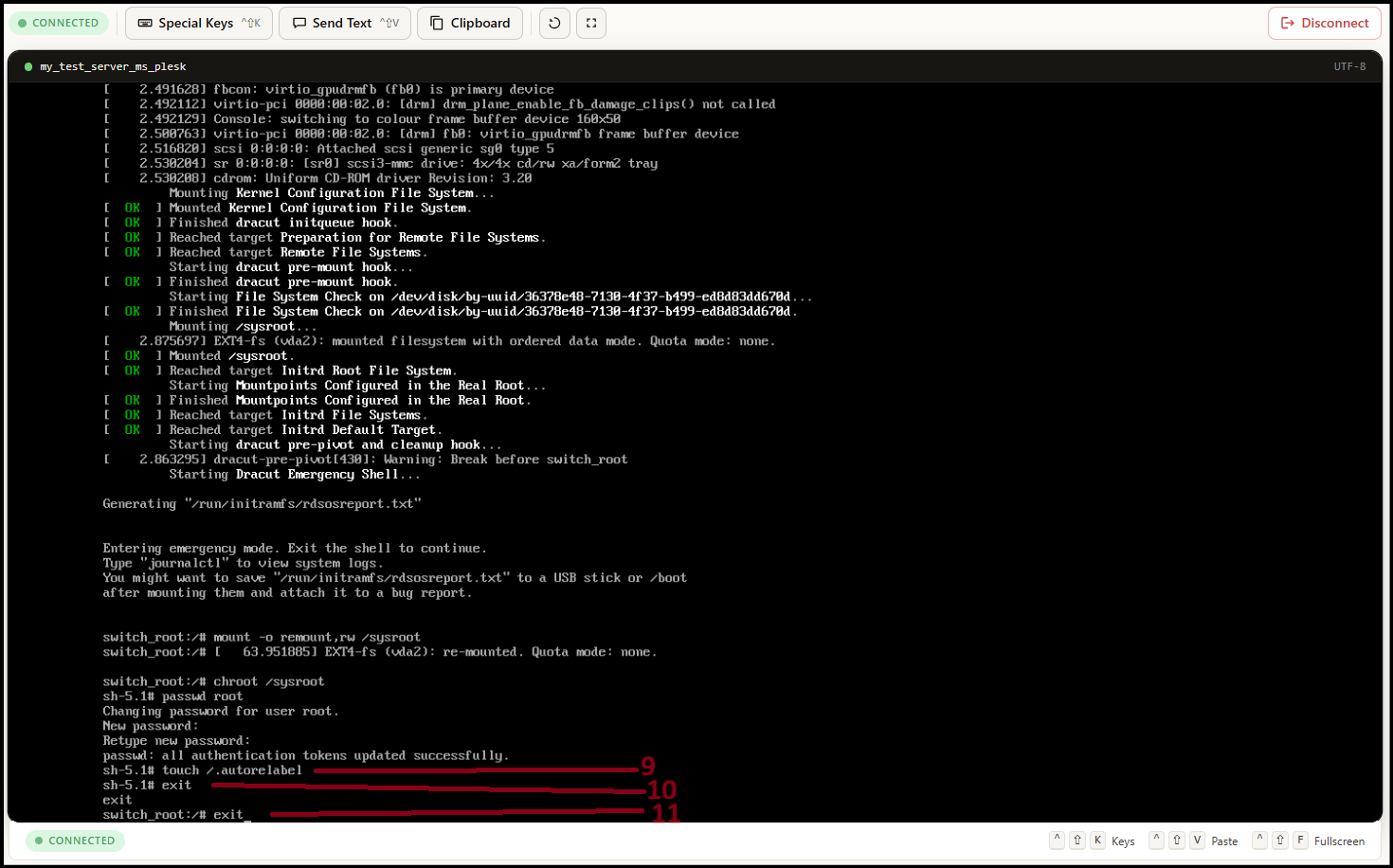
Step11. Please wait to reboot the VM. Now you can login with the new root password to the server. 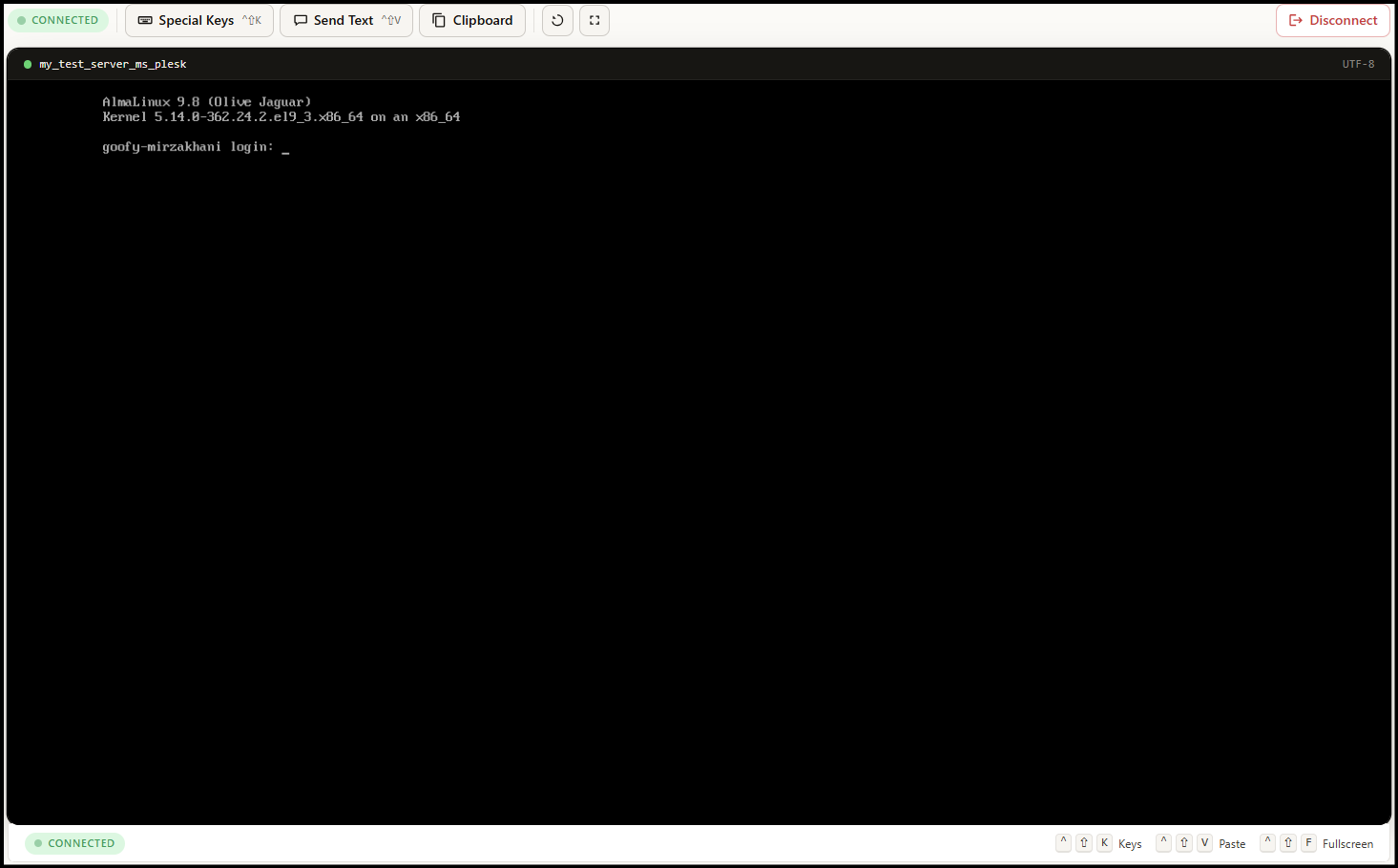
Thank You!
Was this article helpful?
That’s Great!
Thank you for your feedback
Sorry! We couldn't be helpful
Thank you for your feedback
Feedback sent
We appreciate your effort and will try to fix the article