How to order Additional IP in Private Hosting MM4?
Step1. Login to z.com account, https://hosting.z.com/mm/signin/ 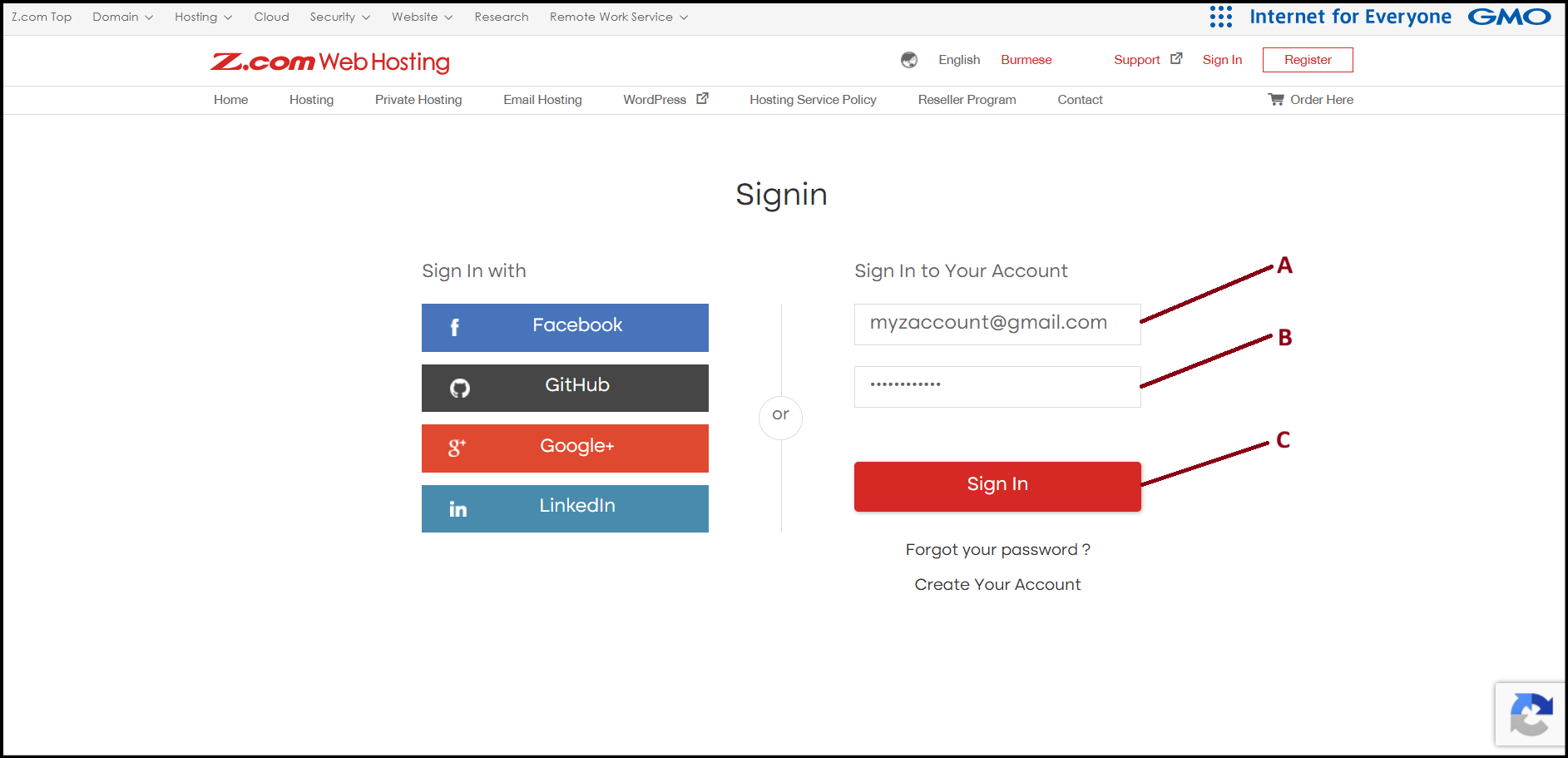
Step2. Go to the "Private Hosting" tab under MM4. And click "Network" from left side menu. 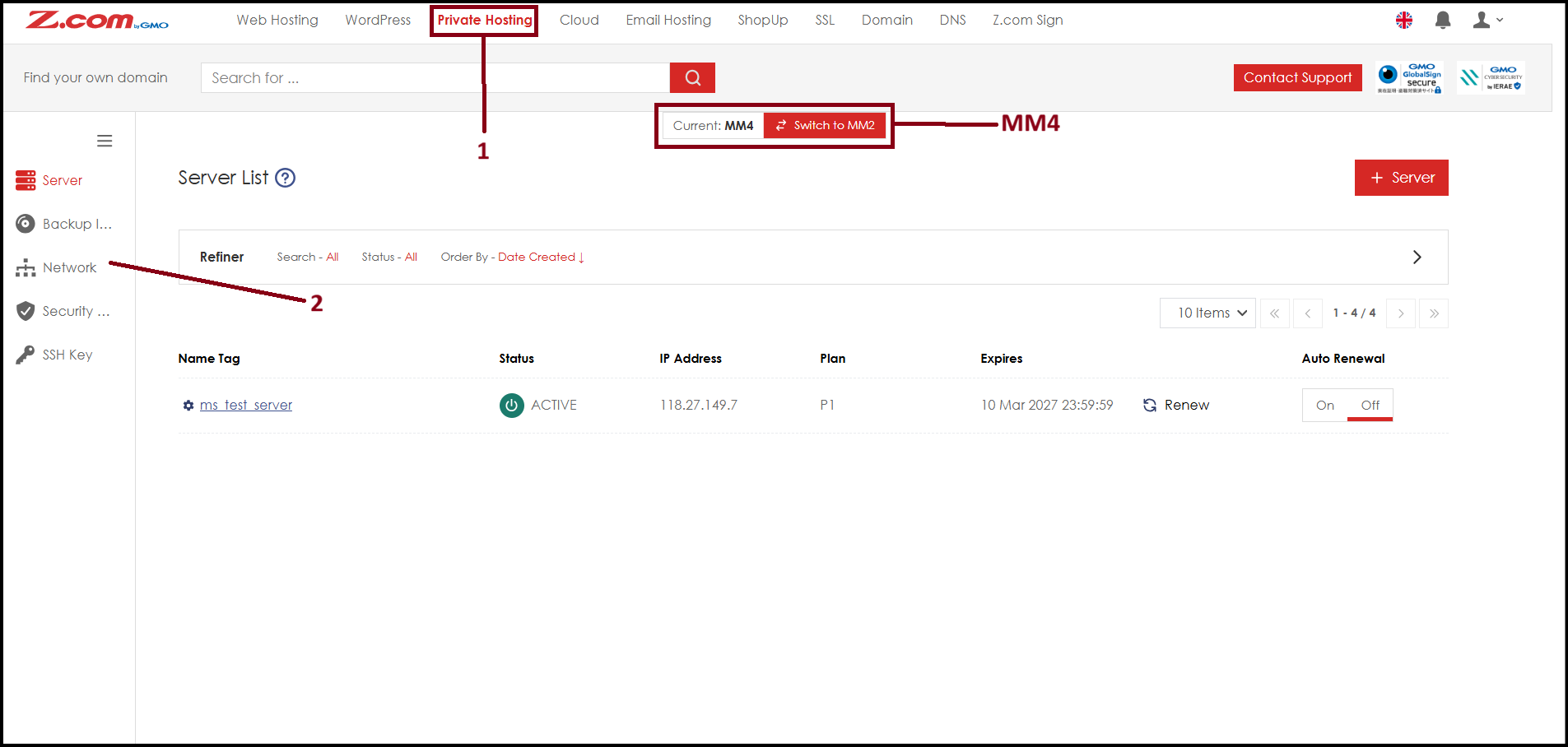
Step3. Click "+IP Address" to order. 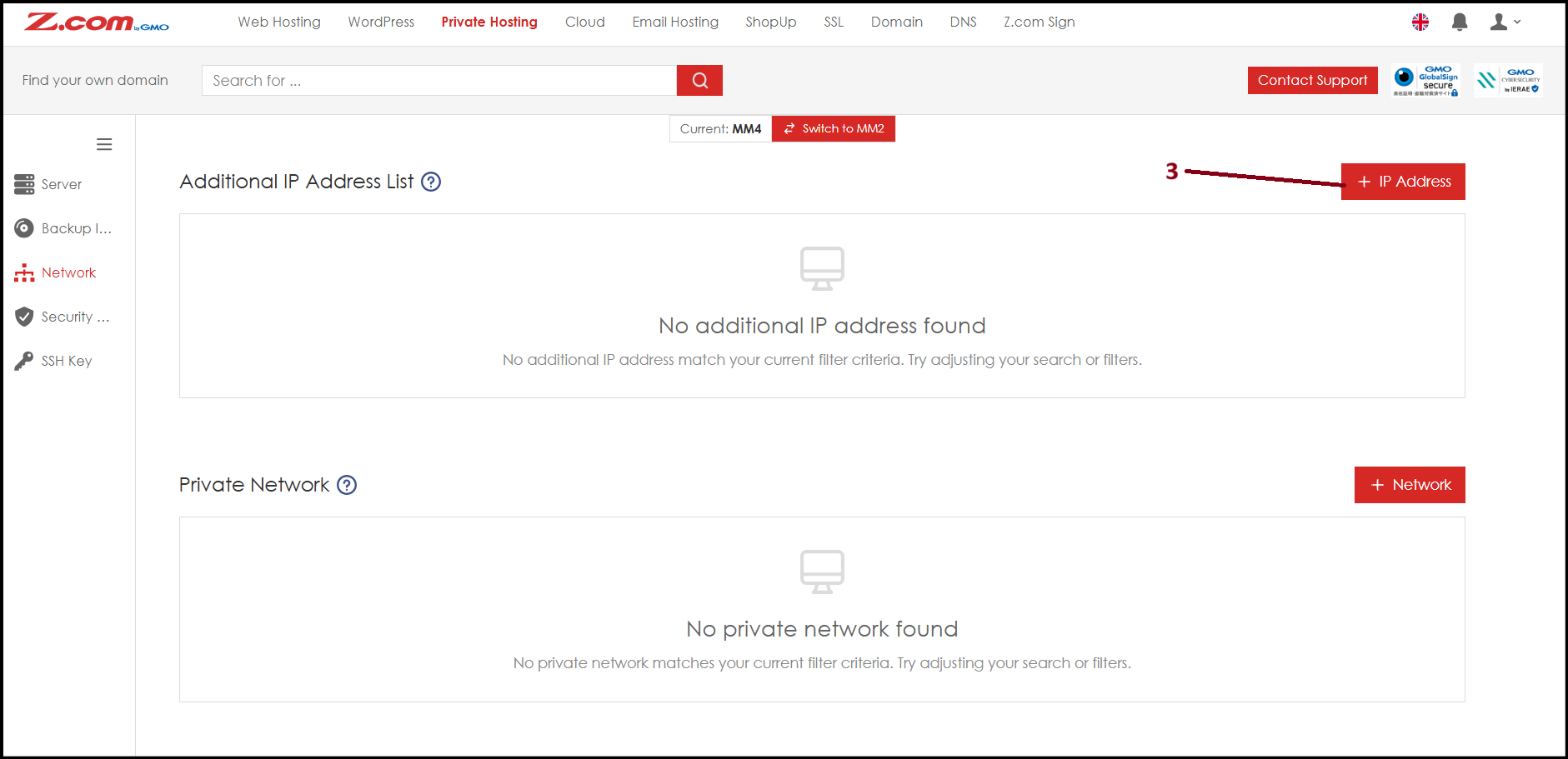
Step4. Select the desire IP address quantity from "Number of IP Addresses" with time period from "Contract Period" and click "Add".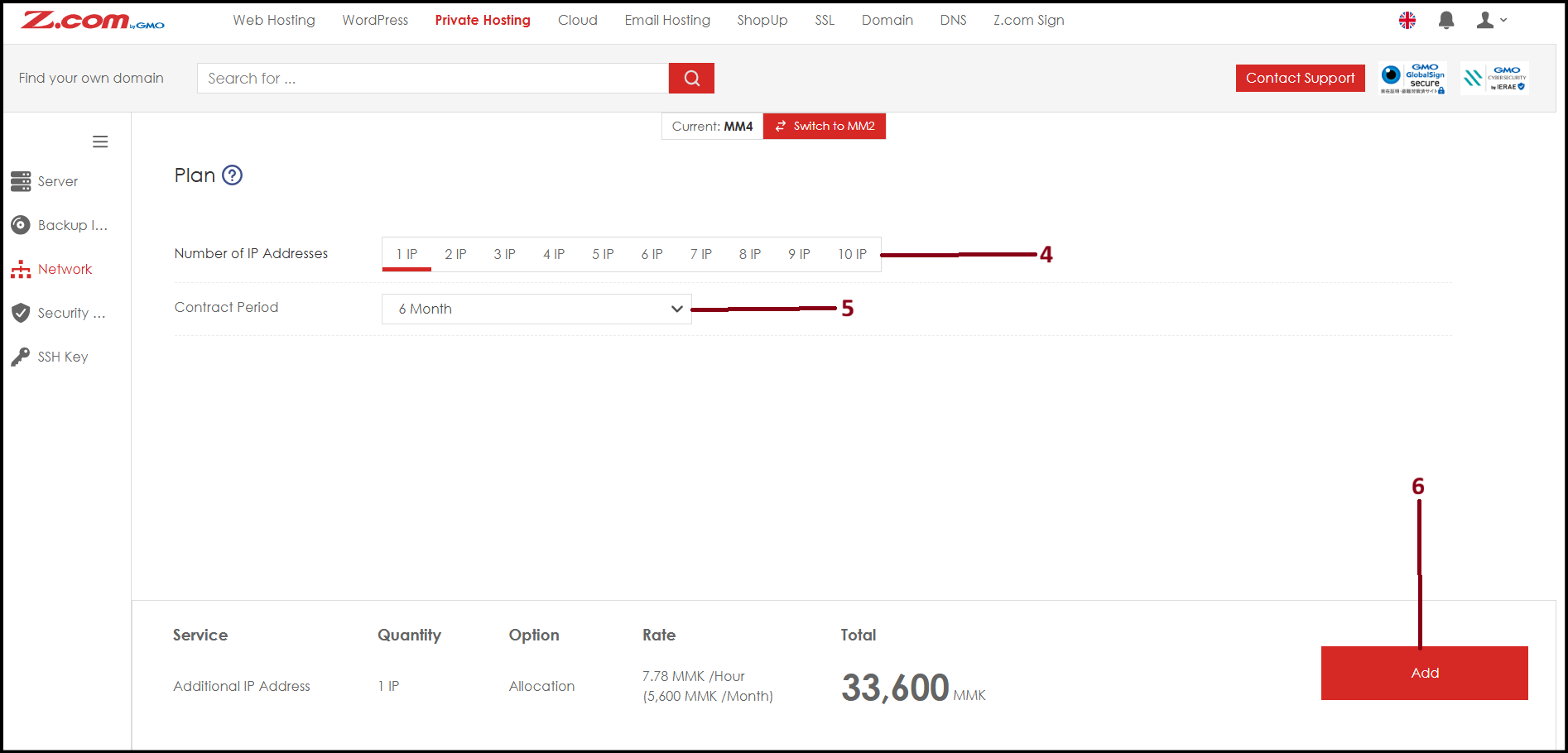
Step5. At this step, choose the payment method and click "Set". 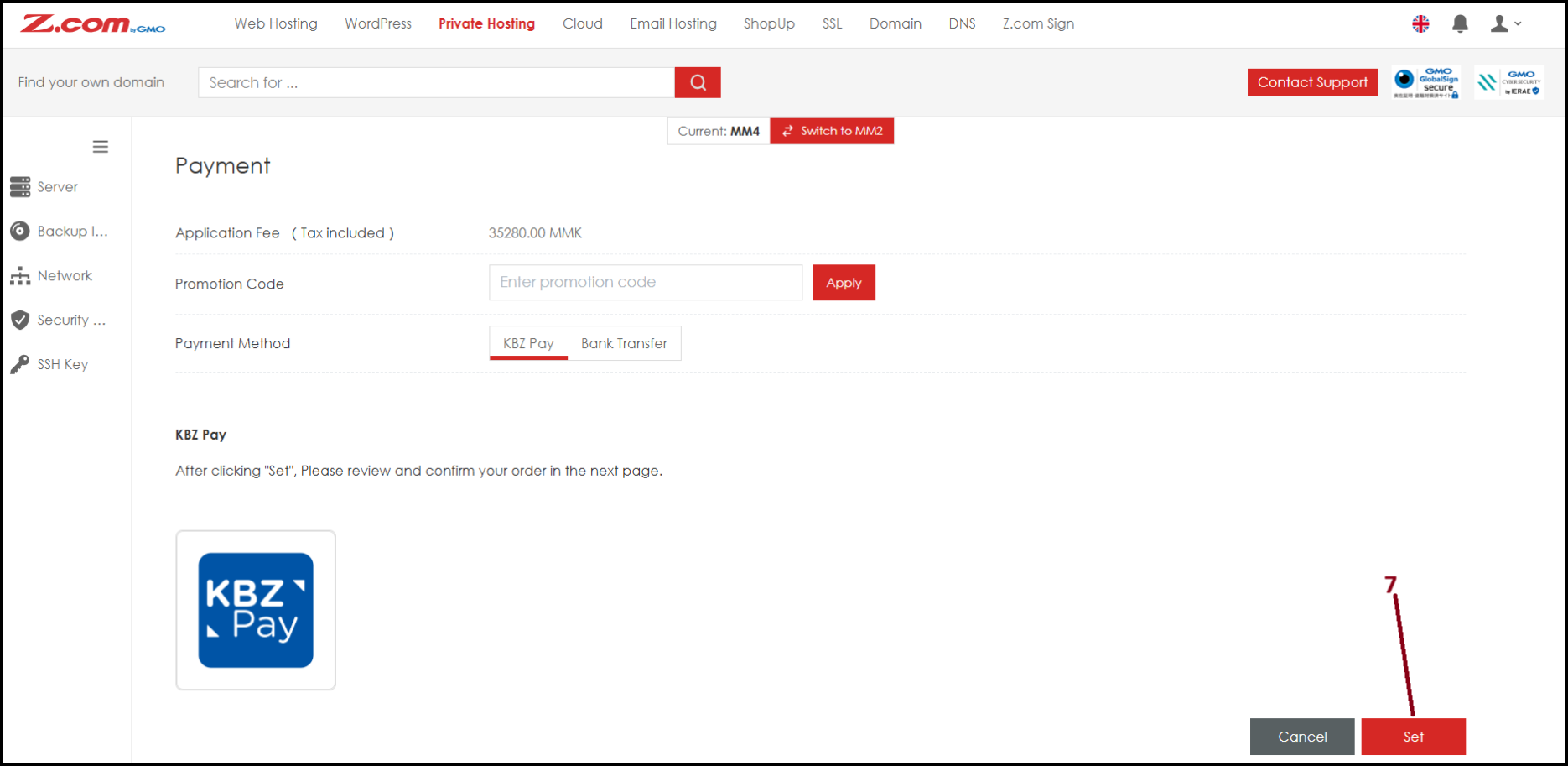
Step6. Now the order completed and additional IP address created. 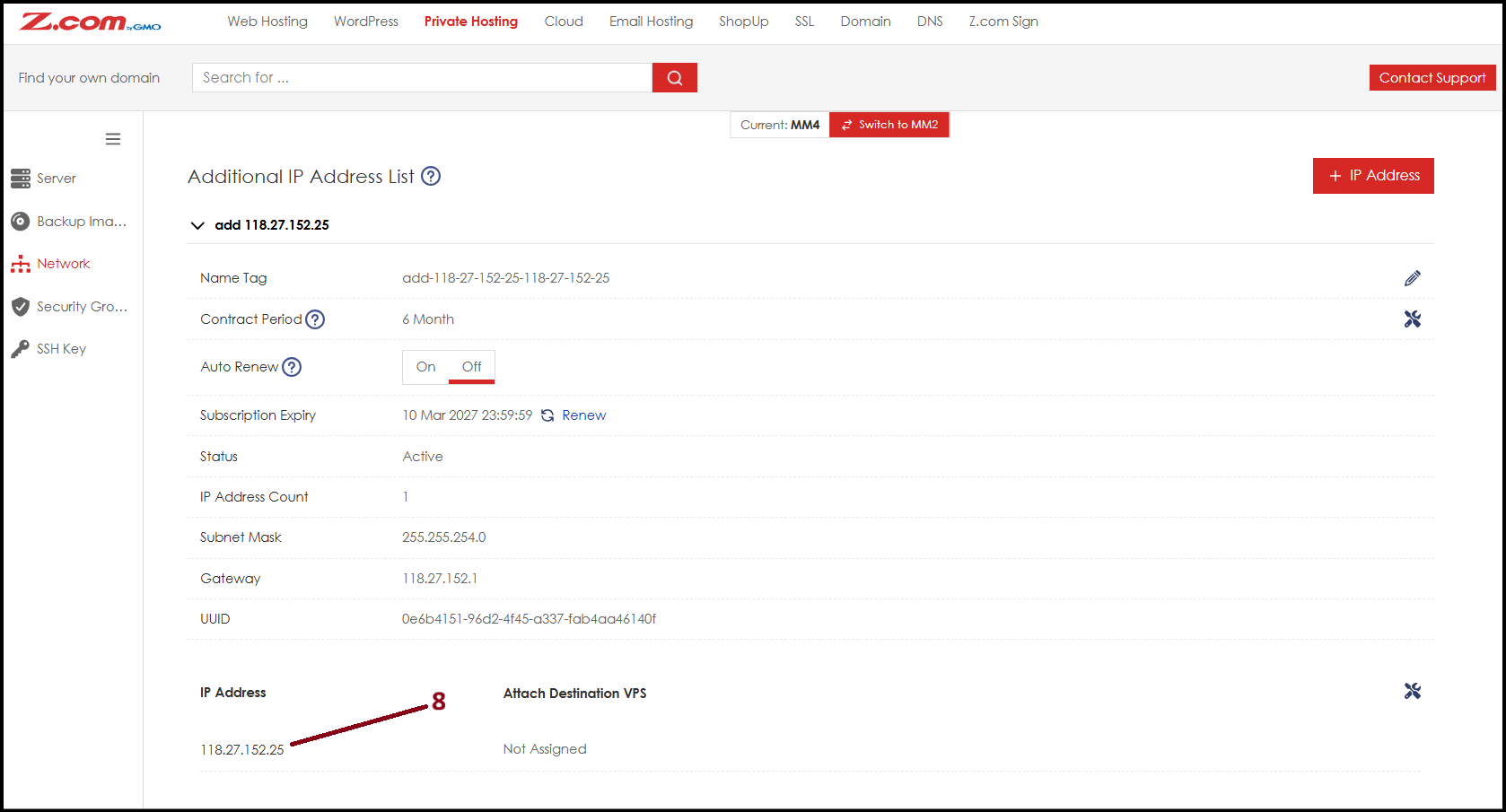
Thank You!
Was this article helpful?
That’s Great!
Thank you for your feedback
Sorry! We couldn't be helpful
Thank you for your feedback
Feedback sent
We appreciate your effort and will try to fix the article