How to Use the email service in Browser?
After the email accounts are created by admin of email hosting, the users can use the email services such as sending, receiving the mail in their individual accounts.
Step1. Login to your email account via login URL [The URL may differ depending on your hosting environment.]
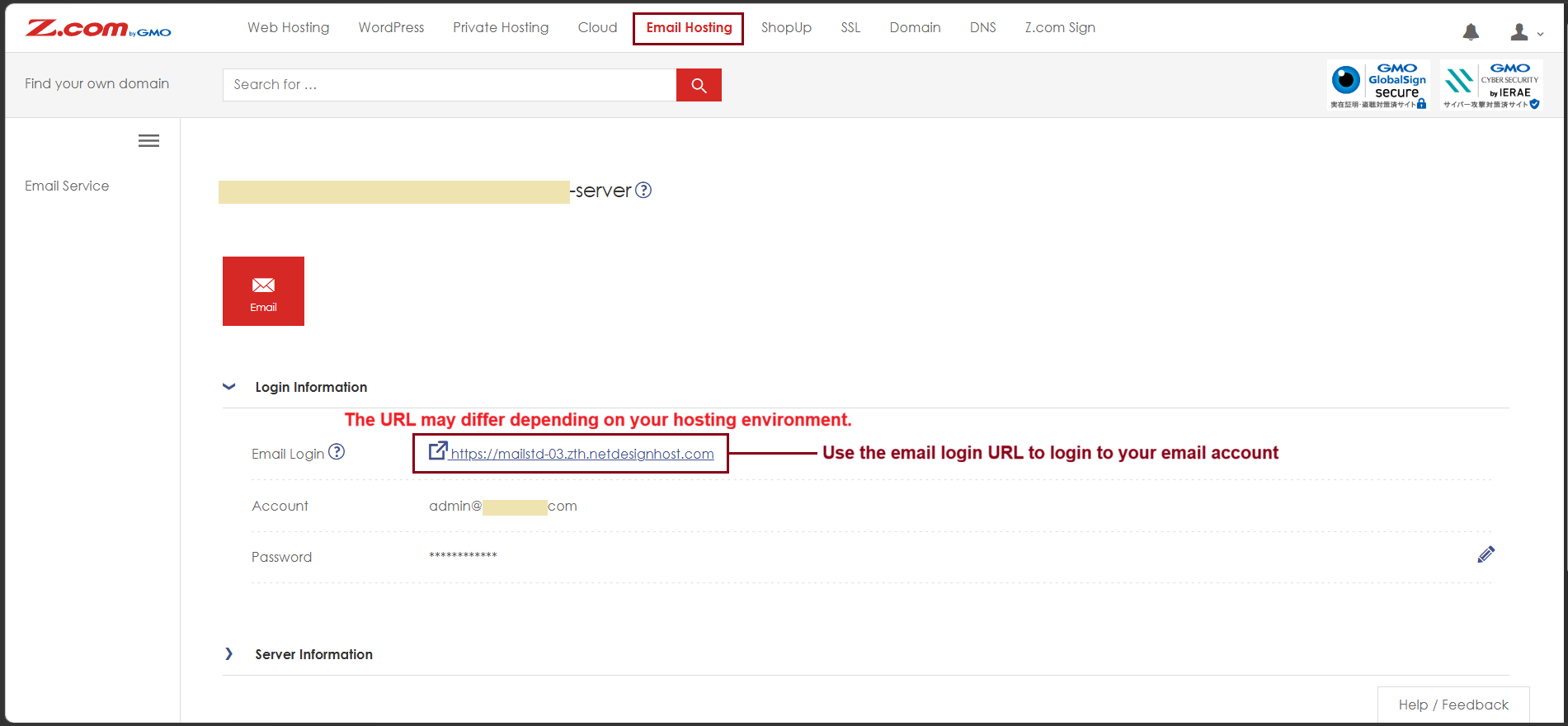
Step2. Enter the URL link in browser [ MicrosoftEdge, Chrome, Firefox, ...]
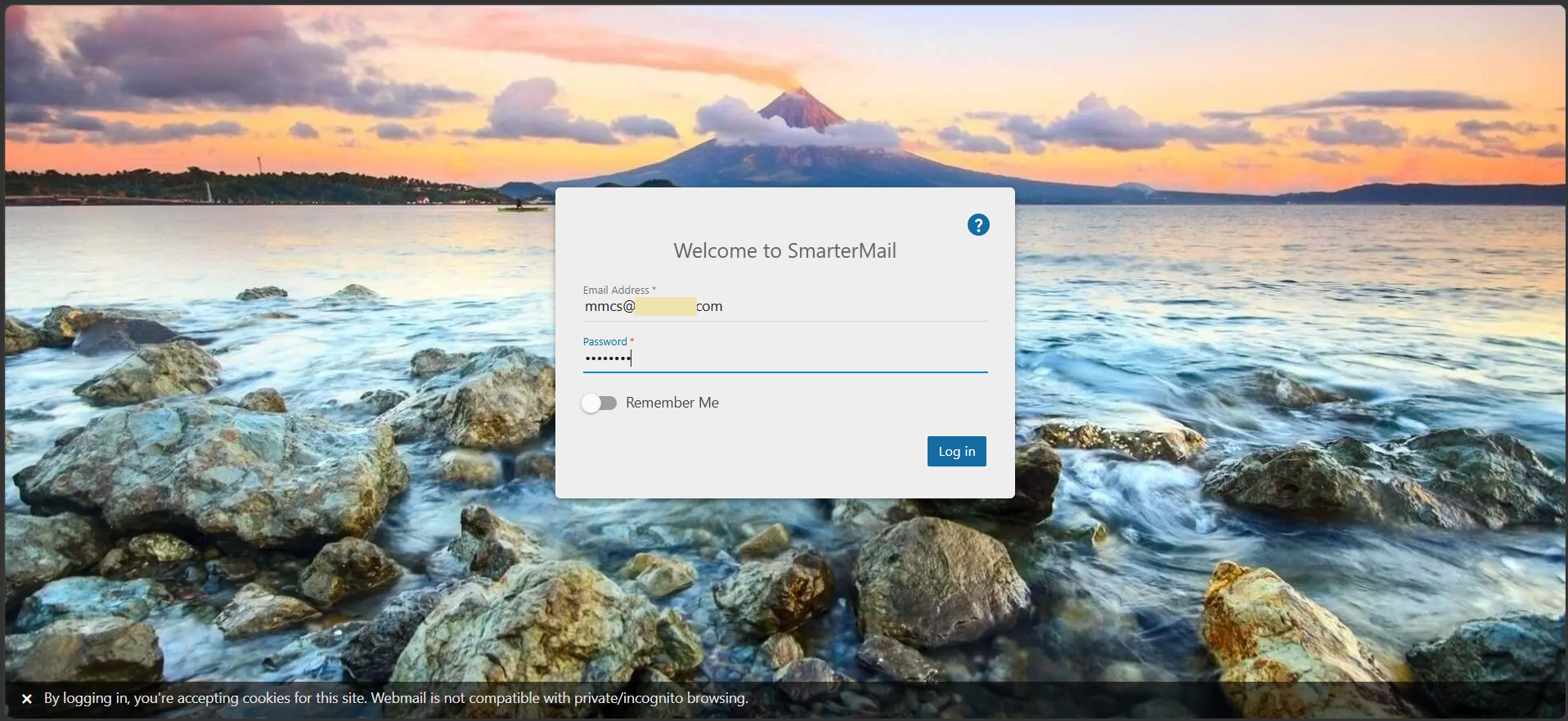
Fill the user's email address and password to login the email service and click "Log in"
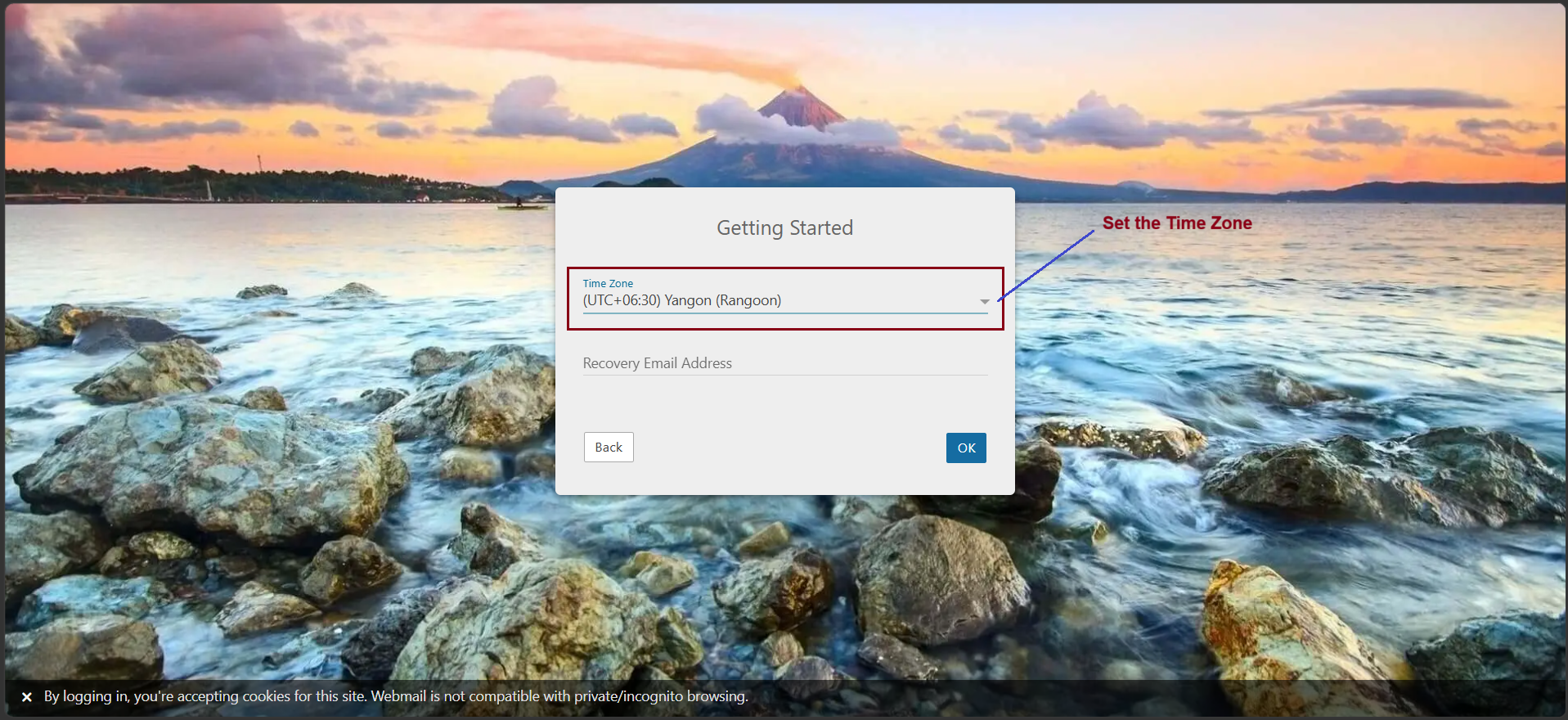
Step3. Set the Time Zone of your email account [Optional]
And, click "OK"
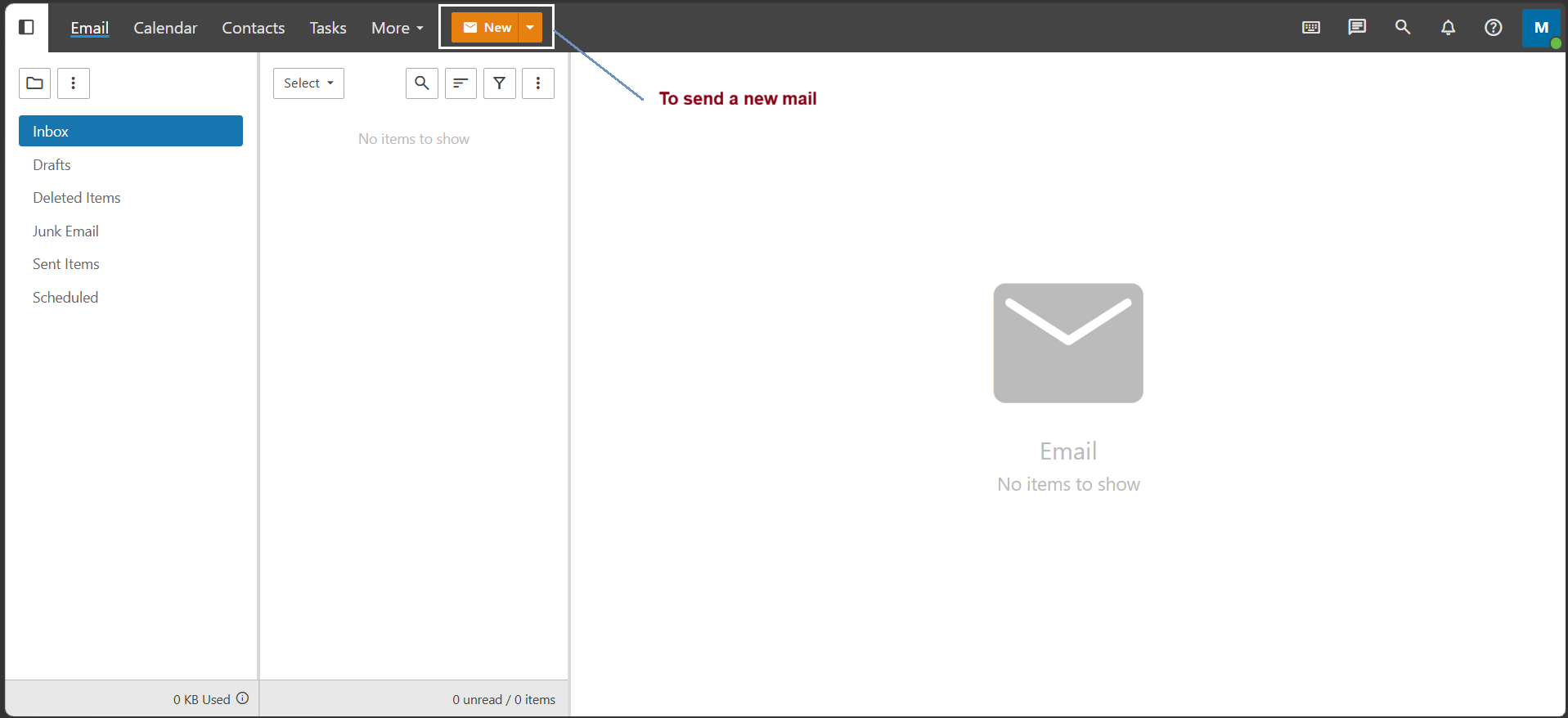
Step4. After logged in to your email account in browser, you can send the email to your clients.
Click "New"
Step5. Enter your email address that you want to send.
Write the composing mail and Click "Send".
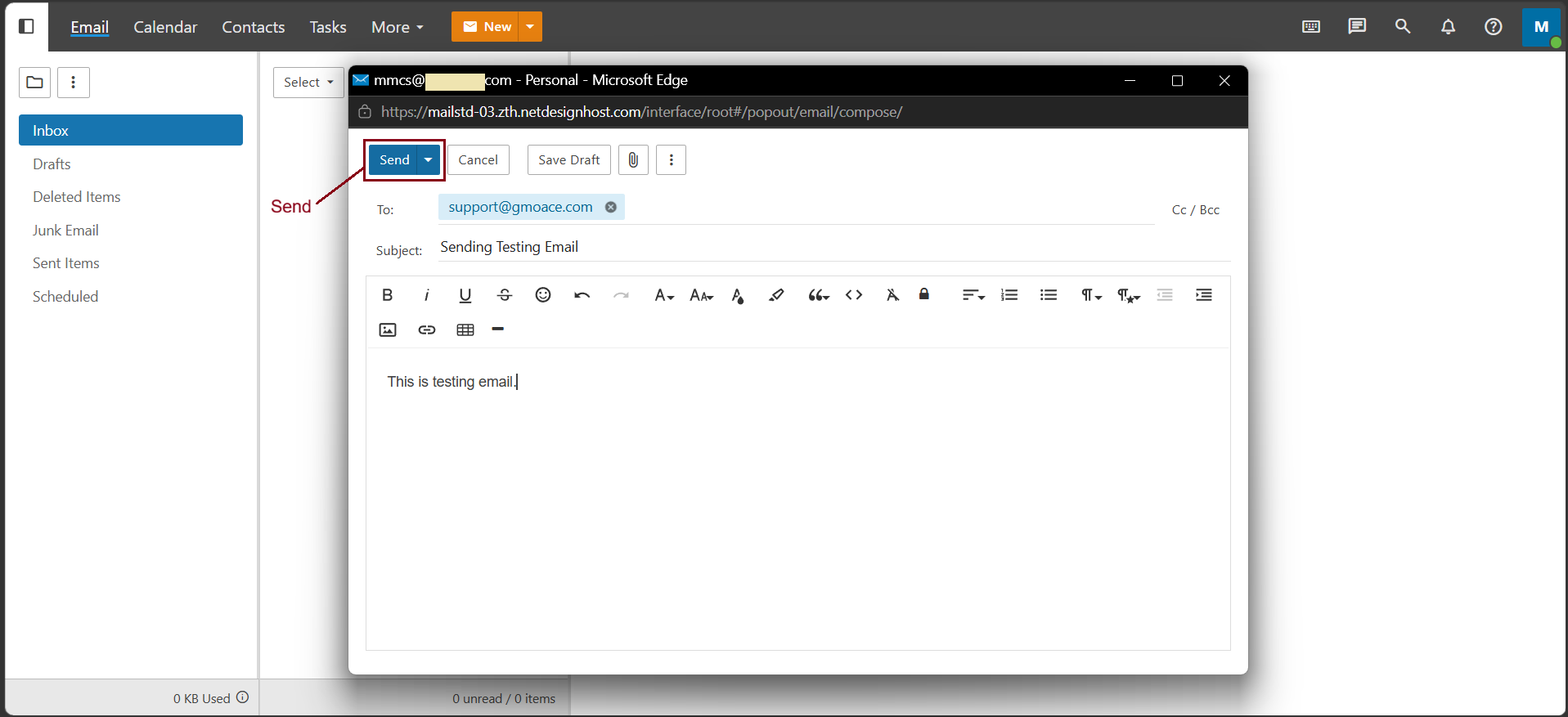
Now, the email can be sent successfully.
Thank you !!!
Was this article helpful?
That’s Great!
Thank you for your feedback
Sorry! We couldn't be helpful
Thank you for your feedback
Feedback sent
We appreciate your effort and will try to fix the article