How to Delete a Database and Database User in CloudPanel MM4?
Step1. Login to z.com account, https://hosting.z.com/mm/signin/ 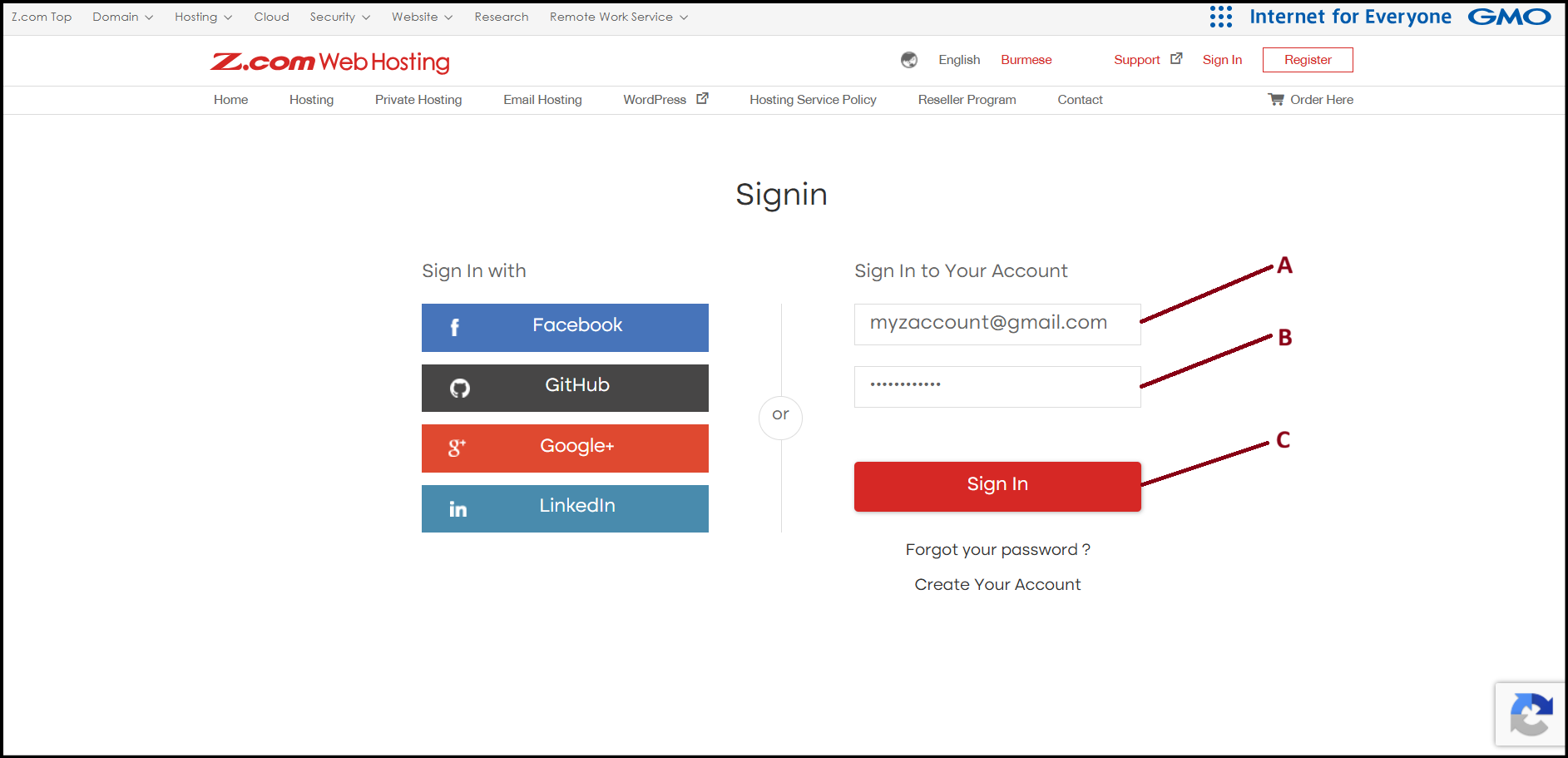
Step2. Go to the "Private Hosting" tab under MM4. And click the server under Name Tag. 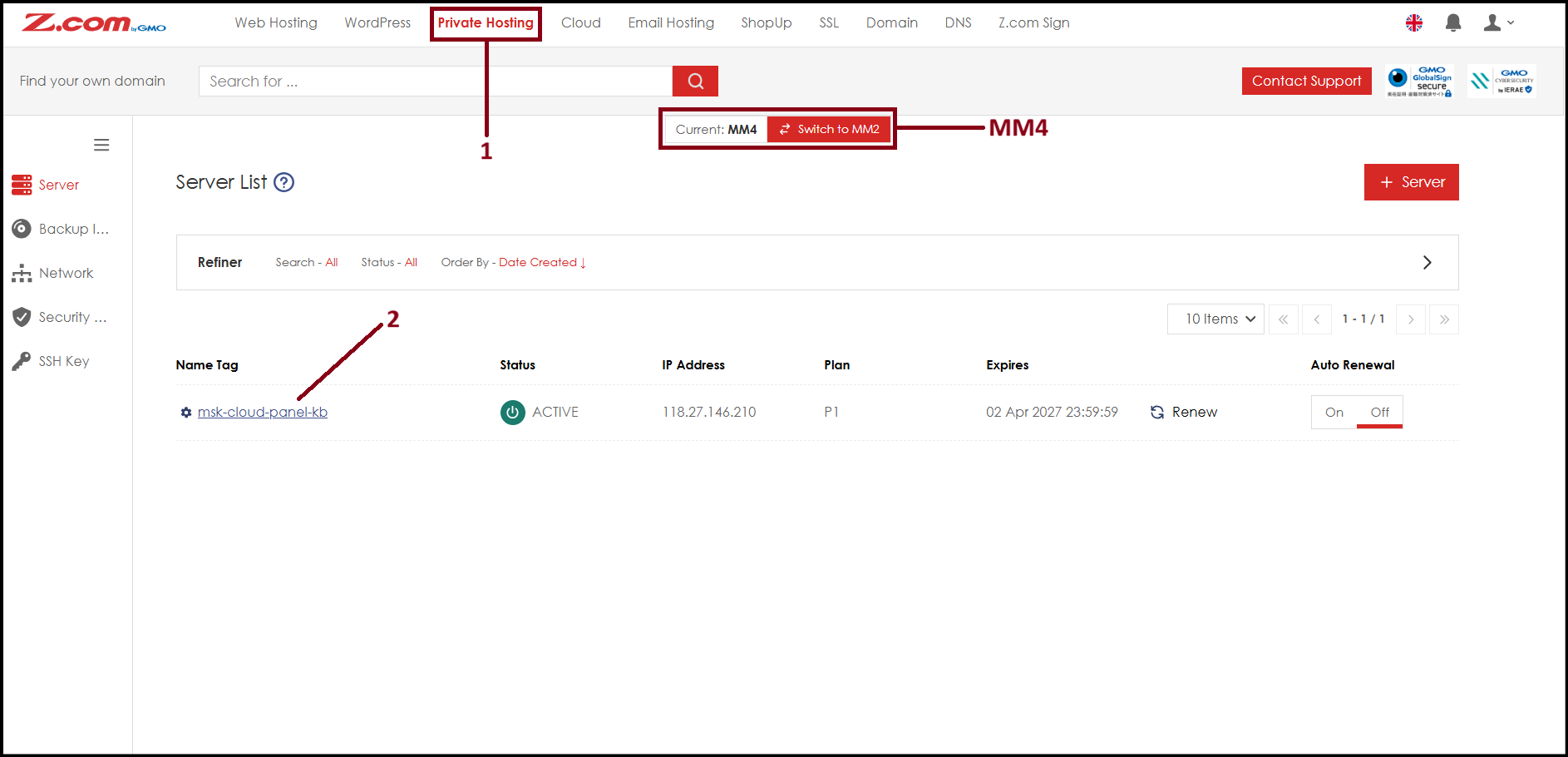
Step3. Click "VM Information" to check Cloud Panel login URL.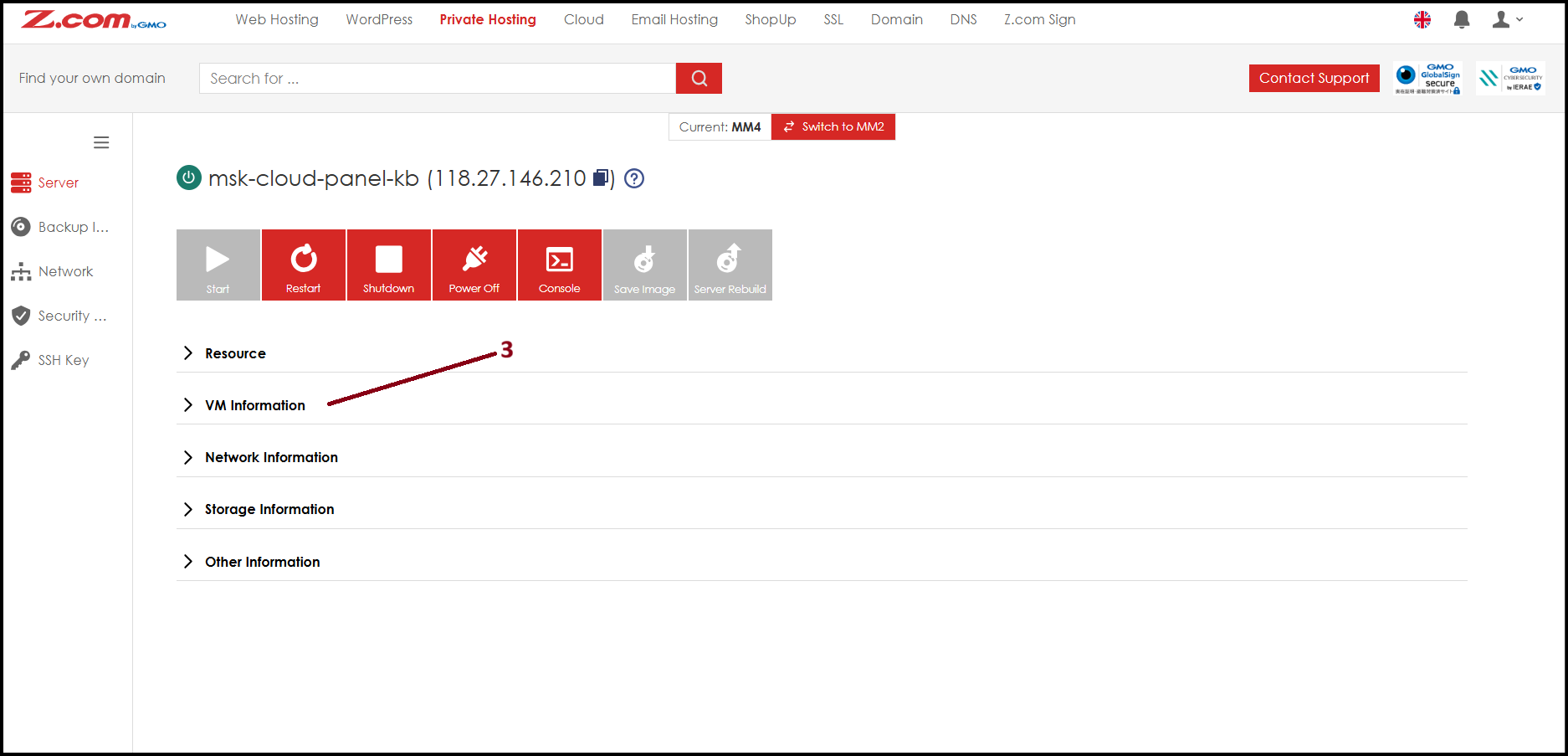
Step4. Click the Login URL link to open the Cloud Panel login page.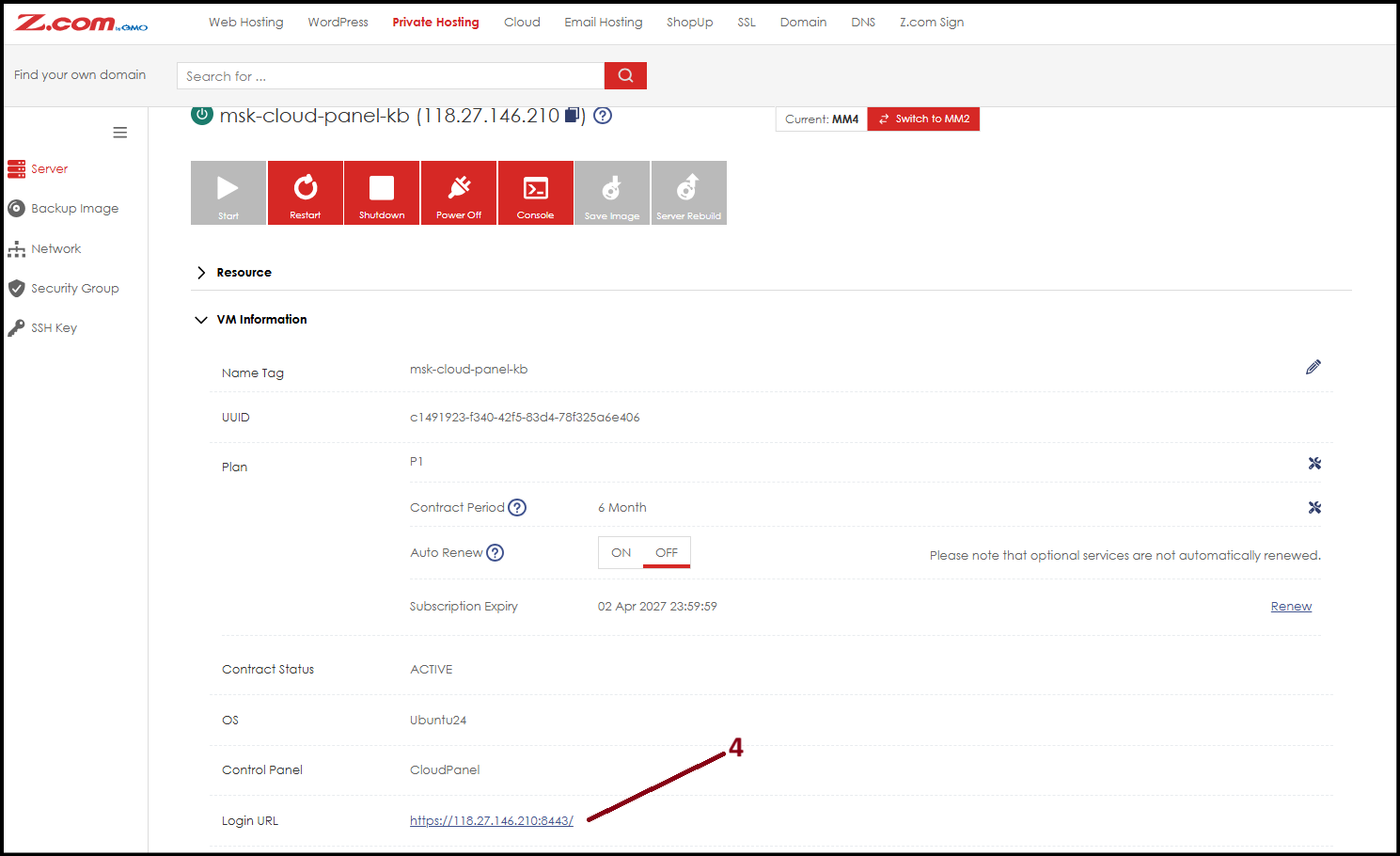
Step5. Login with Cloud Panel Username and Password.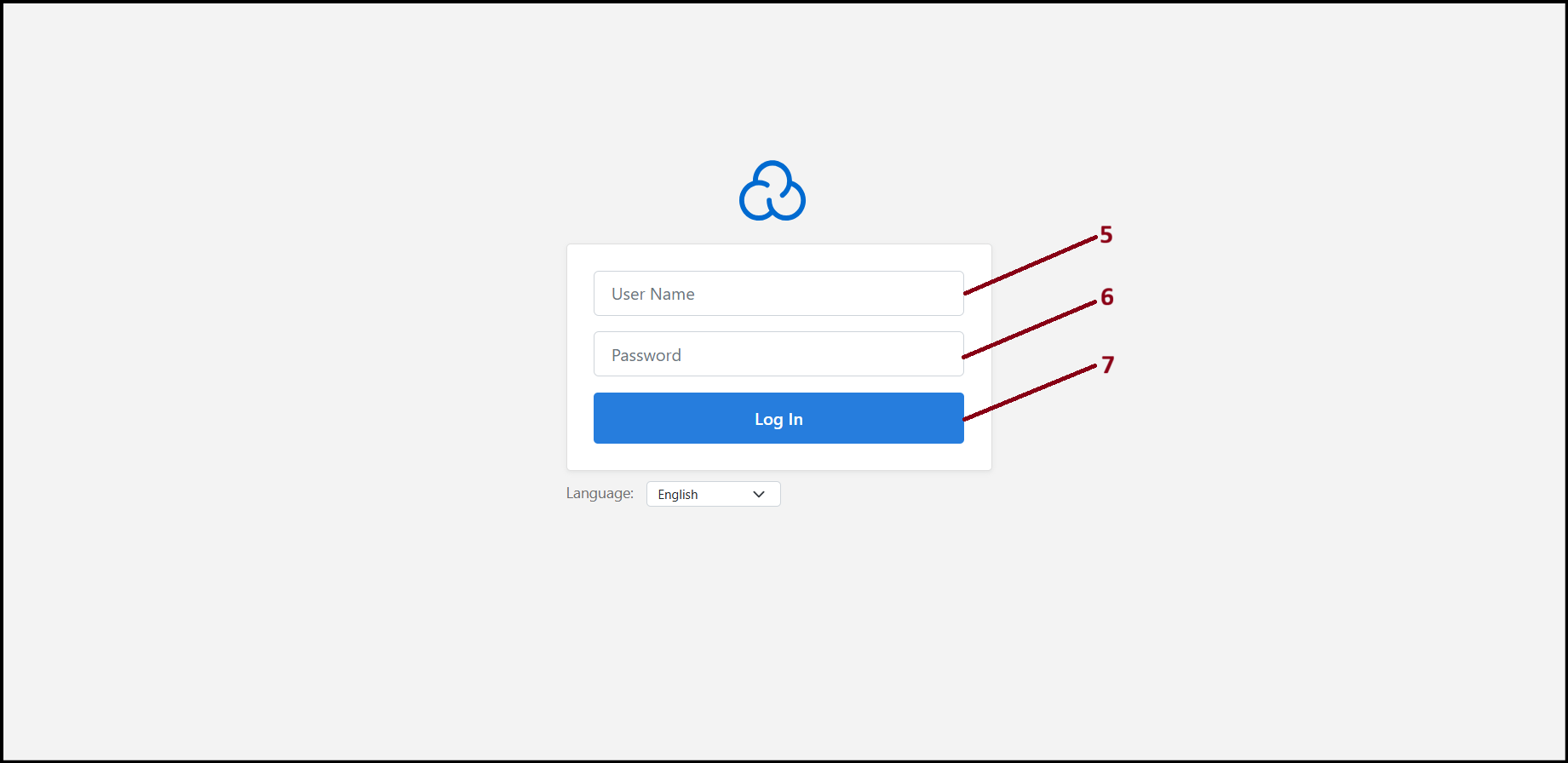
Step6. Under "Sites" menu, click "Manage" beside of domain name. 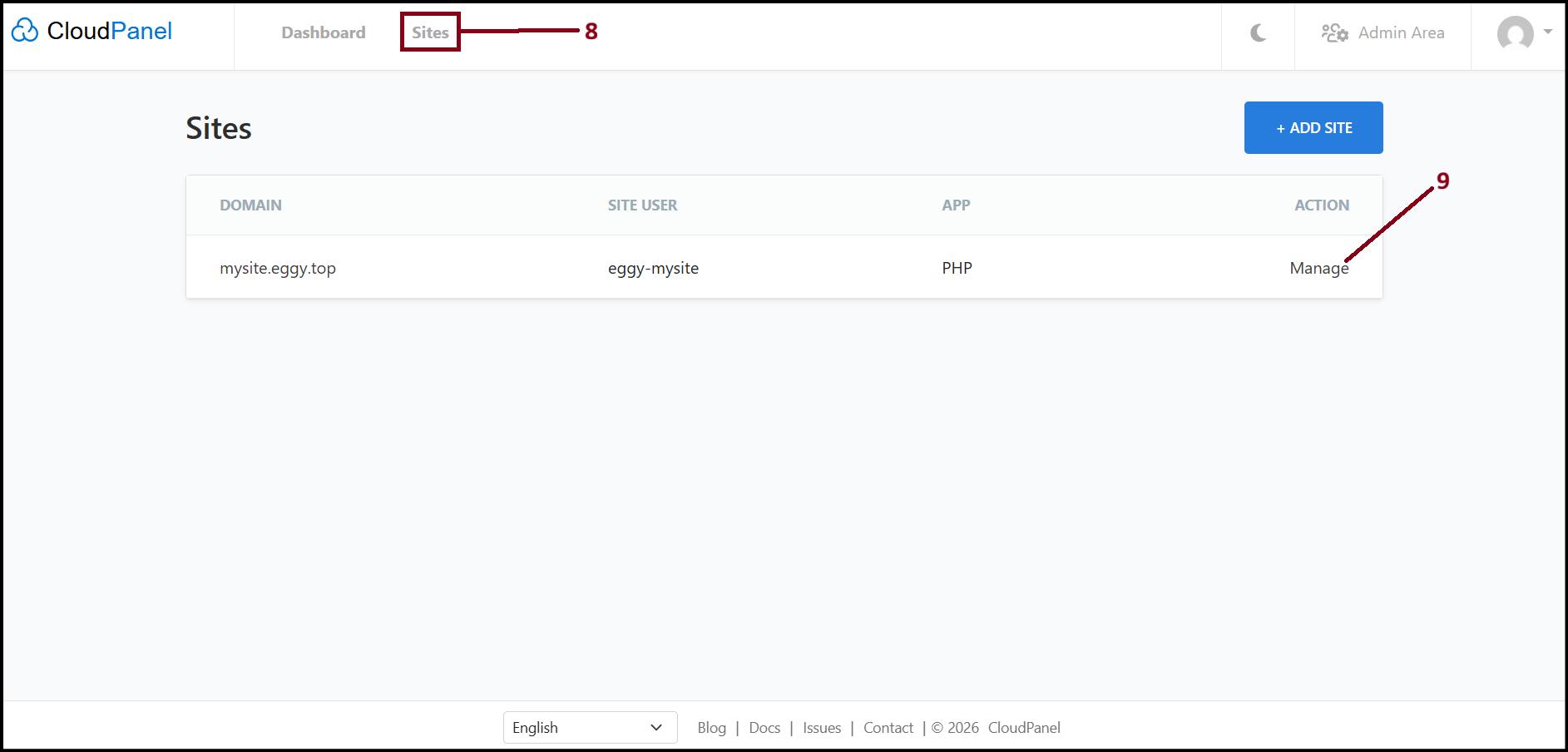
Step7. Choose "Databases" menu, select database user you wish to delete and click "Delete".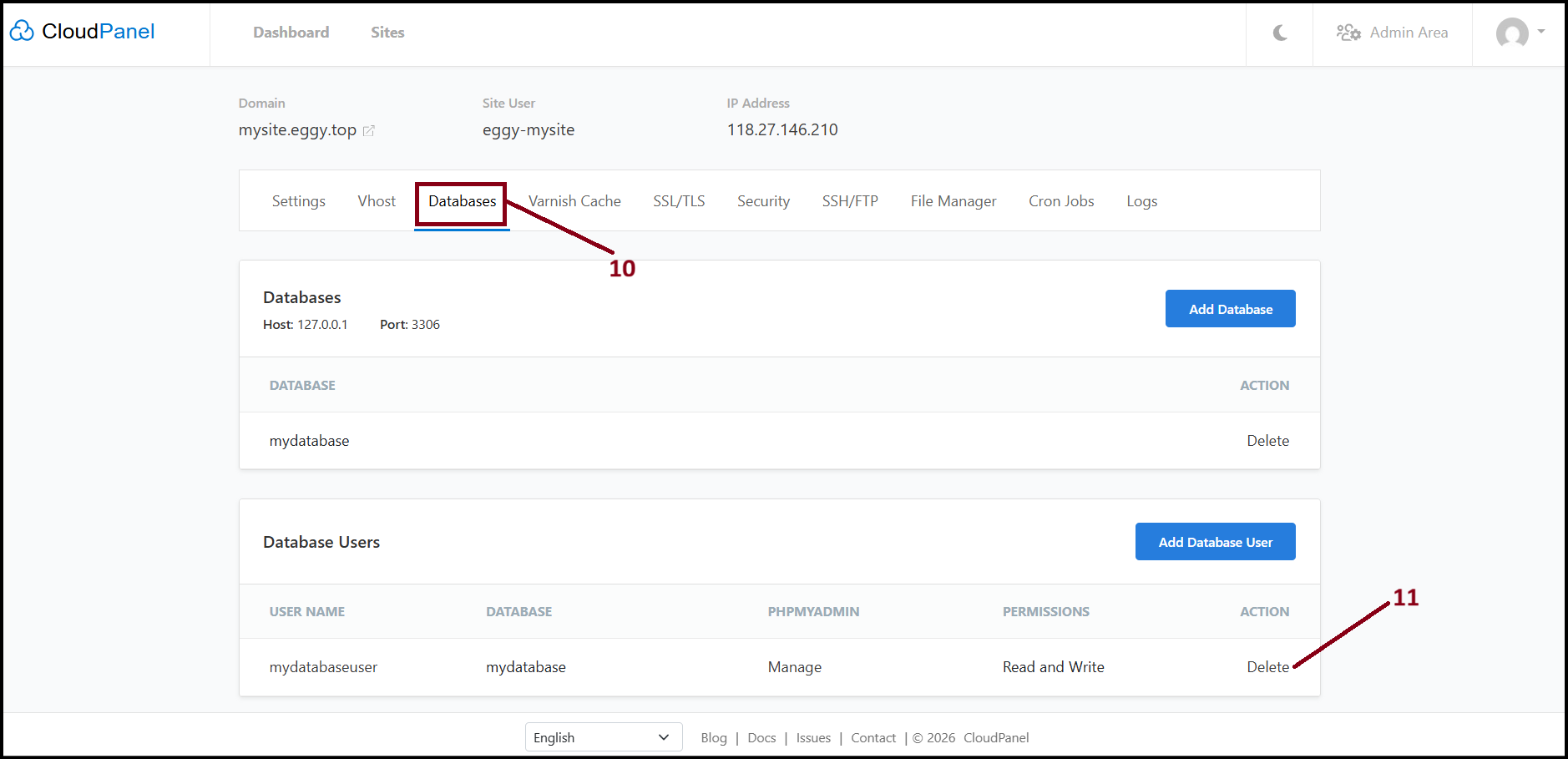
Step8. The browser confirmation pop up screen will open. Click "OK" to delete. 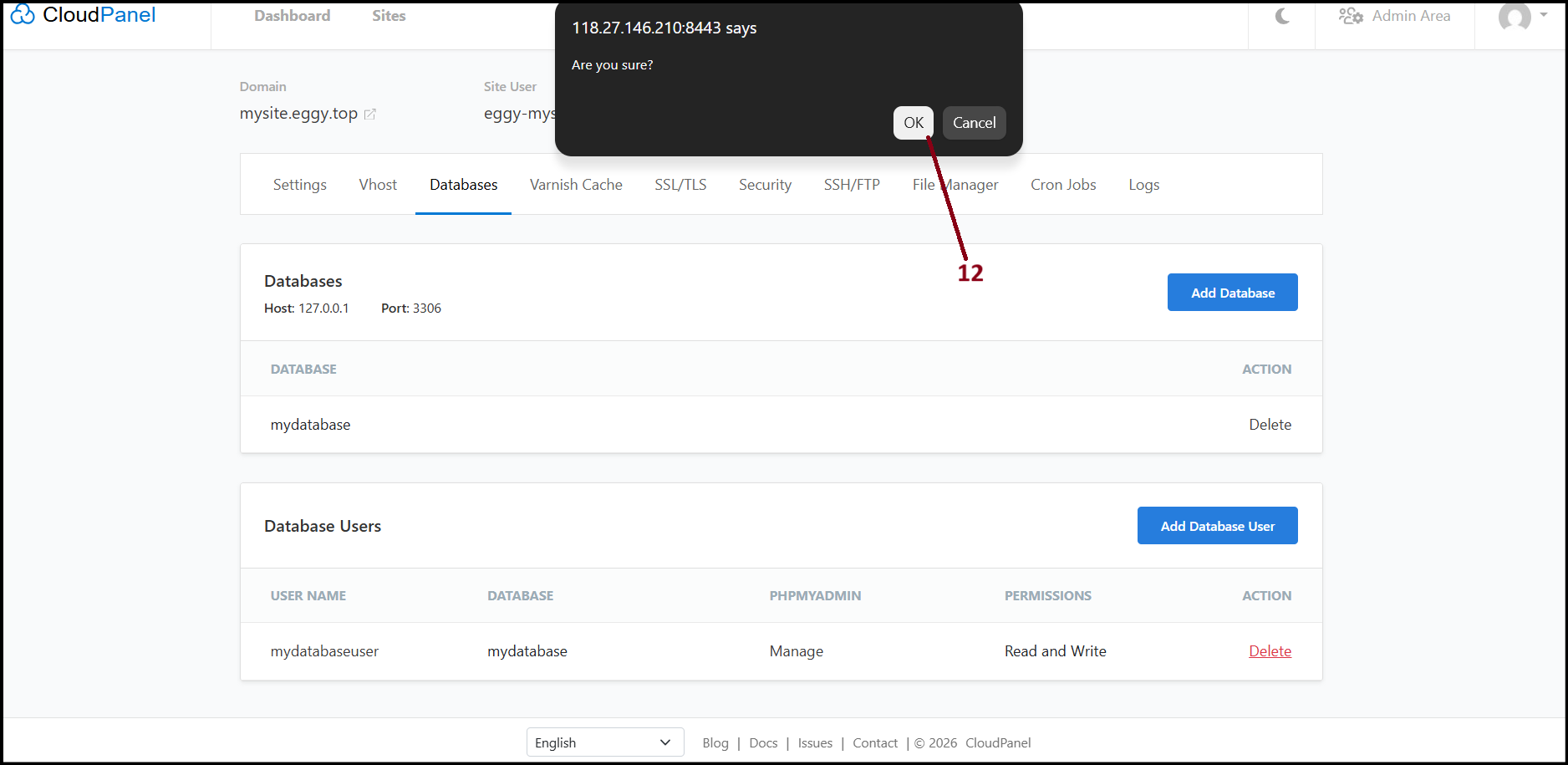
Step9. Now the database user has been deleted. To delete database, select database name you wish to delete and click "Delete".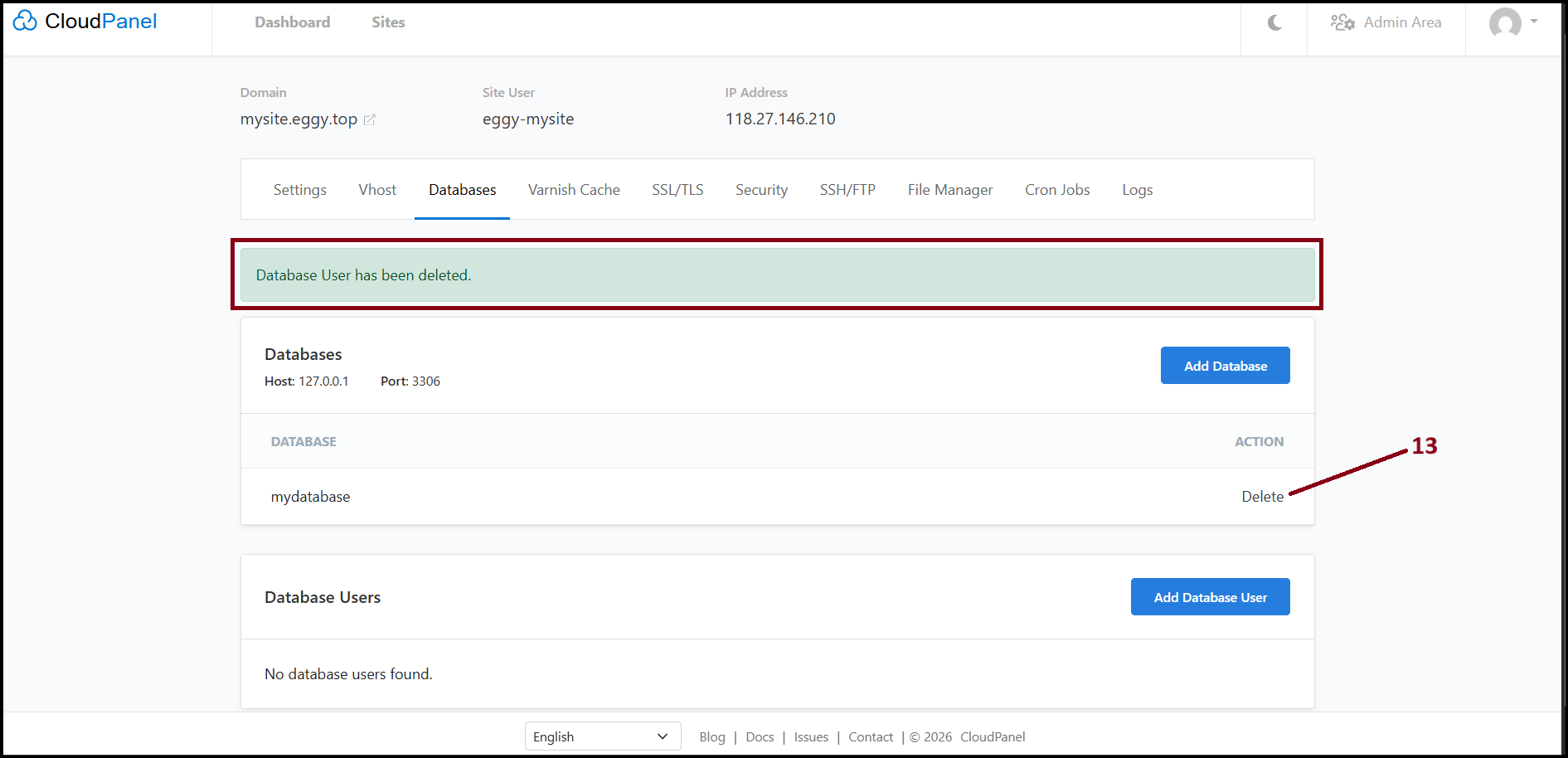
Step10. The browser confirmation pop up screen will open. Click "OK" to delete. 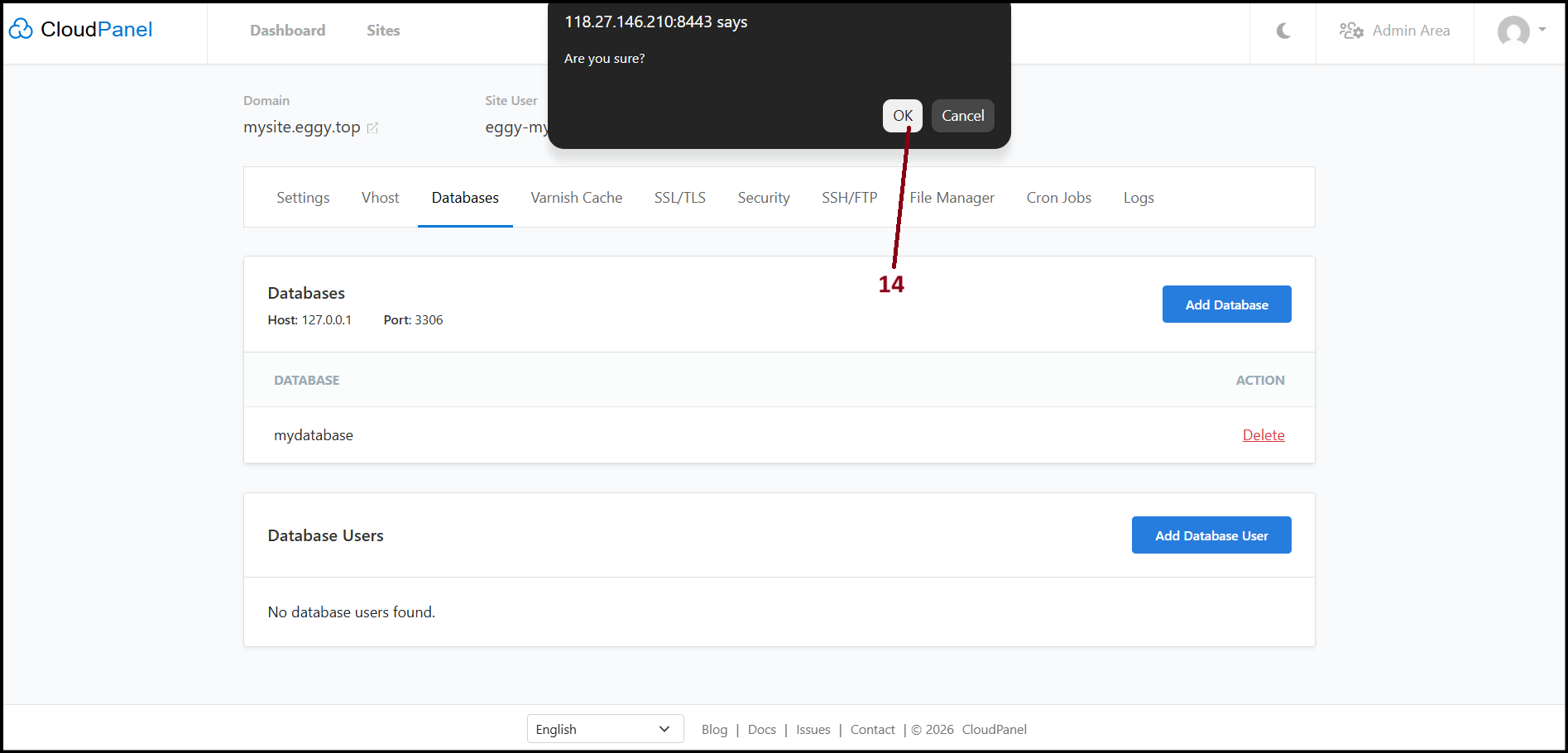
Step11. Now the database is also successfully deleted. 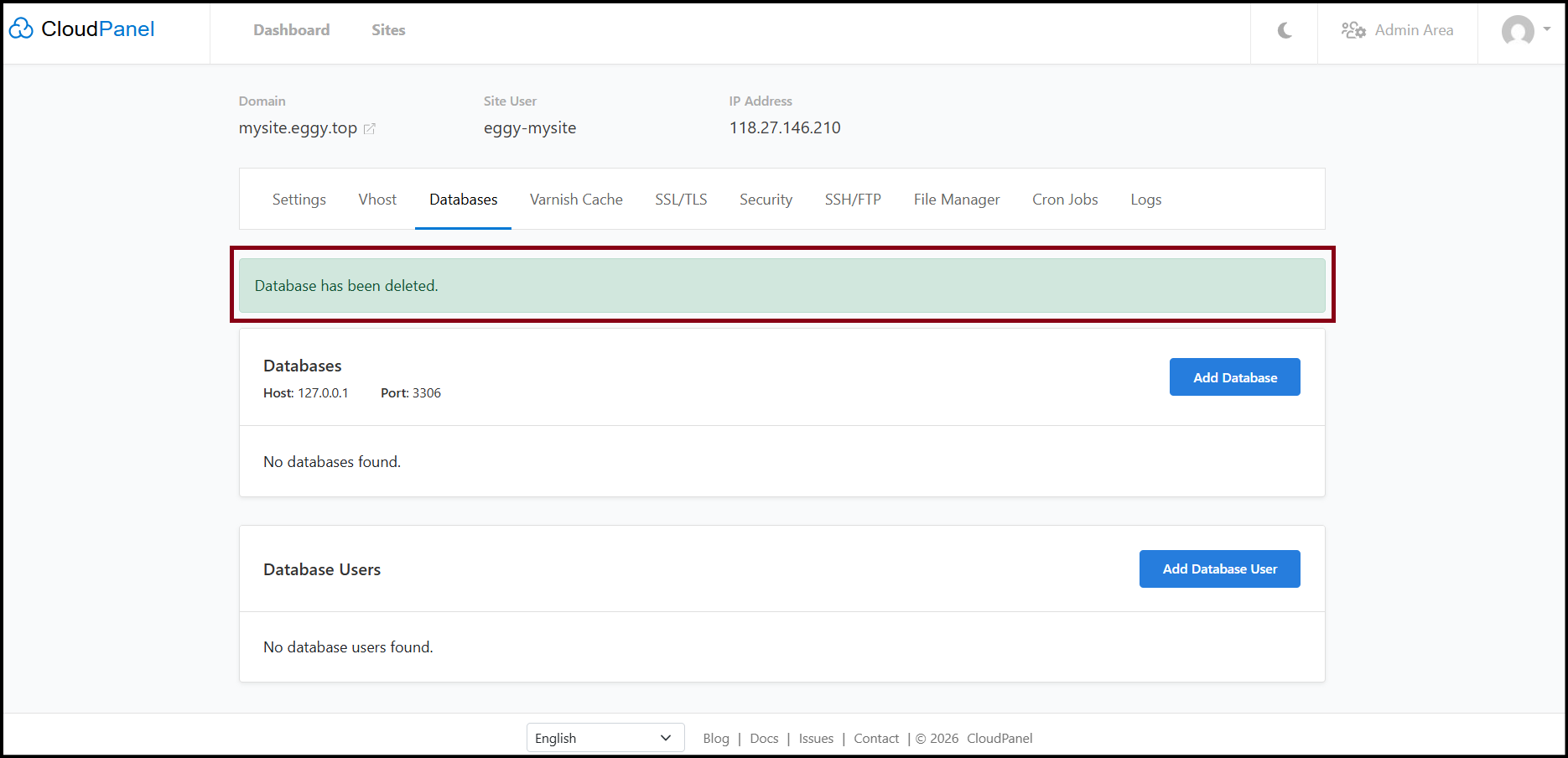
Thank You!
Was this article helpful?
That’s Great!
Thank you for your feedback
Sorry! We couldn't be helpful
Thank you for your feedback
Feedback sent
We appreciate your effort and will try to fix the article