How to Check Bill History and Top-up History in Your Z.com Account?
Step (1). Please kindly log in to your Z.com account:
https://cloud.z.com/mm/signin/
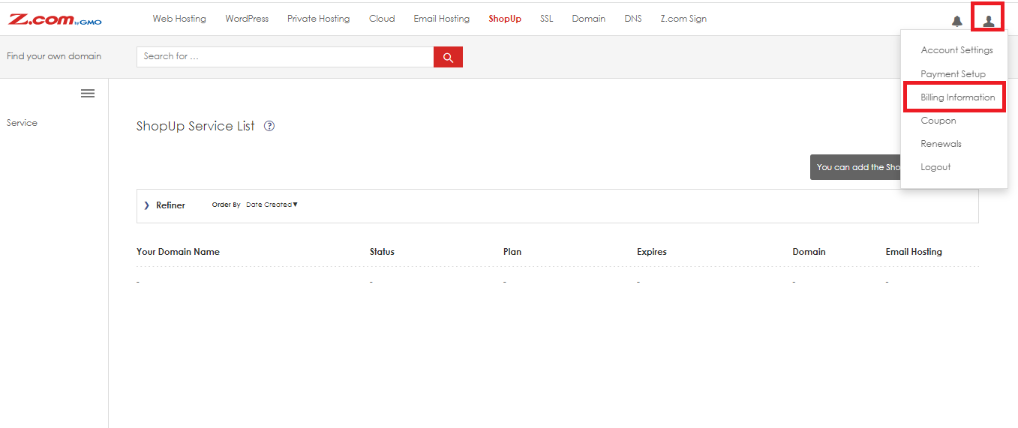
Step (2). After successfully logging into your Z.com account, please click on the person icon on the top right-hand side and select “Billing Information”.
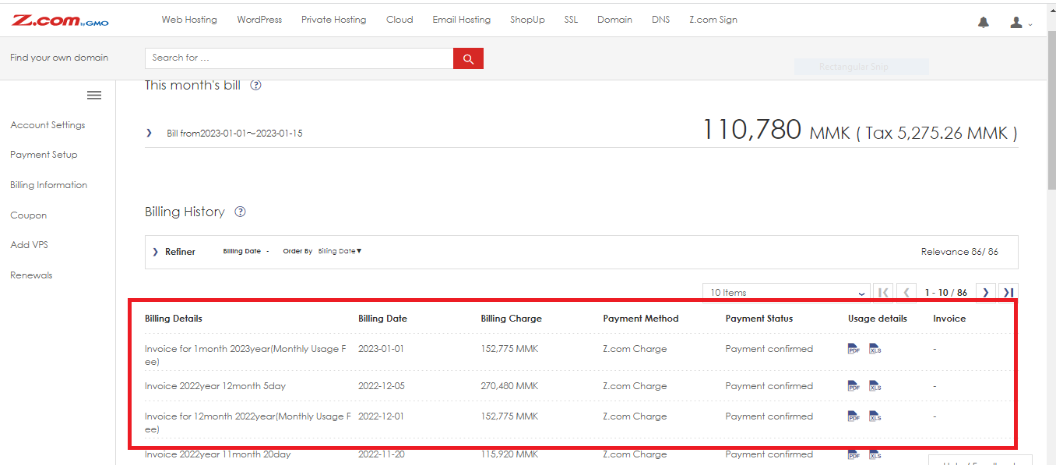
Step (3). You can view all bill details for your service. You can download PDF and XLS files that have been used with the Z.com service as shown in the picture.
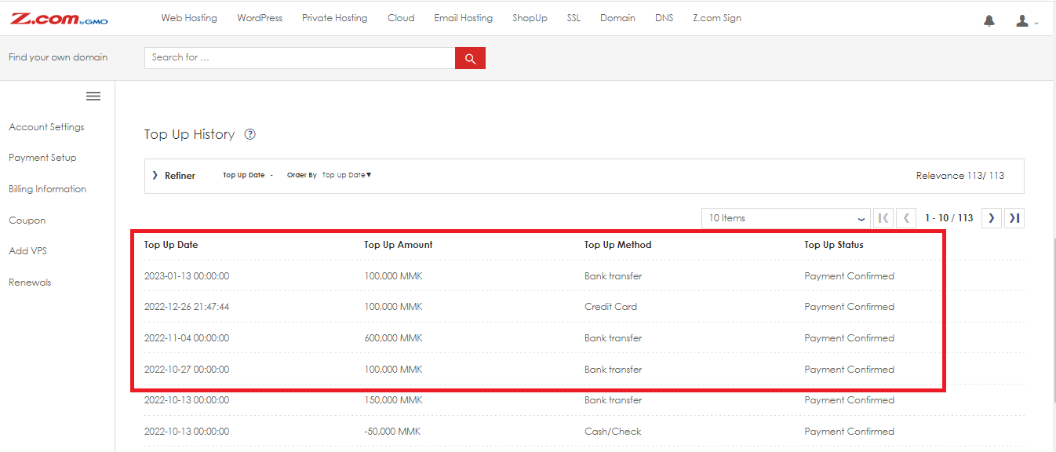
Step (4). You can check the payment top-up history, including Date, Amount, and Status as shown in the picture.
THANK YOU!!!
Was this article helpful?
That’s Great!
Thank you for your feedback
Sorry! We couldn't be helpful
Thank you for your feedback
Feedback sent
We appreciate your effort and will try to fix the article