How to Proceed with Auto Top-Up via KBZ QuickPay for Your Z.com Account?
- Click on QuickPay
- Search "Z.com Myanmar (GMOZ.com ACE)" from the search bar.
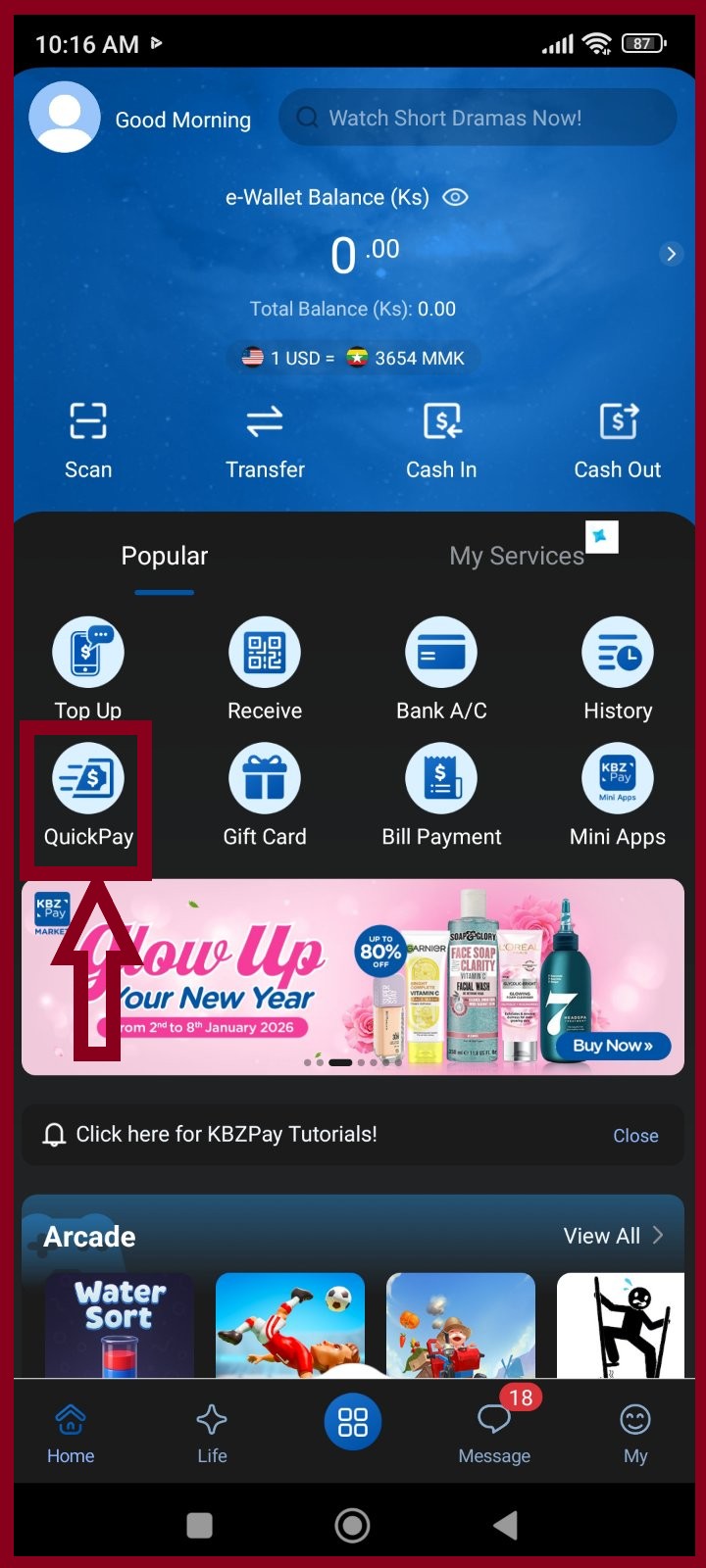 Click QuickPay | 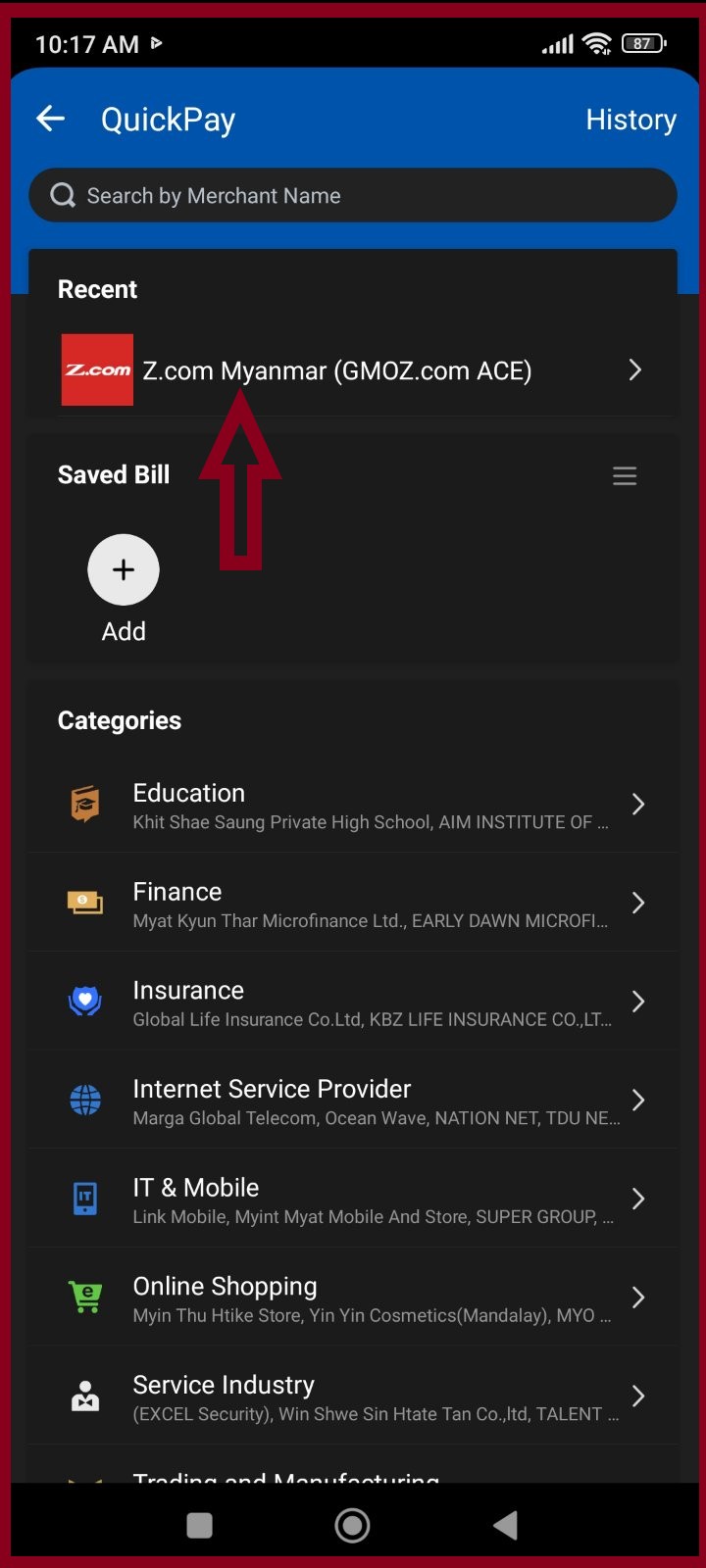 Search Z.com Myanmar (GMOZ.com ACE) |
Step2. KBZ QuickPay Top-Up System Type
If you wish to make a payment via KBZ QuickPay, there are two available payment methods.
- If you would like to add funds as a deposit to your Z.com account, please refer to Example (1) and proceed with the payment accordingly.
- If you would like to pay for an existing service invoice or a system-generated renewal invoice in your account, please refer to Example (2) and complete the payment as instructed.
You don't need to send a bank slip if you used KBZ QuickPay for the payment.
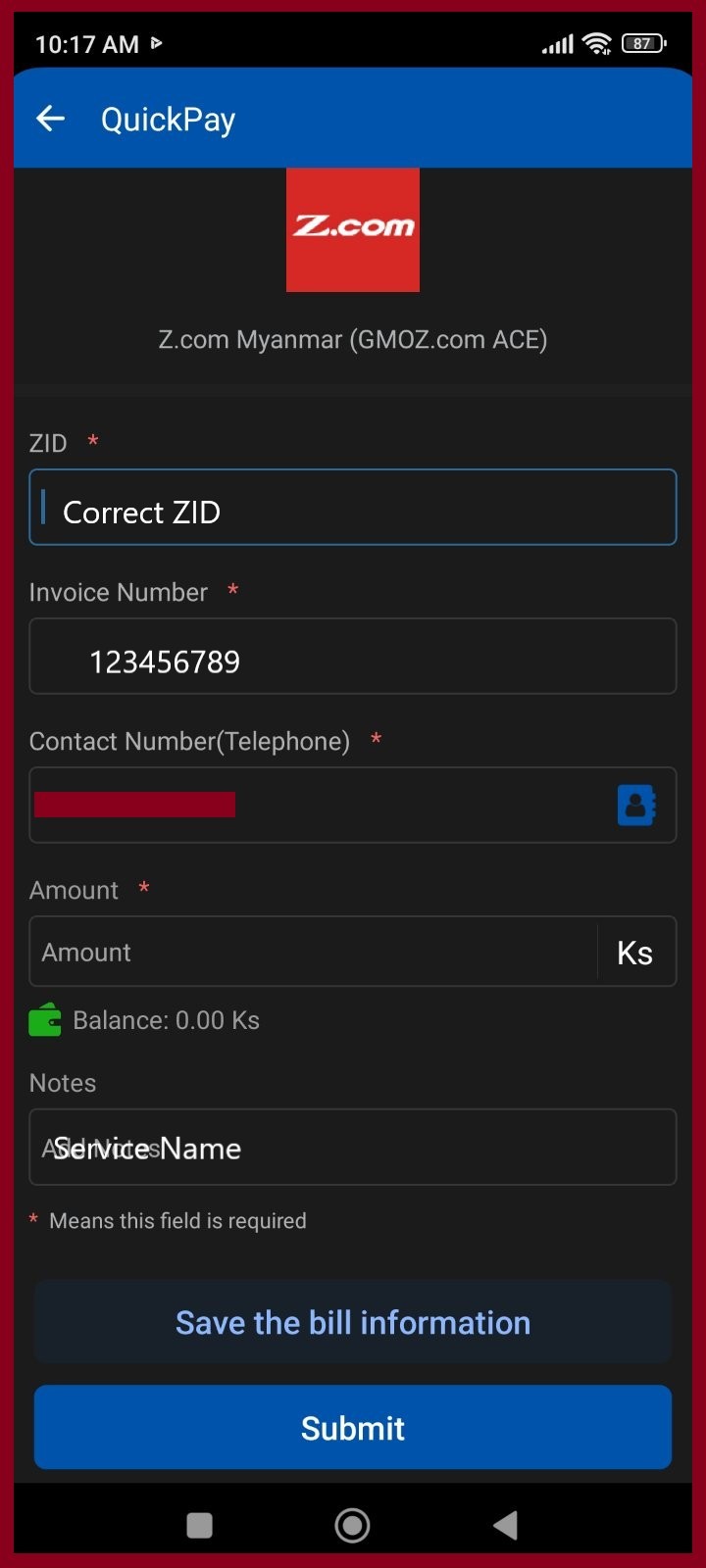 | 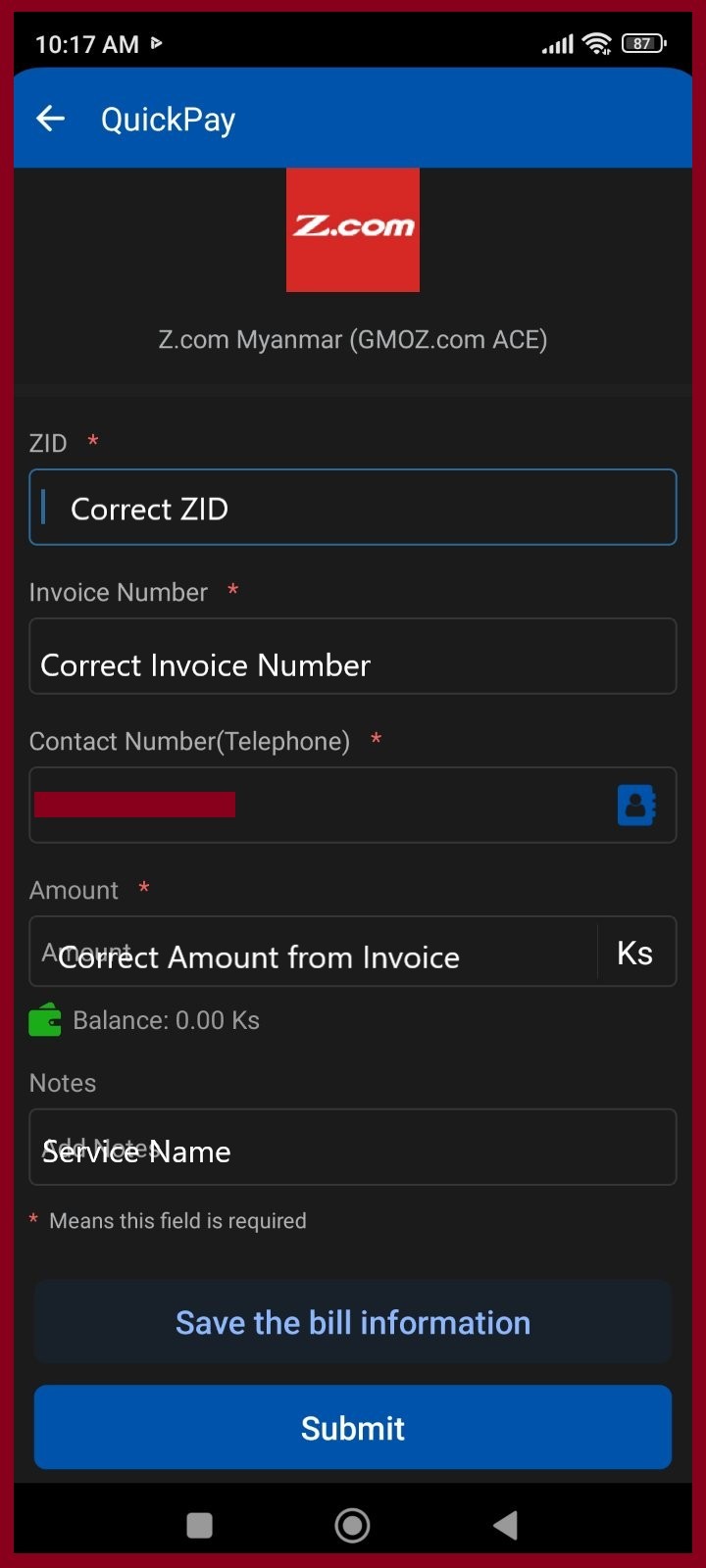 |
✔ Your payment will automatically top up in your Z.com account as deposit Note: For renewal customers who use the invoice number 123456789, please kindly renew the service by yourself. |
✔ Invoice auto paid |
Note: The system will automatically top up your account within 10 to 20 minutes after you transfer money via KBZ QuickPay (during office hours and after office hours), provided that you fill in the correct information and same amount with invoice Number.
Thank you!!!
Was this article helpful?
That’s Great!
Thank you for your feedback
Sorry! We couldn't be helpful
Thank you for your feedback
Feedback sent
We appreciate your effort and will try to fix the article