How Can I Check My Invoice Number?
Step 1. Log in to your Z.com account.
Login in Link: https://cloud.z.com/mm/signin/
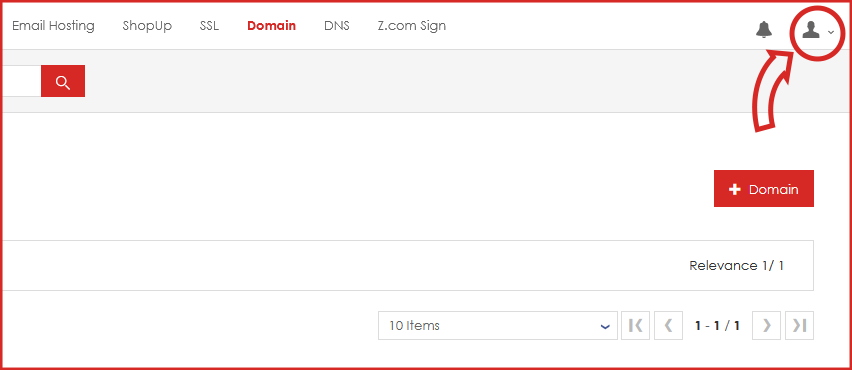
Step 2. Click the user icon.
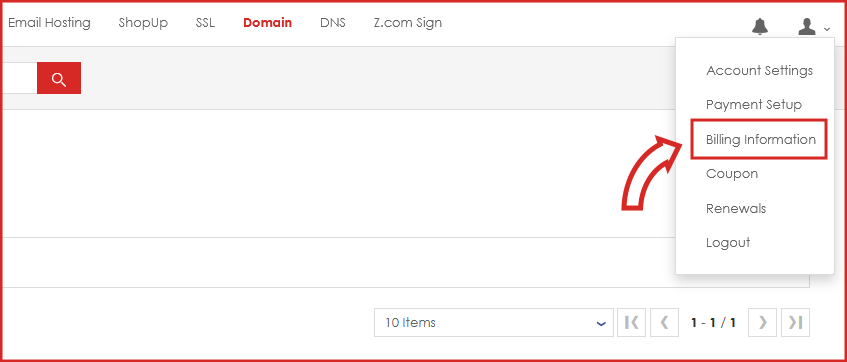
Step 3. Click the billing information.
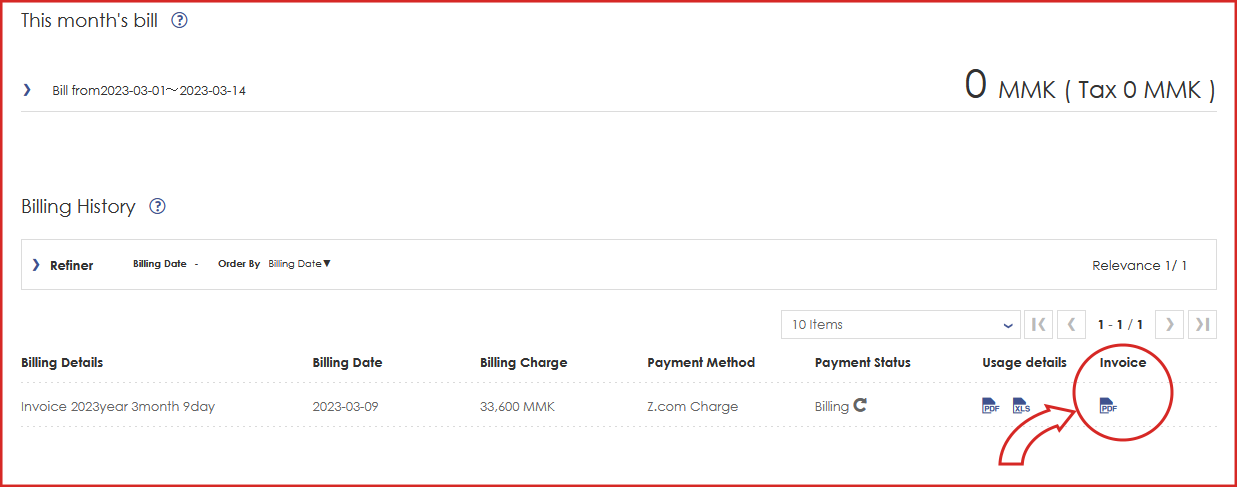
Step 4. Download the invoice PDF.
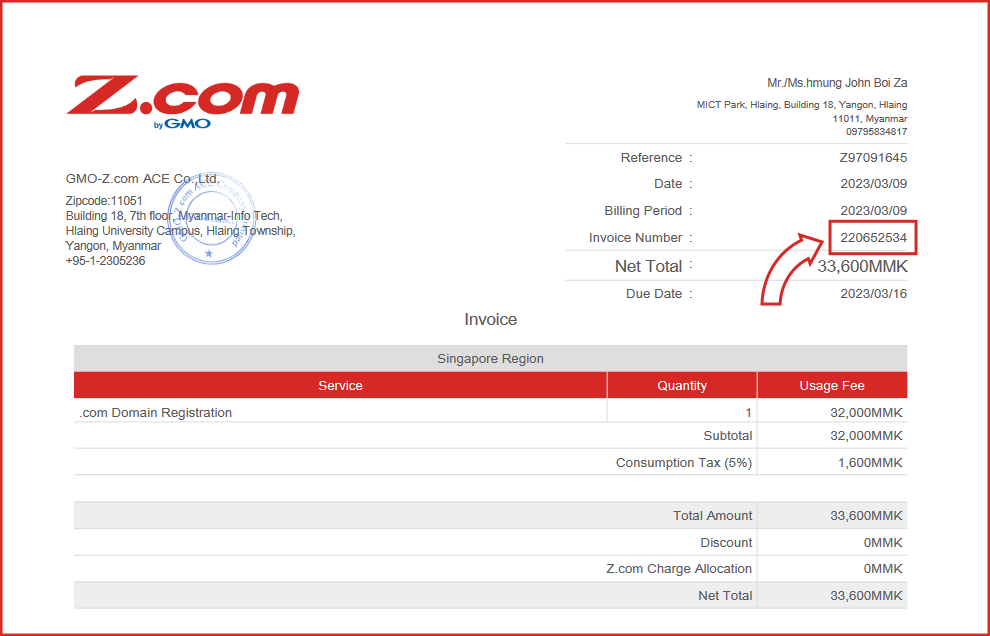
Step 5. Open your PDF and you will find your Invoice Number.
THANK YOU!!!
Was this article helpful?
That’s Great!
Thank you for your feedback
Sorry! We couldn't be helpful
Thank you for your feedback
Feedback sent
We appreciate your effort and will try to fix the article